
For tuition, coaching, music, dance and driving classes
Your classes, in one link.
Students book a trial class, join a batch, see the schedule and message you from one page that carries your name, your colours and a QR code for the door. Parents stay in the loop. It isn't a marketplace, and we take no commission on what you earn.
The pilot is completely free. After it, free to start: 30 orders a month, no card. Paid plans from ₹199 a month. No commission.










Pick a school to see its page. These are demonstration businesses built on Zich World. Each one chose different gadgets for how it works. Open any of them live.
Tutoring
Vidya Home Tuitions
A home tutor whose homework, scores and fees live in one place.
Parents used to find out about missed homework at the end of the month. At Vidya Home Tuitions, this week's homework is a shared list: the teacher adds items and the student ticks them off. Weekly test scores are charted against a target, so parents see the trend long before the report card arrives.
Families enrol with a form recording class, board, subjects and preferred timing, and pay on monthly fee plans by class and subject, with a renewal reminder. Notes and worksheets for each student stay in one place. Before exams, parents book an extra session, and the Saturday doubt class seats ten for the toughest questions. A home tutor now gives families the progress reports, fee records and scheduling of a full coaching centre.


Tasks. This week's homework is a shared list — the teacher adds items, the student ticks them off.
Gadgets at work

Location
The area the tutors travel to is drawn on the map, so parents know before enrolling whether a teacher can come home.
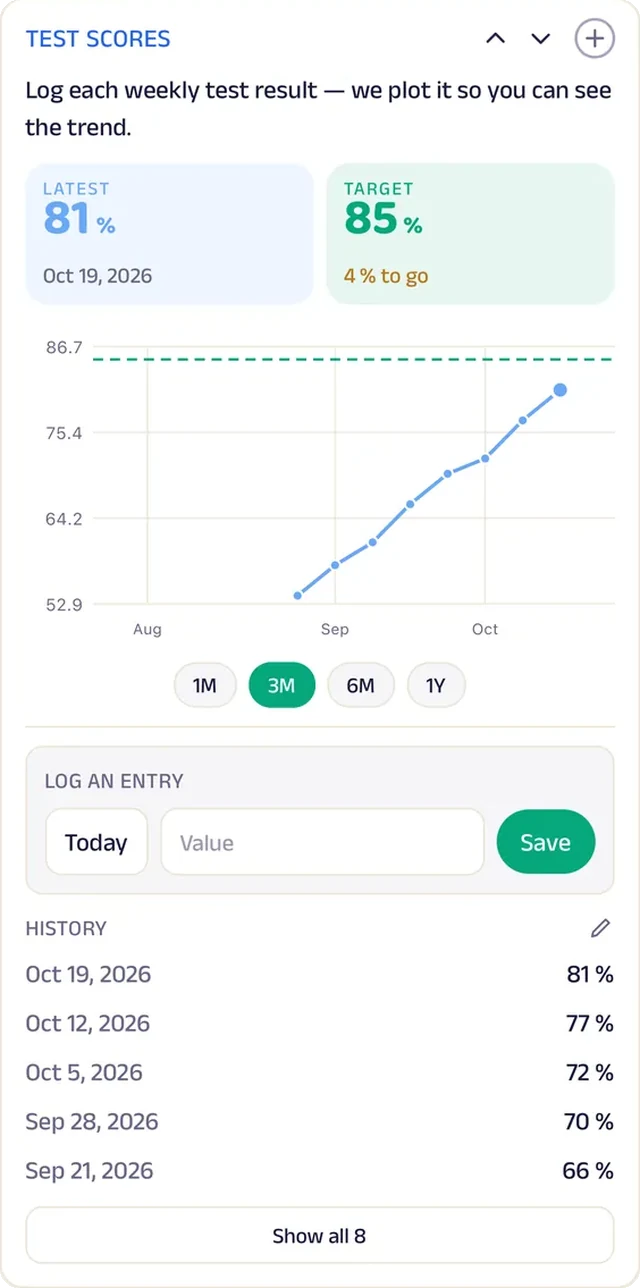
Tracker
Weekly test scores are charted against a target, so parents see the trend.
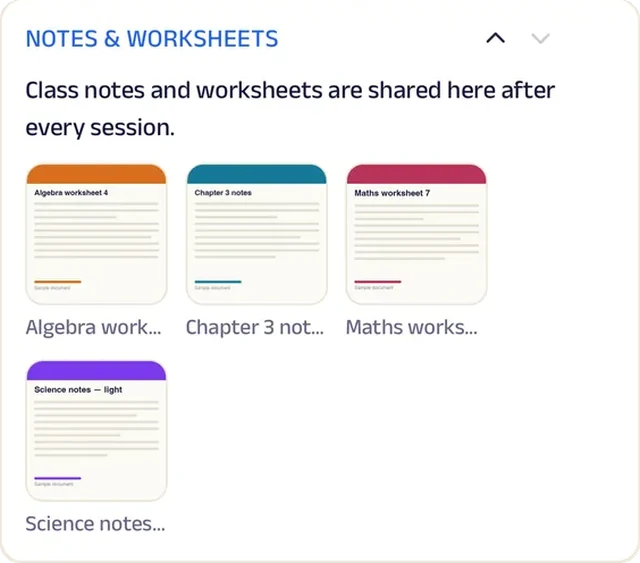
Add docs
Notes and worksheets for each student, kept in one place.
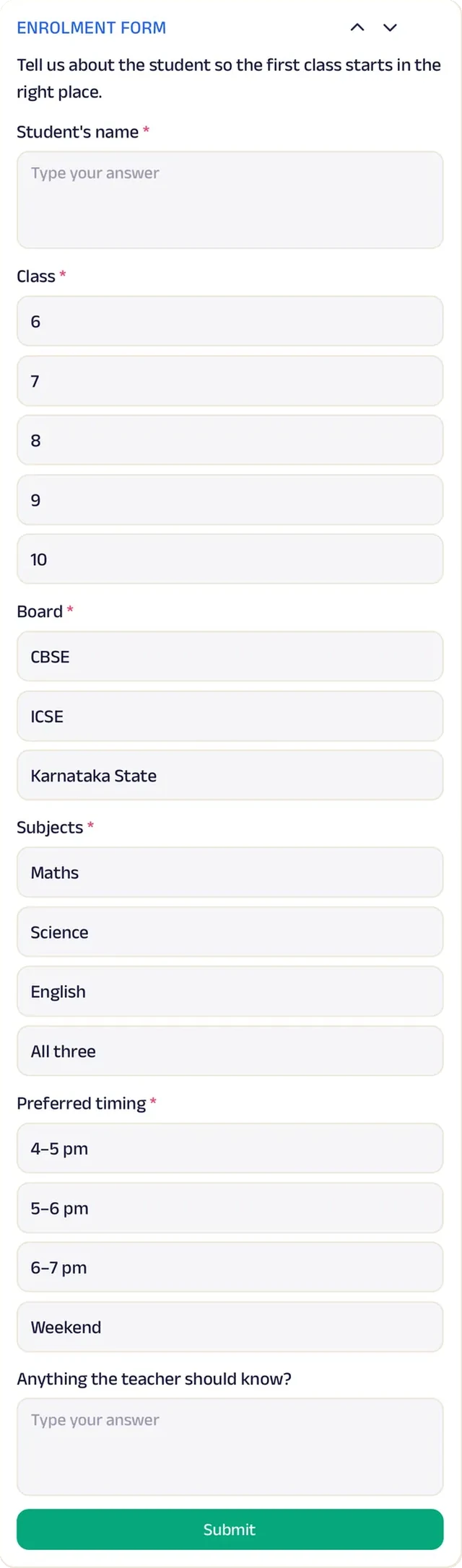
Forms
An enrolment form records the class, board, subjects and preferred timing.
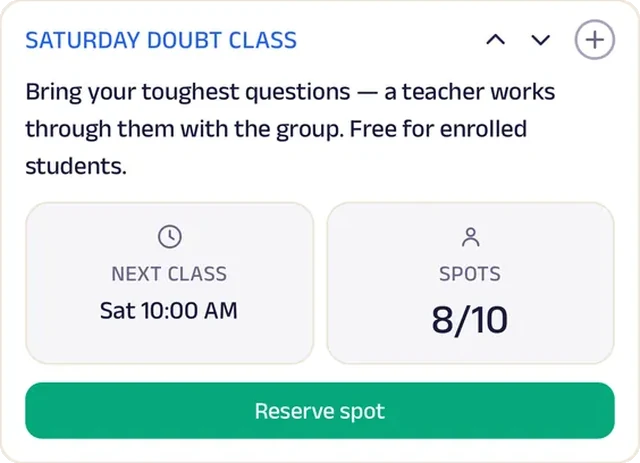
Reserve spot
A Saturday doubt class seats ten for the toughest questions.
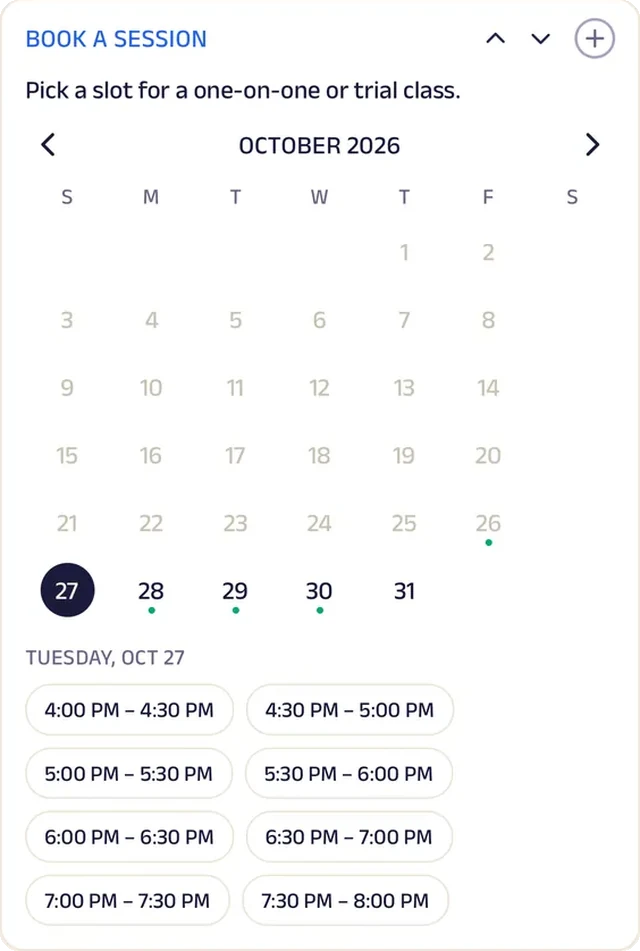
Appointment
Parents book an extra session before exams.
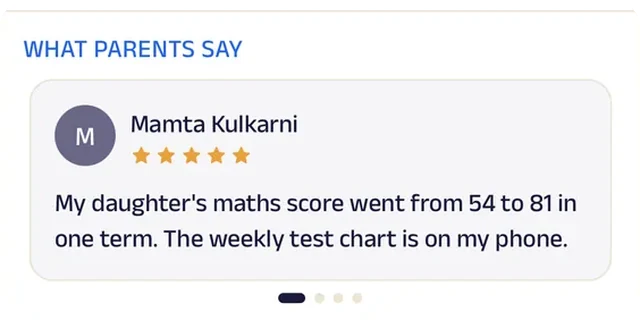
Reviews
Parents write about marks that went up and a child who stopped dreading the subject.
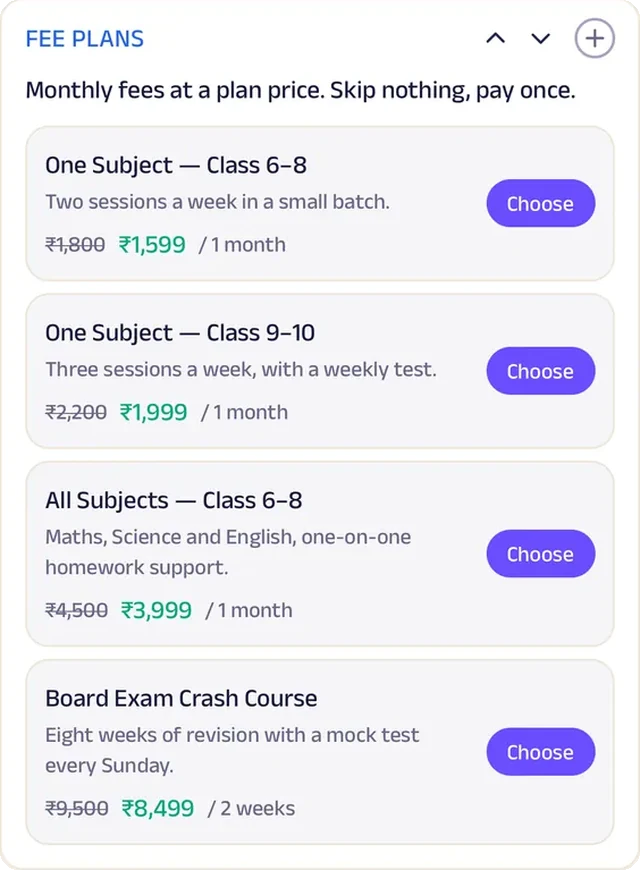
Subscriptions
Monthly fee plans by class and subject, with a renewal reminder.
Tutoring
Sankalp Classes
A coaching centre that tracks every mock test and every doubt.
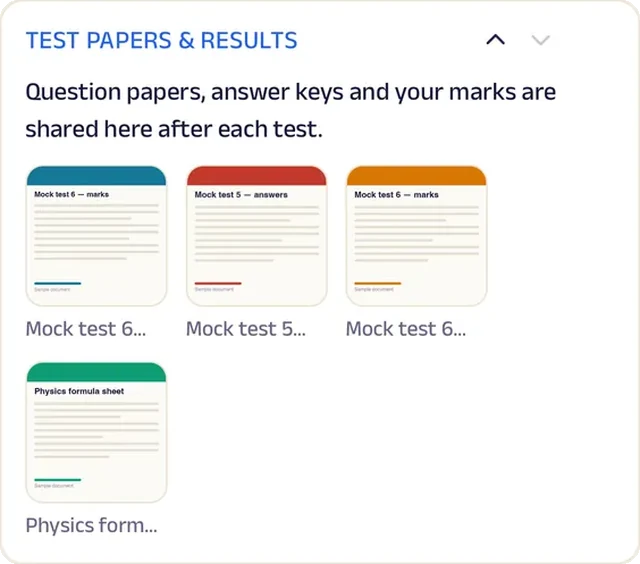
Students used to hear about their marks once a term, long after the weak chapters were behind them. Now mock test scores are logged weekly and charted, showing exactly where marks are being lost. Question papers, answer keys and marks are shared after each test, so mistakes get looked at the same week.
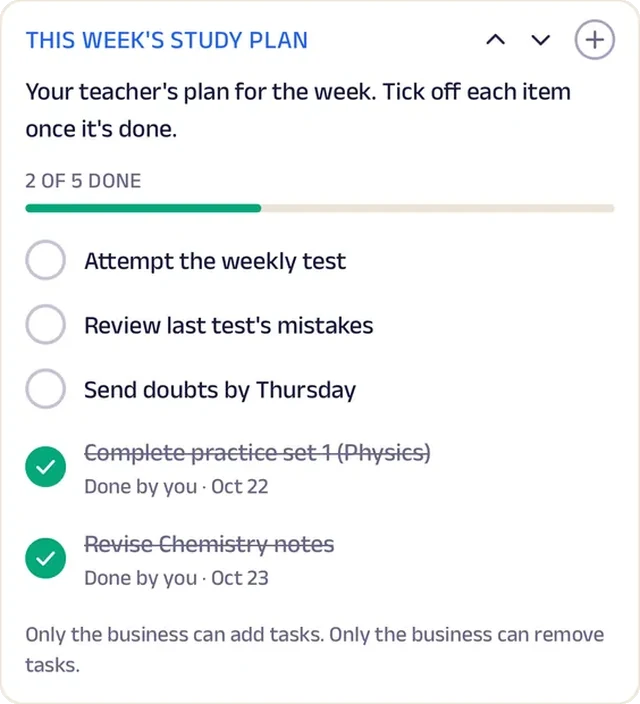
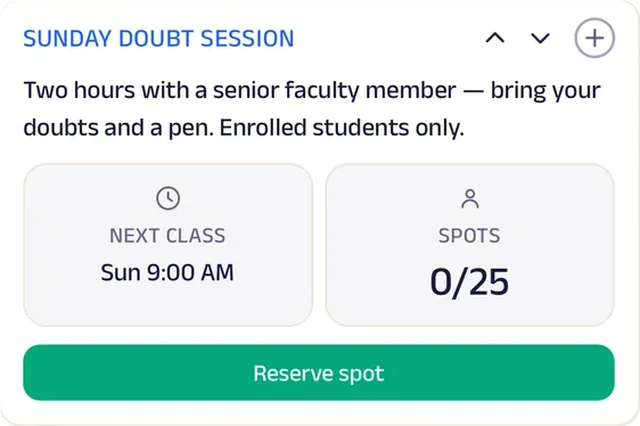
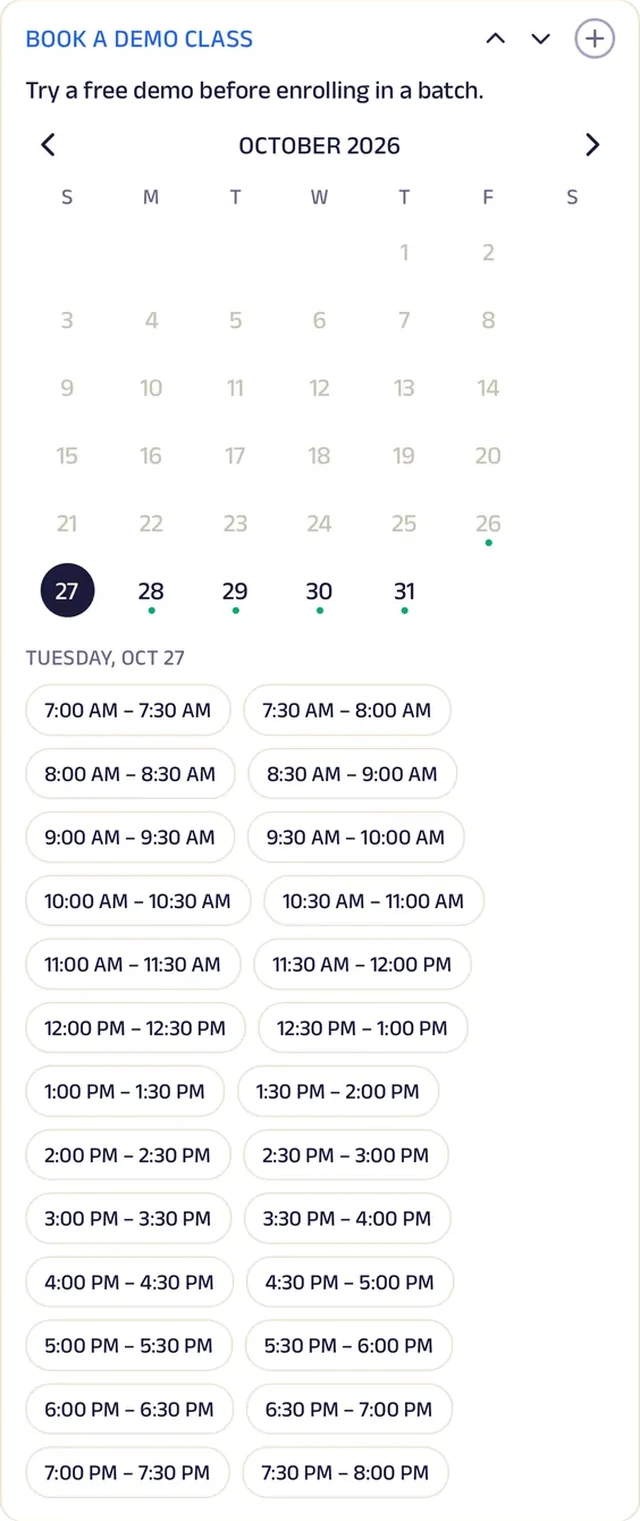
A weekly study plan lists practice sets, revision and the week's test. When doubts pile up, students reserve one of twenty-five seats at the Sunday doubt session with a senior faculty member. Batch fees run monthly or by the term, with reminders ten days ahead. Prospective students send an admission enquiry with their class, board and target exam, then book a demo class. A local coaching centre now follows each student's progress with the detail of a national test-prep brand.


Tracker. Mock test scores are logged weekly and charted, showing exactly where marks are being lost.
Gadgets at work
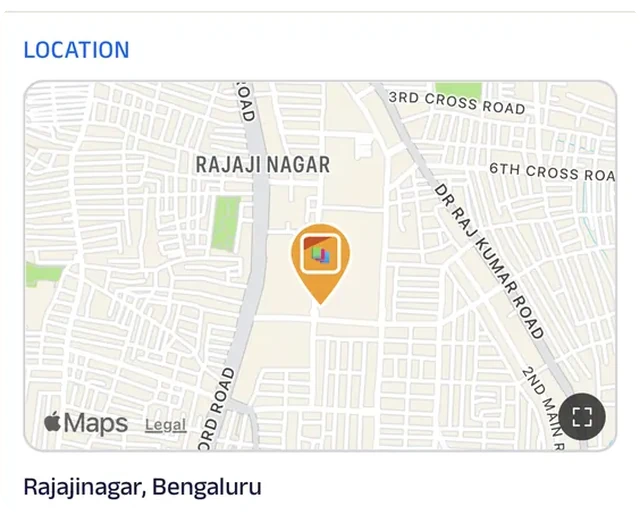
Location
The centre is pinned on the map, so a student coming for a demo class finds the building first time.
Tasks
A weekly study plan lists practice sets, revision and the week's test.
Add docs
Question papers, answer keys and marks are shared after each test.
Reserve spot
A Sunday doubt session seats twenty-five with a senior faculty member.
Appointment
Prospective students book a demo class.
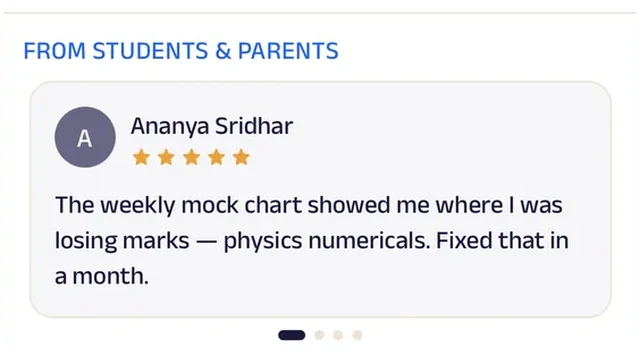
Reviews
Students and parents write about rank improvements, which matters more to the next family than any brochure.
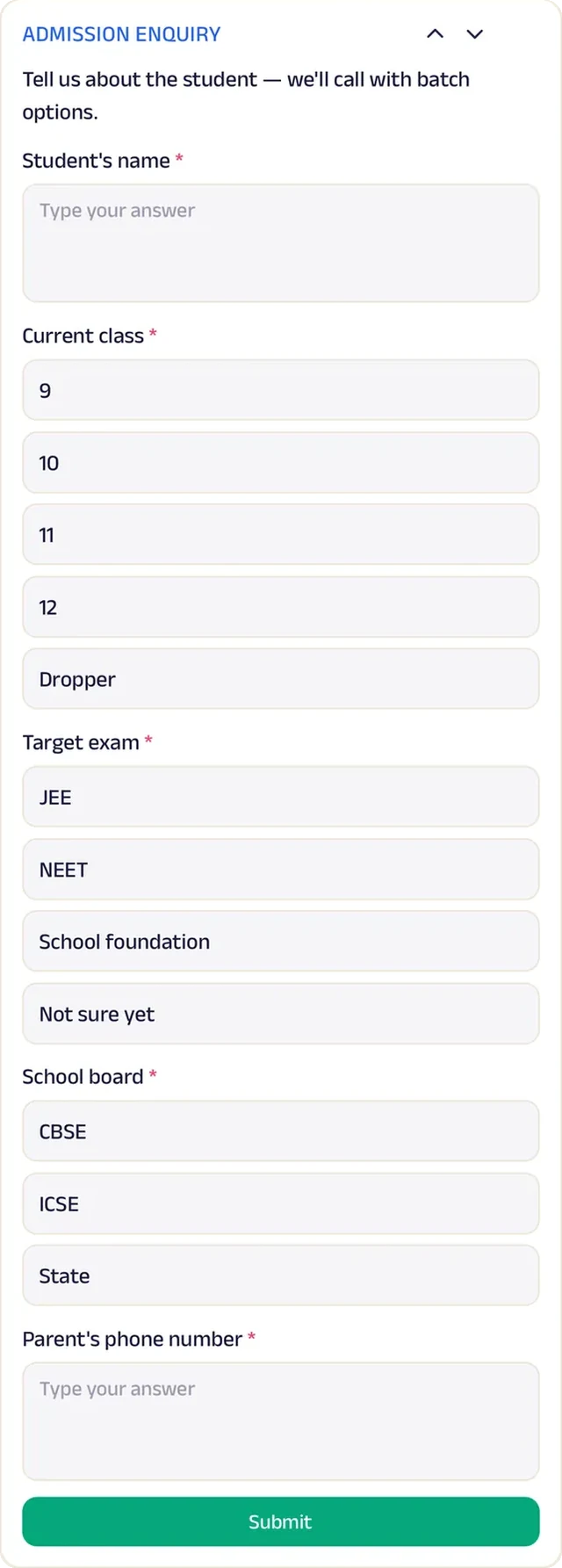
Forms
Admission enquiries with class, board and target exam.
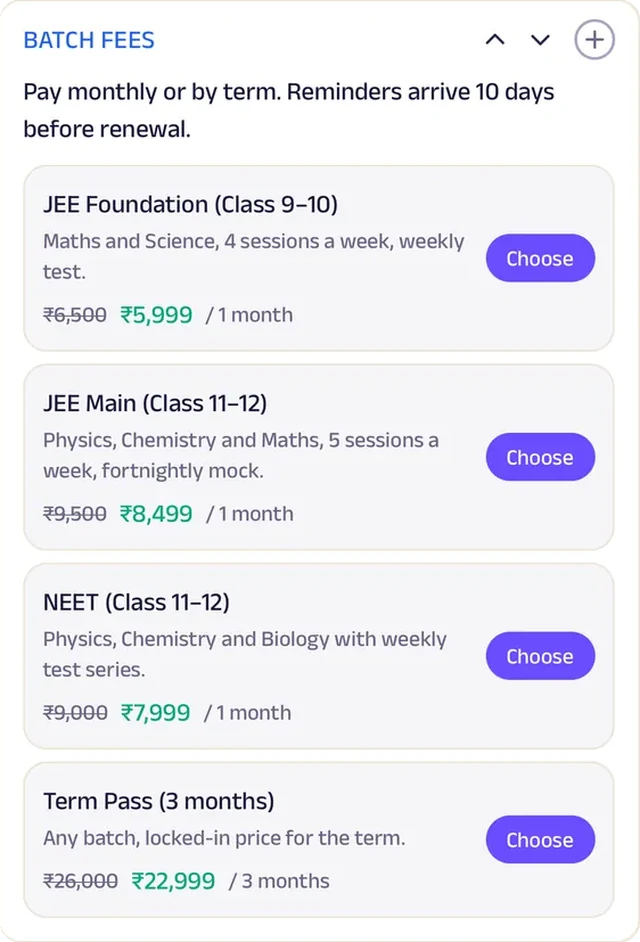
Subscriptions
Batch fees run monthly or by the term, with renewal reminders ten days ahead.
Dance School
Nritya Academy
A dance school where every class has a capacity and every student a log.
Classes used to be overcrowded one week and half-empty the next, with no way to know who was coming. Now every class, from Kathak Beginners to the weekend Bollywood session, has a fixed number of spots; students reserve one or drop it up to two hours before, and the teacher knows the room before the music starts.
Monthly, term and annual passes cover any style, with a renewal reminder. Each student has a page of teacher's notes, updated after class, and home practice minutes are logged weekly against a target. Newcomers sign up for a trial class with the style, day and any experience, and private or catch-up classes are booked in the app. A single dance academy now runs capacity, passes and personal progress for every student like a large performing-arts school.


Reserve spot. Each class has a fixed number of spots: students reserve one, or drop it up to two hours before.
Gadgets at work

Photo gallery
Photos from recitals and class show families what a year at the academy builds up to.
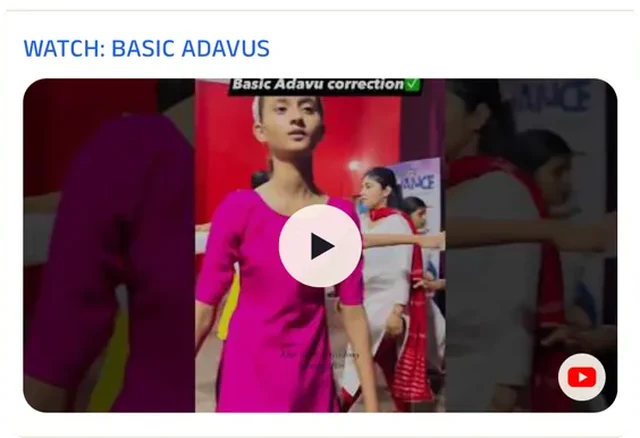
Video
A short clip of the basic steps lets beginners practise at home between classes.
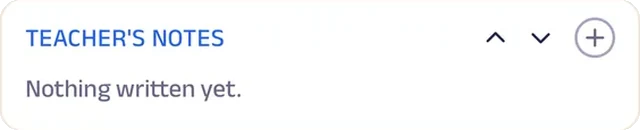
Custom text
Each student has a page of teacher's notes, updated after class.
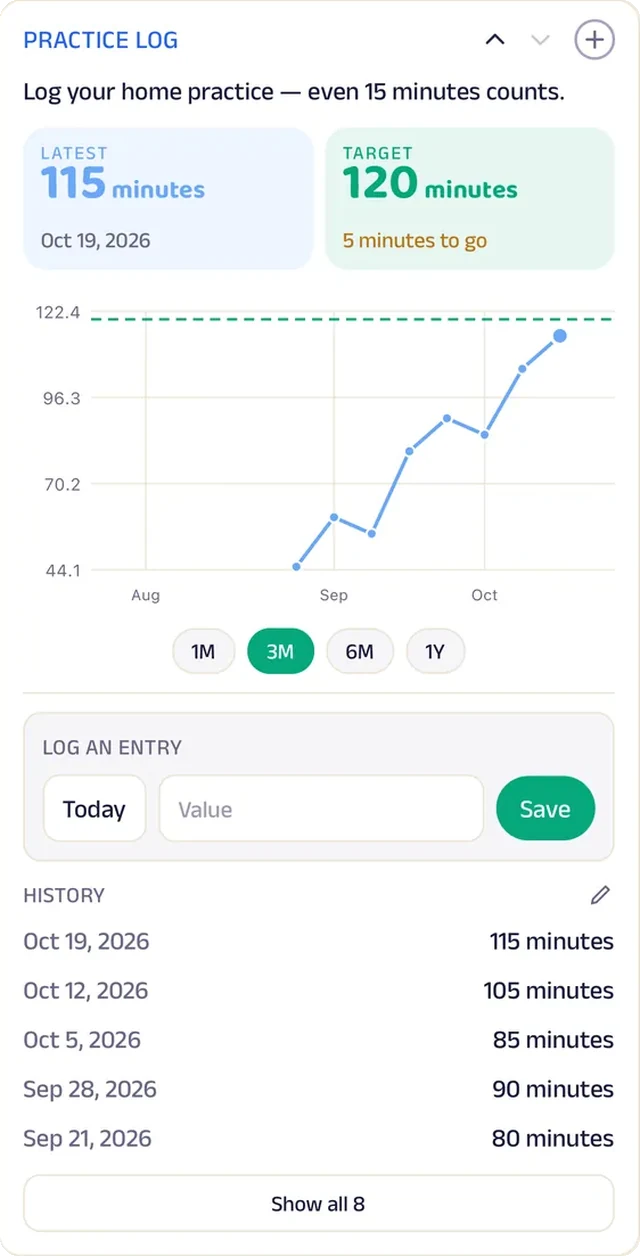
Tracker
Home practice minutes are logged weekly against a target.
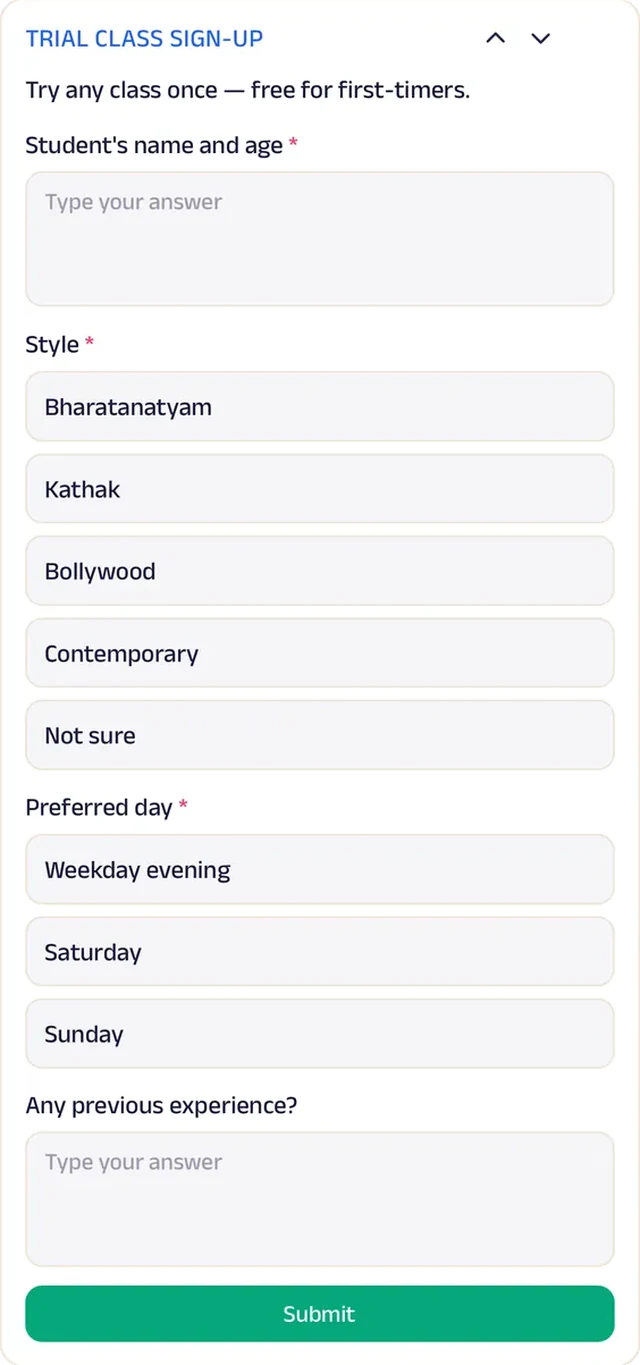
Forms
A trial class sign-up records the style, day and any experience.
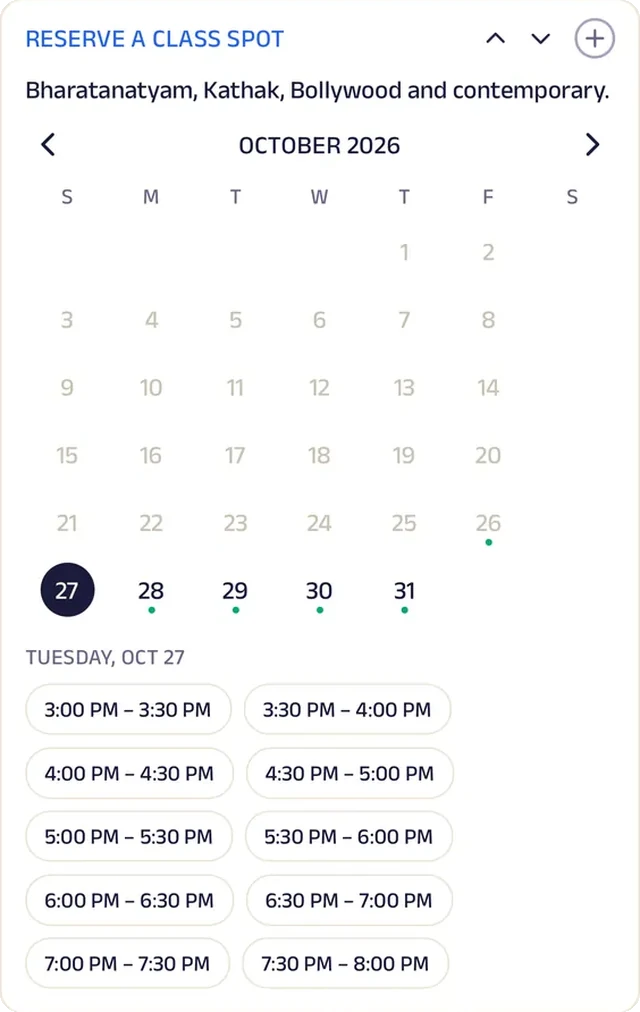
Appointment
Book a private or catch-up class.
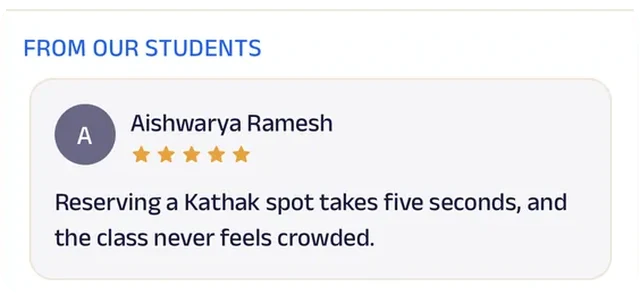
Reviews
Students and parents write about patient teachers and the first recital, which is what new families want to read.
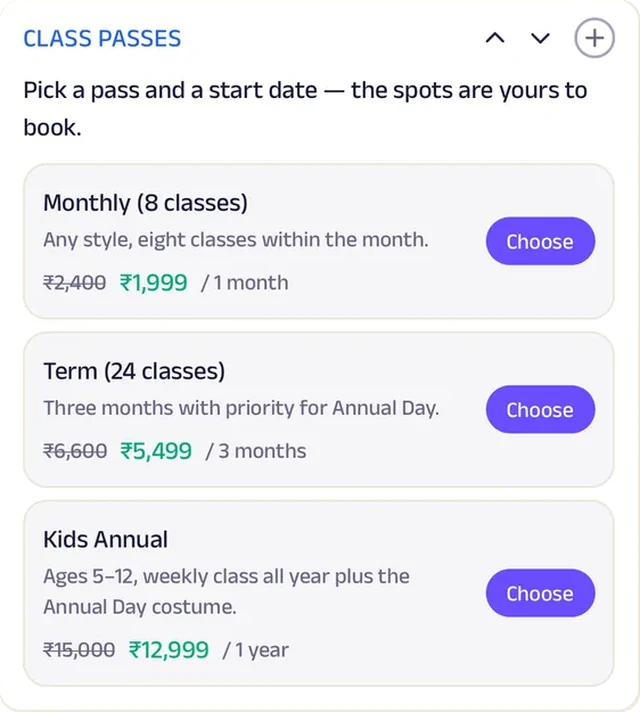
Subscriptions
Monthly, term and annual passes for any style, with a renewal reminder.
Music Teacher
Sur Sadhana Music Academy
A music academy that sets the week's practice and listens to the recording.
Between lessons, a teacher never really knew whether practice happened. At Sur Sadhana, the week's assignment is a list (scales, a new line, a voice-note recording, a metronome drill) that the student ticks off, and daily practice minutes are charted against a thirty-minute target.
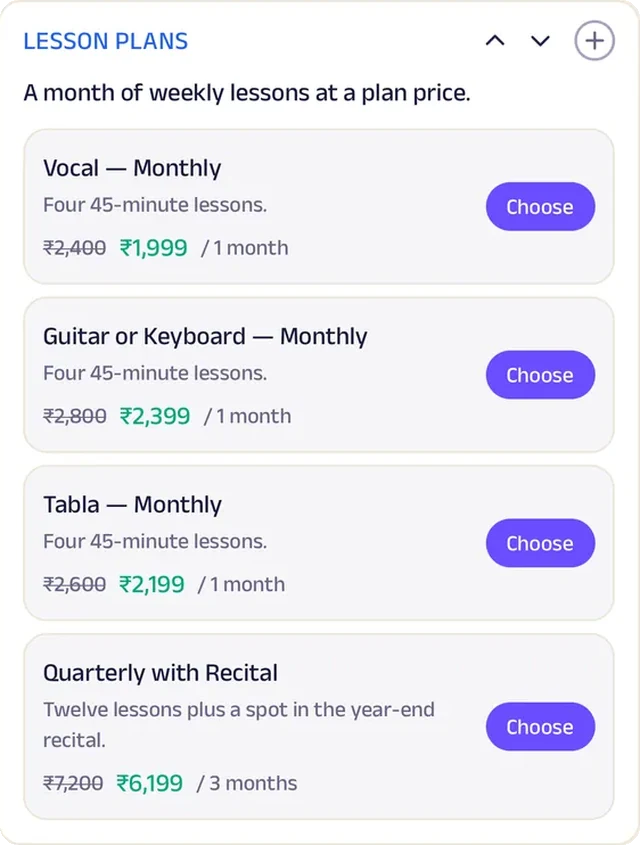
Sheet music and practice recordings are shared in each student's record. New students book a trial lesson, then join a lesson plan by instrument, including a quarterly one that ends in the recital, which students sign up for with their chosen piece. The Saturday jam seats twelve for an open session of students and friends. A music academy now follows each student's practice every day of the week, not just the hour they spend in class.


Tasks. The week's assignment is a list — scales, a new line, a voice-note recording, a metronome drill — ticked off by the student.
Gadgets at work
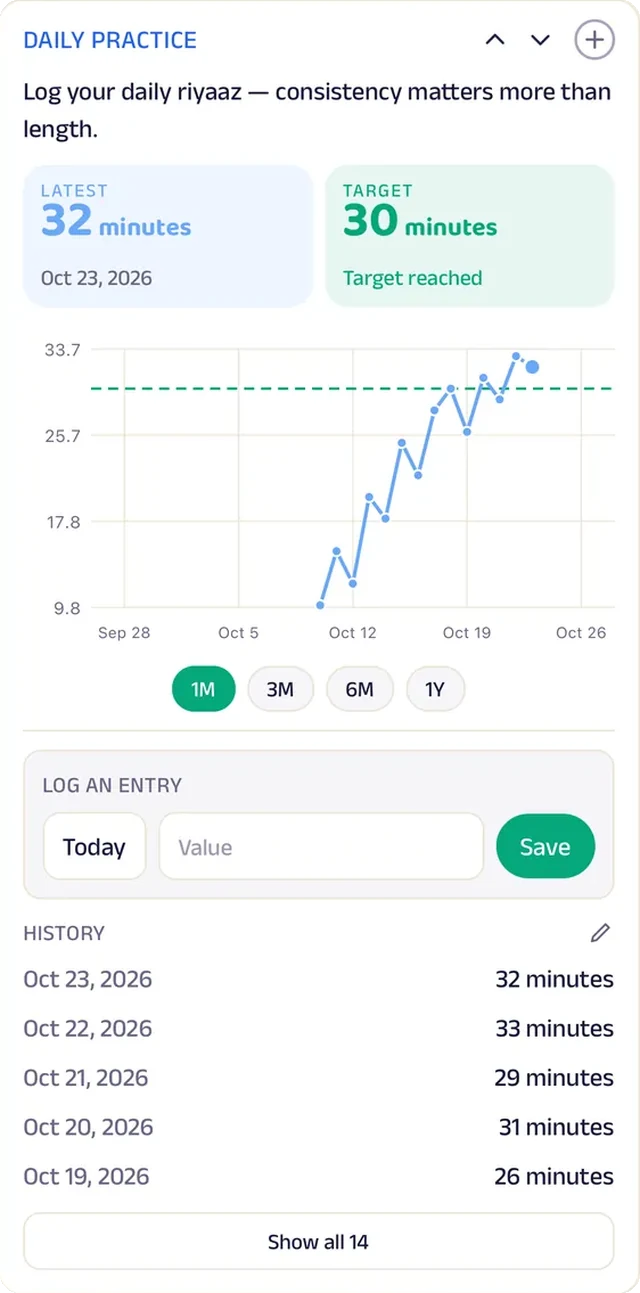
Tracker
Daily practice minutes are logged and charted against a thirty-minute target.
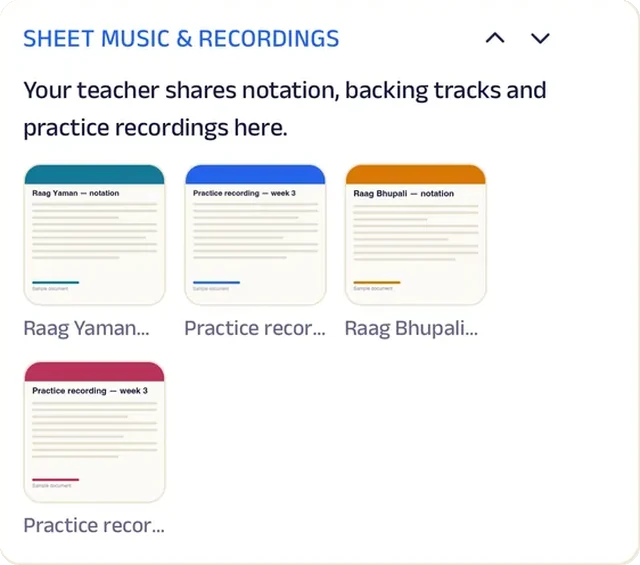
Add docs
Sheet music and practice recordings are shared in the student's record.

Video
A short clip explains the rhythm cycle, so students can follow the beat at home before the next lesson.
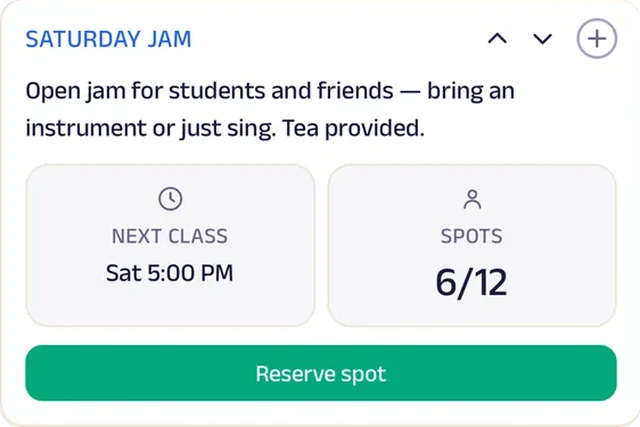
Reserve spot
A Saturday jam seats twelve for an open session of students and friends.
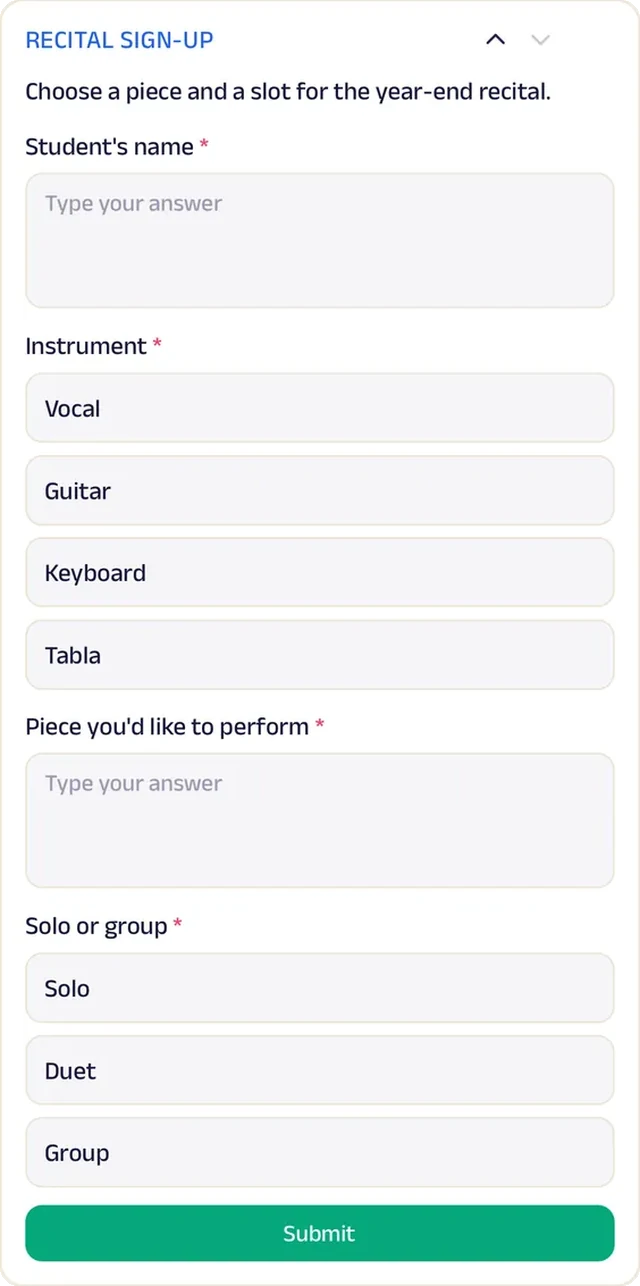
Forms
Students sign up for the annual recital with their piece.
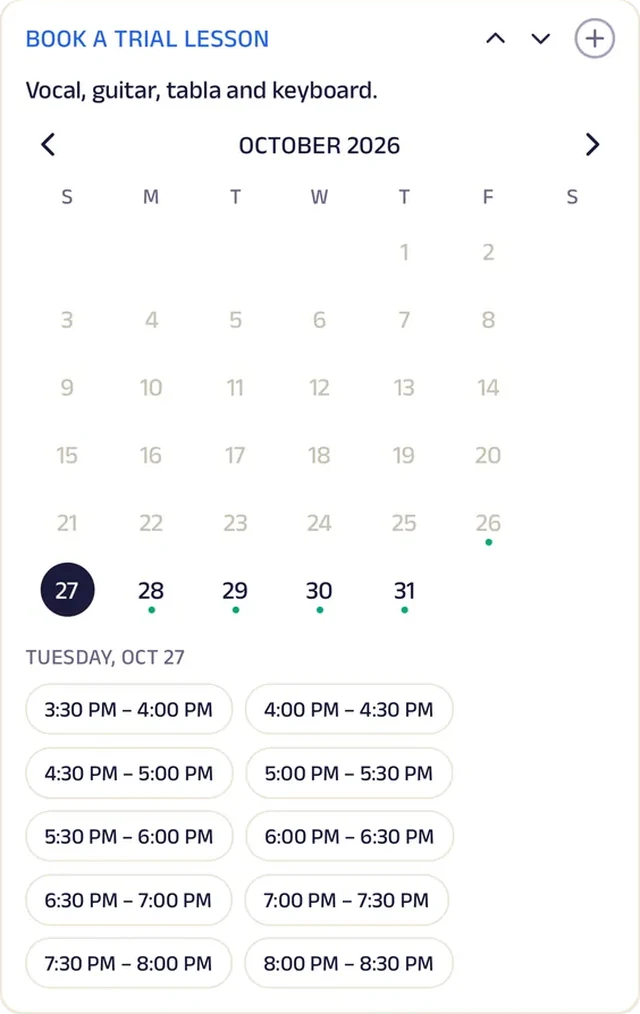
Appointment
Book a trial lesson.
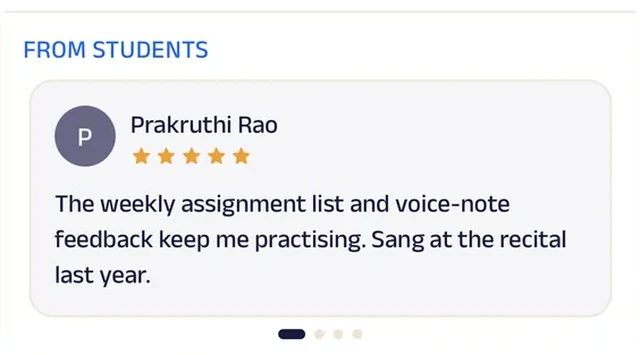
Reviews
Students write about a teacher who listens to every recording, which keeps them practising.
Subscriptions
Lesson plans by instrument, plus a quarterly one that ends in the recital.
Driving School
Sharma Driving School
A driving school that takes a learner from first lesson to licence.
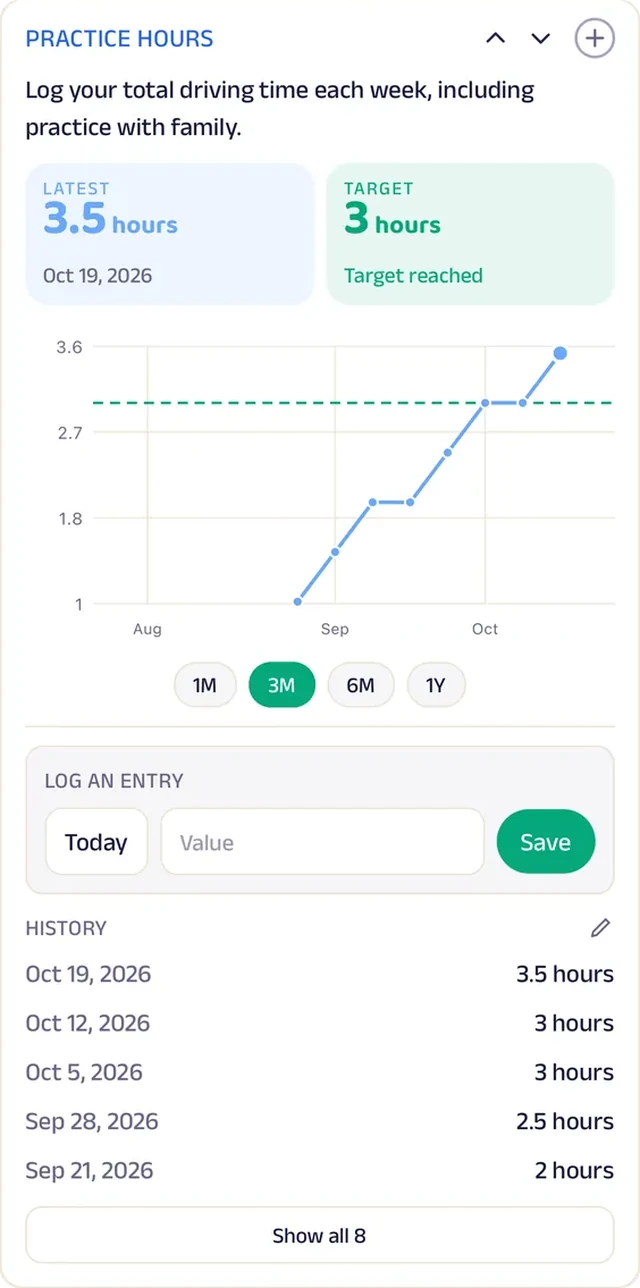
Getting a licence used to mean chasing forms, photocopies and dates, with no clear sense of how close a learner really was. Now each learner follows a checklist (licence applied, theory passed, lessons done, road test booked) ticked off step by step. Weekly driving time is logged against a three-hour target, so practice doesn't quietly slip.
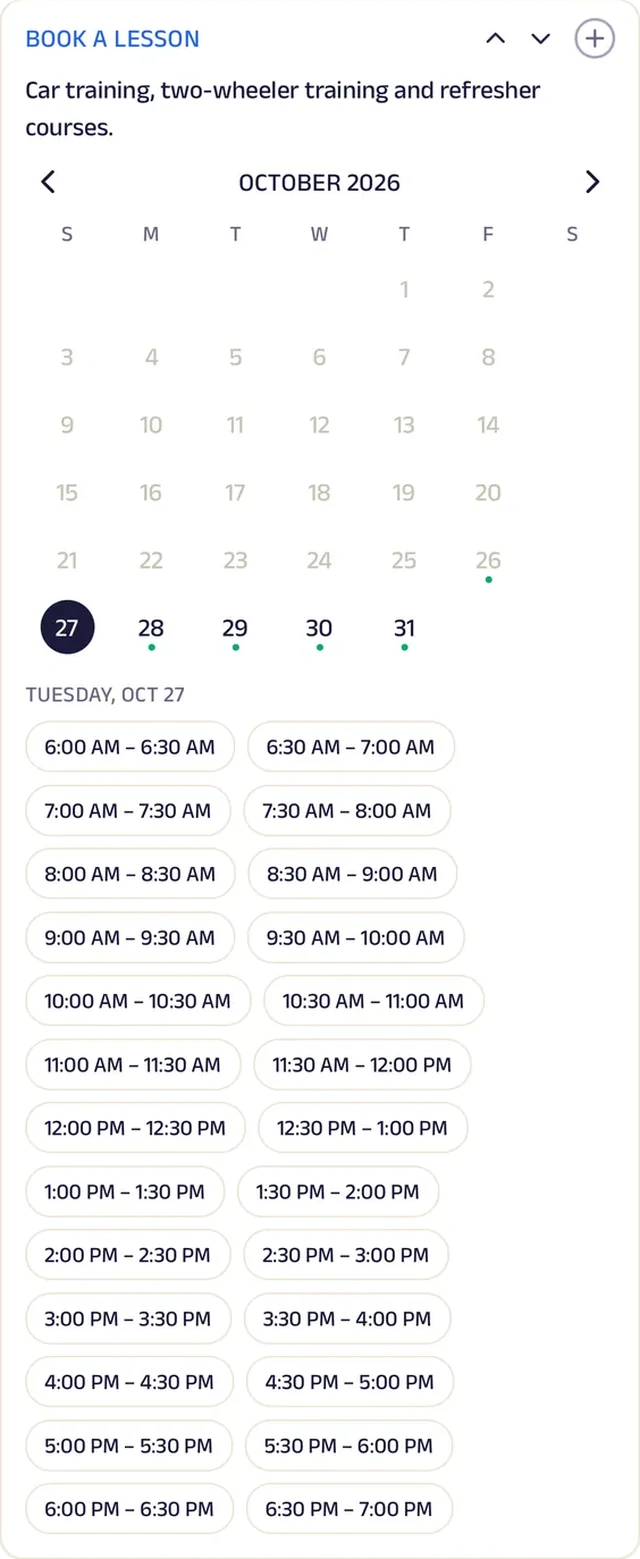
Learners book lesson slots and choose a package for car, two-wheeler or refresher lessons. For licence assistance, a form collects what's needed and the school handles the paperwork. Aadhaar, address proof and photos are uploaded once and attached to the application, so nobody hunts for photocopies again. A small driving school now takes a learner from first lesson to licence in one place, paperwork included.


Tasks. A learner's checklist — licence applied, theory passed, lessons done, road test booked — is ticked off step by step.
Gadgets at work
Location
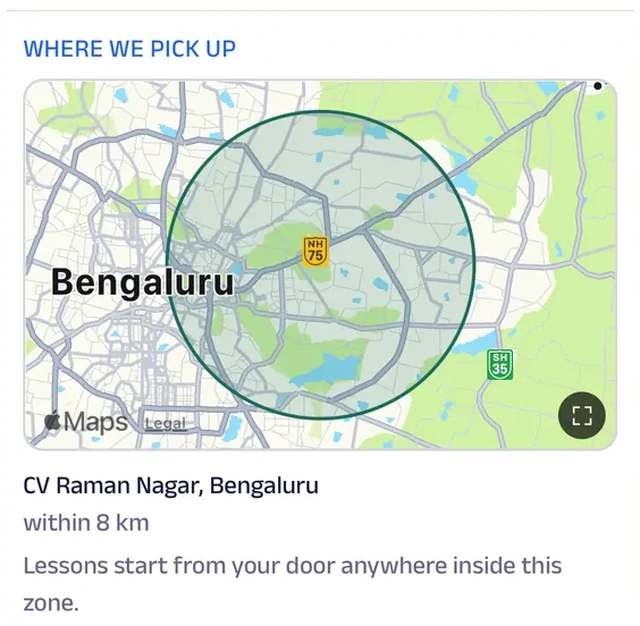
The area the instructors cover is drawn on the map, so learners know before booking whether the car can collect them from home.
Tracker
Weekly driving time is logged against a three-hour target.
Appointment
Book a driving lesson slot.
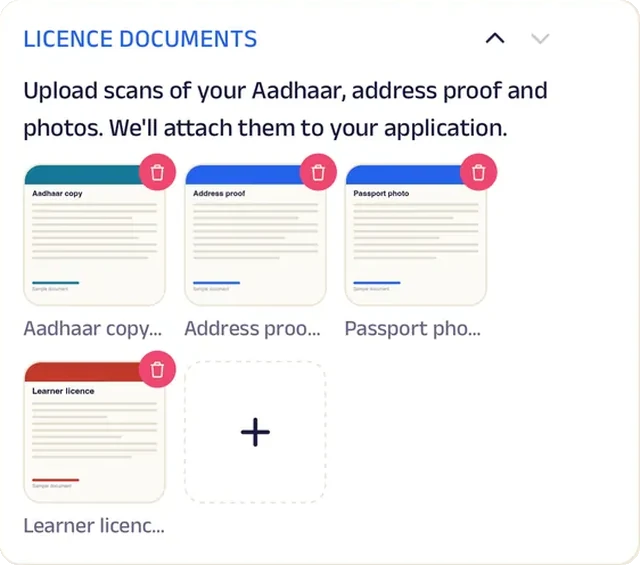
Add docs
Aadhaar, address proof and photos are uploaded once and attached to the application.
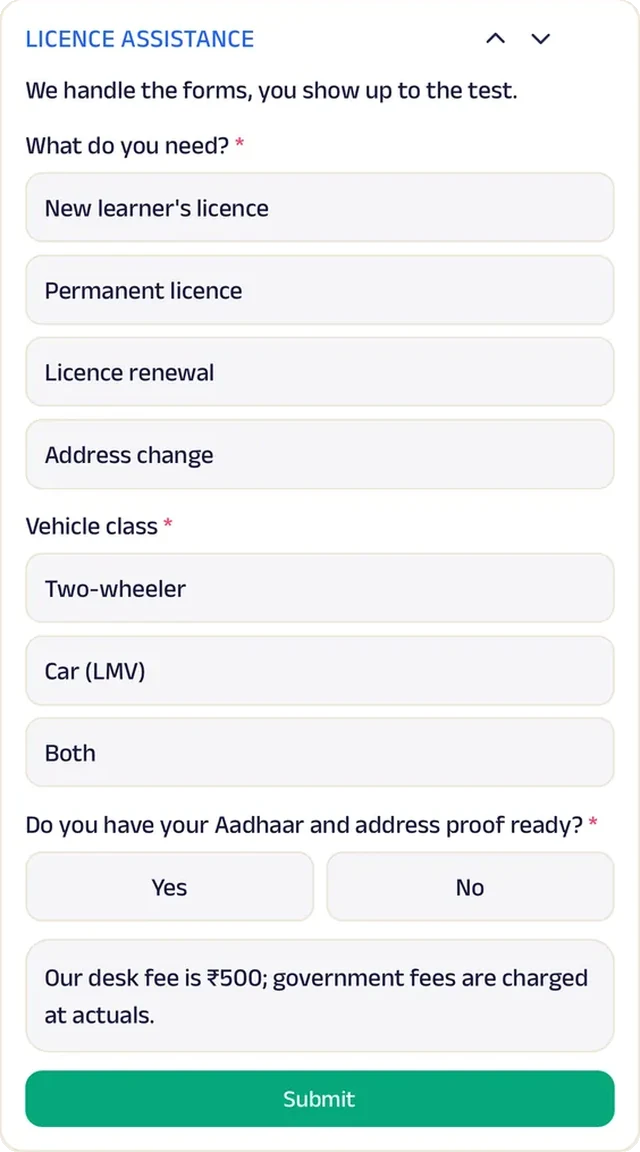
Forms
Licence assistance collects what's needed, and the school handles the paperwork.

Video
A short clip of defensive driving tips gives learners something to watch before their first road lesson.
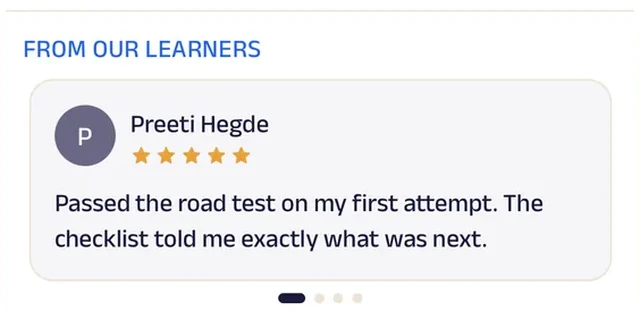
Reviews
Learners write about passing the road test first time, which is what every nervous beginner wants to read.
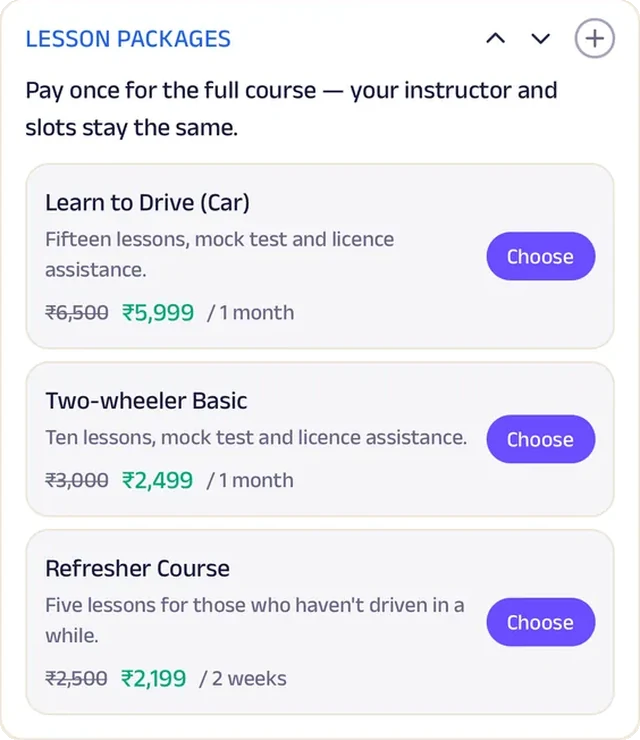
Subscriptions
Course packages for car, two-wheeler and refresher lessons.
Run the whole business
Your team, your students and your money, in one place.
The same page is also how you run the classes, from the phones you already have and a laptop in the browser. There's no special software or hardware to buy.
Operate your day
From the first booking to "see you again".
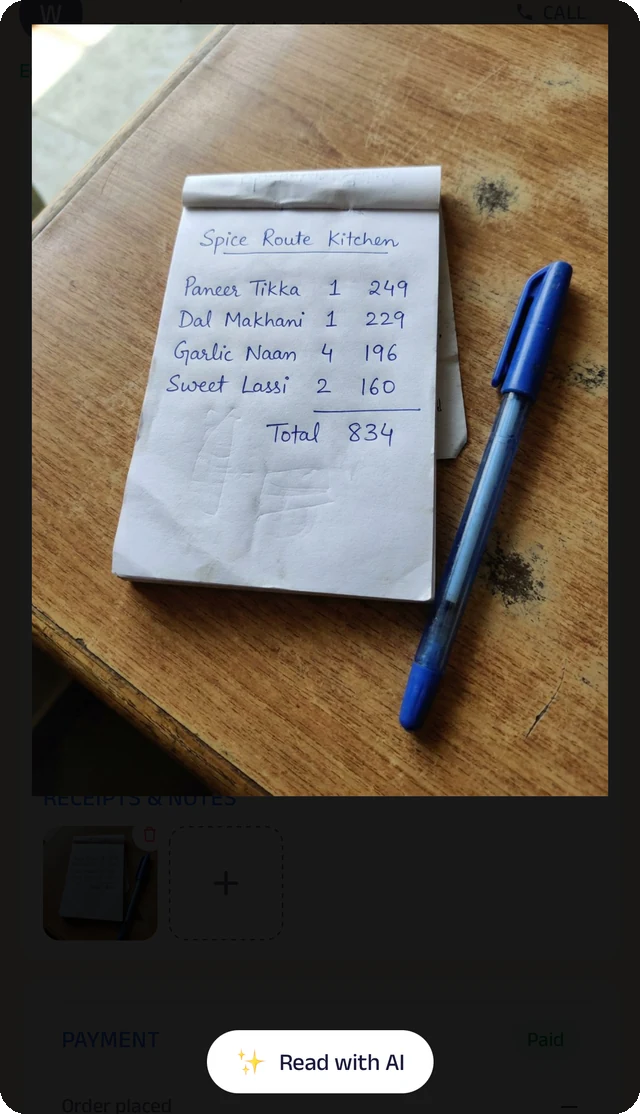
Bill photo
Photograph a handwritten bill, and the Assistant reads it for you to check.
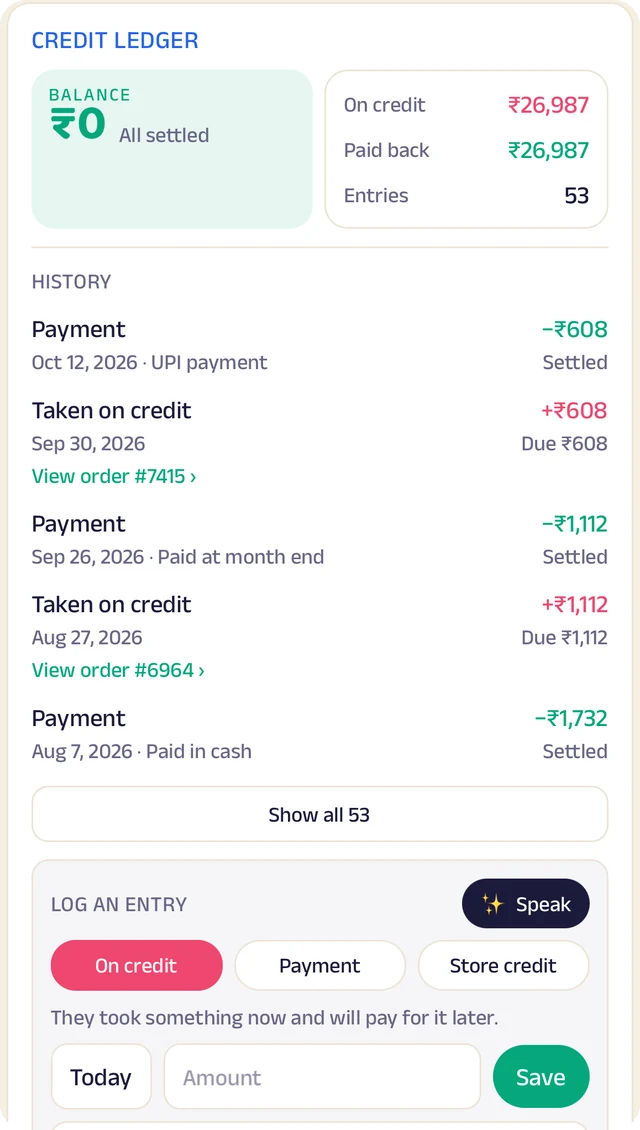
Credit ledger
Every credit and payment by student. Log an entry by typing, or by speaking it.
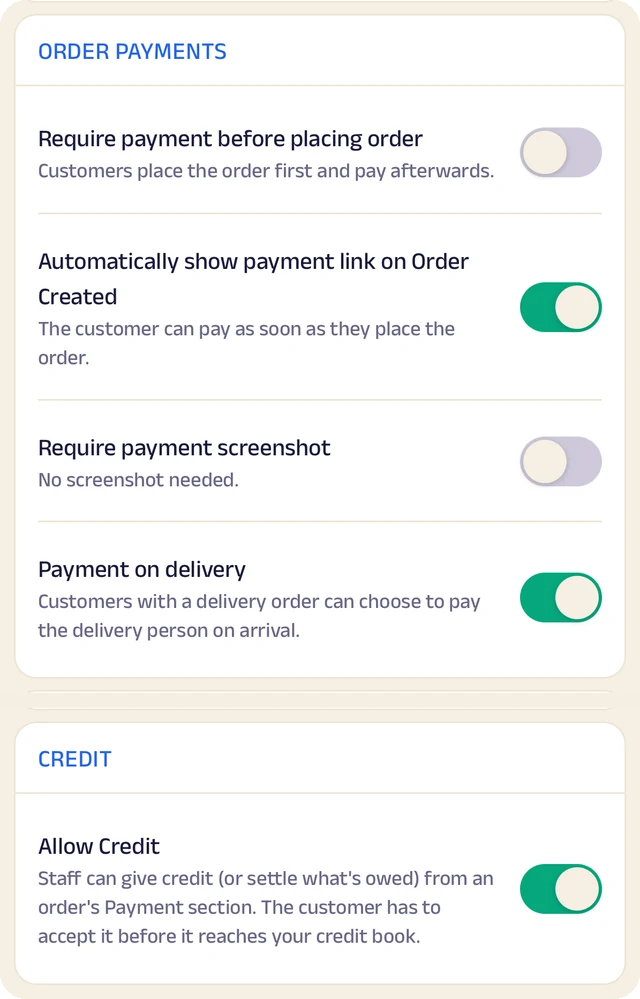
Order settings
Turn ordering on or off, and set GST and fees once so they're added automatically.
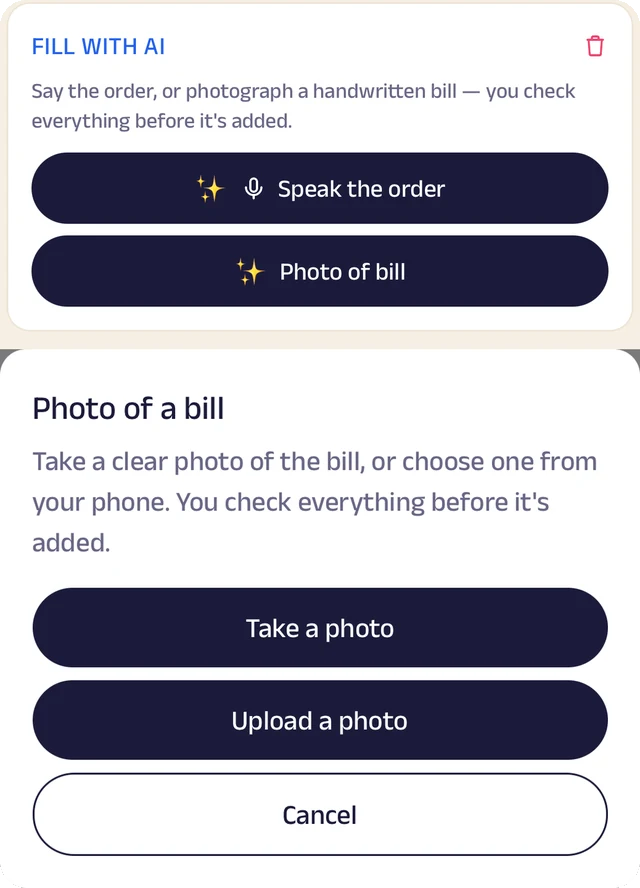
Fill with AI
Say an order out loud or photograph a bill, and check everything before it's saved.
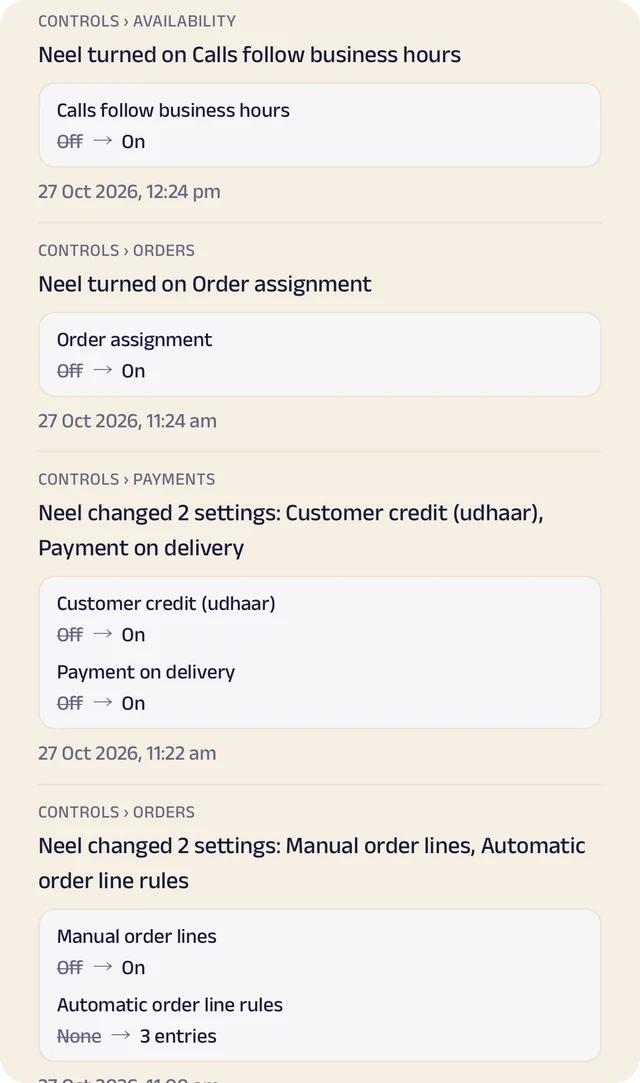
Settings history
Settings switched on or off, with the old and new value.
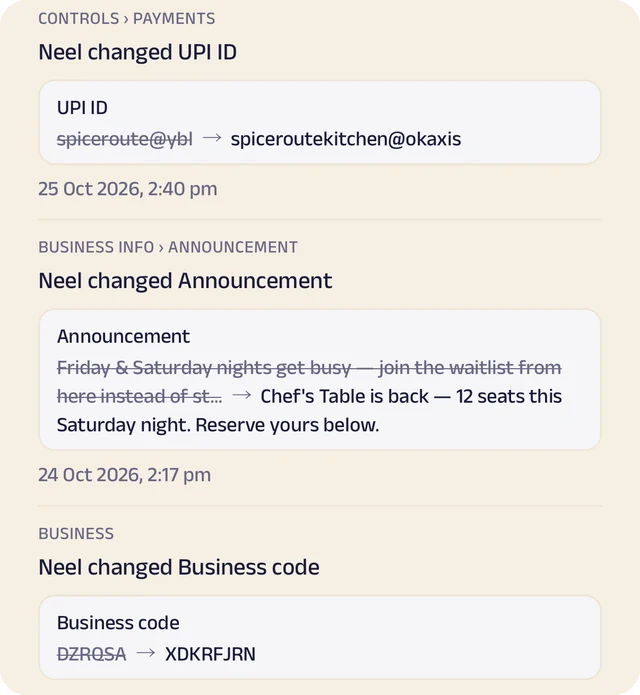
Payment history
Payment details changed, shown before and after.
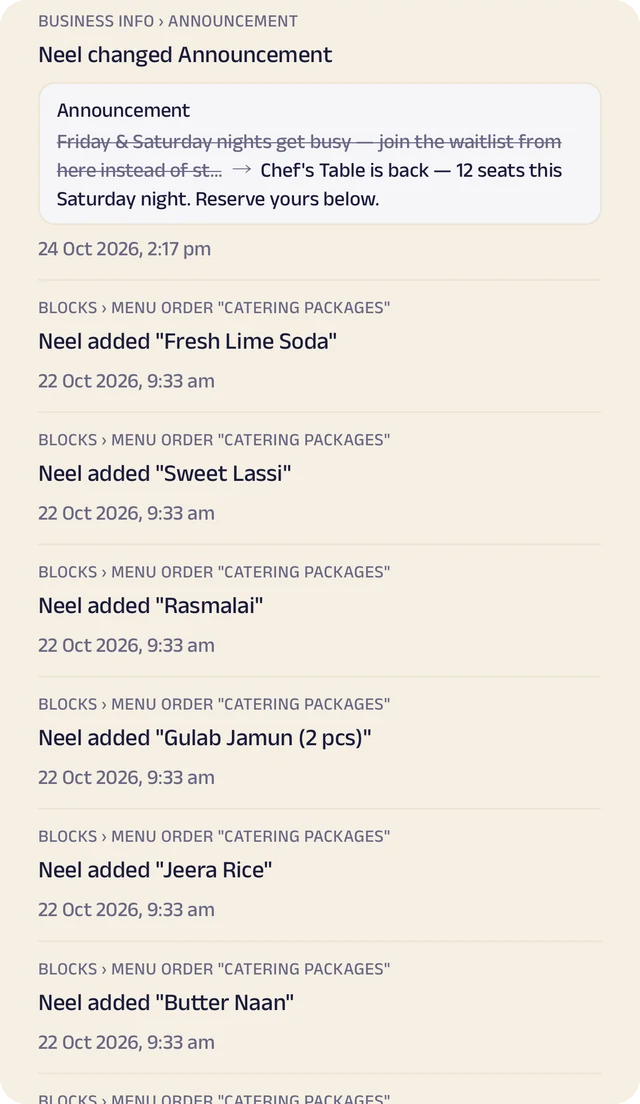
Page history
Changes to your page, kept in its own history.
Batches and class bookings
Students book a trial class or a seat in a batch against your real schedule, and you see who is coming before the day starts.
Fees and plans
Monthly fees or class packs at a plan price, with a renewal reminder before each one ends.
Student records
Notes, test marks, progress and documents kept on each student's record, ready for the next class or the next parent meeting.
Parents in the loop
Parents message you from the same page, get announcements for tests, annual day and schedule changes, and enrol with a short form of your own.
Manage your people
Everyone who teaches and runs the office, in the right place.
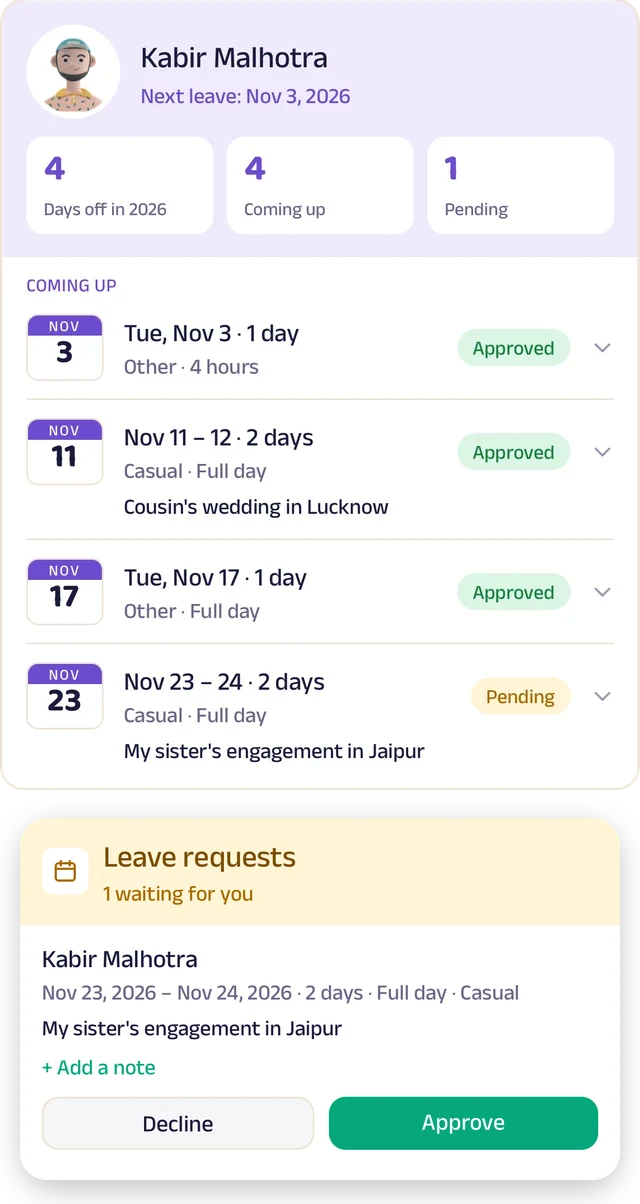
Team leave
A team member's days off: what's approved and what's waiting.
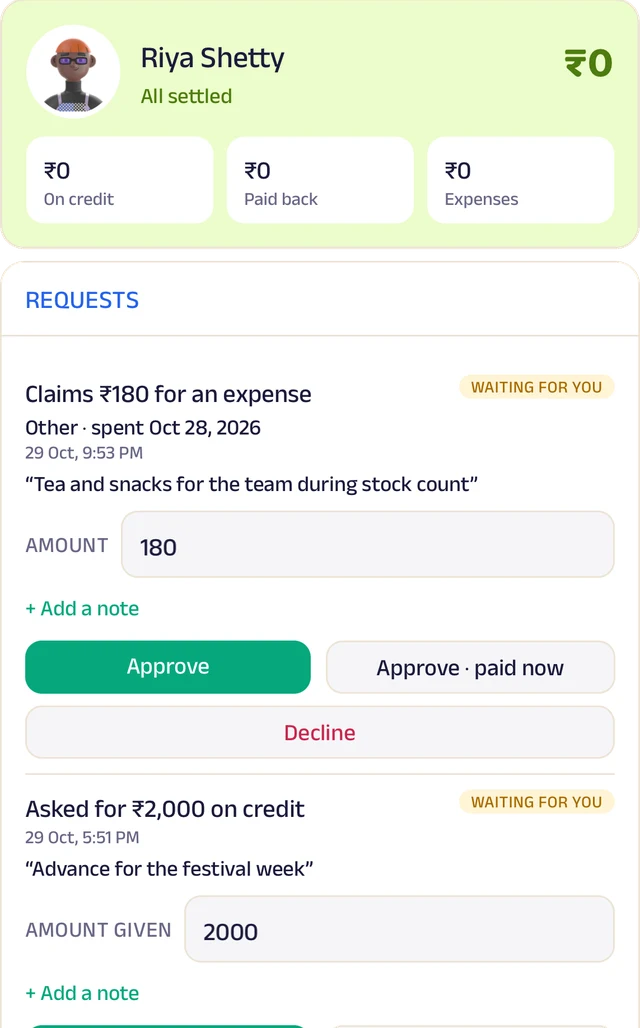
Team ledger
A running account per person: advances, expenses and approvals.
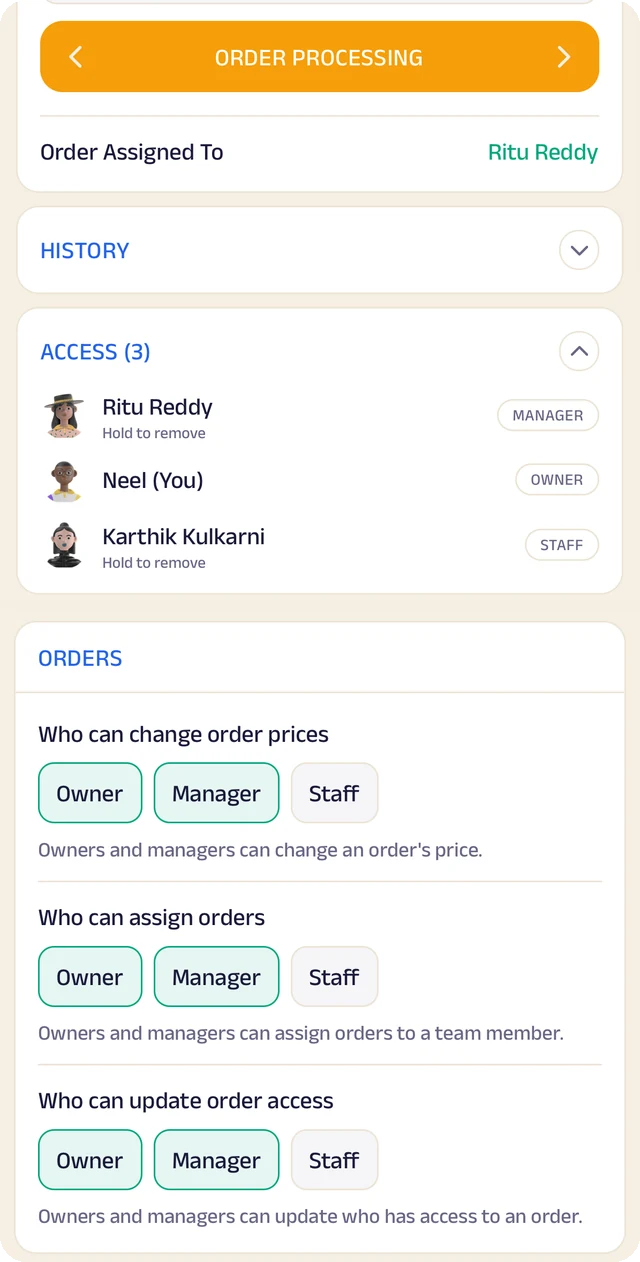
Order access
Who an order is assigned to, who can see it, and who can change it.
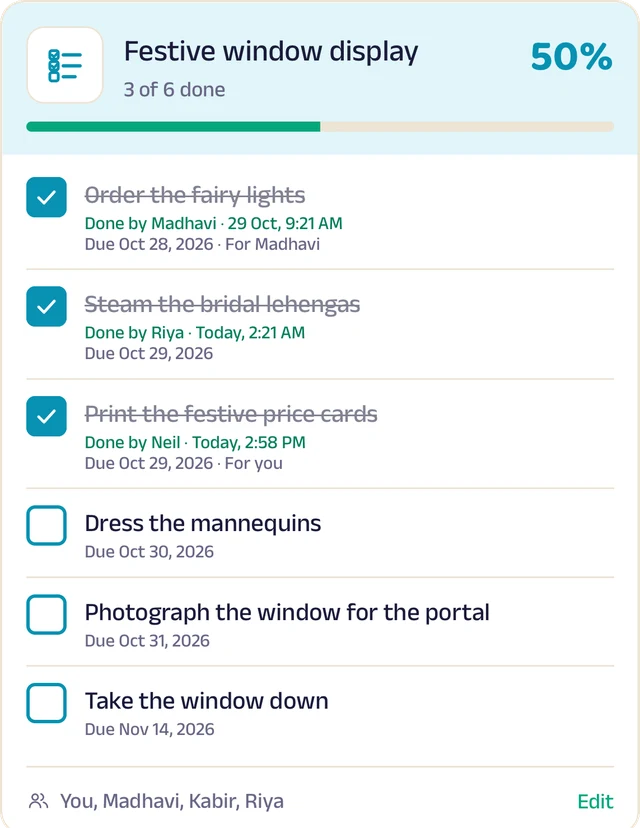
To-do lists
Shared lists, ticked off with who did it and when.
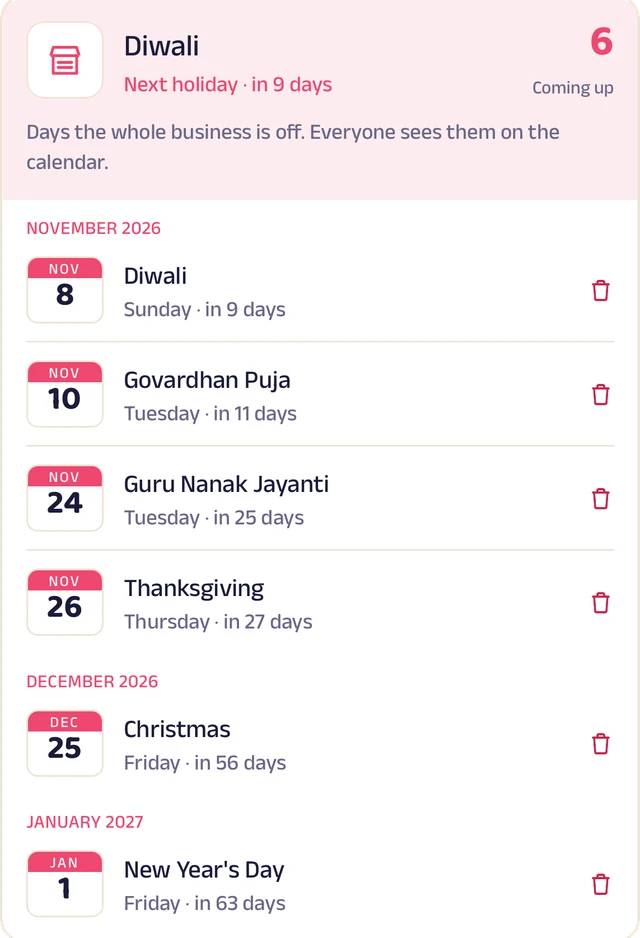
Holidays
Days the whole business is closed, on everyone's calendar.
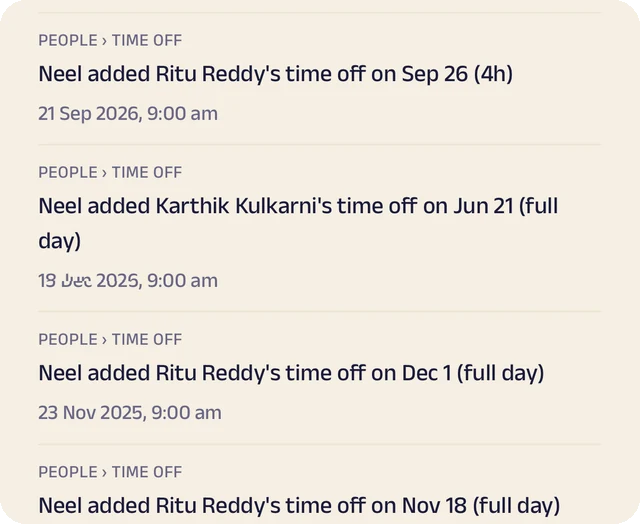
Request leave
Request casual, sick or unpaid leave, for a day or a few hours.
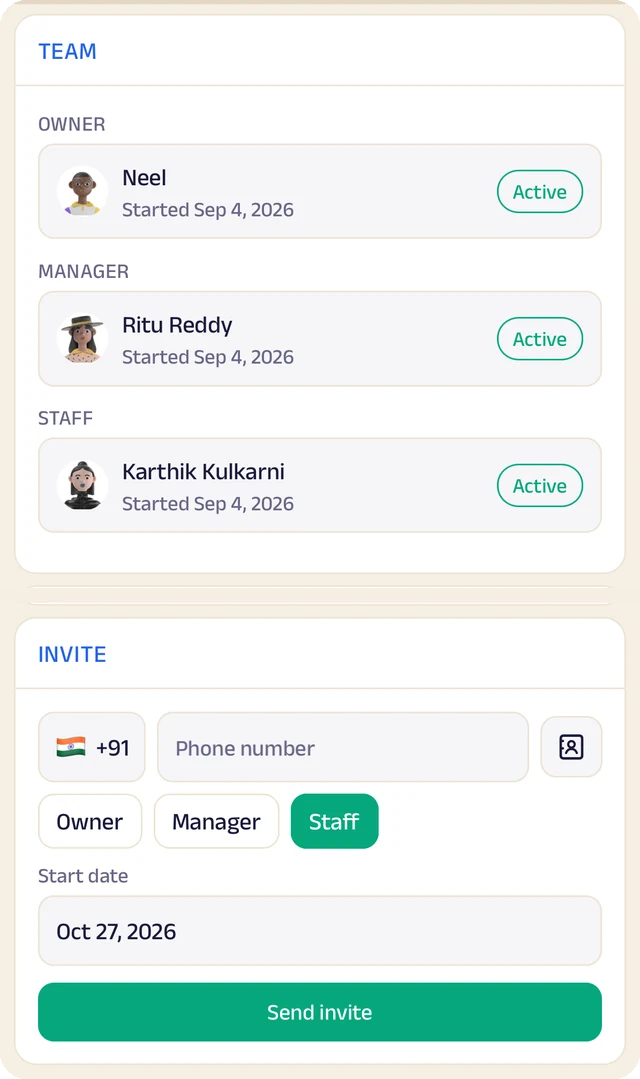
Your team
Your team by role, with leave requests waiting for your approval.
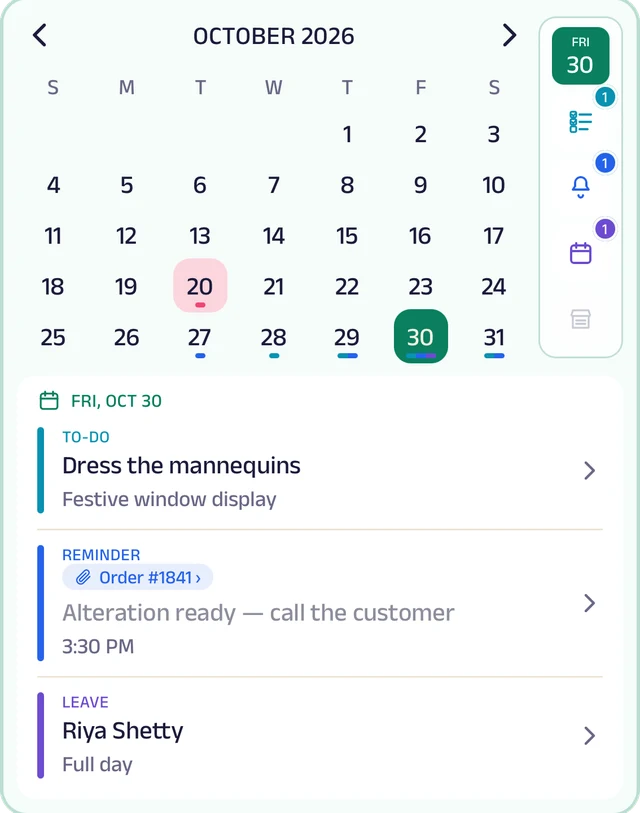
My Space
Everyone's own calendar, with to-dos, reminders and leave.
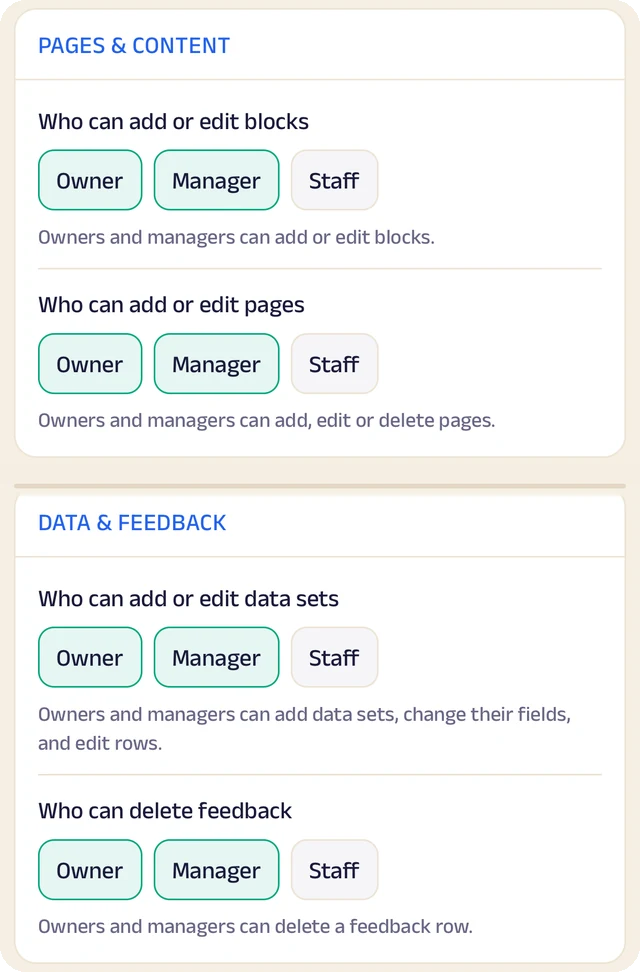
Permissions
Who can edit your page and change prices, role by role.
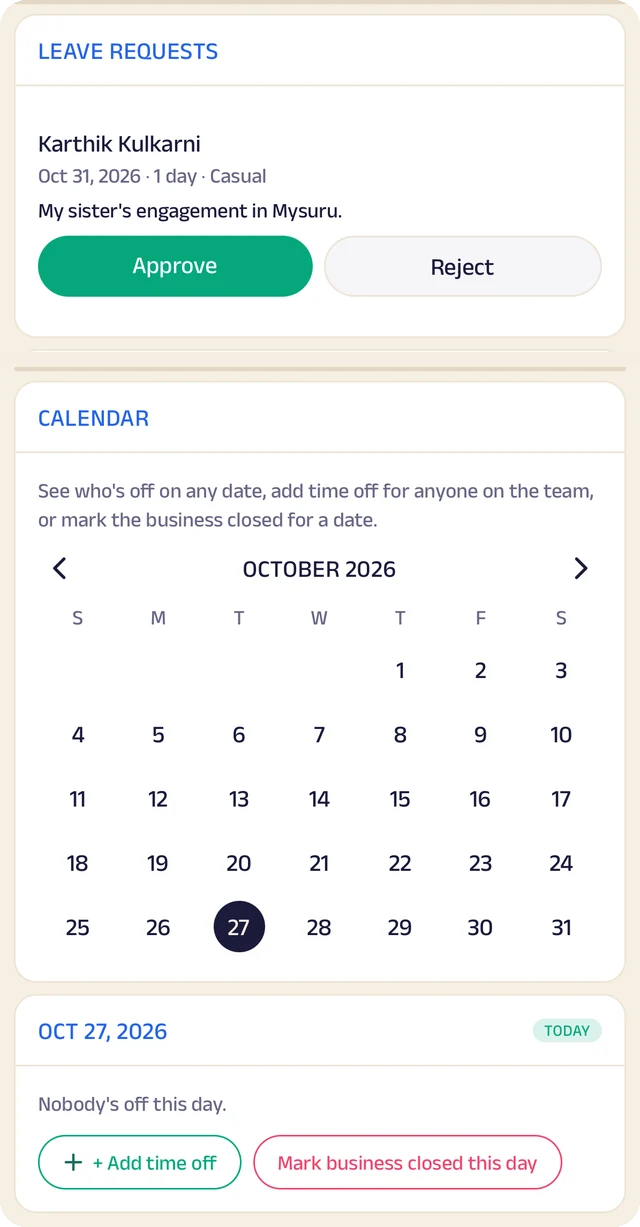
Time off
A calendar of who's off and which days the business is closed.
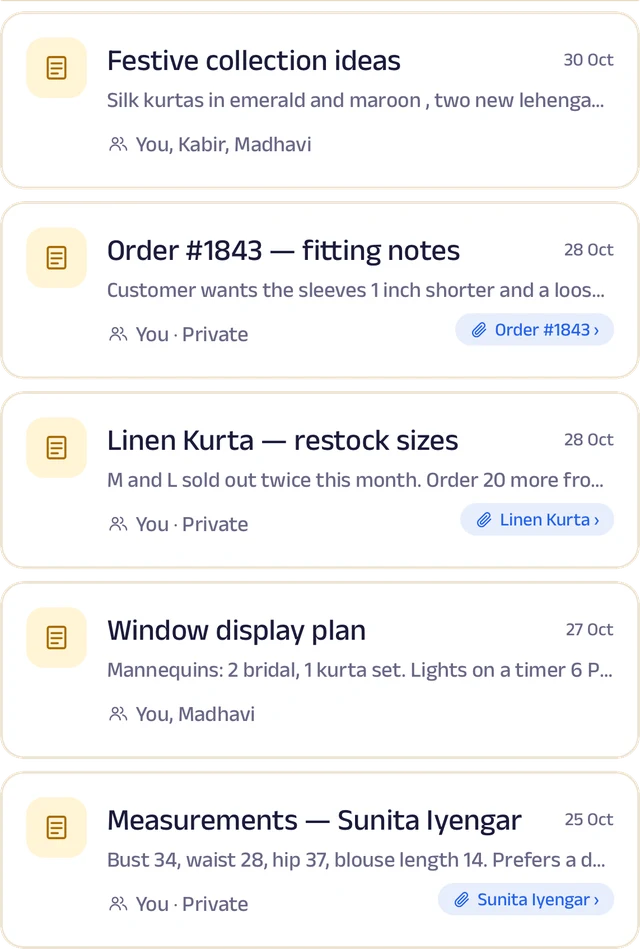
Notes
Notes with photos and voice, some linked to an order or a student.
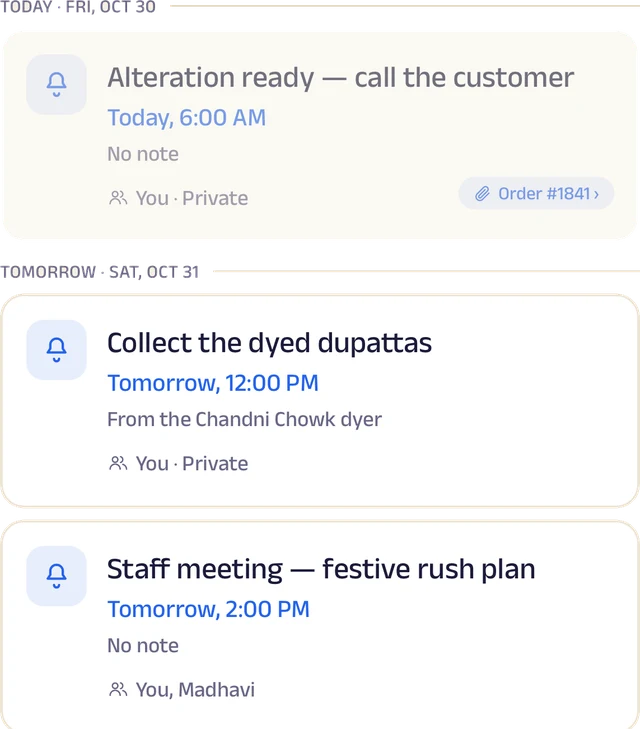
Reminders
Once or on repeat, shared with the team and linked to an order.
Roles and access
Add your your team by phone number and give each a role: owner, manager or staff. You choose who can edit your page, change prices or assign bookings, and you can freeze someone's access in a tap. Payment details stay with the owner.
Leave and holidays
Staff request casual, sick or unpaid leave for a full day or a few hours, and you approve it. Everyone sees who's off today, and days the whole school is closed show on every calendar.
A ledger for each person
Each team member's running account with the business: advances, money paid back and expense claims. Staff ask, you approve, and a statement is ready to share for any period.
My Space for everyone
Each person gets their own calendar with to-do lists, notes and reminders, and the owner sees the whole team.
Track your growth
Kept as you work, not typed up at the end of the month.
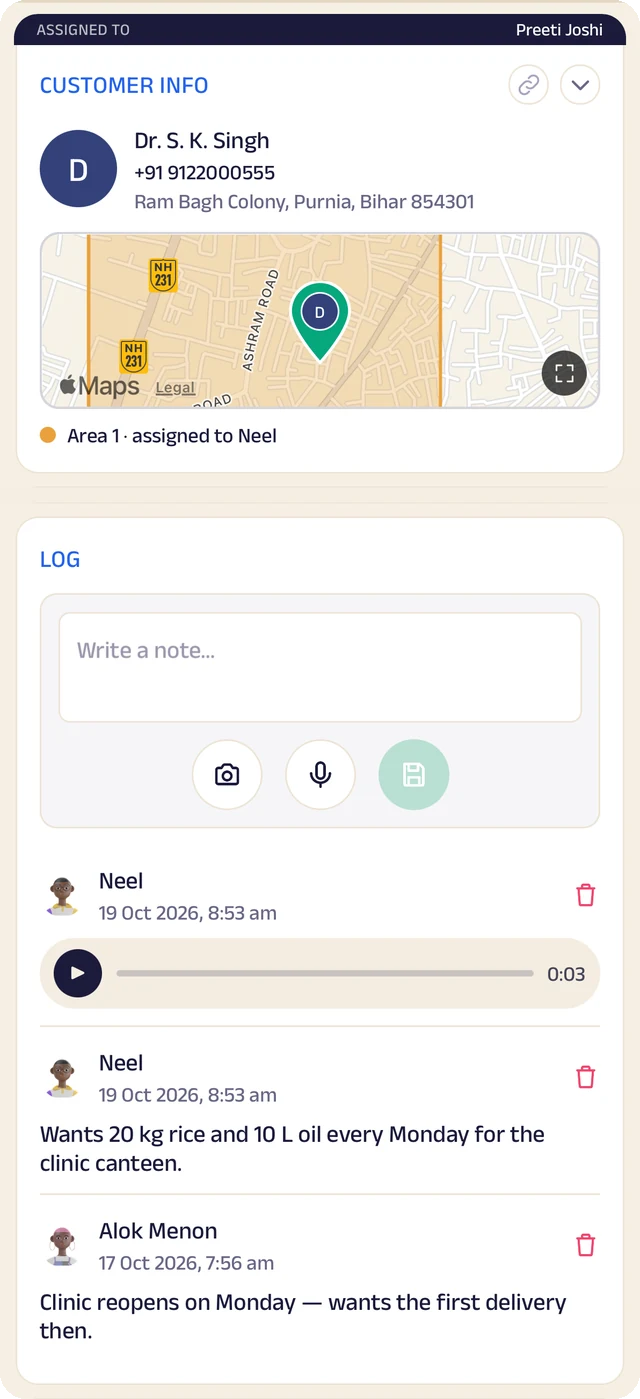
Student record
One student's record: details, a map pin and the team's notes.
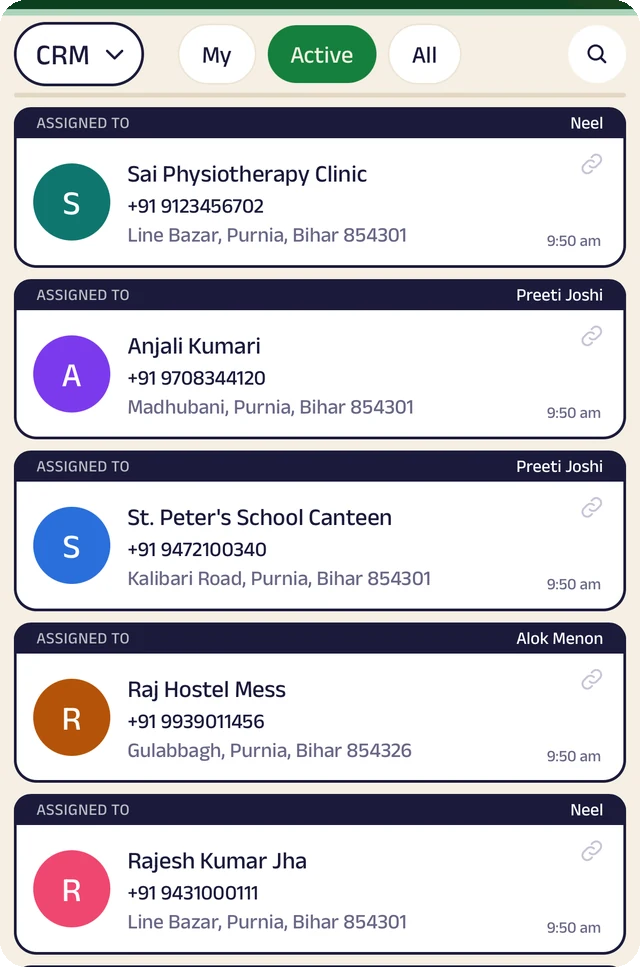
Student list
Students assigned to the people who look after them.
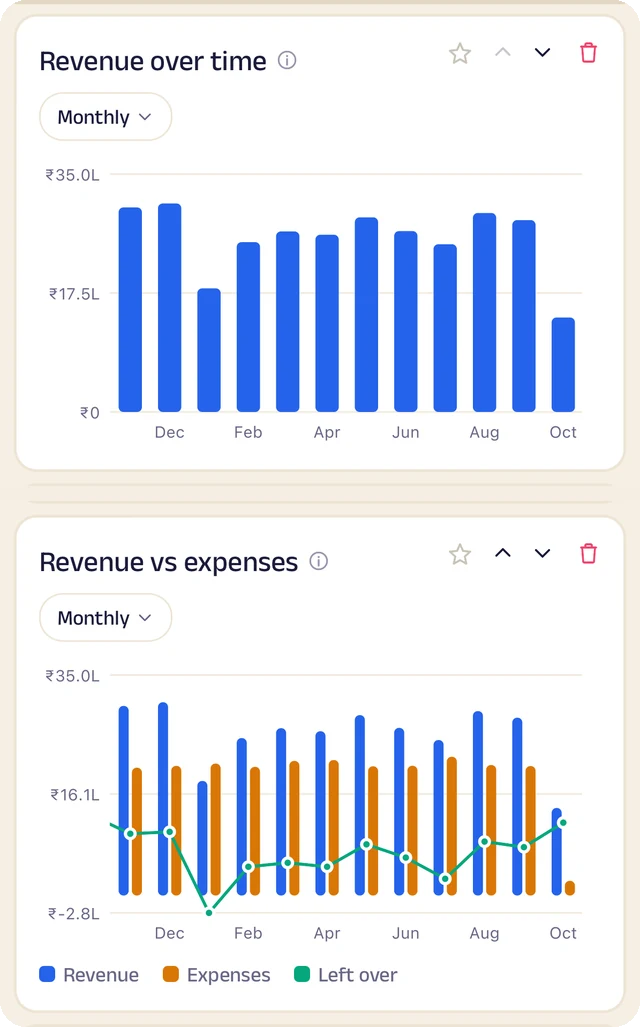
Revenue
Revenue month by month, and what's left after expenses.
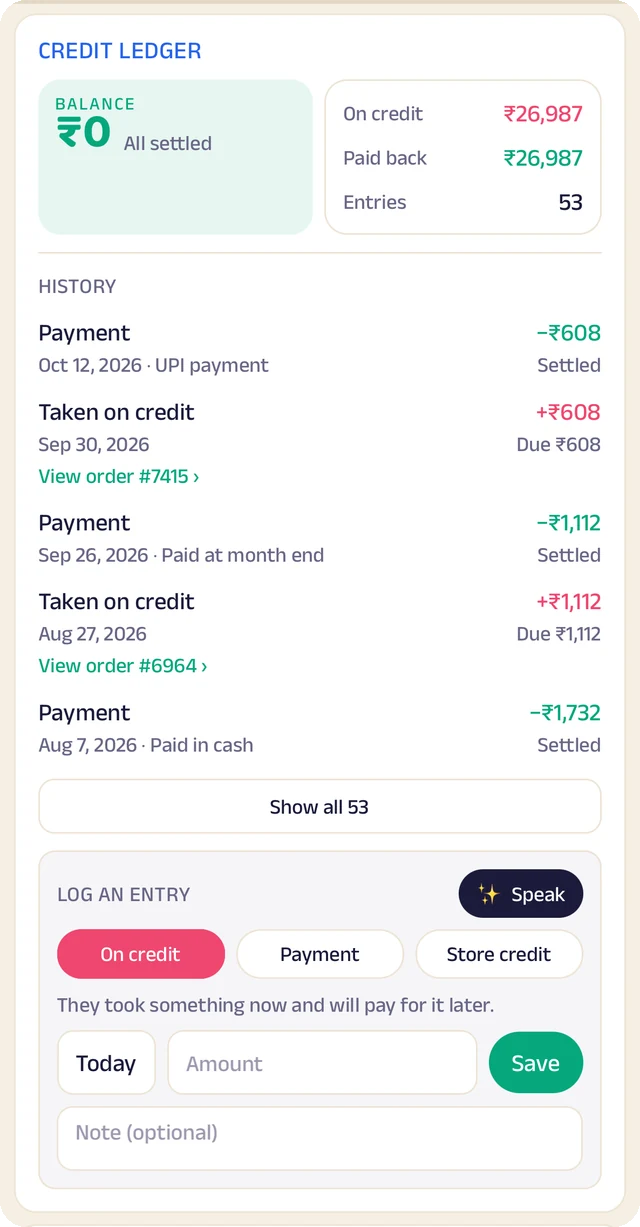
Credit book
Every credit and payment by student and date, with the balance on both sides.
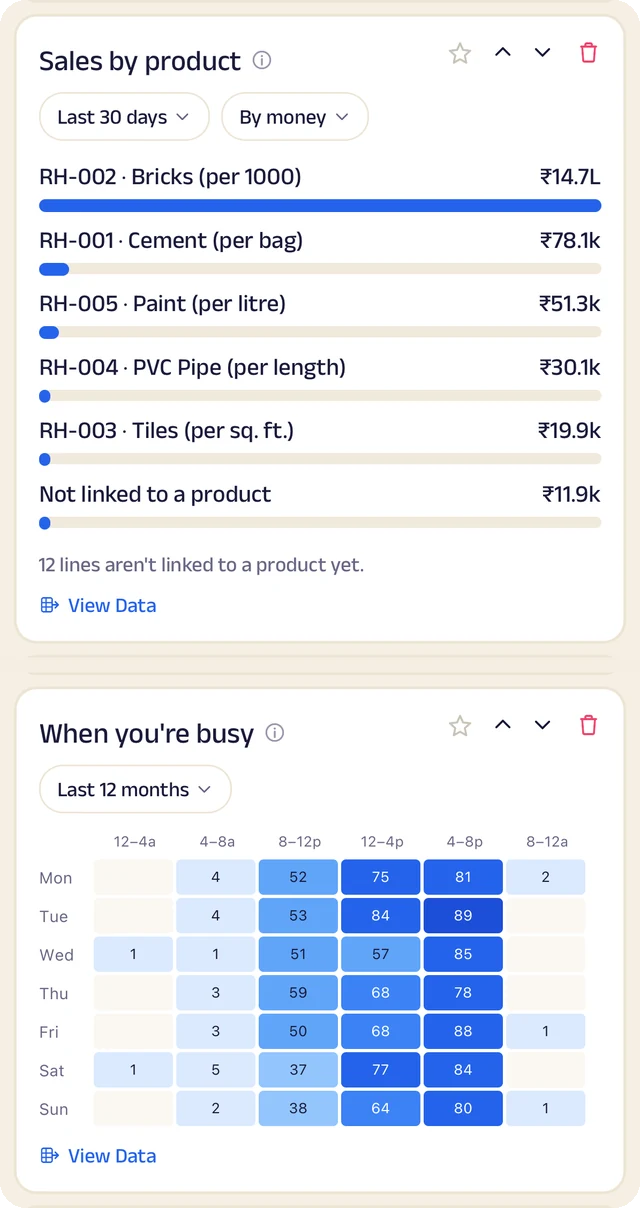
What sells
What sells, and the hours you're busiest.
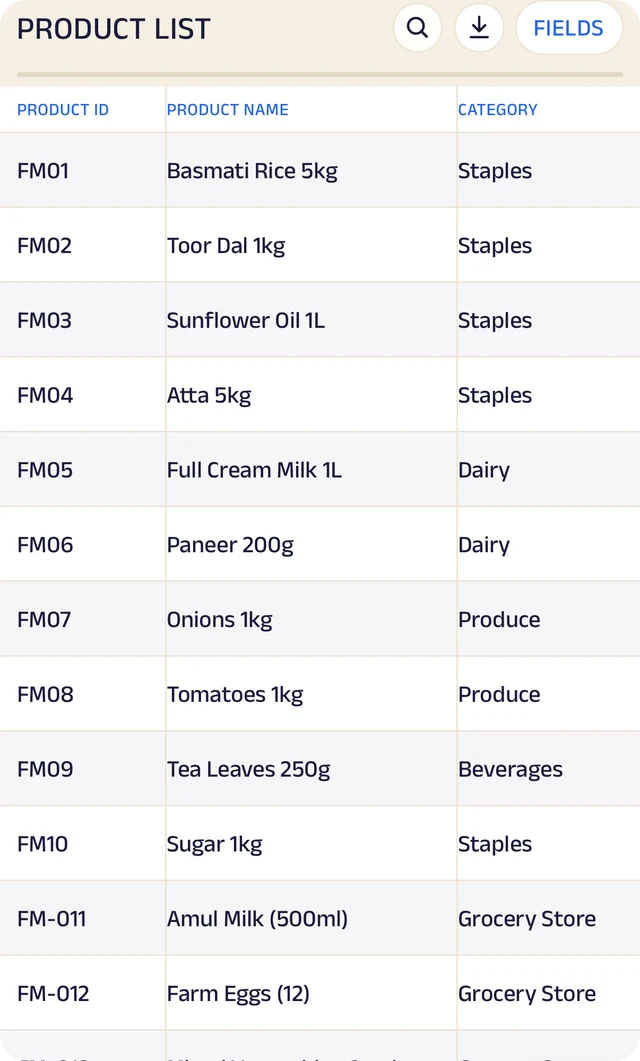
Products
Your products, with codes, names and categories.
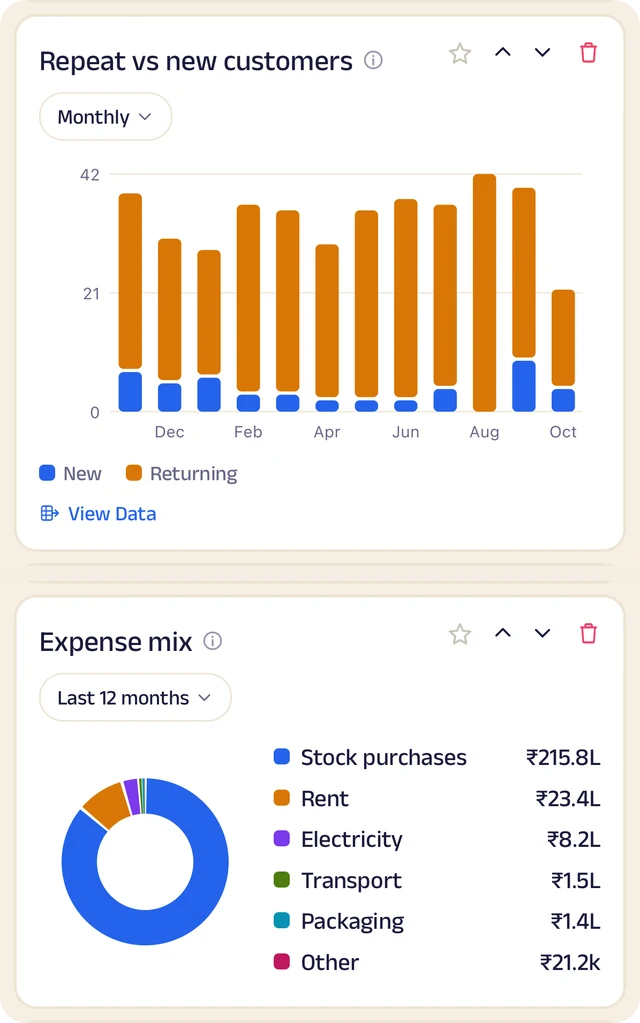
Students and costs
Repeat against new students, and where the money goes.
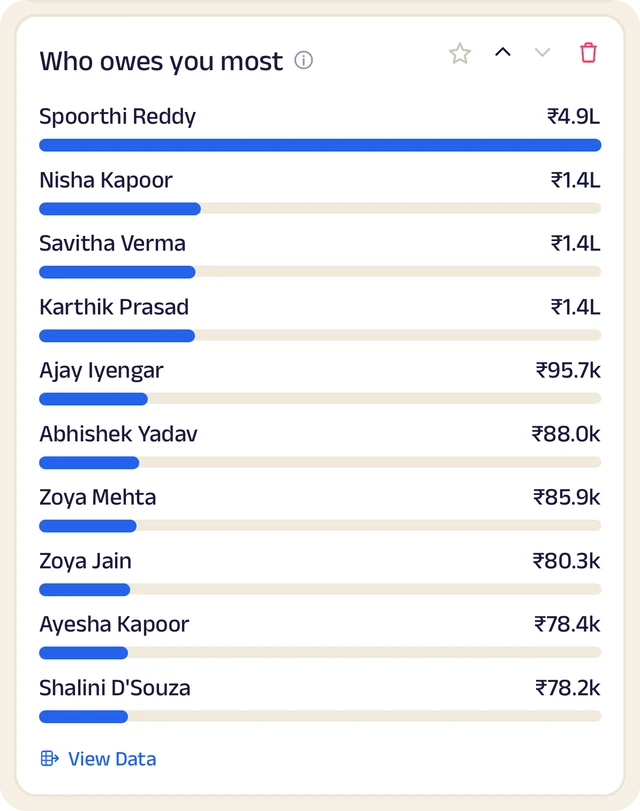
Who owes most
Who owes you the most, ranked.
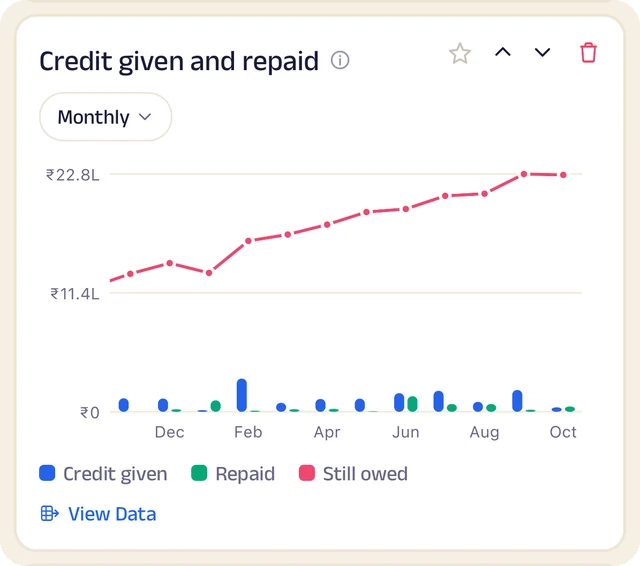
Credit history
Every credit entry as a table you can search.
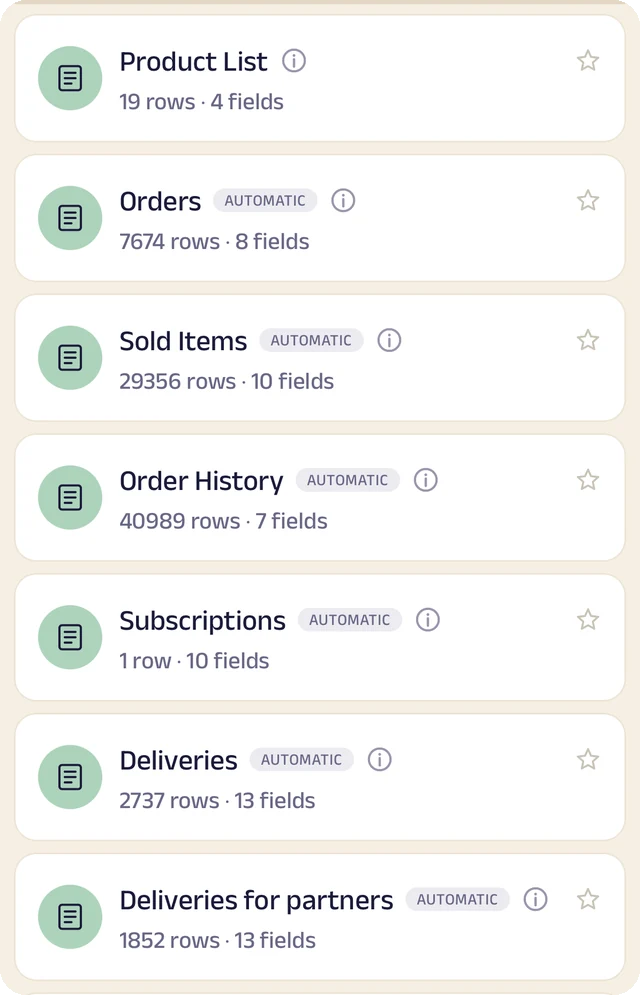
Your tables
Every table in one menu, each with its row count.
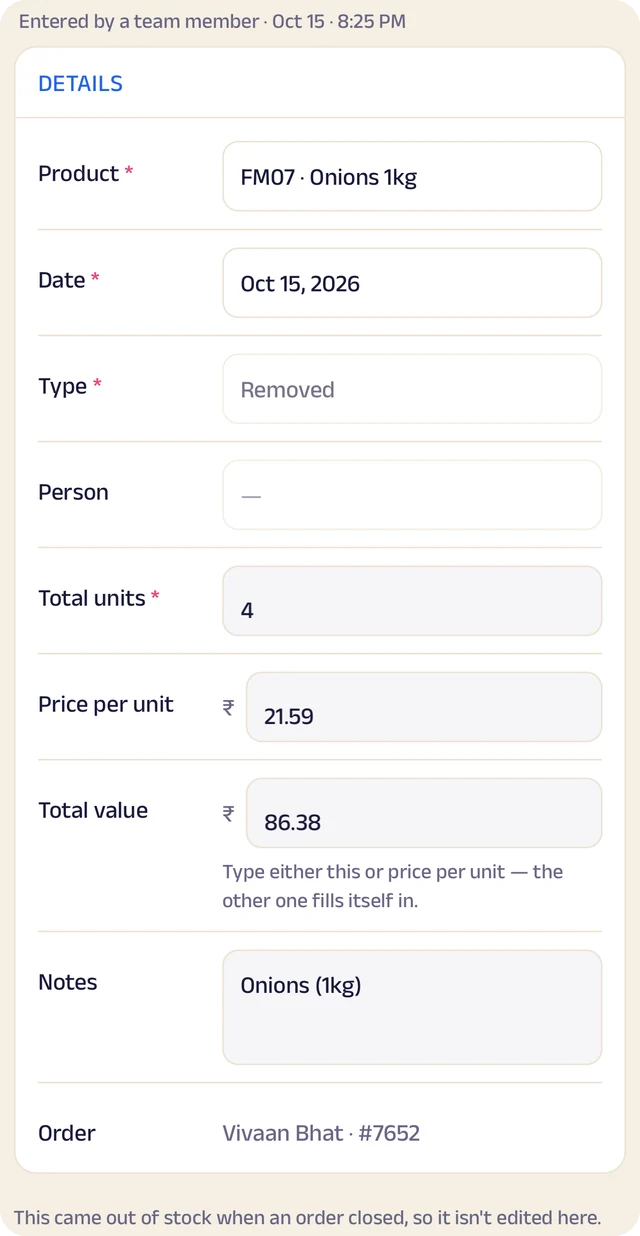
Stock entry
A stock entry: what came in, at what cost, from whom.
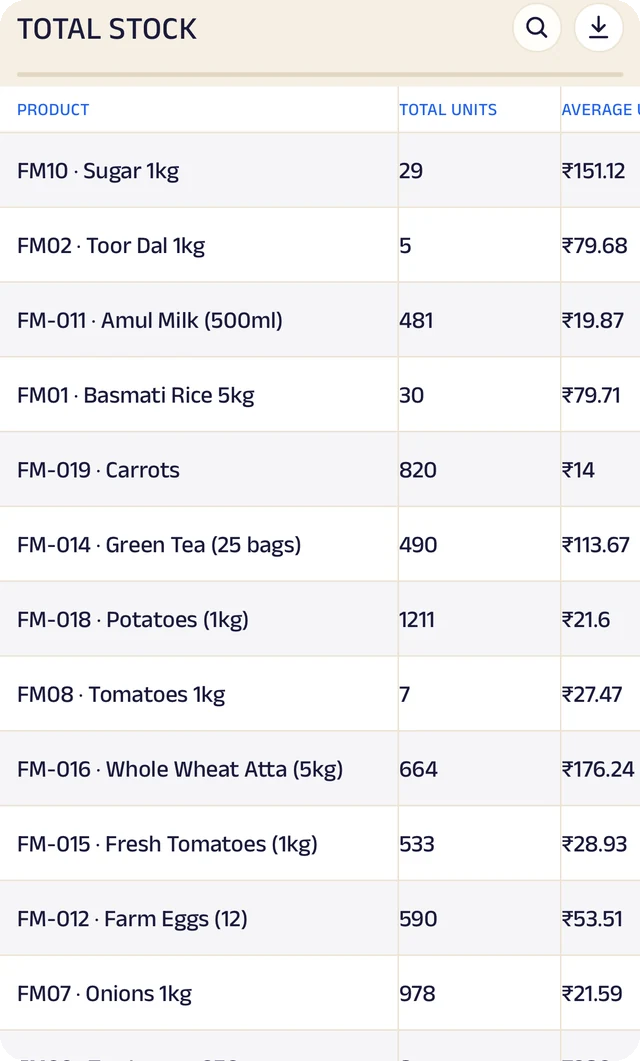
Total stock
Total stock and its average cost, worked out for you.
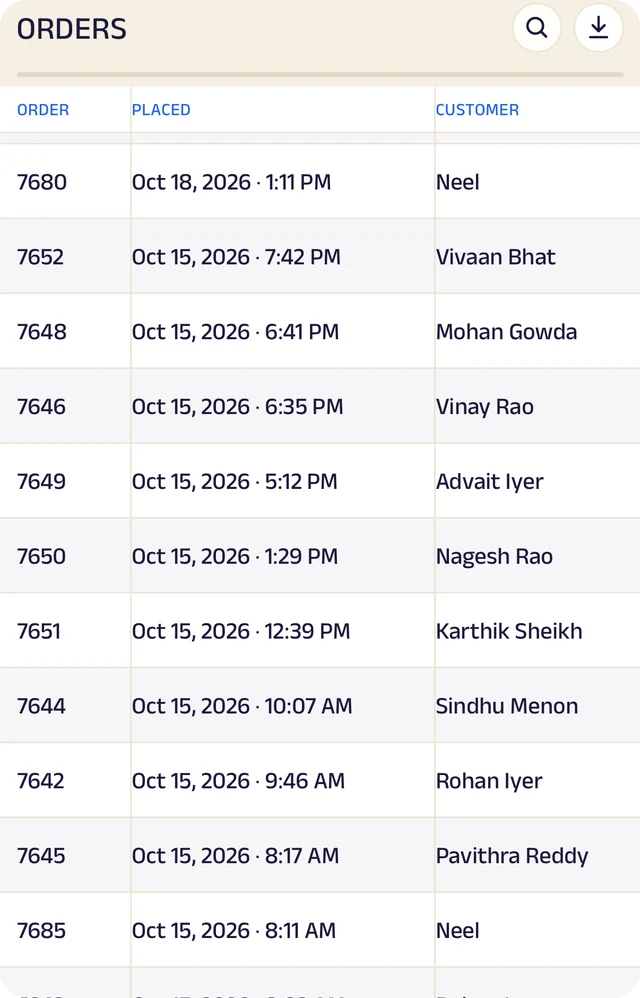
Expenses
Expenses as a table, ready to search or download.
Product stock
List the products you sell once, record what comes in with its cost and supplier, and let sales take it out. A barcode or product code finds anything in seconds.
Credit ledger
Credit given to regulars is written down properly. Students see the same balance you do, and you always know who owes you most.
Student management
Every student has a record the right people can see and add to, with notes, photos and who looks after them.
Analytics
Thirty charts across sales, money and stock. See your busiest hours, what sells, and repeat against new students, for this week, month or year.
Your data, yours to take
Every table in the app is searchable and can be downloaded as a CSV for your accountant or your own spreadsheet.
The Assistant
Say an order out loud or photograph a bill and it becomes a record for you to review. Nothing is saved until you approve it.
Everything here is on the Businesses page in detail, with the app's real screens. See the Businesses page
Join the pilot
Set up your school's page.
The pilot is completely free. After it, you can start free: the Free plan covers 30 orders a month, with every feature open (the AI Assistant is free during the pilot, then on paid plans). When you need more, plans start at ₹199 a month, based on how many orders or bookings you handle. There's no commission and no per-order fee, and as a pilot member you lock in your rate. Setup and training are free.
Free
₹0
30 orders or bookings a month
Starter
₹199 a month
Up to 100 orders or bookings a month
Growth
₹499 a month
Up to 300 orders or bookings a month
Pro
₹999 a month
Up to 1,000 orders or bookings a month
Every feature is open on every plan. The AI Assistant is free for everyone during the pilot, then comes with paid plans. Every order counts. Prices include GST. More than 1,000 a month, or 5 or more people on your team? We'll agree a plan with you.