
For photographers, planners, florists, tent houses and mehendi artists
Your events business, in one link.
Customers send you a brief with the date, the venue and the budget, see your packages and your work, book a date and message you from one page that carries your name, your colours and a QR code for your cards. It isn't a marketplace, and we take no commission on what you earn.
The pilot is completely free. After it, free to start: 30 orders a month, no card. Paid plans from ₹199 a month. No commission.










Pick a business to see its page. These are demonstration businesses built on Zich World. Each one chose different gadgets for how it works. Open any of them live.
Photographer
Snap Stories Photography
A photographer who plans the shoot with the client and delivers in a private gallery.
A missed moment at a wedding usually starts with a missed conversation weeks before. Snap Stories now begins every booking with a brief covering the event, date, venue, coverage and deliverables, before a single photo is taken. On the day, a checklist of shot list, outfits, rituals and venue access makes sure nothing is left to memory.
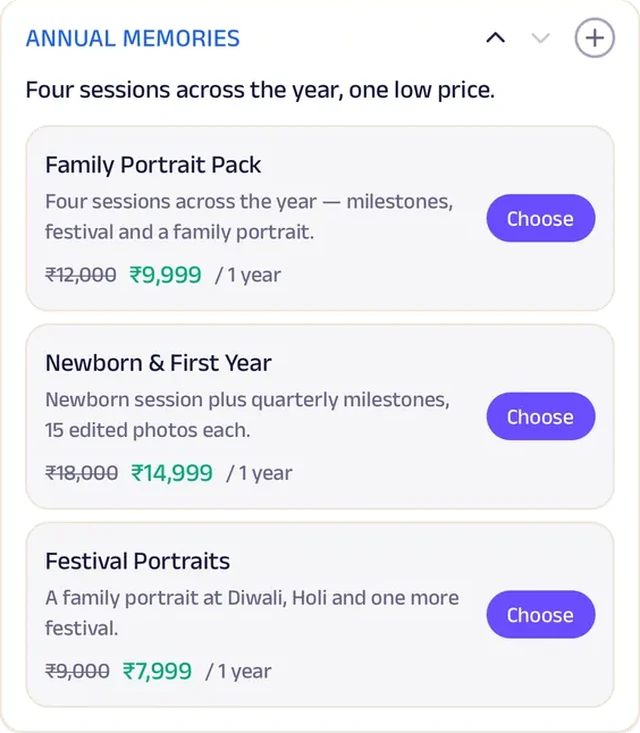
Clients book a shoot date and time, and their contract and private gallery link are kept in their own record. Sunday mini-sessions seat eight at twenty minutes each, with ten edited photos for every family. Those who want more sign up for an annual memories plan covering four sessions across the year. A small photography business now plans, books and delivers like a studio with its own client office.


Forms. A booking brief captures the event, date, venue, coverage and deliverables before a single photo is taken.
Gadgets at work

Photo gallery
The gallery is the portfolio — weddings, families, portraits — so clients choose a style before they book.
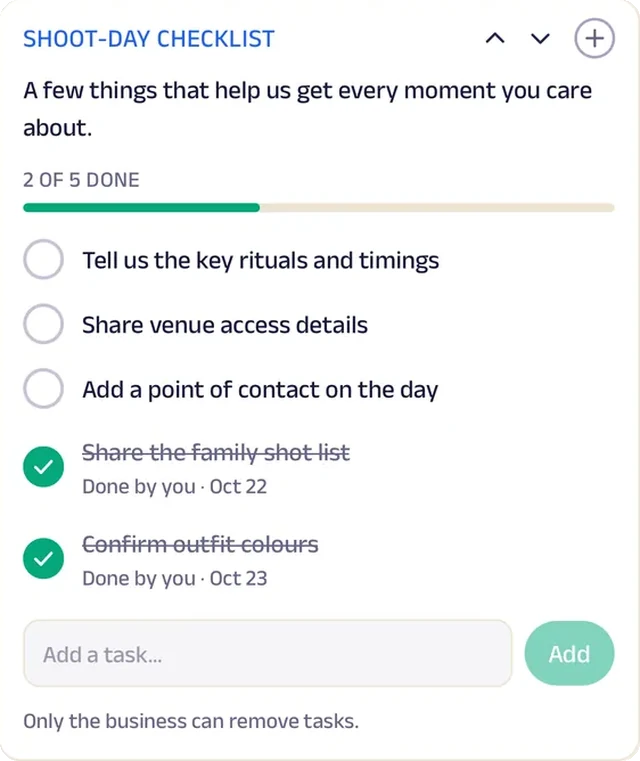
Tasks
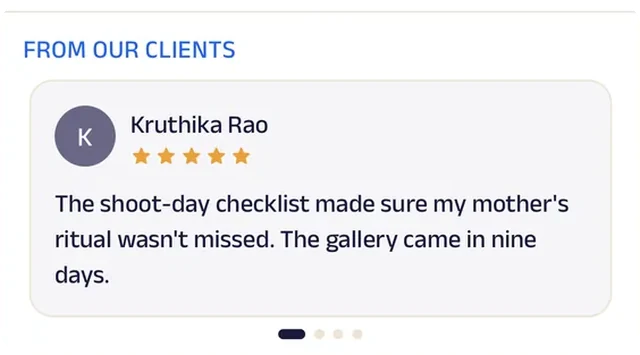
A shoot-day checklist — shot list, outfits, rituals, venue access — makes sure no moment is missed.
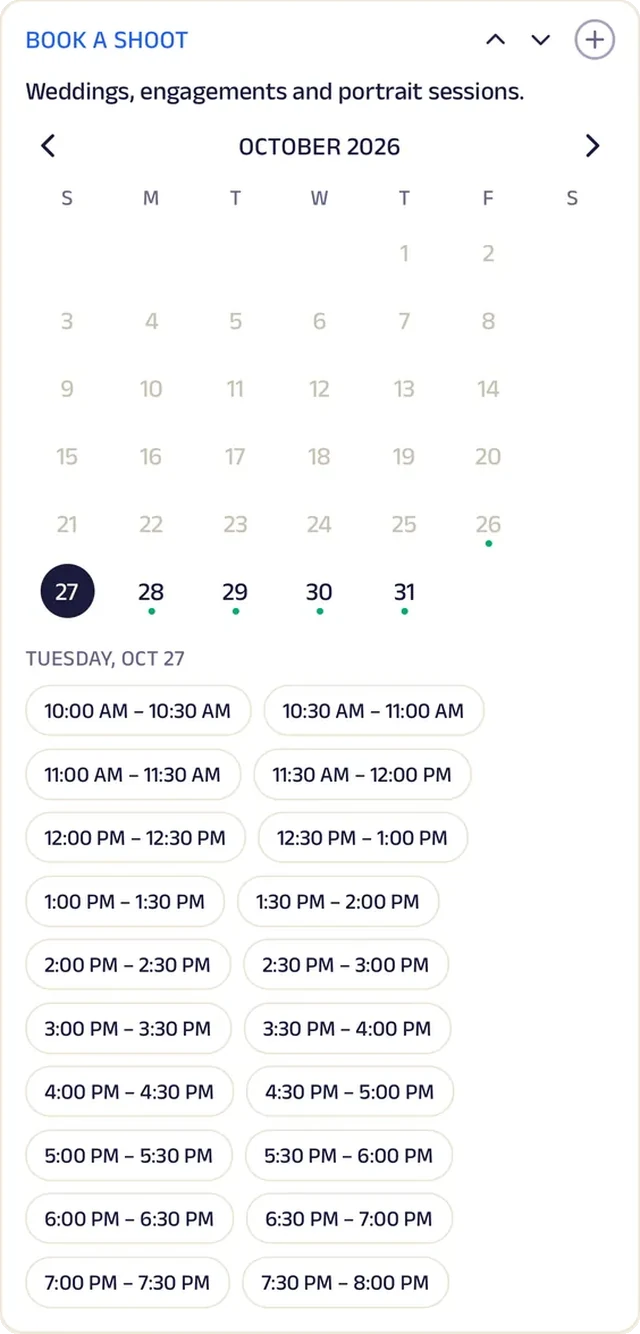
Appointment
Book a shoot date and time.
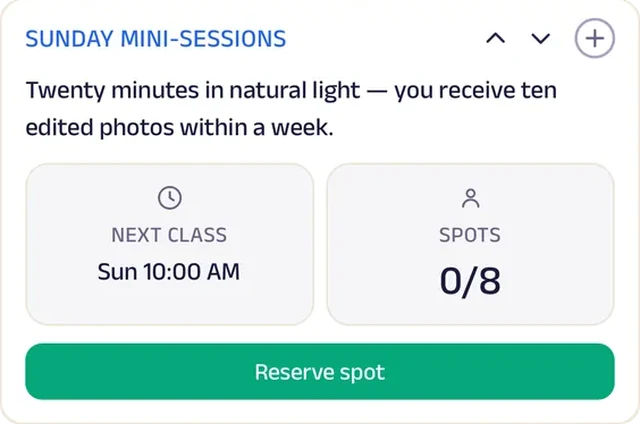
Reserve spot
Sunday mini-sessions seat eight at twenty minutes each, with ten edited photos each.
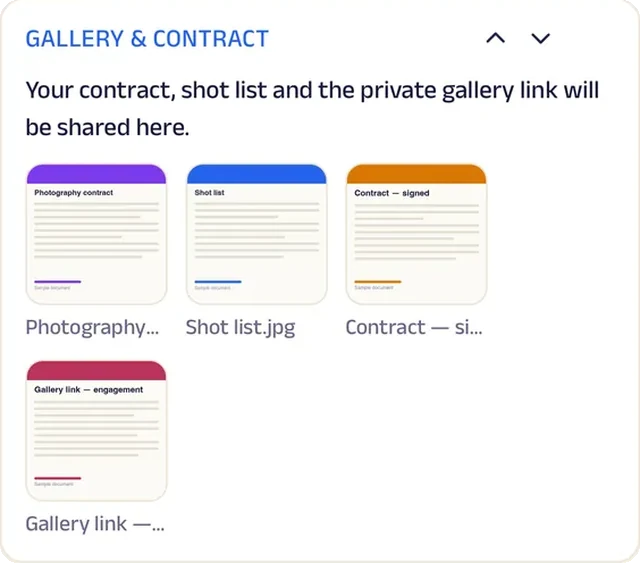
Add docs
The contract and the private gallery link are shared in the client's record.
Reviews
Clients write about shoots that caught the moments they'd have missed, which is what the next couple reads.
Subscriptions
An annual memories plan covers four sessions across the year.
Wedding & Event Planner
Riya Events
A planner who runs the wedding as one timeline.
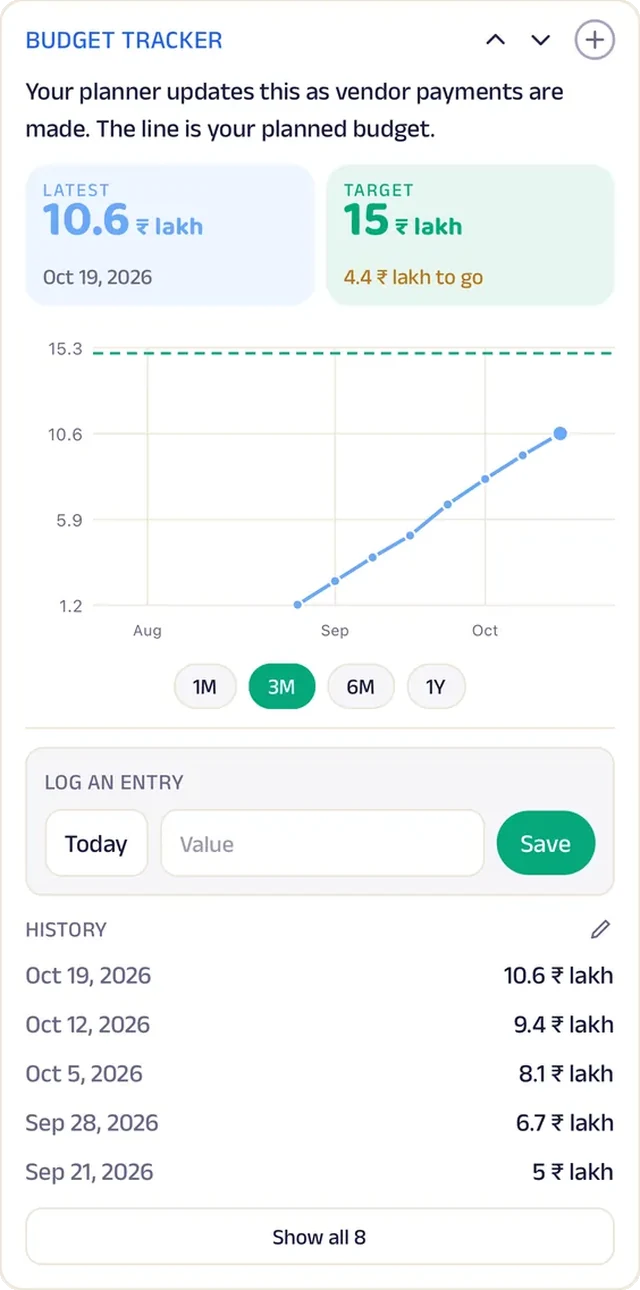
A wedding used to live in a dozen phone calls, a diary and a family group chat where decisions got lost. Now it runs as one timeline: venue, caterer, decor, invitations and headcount, each ticked off as it is confirmed. Budget spent is updated as vendor payments are made and charted against the planned total, so the family always knows where the money stands.
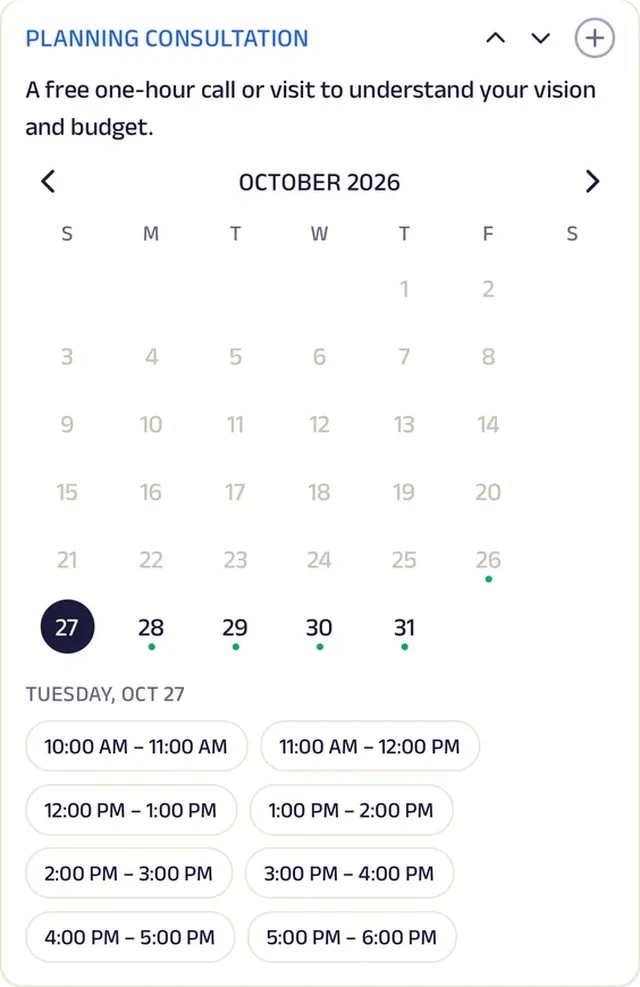
Couples share the date, guest count, budget and style before the first call, then book a free hour-long consultation to talk through their vision. At the Sunday vendor meet, thirty guests meet the caterer, decor team, photographer and makeup artist. Contracts and the vendor contact list are shared in one place. One planner now gives each family the shared timeline and budget view of a large events firm.


Tasks. The wedding timeline lists every milestone — venue, caterer, decor, invitations, headcount — and ticks them off as they're confirmed.
Gadgets at work

Photo gallery
Photos of past weddings, from mandap to reception, let couples show the planner the feel they want.
Tracker
Budget spent is updated as vendor payments are made, charted against the planned total.
Appointment
A planning consultation is a free hour to understand the vision and budget.
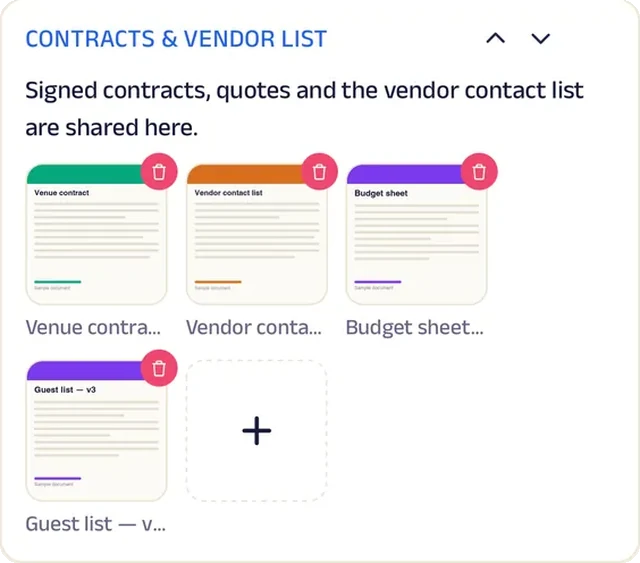
Add docs
Contracts and the vendor contact list are shared in one place.
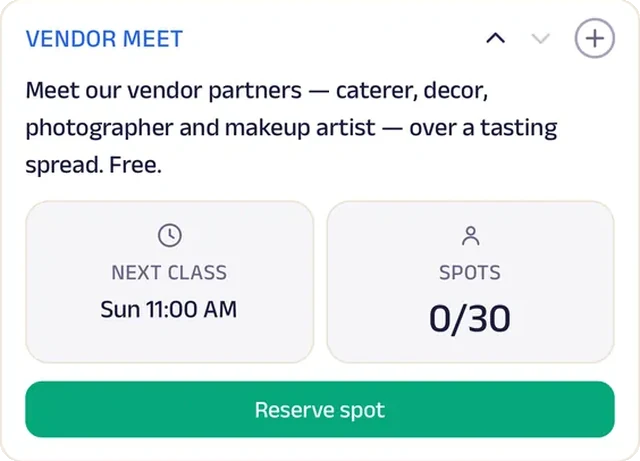
Reserve spot
A Sunday vendor meet seats thirty to meet the caterer, decor, photographer and makeup artist.

Video
A short clip of decor ideas gives couples a starting point before the first consultation.
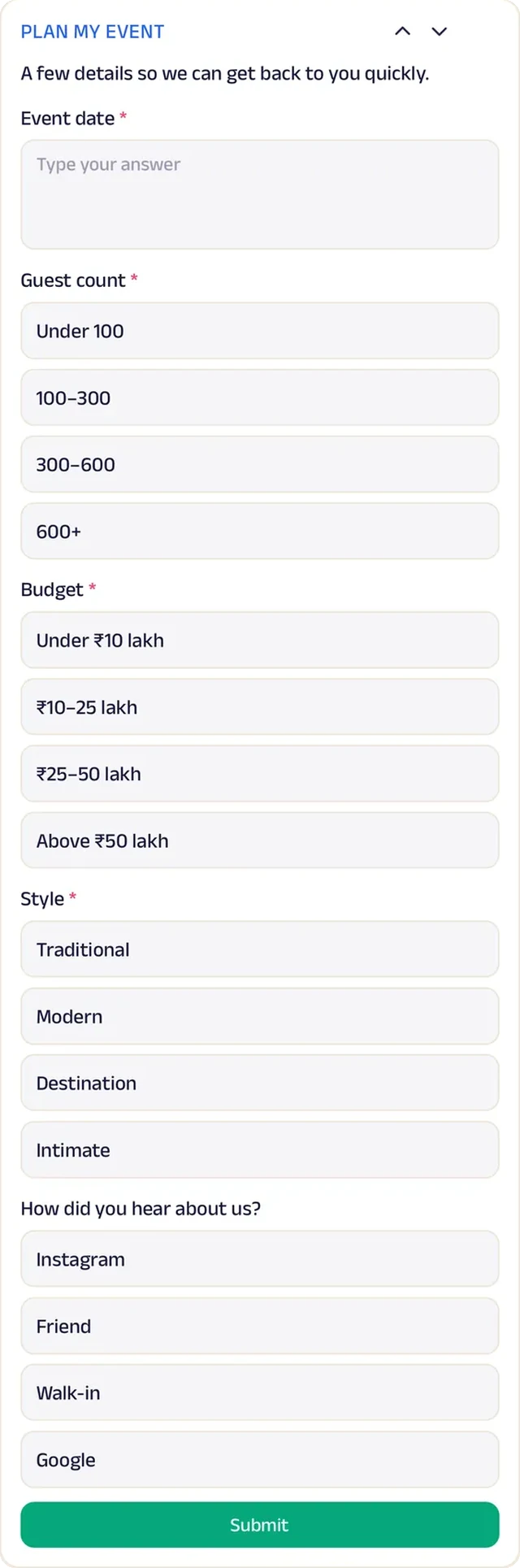
Forms
Date, guest count, budget and style, before the first call.
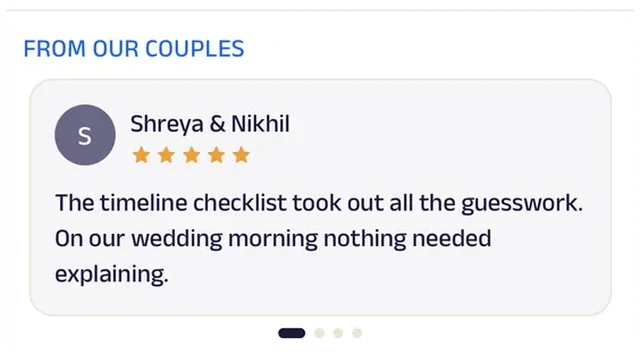
Reviews
Couples write about a wedding day they didn't have to manage, which is the whole promise.
Event Equipment
Rawat Tent House
An event-rental business that plans set-up with the host.
Wedding set-ups used to go wrong over small things on the day: no power near the stage, the wrong headcount, a locked gate. Now Rawat Tent House and the host share an event set-up checklist covering venue access, power, headcount, layout and pickup time, and both host and crew tick it off as each item is sorted.
Bookings arrive with the occasion, date, venue, guests and what's needed. The crew books a site visit to measure the venue and suggest a layout, and quotes and layouts are shared in one place. Shamiana, chairs, lighting and décor packages are listed with prices, and on Showroom Sunday twenty visitors see drapes and lighting samples up close. Regular Hosts get priority dates and a discount on repeat events. A family tent house now plans events with its customers like a large event company.


Tasks. An event set-up checklist covers venue access, power, headcount, layout and pickup time, ticked off by host and crew.
Gadgets at work

Photo gallery
Photos of past set-ups — canopies, stages, lighting — let hosts point at what they want.
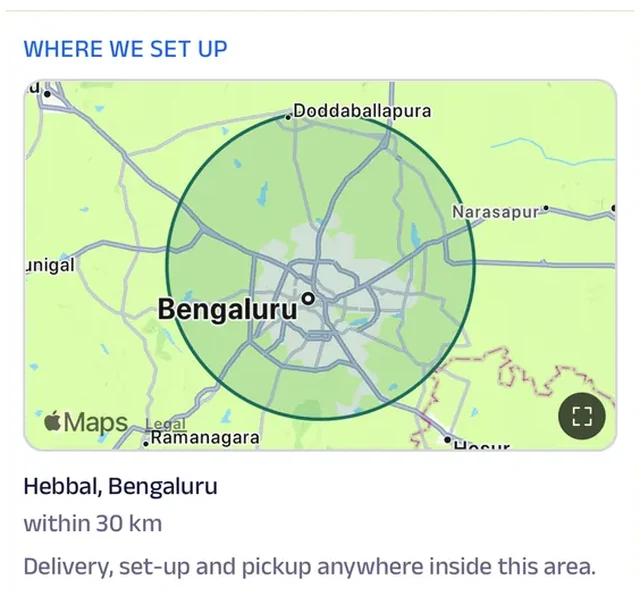
Location
The area the crew covers is drawn on the map, so a host with a venue outside town knows before enquiring whether the trucks will come.
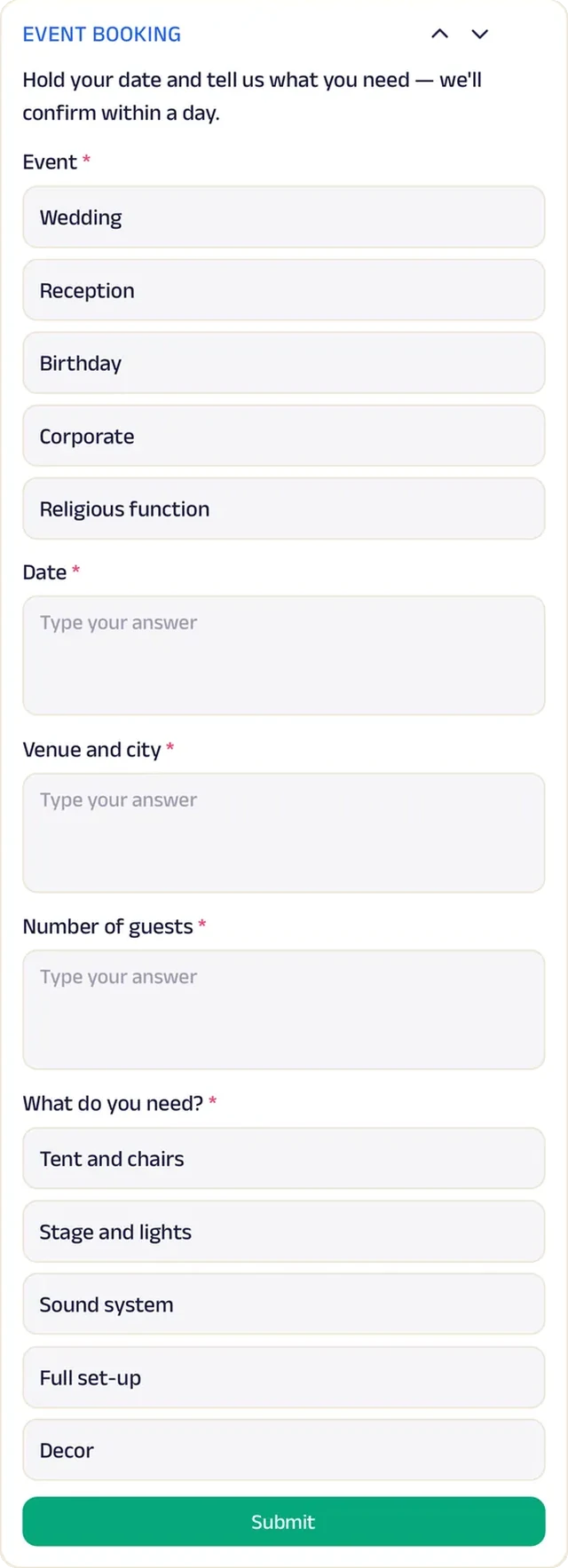
Forms
Event bookings capture the occasion, date, venue, guests and what's needed.
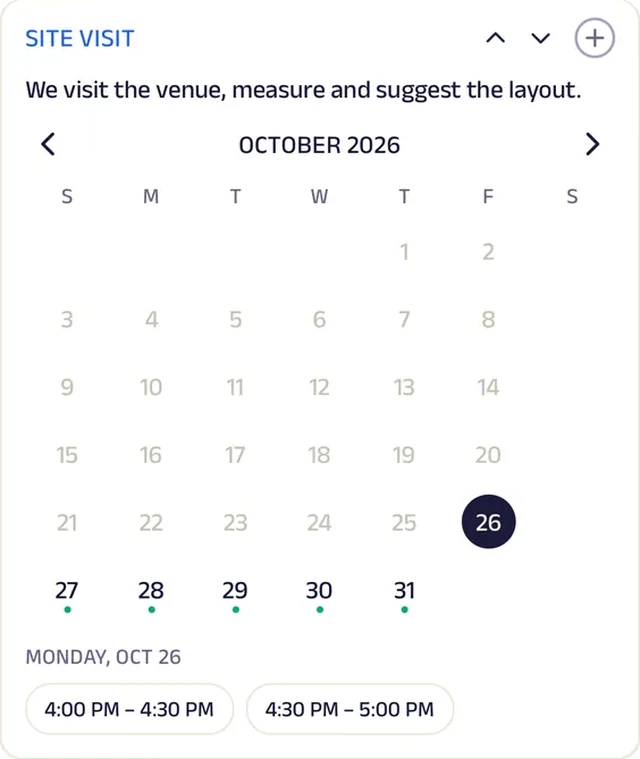
Appointment
A site visit is booked so the crew can measure the venue and suggest a layout.
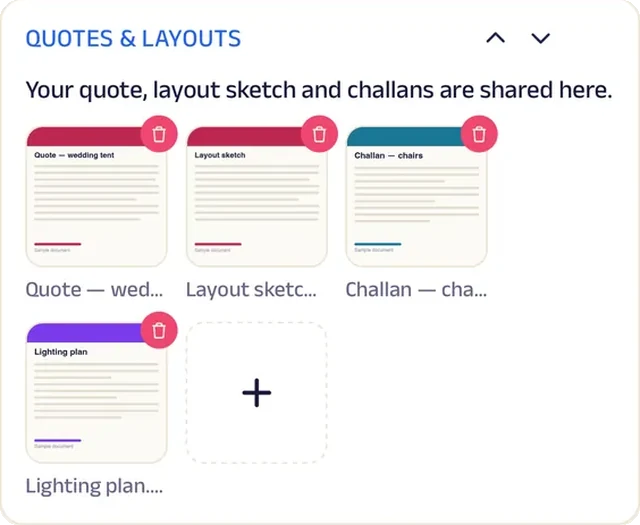
Add docs
Quotes and venue layouts are shared here.
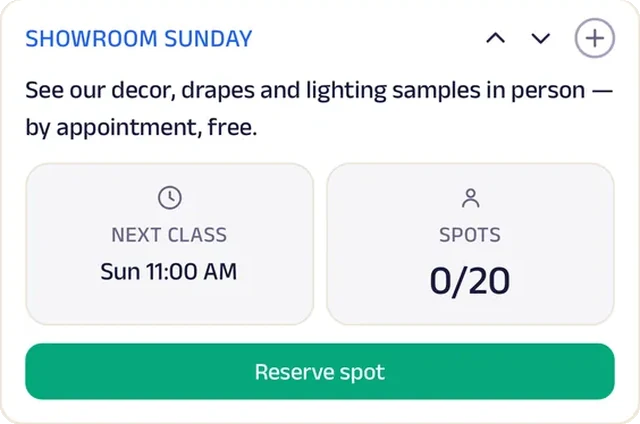
Reserve spot
A Sunday showroom visit seats twenty for decor, drapes and lighting samples.
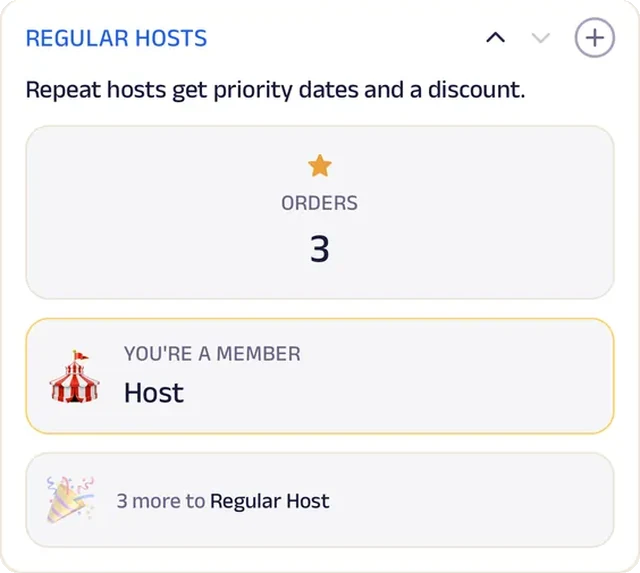
Loyalty
Regular Hosts get priority dates and a discount on repeat events.
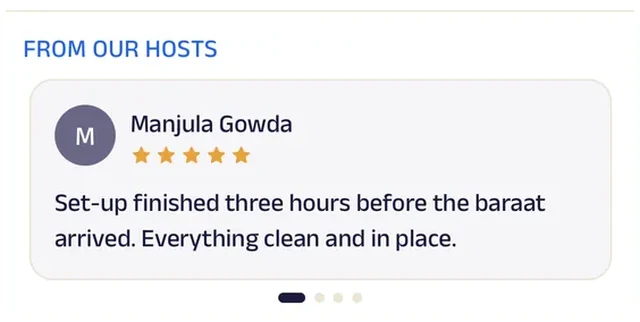
Reviews
Hosts write about set-ups finished before the first guest arrived, which is what the next wedding family wants to hear.
Florist
Petal & Stem
A florist that sells bouquets today and weddings months ahead.
Flowers last a week, and so did most of the studio's customers. Now Petal & Stem sells fresh flowers on a weekly plan (a desk bunch, a home bouquet or an office standing order) with a reminder before it ends, so each week's orders are known in advance.
Every week three arrangements are featured, and customers pick the one they want wrapped, or send last month's bouquet again in one tap. The ten-seat Sunday wreath workshop includes all materials. Couples book a wedding consultation, and event briefs arrive with occasion, date, venue, palette and budget range. Petal Circle rewards repeat orders with a free bouquet on the customer's birthday, and this week's offer is ready to share. A small florist now sells today's bouquet and a wedding months away from the same counter.


Subscriptions. Fresh flowers arrive on a weekly plan — a desk bunch, a home bouquet or an office standing order — with a reminder before it ends.
Gadgets at work

Photo gallery
Photos of past weddings and table pieces let couples point at a look rather than describe it.
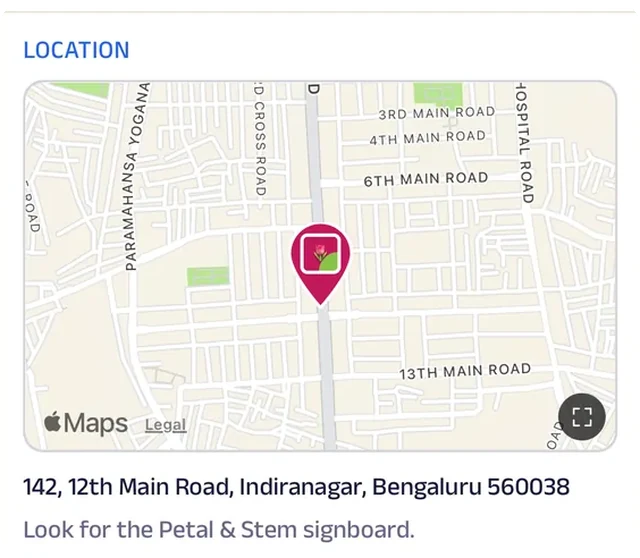
Location
The studio is pinned on the map for customers who'd rather choose their stems in person.
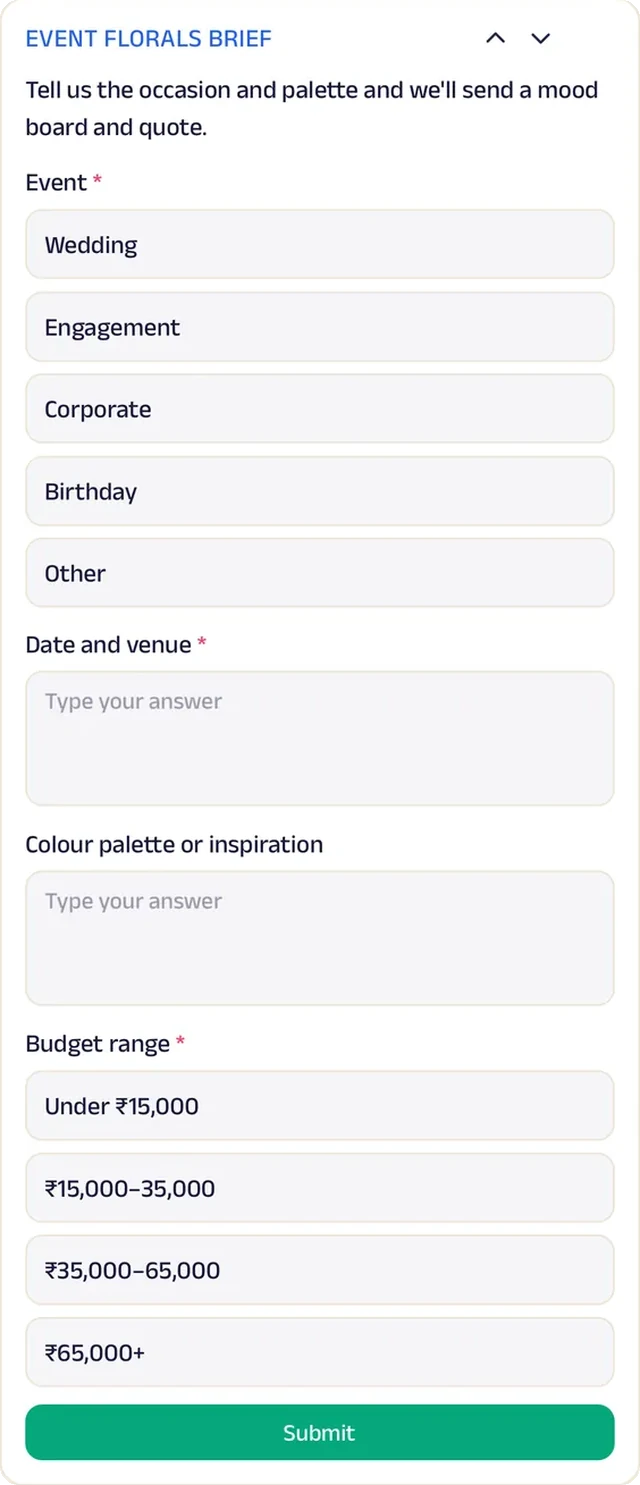
Forms
Event florals start as a brief: occasion, date, venue, palette and budget range.
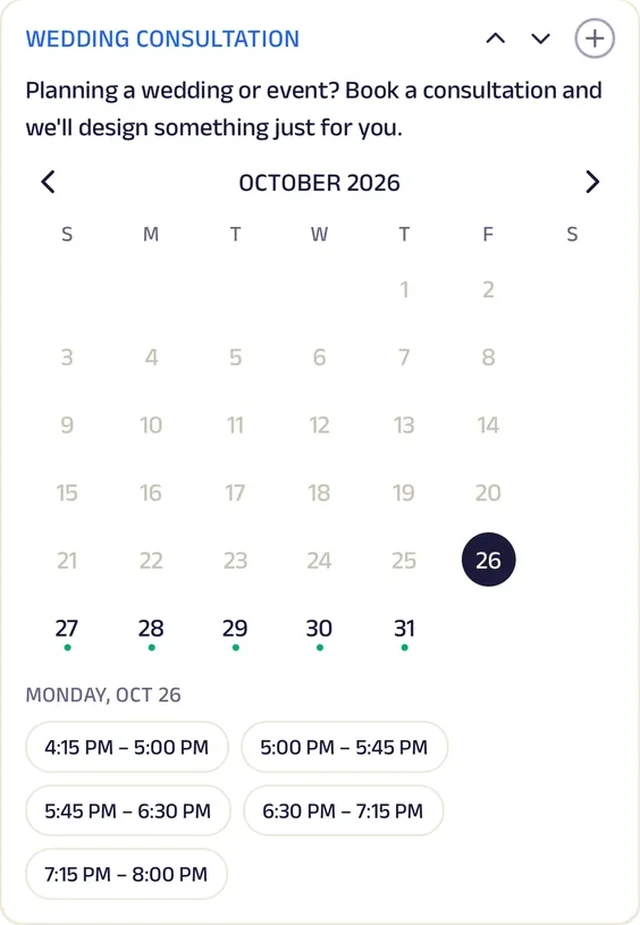
Appointment
Couples book a consultation to plan their wedding florals.
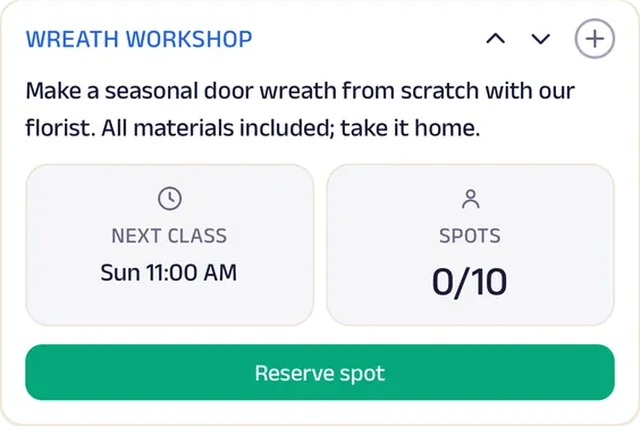
Reserve spot
A Sunday wreath workshop seats ten, with all materials included.

Video
A short clip of a bouquet being wrapped at the counter shows the care that goes into every order.
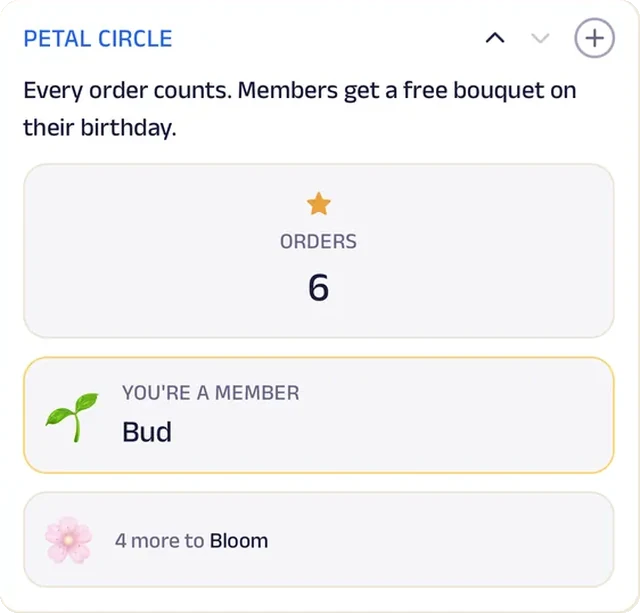
Loyalty
Petal Circle rewards repeat orders, ending with a free bouquet on the customer's birthday.
Reviews
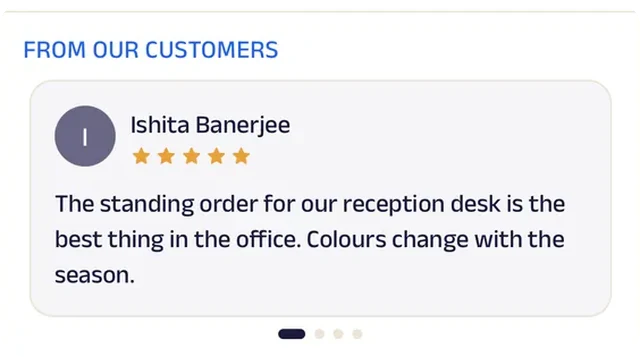
Customers write about deliveries that arrived fresh and on the day, which is what a gift order lives on.
Mehendi artist
Henna by Nandini
A mehendi artist who books festival slots and takes bridal enquiries with the date and venue.
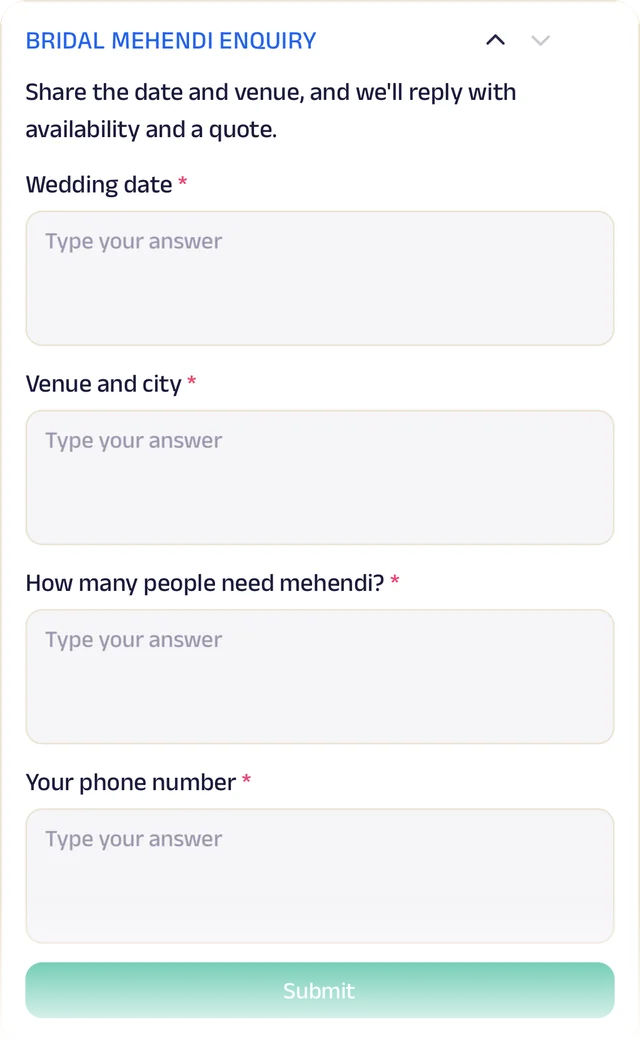
Wedding-season mehendi used to be arranged over a string of messages: the date, the venue, how many hands, the design. Now a bride fills in one short enquiry, and Nandini replies with availability and a quote.
Festival and party slots are booked on the same page, so the calendar fills up without a phone call for every one.
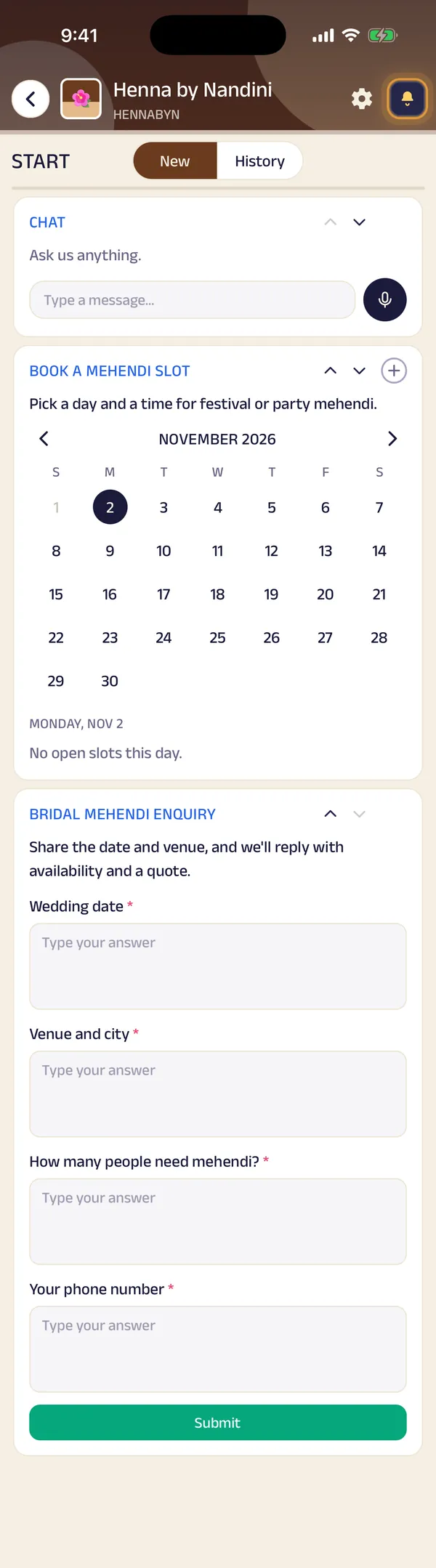

Appointment. Clients pick a day and a time for festival or party mehendi, and the wedding-season calendar fills up in real time.
Gadgets at work
Forms
A bride shares the wedding date, the venue and how many people need mehendi, and gets a reply with availability and a quote.
Run the whole business
Your team, your customers and your money, in one place.
The same page is also how you run the business, from the phones you already have and a laptop in the browser. There's no special software or hardware to buy.
Operate your day
From the first booking to "see you again".
Bill photo
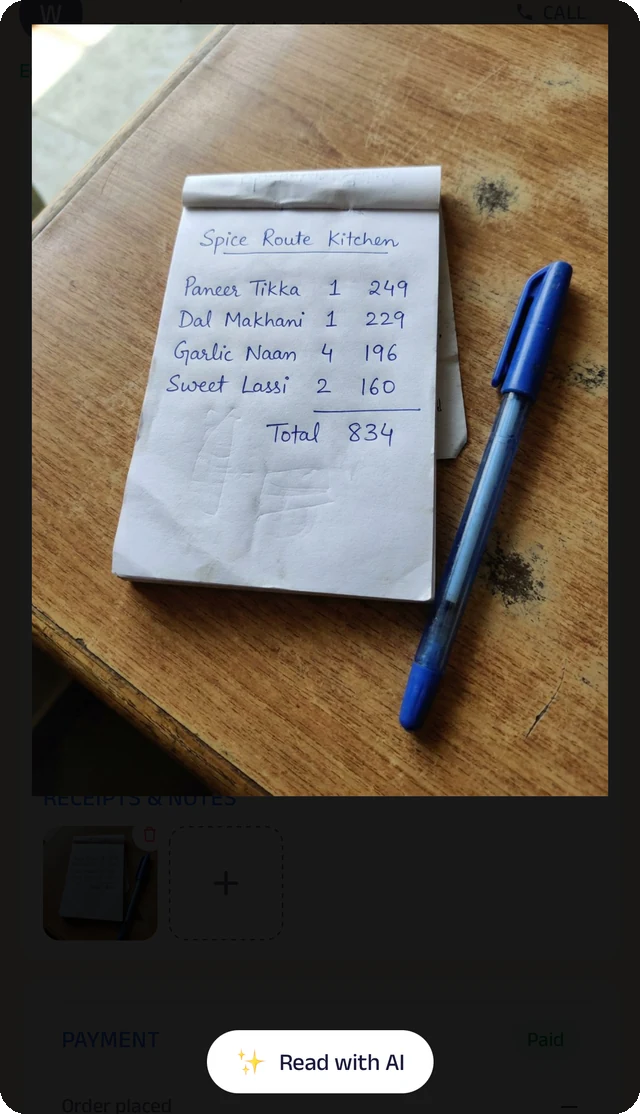
Photograph a handwritten bill, and the Assistant reads it for you to check.
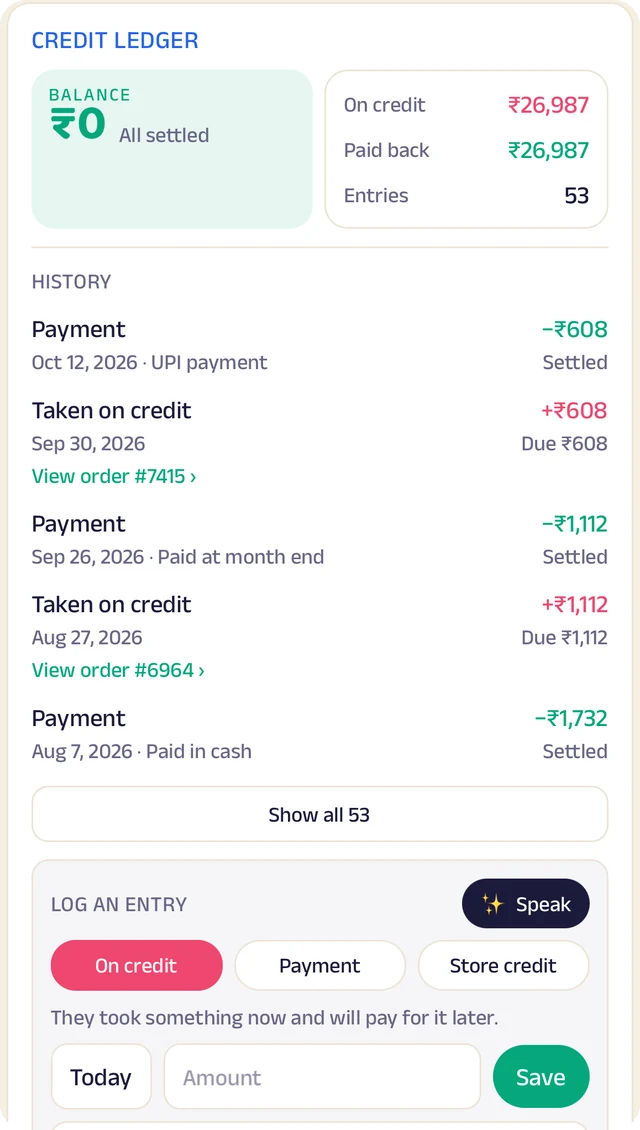
Credit ledger
Every credit and payment by customer. Log an entry by typing, or by speaking it.
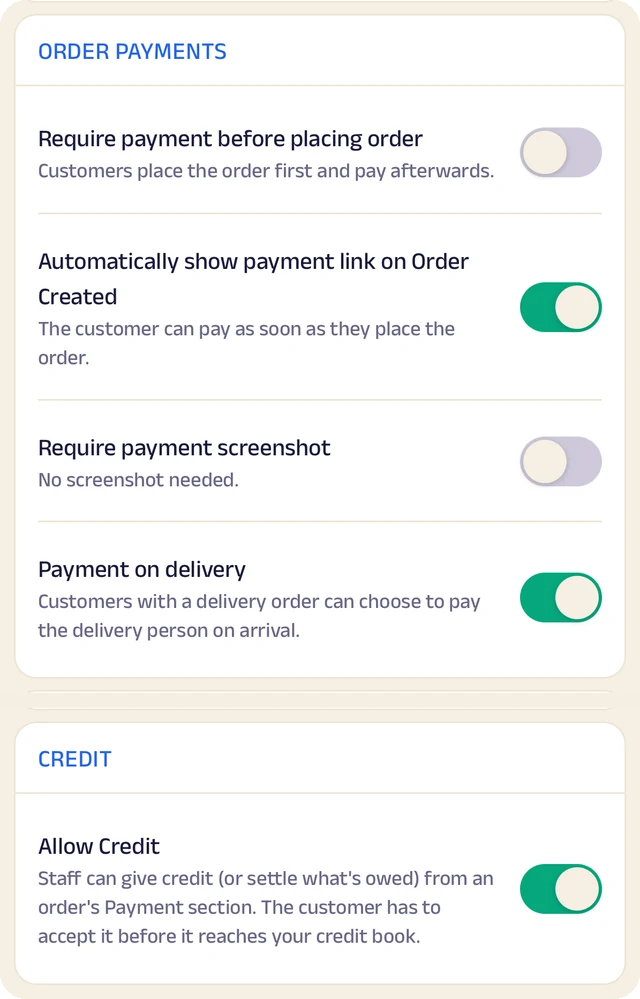
Order settings
Turn ordering on or off, and set GST and fees once so they're added automatically.
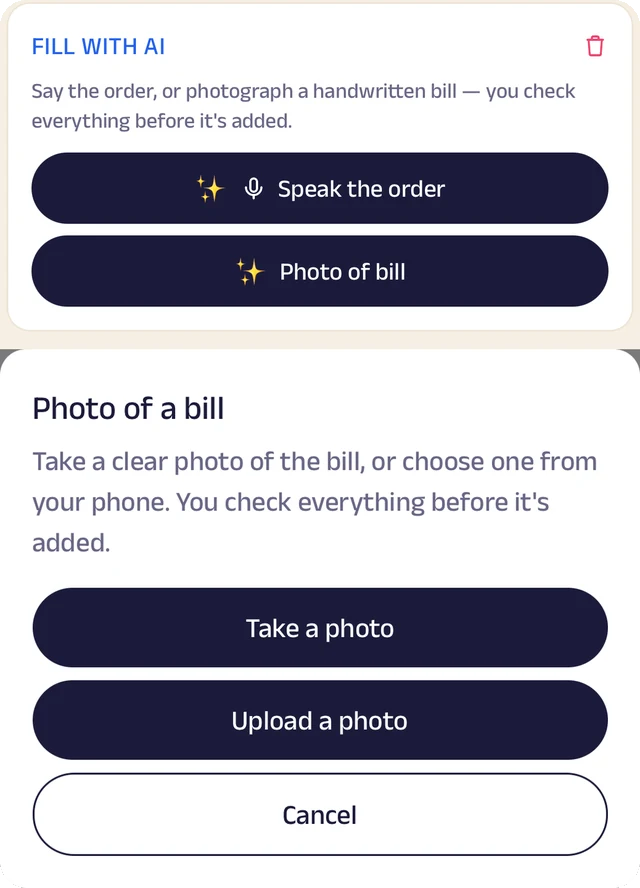
Fill with AI
Say an order out loud or photograph a bill, and check everything before it's saved.
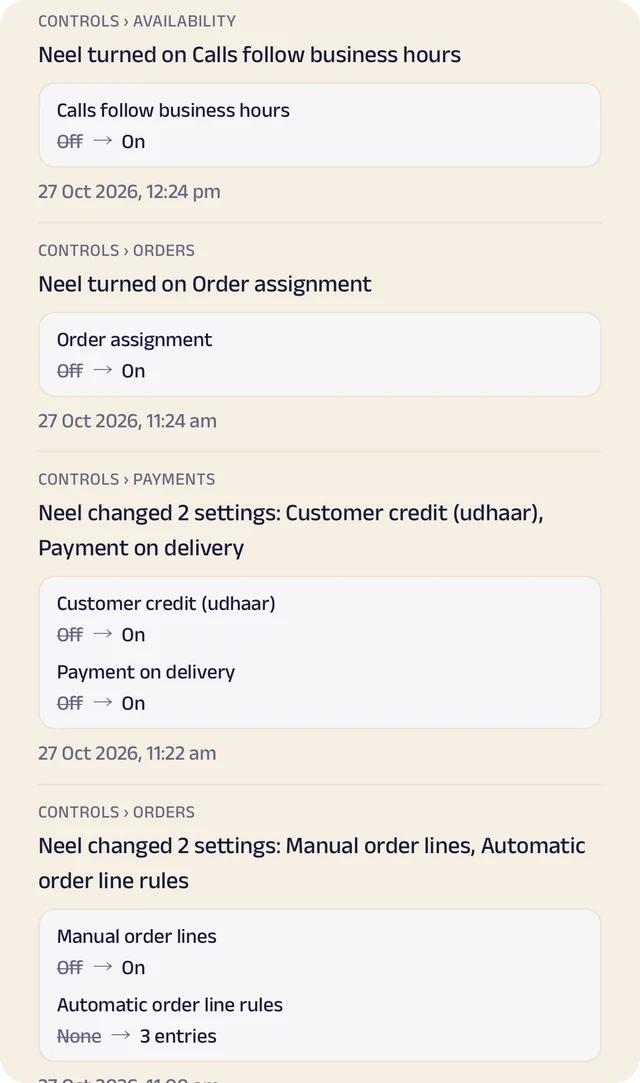
Settings history
Settings switched on or off, with the old and new value.
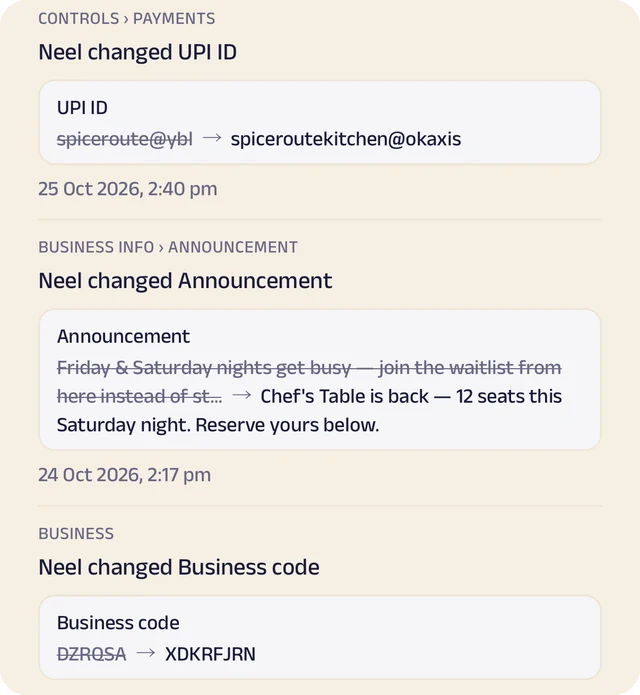
Payment history
Payment details changed, shown before and after.
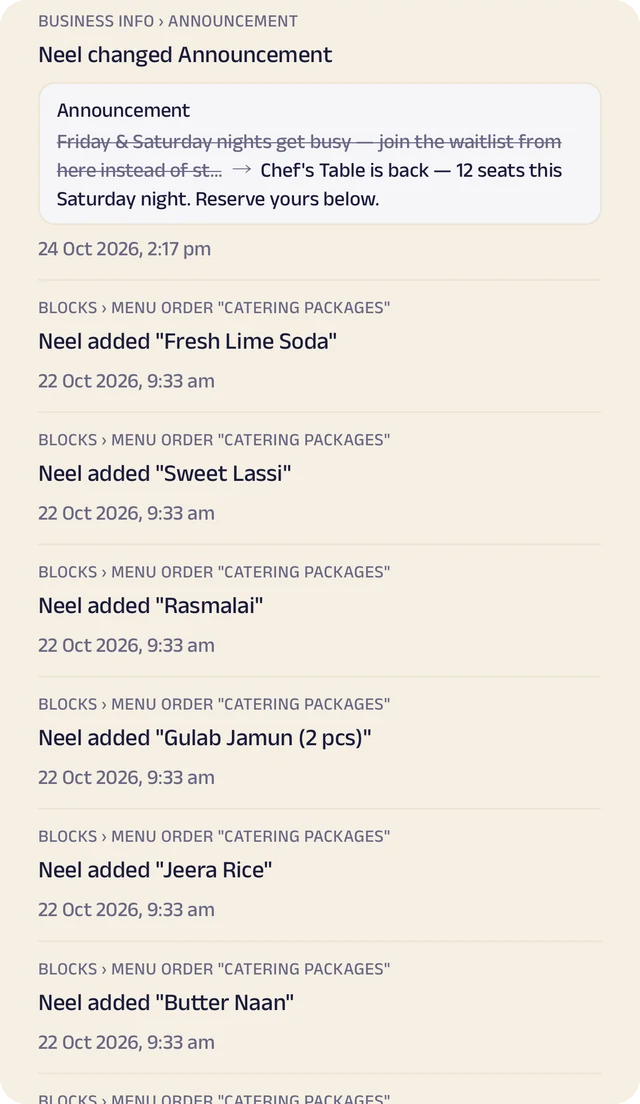
Page history
Changes to your page, kept in its own history.
The brief
A form of your own for the occasion, the date, the venue, the guest count and the budget, so the first conversation starts from the facts.
Book the date
Customers pick an open date against your real calendar, and the days you're booked are blocked out automatically.
Packages and quotes
Packages with prices up front, and quotes and invoices shared as documents so both sides see the same numbers. Payments come to you directly, by UPI, link or cash.
Your work and reviews
A gallery of finished jobs and reviews from past customers, so the next customer chooses by pointing at it.
Manage your people
Everyone who plans, shoots and sets up, in the right place.
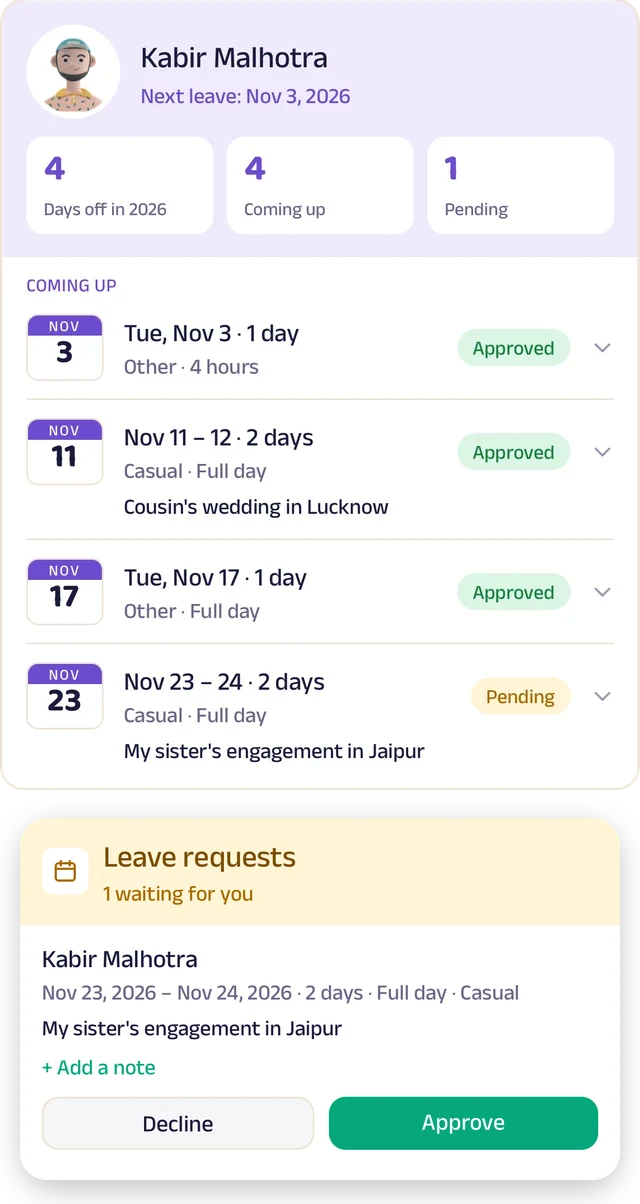
Team leave
A team member's days off: what's approved and what's waiting.
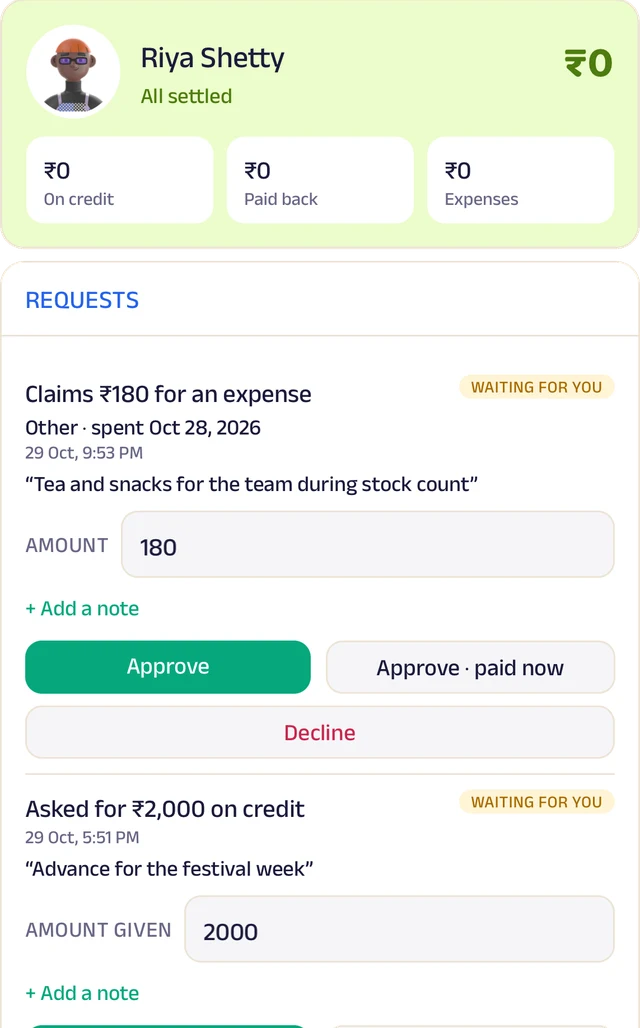
Team ledger
A running account per person: advances, expenses and approvals.
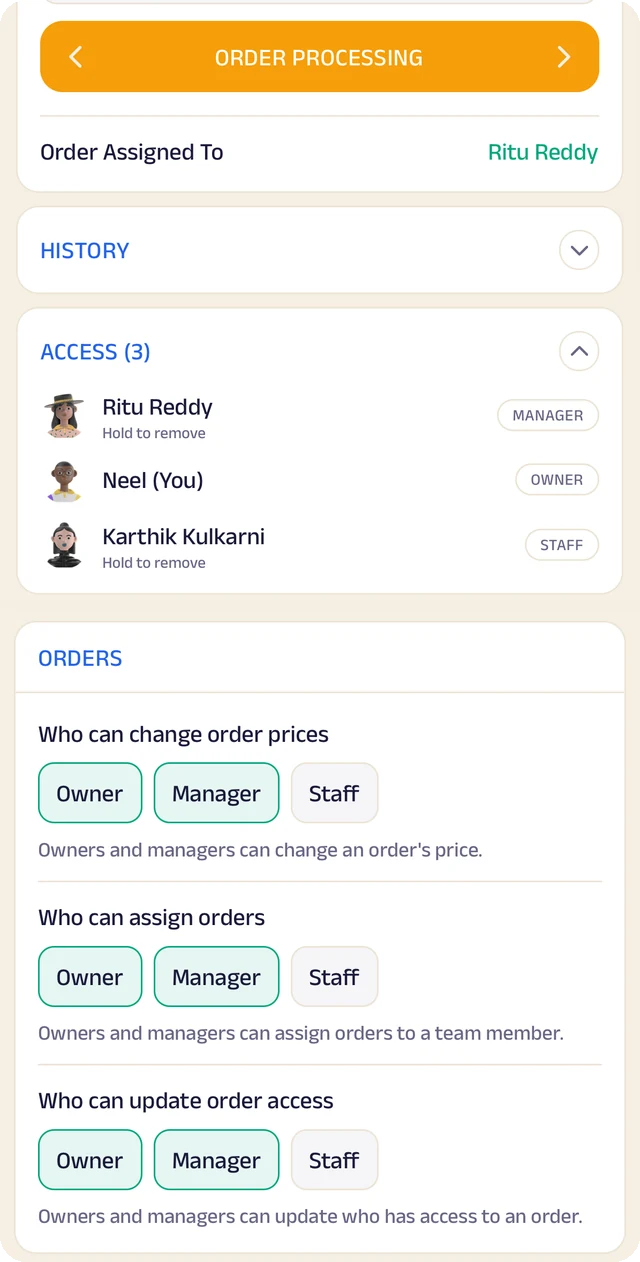
Order access
Who an order is assigned to, who can see it, and who can change it.
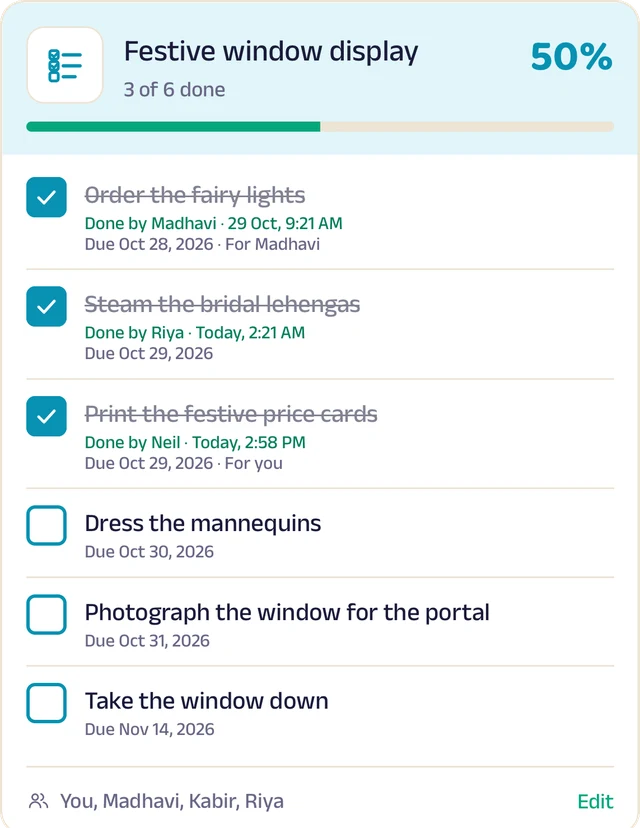
To-do lists
Shared lists, ticked off with who did it and when.
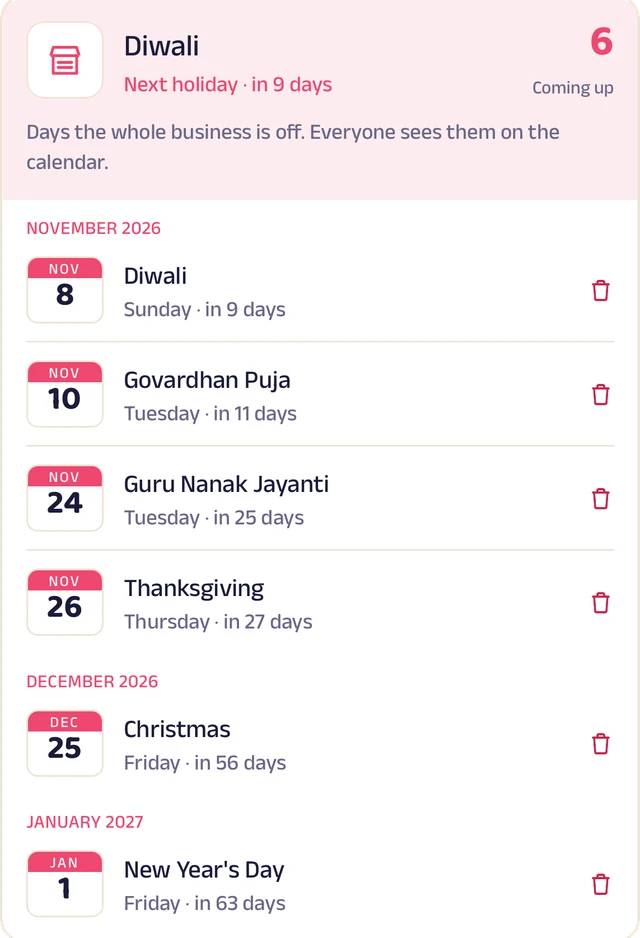
Holidays
Days the whole business is closed, on everyone's calendar.
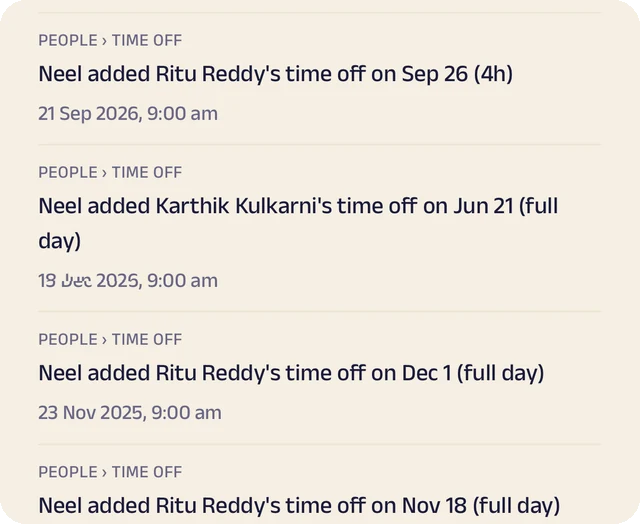
Request leave
Request casual, sick or unpaid leave, for a day or a few hours.
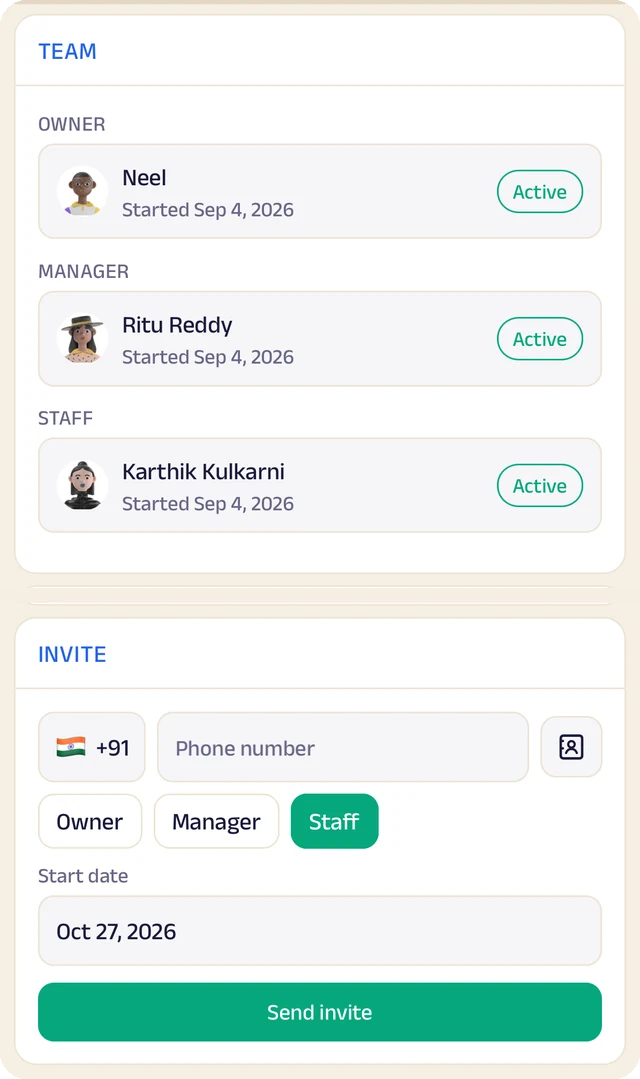
Your team
Your team by role, with leave requests waiting for your approval.
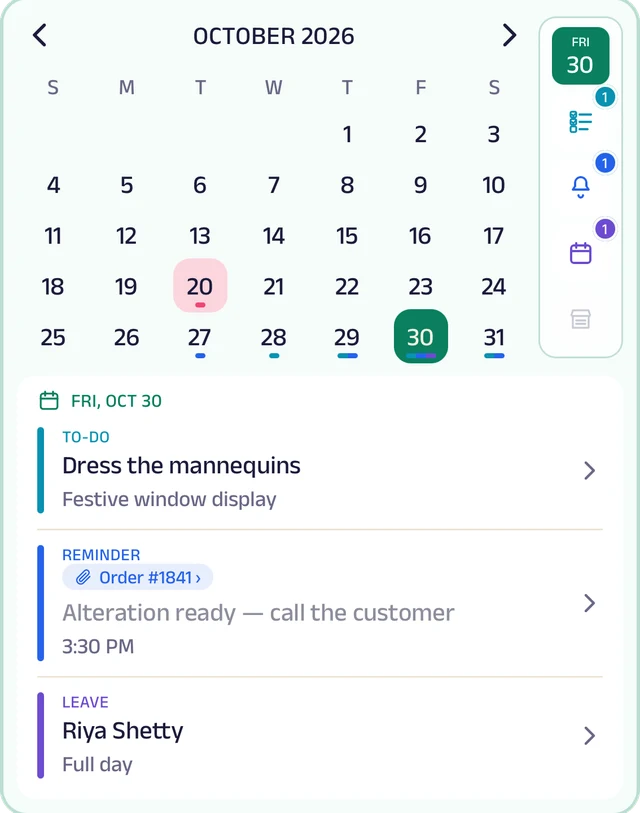
My Space
Everyone's own calendar, with to-dos, reminders and leave.
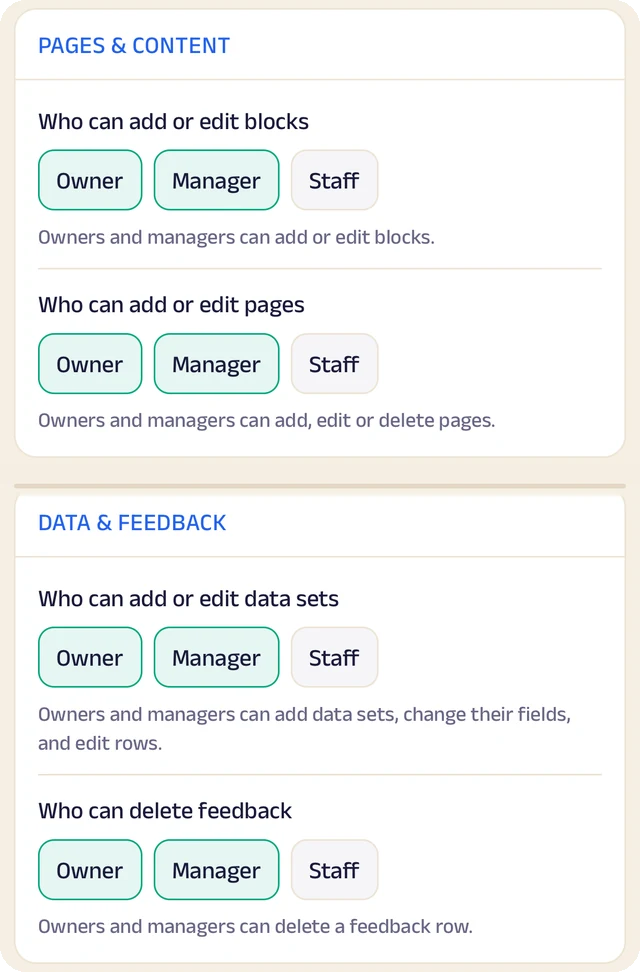
Permissions
Who can edit your page and change prices, role by role.
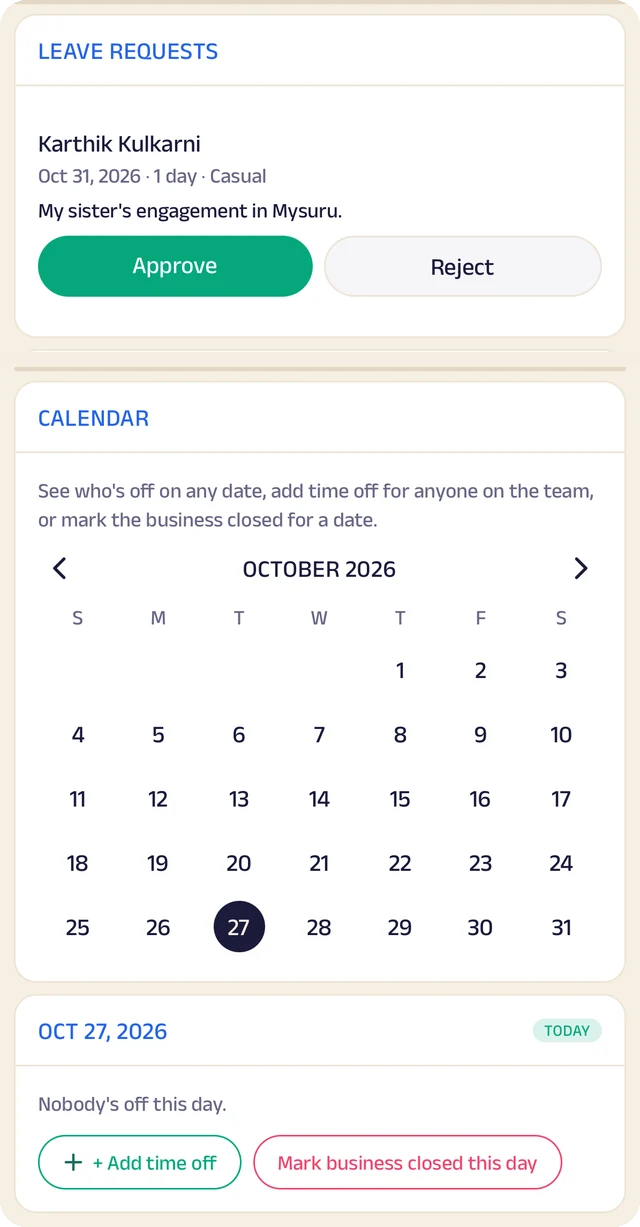
Time off
A calendar of who's off and which days the business is closed.
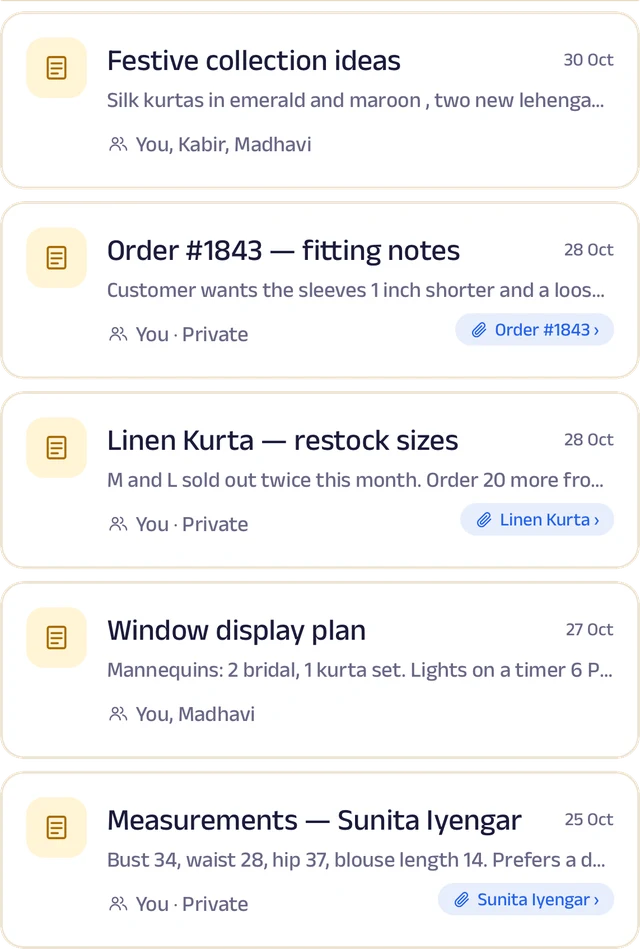
Notes
Notes with photos and voice, some linked to an order or a customer.
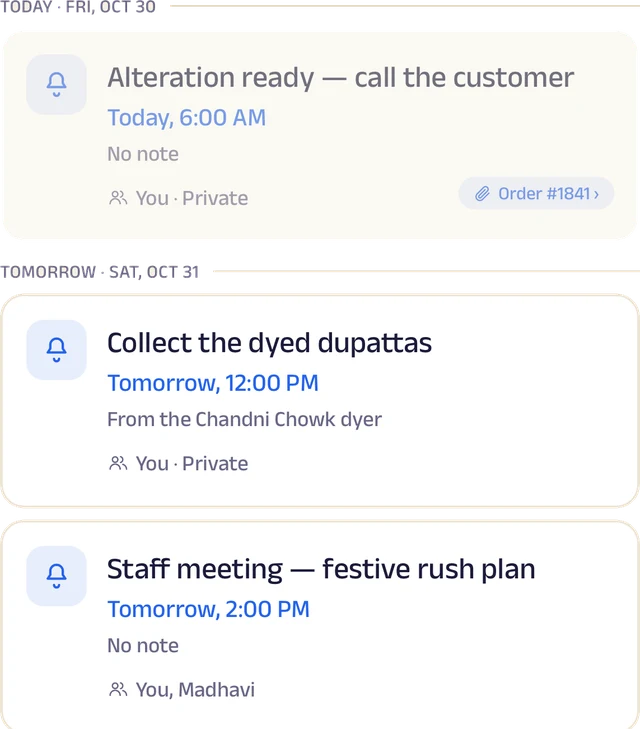
Reminders
Once or on repeat, shared with the team and linked to an order.
Roles and access
Add your your team by phone number and give each a role: owner, manager or staff. You choose who can edit your page, change prices or assign bookings, and you can freeze someone's access in a tap. Payment details stay with the owner.
Leave and holidays
Staff request casual, sick or unpaid leave for a full day or a few hours, and you approve it. Everyone sees who's off today, and days the whole business is closed show on every calendar.
A ledger for each person
Each team member's running account with the business: advances, money paid back and expense claims. Staff ask, you approve, and a statement is ready to share for any period.
My Space for everyone
Each person gets their own calendar with to-do lists, notes and reminders, and the owner sees the whole team.
Track your growth
Kept as you work, not typed up at the end of the month.
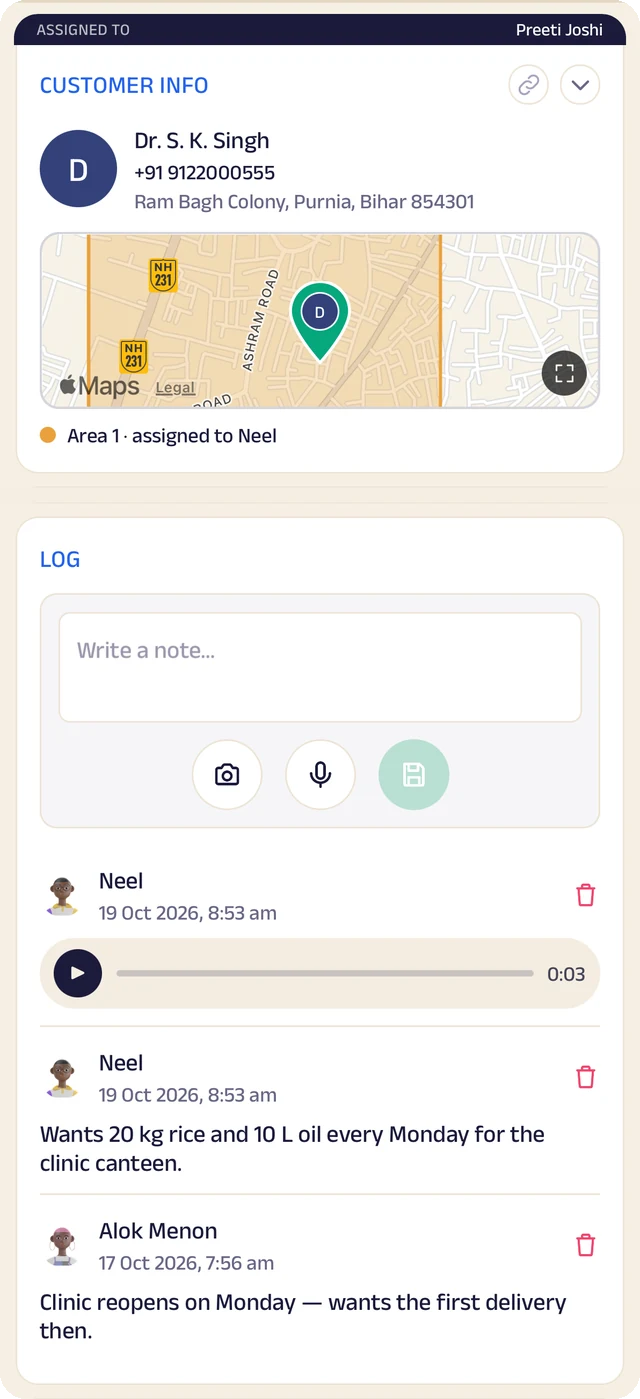
Customer record
One customer's record: details, a map pin and the team's notes.
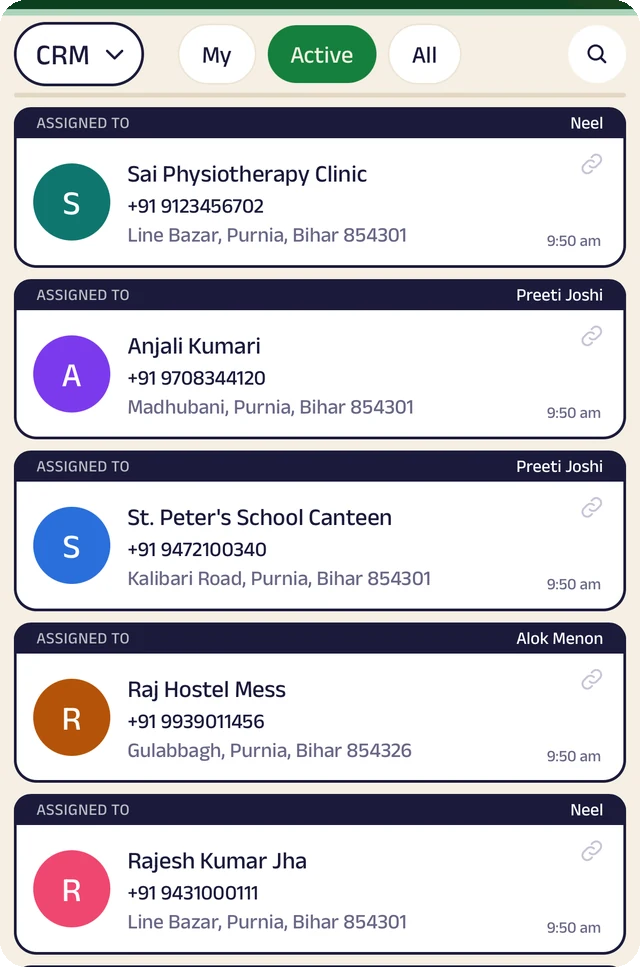
Customer list
Customers assigned to the people who look after them.
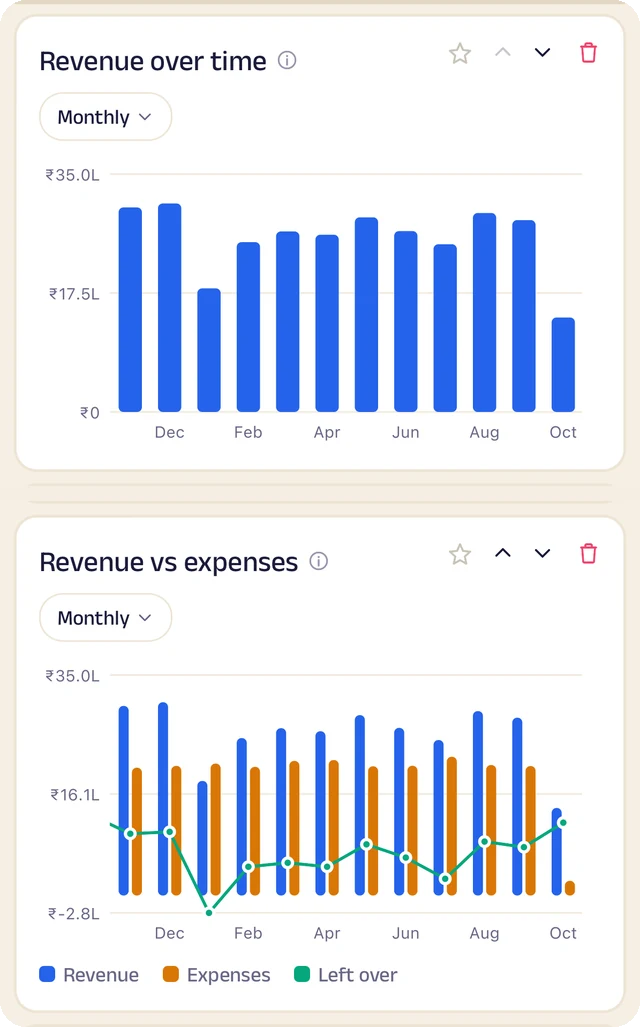
Revenue
Revenue month by month, and what's left after expenses.
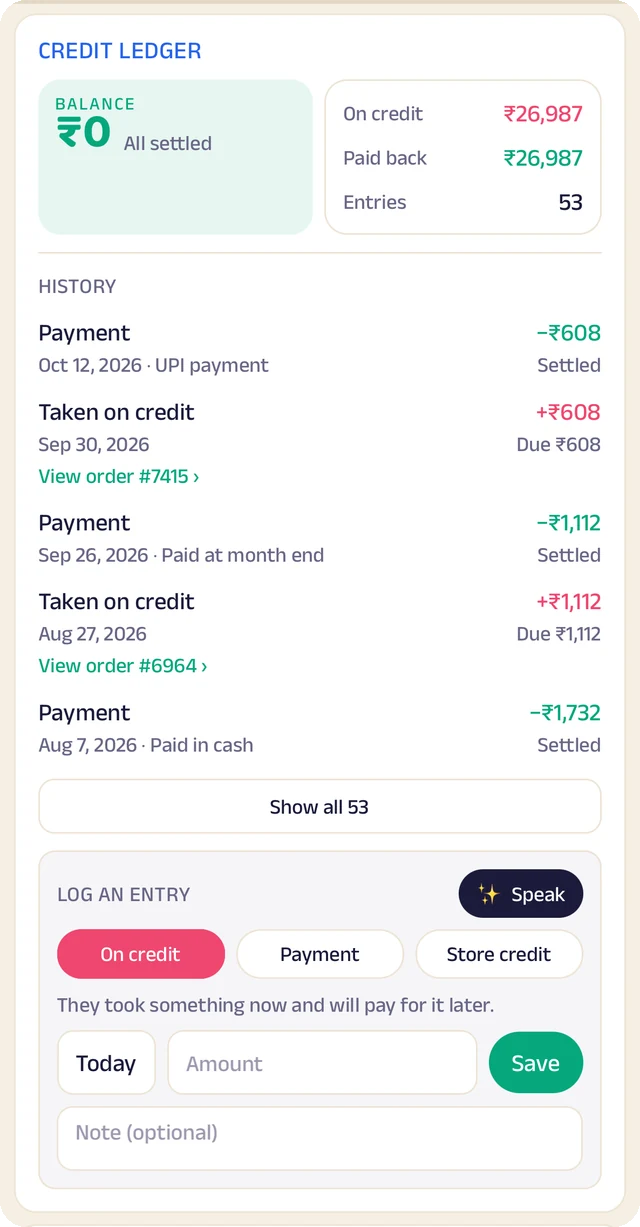
Credit book
Every credit and payment by customer and date, with the balance on both sides.
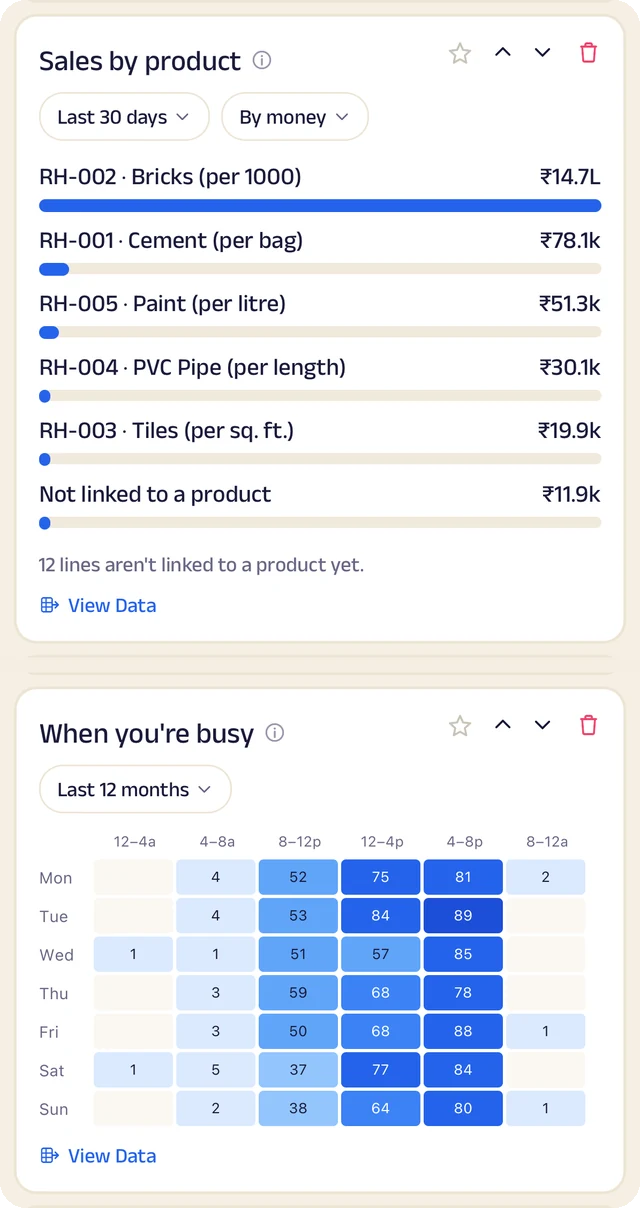
What sells
What sells, and the hours you're busiest.
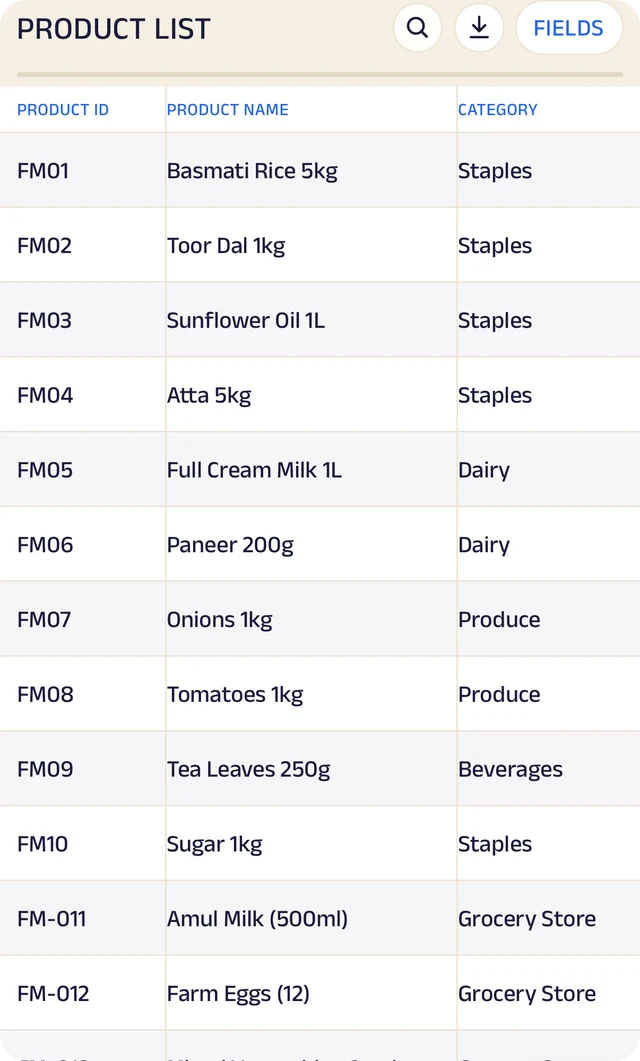
Products
Your products, with codes, names and categories.
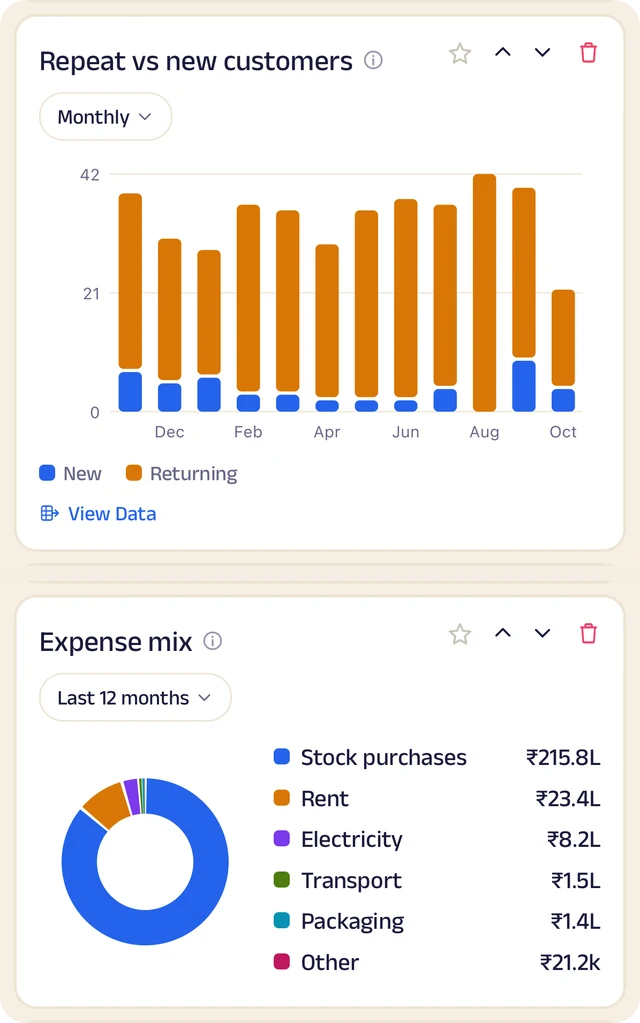
Customers and costs
Repeat against new customers, and where the money goes.
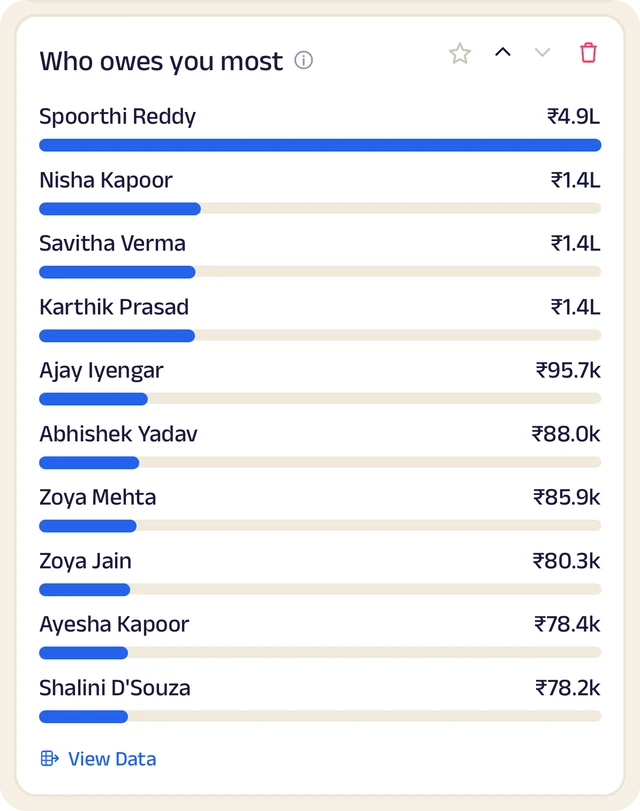
Who owes most
Who owes you the most, ranked.
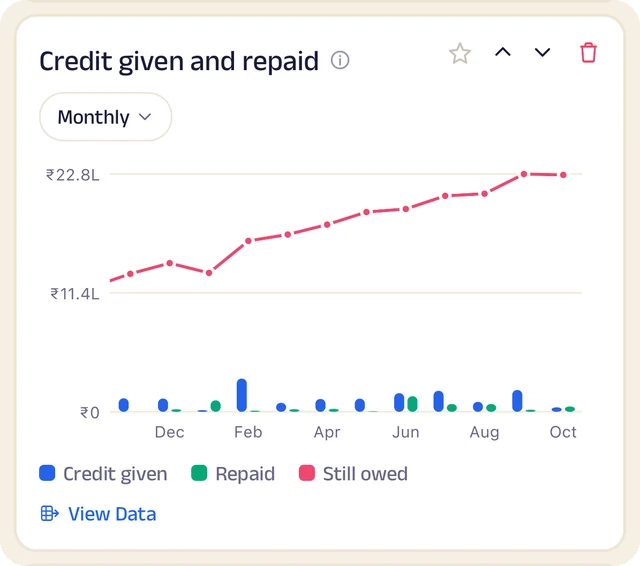
Credit history
Every credit entry as a table you can search.
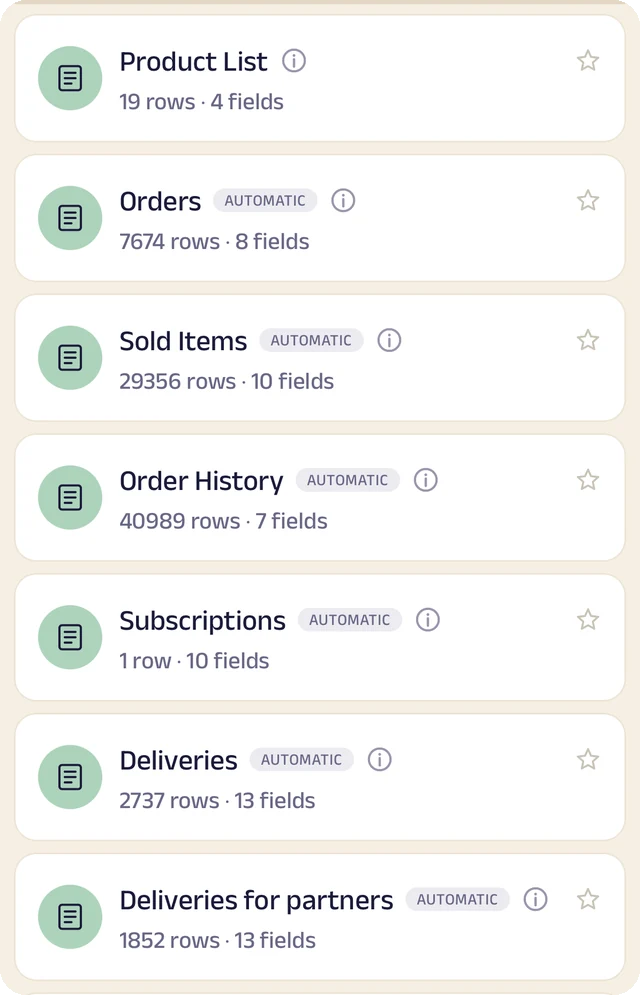
Your tables
Every table in one menu, each with its row count.
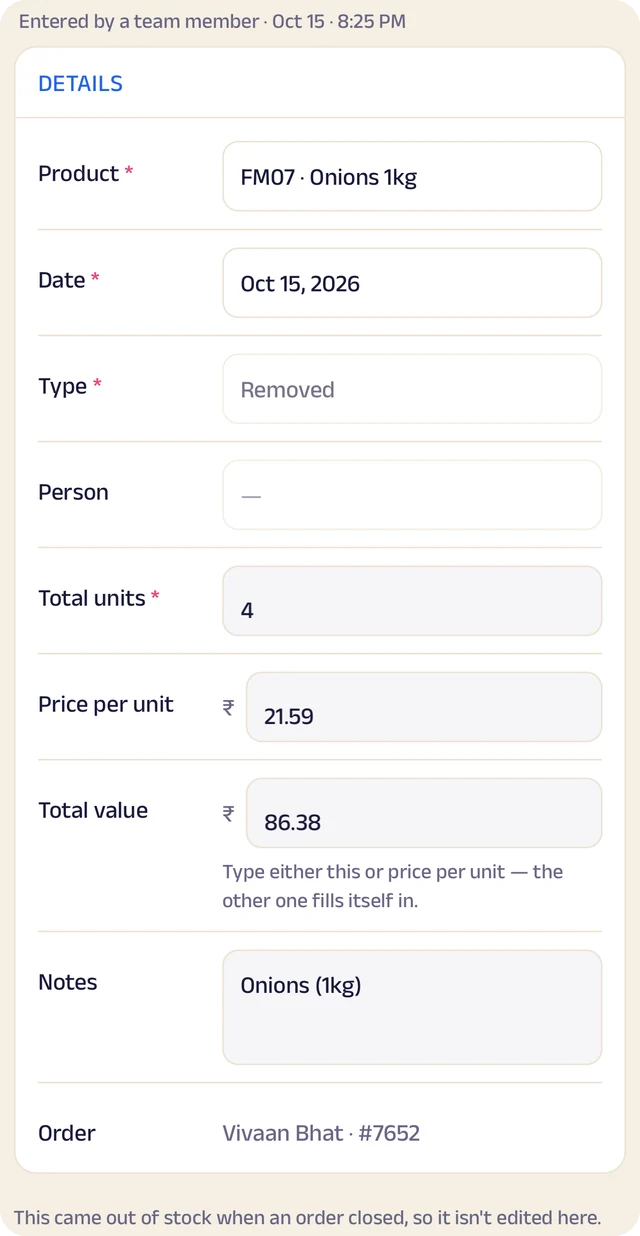
Stock entry
A stock entry: what came in, at what cost, from whom.
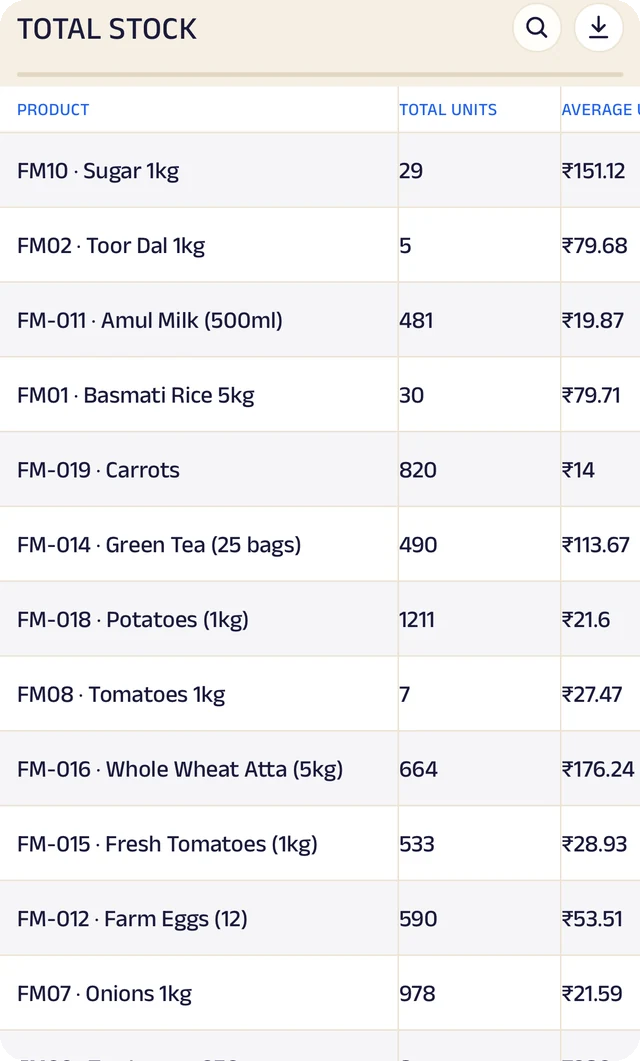
Total stock
Total stock and its average cost, worked out for you.
Expenses
Expenses as a table, ready to search or download.
Product stock
List the products you sell once, record what comes in with its cost and supplier, and let sales take it out. A barcode or product code finds anything in seconds.
Credit ledger
Credit given to regulars is written down properly. Customers see the same balance you do, and you always know who owes you most.
Customer management
Every customer has a record the right people can see and add to, with notes, photos and who looks after them.
Analytics
Thirty charts across sales, money and stock. See your busiest hours, what sells, and repeat against new customers, for this week, month or year.
Your data, yours to take
Every table in the app is searchable and can be downloaded as a CSV for your accountant or your own spreadsheet.
The Assistant
Say an order out loud or photograph a bill and it becomes a record for you to review. Nothing is saved until you approve it.
Everything here is on the Businesses page in detail, with the app's real screens. See the Businesses page
Join the pilot
Set up your business's page.
The pilot is completely free. After it, you can start free: the Free plan covers 30 orders a month, with every feature open (the AI Assistant is free during the pilot, then on paid plans). When you need more, plans start at ₹199 a month, based on how many orders or bookings you handle. There's no commission and no per-order fee, and as a pilot member you lock in your rate. Setup and training are free.
Free
₹0
30 orders or bookings a month
Starter
₹199 a month
Up to 100 orders or bookings a month
Growth
₹499 a month
Up to 300 orders or bookings a month
Pro
₹999 a month
Up to 1,000 orders or bookings a month
Every feature is open on every plan. The AI Assistant is free for everyone during the pilot, then comes with paid plans. Every order counts. Prices include GST. More than 1,000 a month, or 5 or more people on your team? We'll agree a plan with you.