
For contractors, interior designers, real estate and travel agents
Your practice, in one link.
Clients send you an enquiry, book a site visit or a call, see your work and follow the project from one page that carries your name, your colours and a QR code for your visiting card. It isn't a marketplace, and we take no commission on what you earn.
The pilot is completely free. After it, free to start: 30 orders a month, no card. Paid plans from ₹199 a month. No commission.








Pick a business to see its page. These are demonstration businesses built on Zich World. Each one chose different gadgets for how it works. Open any of them live.
Construction Contractor
Verma Construction
A contractor that ties every payment to a visible milestone.
Clients used to pay instalments on trust and then chase the contractor to find out what had actually been built. Now each project has eight milestones, from survey to handover, ticked off by the site team, and payments follow them. Overall progress is logged weekly and charted towards completion, so the owner sees the house rise without visiting.
Approved plans, permits and agreements are shared in one place. New enquiries begin with a form covering plot size, budget and timeline, so the first meeting is productive, and site visits are booked against the engineer's hours. On an open-site Sunday, prospective clients reserve a place to walk a live project with the engineer. A local contractor now gives clients milestone billing and a live view of progress, the kind of openness usually expected only from big developers.


Tasks. A project's eight milestones — survey to handover — are ticked off by the site team, and payments follow them.
Gadgets at work
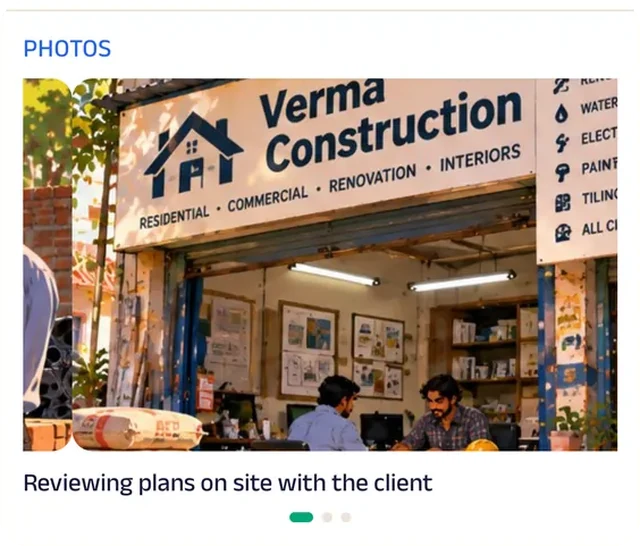
Photo gallery
Photos of finished homes and work in progress show the build quality before the first meeting.

Location
The area the site teams work in is drawn on the map, so plot owners know before enquiring whether Verma builds there.
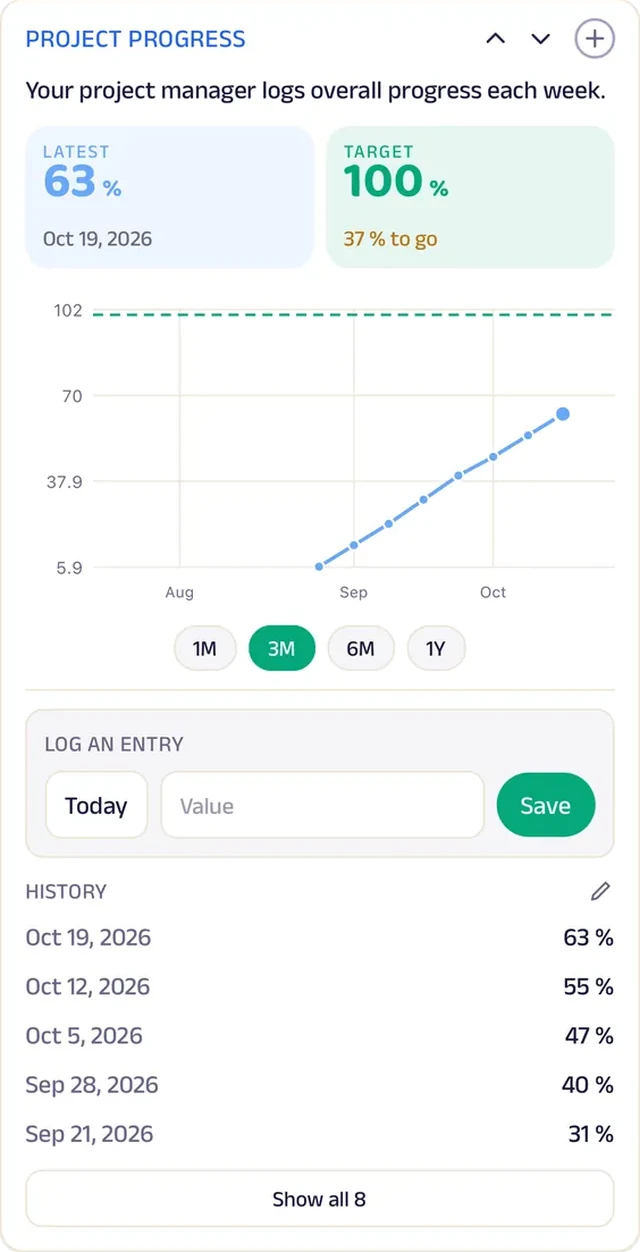
Tracker
Overall progress is logged weekly and charted towards completion.
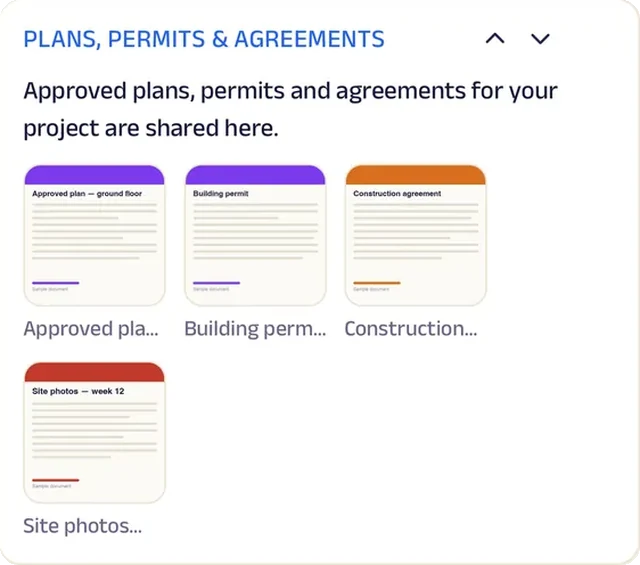
Add docs
Approved plans, permits and agreements are shared in one place.
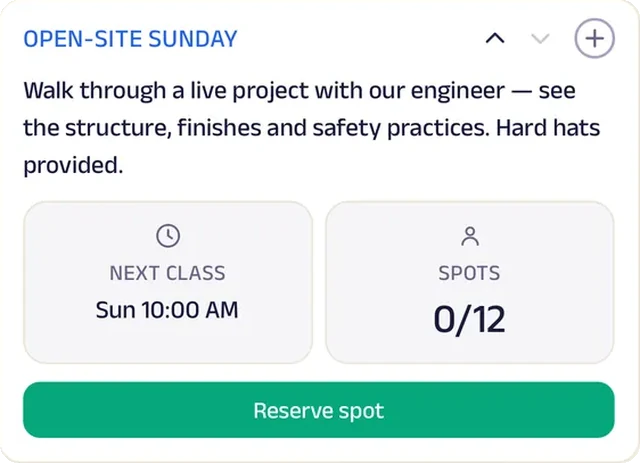
Reserve spot
An open-site Sunday lets prospective clients walk a live project with the engineer.
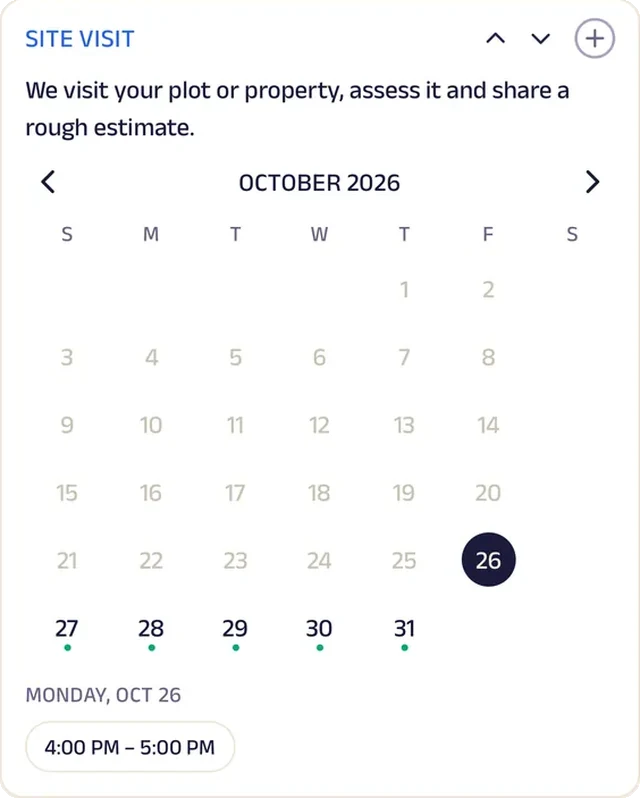
Appointment
A site visit is booked against the engineer's hours.
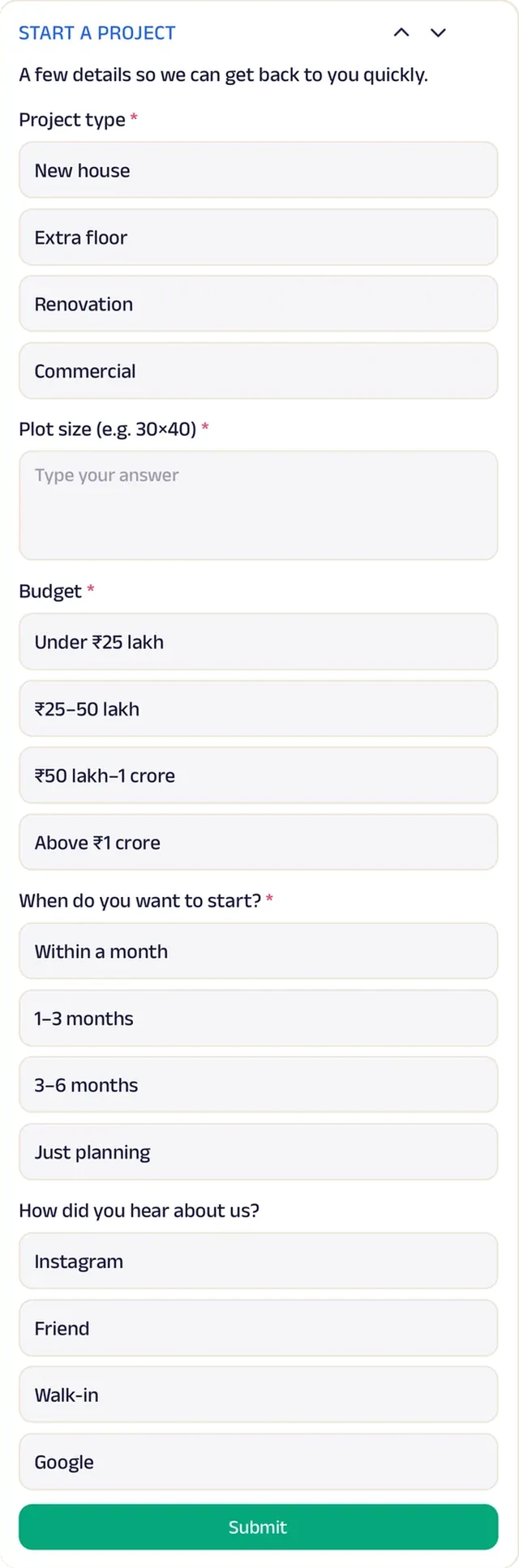
Forms
Plot size, budget and timeline, so the first meeting is productive.
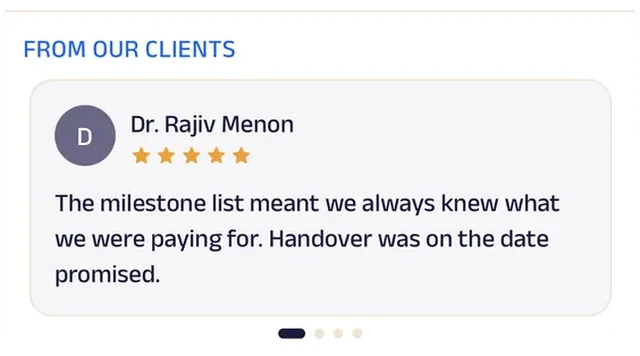
Reviews
Clients write about milestones met and payments that matched them, which is what anyone building a home wants.
Interior Designer
Kavya Interiors
A design studio that moves a home through approved phases.
Home projects drift when nobody is sure what has been agreed. At Kavya Interiors, each project moves through six phases (brief, concept, 3D design, materials, execution, styling), and each is ticked off only on approval. Budget used is updated weekly against the agreed figure, so the client always knows where the money stands.
Clients share their rooms, style and budget before the first consultation, then book a one-hour session with a designer. Floor plans, 3D renders and quotes sit in one record, and clients add their own references alongside them. On Saturday open days, fifteen visitors tour the studio's material library. A small studio now runs every project with the approvals, budget tracking and shared files of a large design firm.


Tasks. A project moves through six phases — brief, concept, 3D design, materials, execution, styling — each ticked off on approval.
Gadgets at work

Photo gallery
Photos of finished homes give clients a sense of the studio's style before the first consultation.
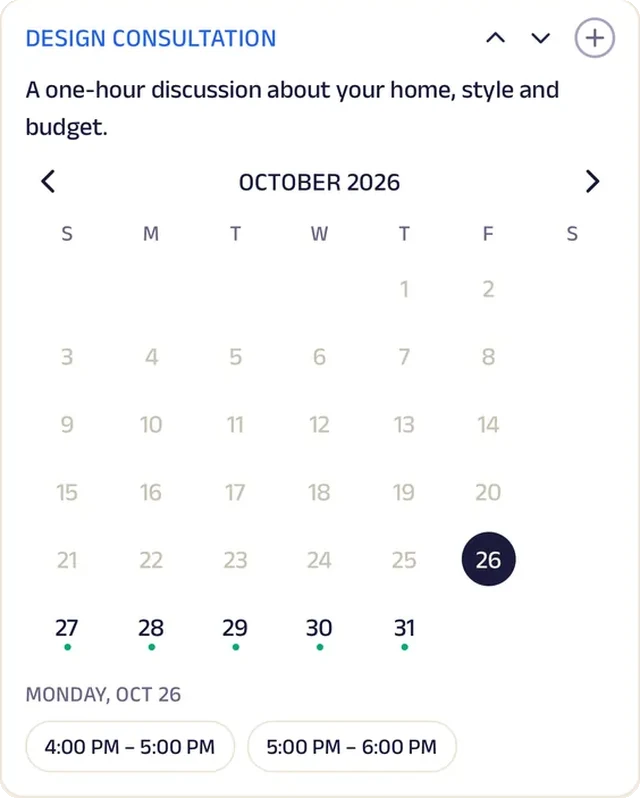
Appointment
A design consultation is booked as a one-hour session with a designer.
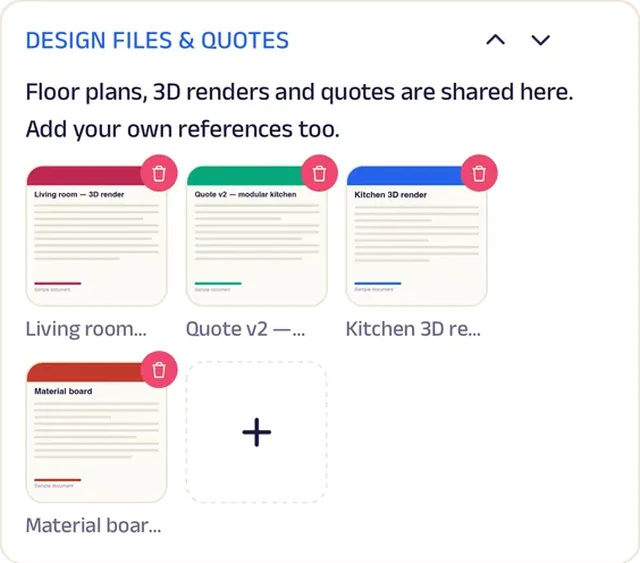
Add docs
Floor plans, 3D renders and quotes are shared in one record, and clients add their own references.
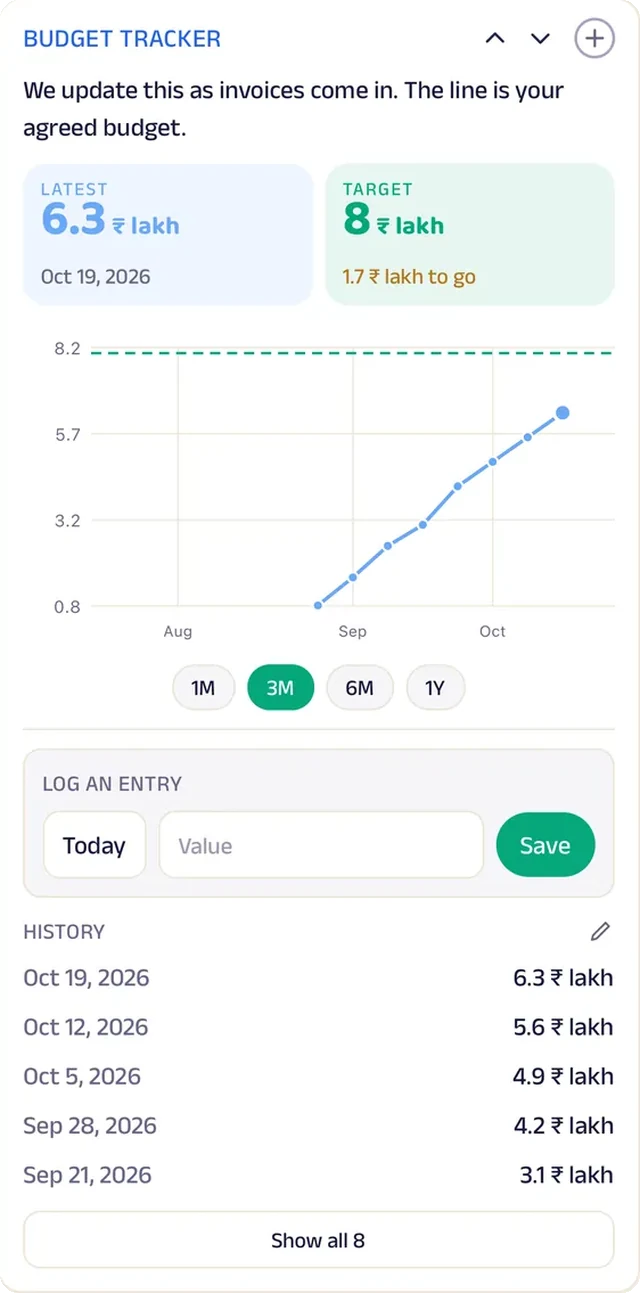
Tracker
Budget used is updated weekly against the agreed figure.
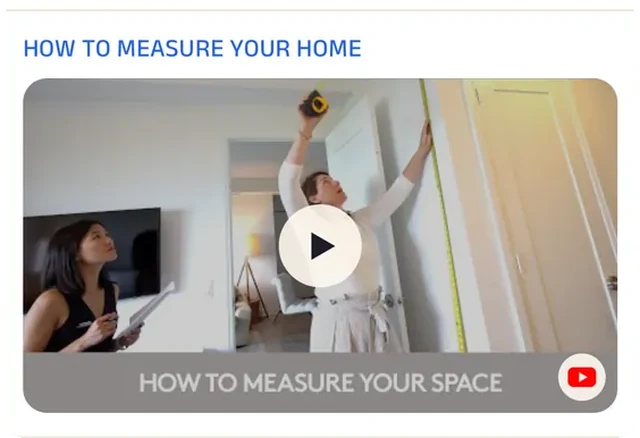
Video
A short clip shows clients how to measure their rooms, so the first design is drawn from real numbers.
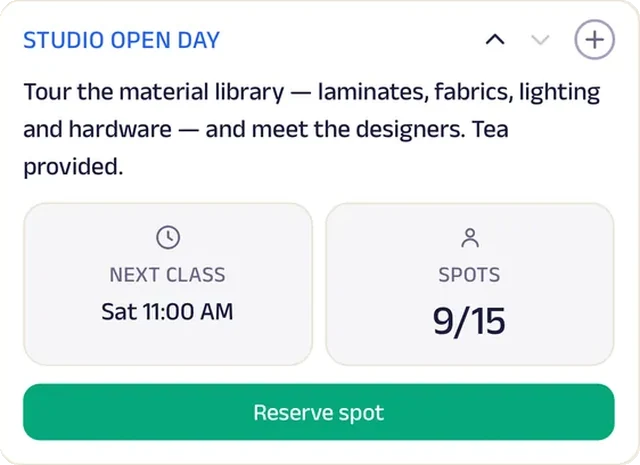
Reserve spot
A Saturday studio open day seats fifteen for a tour of the material library.
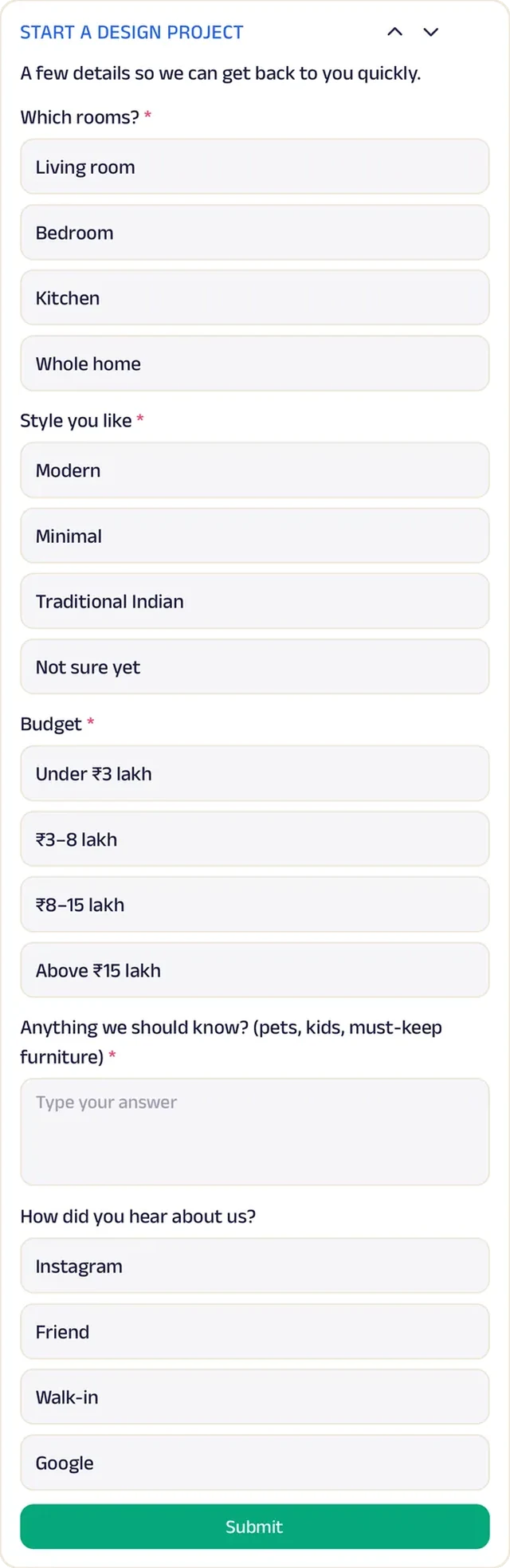
Forms
Rooms, style and budget, shared before the first consultation.
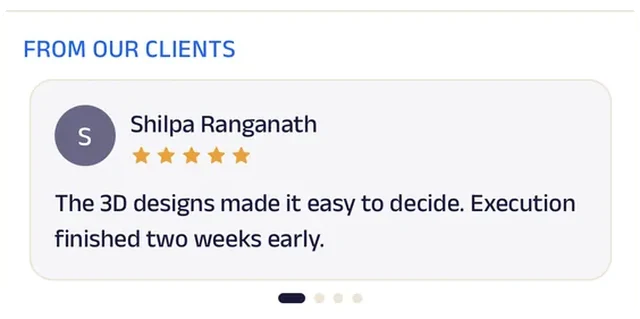
Reviews
Clients write about homes delivered as designed and on budget.
Real Estate
Khanna Properties
A property agent that walks buyers through each step.
Buying a home used to feel like a maze of loan papers, registration dates and unanswered calls. Now each buyer has a checklist that runs from loan pre-approval to registration, ticked off as every step is done, so buyer and agent always know what comes next. Title deeds, brochures and agreements are shared against the buyer in one place.
An enquiry form captures budget, area and whether the buyer is buying or renting. Buyers ask about listings in chat, and the agent replies with matches and a time for a site visit, booked in forty-five-minute slots against the agent's hours. On Saturdays, an open house seats twenty for a walk-through of featured properties. A one-person agency now guides every buyer with the structure of a large brokerage.


Tasks. A buyer's checklist runs from loan pre-approval to registration, ticked off as each step is done.
Gadgets at work

Photo gallery
Photos of featured properties let buyers shortlist before they spend a Saturday on site visits.
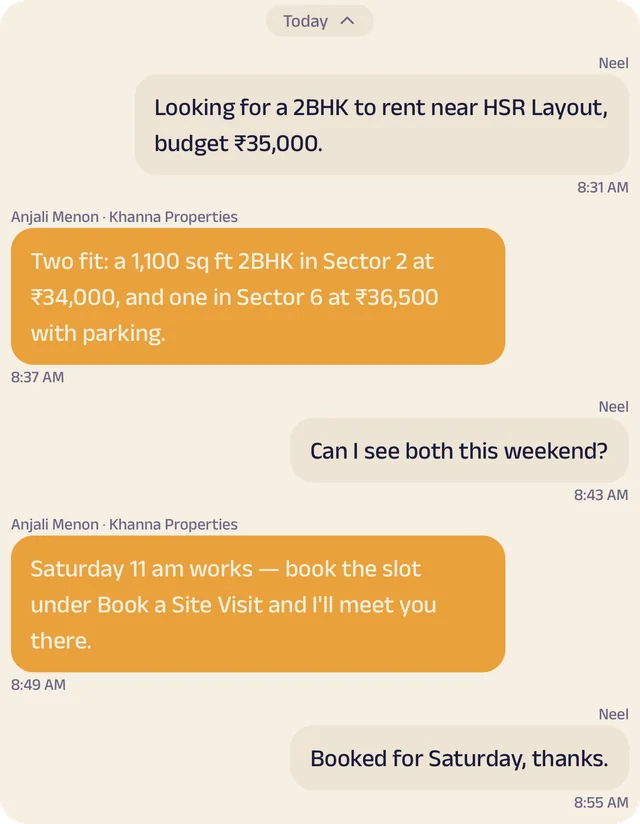
Chat
Buyers ask about listings in chat, and the agent replies with matches and a time for a site visit.

Location
The area the agent works in is drawn on the map, so buyers know straight away whether Khanna has listings where they want to live.
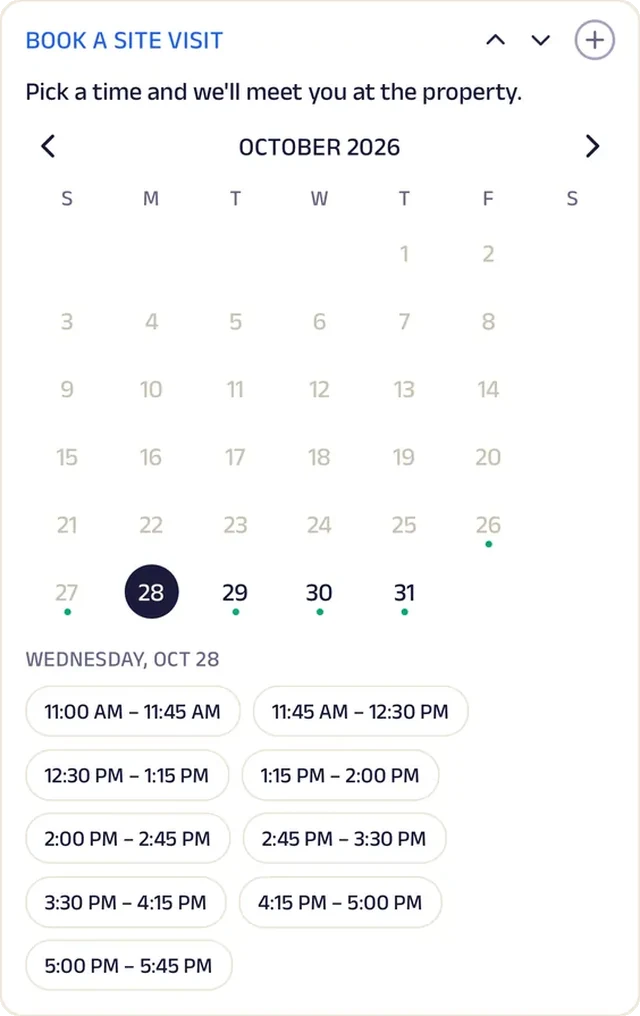
Appointment
A site visit is booked in forty-five-minute slots against the agent's hours.
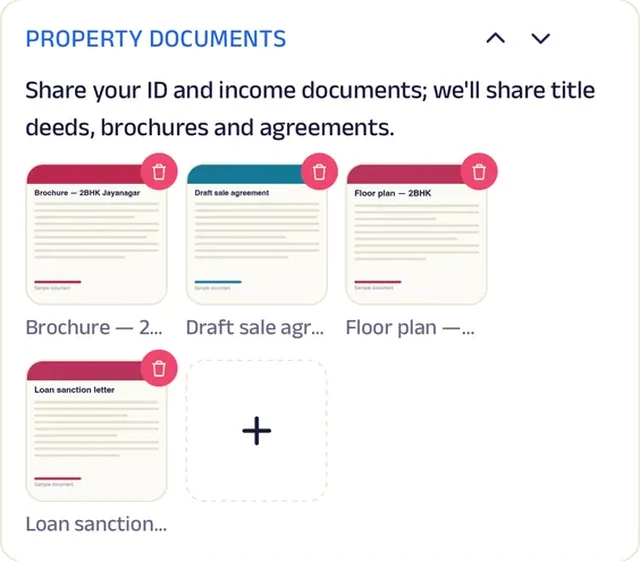
Add docs
Title deeds, brochures and agreements are shared against the buyer.
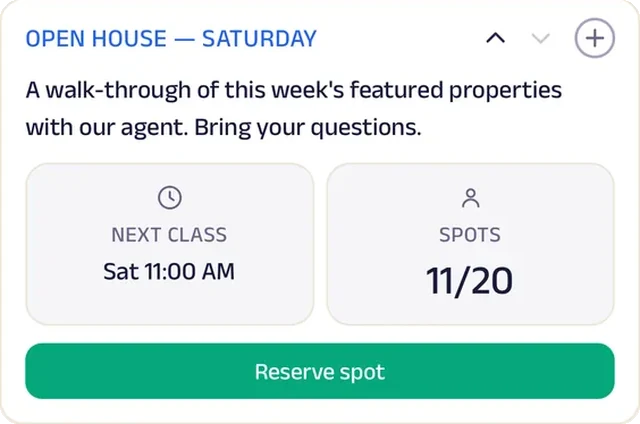
Reserve spot
A Saturday open house seats twenty for a walk-through of featured properties.
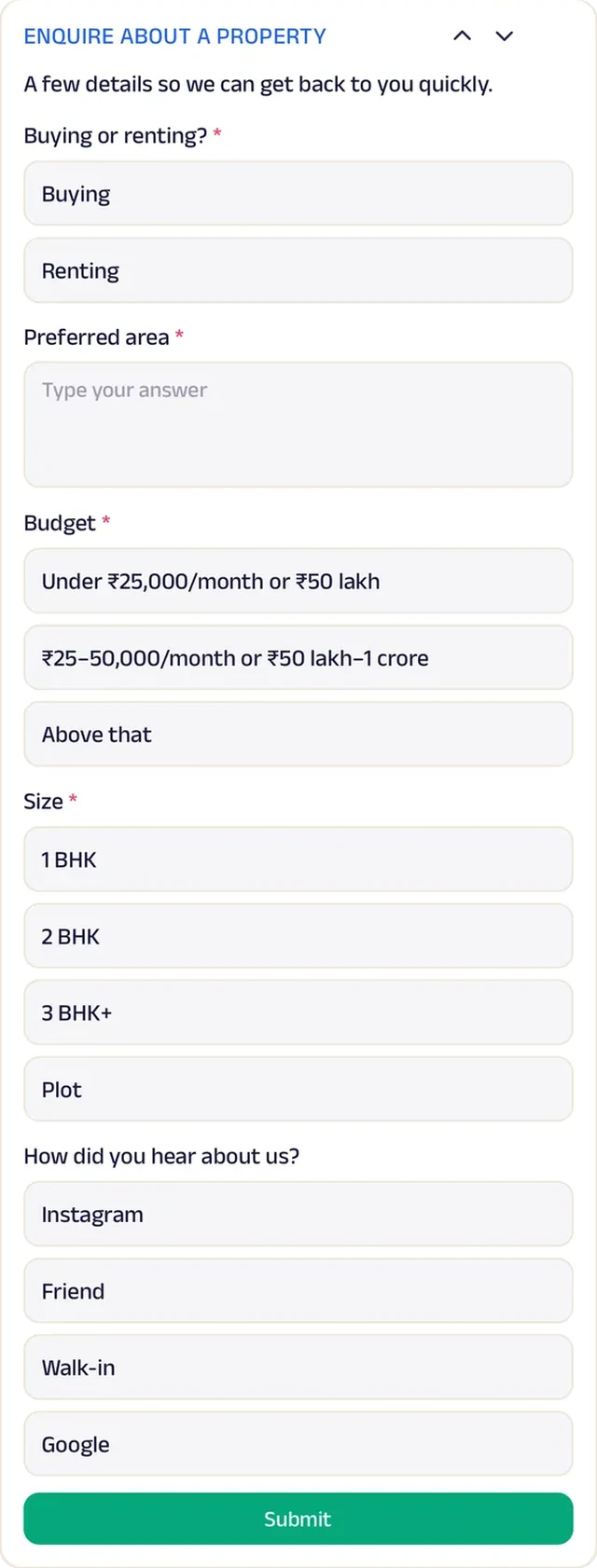
Forms
An enquiry form captures budget, area and whether the buyer is buying or renting.
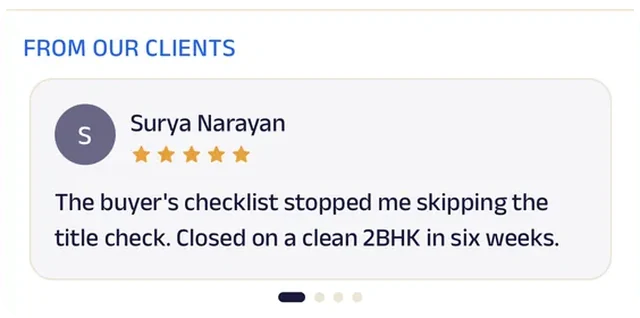
Reviews
Buyers write about an agent who walked them through every step, right up to registration.
Travel Agent
Sagar Travels
A travel agent that keeps documents, deadlines and trips in one place.
Trips used to fall apart over small things: a passport expiring too soon, a visa applied for too late. Now every traveller gets a document checklist covering passport validity, visa, insurance and forex, ticked off a month before departure. Passport copies go in, and tickets and vouchers come back, in one private record.
Planning starts with a form for destination, dates, travellers and budget, and a thirty-minute visa consultation checks documents and timelines. A travel fund locks a trip's price now and leaves the destination for later. On Sundays, a travel talk seats twenty for monsoon and winter itineraries, reserved from the app. A single-desk agency now handles paperwork, consultations and savings plans the way a national travel company does.


Tasks. A travel-document checklist — passport validity, visa, insurance, forex — is ticked off a month before departure.
Gadgets at work

Photo gallery
Photos from travellers' past trips give the next family an idea of where they could go.
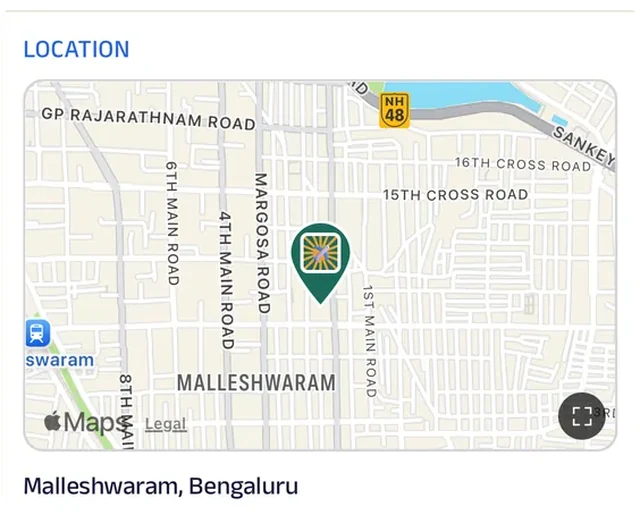
Location
The office is pinned on the map for travellers who'd rather bring their passports in person.
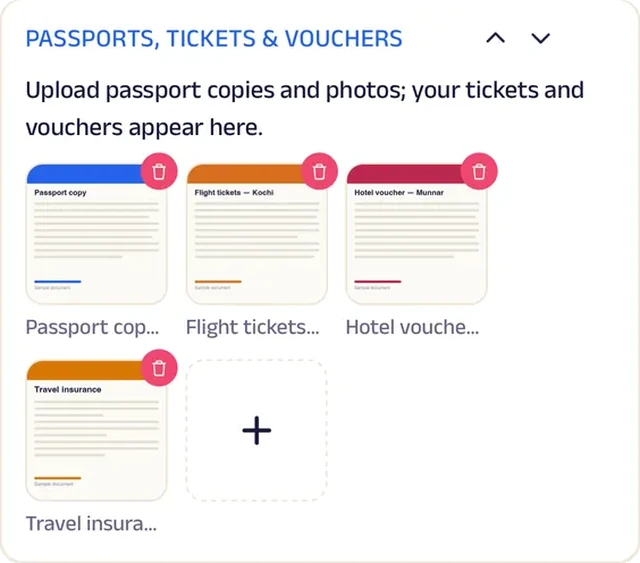
Add docs
Passport copies go in, and tickets and vouchers come back, in one private record.
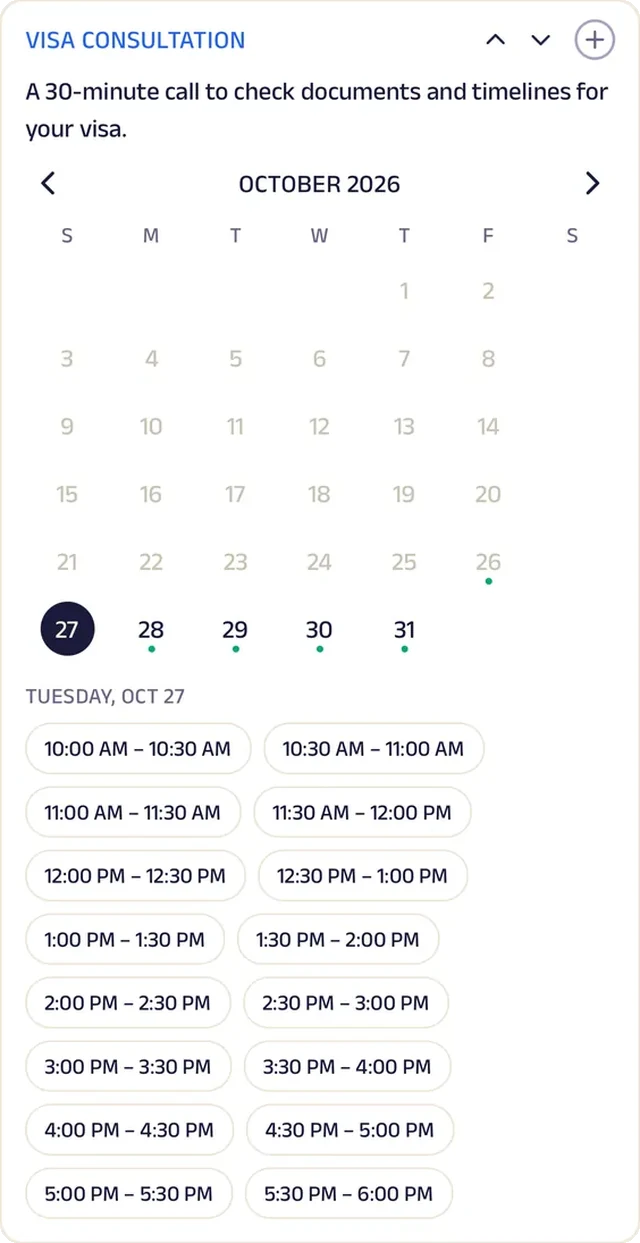
Appointment
A visa consultation is a thirty-minute call to check documents and timelines.
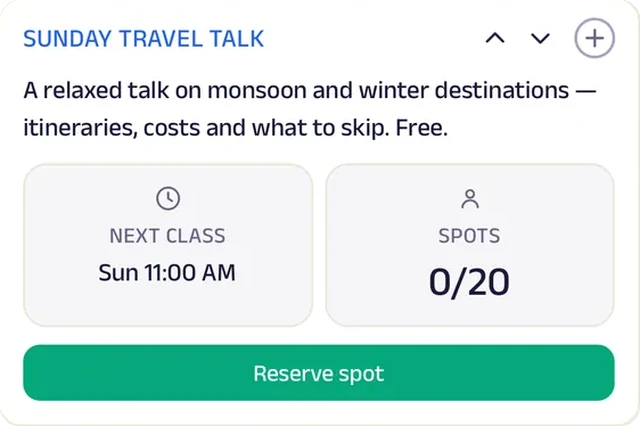
Reserve spot
A Sunday travel talk seats twenty for monsoon and winter itineraries.
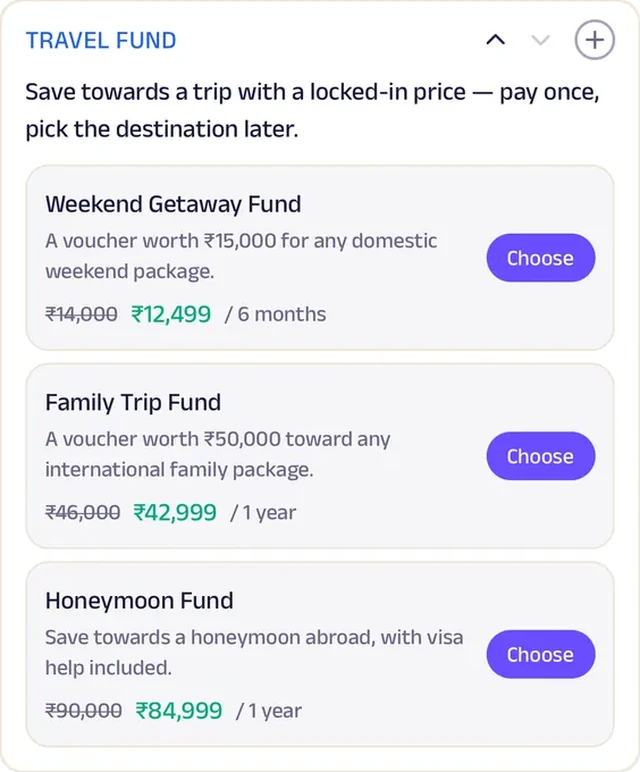
Subscriptions
A travel fund locks a trip's price now and the destination later.
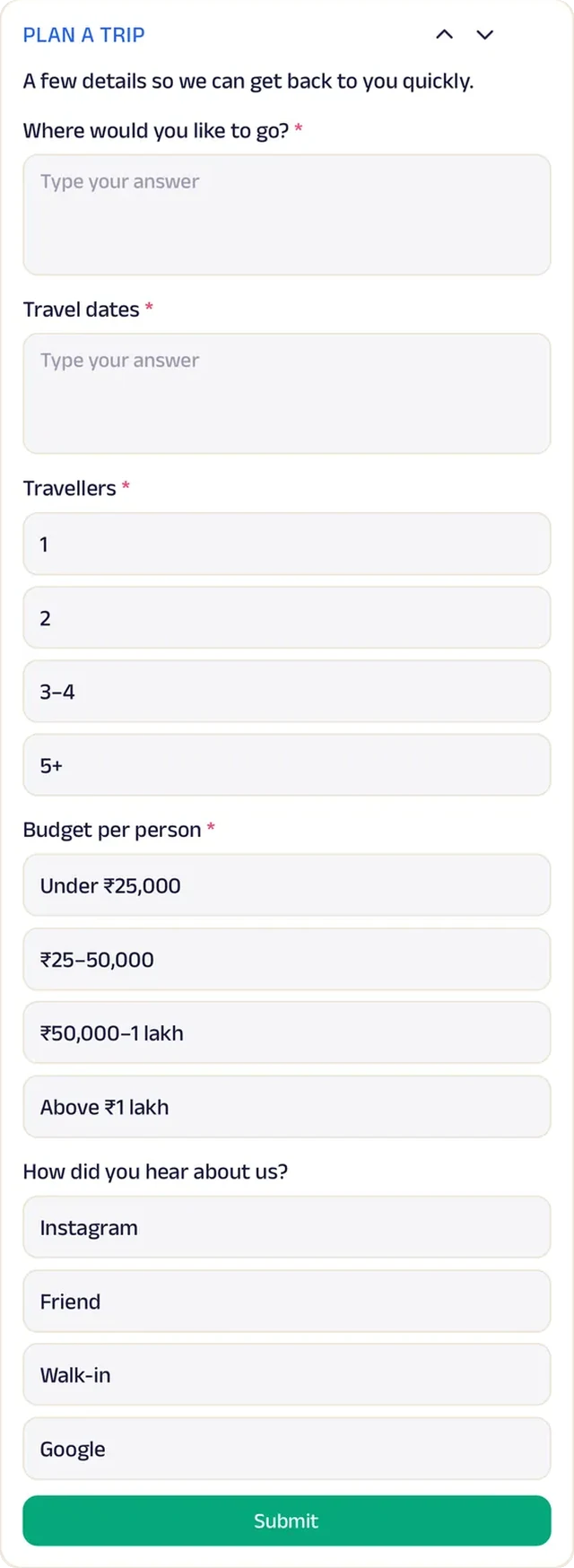
Forms
Destination, dates, travellers and budget, for a quote.

Reviews
Travellers write about visas that came through and trips that ran to plan.
Run the whole business
Your team, your clients and your money, in one place.
The same page is also how you run the business, from the phones you already have and a laptop in the browser. There's no special software or hardware to buy.
Operate your day
From the first booking to "see you again".
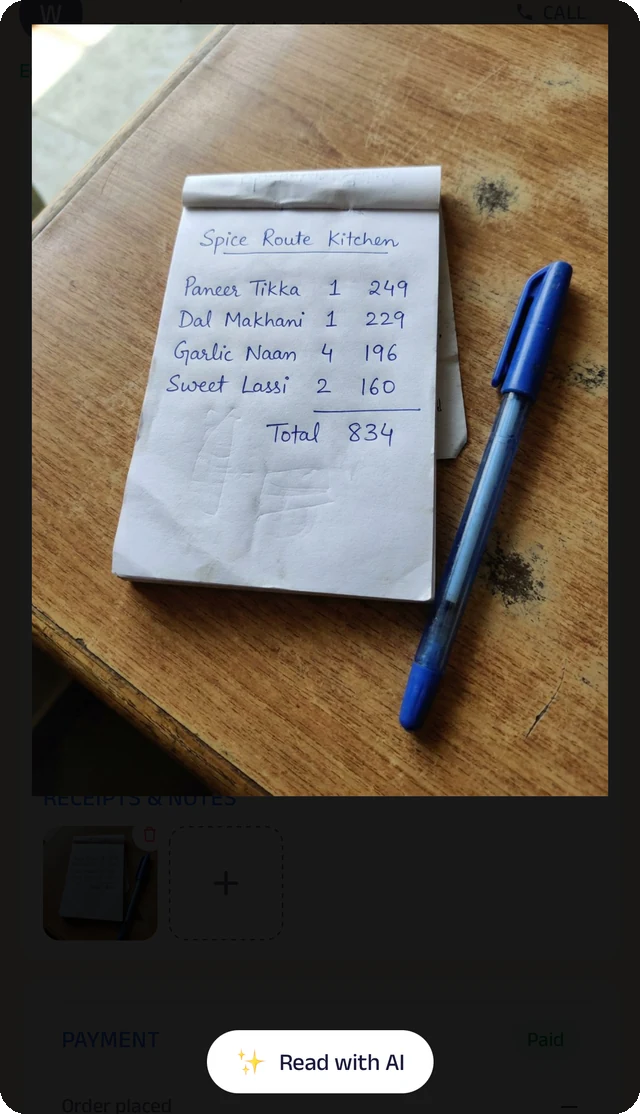
Bill photo
Photograph a handwritten bill, and the Assistant reads it for you to check.
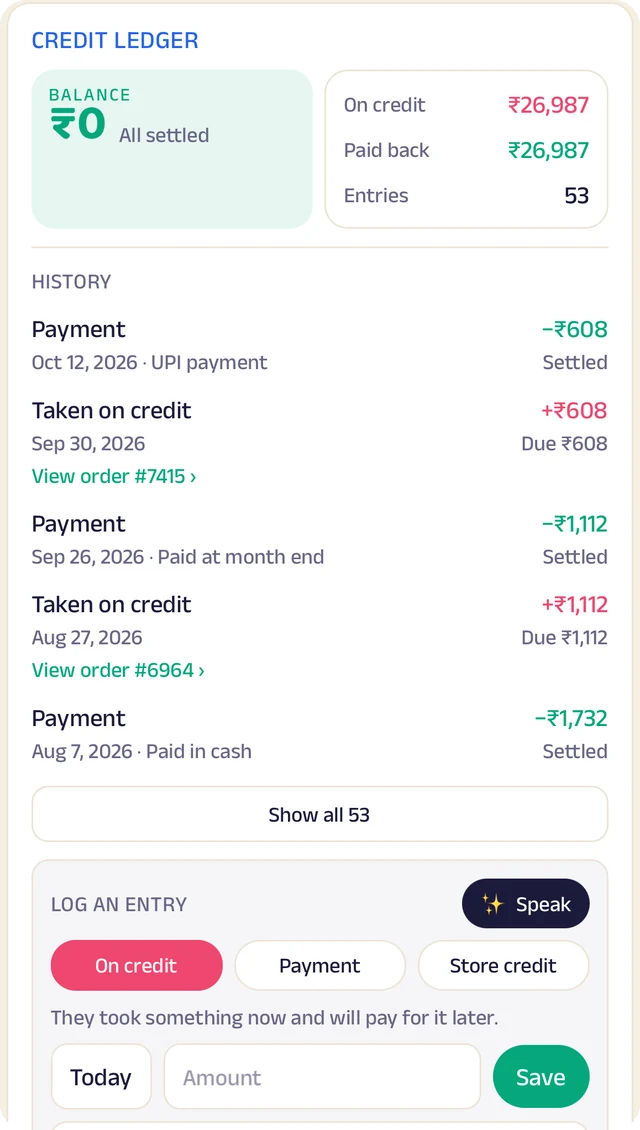
Credit ledger
Every credit and payment by client. Log an entry by typing, or by speaking it.
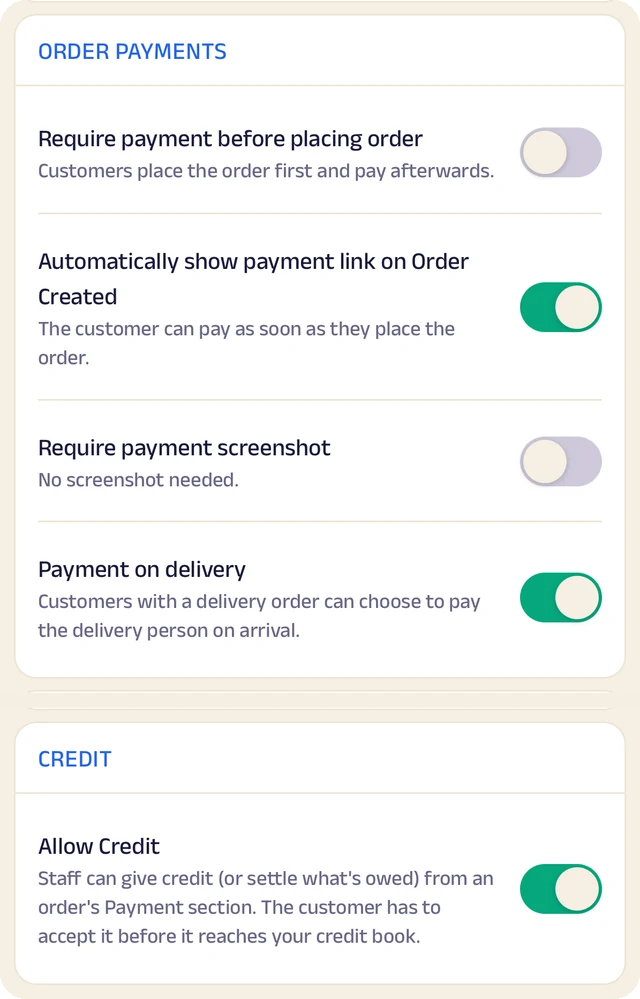
Order settings
Turn ordering on or off, and set GST and fees once so they're added automatically.
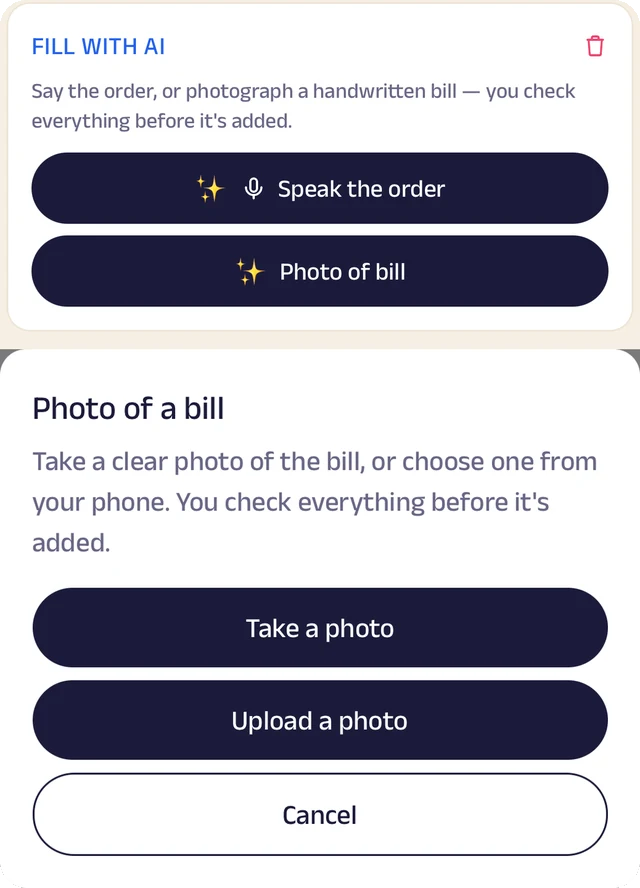
Fill with AI
Say an order out loud or photograph a bill, and check everything before it's saved.
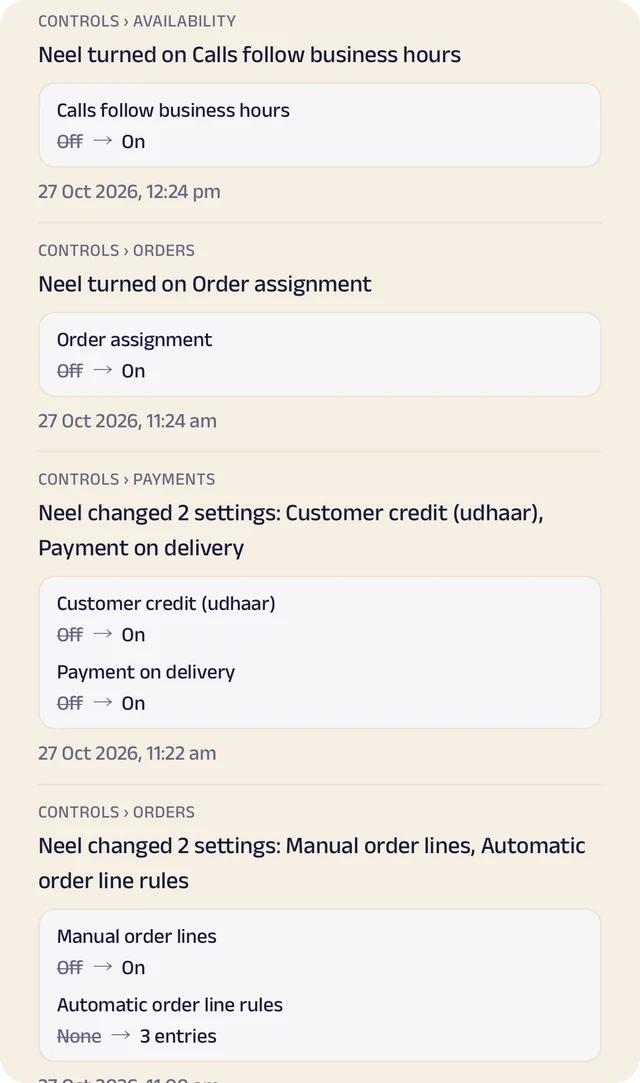
Settings history
Settings switched on or off, with the old and new value.
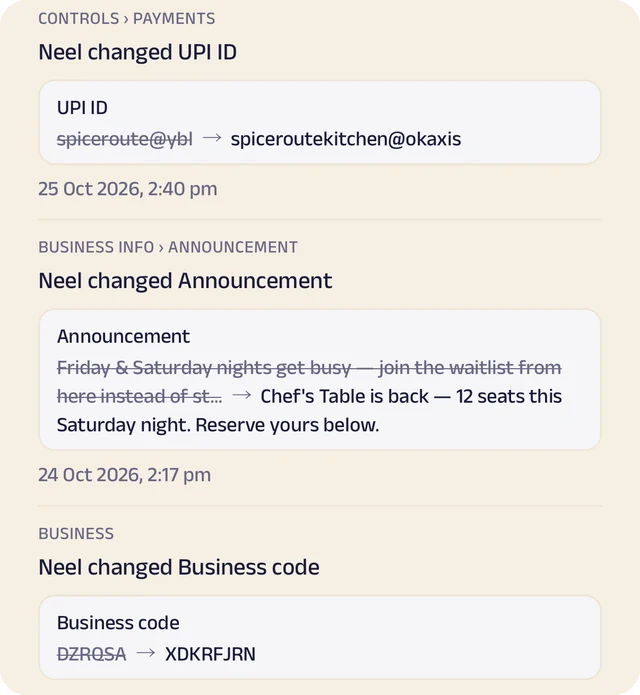
Payment history
Payment details changed, shown before and after.
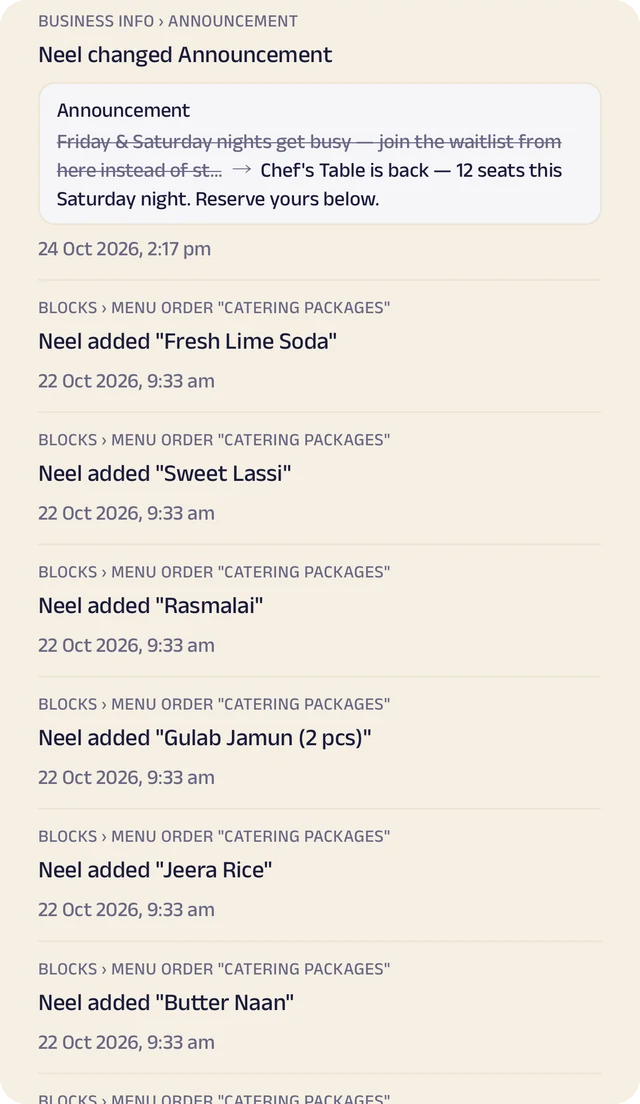
Page history
Changes to your page, kept in its own history.
Enquiries and briefs
A form of your own for the project, the budget and the timeline, so the first conversation starts from the facts.
Site visits and calls
Clients book a site visit or a call against your real calendar.
Projects and progress
Each project has a checklist and updates the client can follow, ticked off with who did it and when.
Your work and reviews
A gallery of finished work and reviews from past clients, so the next client chooses by pointing at it.
Manage your people
Everyone who designs, plans and runs the office, in the right place.
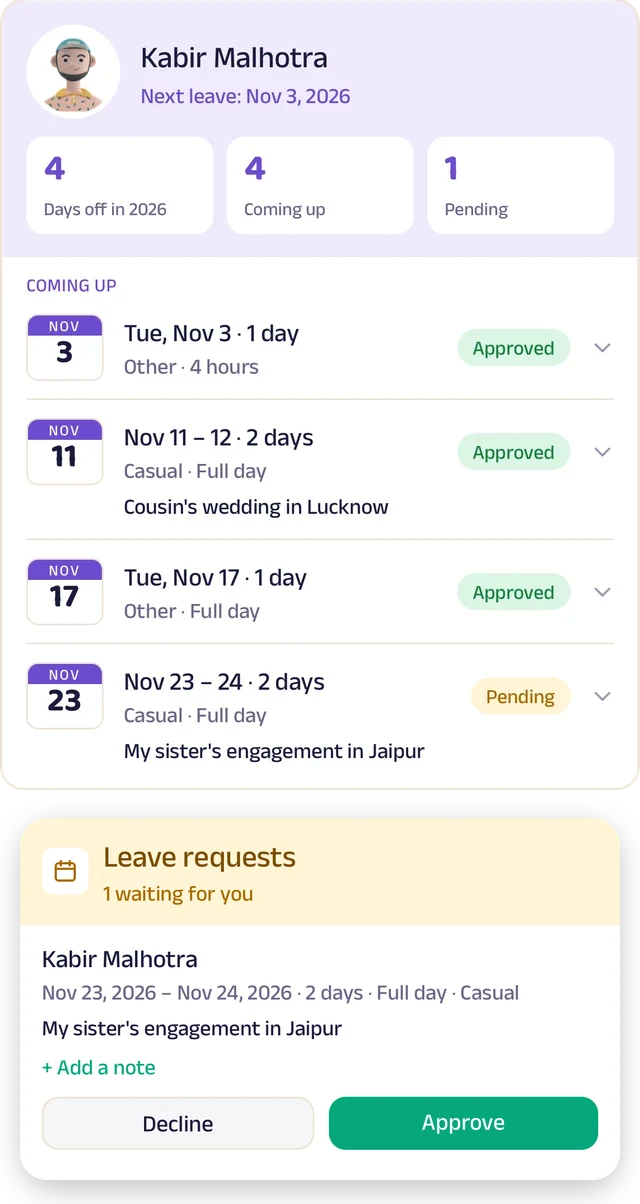
Team leave
A team member's days off: what's approved and what's waiting.
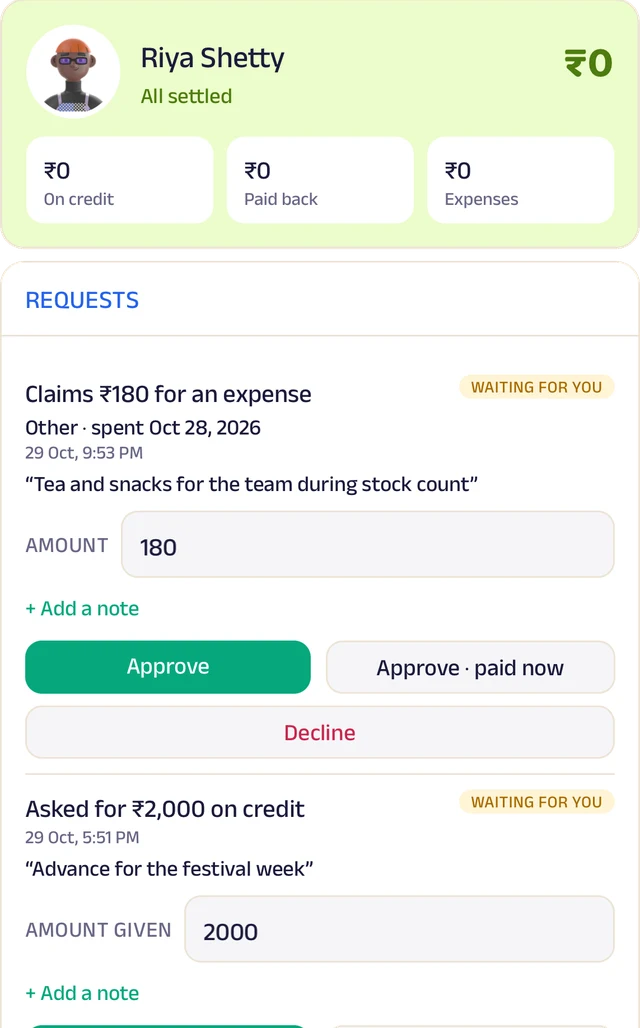
Team ledger
A running account per person: advances, expenses and approvals.
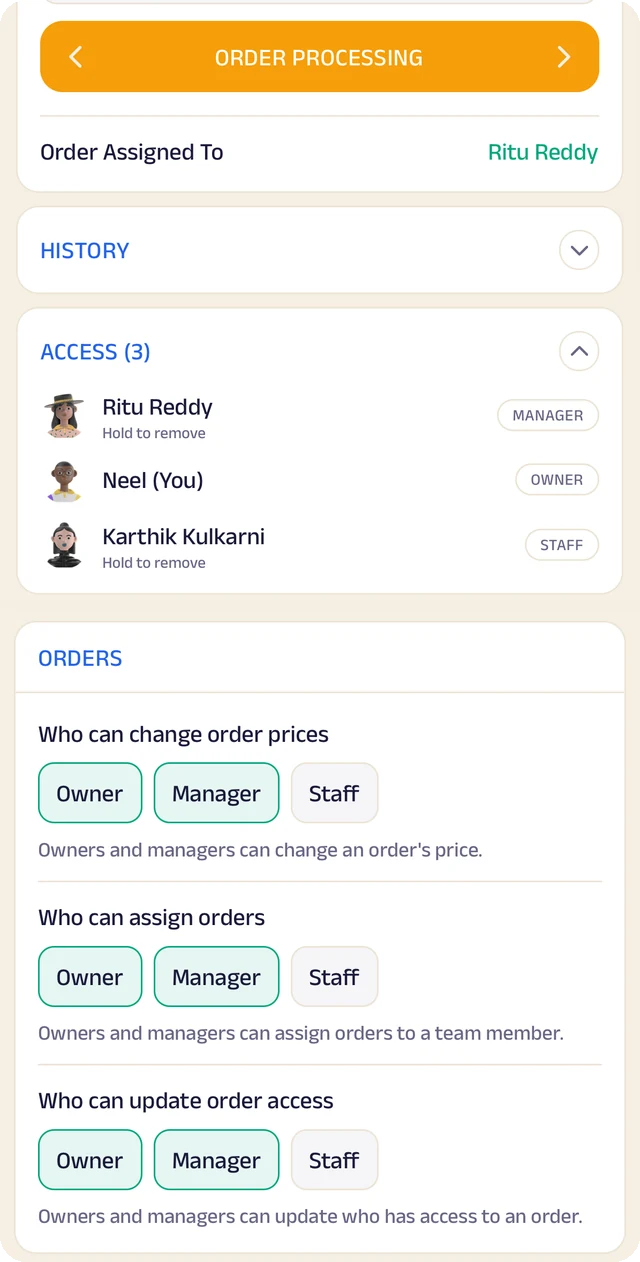
Order access
Who an order is assigned to, who can see it, and who can change it.
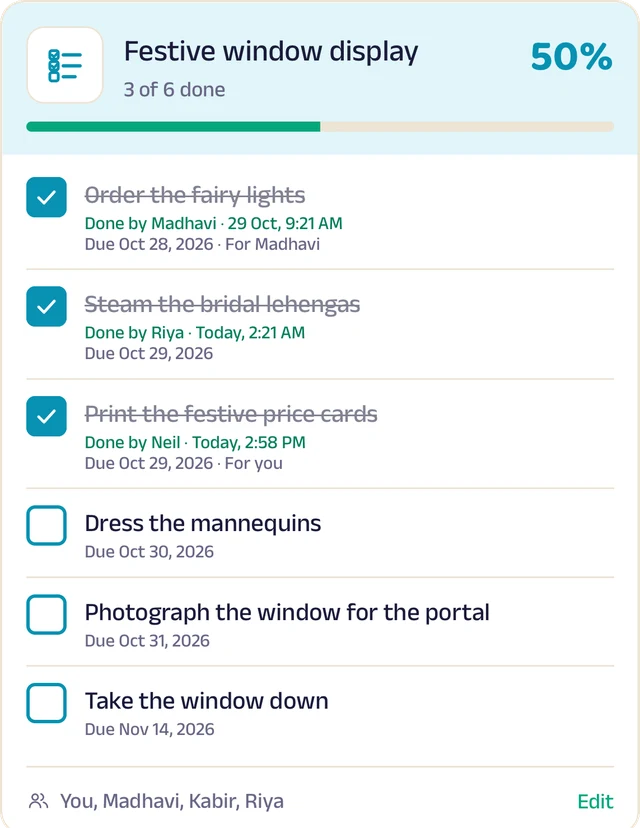
To-do lists
Shared lists, ticked off with who did it and when.
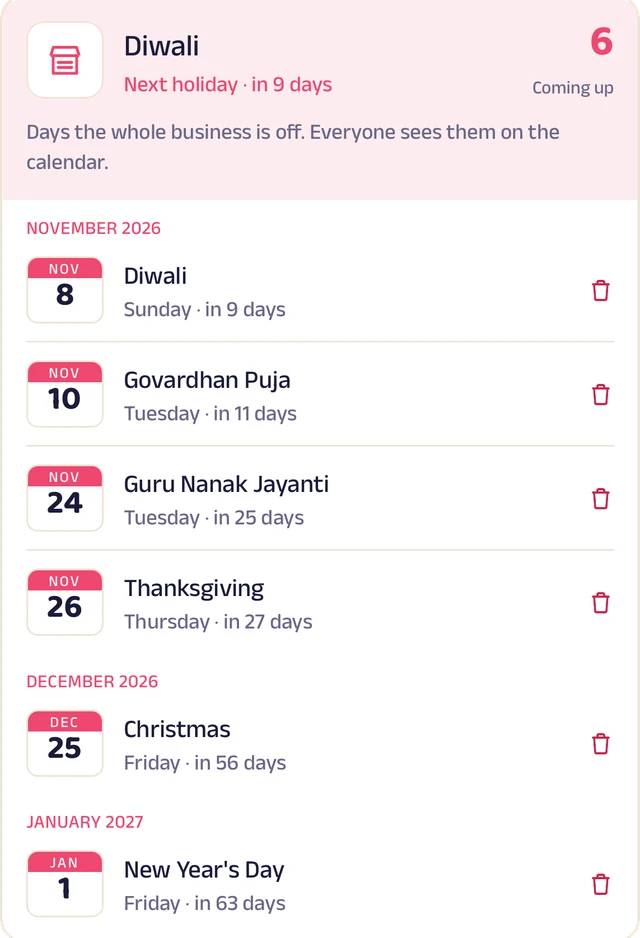
Holidays
Days the whole business is closed, on everyone's calendar.
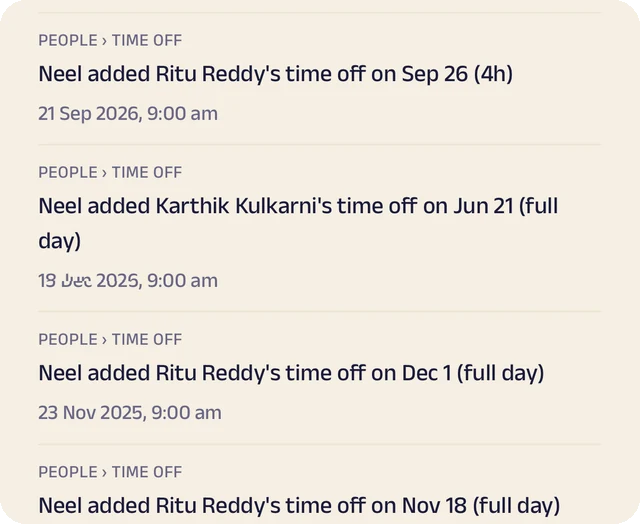
Request leave
Request casual, sick or unpaid leave, for a day or a few hours.
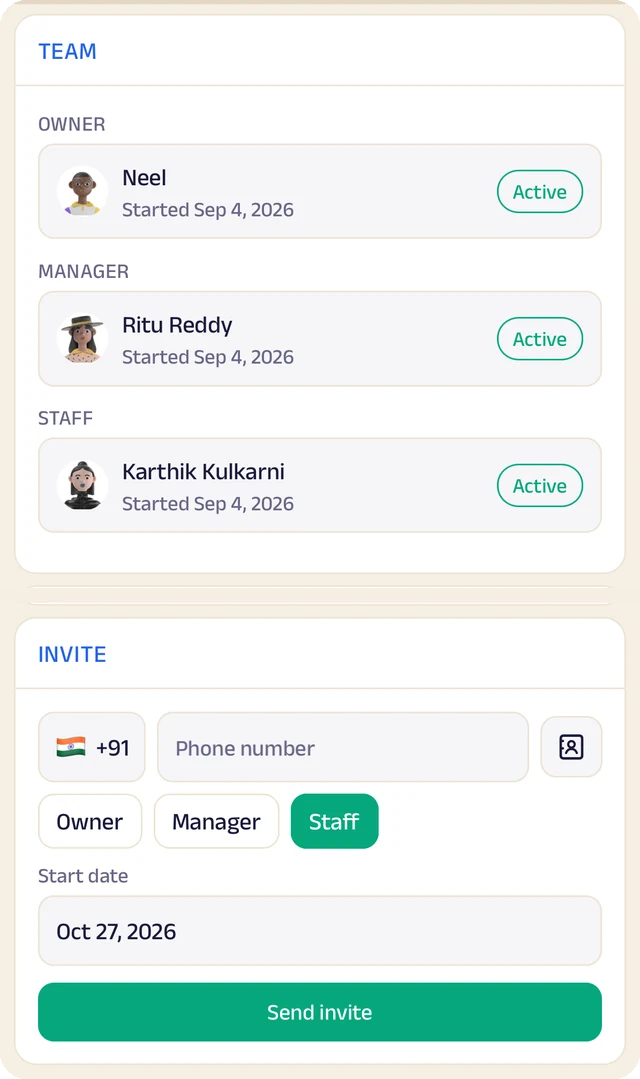
Your team
Your team by role, with leave requests waiting for your approval.
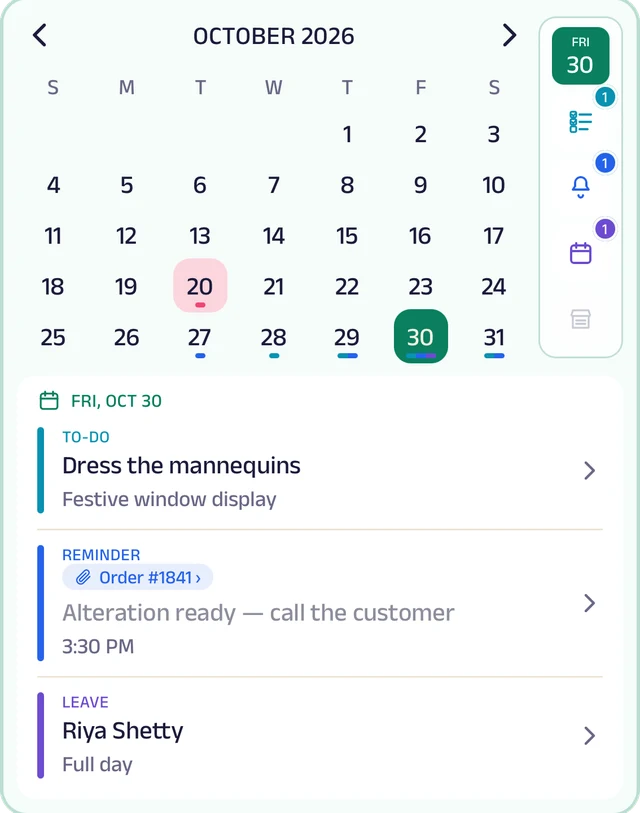
My Space
Everyone's own calendar, with to-dos, reminders and leave.
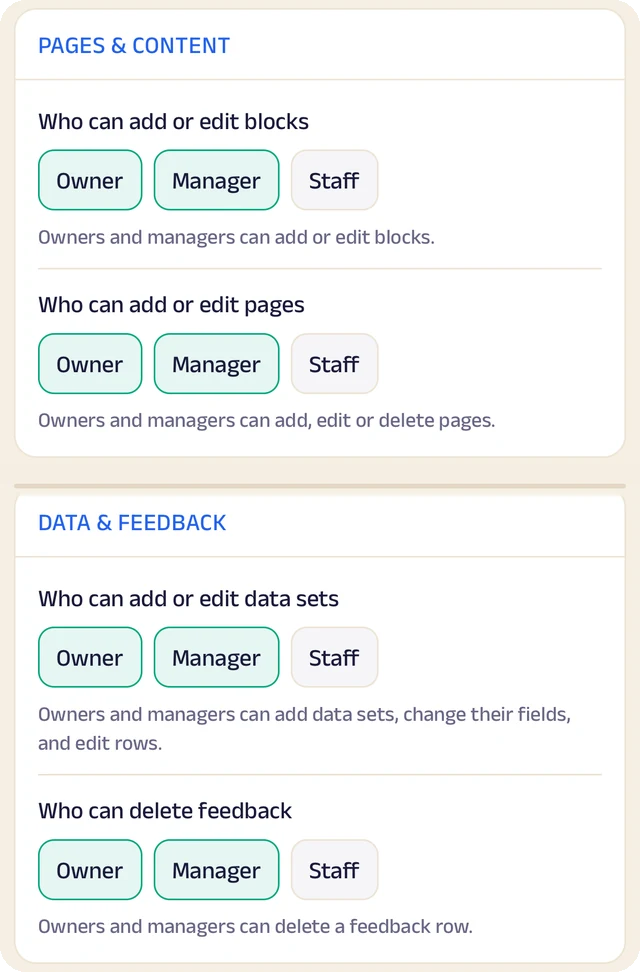
Permissions
Who can edit your page and change prices, role by role.
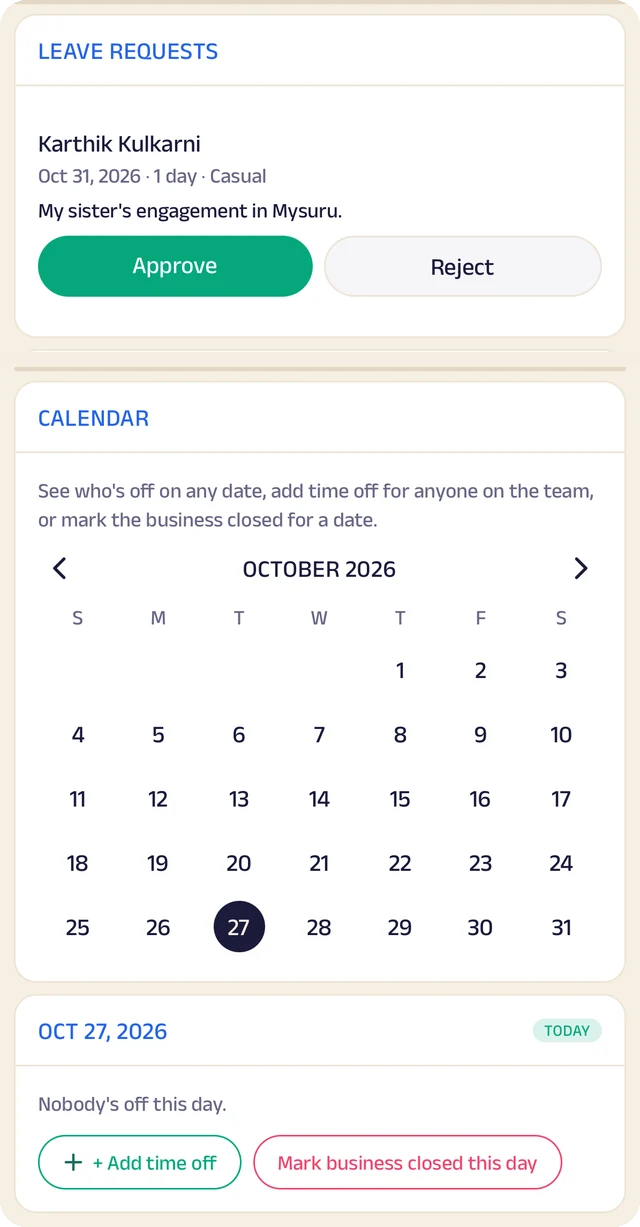
Time off
A calendar of who's off and which days the business is closed.
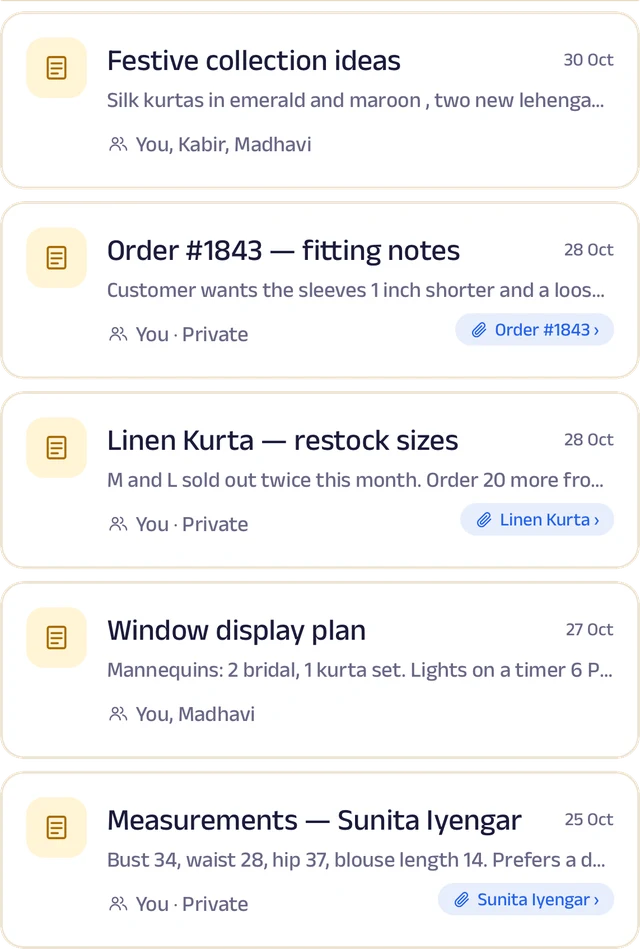
Notes
Notes with photos and voice, some linked to an order or a client.
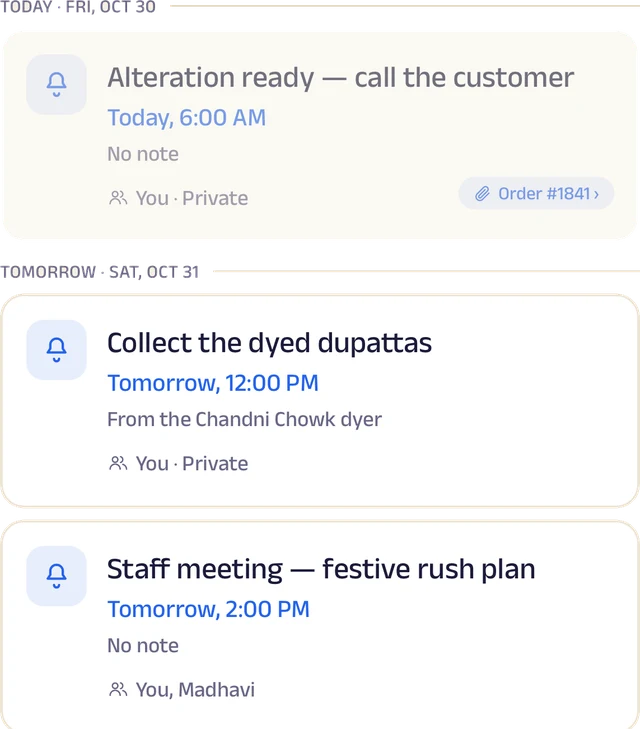
Reminders
Once or on repeat, shared with the team and linked to an order.
Roles and access
Add your your team by phone number and give each a role: owner, manager or staff. You choose who can edit your page, change prices or assign bookings, and you can freeze someone's access in a tap. Payment details stay with the owner.
Leave and holidays
Staff request casual, sick or unpaid leave for a full day or a few hours, and you approve it. Everyone sees who's off today, and days the whole business is closed show on every calendar.
A ledger for each person
Each team member's running account with the business: advances, money paid back and expense claims. Staff ask, you approve, and a statement is ready to share for any period.
My Space for everyone
Each person gets their own calendar with to-do lists, notes and reminders, and the owner sees the whole team.
Track your growth
Kept as you work, not typed up at the end of the month.
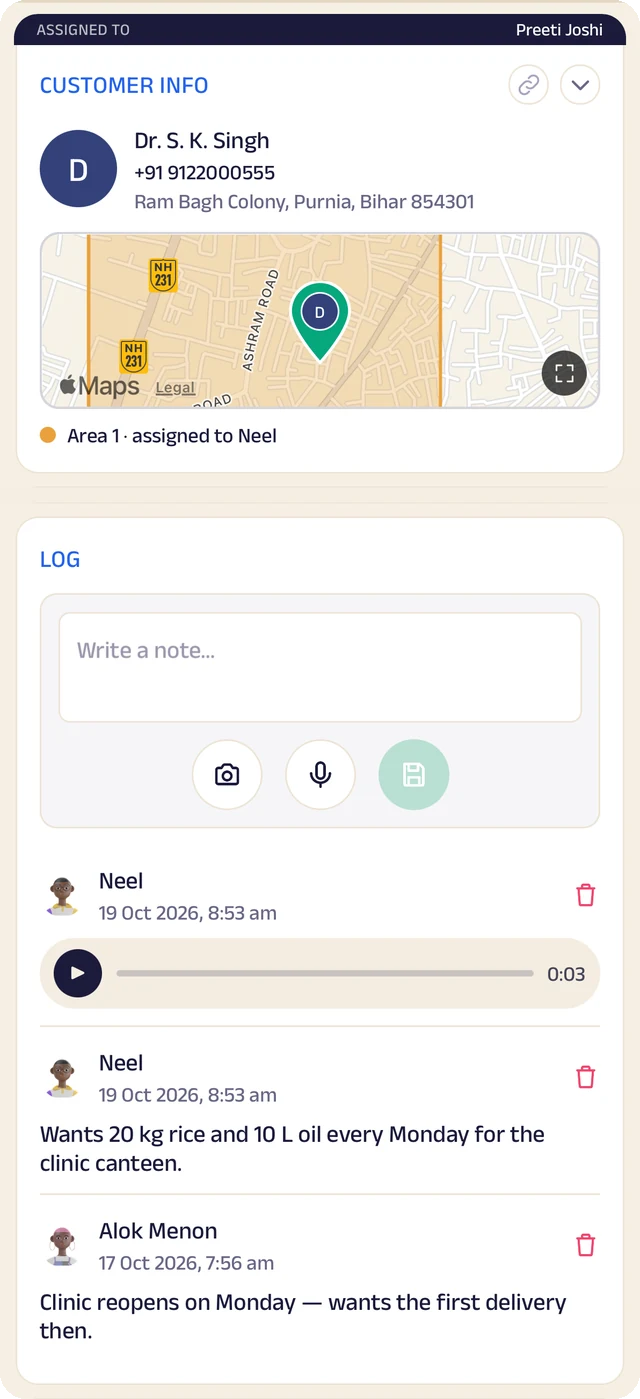
Client record
One client's record: details, a map pin and the team's notes.
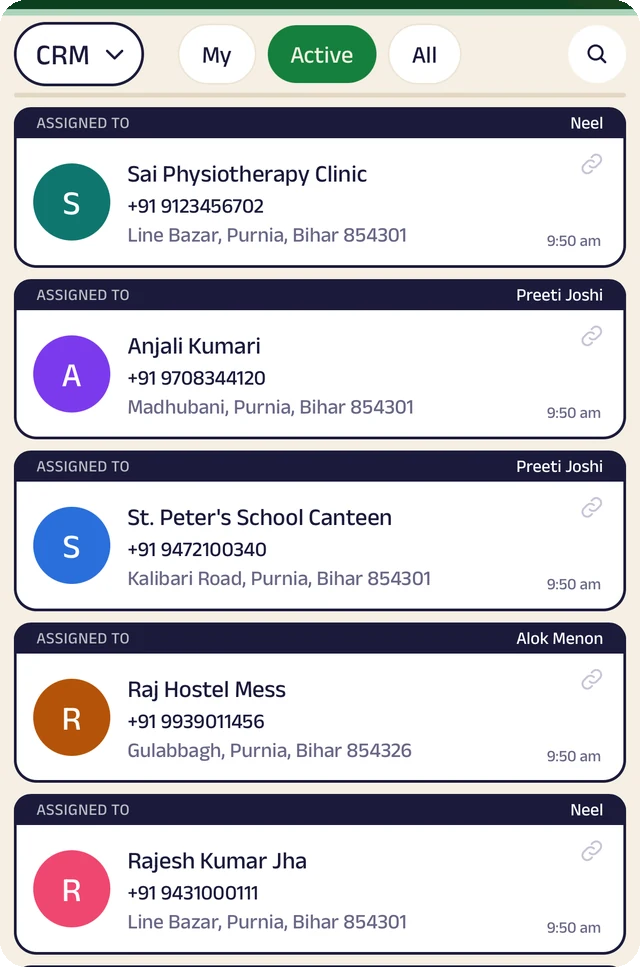
Client list
Clients assigned to the people who look after them.
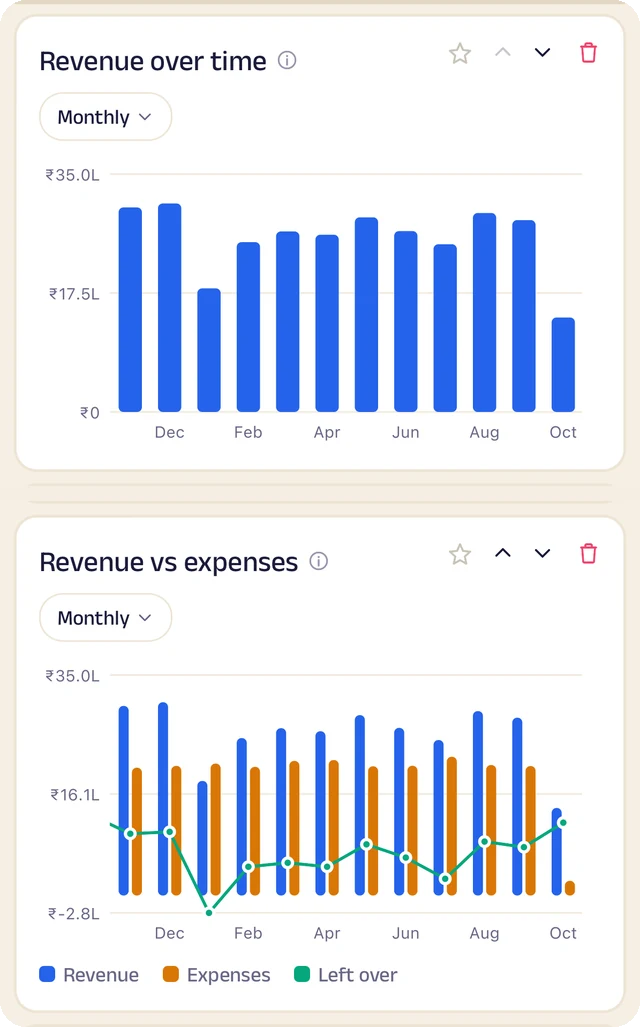
Revenue
Revenue month by month, and what's left after expenses.
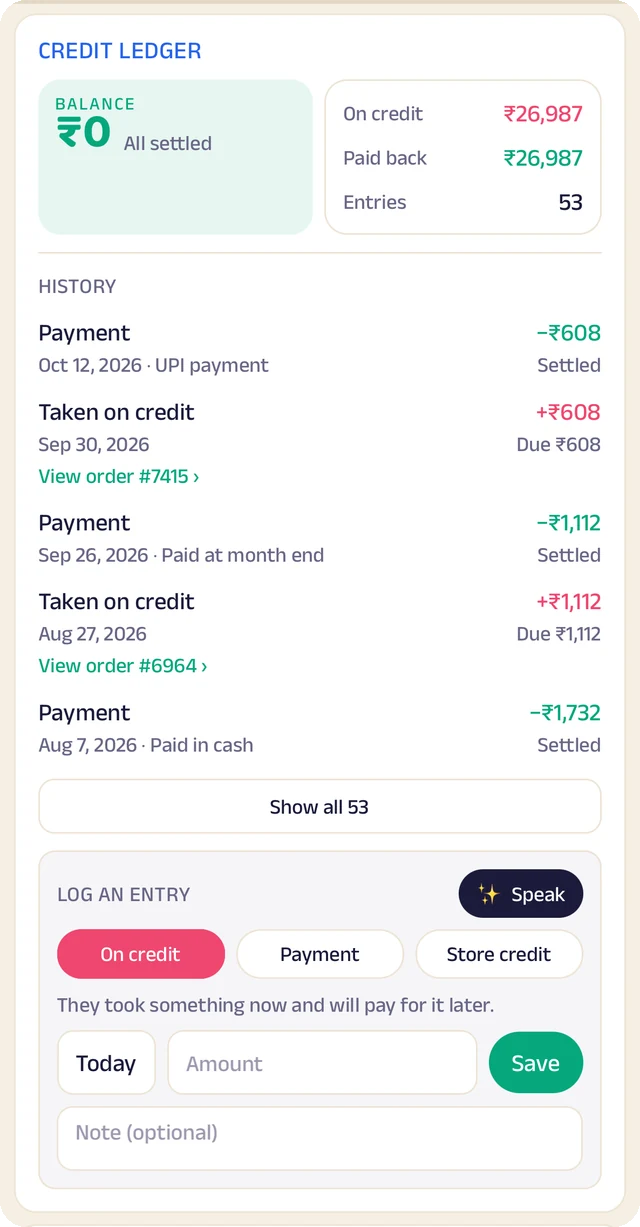
Credit book
Every credit and payment by client and date, with the balance on both sides.
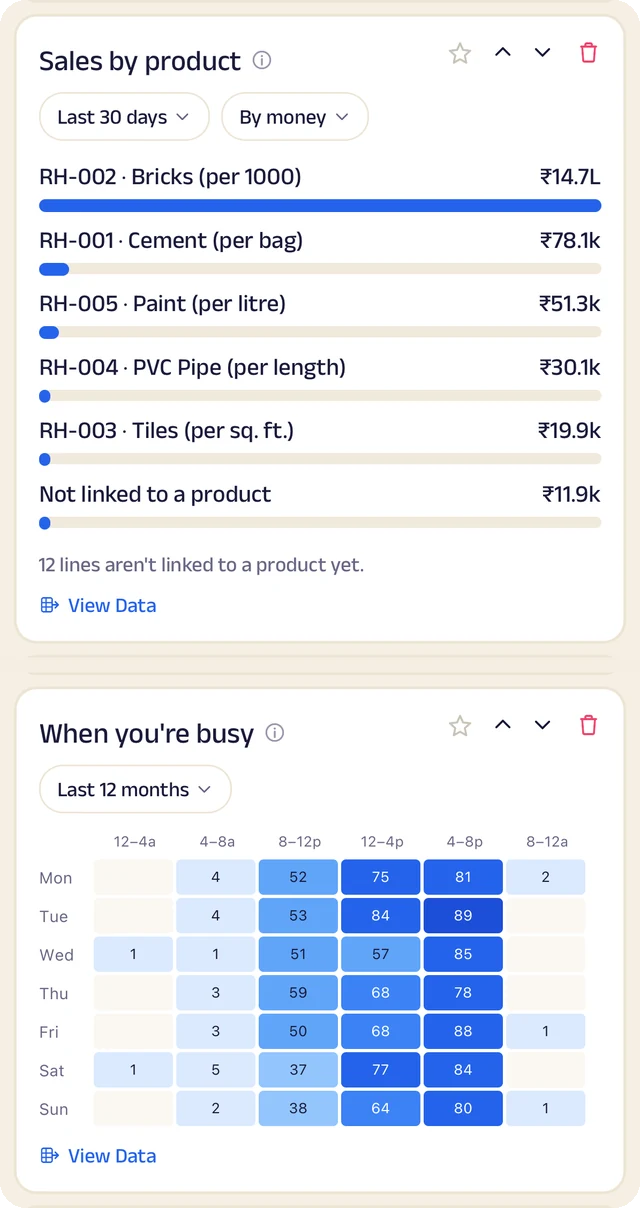
What sells
What sells, and the hours you're busiest.
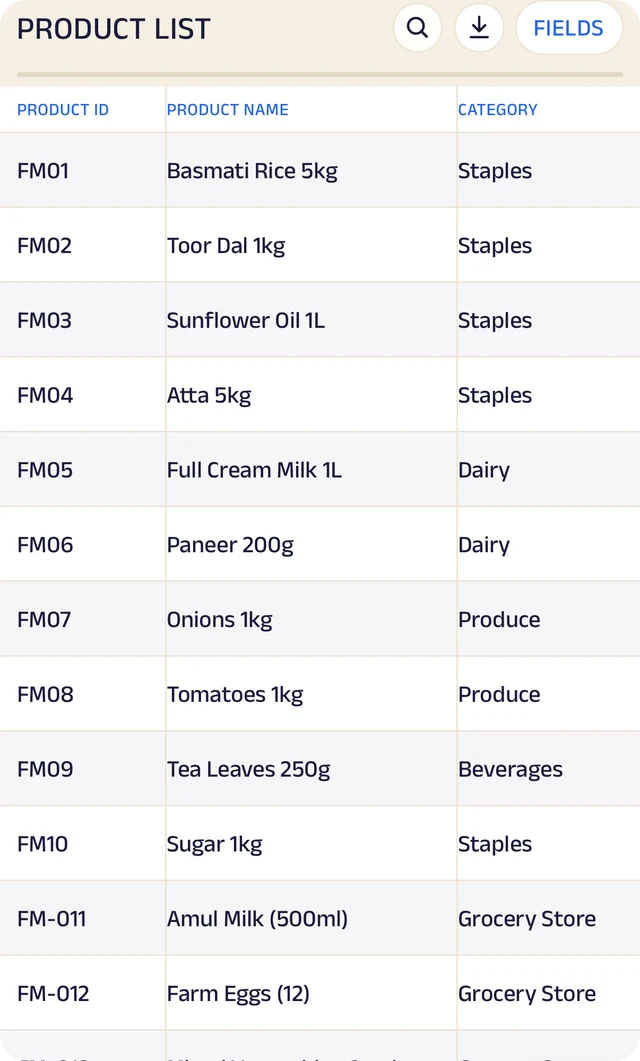
Products
Your products, with codes, names and categories.
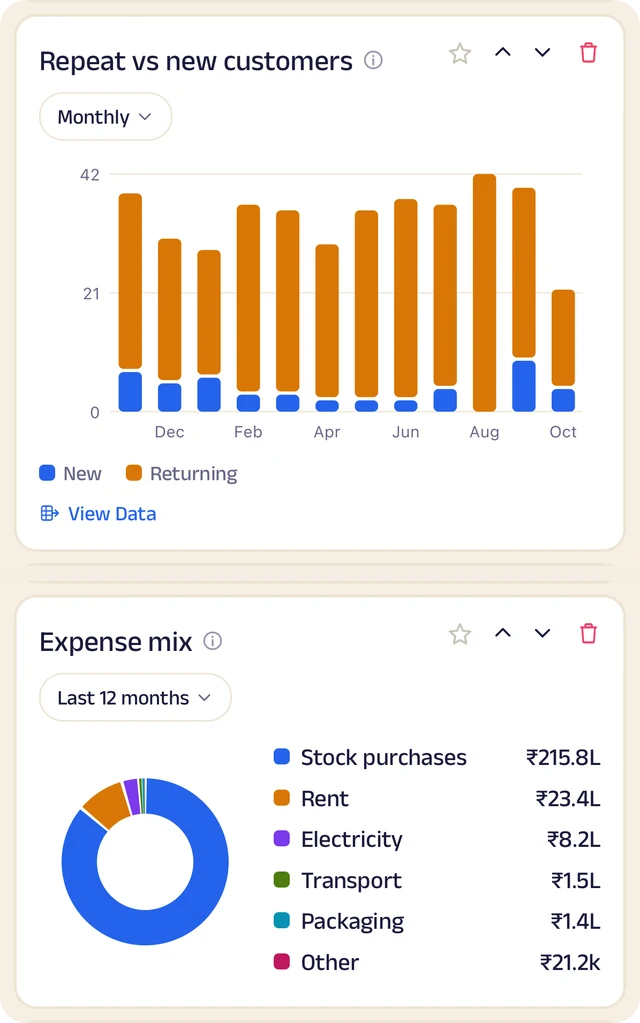
Clients and costs
Repeat against new clients, and where the money goes.
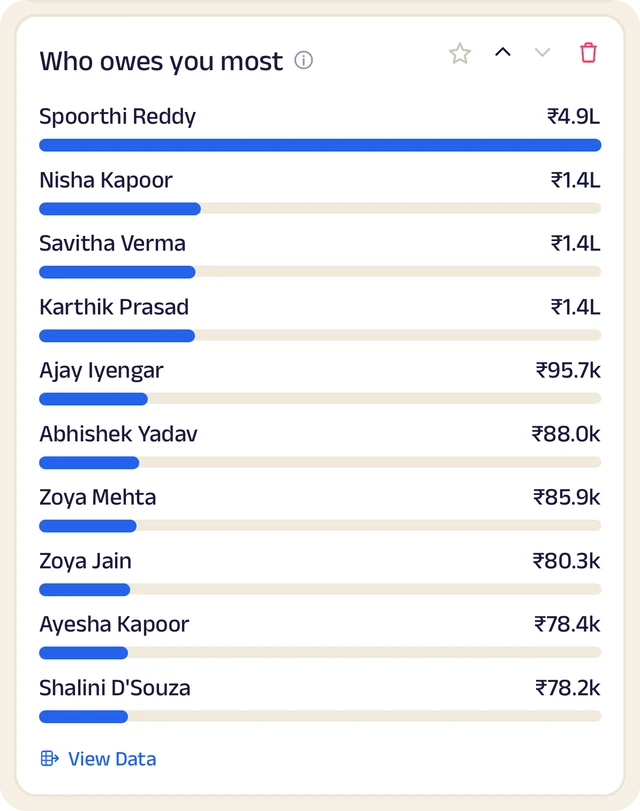
Who owes most
Who owes you the most, ranked.
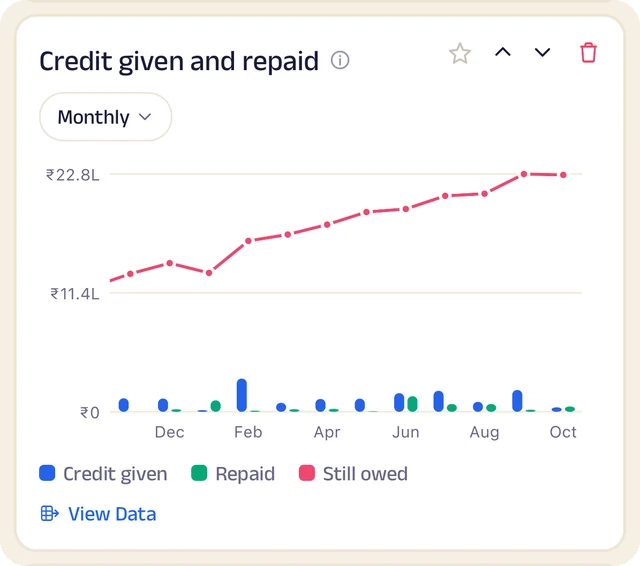
Credit history
Every credit entry as a table you can search.
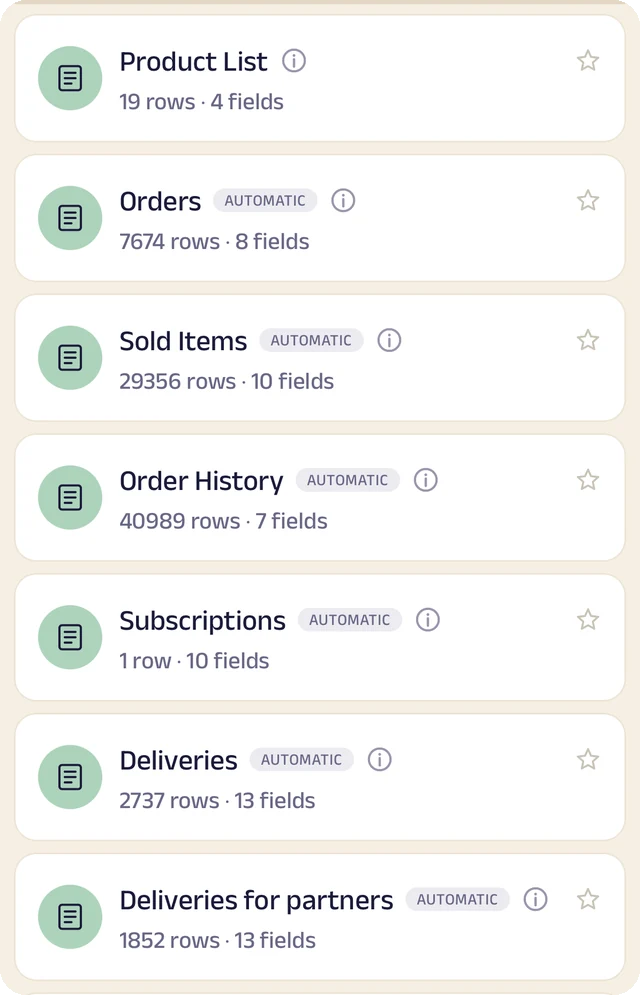
Your tables
Every table in one menu, each with its row count.
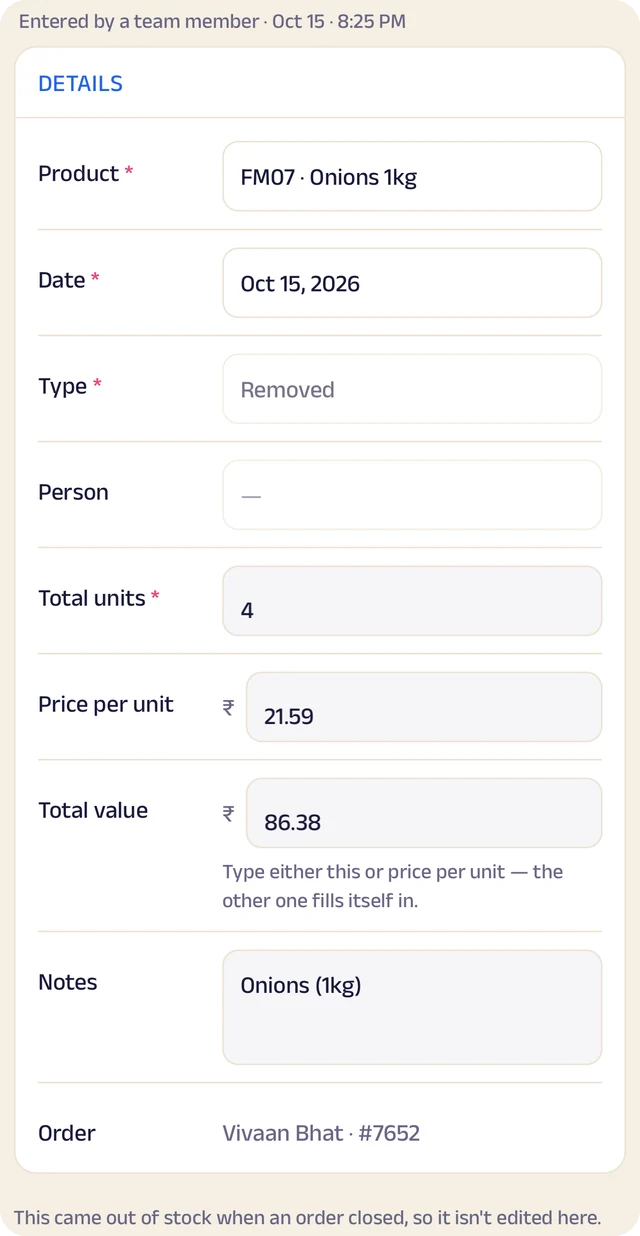
Stock entry
A stock entry: what came in, at what cost, from whom.
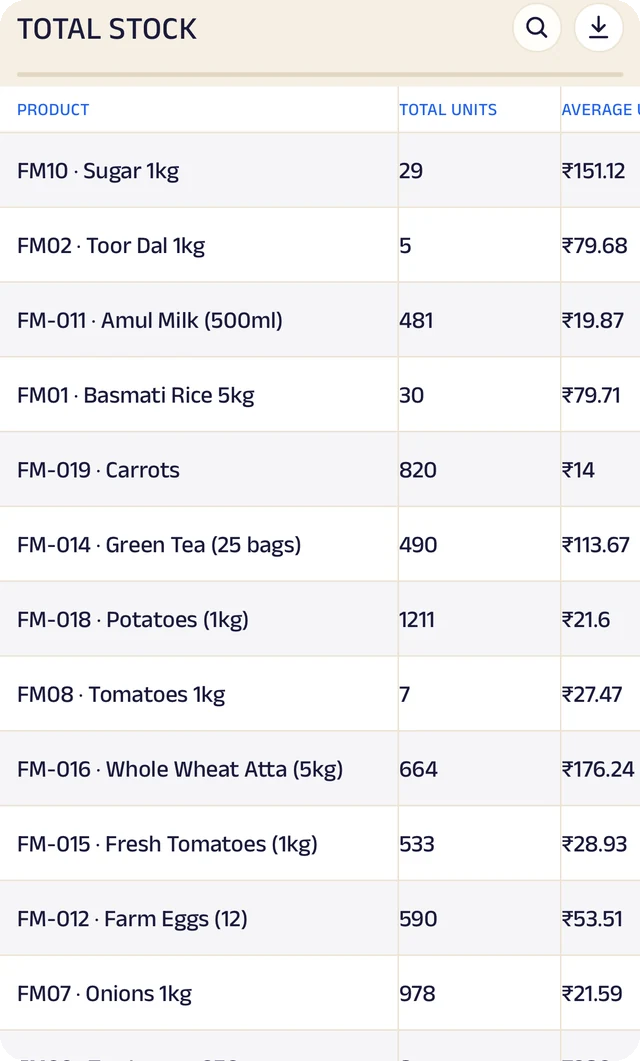
Total stock
Total stock and its average cost, worked out for you.
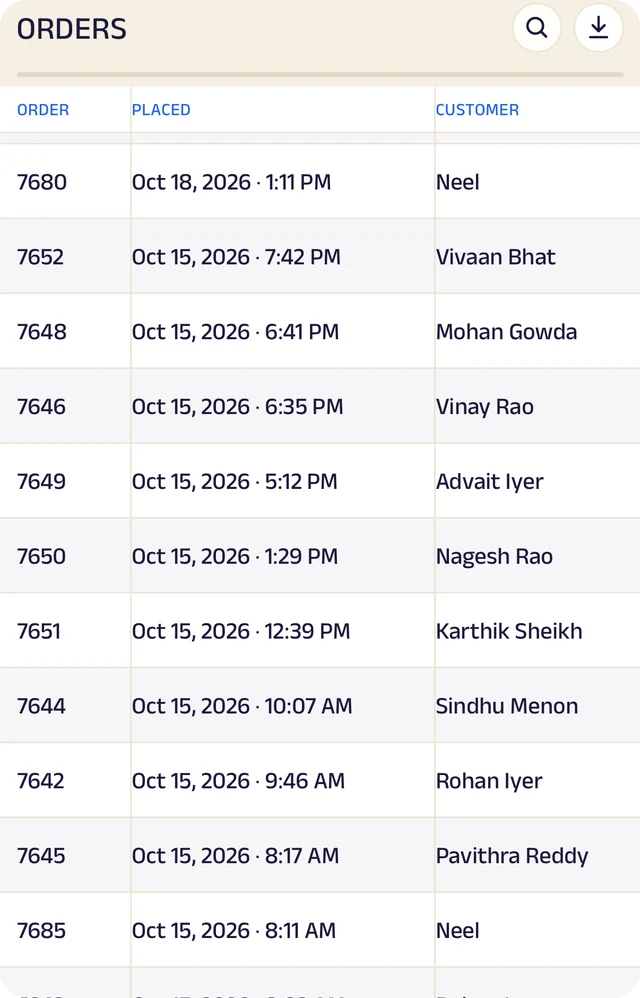
Expenses
Expenses as a table, ready to search or download.
Product stock
List the products you sell once, record what comes in with its cost and supplier, and let sales take it out. A barcode or product code finds anything in seconds.
Credit ledger
Credit given to regulars is written down properly. Clients see the same balance you do, and you always know who owes you most.
Client management
Every client has a record the right people can see and add to, with notes, photos and who looks after them.
Analytics
Thirty charts across sales, money and stock. See your busiest hours, what sells, and repeat against new clients, for this week, month or year.
Your data, yours to take
Every table in the app is searchable and can be downloaded as a CSV for your accountant or your own spreadsheet.
The Assistant
Say an order out loud or photograph a bill and it becomes a record for you to review. Nothing is saved until you approve it.
Everything here is on the Businesses page in detail, with the app's real screens. See the Businesses page
Join the pilot
Set up your business's page.
The pilot is completely free. After it, you can start free: the Free plan covers 30 orders a month, with every feature open (the AI Assistant is free during the pilot, then on paid plans). When you need more, plans start at ₹199 a month, based on how many orders or bookings you handle. There's no commission and no per-order fee, and as a pilot member you lock in your rate. Setup and training are free.
Free
₹0
30 orders or bookings a month
Starter
₹199 a month
Up to 100 orders or bookings a month
Growth
₹499 a month
Up to 300 orders or bookings a month
Pro
₹999 a month
Up to 1,000 orders or bookings a month
Every feature is open on every plan. The AI Assistant is free for everyone during the pilot, then comes with paid plans. Every order counts. Prices include GST. More than 1,000 a month, or 5 or more people on your team? We'll agree a plan with you.