
For electricians, plumbers, carpenters, garages and laundries
Your service business, in one link.
Customers describe the job, send a photo, get a quote, book a time and follow it to done, from one page that carries your name, your colours and a QR code for your visiting card. It isn't a marketplace, and we take no commission on what you earn.
The pilot is completely free. After it, free to start: 30 orders a month, no card. Paid plans from ₹199 a month. No commission.












Pick a service business to see its page. These are demonstration businesses built on Zich World. Each one chose different gadgets for how it works. Open any of them live.
Electrician & Plumber
HomeFix
A home-repair service that quotes from a photo and tracks the job.
A repair call used to mean a vague description over the phone and a technician arriving without the right part. Now customers describe the problem, share photos of the leak or the wiring, and get a visit time back. A house-repair checklist lists what will be fixed; either side can add items, and HomeFix ticks them off as the work gets done.
Customers book a one-hour window with a technician, who calls before arriving. For emergencies, an urgent-request form asks what's happening, the address and whether it's safe to stay at home. Annual home-care plans bundle two preventive visits and priority response, HomeFix Club rewards repeat jobs with priority slots, and "Book again" repeats a service in one tap. A two-trade repair outfit now offers booked windows, care plans and a clear job list, like a large home-services company.


Tasks. A house-repair checklist lists what the technician will fix; either side can add items and the business ticks them off.
Gadgets at work
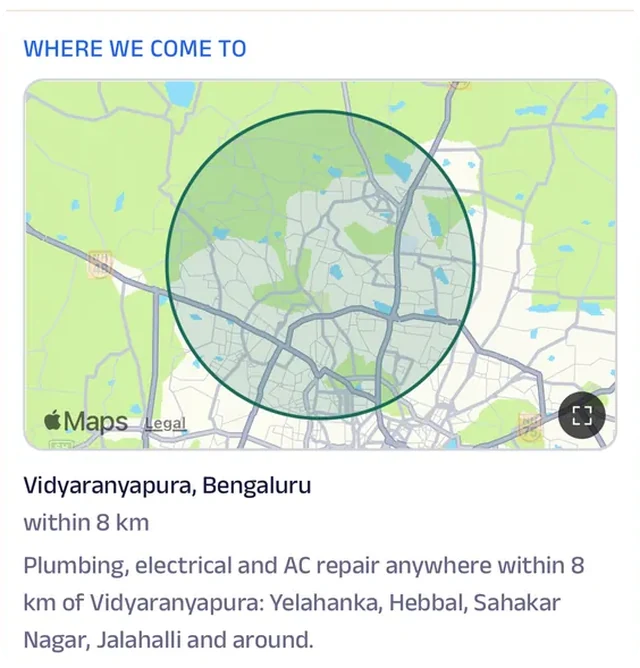
Location
The area the technicians cover is drawn on the map, so customers know before booking whether HomeFix comes to their street.
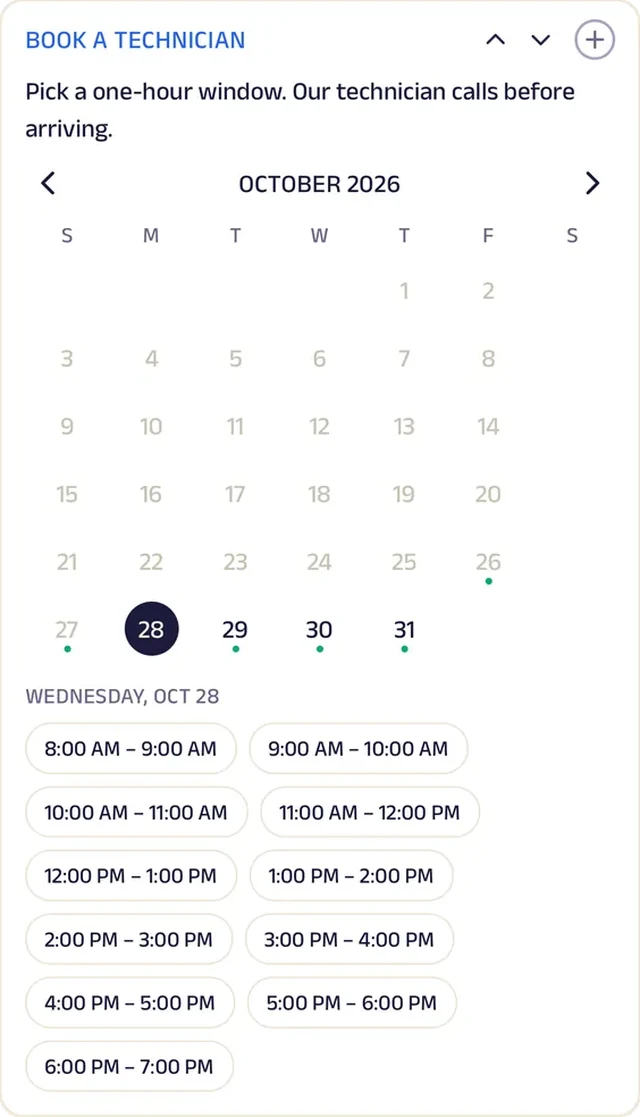
Appointment
Customers book a one-hour window with a technician, who calls before arriving.
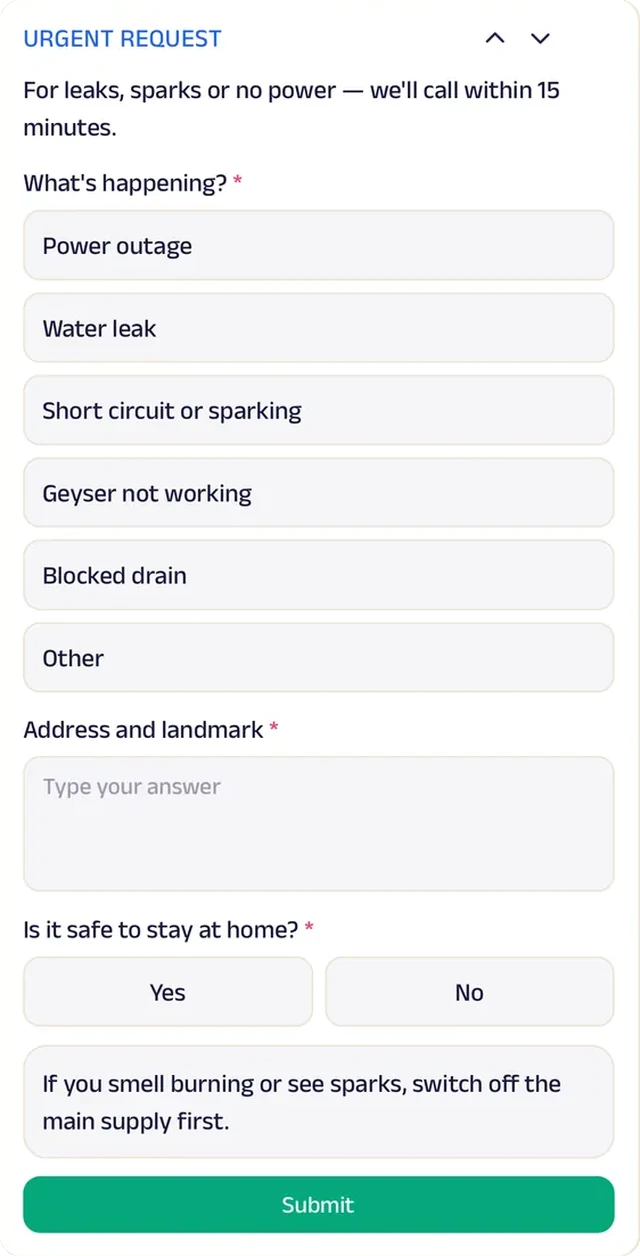
Forms
An urgent-request form asks what's happening, the address and whether it's safe to stay at home.
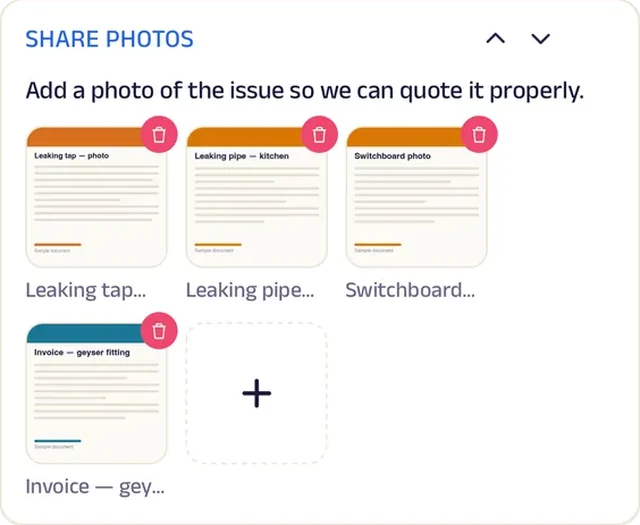
Add docs
Photos of the leak or the wiring help the technician bring the right parts.
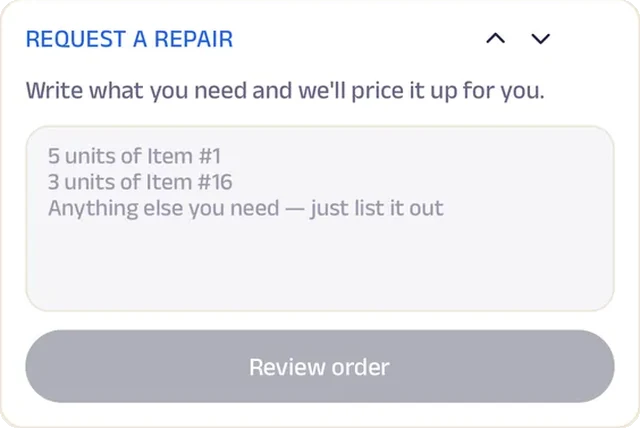
Text order
Describe the problem and the technician replies with a visit time.
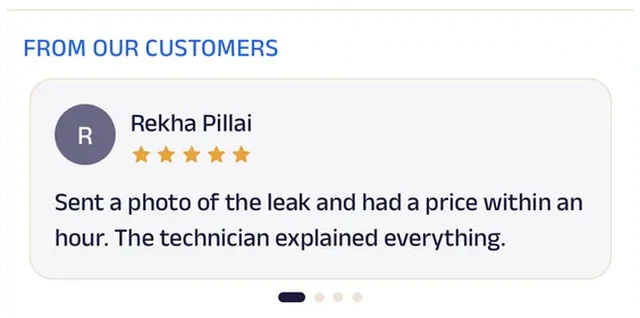
Reviews
Customers write about technicians who arrived in the window and fixed it on the first visit.
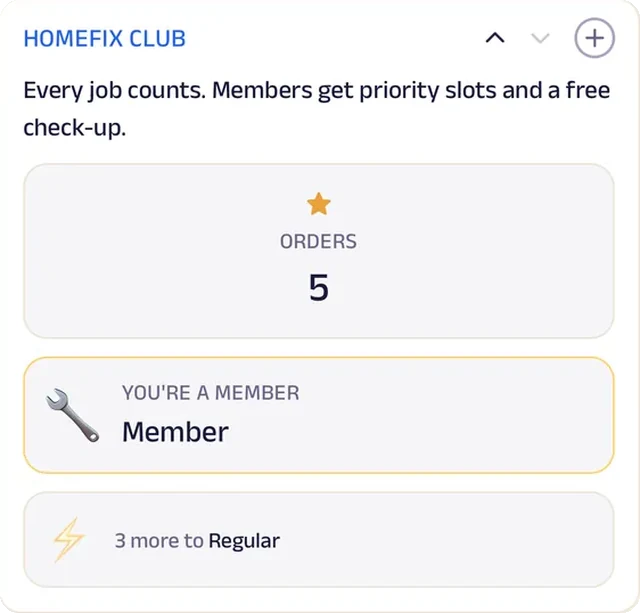
Loyalty
HomeFix Club rewards repeat jobs with priority slots.
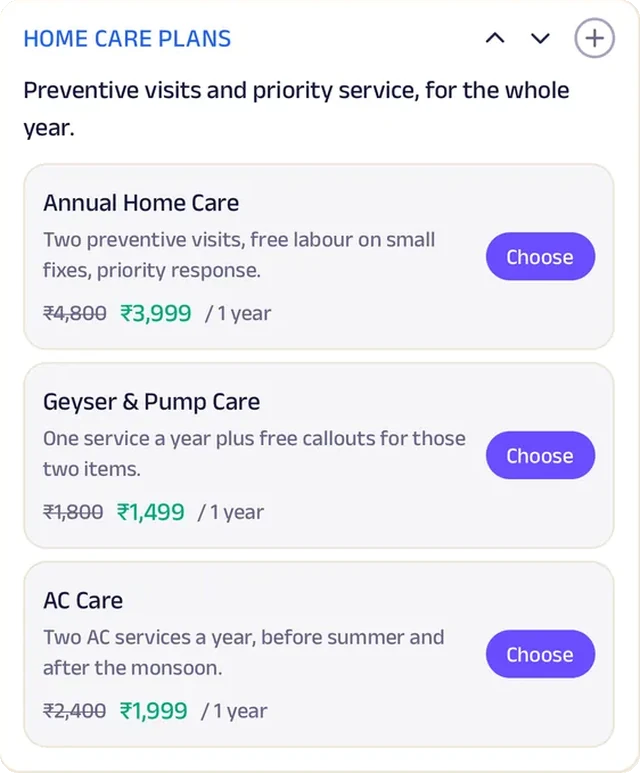
Subscriptions
Annual home-care plans bundle two preventive visits and priority response.
Carpenter
Aman Wood Works
A workshop that builds to order and shows each stage.
Custom furniture used to mean paying an advance and then wondering for weeks what was happening in the workshop. At Aman Wood Works, every piece moves through six stages that the customer can watch from home: measurements, quote, advance, cutting, assembly and installation. Nobody has to call to ask how far along the wardrobe is.
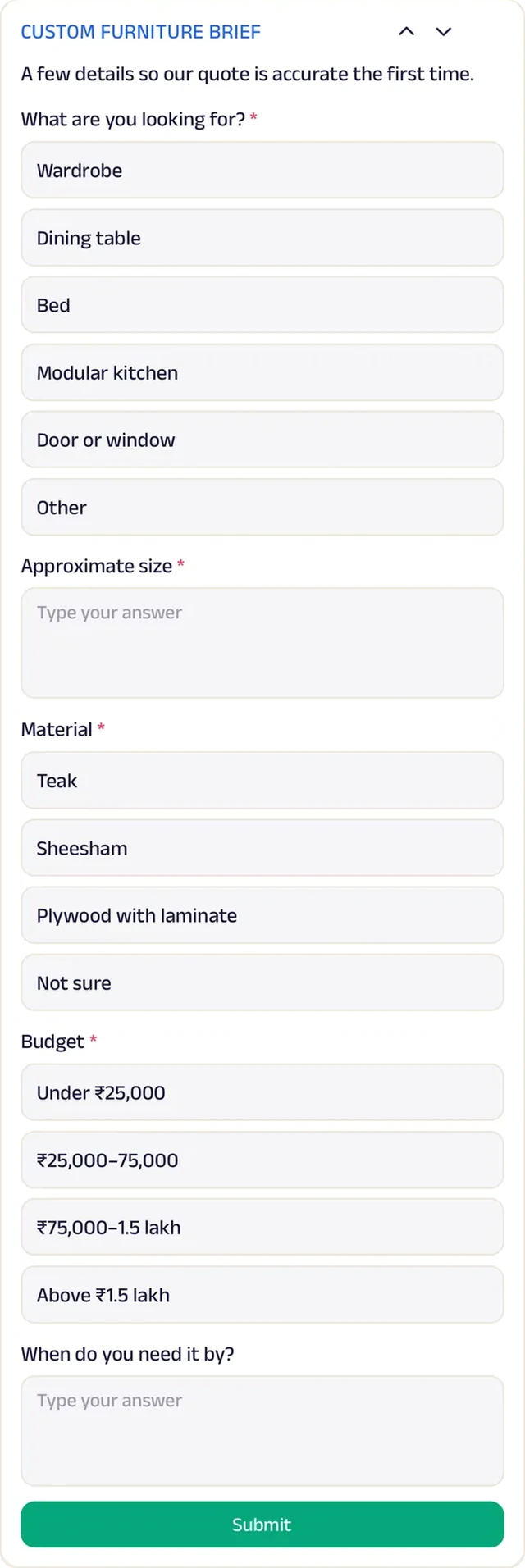
A job starts with a furniture brief covering what's wanted, the size, the wood and the budget, or a quick description that gets a quote in reply. A free site visit is booked so the carpenter can measure the space, and dimensioned drawings are shared for approval before any wood is cut. Afterwards, a yearly maintenance plan covers two visits for polishing and hinge adjustments. A neighbourhood workshop now gives its customers the clarity and after-care of a branded furniture company.


Tasks. Every piece moves through six stages — measurements, quote, advance, cutting, assembly, installation — the customer can watch.
Gadgets at work

Photo gallery
Photos of finished pieces show the grain and the finish up close before anything is ordered.
Location
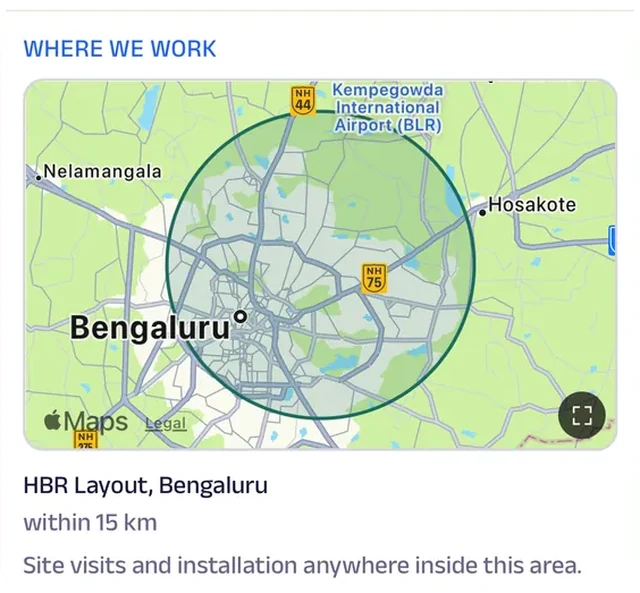
The area the workshop covers for measuring and installation is drawn on the map, so customers outside it know to ask first.
Forms
A furniture brief captures what's wanted, the size, the wood and the budget.
Add docs
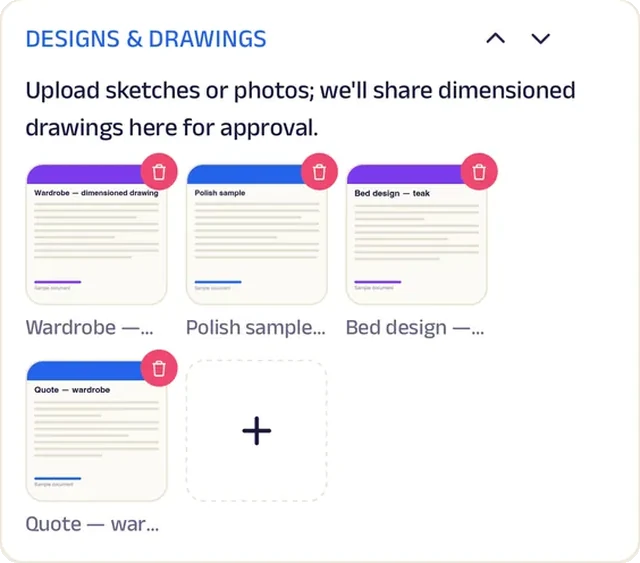
Dimensioned drawings are shared for approval before any wood is cut.

Video
A close-up clip of the joinery shows why the pieces last, which is the question every customer asks.
Appointment
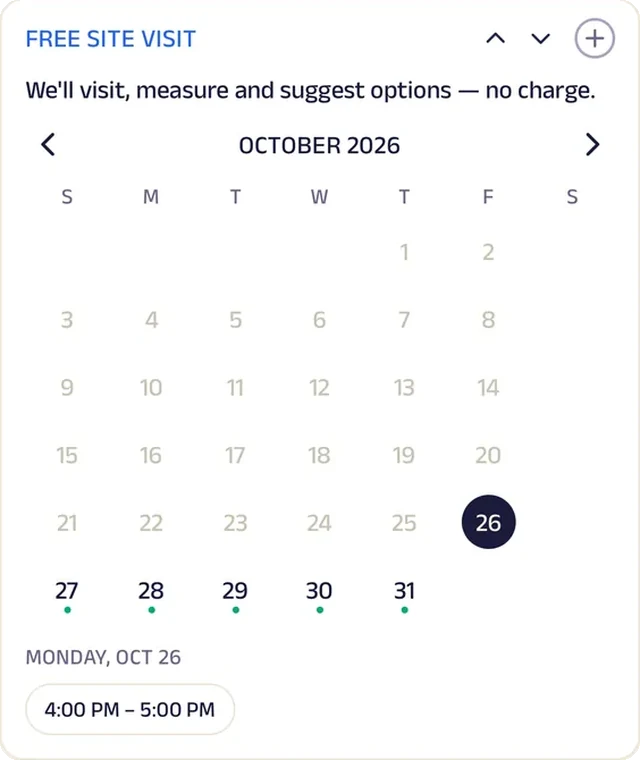
A free site visit is booked so the carpenter can measure the space.
Text order
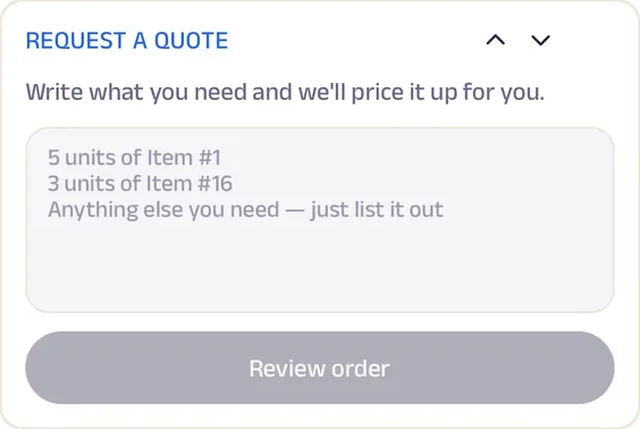
Describe the piece and its size; the carpenter replies with a quote.
Reviews
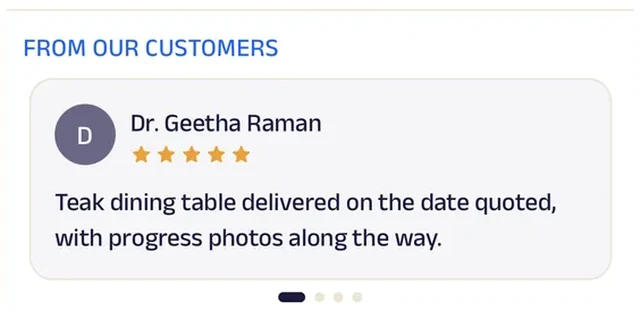
Customers write about pieces that fit the space exactly, and stages that kept them informed.
Auto Garage
Patel Auto Garage
A garage that keeps each vehicle's service history and ticks off the job.
Owners used to collect their car and wonder what had actually been done for the bill. Now a service checklist covers oil, brakes, tyres, battery, filters and wash, ticked off item by item, so the owner sees exactly what was done. Job cards and invoices are kept in one history for each vehicle, ready the next time it comes in.
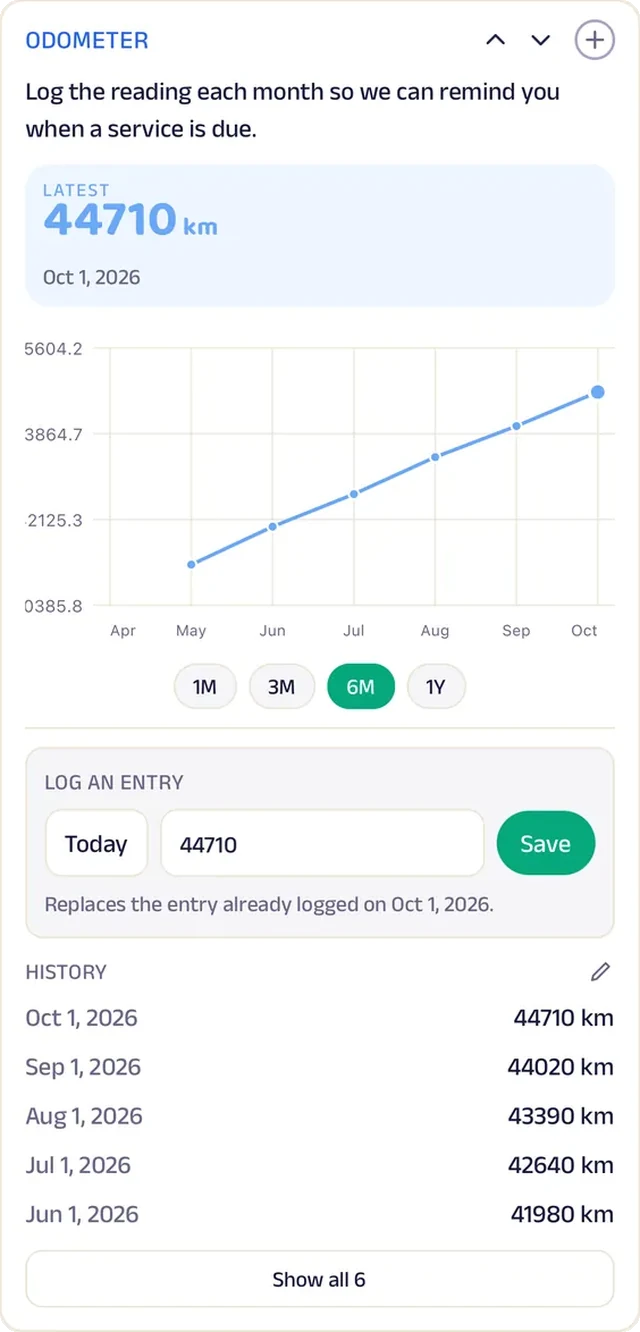
Odometer readings are logged monthly, so the garage knows when a service is due. Owners book a service slot against the garage's hours, or describe the issue and get an estimate back. Pickup and drop are arranged through a form with address and timing, and annual plans bundle two services with free pickup and drop. A neighbourhood garage now keeps the kind of service record a dealership does, for every vehicle that comes through its gate.


Tasks. A service checklist — oil, brakes, tyres, battery, filters, wash — is ticked off item by item so the owner knows what was done.
Gadgets at work
Location
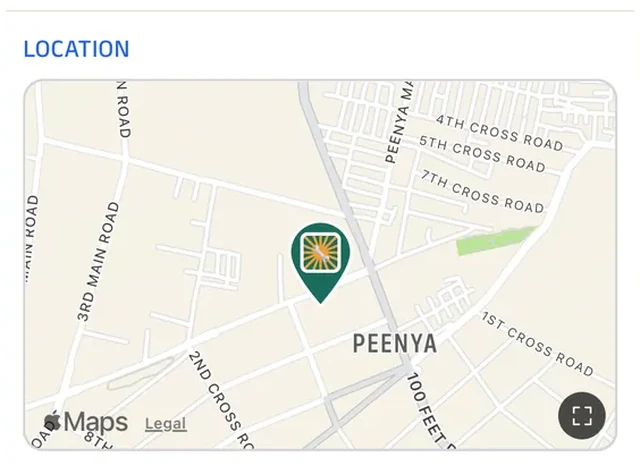
The garage is pinned on the map, so a driver with a warning light on can head straight there.
Tracker
Odometer readings are logged monthly, so the garage knows when a service is due.
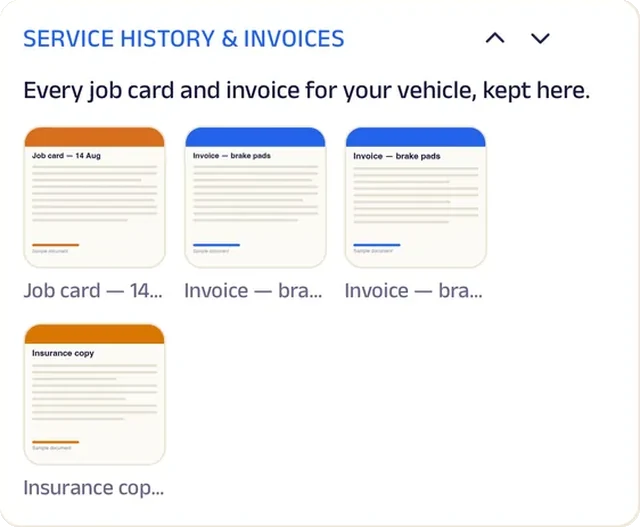
Add docs
Job cards and invoices for the vehicle are kept in one history.
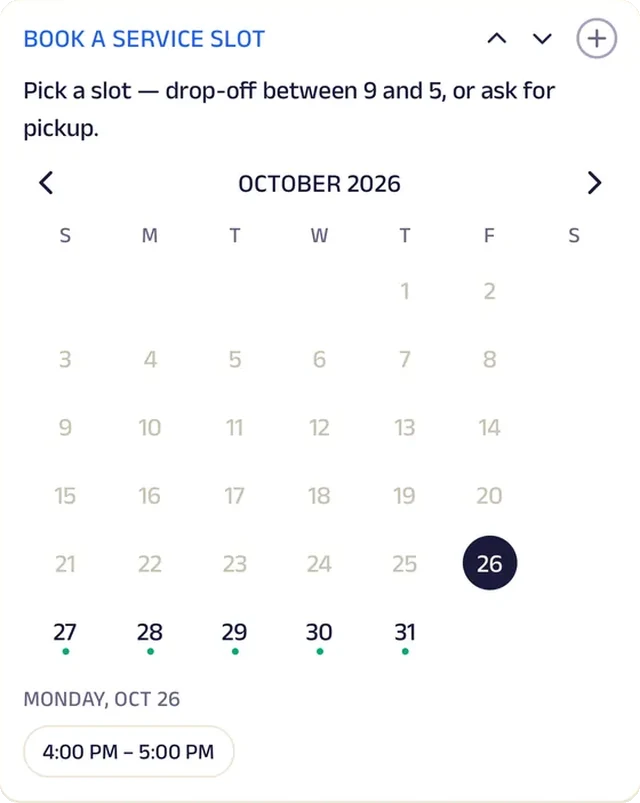
Appointment
A service slot is booked against the garage's hours.

Video
A short clip walks through an oil change, so owners know what they're paying for when it's ticked on the checklist.
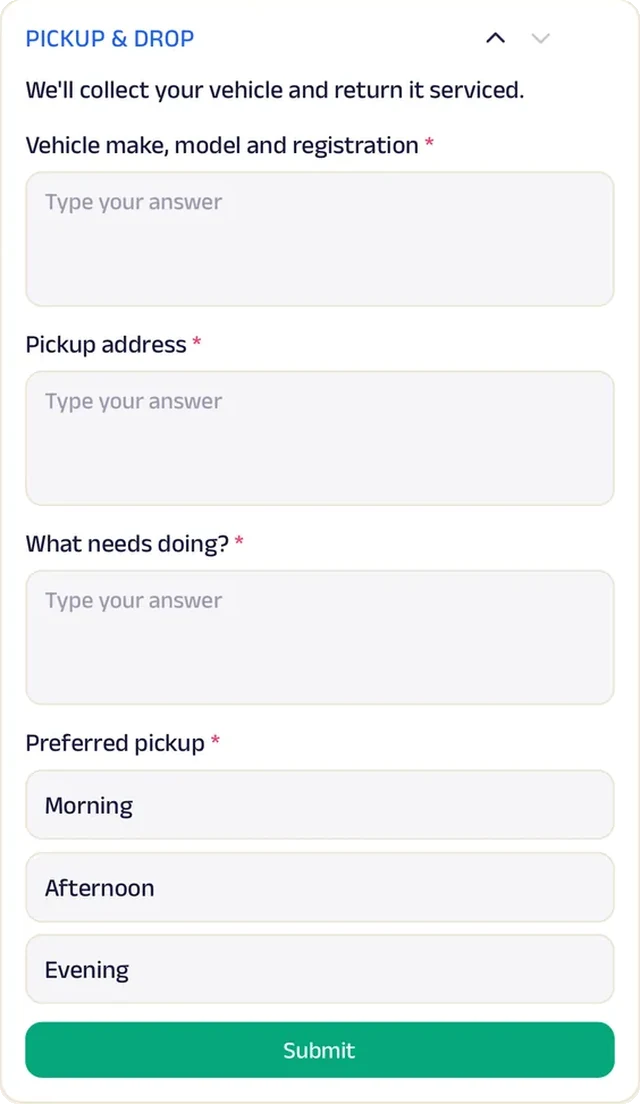
Forms
Arrange pickup and drop of the vehicle, with address and timing.
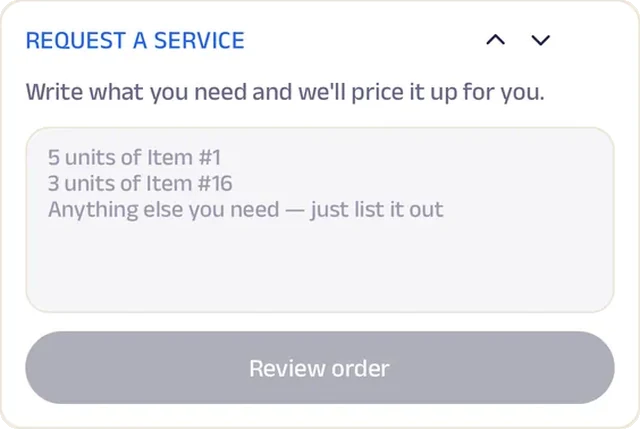
Text order
Describe the issue and the garage replies with an estimate.
Reviews
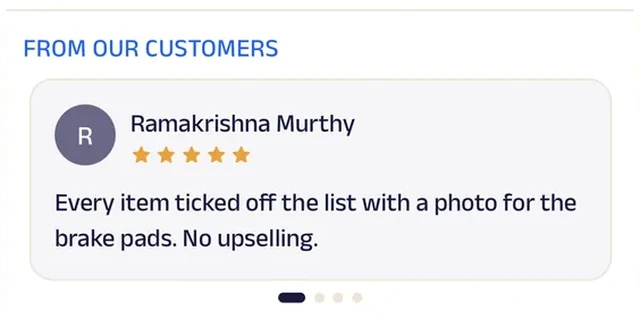
Owners write about honest estimates and cars returned on the promised day.
Laundry
FreshFold Laundry & Dry Cleaning
A laundry that collects, tracks and repeats your load.
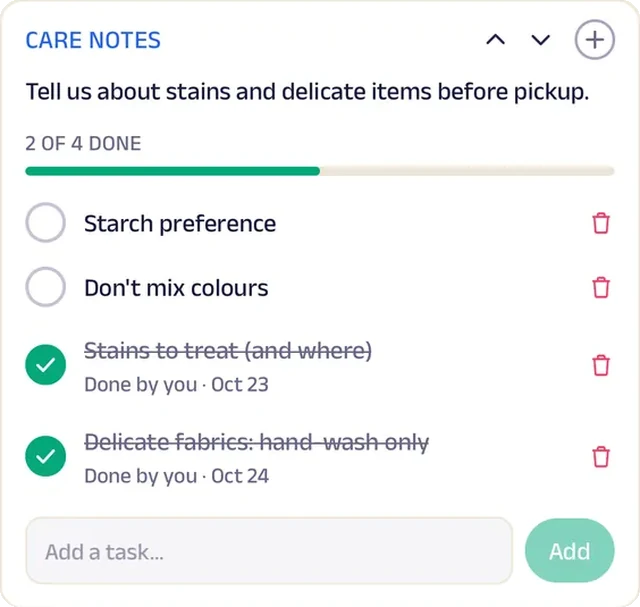
A laundry order used to begin with a phone call and end with a customer asking where their shirts had gone. Now customers schedule a pickup from their address, and the bag is tracked from received to delivered. Care notes for stains, delicate fabrics and starch are ticked off before pickup, so nothing is left to memory.
Wash and fold, ironing and dry cleaning are priced per kg and per piece. A weekly wash-and-fold plan and a shirt-care plan lock in a lower rate with a renewal reminder, and "Repeat last load" re-orders what was sent last time. Fresh Points reward each order, with free pickup for the top badge. Hotels and homestays set up a regular linen service through a form. A neighbourhood laundry now runs pickups, plans and hotel contracts like a city-wide laundry service.


Pick up. Customers schedule a pickup from their address, and the bag is tracked from received to delivered.
Gadgets at work
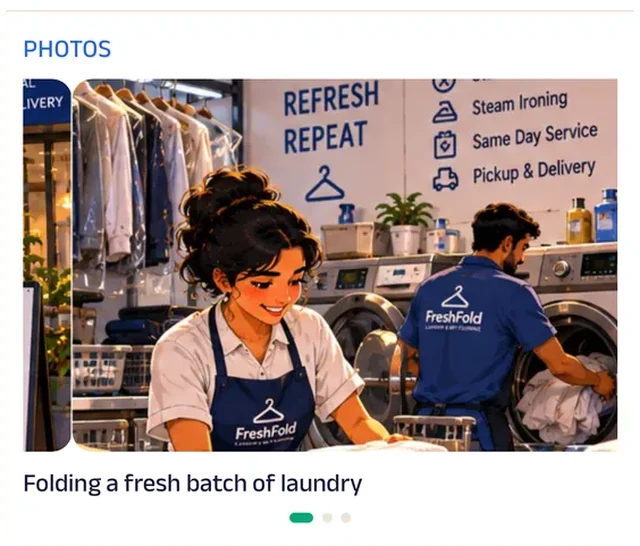
Photo gallery
Photos of folded, packed orders show what comes back to the door.
Location
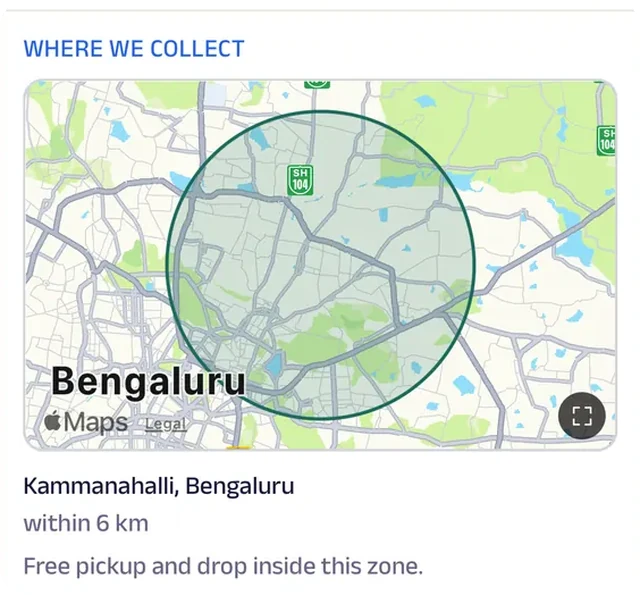
The pickup zone is drawn on the map, so customers know before scheduling whether the van comes to their block.
Tasks
Care notes — stains, delicate fabrics, starch — are ticked off before pickup.
Subscriptions
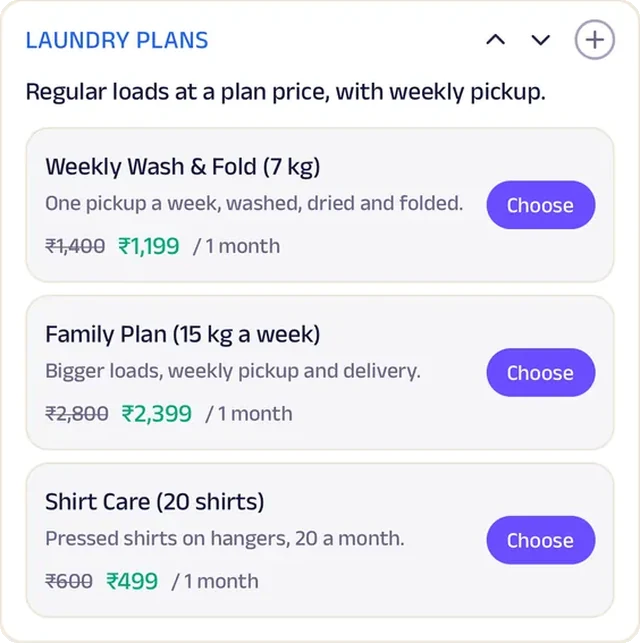
A weekly wash-and-fold plan and a shirt-care plan lock in a lower rate with a renewal reminder.
Forms
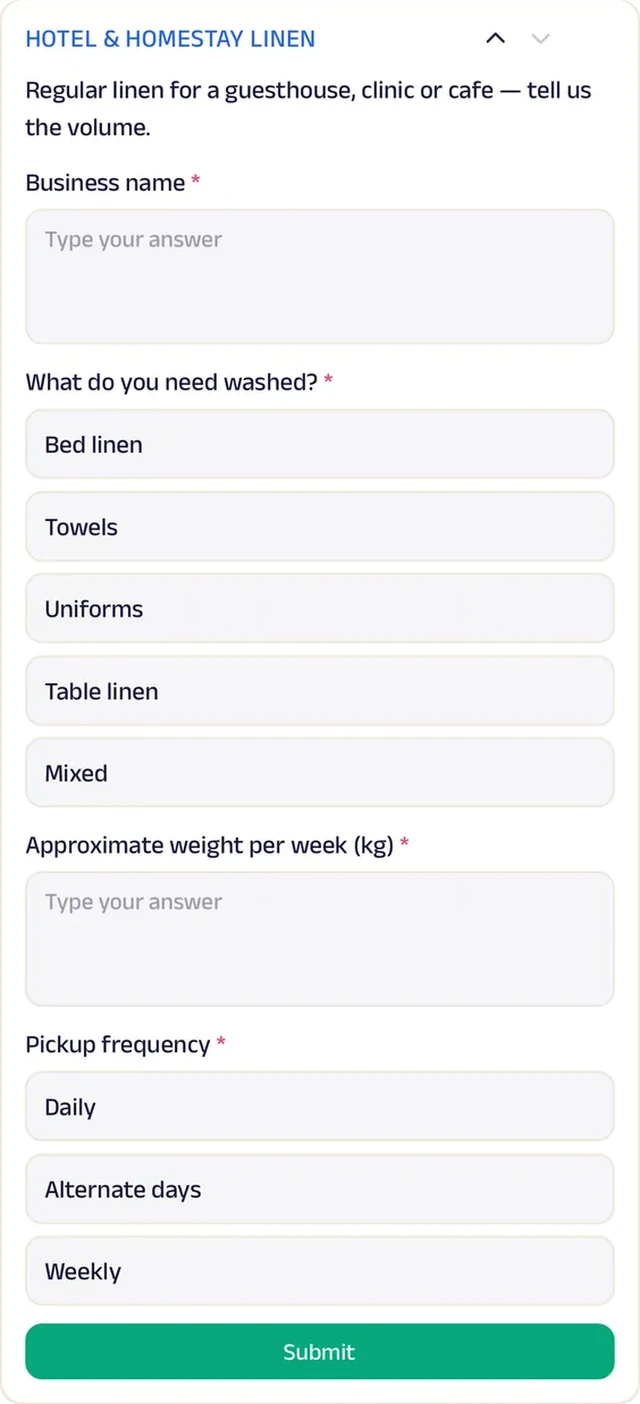
Hotels and homestays set up a regular linen service.
Loyalty
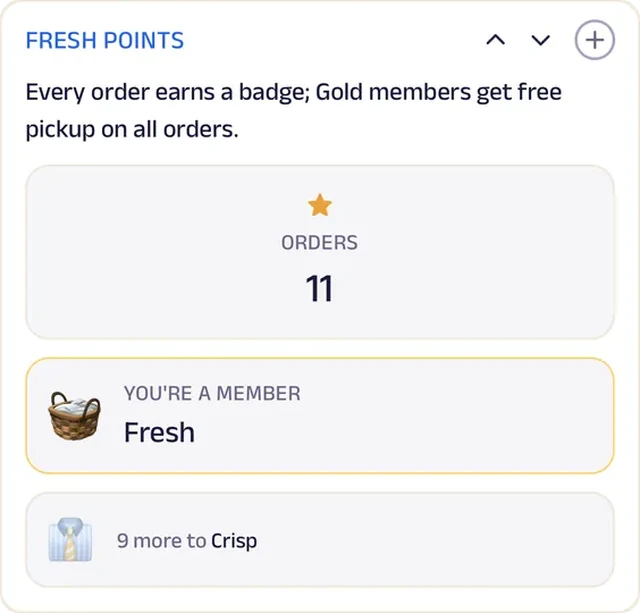
Fresh Points reward each order, with free pickup for the top badge.
Reviews
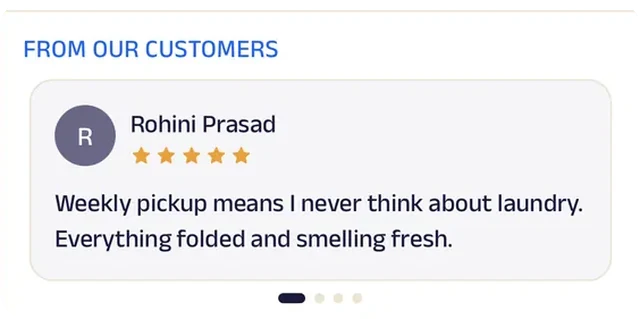
Customers write about clothes returned on time with nothing missing, which is what anyone handing over a bag worries about.
Scrap Dealer
Yadav Kabadi
A scrap dealer that weighs at your door and keeps the slip.
Selling scrap used to mean waiting for a cart to pass, haggling over a hand scale and never being sure the weight was fair. Now customers schedule a pickup, and the collector weighs on a digital scale at the door and pays on the spot. Or they describe what they have to sell, and the collector confirms a time.
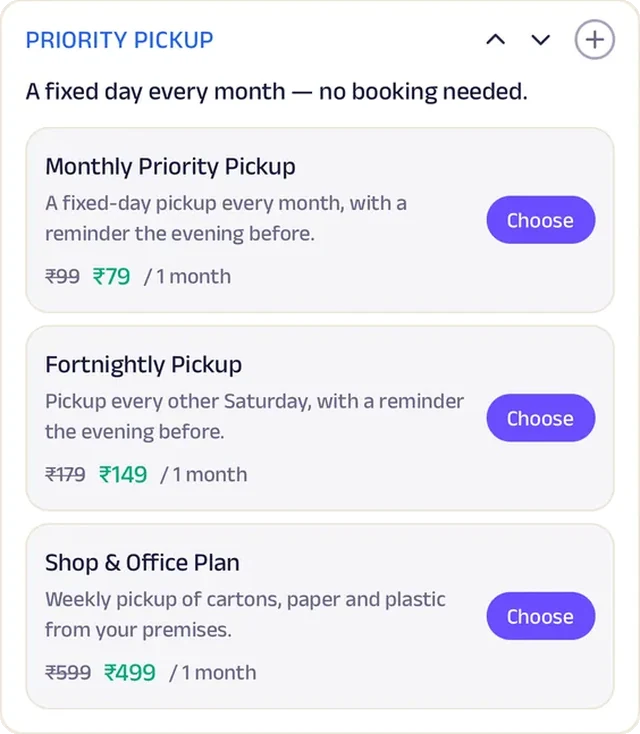
Every weight slip and payment receipt is saved in the customer's record, and each household's recycled weight is logged monthly, so the total is easy to see. Priority Pickup is a small plan for a fixed day each month, with a reminder the evening before. Shops and offices clearing a godown describe the material, weight and date in a form. A kabadiwala with one scale now gives every household a written record and a regular schedule, the way a recycling company would.


Pick up. Customers schedule a pickup, and the collector weighs on a digital scale and pays on the spot.
Gadgets at work

Photo gallery
Photos of the digital scale and the collection cart show households how the weighing is done.
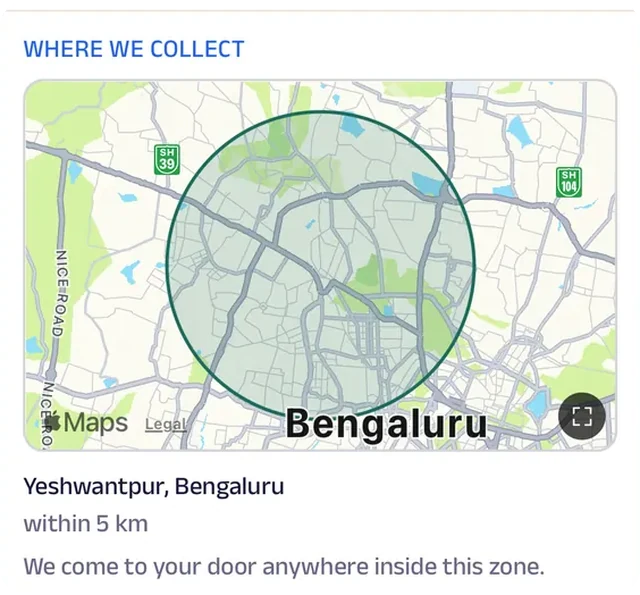
Location
The collection zone is drawn on the map, so a household knows before booking whether the cart comes to their lane.
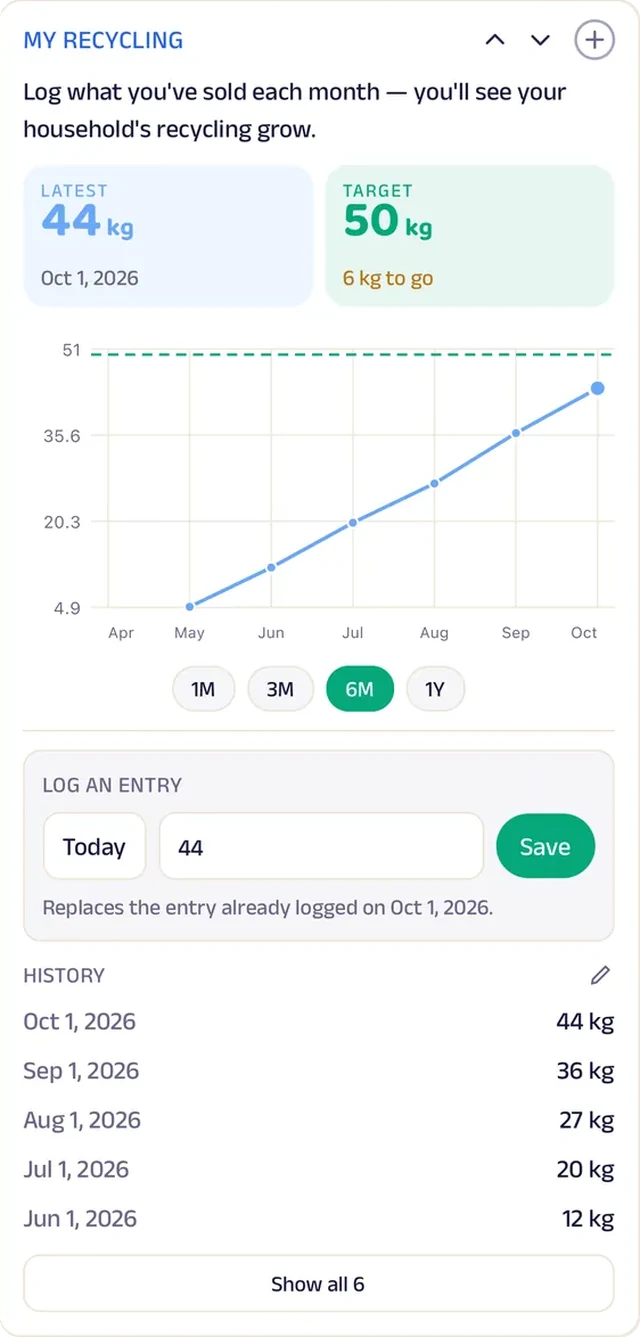
Tracker
Each household's recycled weight is logged monthly, so the total is easy to see.
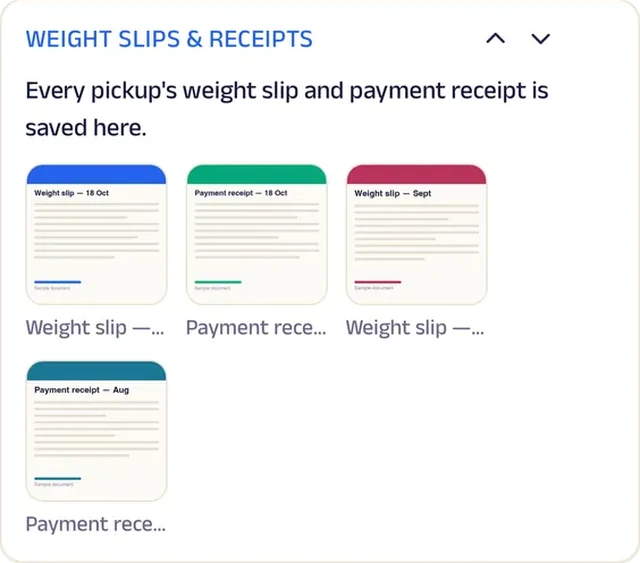
Add docs
Every pickup's weight slip and payment receipt is saved in the customer's record.
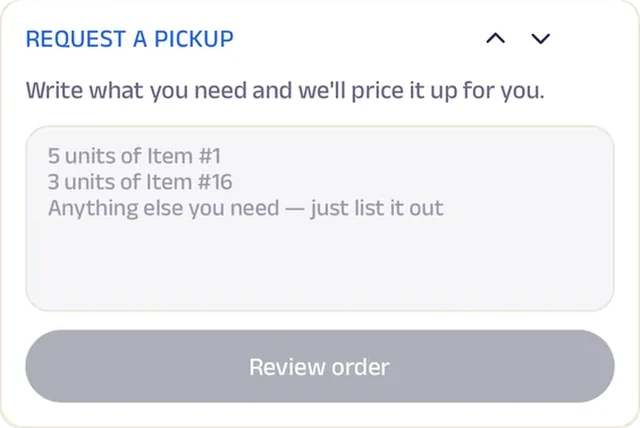
Text order
Describe what you have to sell, and the collector confirms a time.
Forms
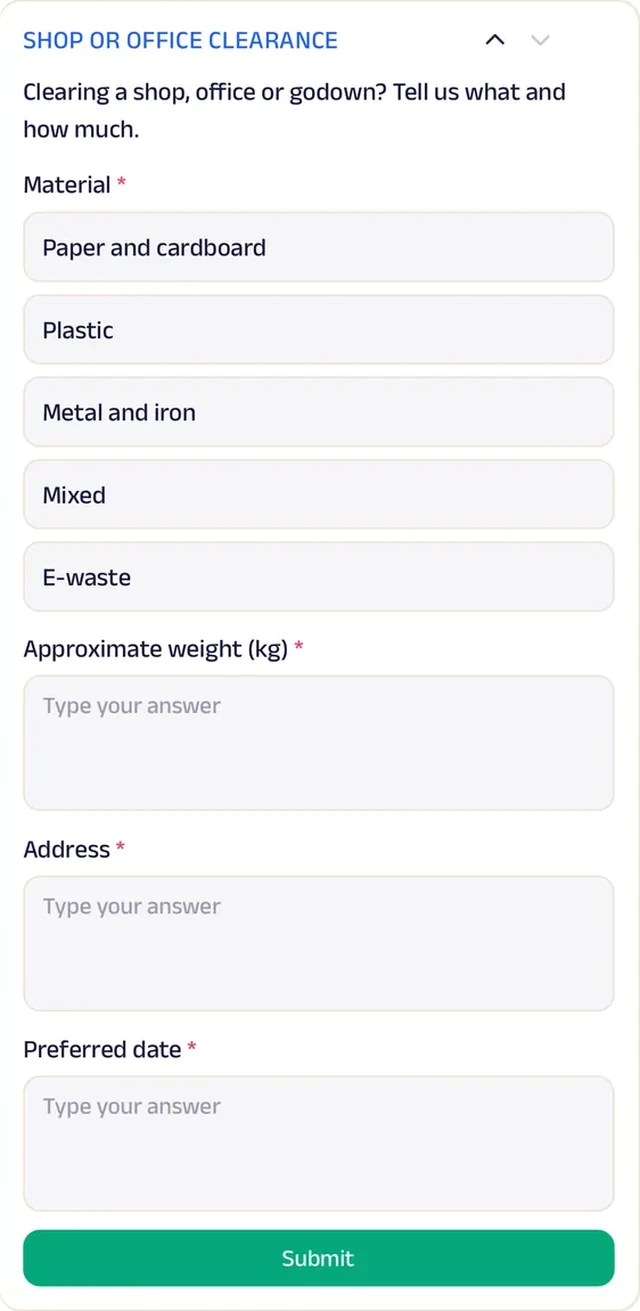
Shops and offices clearing a godown describe the material, weight and date in a form.
Subscriptions
A fixed-day monthly pickup is a small plan, with a reminder the evening before.
Reviews
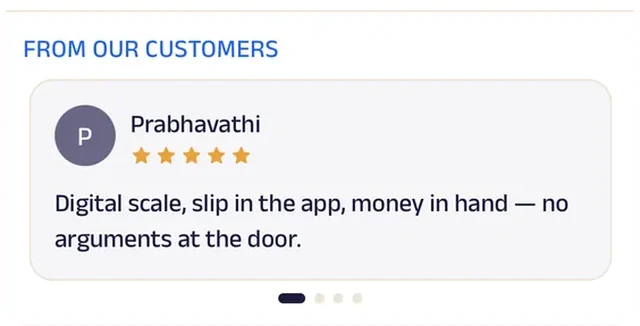
Households write about fair weights and payment on the spot, which is what makes them call again.
Recycling collection
GreenCycle Pickup
A recycling service that weighs, pays and logs every pickup.
Selling old newspaper and plastic used to mean waiting for the kabadiwala and trusting his scale. With GreenCycle, customers pick a day, describe what's going and confirm the address once; a collector arrives with a scale, and the weight slip and payment receipt are saved for every pickup.
Each household's recycled weight is logged and charted, so the running total is always visible. A sorting checklist (paper flattened, plastic rinsed, e-waste wiped) earns a better rate. Homes are on monthly pickup plans and offices on fortnightly ones, shops request a regular commercial pickup through a form, and the monthly e-waste drop-off day at the Whitefield centre takes thirty bookings. Every pickup counts towards eco badges. A local collection service now runs plans, receipts and a rewards programme like a city-wide recycling company.


Pick up. Customers pick a day, describe what's going and confirm the address once — then a collector arrives with a scale.
Gadgets at work
Location
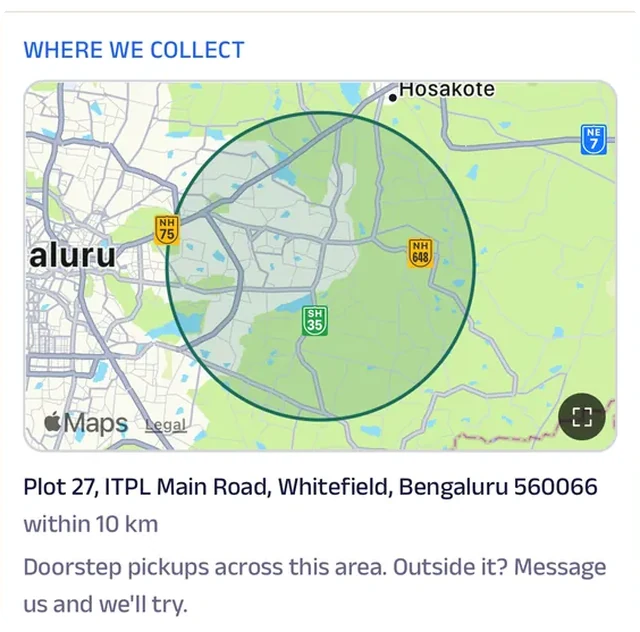
The collection zone is drawn on the map, so a household knows before booking whether the van reaches its society.
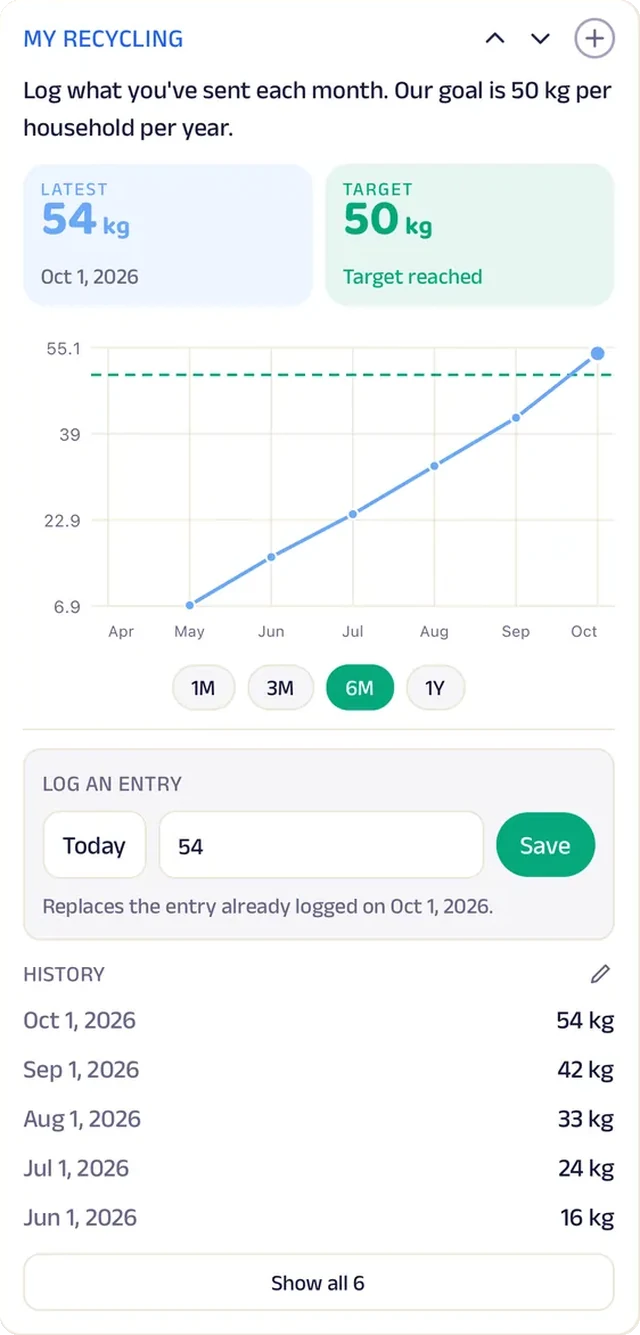
Tracker
Each household's recycled weight is logged and charted, so the running total is visible.
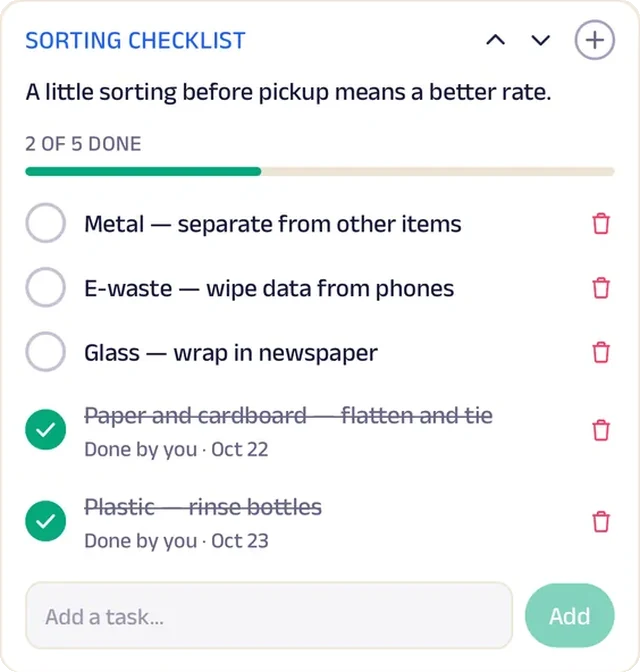
Tasks
A sorting checklist — paper flattened, plastic rinsed, e-waste wiped — earns a better rate.

Video
A short clip explains why three bins beat one, which is half the work of a better rate.
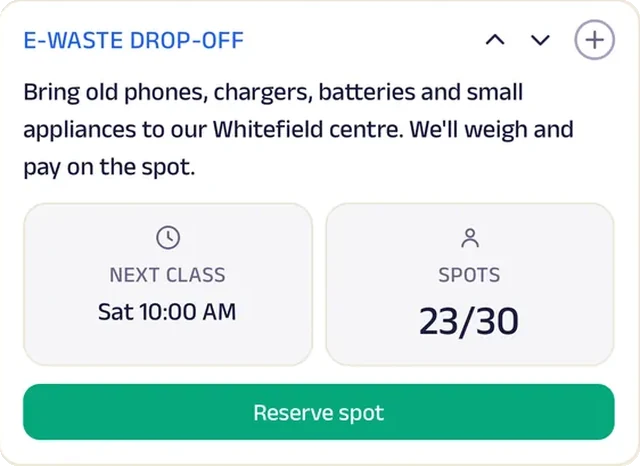
Reserve spot
A monthly e-waste drop-off day seats thirty at the Whitefield centre.
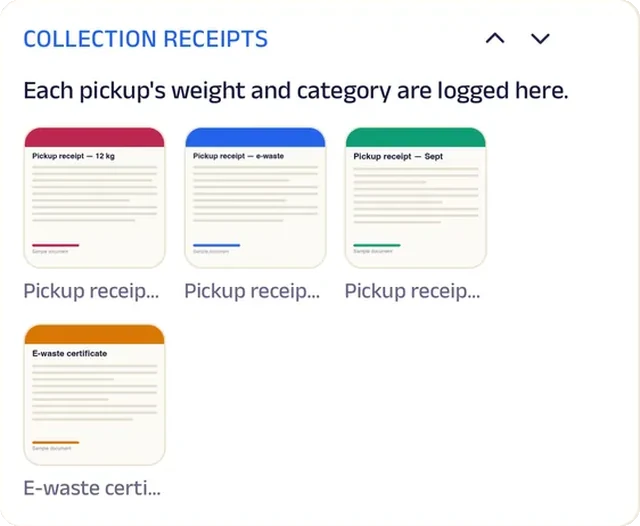
Add docs
Weight slips and payment receipts for every pickup.
Loyalty
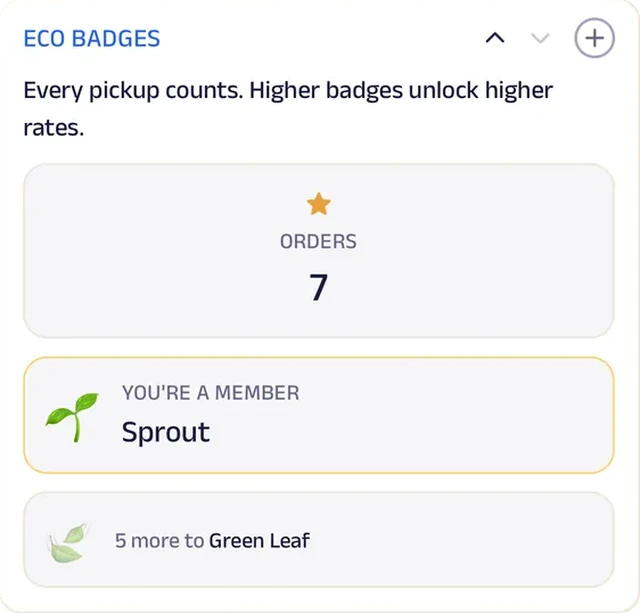
Every pickup counts towards eco badges.
Reviews
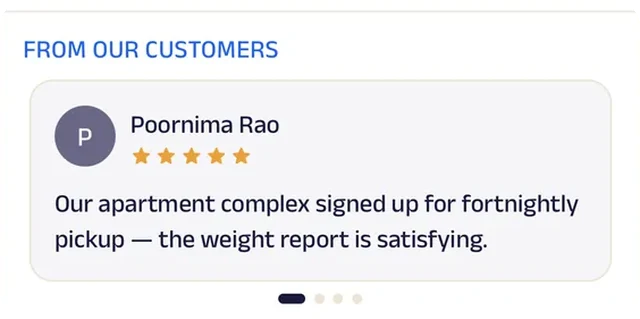
Households write about collectors who came on the day and weighed fairly, which is what wins the next street over.
Run the whole business
Your team, your customers and your money, in one place.
The same page is also how you run the business, from the phones you already have and a laptop in the browser. There's no special software or hardware to buy.
Operate your day
From the first booking to "see you again".
Bill photo
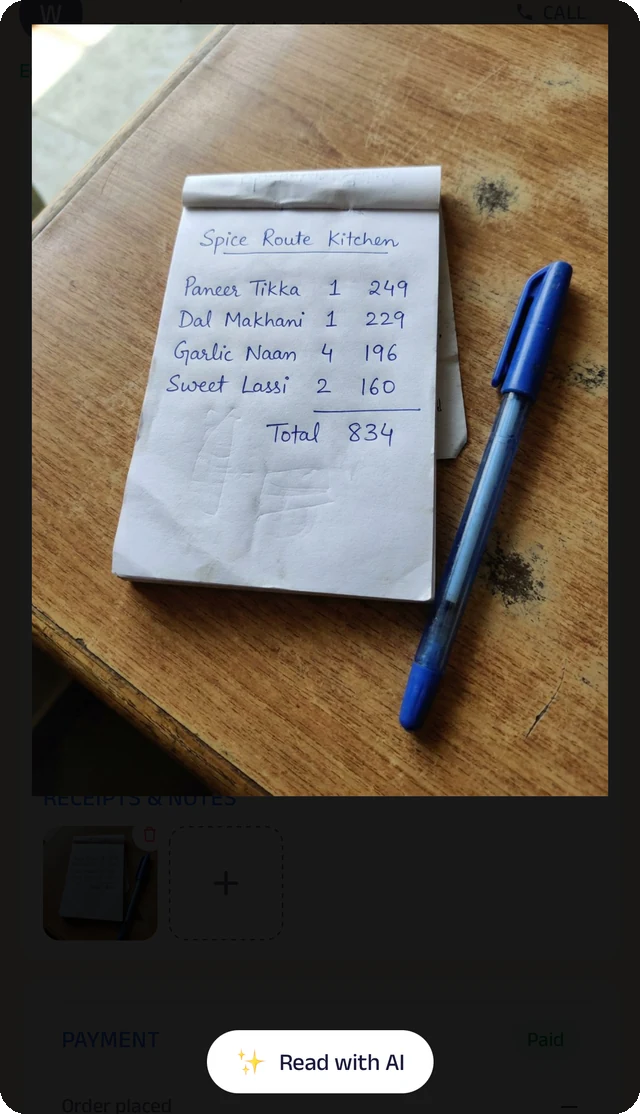
Photograph a handwritten bill, and the Assistant reads it for you to check.
Credit ledger
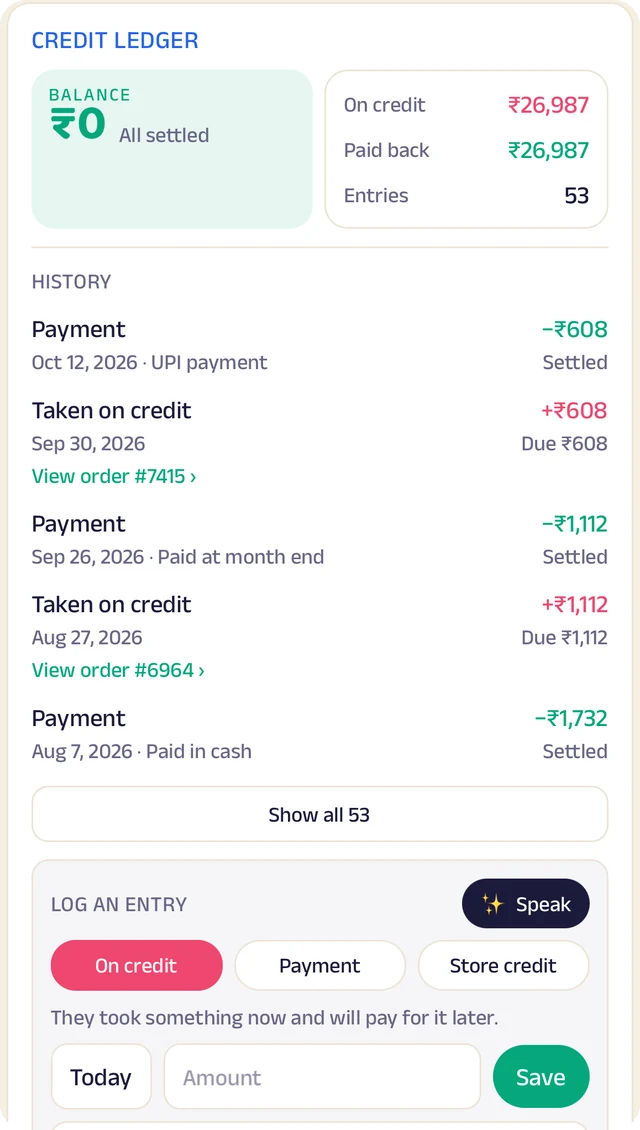
Every credit and payment by customer. Log an entry by typing, or by speaking it.
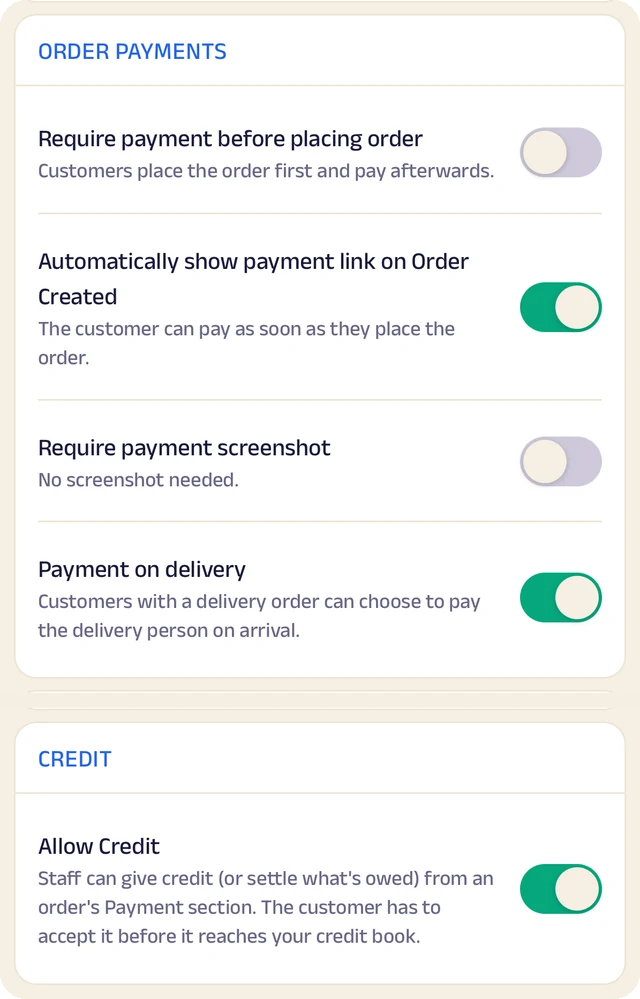
Order settings
Turn ordering on or off, and set GST and fees once so they're added automatically.
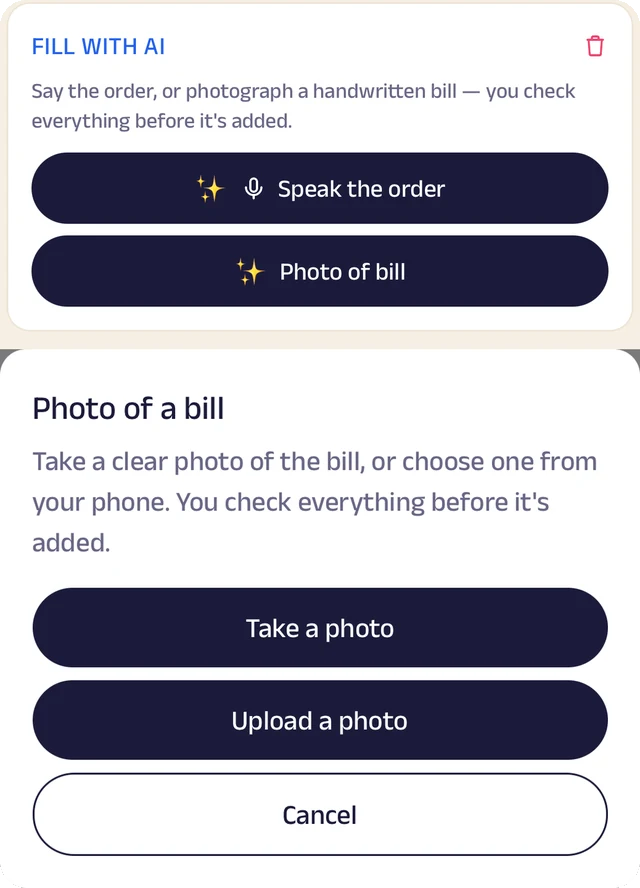
Fill with AI
Say an order out loud or photograph a bill, and check everything before it's saved.
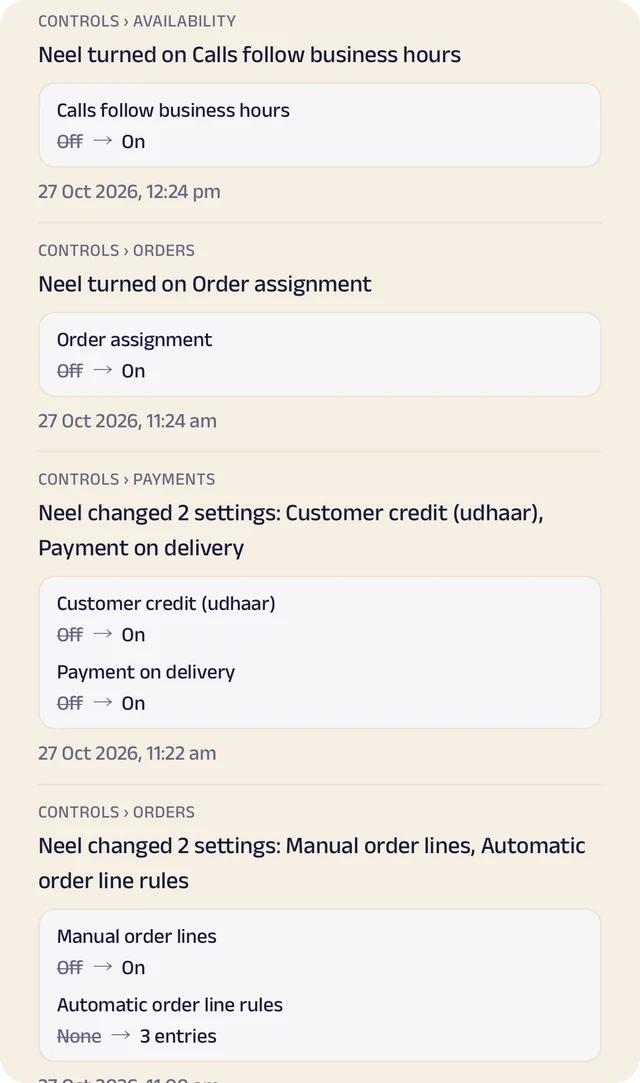
Settings history
Settings switched on or off, with the old and new value.
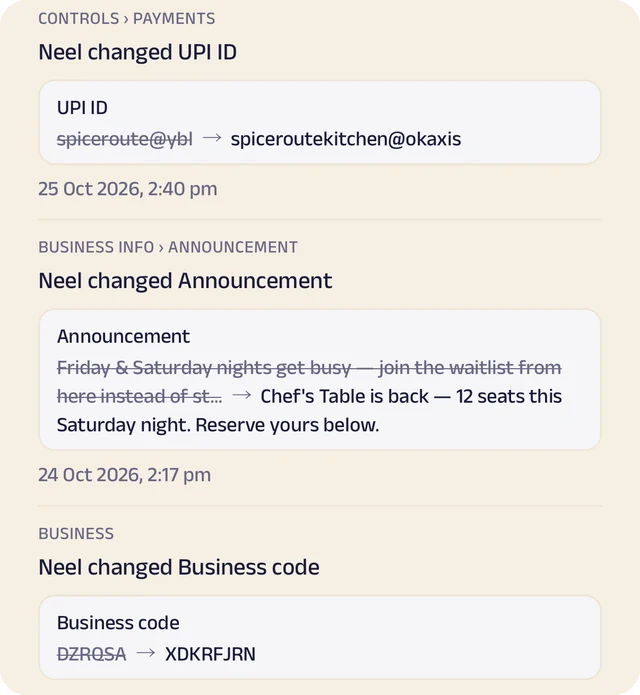
Payment history
Payment details changed, shown before and after.
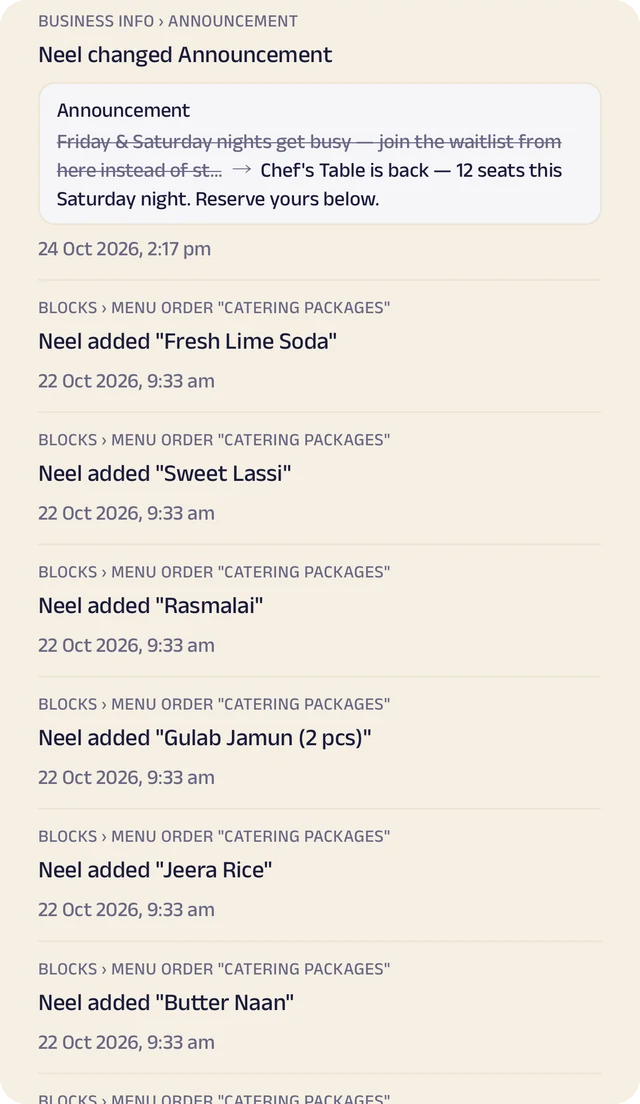
Page history
Changes to your page, kept in its own history.
Quote requests
A form of your own for the job, the address and photos, so you can quote before you go out.
Book a visit
Customers pick a time against your real schedule, and the area you serve is drawn on a map so they know before they ask.
Job status and invoices
Each job shows its status, and quotes and invoices are shared as documents so both sides see the same numbers.
Plans and repeat visits
Monthly plans and repeat pickups at a plan price, with a renewal reminder before each one ends.
Manage your people
Everyone who goes out on jobs and runs the office, in the right place.
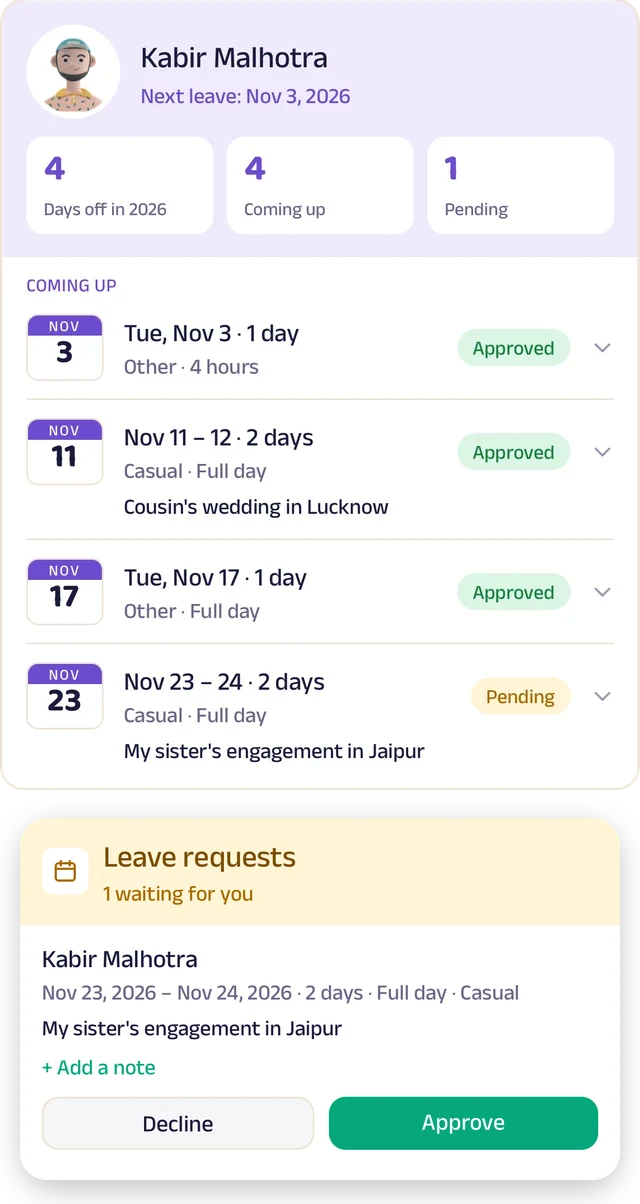
Team leave
A team member's days off: what's approved and what's waiting.
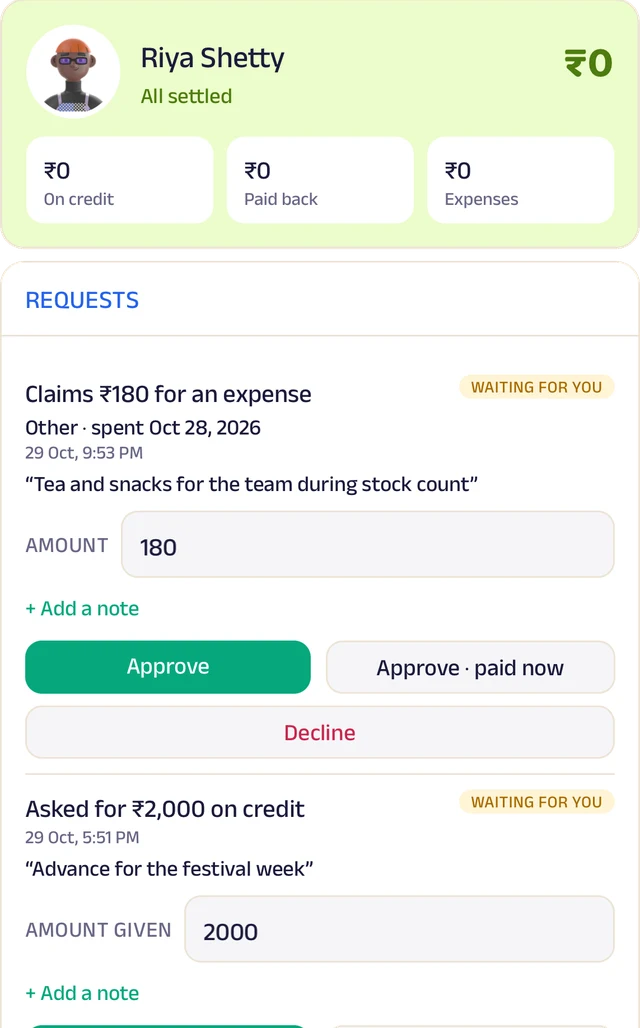
Team ledger
A running account per person: advances, expenses and approvals.
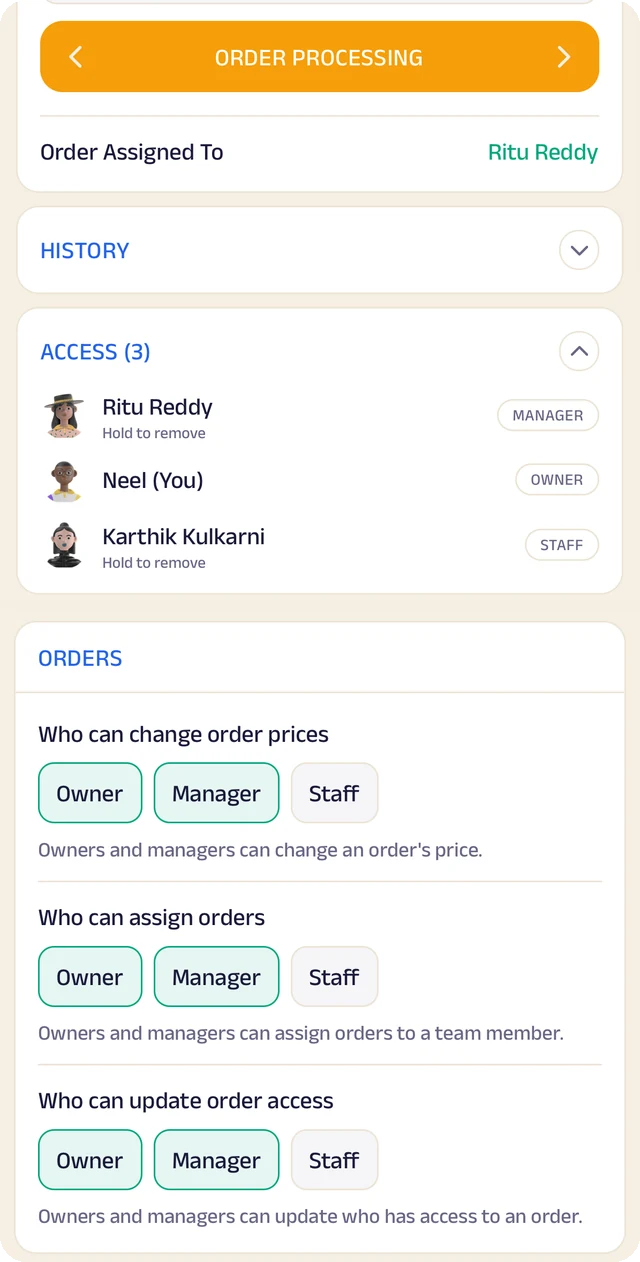
Order access
Who an order is assigned to, who can see it, and who can change it.
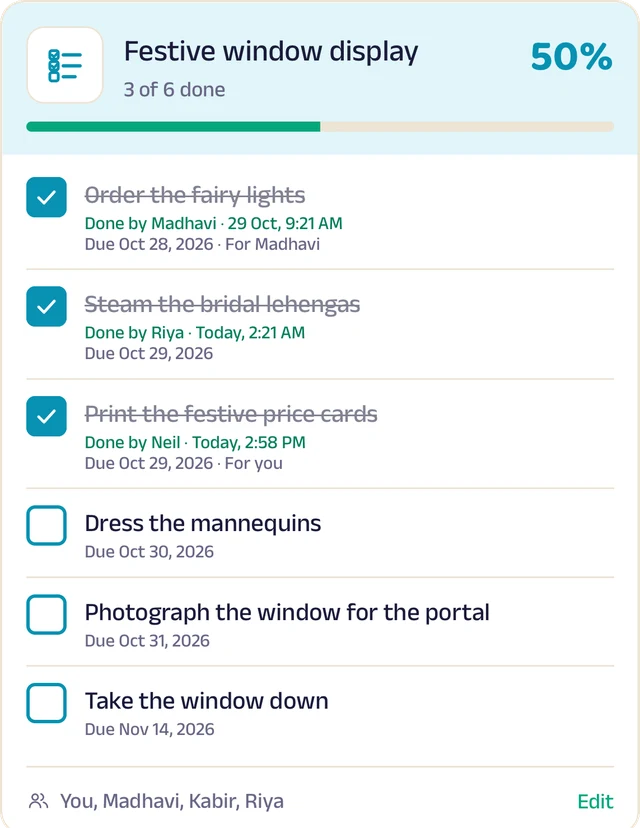
To-do lists
Shared lists, ticked off with who did it and when.
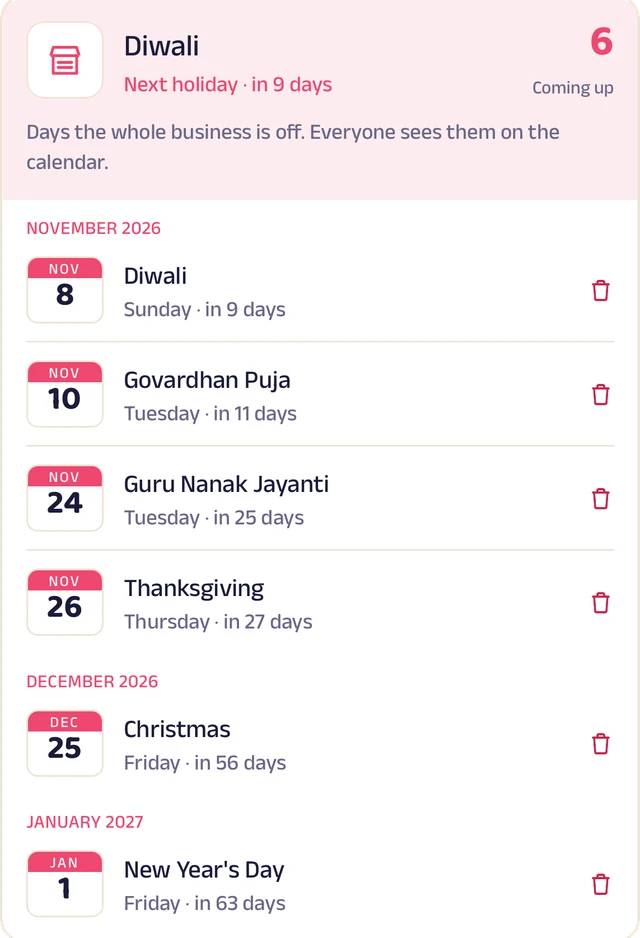
Holidays
Days the whole business is closed, on everyone's calendar.
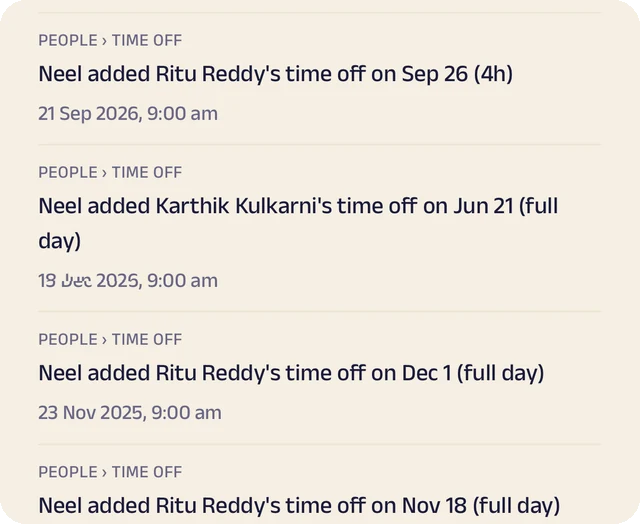
Request leave
Request casual, sick or unpaid leave, for a day or a few hours.
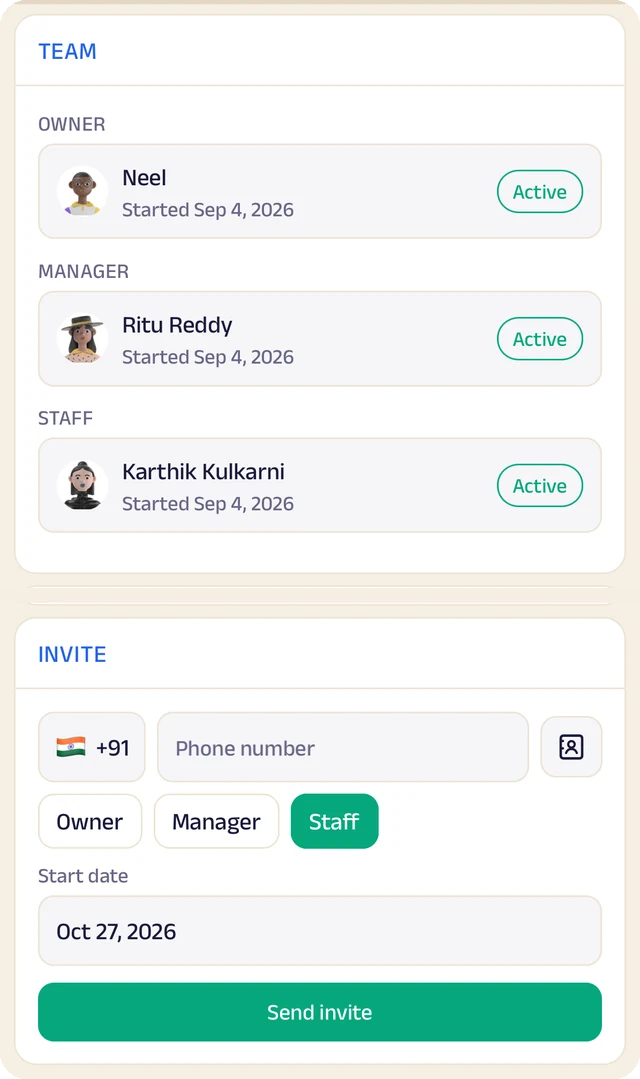
Your team
Your team by role, with leave requests waiting for your approval.
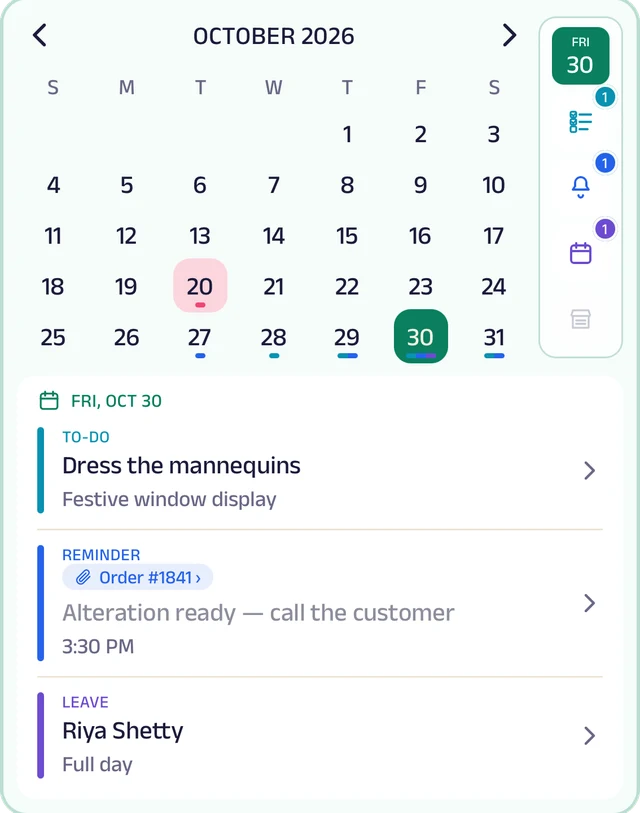
My Space
Everyone's own calendar, with to-dos, reminders and leave.
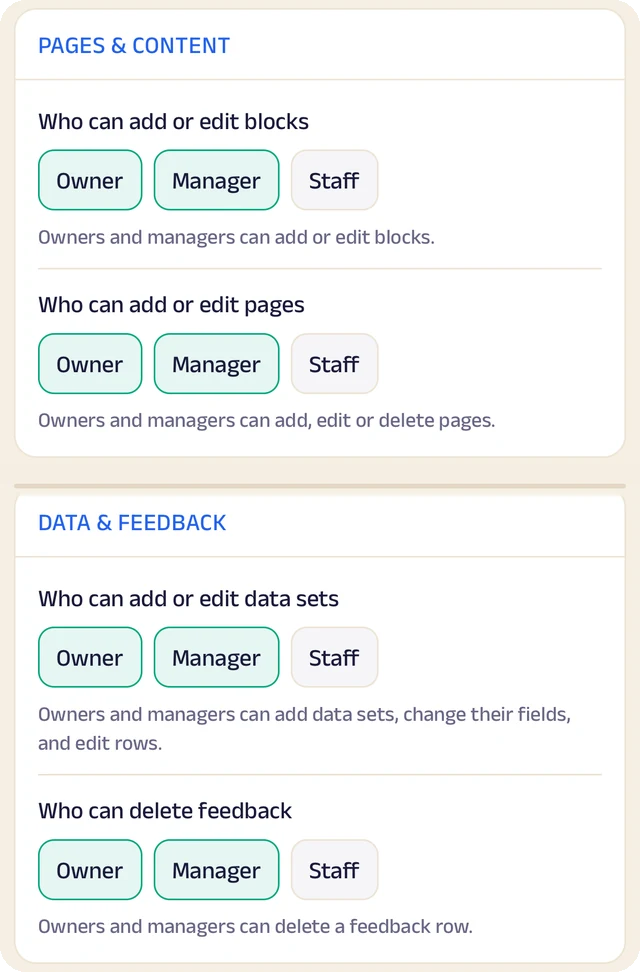
Permissions
Who can edit your page and change prices, role by role.
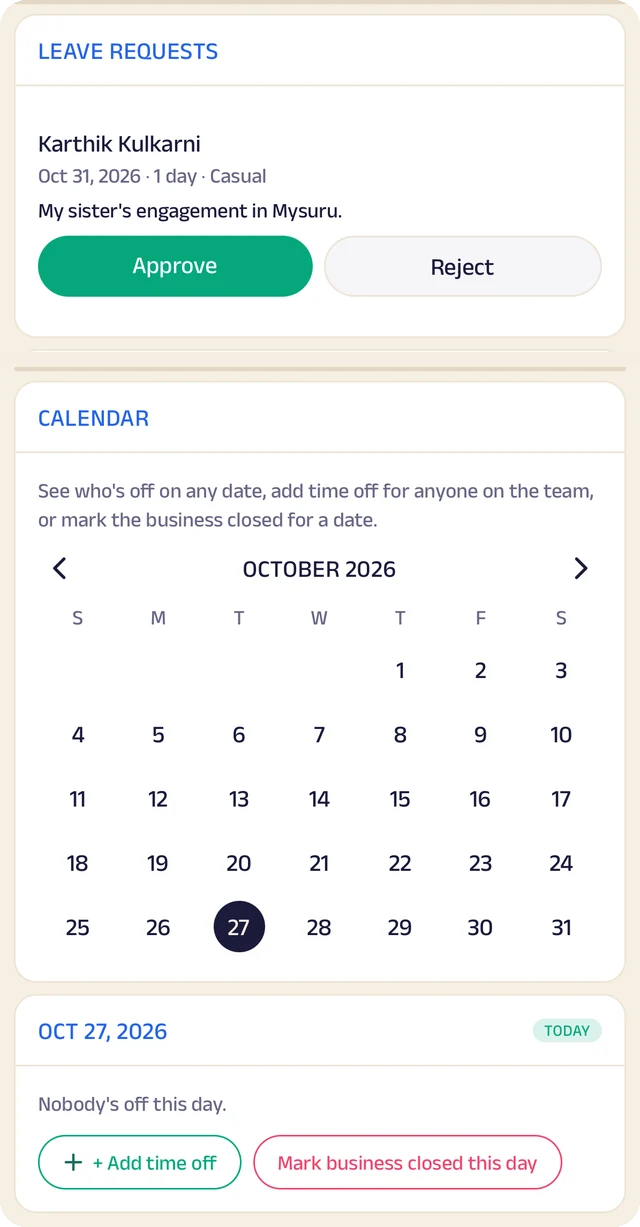
Time off
A calendar of who's off and which days the business is closed.
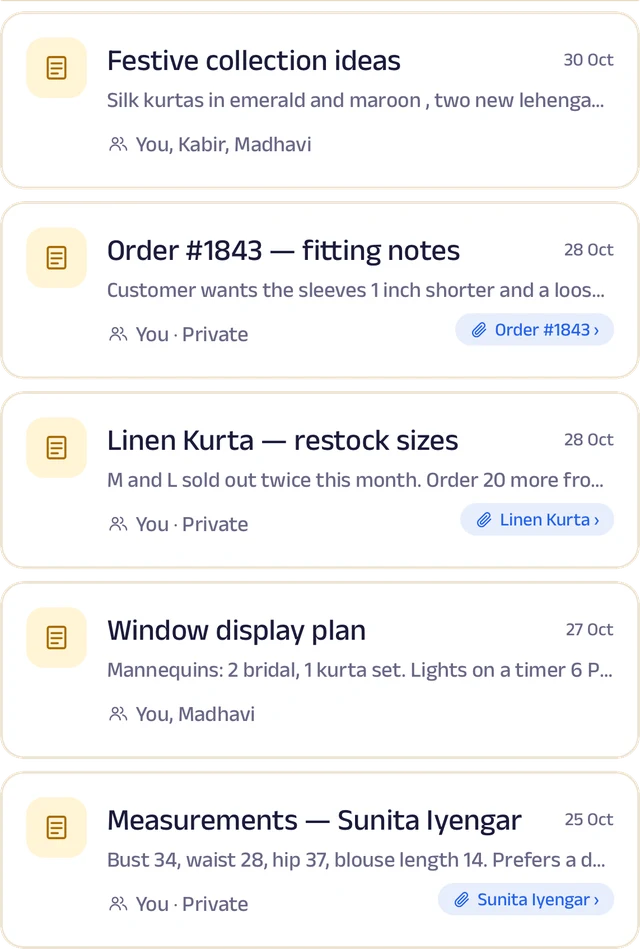
Notes
Notes with photos and voice, some linked to an order or a customer.
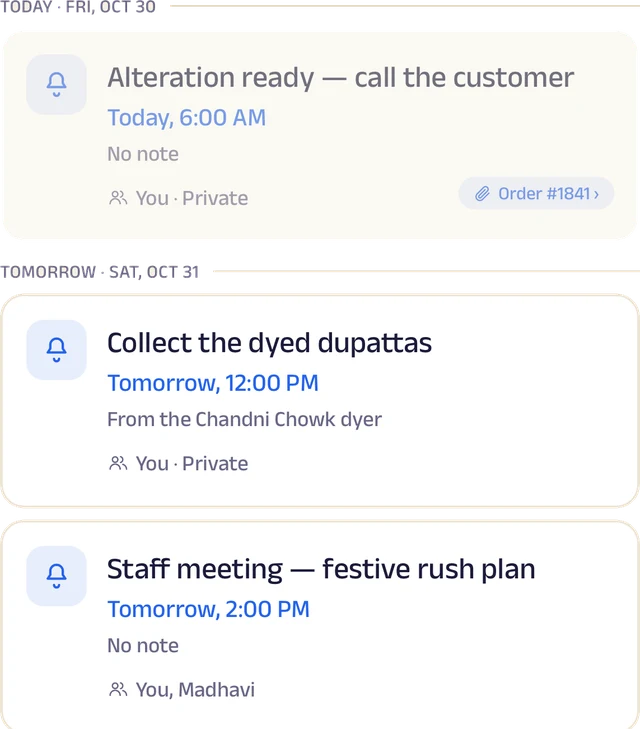
Reminders
Once or on repeat, shared with the team and linked to an order.
Roles and access
Add your your team by phone number and give each a role: owner, manager or staff. You choose who can edit your page, change prices or assign bookings, and you can freeze someone's access in a tap. Payment details stay with the owner.
Leave and holidays
Staff request casual, sick or unpaid leave for a full day or a few hours, and you approve it. Everyone sees who's off today, and days the whole service business is closed show on every calendar.
A ledger for each person
Each team member's running account with the business: advances, money paid back and expense claims. Staff ask, you approve, and a statement is ready to share for any period.
My Space for everyone
Each person gets their own calendar with to-do lists, notes and reminders, and the owner sees the whole team.
Track your growth
Kept as you work, not typed up at the end of the month.
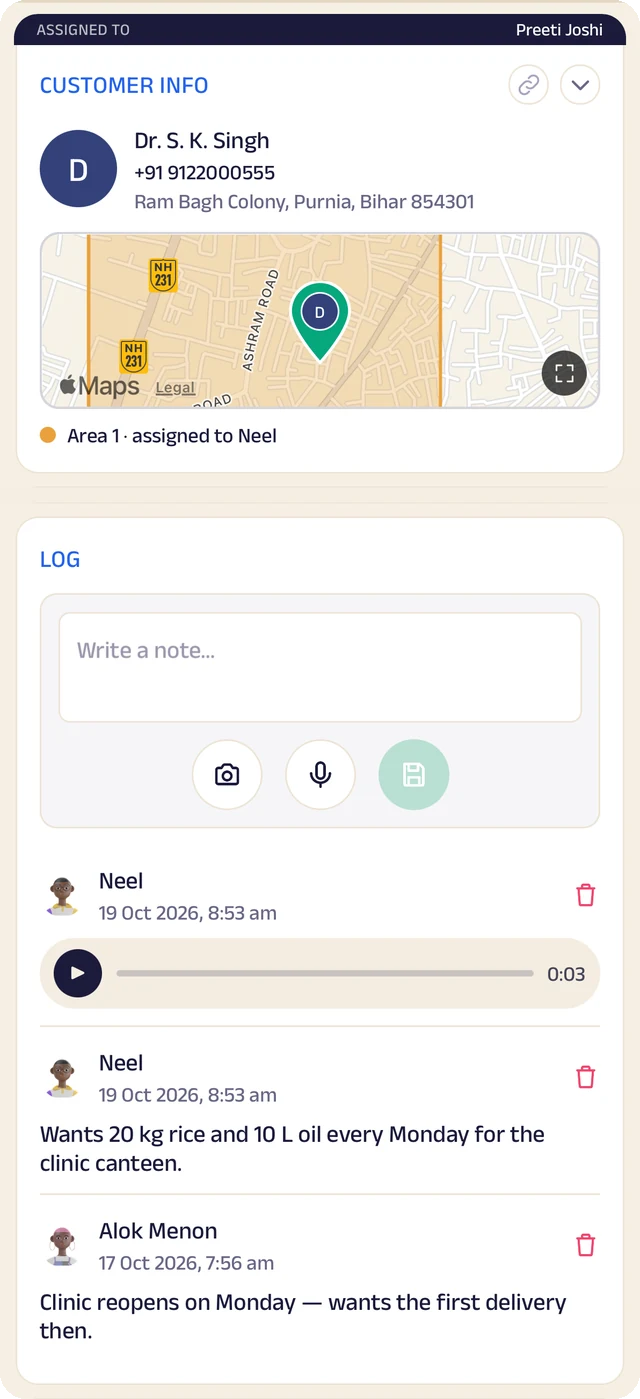
Customer record
One customer's record: details, a map pin and the team's notes.
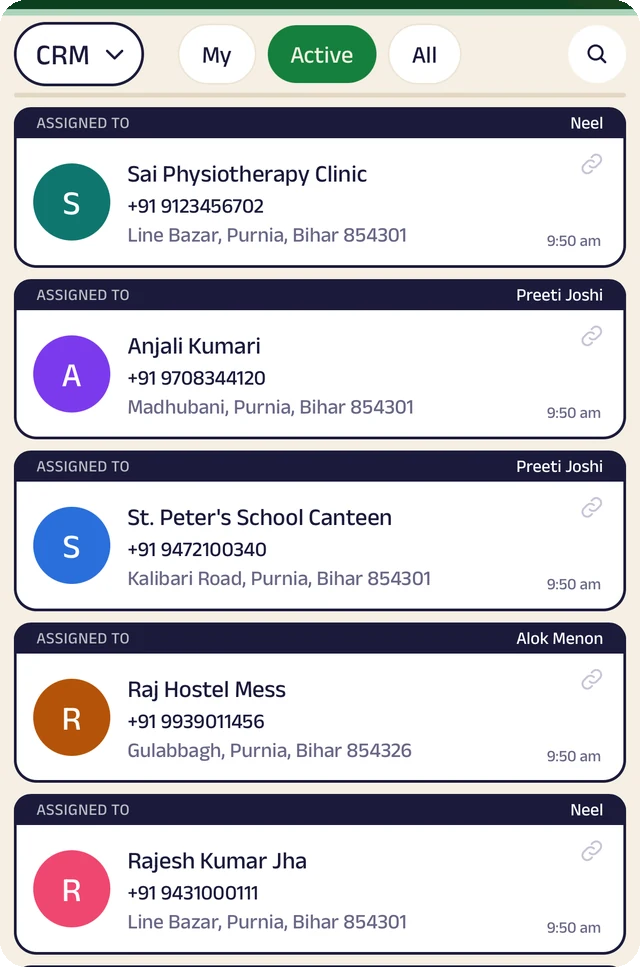
Customer list
Customers assigned to the people who look after them.
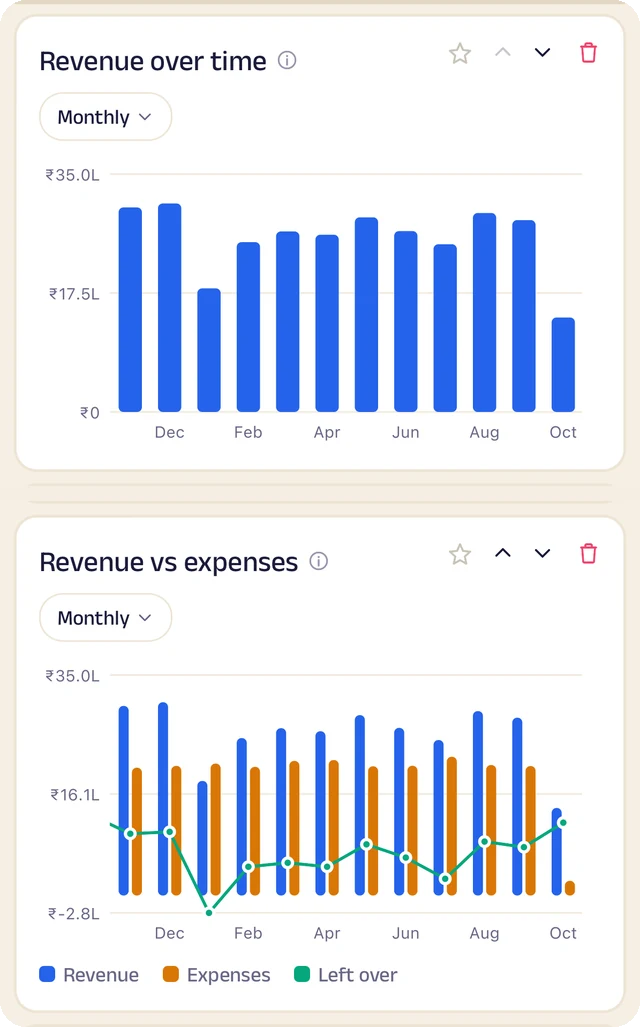
Revenue
Revenue month by month, and what's left after expenses.
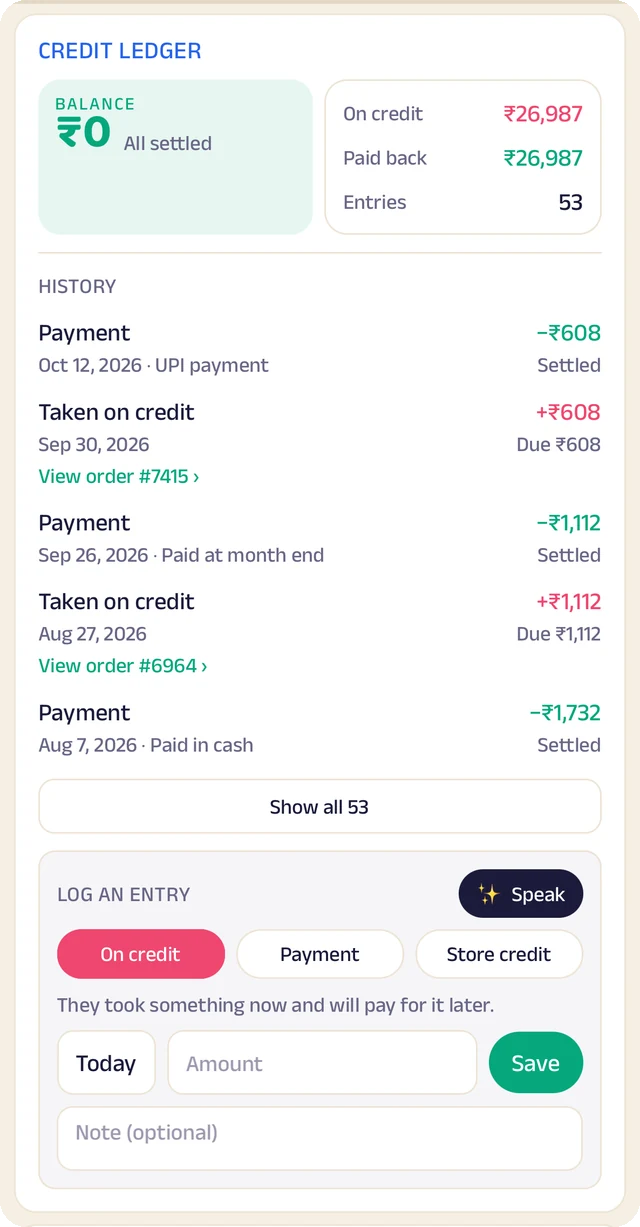
Credit book
Every credit and payment by customer and date, with the balance on both sides.
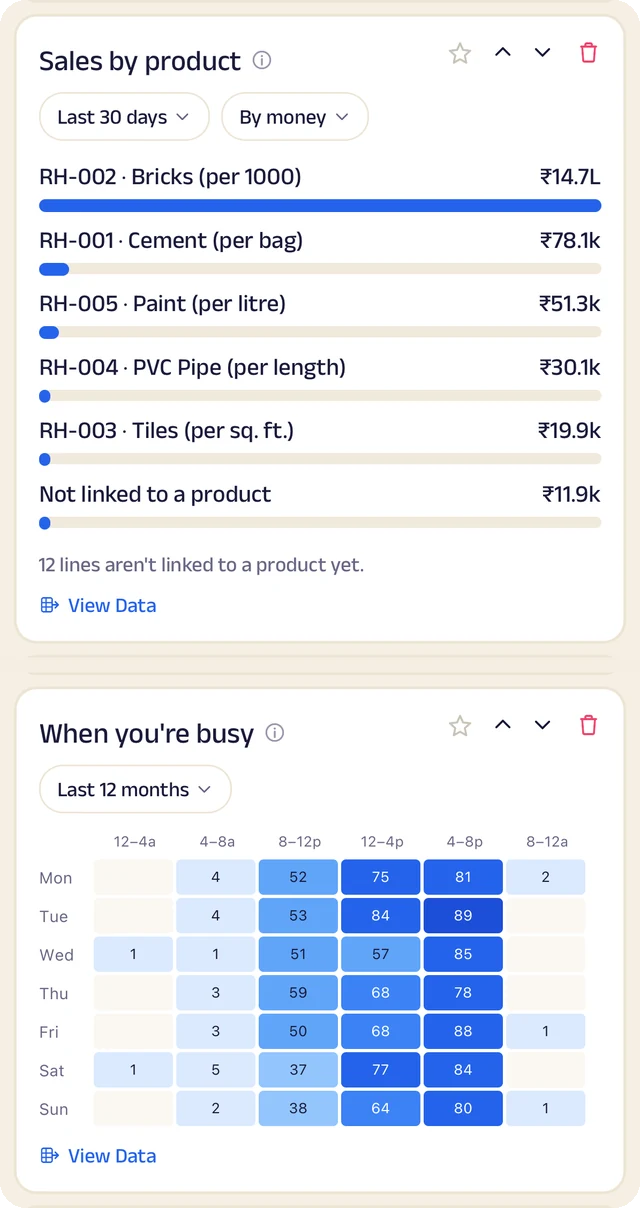
What sells
What sells, and the hours you're busiest.
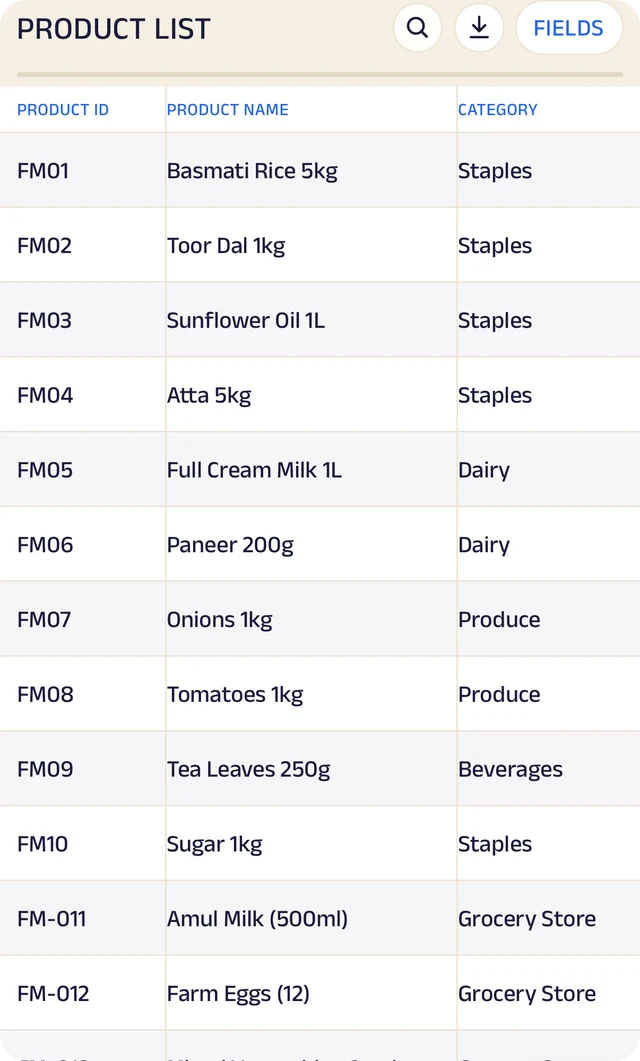
Products
Your products, with codes, names and categories.
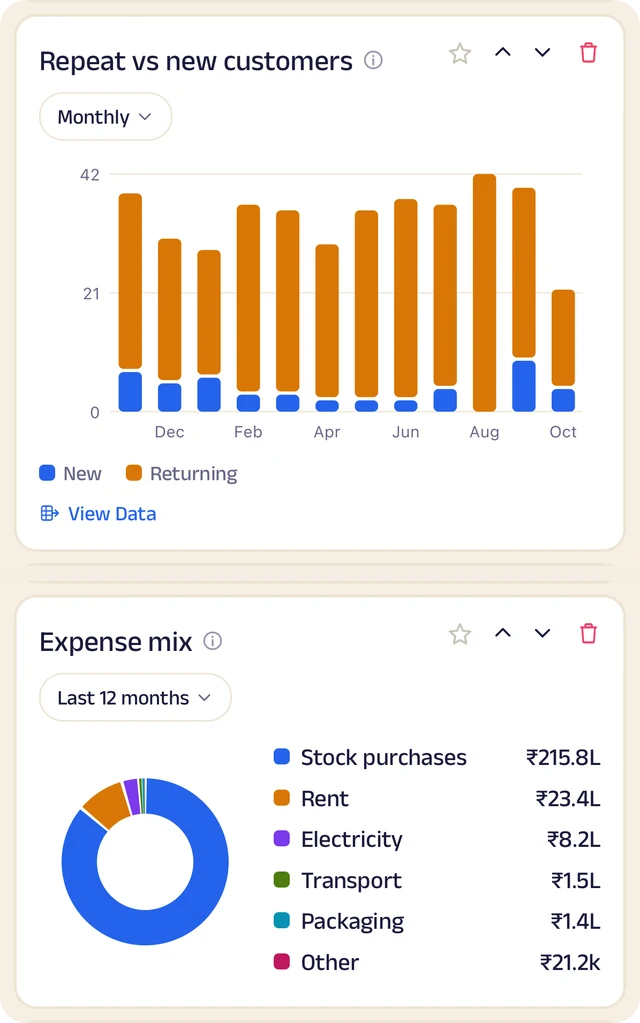
Customers and costs
Repeat against new customers, and where the money goes.
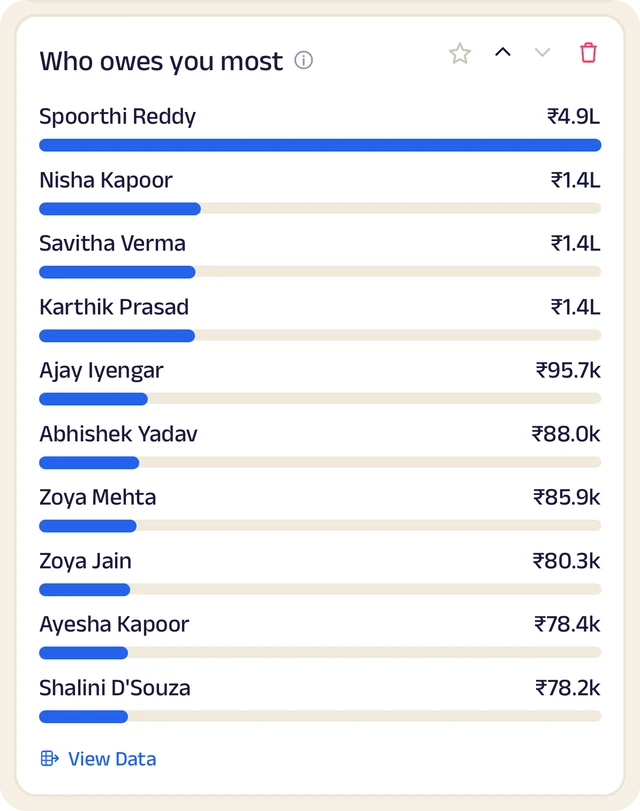
Who owes most
Who owes you the most, ranked.
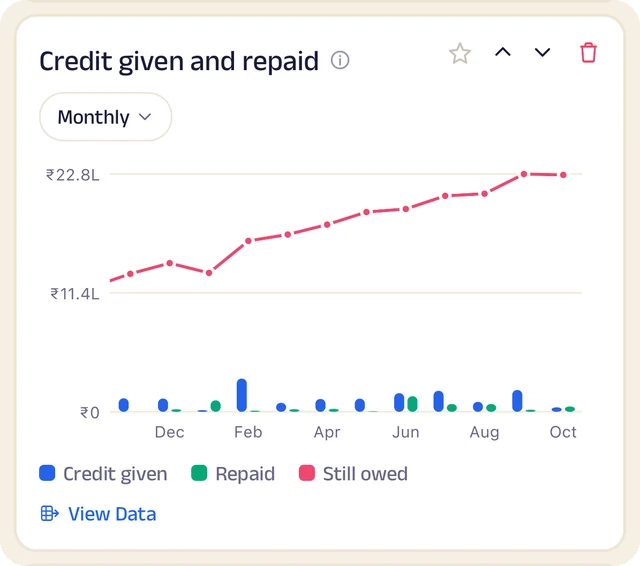
Credit history
Every credit entry as a table you can search.
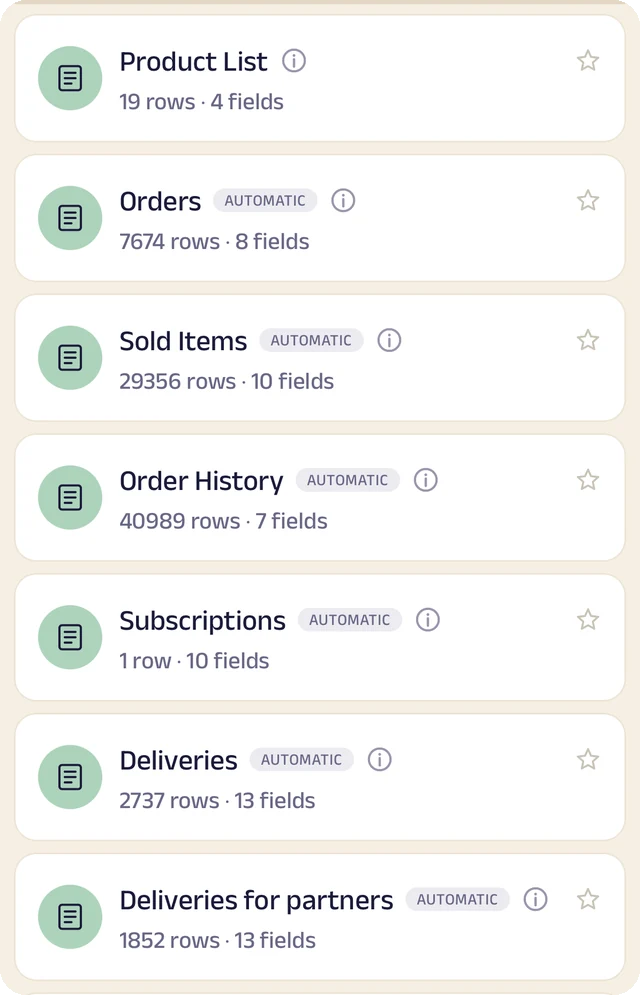
Your tables
Every table in one menu, each with its row count.
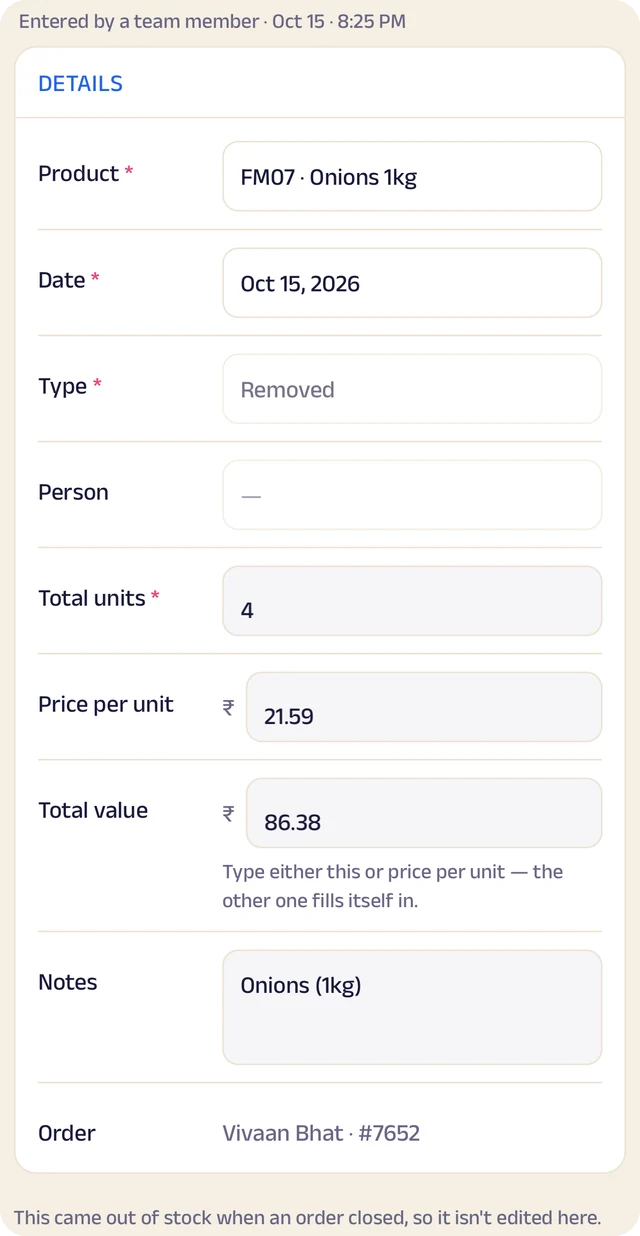
Stock entry
A stock entry: what came in, at what cost, from whom.
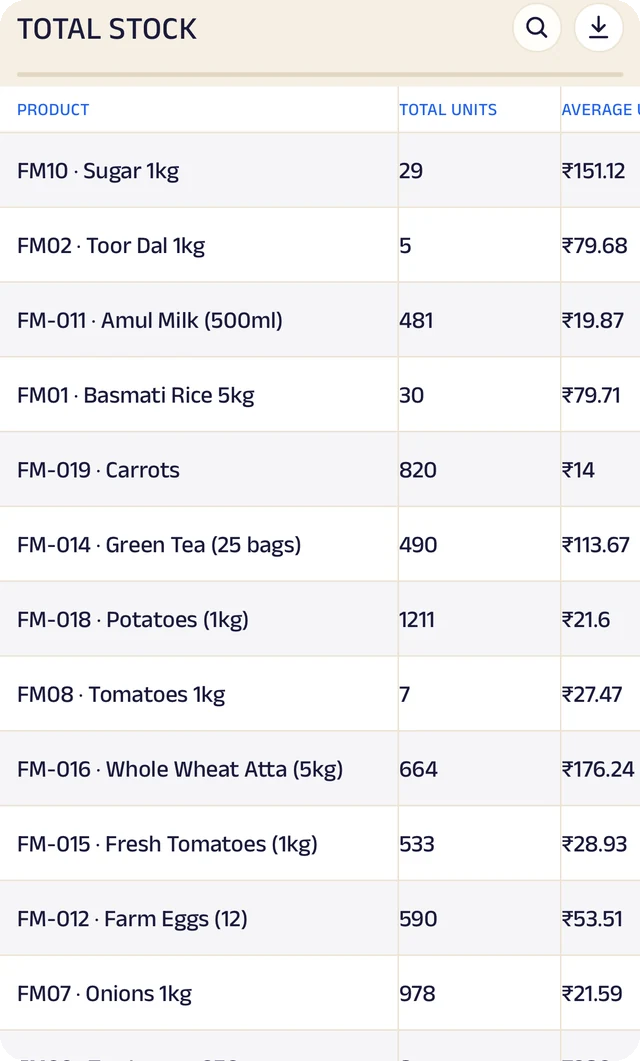
Total stock
Total stock and its average cost, worked out for you.
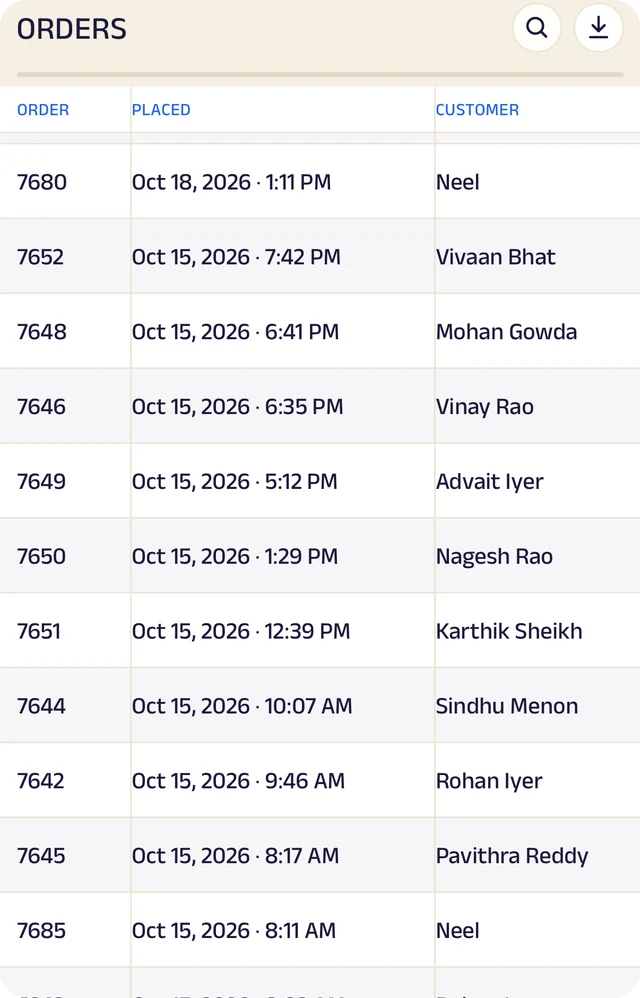
Expenses
Expenses as a table, ready to search or download.
Product stock
List the products you sell once, record what comes in with its cost and supplier, and let sales take it out. A barcode or product code finds anything in seconds.
Credit ledger
Credit given to regulars is written down properly. Customers see the same balance you do, and you always know who owes you most.
Customer management
Every customer has a record the right people can see and add to, with notes, photos and who looks after them.
Analytics
Thirty charts across sales, money and stock. See your busiest hours, what sells, and repeat against new customers, for this week, month or year.
Your data, yours to take
Every table in the app is searchable and can be downloaded as a CSV for your accountant or your own spreadsheet.
The Assistant
Say an order out loud or photograph a bill and it becomes a record for you to review. Nothing is saved until you approve it.
Everything here is on the Businesses page in detail, with the app's real screens. See the Businesses page
Join the pilot
Set up your service business's page.
The pilot is completely free. After it, you can start free: the Free plan covers 30 orders a month, with every feature open (the AI Assistant is free during the pilot, then on paid plans). When you need more, plans start at ₹199 a month, based on how many orders or bookings you handle. There's no commission and no per-order fee, and as a pilot member you lock in your rate. Setup and training are free.
Free
₹0
30 orders or bookings a month
Starter
₹199 a month
Up to 100 orders or bookings a month
Growth
₹499 a month
Up to 300 orders or bookings a month
Pro
₹999 a month
Up to 1,000 orders or bookings a month
Every feature is open on every plan. The AI Assistant is free for everyone during the pilot, then comes with paid plans. Every order counts. Prices include GST. More than 1,000 a month, or 5 or more people on your team? We'll agree a plan with you.