
For bakeries, home bakers, tiffin services and sweet shops
Your kitchen's own page, in one link.
Customers browse your menu, order by tap or by voice, pick a delivery or pickup time and message you from one page that carries your name, your colours and a QR code for the counter. It isn't a marketplace, and we take no commission on what you earn.
The pilot is completely free. After it, free to start: 30 orders a month, no card. Paid plans from ₹199 a month. No commission.







Pick a bakery to see its page. These are demonstration businesses built on Zich World. Each one chose different gadgets for how it works. Open any of them live.
Home bakery
Sweet Crumb Bakery
A home bakery that runs everyday bread and wedding cakes from one kitchen.
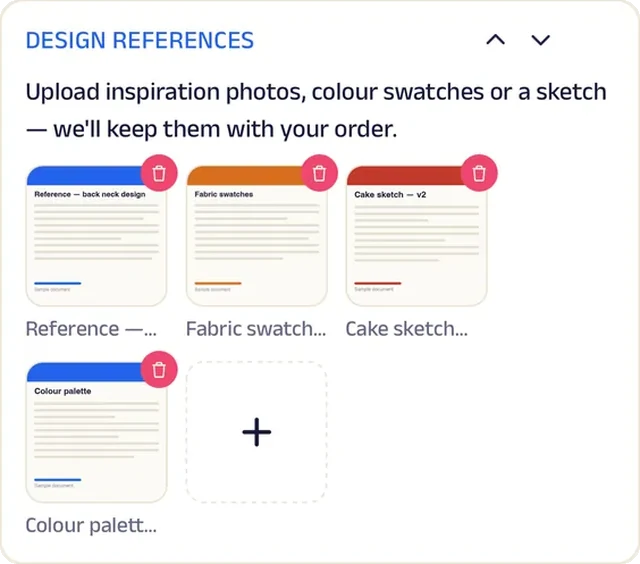
Wedding cakes used to begin with a long phone call and a blurry photo. Now every custom cake starts as a brief: occasion, size, flavour, allergies and the message on top. Customers upload reference photos and colour swatches, and the baker keeps them against the order, so the first sketch is already close.
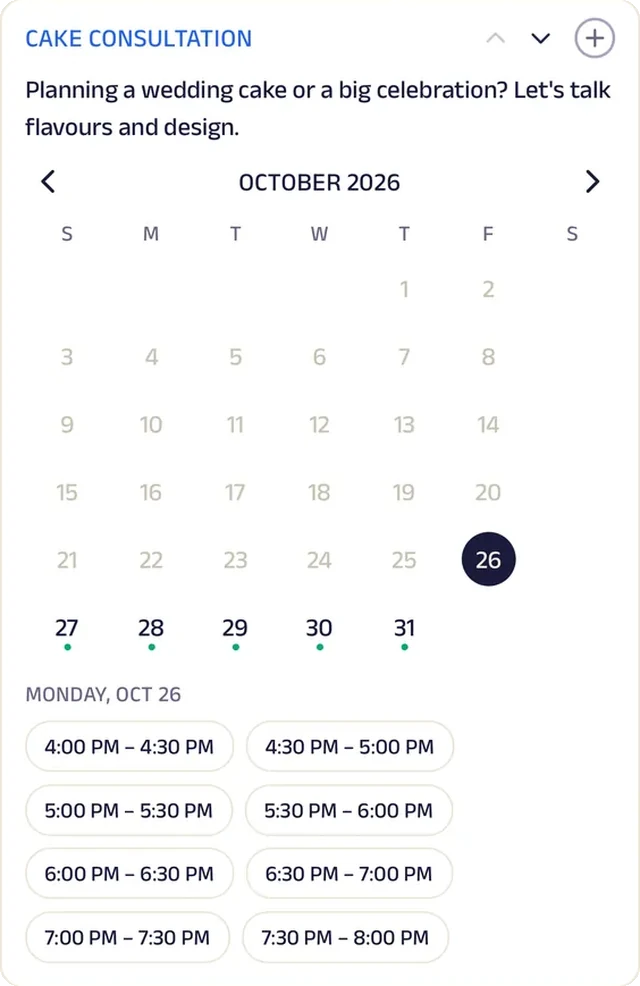
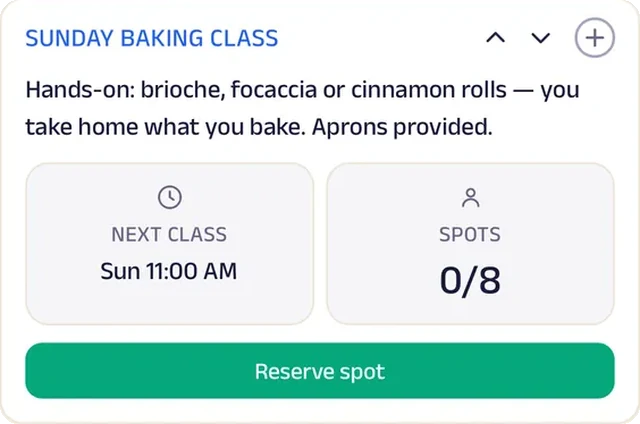
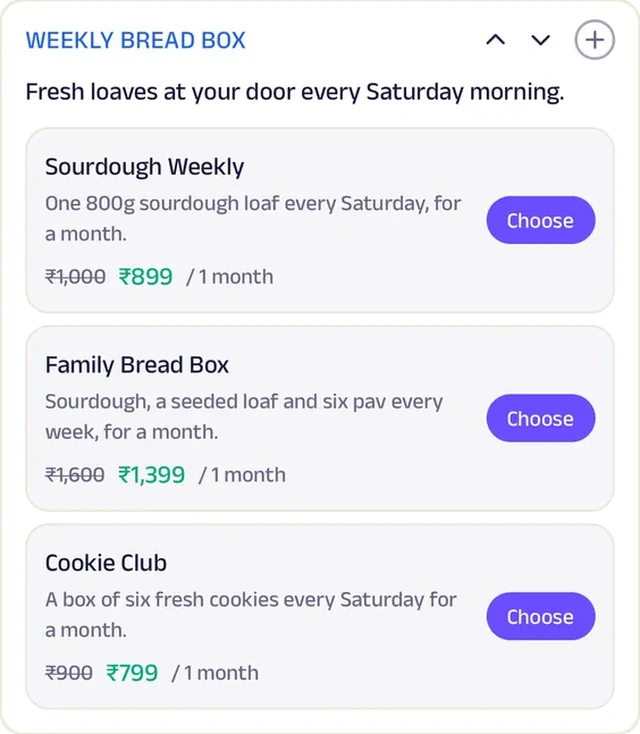
Couples book a tasting slot to plan the wedding cake, while everyday breads, cookies and cakes sell by the piece. A weekly bread box brings a sourdough loaf every Saturday, and Sunday baking classes seat eight who take home what they bake. Crumb Club earns the best customers a free slice with every cake, this week's poster offers a free cupcake with every birthday cake, and favourites go back in the cart in one tap. One home kitchen now runs a bread subscription, a baking school and a wedding-cake studio side by side.


Forms. A custom cake starts as a brief — occasion, size, flavour, allergies, the message on top — so the first sketch is already close.
Gadgets at work
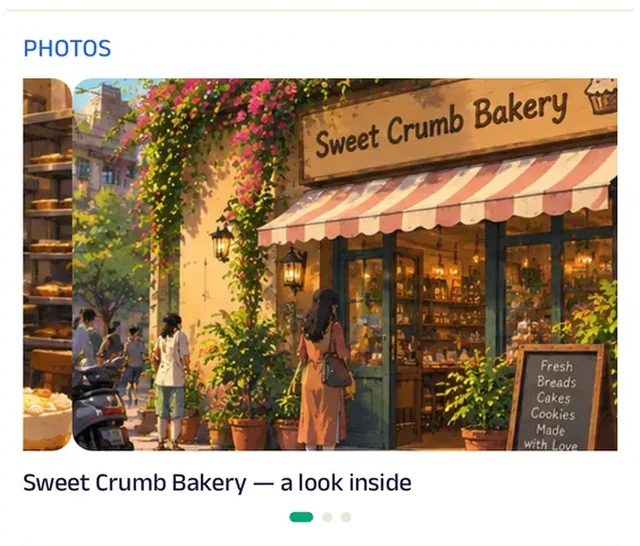
Photo gallery
A gallery of past wedding and birthday cakes shows the range, so customers point at a style instead of describing it.
Add docs
Customers upload reference photos and colour swatches, and the baker keeps them against the order.
Appointment
Couples book a tasting slot to plan the wedding cake.
Reserve spot
Sunday baking classes seat eight; people reserve a spot and take home what they bake.
Subscriptions
A weekly bread box arrives every Saturday, on a monthly plan that renews itself with a reminder.
Loyalty
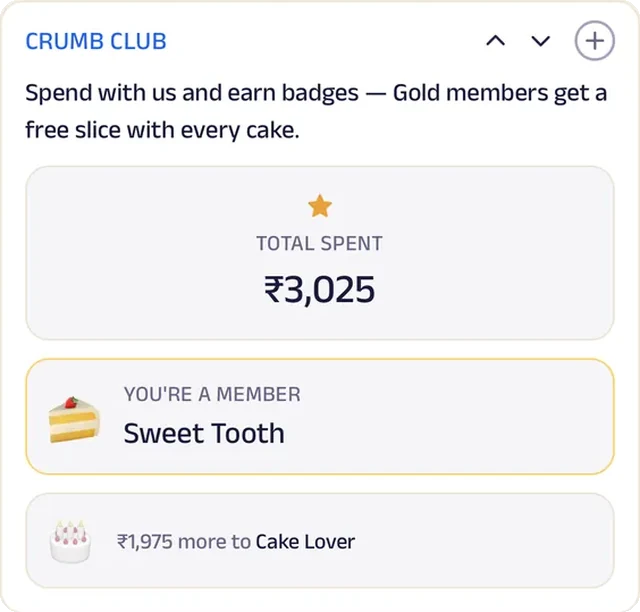
Crumb Club tracks spend, so the best customers earn a free slice with every cake.
Reviews
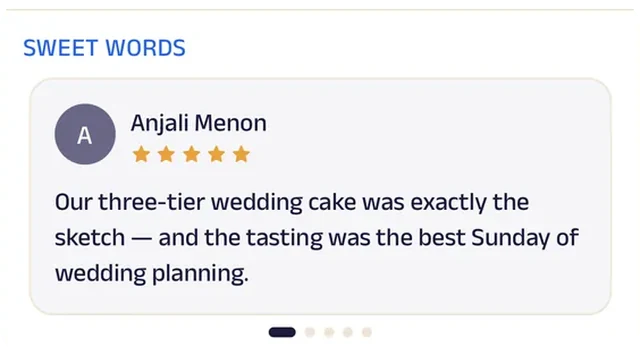
Customers' notes about their celebration cakes do the convincing for the next nervous bride.
Sweet Shop
Annapurna Mithai
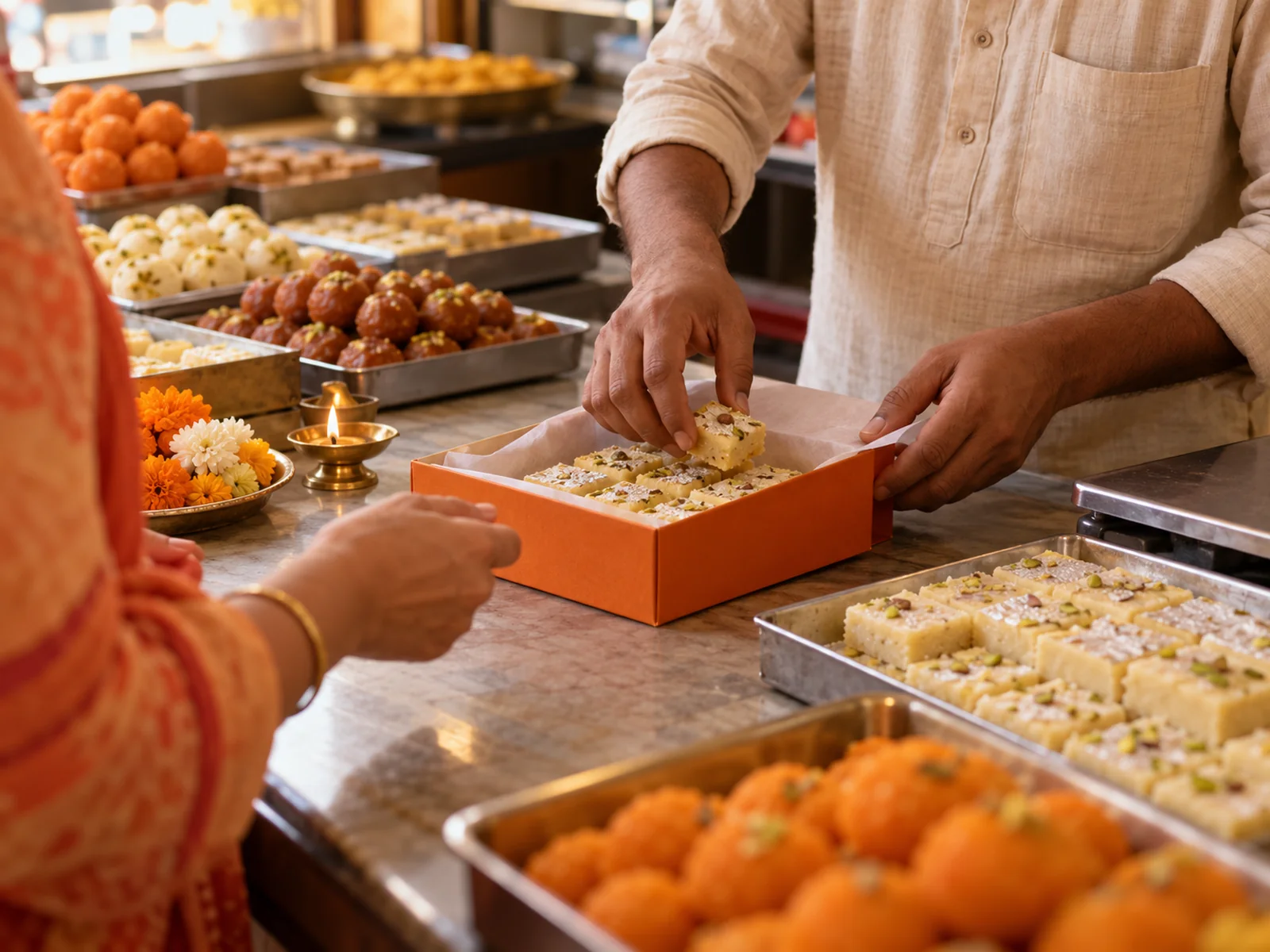
A sweet shop that packs the day's pick and the festival's gift boxes.
Fresh sweets used to run out by noon for some customers and go unsold for others. Now each evening the shop offers a few sweets for tomorrow; customers pick one and it's hand-packed for them, so the kitchen knows what to make.
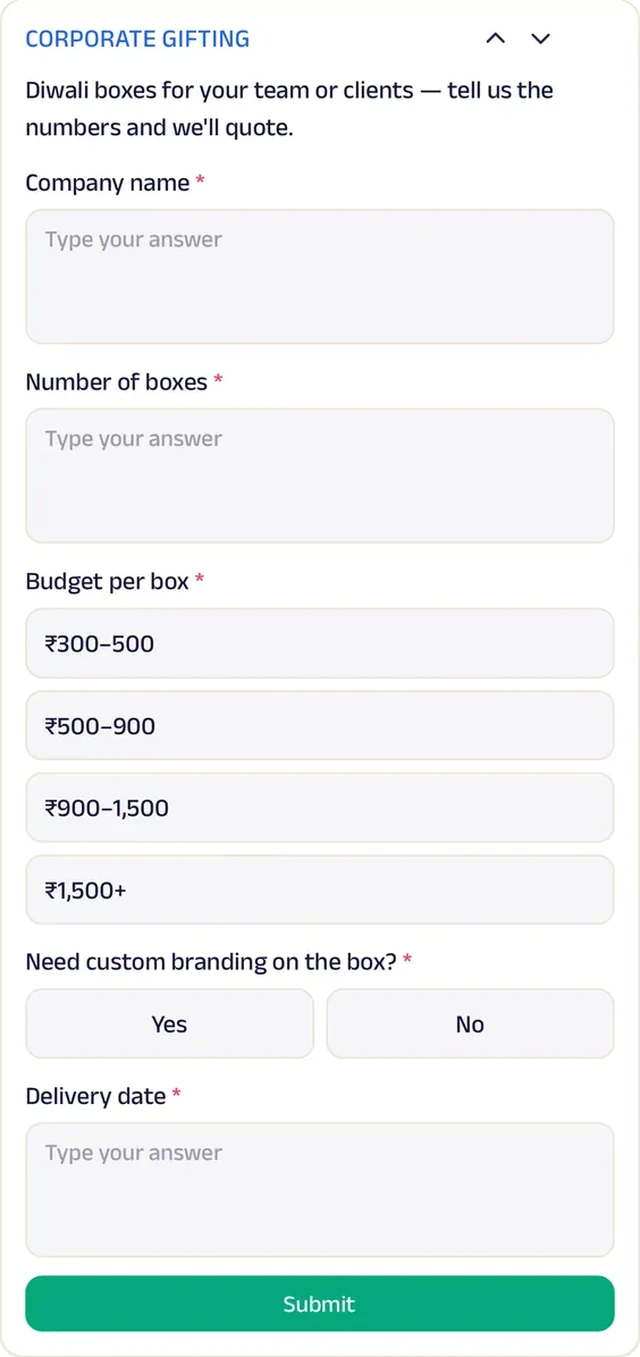
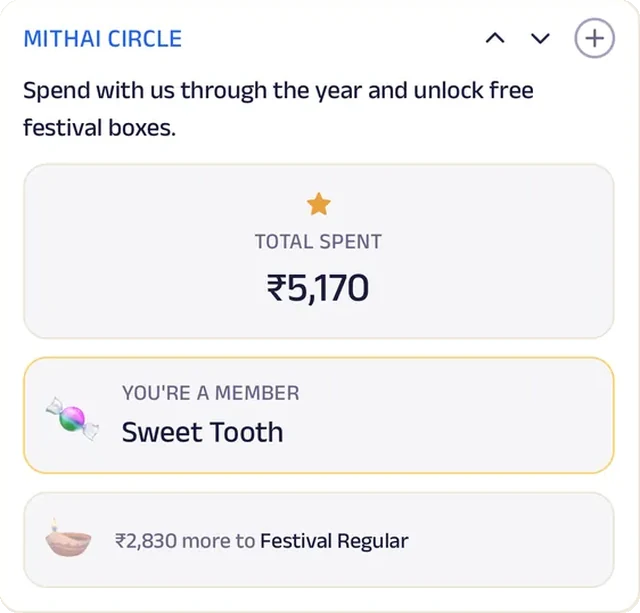
Gift boxes and loose mithai are priced by the kilo, with festival boxes added before each season. Corporate gifting comes in as a form with the company, number of boxes, budget per box, branding and delivery date, and the details are settled in chat before the order goes in. Mithai Circle counts the year's spend towards a free festival box, and last Diwali's box or the regular kilo goes back in the cart in one tap. A family sweet shop now handles daily pre-orders and company gifting orders as smoothly as a big brand with a sales team.


Daily pick. Each evening the shop offers a few sweets for tomorrow; customers pick one and it's hand-packed for them.
Gadgets at work

Photo gallery
Photos of the counter and the packed gift boxes show what arrives at the office, before anyone orders a hundred.
Chat
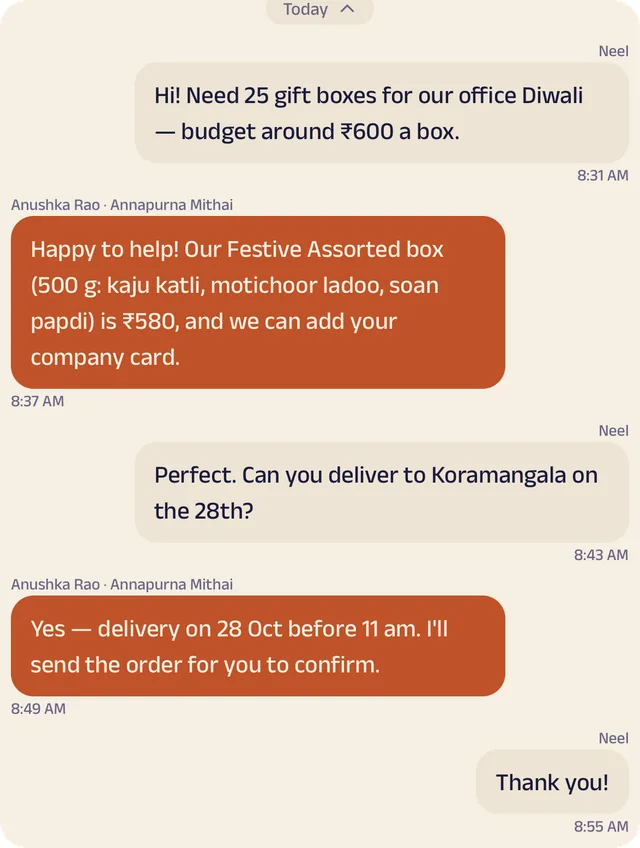
Corporate orders get sorted in chat — box, budget and delivery date agreed before the order goes in.
Location
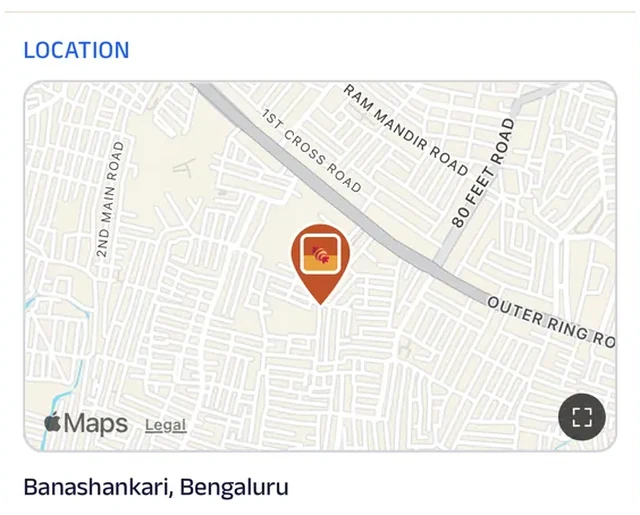
The shop is pinned on the map for the evening crowd who'd rather choose off the counter themselves.
Forms
Corporate gifting is a form: company, number of boxes, budget per box, branding and delivery date.
Loyalty
Mithai Circle counts the year's spend, unlocking a free festival box.
Reviews
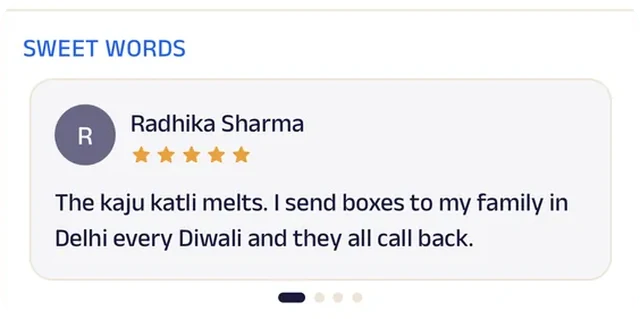
Families write about sweets that taste the way they remember, and that's what brings the next festival order.
Tiffin Service
Anita's Tiffin Service
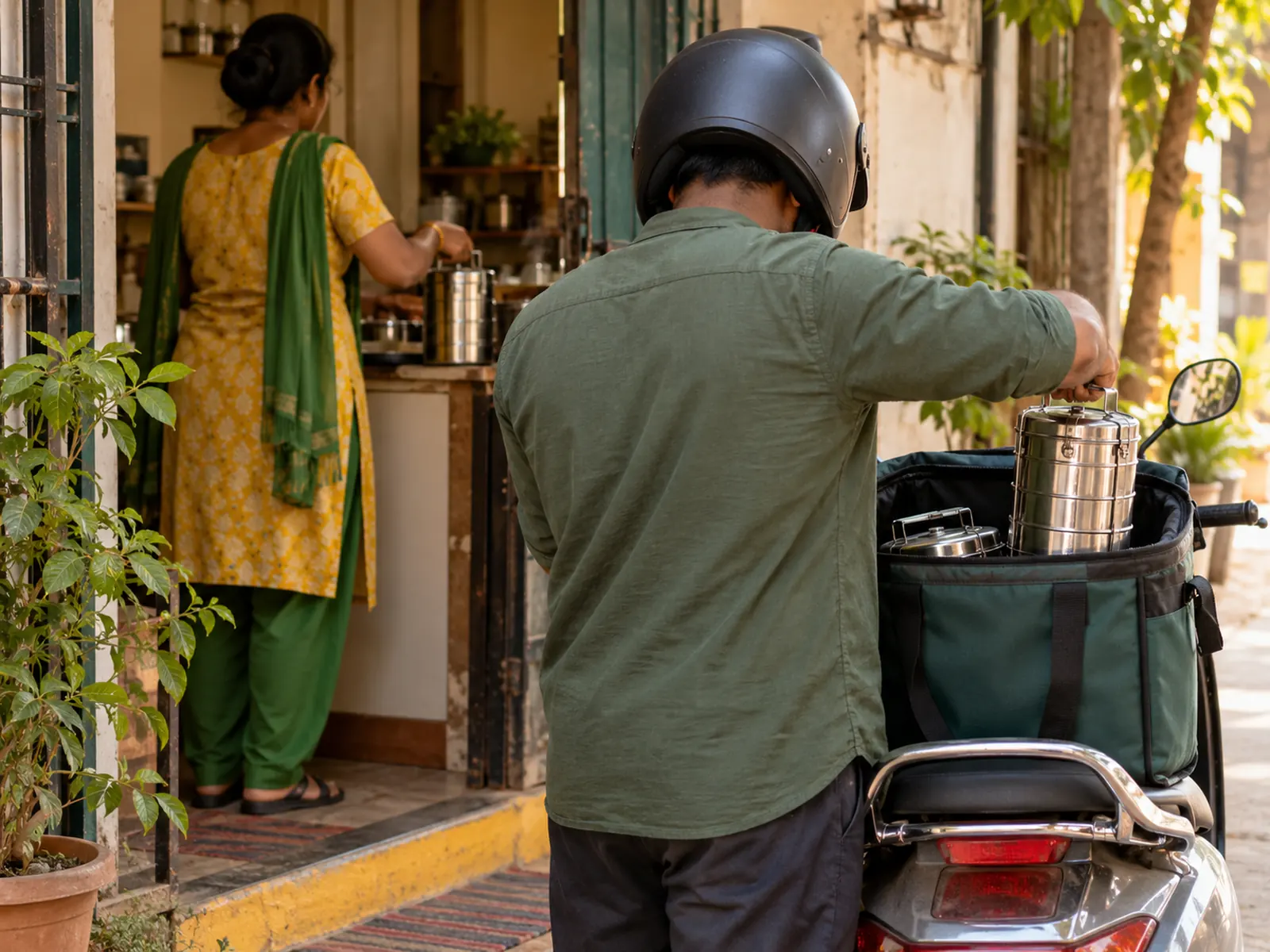
A tiffin service you can skip, swap and customise from your phone.
Changes to a tiffin used to arrive as late-night calls: skip tomorrow, no sweet, one extra roti. Now customers tick them off on a skip-and-change list, and Anita's kitchen plans by 8 pm with every change already in front of her. Nothing depends on remembering a phone call.
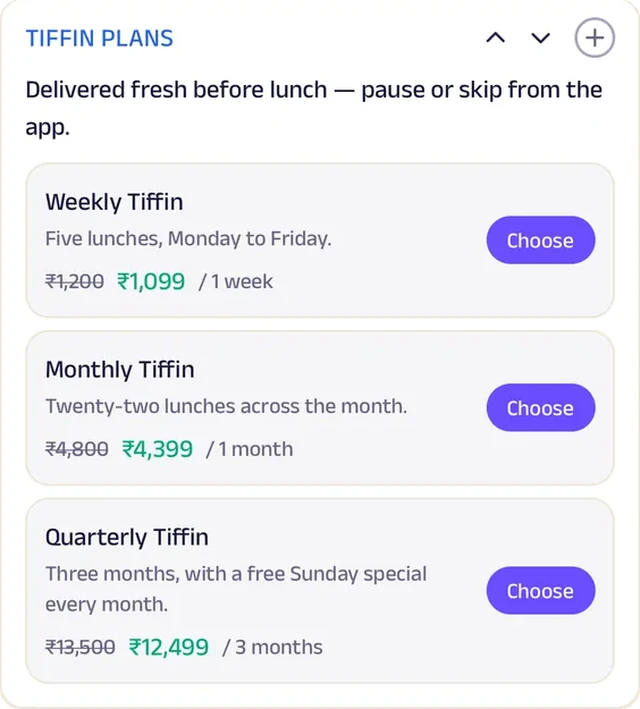
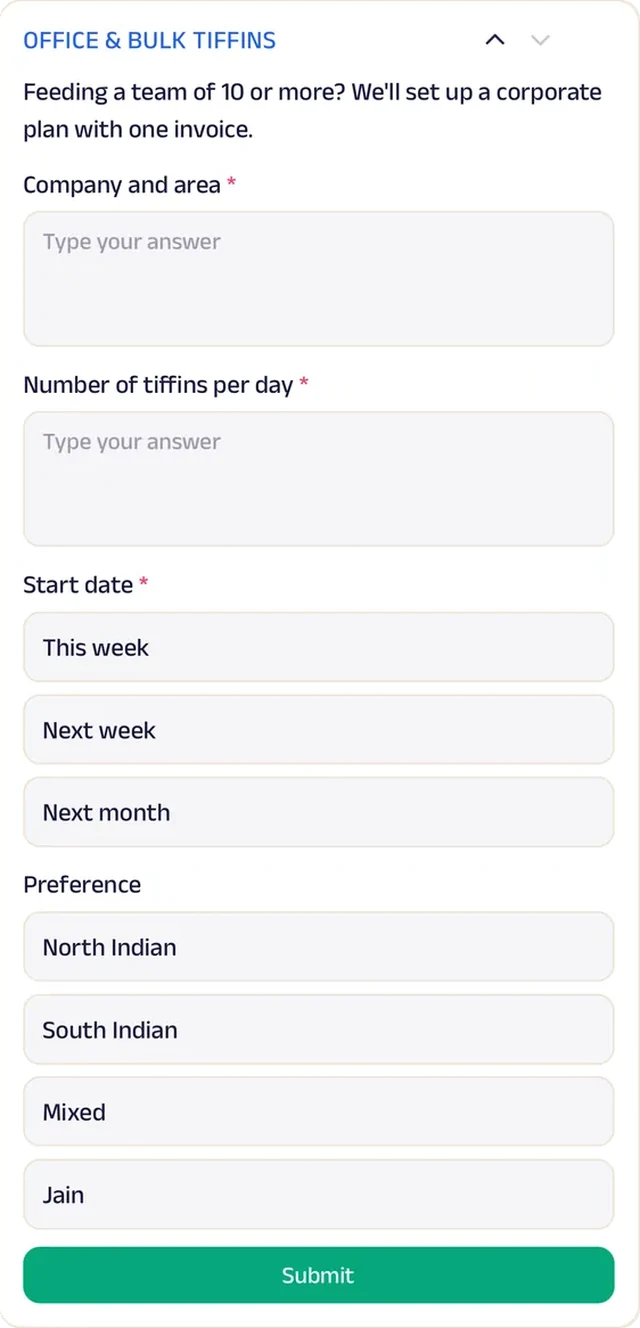
Weekly, monthly and quarterly tiffin plans each renew with a reminder, and subscribers choose today's sabzi before 9 am from three options, so the meal changes while the plan stays the same. Offices set up a team plan with company, tiffins per day, start date and cuisine. Anyone who wants just one meal can order a single tiffin, priced up front, or reorder their last one in a tap. A home kitchen now handles personal plans, office accounts and daily choices without a single missed message.


Tasks. A skip-and-change list lets customers tick tomorrow off, add a roti or skip the sweet — the kitchen plans by 8 pm.
Gadgets at work
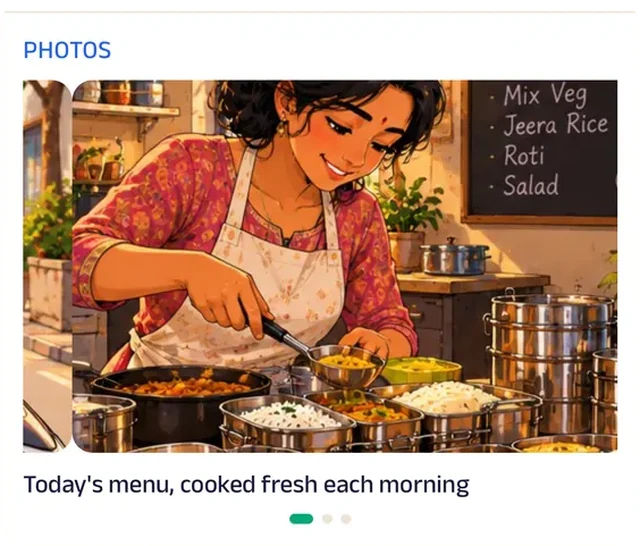
Photo gallery
Photos of a packed tiffin, compartment by compartment, show new customers what lunch looks like.
Chat
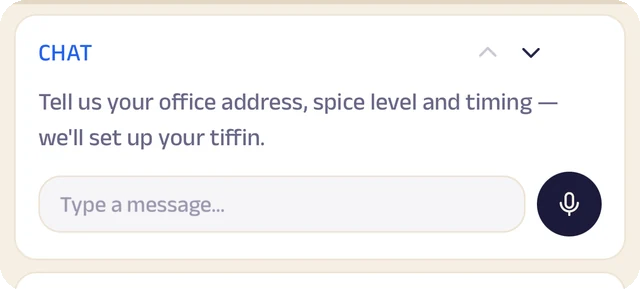
Tell Anita your office address, spice level and timing, and she sets up your tiffin.

Location
The delivery zone is drawn on the map, so an office worker can check whether Anita's riders reach their building before signing up.
Subscriptions
Weekly, monthly and quarterly tiffin plans each renew with a reminder.
Forms
Offices set up a team plan: company, tiffins per day, start date and cuisine.
Reviews
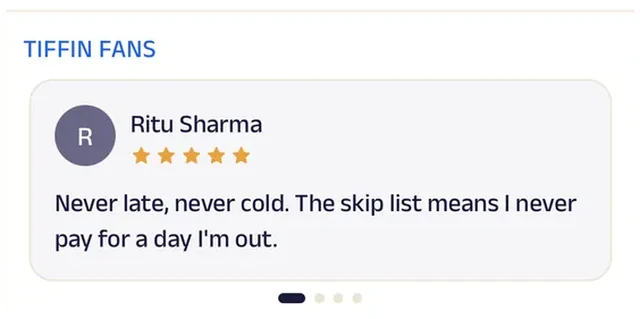
Regulars say it's never late and never cold, and the skip list means no paying for days away.
Home Cook
Meera's Home Meals
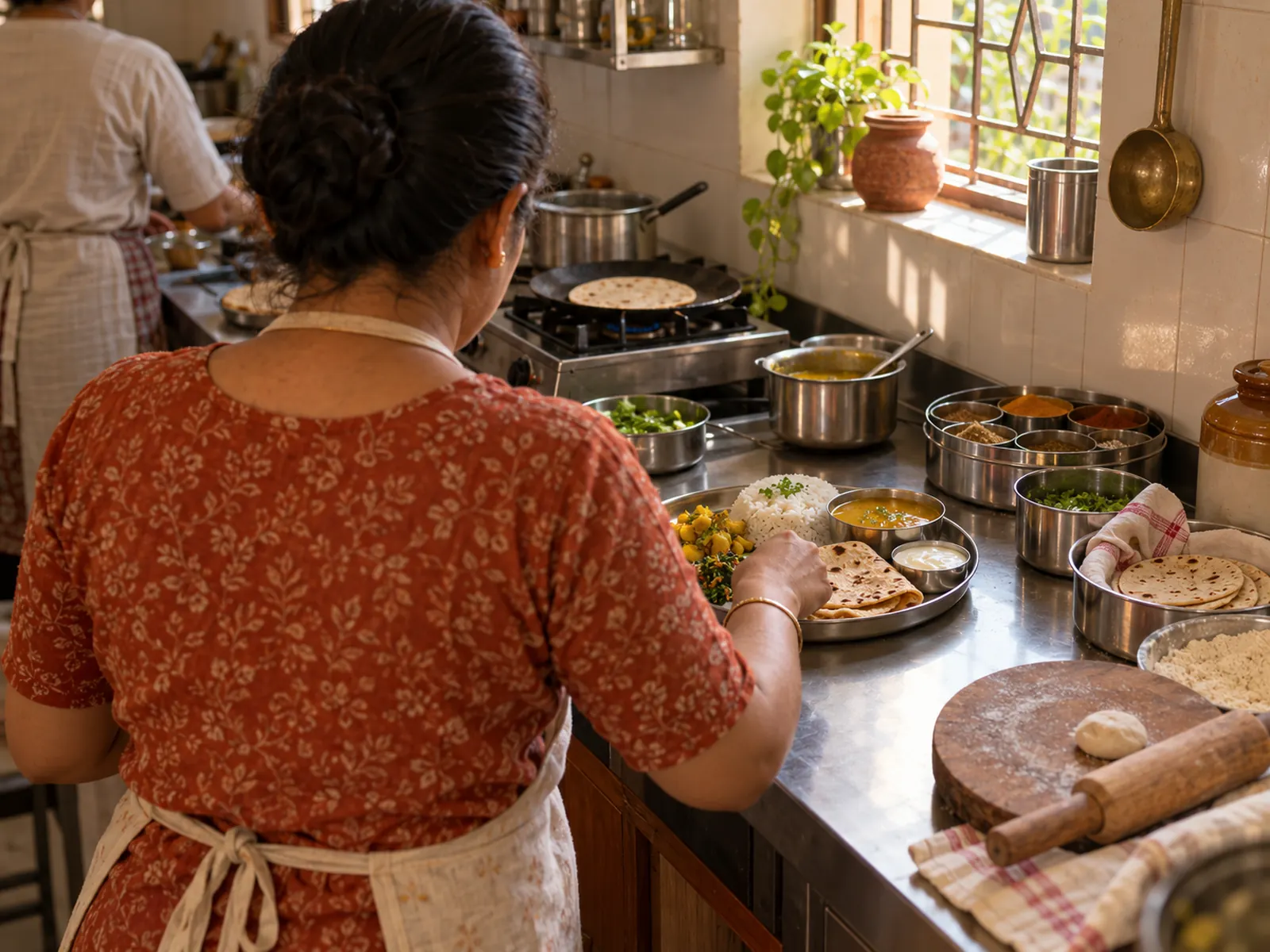
A home kitchen that cooks lunch to each customer's preferences.
Meera cooks lunch in her own kitchen for families and office-goers nearby. She used to take orders on WhatsApp and keep everyone's likes and dislikes in her head. Now each customer ticks their own preferences — less spicy, no onion, extra roti — and Meera reads the list before she cooks.
Weekly and monthly lunch plans renew with a reminder. Each morning, plan customers choose the day's sabzi before 9, so the plate changes while the plan stays the same. Regulars climb "Meera's Table" towards a free festival thali, and anything special — a guest coming, a day to skip — is settled in chat. One cook with one stove runs subscriptions, a daily menu and a loyalty scheme, like a tiffin company with a staff of twenty.


Daily pick. Plan subscribers choose their sabzi of the day before 9 am — the plan stays the same, the plate doesn't.
Gadgets at work
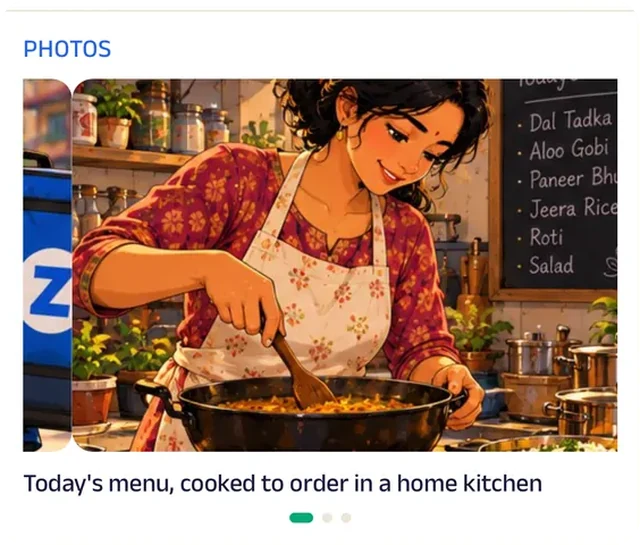
Photo gallery
Photos of the day's plates, straight from the home kitchen, show exactly what arrives at the desk.
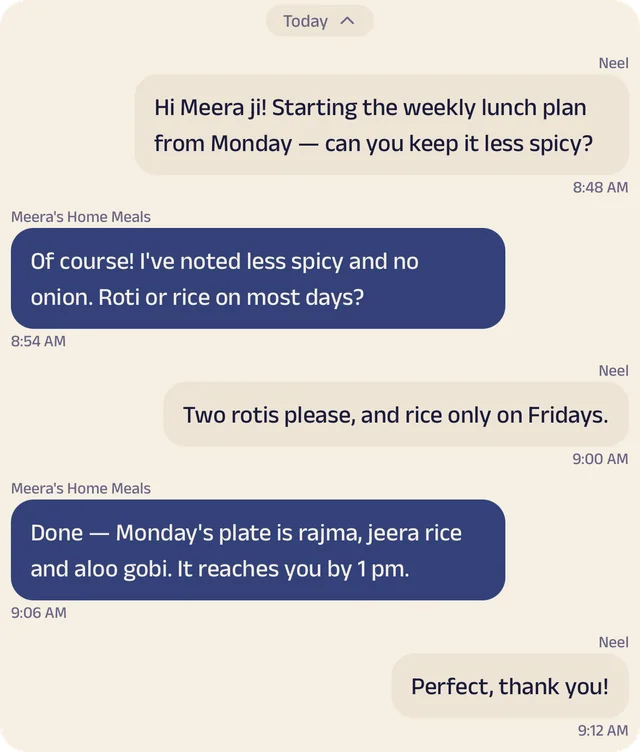
Chat
Customers set up their plan in chat — less spicy, two rotis, rice only on Fridays.
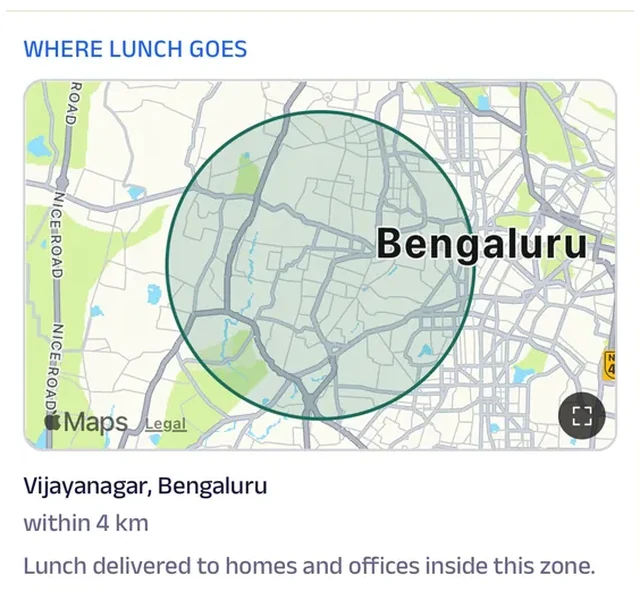
Location
The lunch delivery zone is drawn on the map, so a nearby office knows before subscribing whether Meera's dabbas reach it.
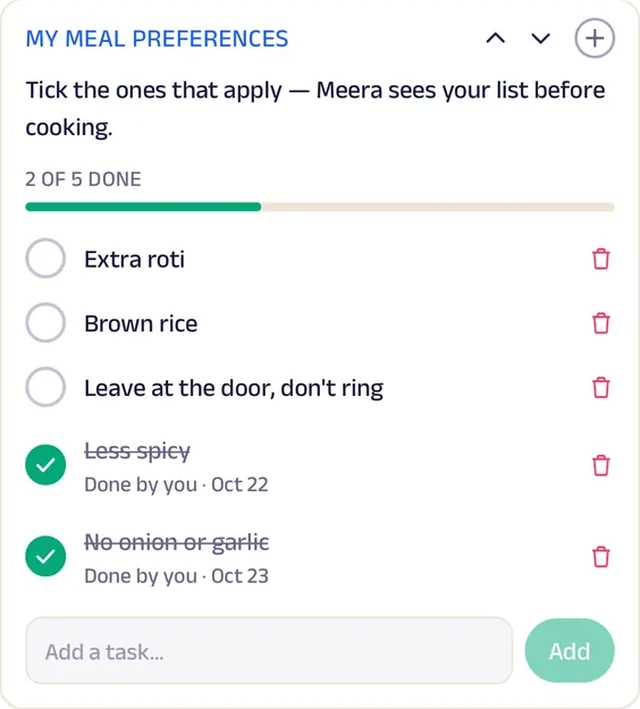
Tasks
Each customer ticks their preferences — less spicy, no onion, lighter on oil — and Meera sees the list before cooking.
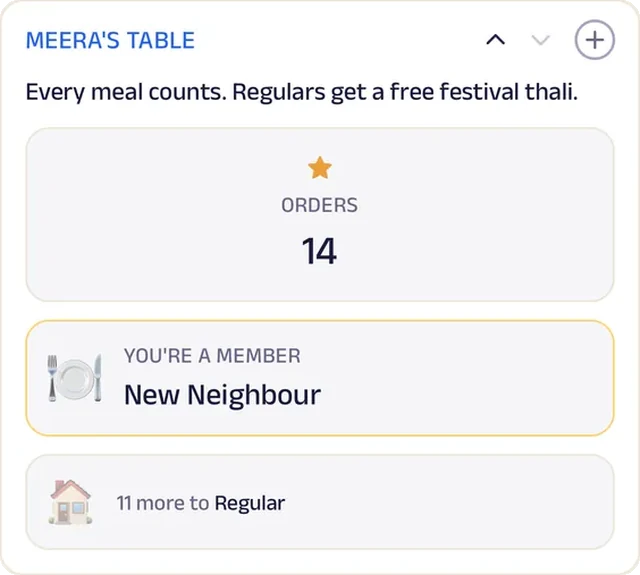
Loyalty
Meera's Table counts every meal, and long-time regulars get a festival meal on the house.
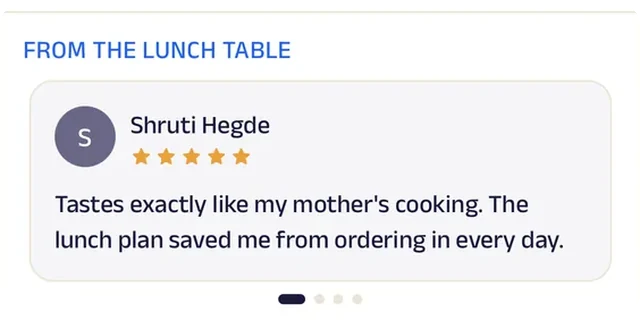
Reviews
Office regulars write that it tastes like home, which is the only promise a home kitchen makes.
Kulfi Cart
Pappu's Kulfi Cart
A kulfi cart that moves around the neighbourhood, and customers always know where it is.
Pappu's regulars used to find the cart by luck, or by calling him to ask which street he was on. Now the cart's page shows where it is right now, from Pappu's own phone, along with the week's spots: 100 Feet Road early in the week, Cubbon Park metro on Thursdays and Fridays, Ulsoor Lake at the weekend.
Customers order ahead from the menu, take a number and get a buzz when their kulfi is ready, so nobody waits in the sun. Tonight's special flavour is picked before 4 pm and kept aside, and every tenth kulfi is a matka on the house.
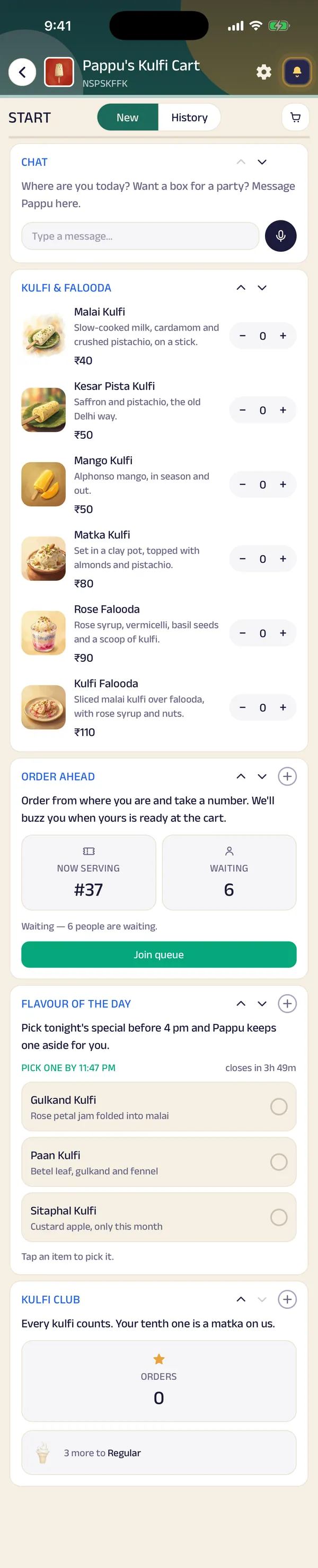

Location. The cart shares where it is right now, so regulars walk over or order ahead.
Gadgets at work
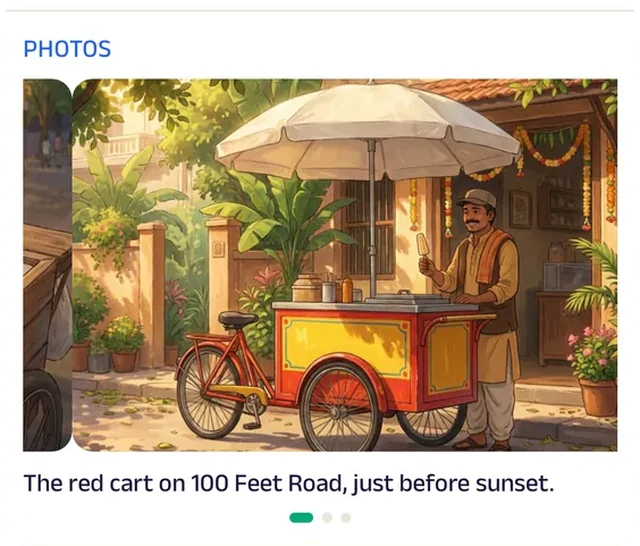
Photo gallery
Photos of the cart on its evening round show regulars what to look out for down the street.
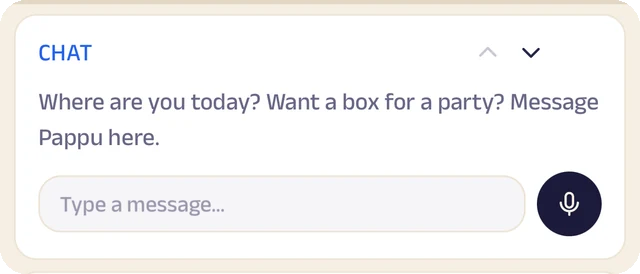
Chat
Where are you today? A box for a party? Customers message Pappu directly.
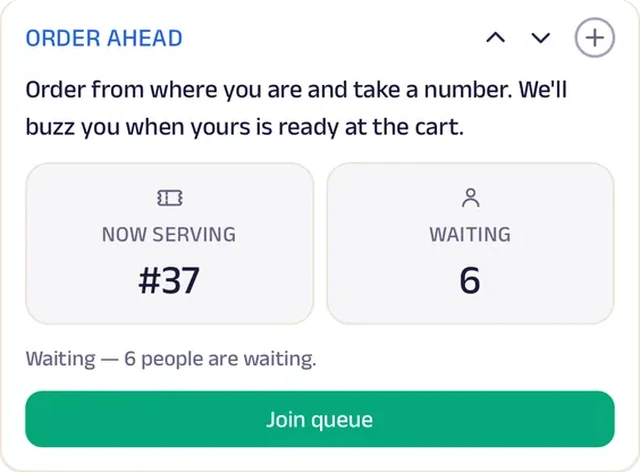
Queue
Order from wherever you are, take a number, and get a buzz when it's ready at the cart.
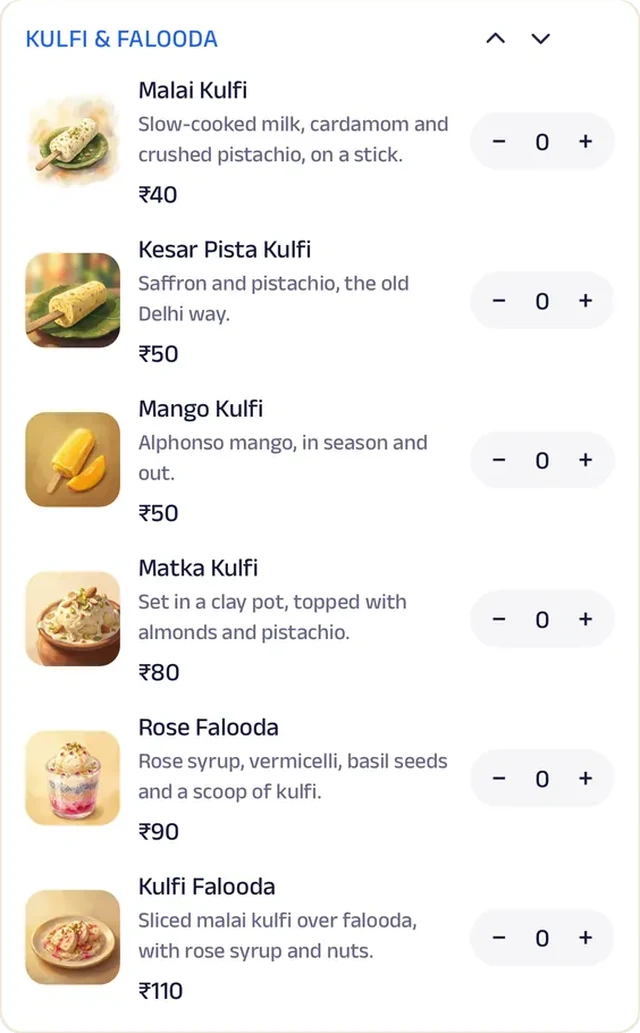
Menu order
Every flavour is listed with a photo, so customers order before they reach the cart.
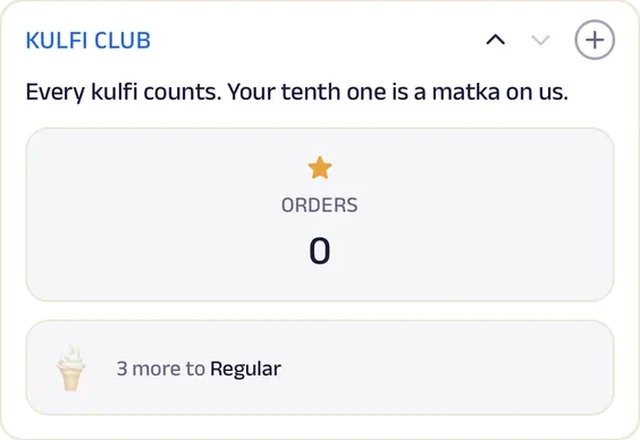
Loyalty
Kulfi Club counts every order, and every tenth one is on the house.
Reviews
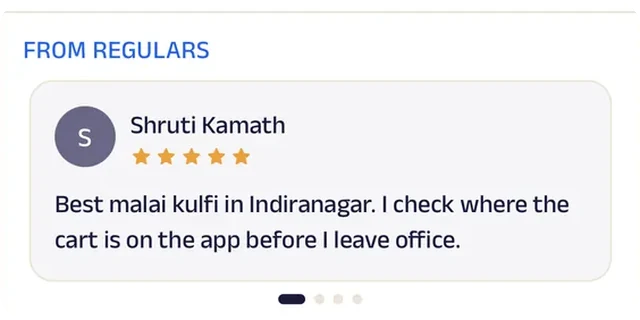
Neighbours write about the cart they've been chasing since childhood, which says more than any sign could.
Run the whole business
Your team, your customers and your money, in one place.
The same page is also how you run the kitchen, from the phones you already have and a laptop in the browser. There's no POS, printer or special hardware to buy.
Operate your day
From the first booking to "see you again".
Bill photo
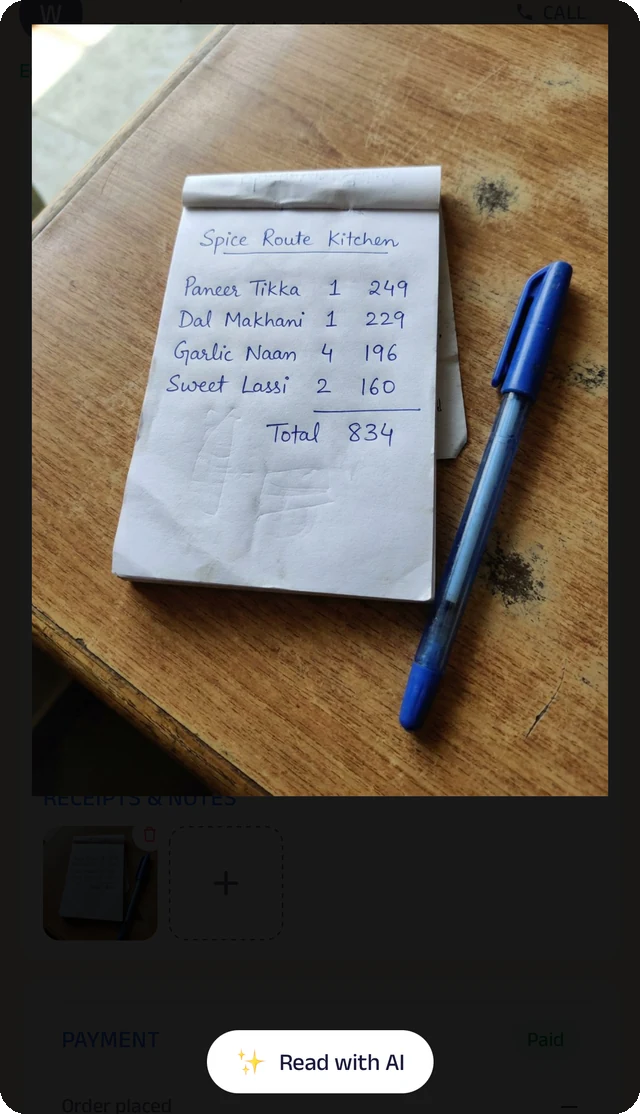
Photograph a handwritten bill, and the Assistant reads it for you to check.
Credit ledger
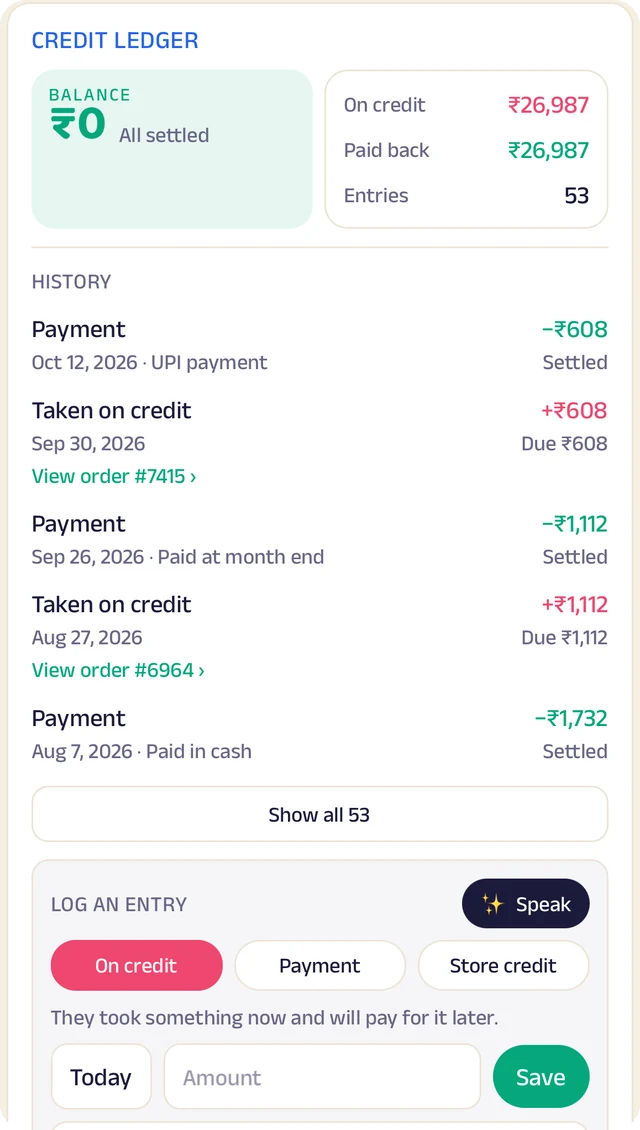
Every credit and payment by customer. Log an entry by typing, or by speaking it.
Order settings
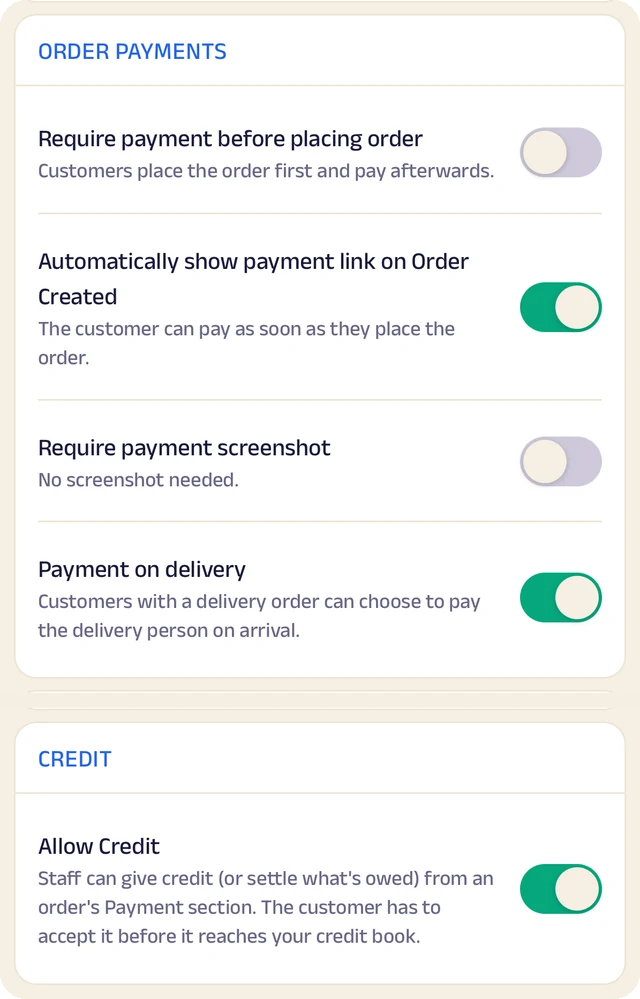
Turn ordering on or off, and set GST and fees once so they're added automatically.
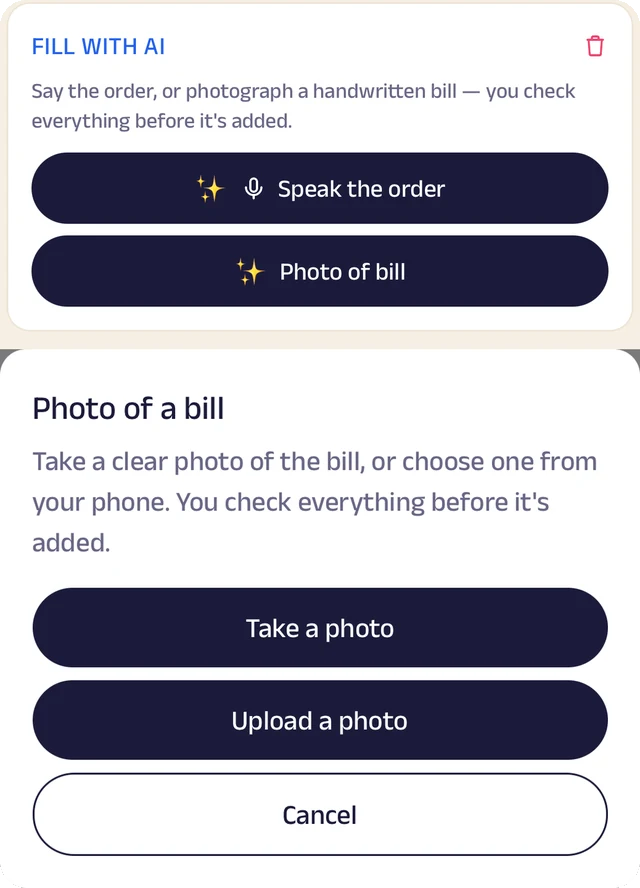
Fill with AI
Say an order out loud or photograph a bill, and check everything before it's saved.
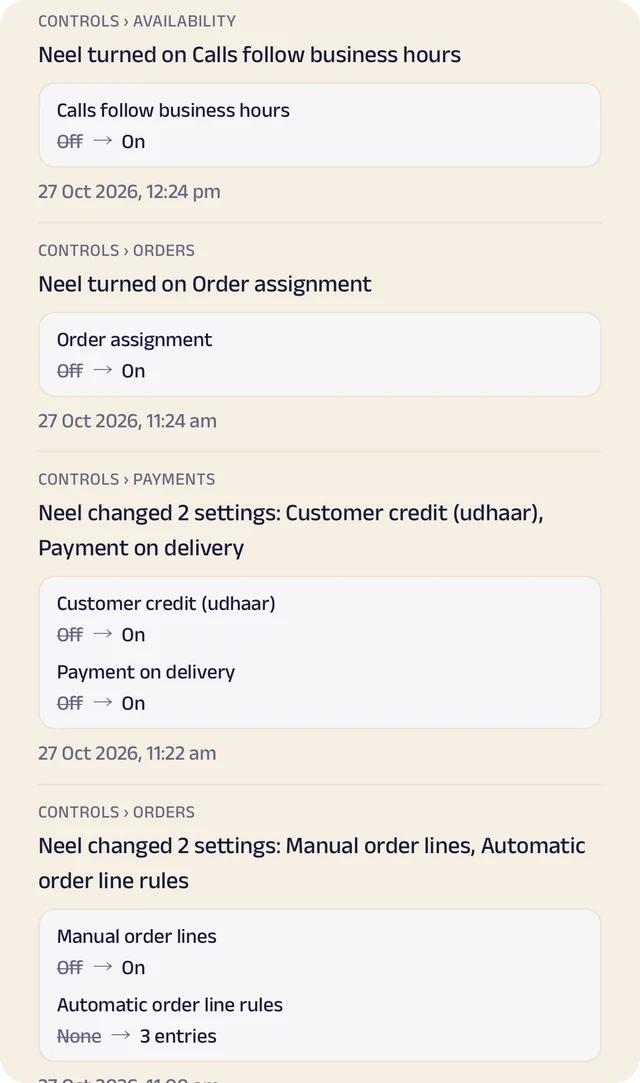
Settings history
Settings switched on or off, with the old and new value.
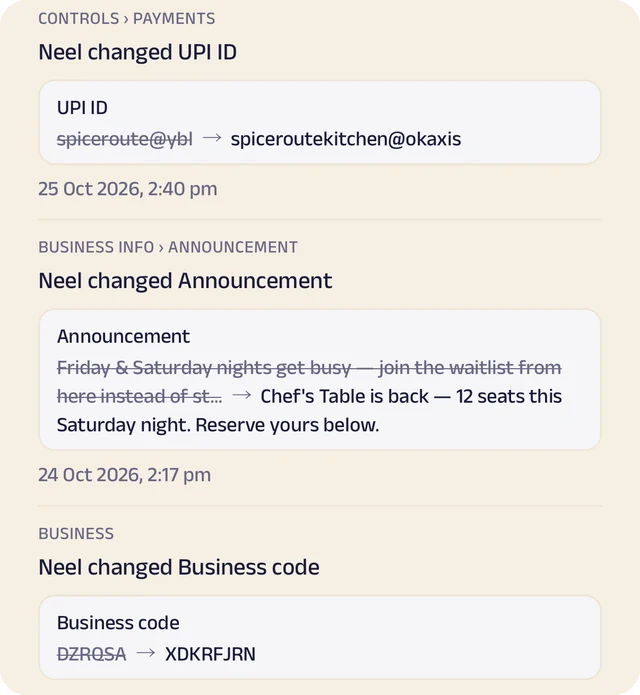
Payment history
Payment details changed, shown before and after.
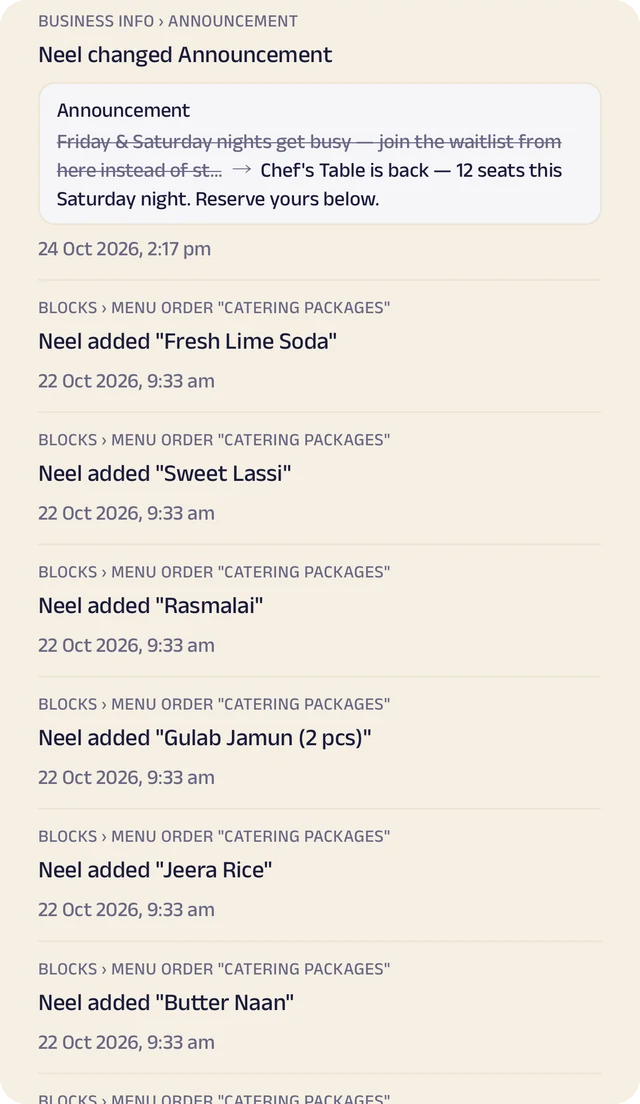
Page history
Changes to your page, kept in its own history.
Menu and orders
Your menu with prices and photos. Customers order by tap, by text or by saying it out loud, and every order lands in one list with a conversation thread for each customer.
Custom cakes and pre-orders
A form of your own for the occasion, the size, the flavour and any allergies, with reference photos attached, so the first sketch is already close.
Daily menus and subscriptions
Offer today's menu, or a weekly or monthly tiffin plan that renews with a reminder, so regulars don't have to remember to reorder.
Pickup, delivery, paid your way
UPI, a payment link, cash or pay on delivery, with GST and fees added automatically. Zich World never touches the money, so customers pay you directly.
Manage your people
Everyone who bakes, packs and delivers, in the right place.
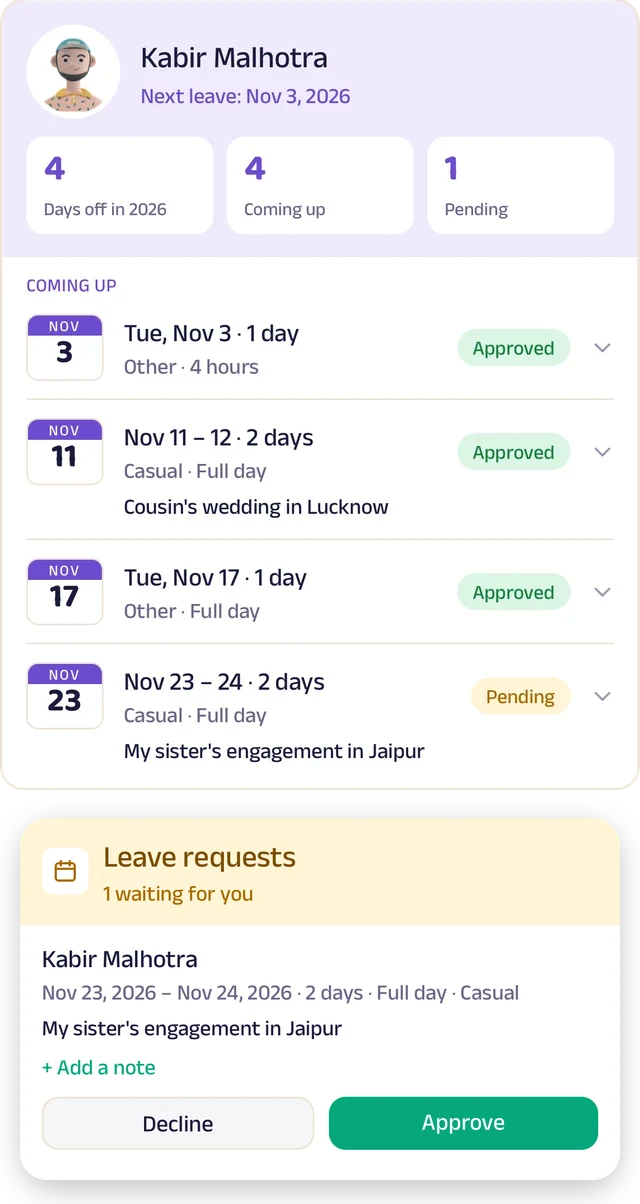
Team leave
A team member's days off: what's approved and what's waiting.
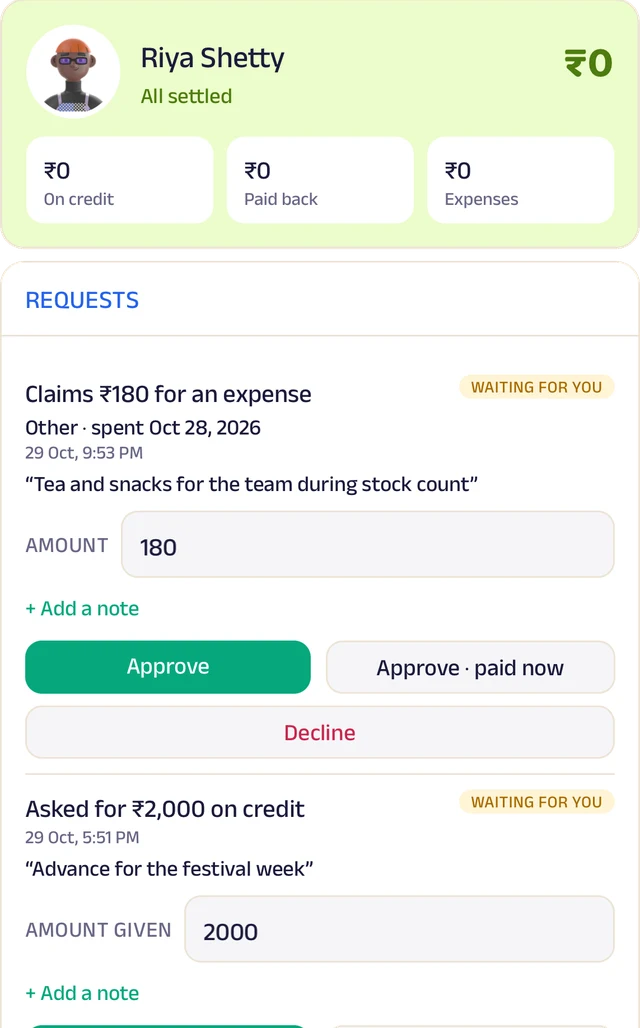
Team ledger
A running account per person: advances, expenses and approvals.
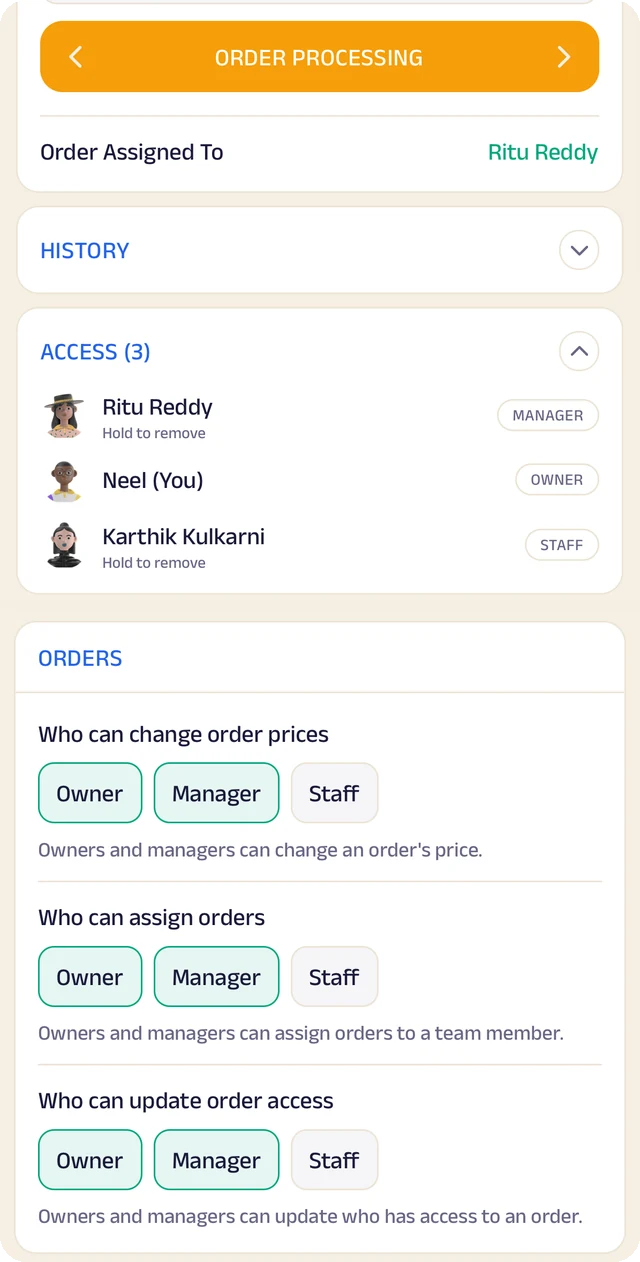
Order access
Who an order is assigned to, who can see it, and who can change it.
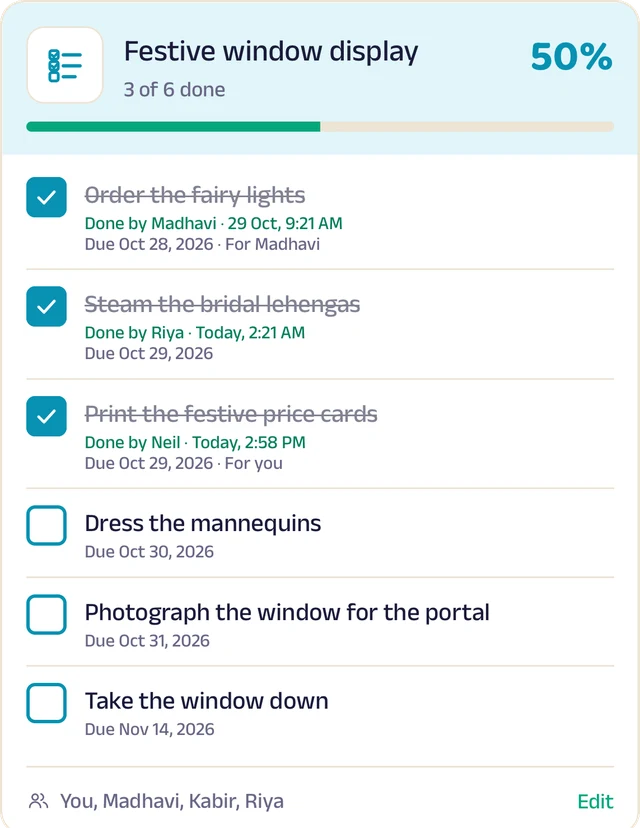
To-do lists
Shared lists, ticked off with who did it and when.
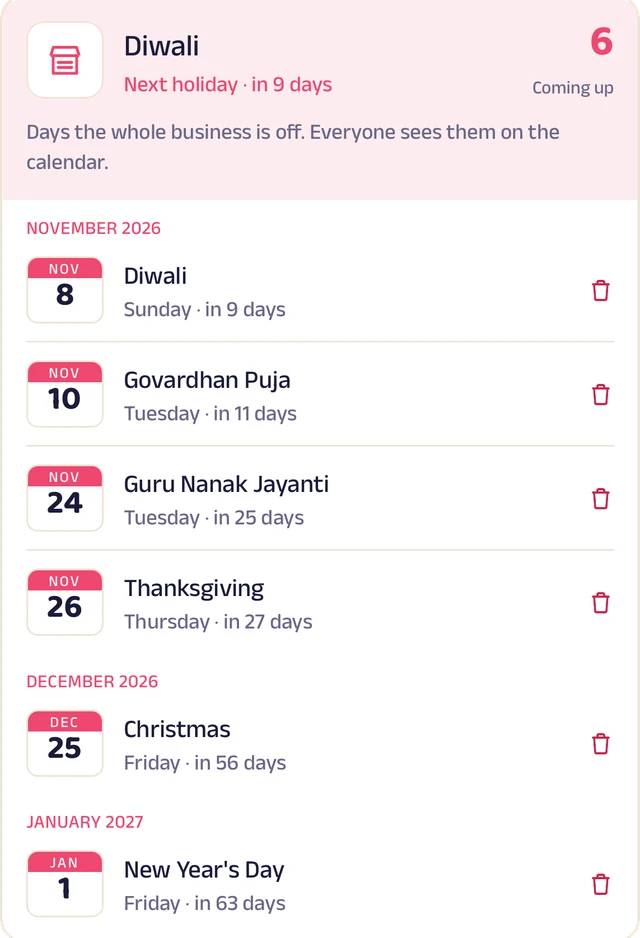
Holidays
Days the whole business is closed, on everyone's calendar.
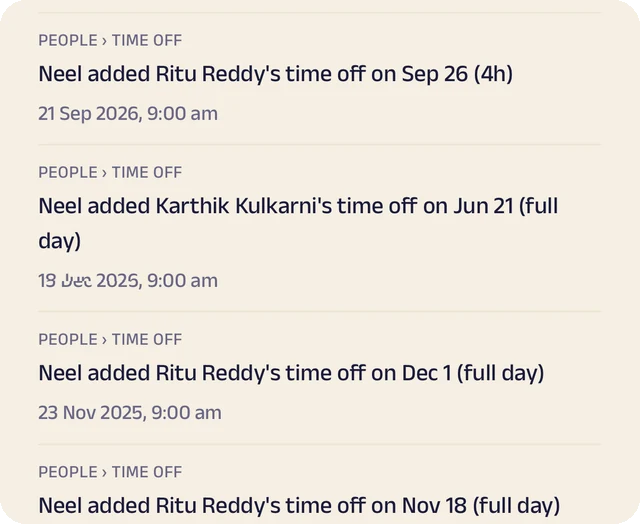
Request leave
Request casual, sick or unpaid leave, for a day or a few hours.
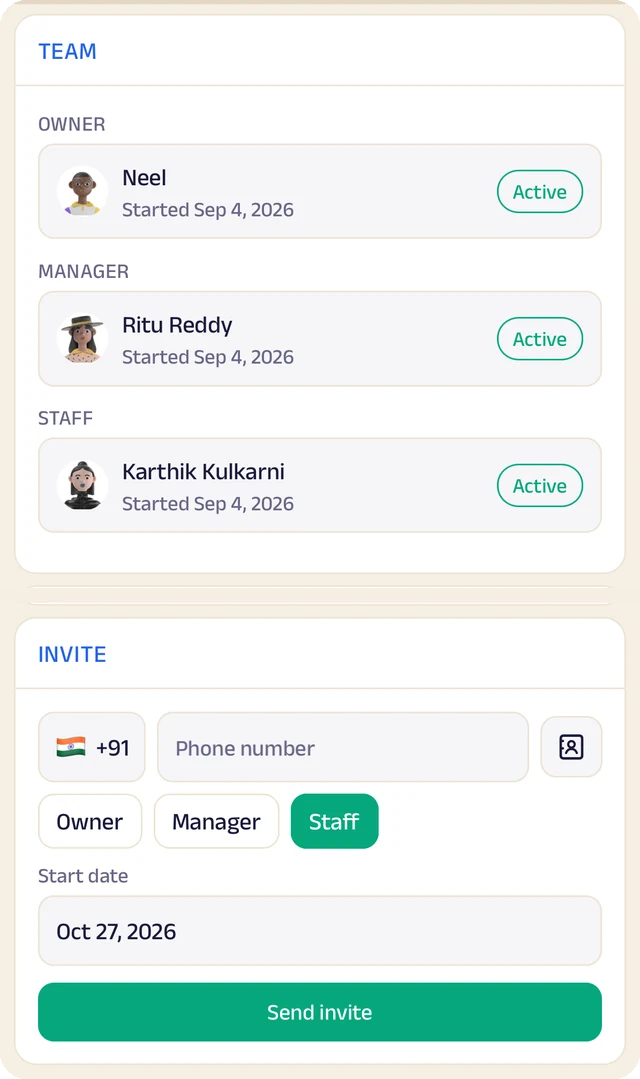
Your team
Your team by role, with leave requests waiting for your approval.
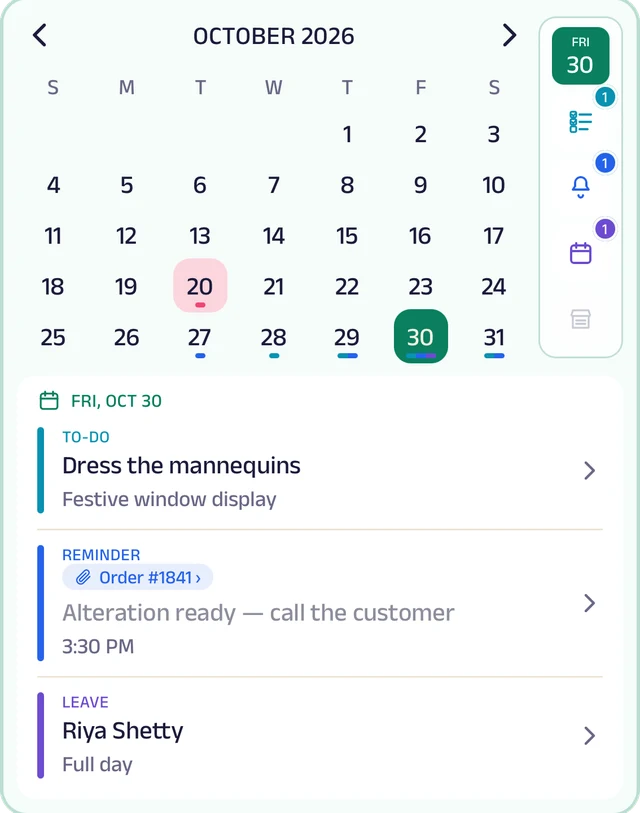
My Space
Everyone's own calendar, with to-dos, reminders and leave.
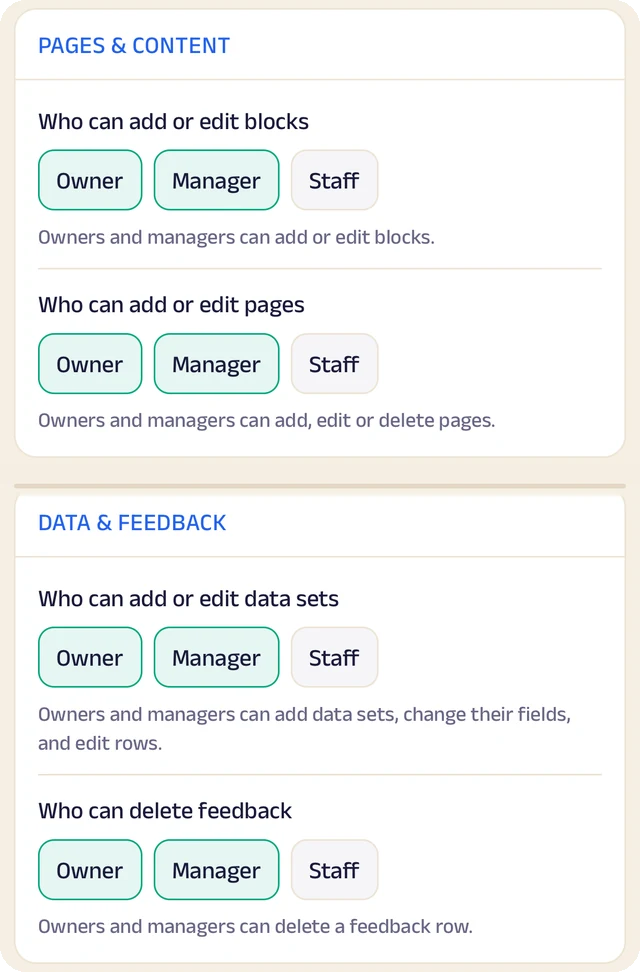
Permissions
Who can edit your page and change prices, role by role.
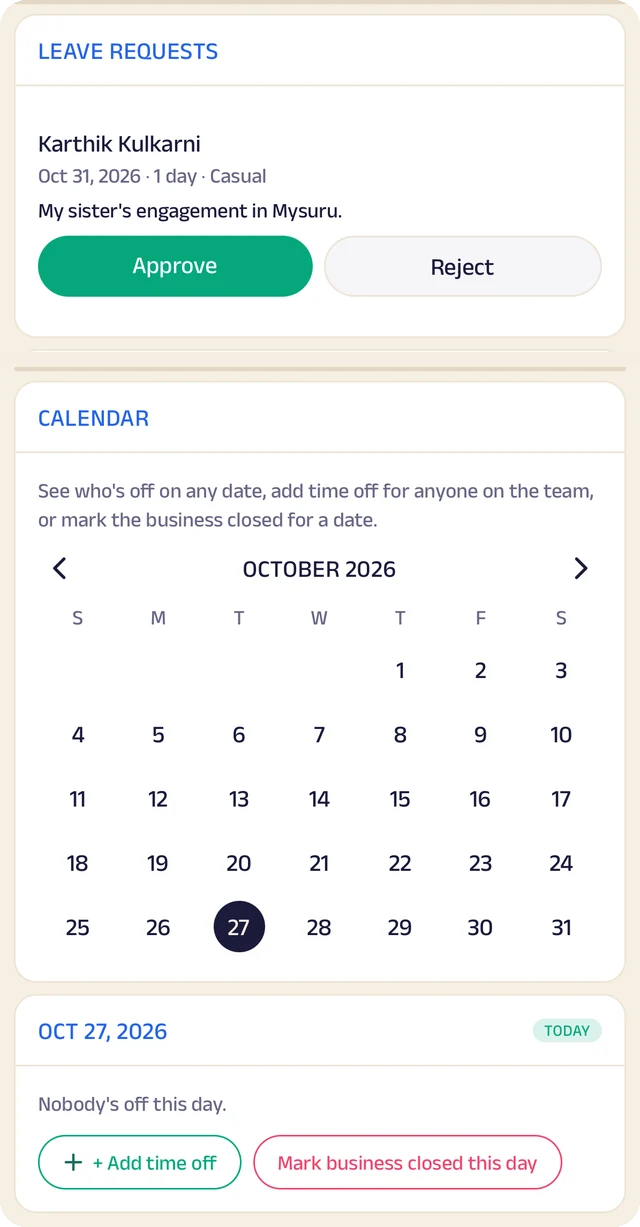
Time off
A calendar of who's off and which days the business is closed.
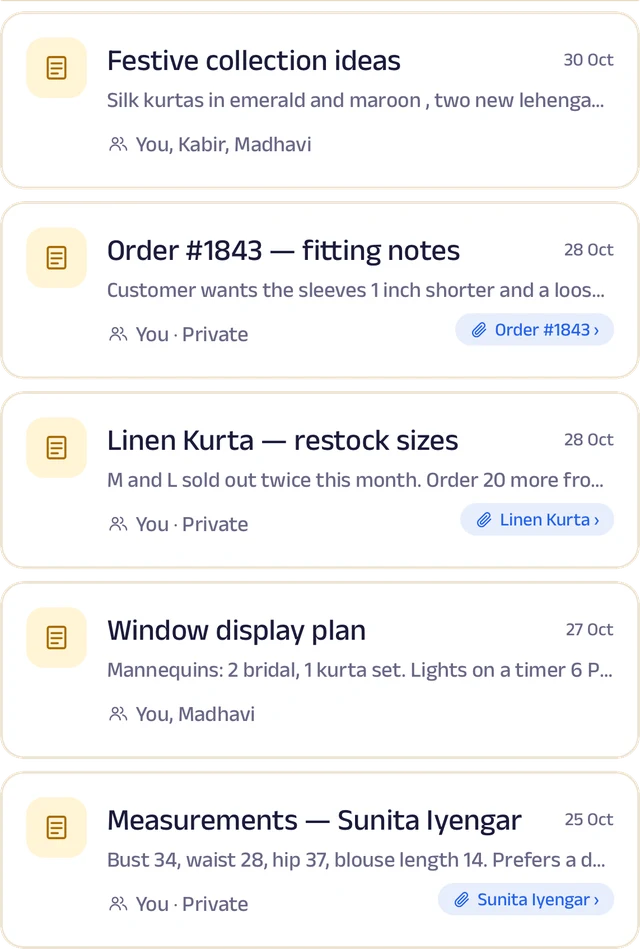
Notes
Notes with photos and voice, some linked to an order or a customer.
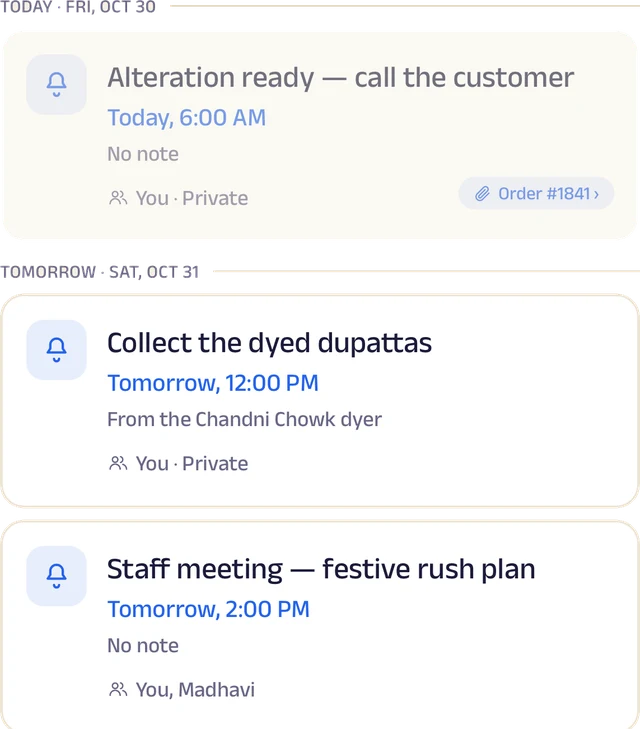
Reminders
Once or on repeat, shared with the team and linked to an order.
Roles and access
Add your your team by phone number and give each a role: owner, manager or staff. You choose who can edit your page, change prices or assign bookings, and you can freeze someone's access in a tap. Payment details stay with the owner.
Leave and holidays
Staff request casual, sick or unpaid leave for a full day or a few hours, and you approve it. Everyone sees who's off today, and days the whole bakery is closed show on every calendar.
A ledger for each person
Each team member's running account with the business: advances, money paid back and expense claims. Staff ask, you approve, and a statement is ready to share for any period.
My Space for everyone
Each person gets their own calendar with to-do lists, notes and reminders, and the owner sees the whole team.
Track your growth
Kept as you work, not typed up at the end of the month.
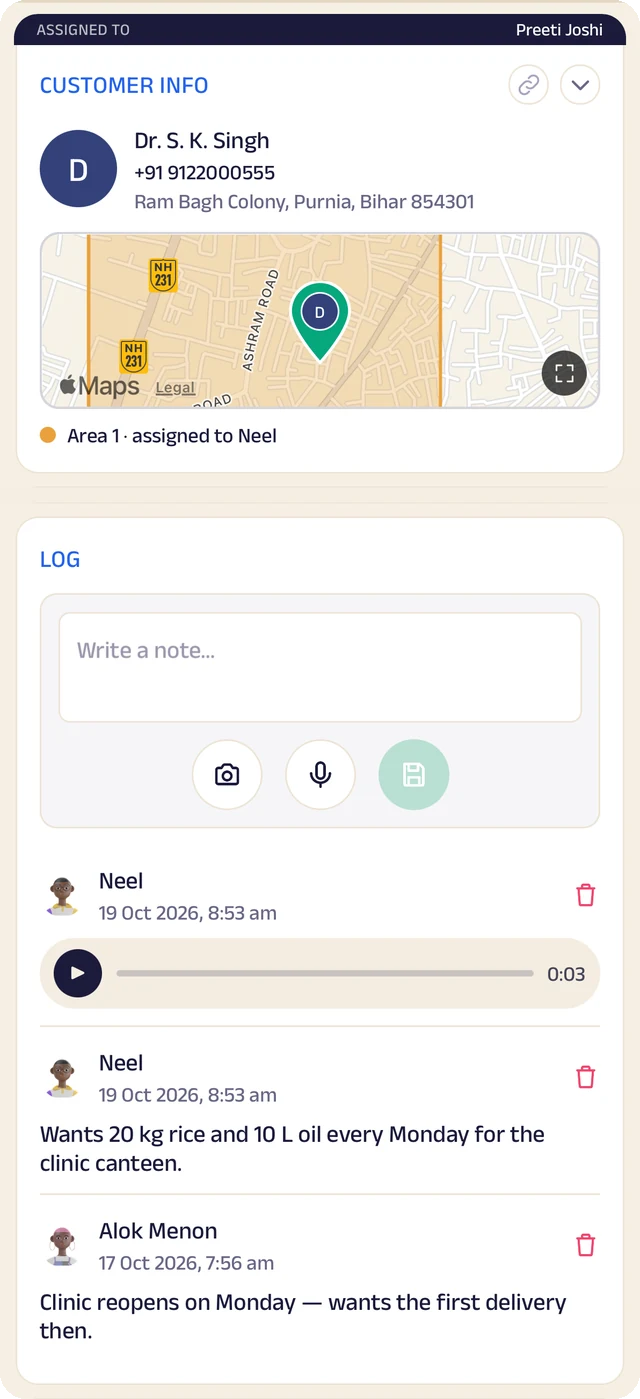
Customer record
One customer's record: details, a map pin and the team's notes.
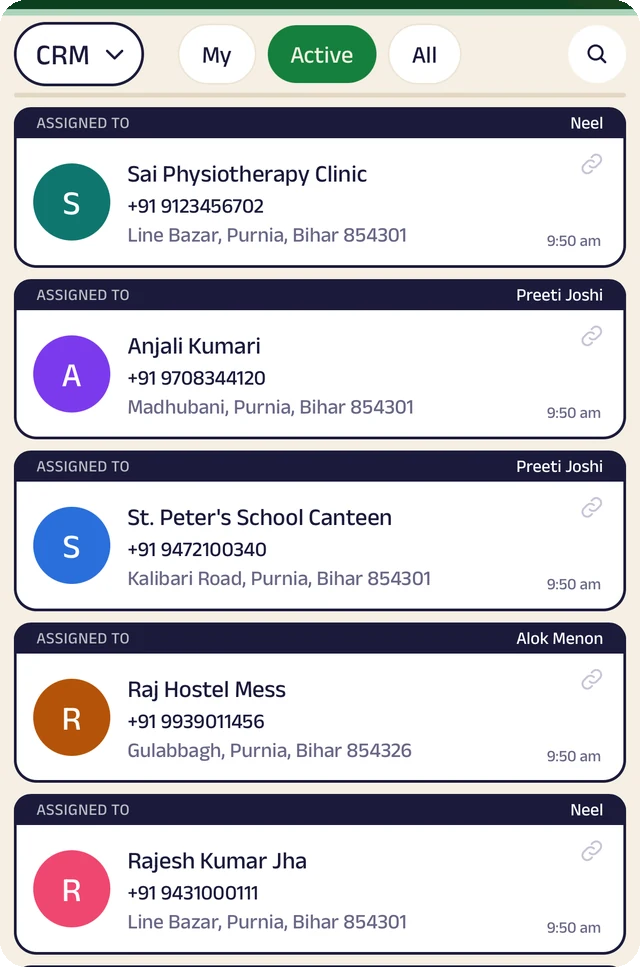
Customer list
Customers assigned to the people who look after them.
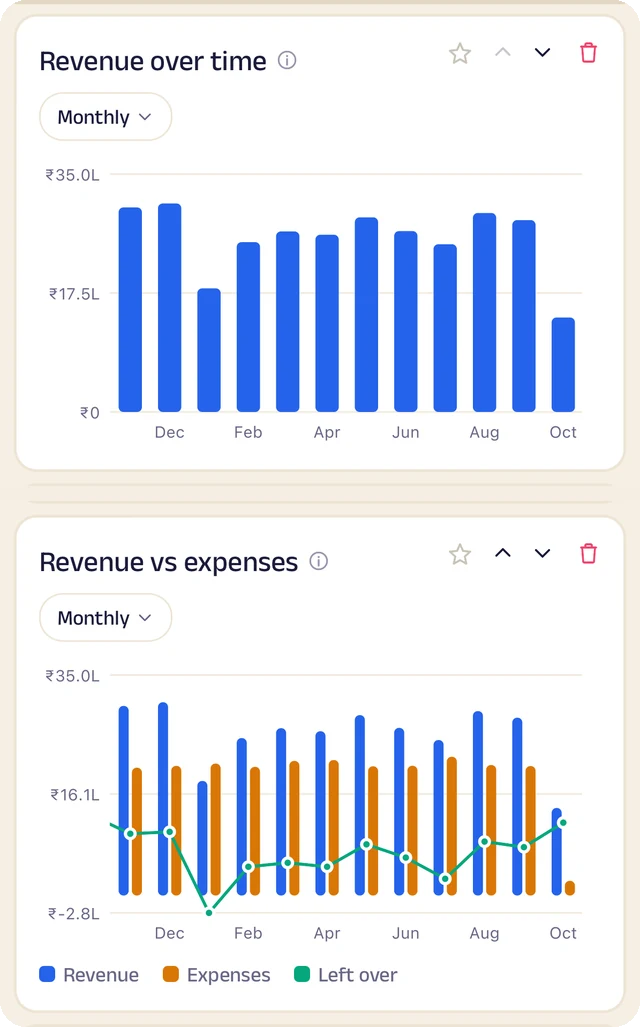
Revenue
Revenue month by month, and what's left after expenses.
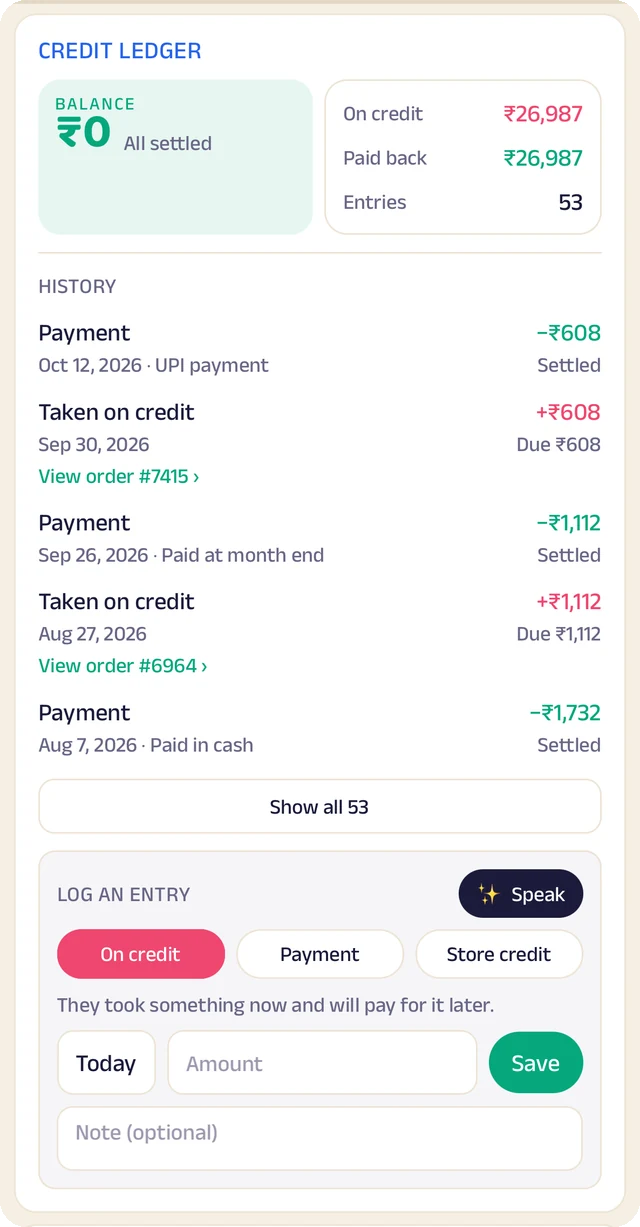
Credit book
Every credit and payment by customer and date, with the balance on both sides.
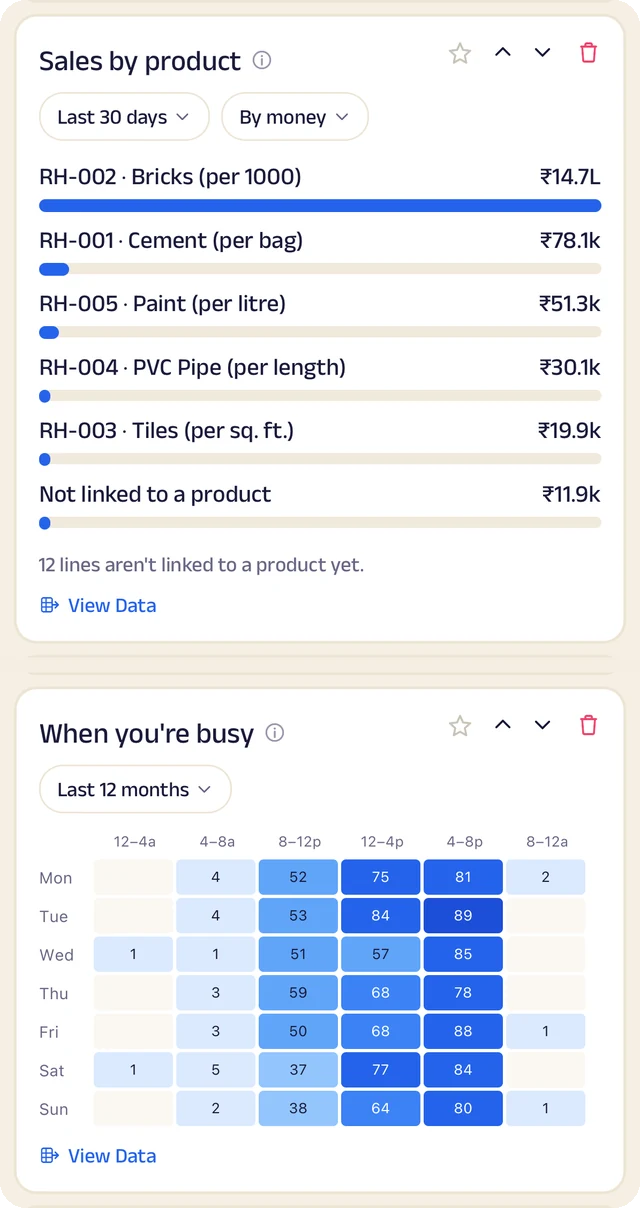
What sells
What sells, and the hours you're busiest.
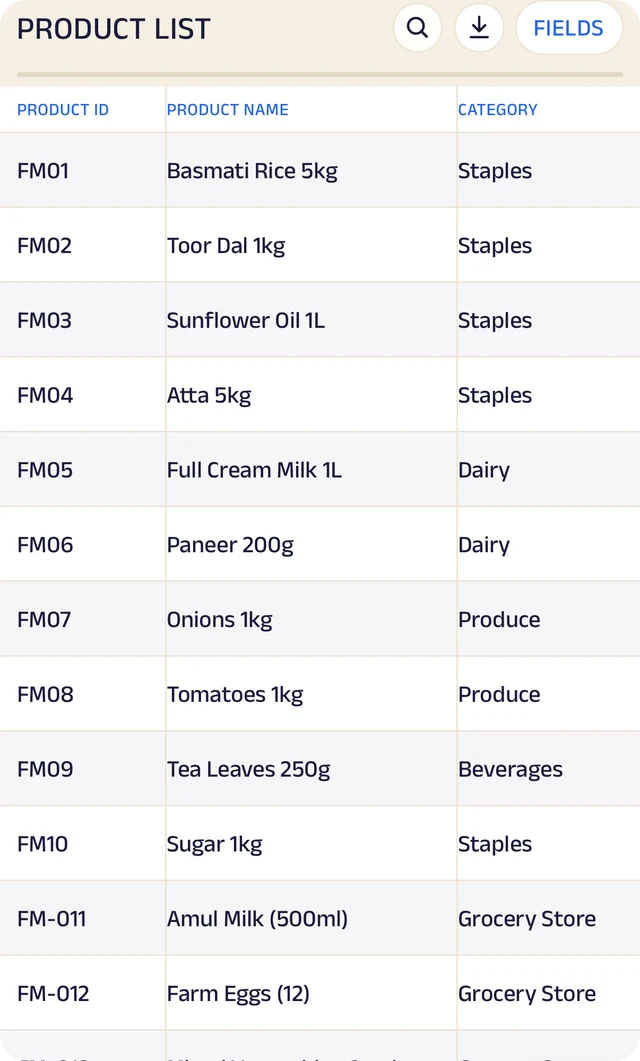
Products
Your products, with codes, names and categories.
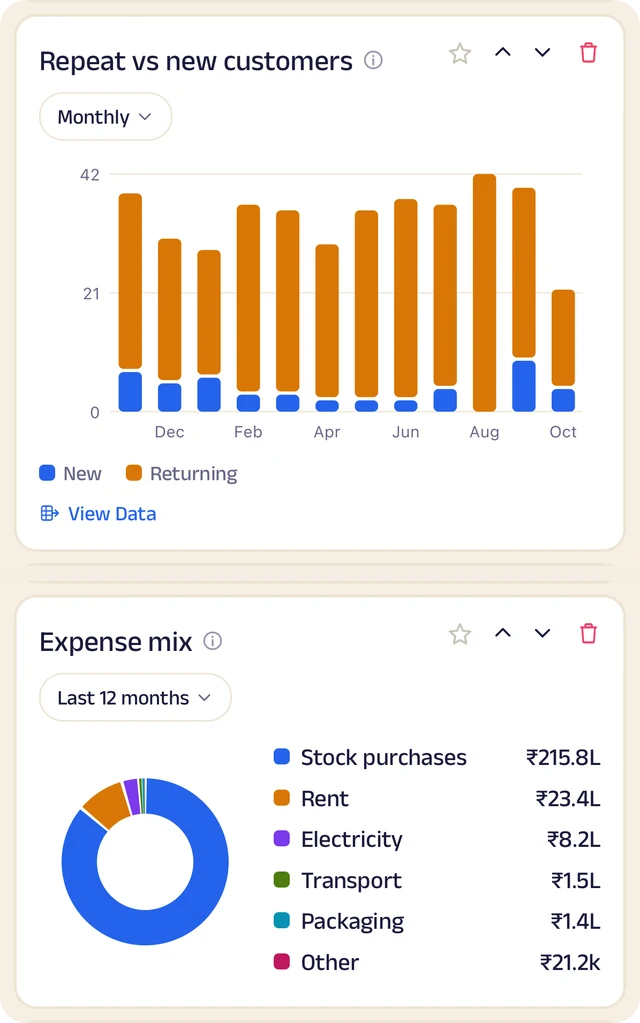
Customers and costs
Repeat against new customers, and where the money goes.
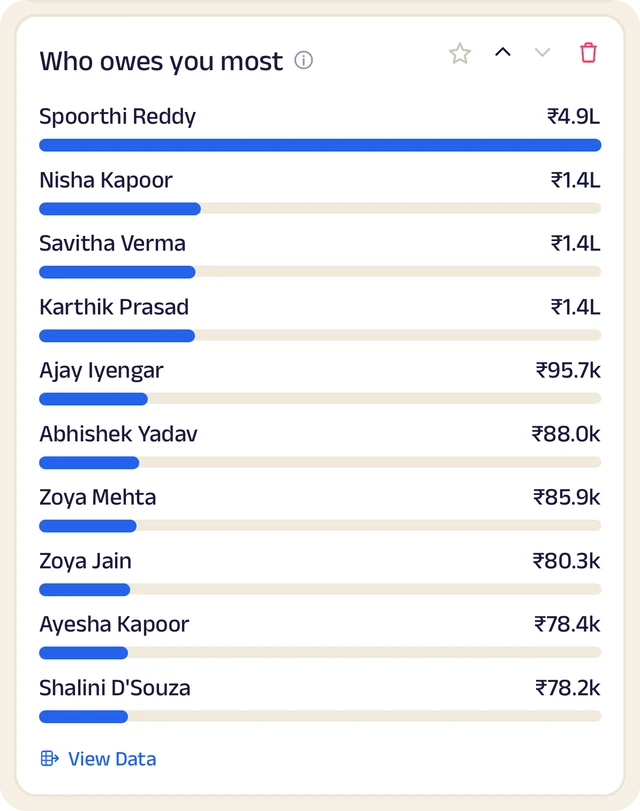
Who owes most
Who owes you the most, ranked.
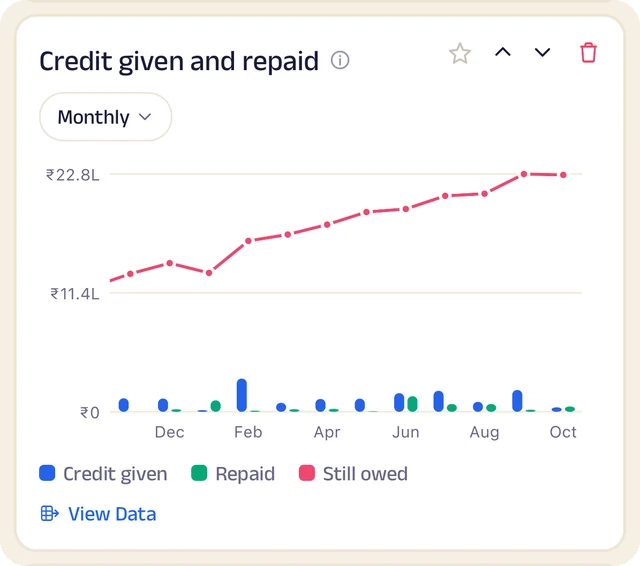
Credit history
Every credit entry as a table you can search.
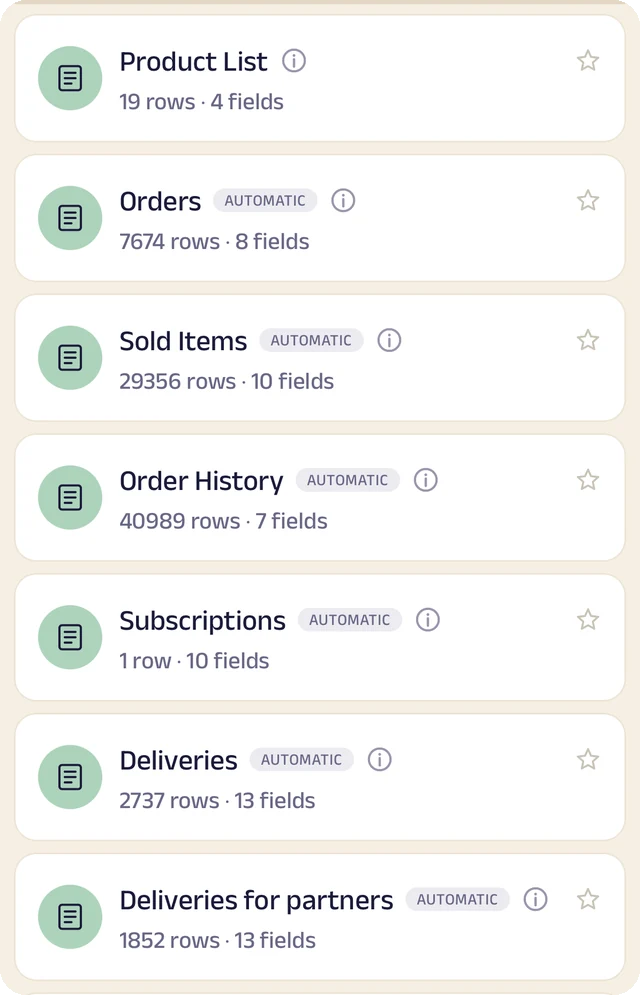
Your tables
Every table in one menu, each with its row count.
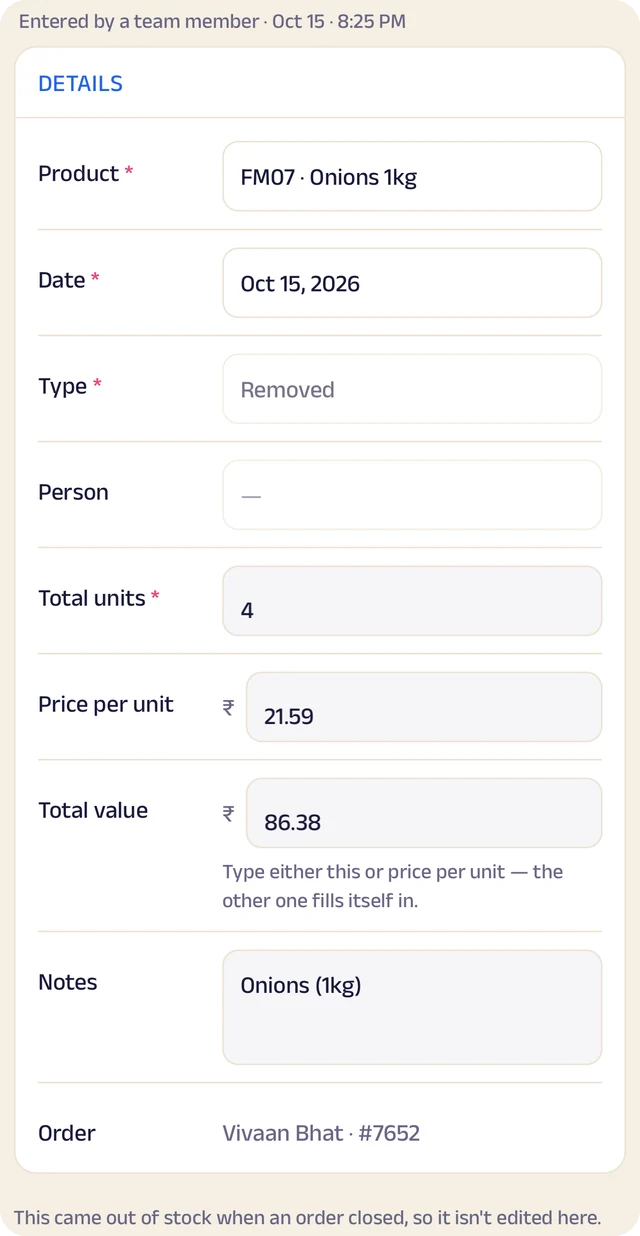
Stock entry
A stock entry: what came in, at what cost, from whom.
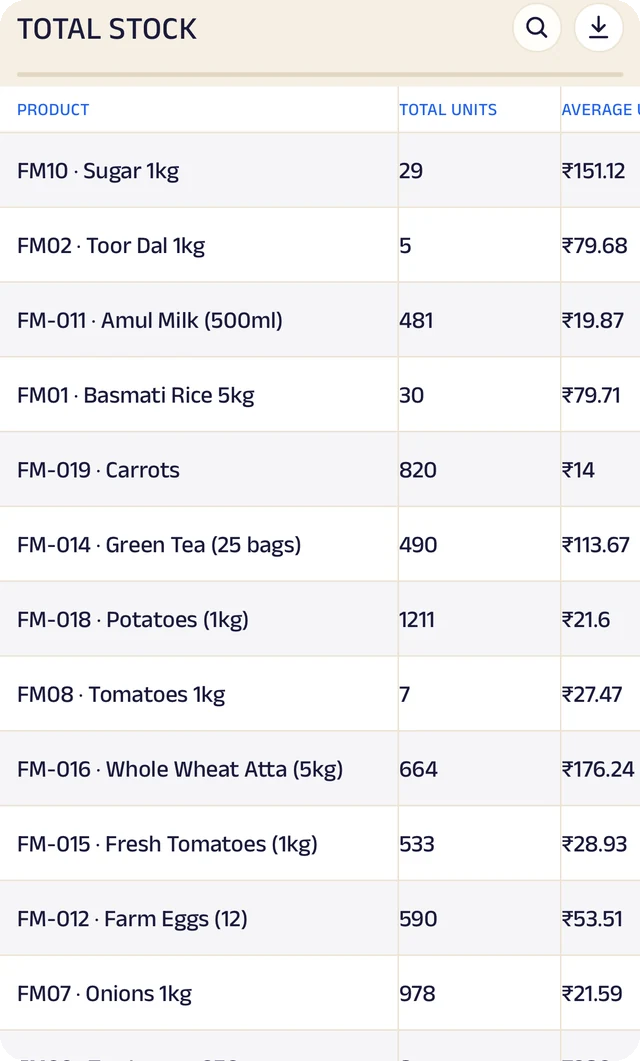
Total stock
Total stock and its average cost, worked out for you.
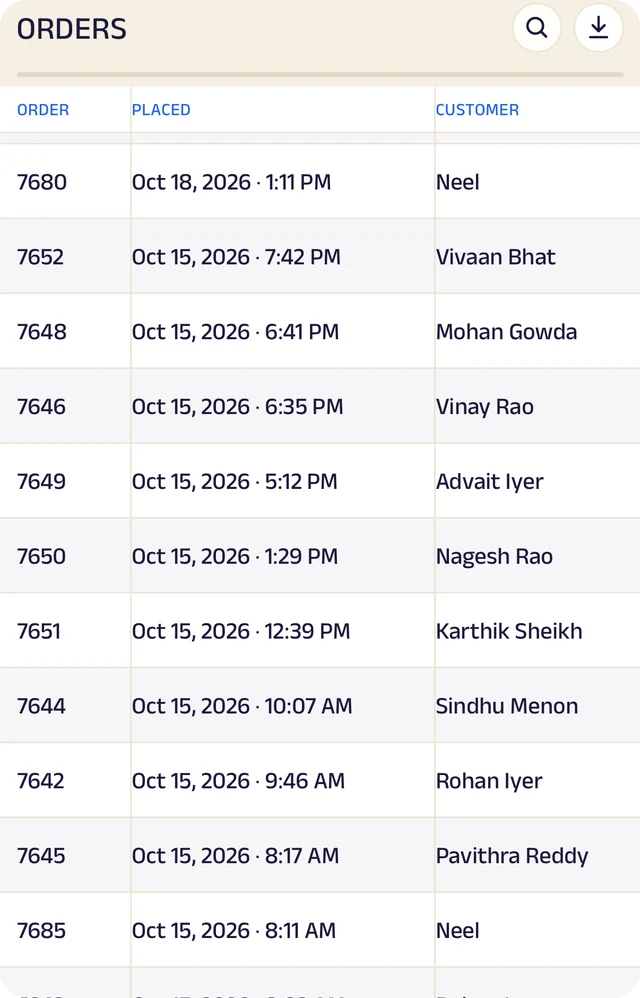
Expenses
Expenses as a table, ready to search or download.
Product stock
List the products you sell once, record what comes in with its cost and supplier, and let sales take it out. A barcode or product code finds anything in seconds.
Credit ledger
Credit given to regulars is written down properly. Customers see the same balance you do, and you always know who owes you most.
Customer management
Every customer has a record the right people can see and add to, with notes, photos and who looks after them.
Analytics
Thirty charts across sales, money and stock. See your busiest hours, what sells, and repeat against new customers, for this week, month or year.
Your data, yours to take
Every table in the app is searchable and can be downloaded as a CSV for your accountant or your own spreadsheet.
The Assistant
Say an order out loud or photograph a bill and it becomes a record for you to review. Nothing is saved until you approve it.
Everything here is on the Businesses page in detail, with the app's real screens. See the Businesses page
Join the pilot
Set up your bakery's page.
The pilot is completely free. After it, you can start free: the Free plan covers 30 orders a month, with every feature open (the AI Assistant is free during the pilot, then on paid plans). When you need more, plans start at ₹199 a month, based on how many orders or bookings you handle. There's no commission and no per-order fee, and as a pilot member you lock in your rate. Setup and training are free.
Free
₹0
30 orders or bookings a month
Starter
₹199 a month
Up to 100 orders or bookings a month
Growth
₹499 a month
Up to 300 orders or bookings a month
Pro
₹999 a month
Up to 1,000 orders or bookings a month
Every feature is open on every plan. The AI Assistant is free for everyone during the pilot, then comes with paid plans. Every order counts. Prices include GST. More than 1,000 a month, or 5 or more people on your team? We'll agree a plan with you.