
For grocers, dairies, butchers, hardware and print shops
Your shop's own page, in one link.
Customers see what you stock, order by tap, by text or by voice, pick pickup or delivery and message you from one page that carries your name, your colours and a QR code for the door. It isn't a marketplace, and we take no commission on what you earn.
The pilot is completely free. After it, free to start: 30 orders a month, no card. Paid plans from ₹199 a month. No commission.










Pick a shop to see its page. These are demonstration businesses built on Zich World. Each one chose different gadgets for how it works. Open any of them live.
Grocery Store
Fresh Mart
A grocery store you can order from by talking.
Phone orders used to arrive as a jumble of half-heard items, scribbled on the back of a receipt. Now a customer records "one bread, twelve eggs, two packets of milk" and the shop receives an order, not a message to decode. Households keep a shared shopping list as well, and the staff tick items off as they're picked.
Fruit, vegetables, dairy and staples sit in the menu with today's prices, and a weekly vegetable box, chosen at the market that morning, comes on a monthly plan. Mart Points reward every order, unlocking free delivery and a festival hamper. Bulk orders for functions arrive as a form with what, how much and by when, and get a quote back the same day. A neighbourhood grocer now takes voice orders, runs subscriptions and keeps credit books like a chain with its own app.


Voice order. A customer records 'one bread, twelve eggs, two packets of milk' and the shop receives an order, not a message to decode.
Gadgets at work
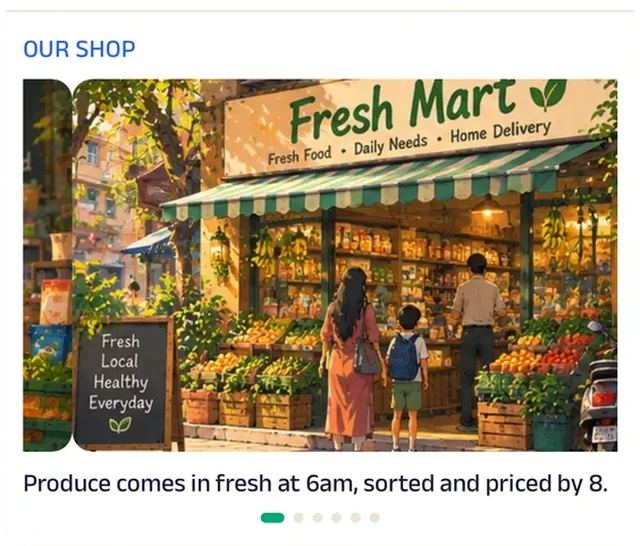
Photo gallery
Photos of the aisles and the fresh counter show what the store keeps before anyone walks in.
Location
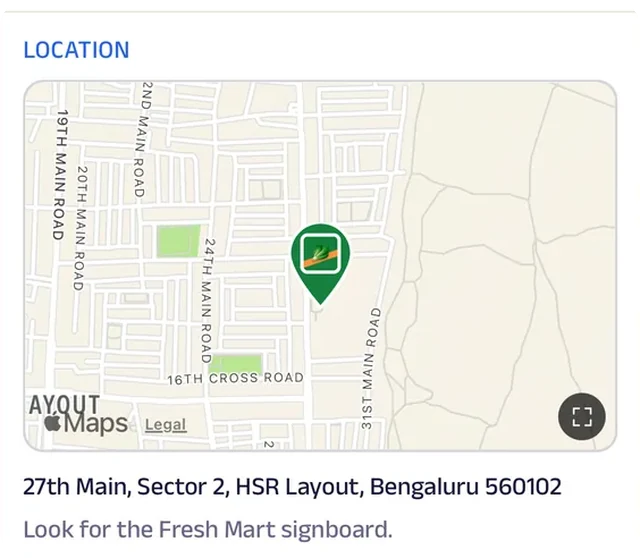
The store is pinned on the map, so a family new to the colony can find it — or see that it's close enough to order from.
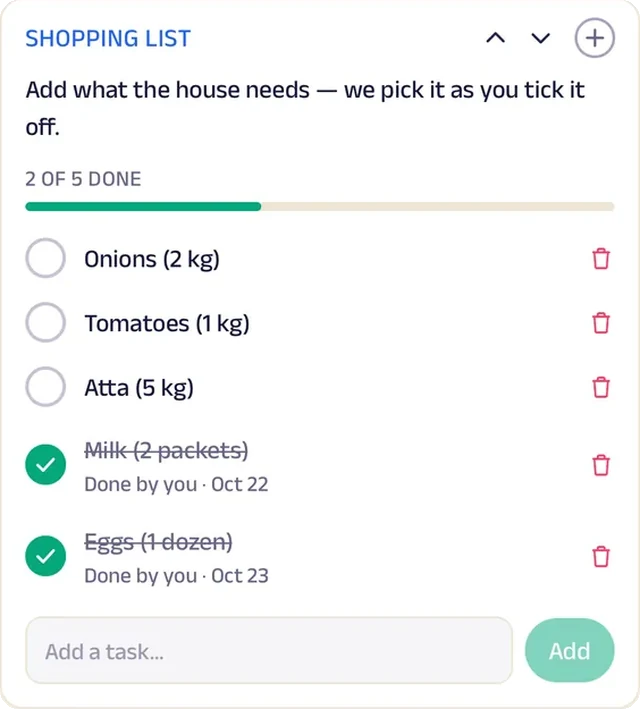
Tasks
The household keeps a shared shopping list; the shop ticks items off as they're picked.
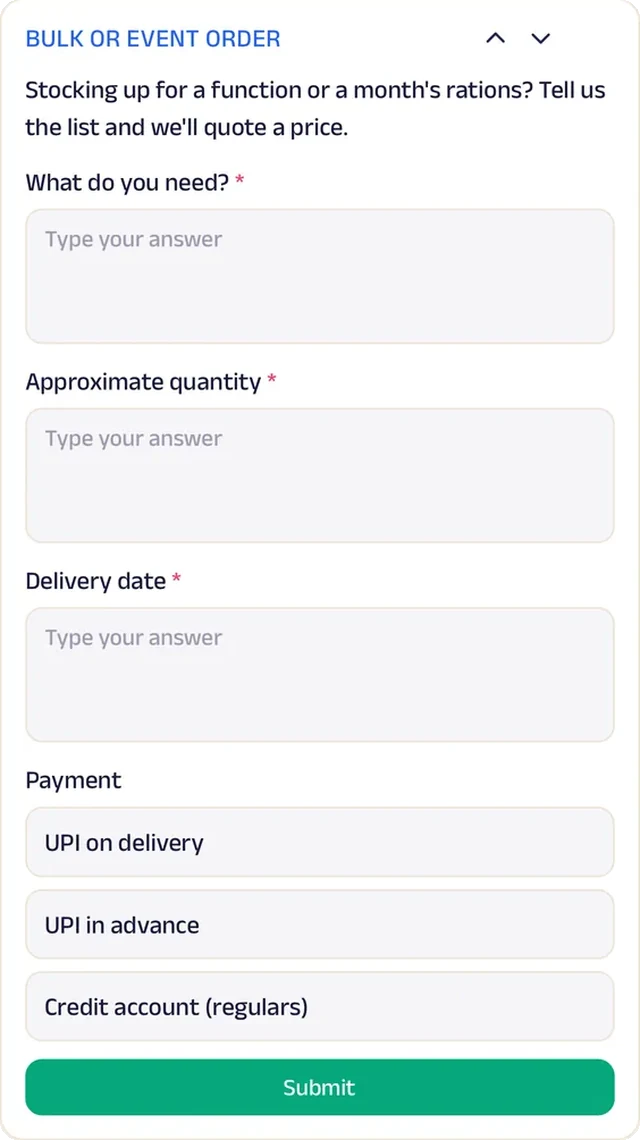
Forms
Bulk orders for functions — what, how much, by when — come in as a form and get a quote back the same day.
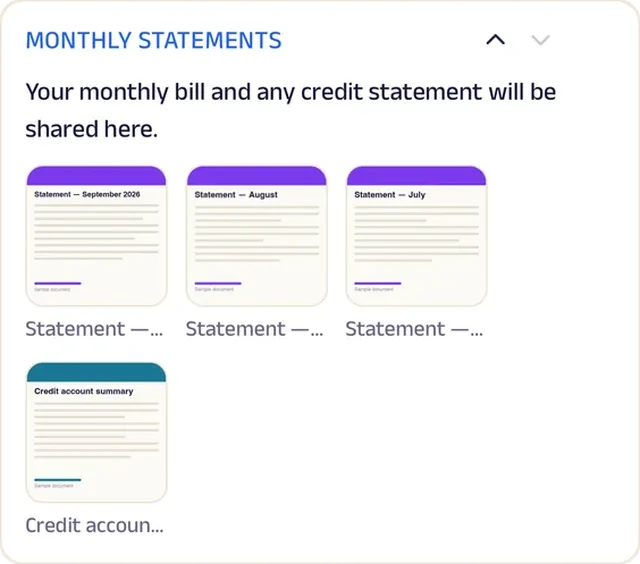
Add docs
Monthly credit statements are shared here for regulars on account.
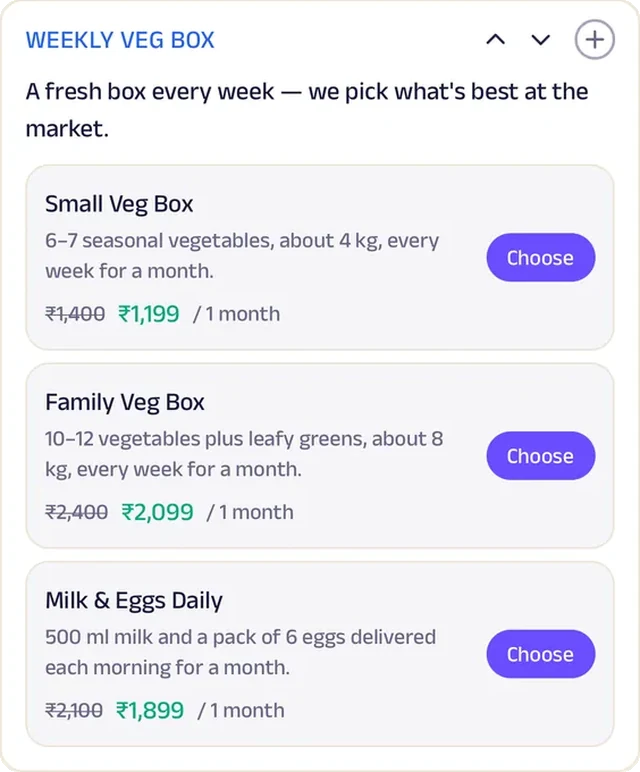
Subscriptions
A weekly box of the season's vegetables, chosen at the market that morning, arrives on a monthly plan.
Loyalty
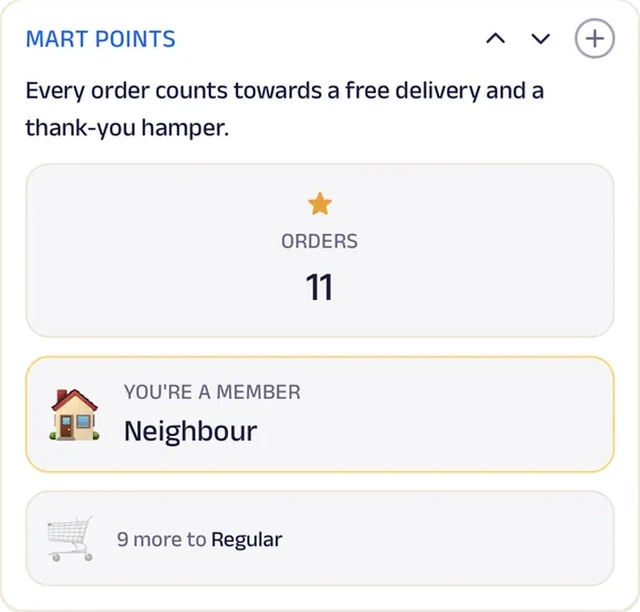
Mart Points reward every order, unlocking free delivery and a festival hamper.
Reviews
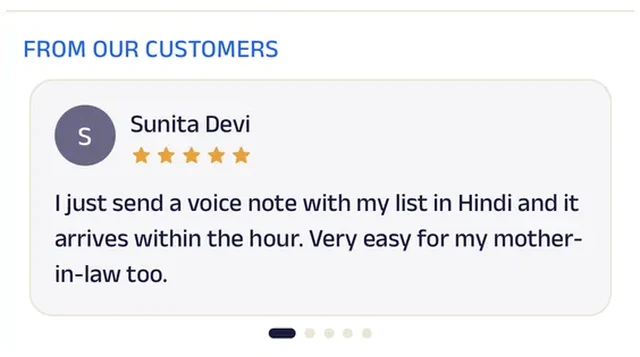
Neighbours write about quick delivery and honest weights, and new customers read it before their first voice order.
Dairy
Gupta Dairy
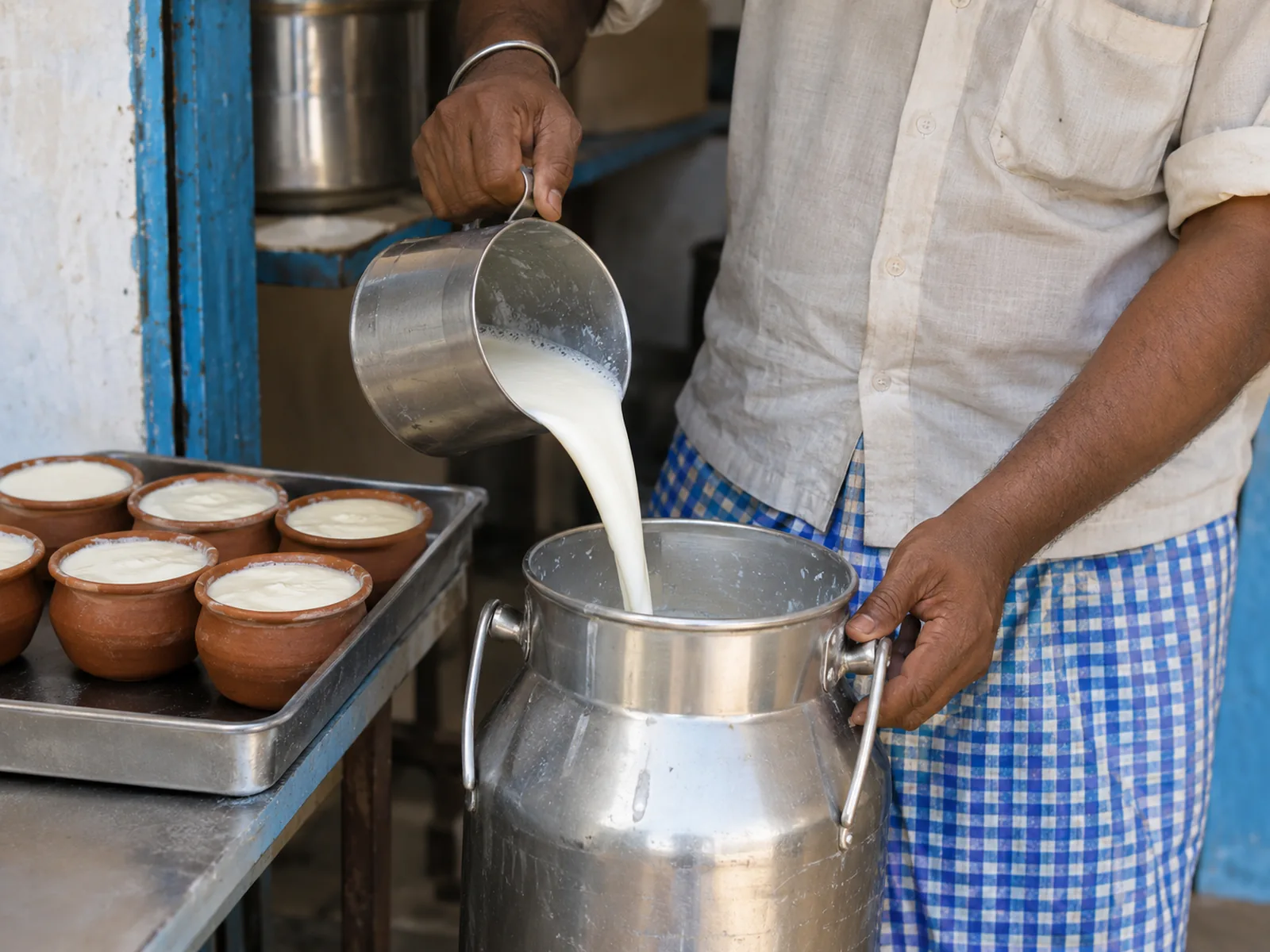
A dairy that delivers by plan and lets you pause from your phone.
Milk accounts used to mean a register of names, a calendar on the wall and a phone call every time a family went out of town. Now customers choose daily cow or buffalo milk, a family plan or a three-month pass, pick a start date and get a reminder before it renews. Going away? A pause form stops deliveries for exactly the days they're out.
Each week, households tick an extra litre or some paneer onto the next delivery from the extras list. Milk, curd, paneer and ghee are priced per litre and per kg, and 'Your usual' repeats the last order in a tap. Gupta Family rewards loyal households with free paneer and festival hampers. A neighbourhood dairy now runs flexible plans, weekly add-ons and a loyalty scheme without adding a single page to its register.


Subscriptions. Daily cow or buffalo milk, a family plan or a three-month pass: customers choose a plan and a start date, and get a renewal reminder.
Gadgets at work

Photo gallery
Photos from the dairy and the morning round show families where their milk comes from.
Location
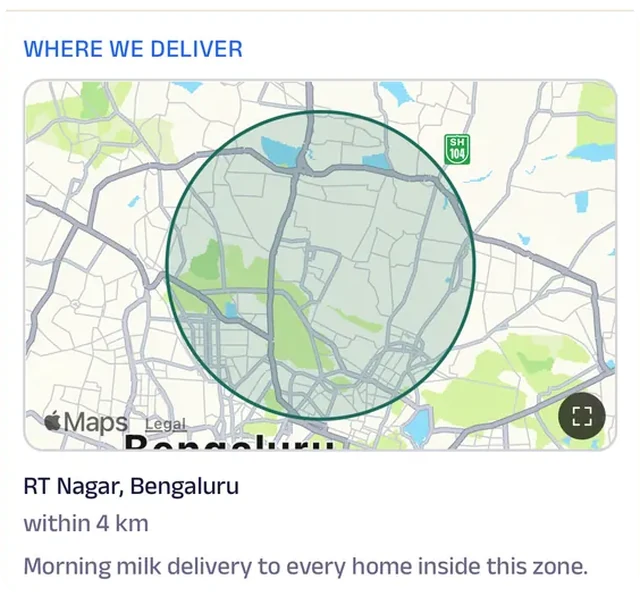
The delivery zone is drawn on the map, so a new family in the colony knows straight away whether the morning round reaches them.
Tasks
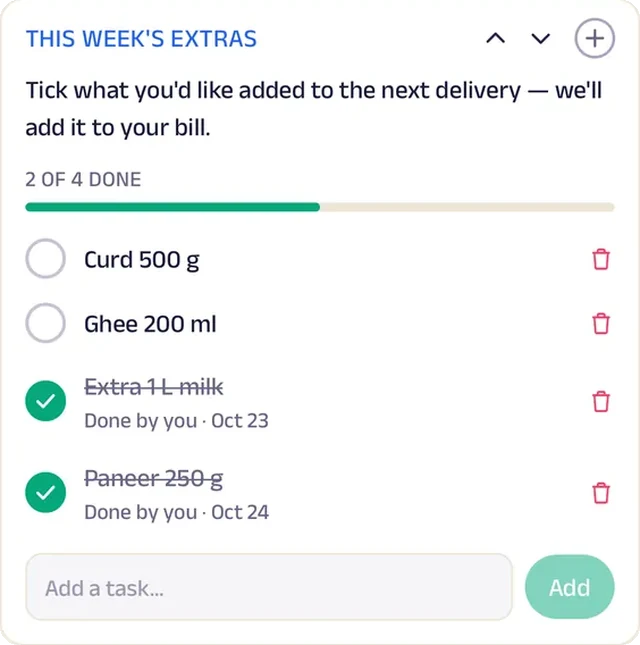
A weekly extras list lets households tick something extra onto the next morning's delivery, without a phone call.
Forms
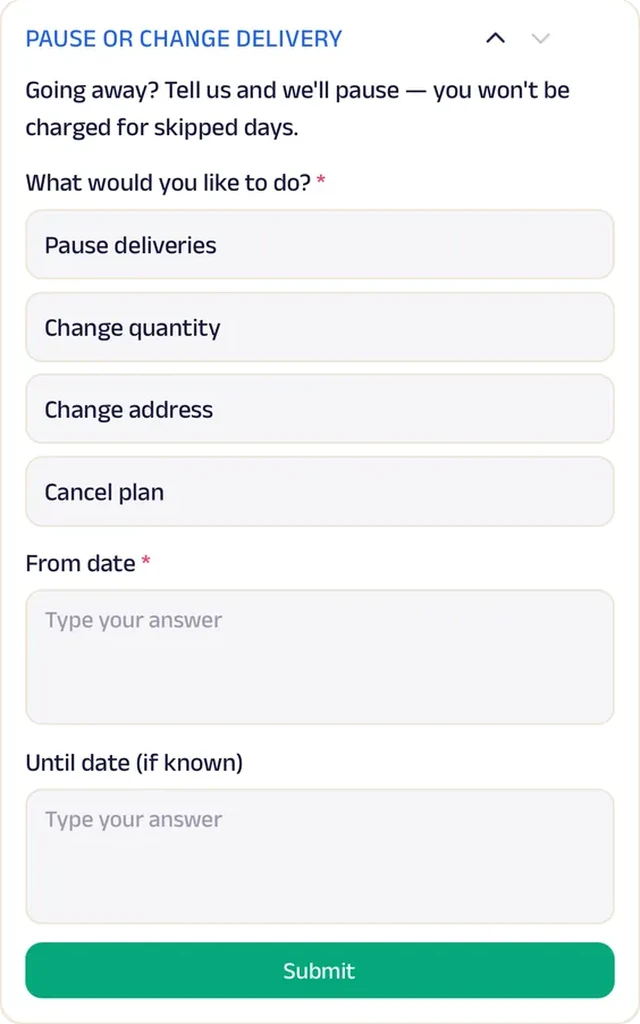
Going away? A pause form stops deliveries for exactly the days you're out.
Loyalty
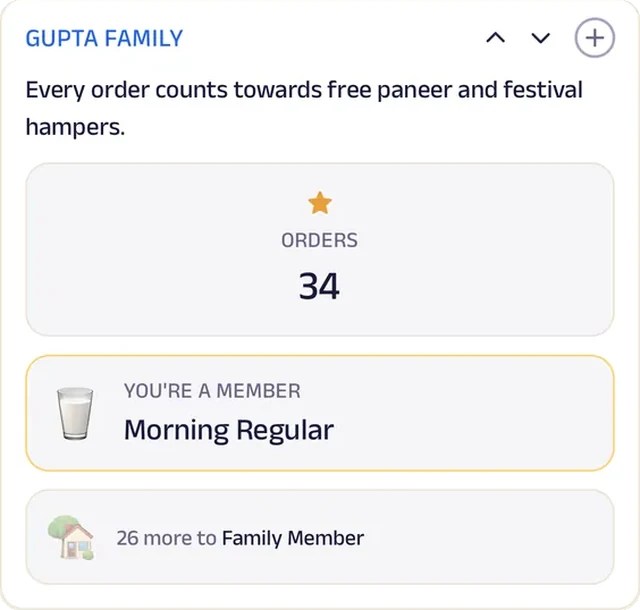
Gupta Family counts every order and rewards long-time households with festival hampers.
Reviews
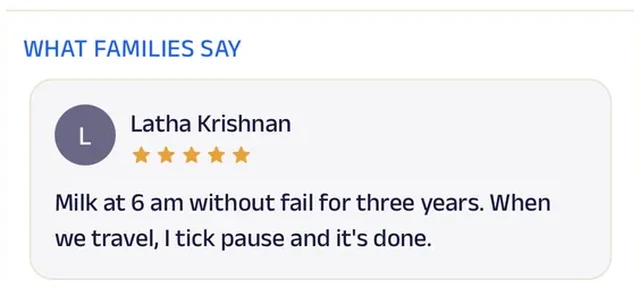
Families write about milk that arrives before the morning tea, every day, which is all a dairy is judged on.
Meat & Poultry
Ansari Chicken & Eggs
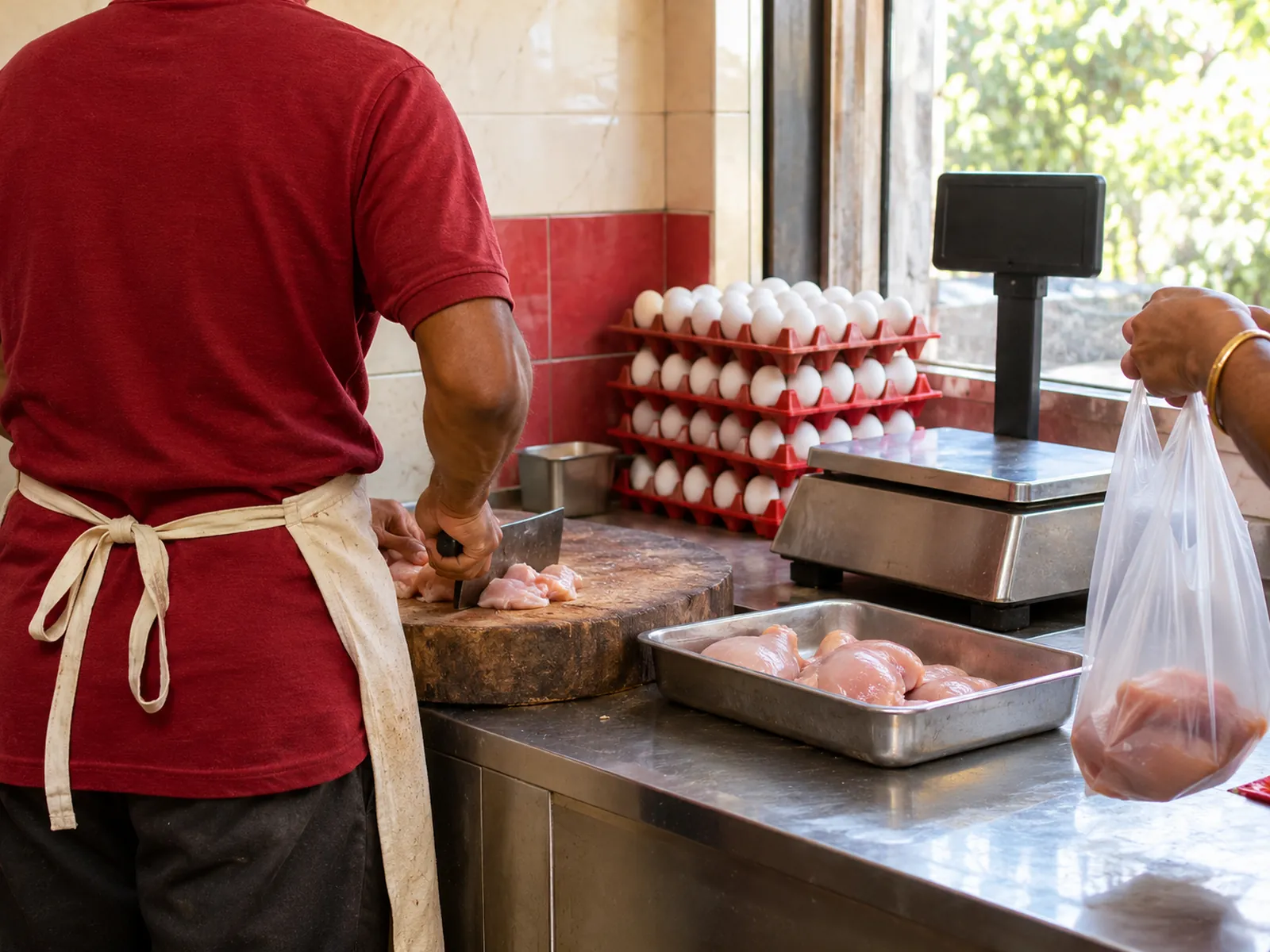
A butcher's counter that remembers every regular's usual cut.
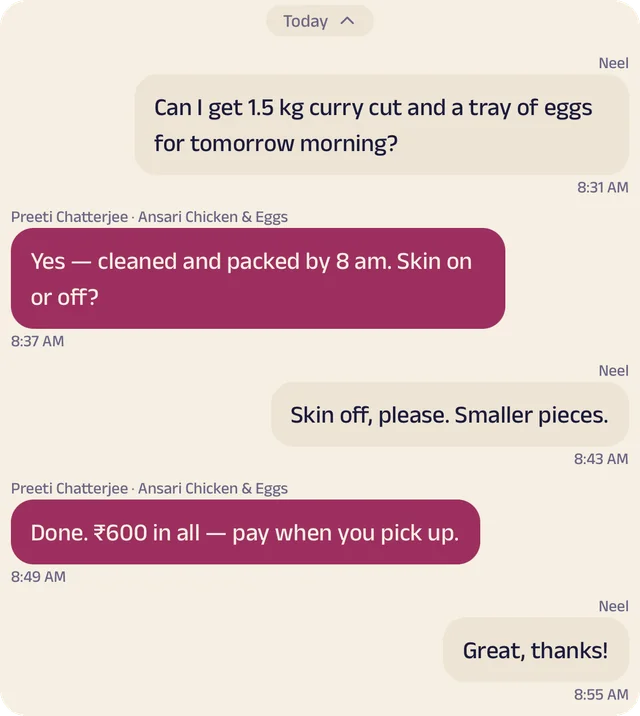
Every morning the counter used to fill with regulars explaining the same order: a kilo, curry cut, skin off, smaller pieces. Now they reorder their usual cut in one tap. Anyone who wants something different says it in chat, weight and all, and it's packed and waiting for pickup.
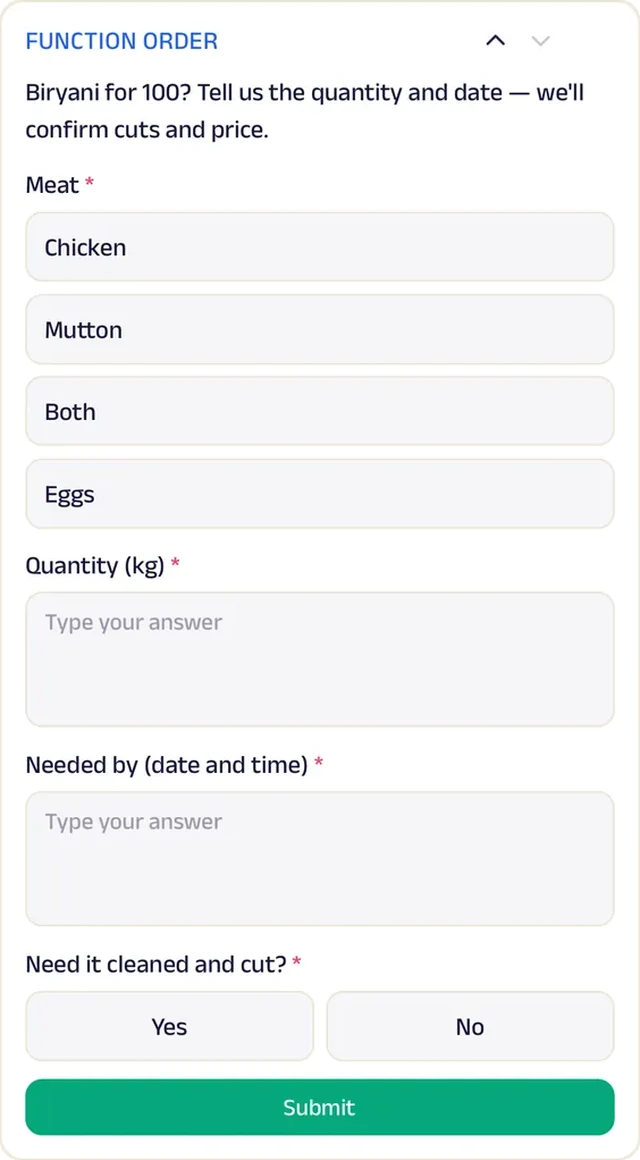
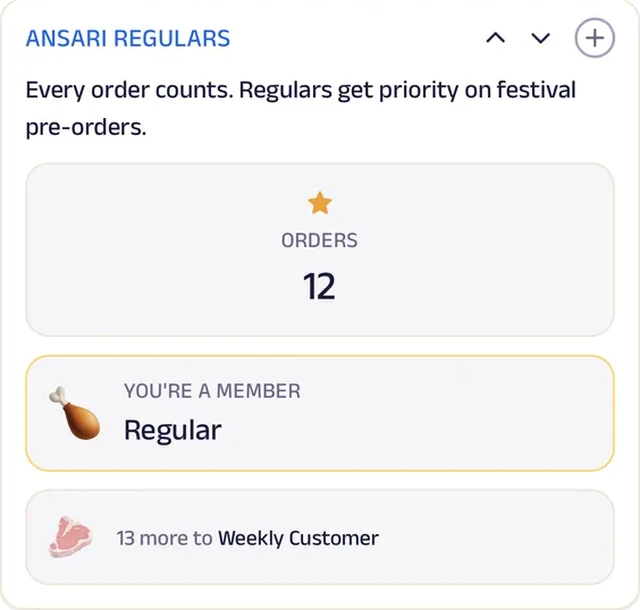
At dawn, today's stock of whole chicken, curry cut, mutton and farm eggs is updated from the shop phone. A weekly tray of eggs or a Sunday kilo of chicken runs on a plan, so there's no daily ordering. Function orders for big biryanis come in as a form with the meat, weight, date and whether it needs cleaning. Ansari Regulars gives the households that order every week priority on festival pre-orders. A single meat counter now remembers every regular and plans for the festival rush like a much bigger shop.


Recent items. Regulars reorder their usual cut in one tap instead of explaining it at the counter every morning.
Gadgets at work
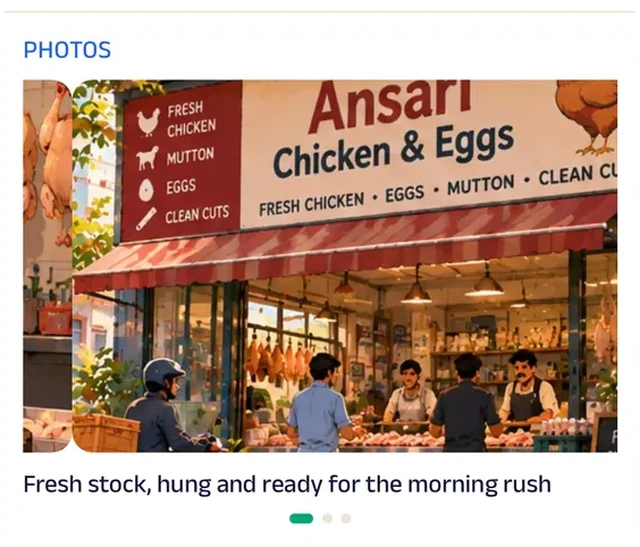
Photo gallery
Photos of the clean counter and the morning's stock answer the first question every new customer has.
Chat
Customers order the cut in chat — weight, skin off, smaller pieces — and it's packed for pickup.
Location
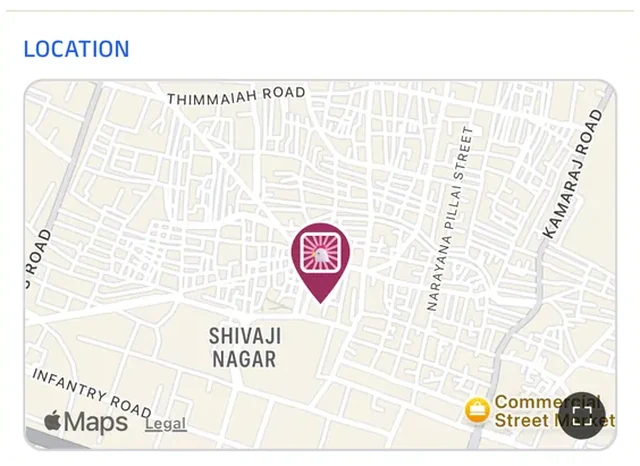
The shop is pinned on the map for families who'd rather see the counter before ordering on the phone.
Forms
Function orders come in as a form — the cut, the weight, the date and whether it needs cleaning — so the big day's order isn't a guess.
Loyalty
Ansari Regulars rewards the households that order every week with priority on festival pre-orders.
Reviews
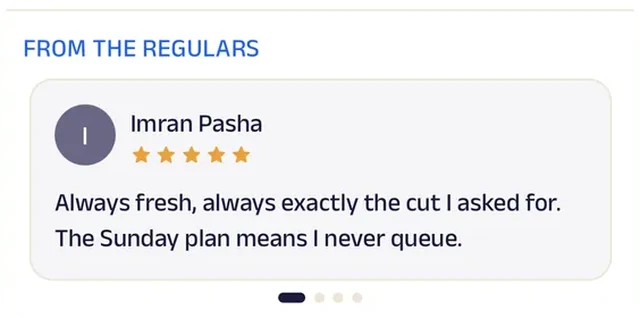
Regulars write about fresh cuts and honest weights, which is what keeps a butcher's counter busy.
Hardware Store
Reddy Hardware & Building Supplies
A building-supplies store that runs contractors on credit and a shared list.
Contractors used to phone in a site's needs from memory, and half the order came back wrong. Now a site material list of cement, steel, tiles and fittings is shared with the shop, which packs it and sends it out. A site's last order can be repeated in a tap when the next floor goes up.
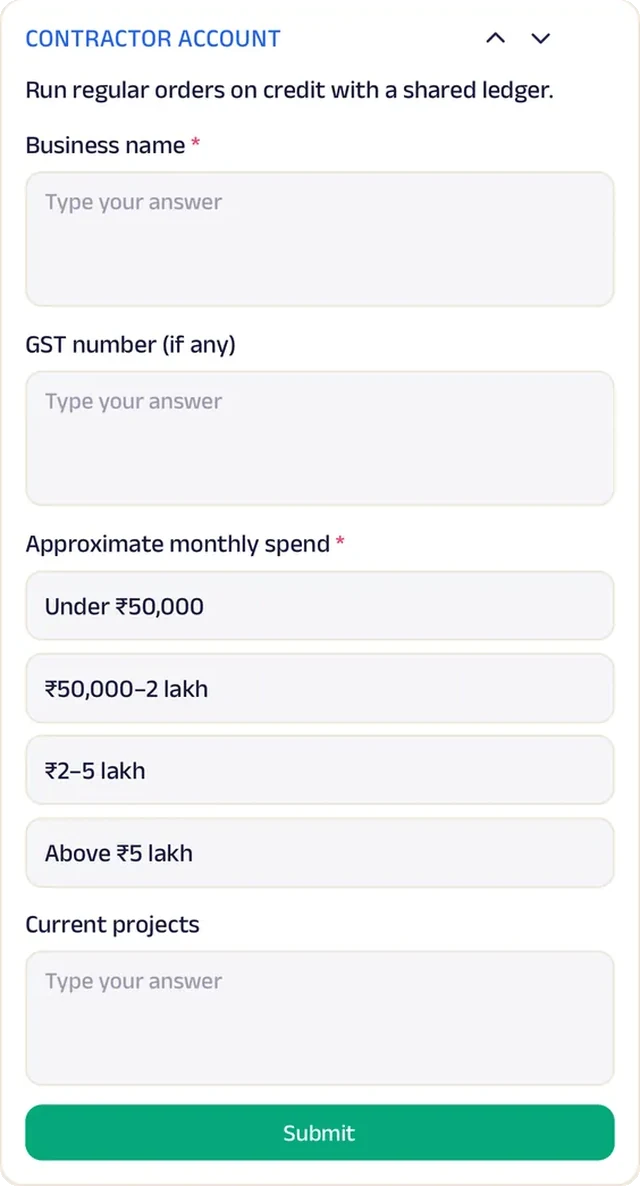
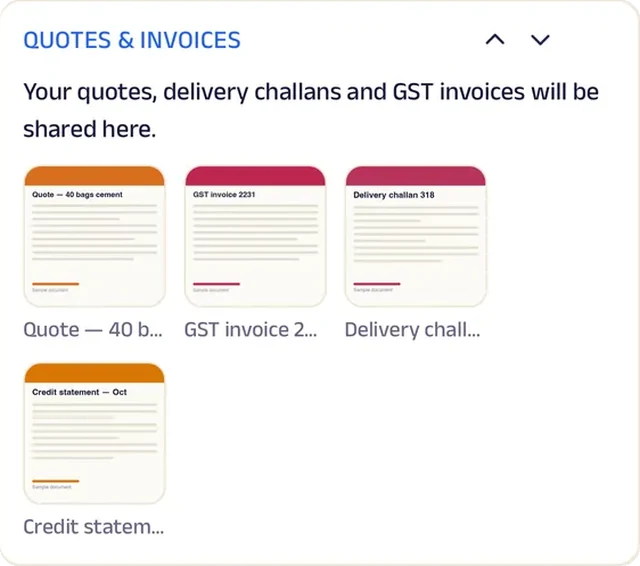
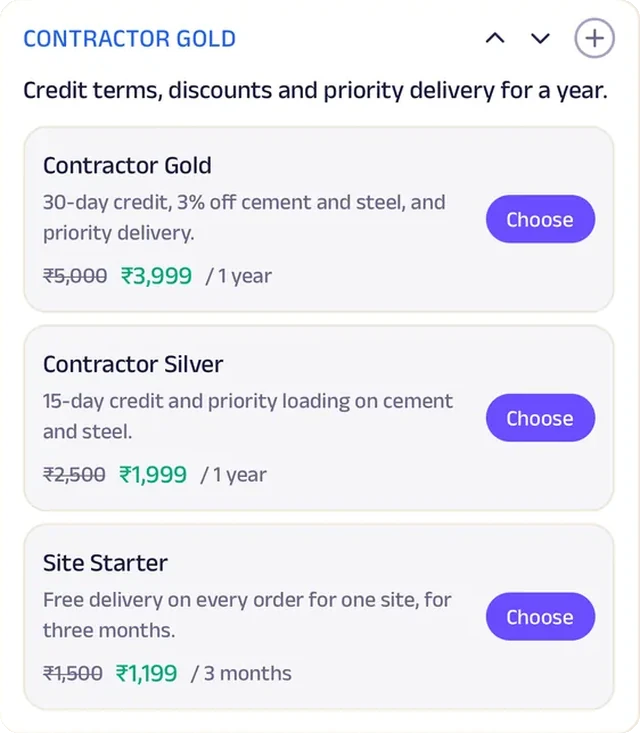
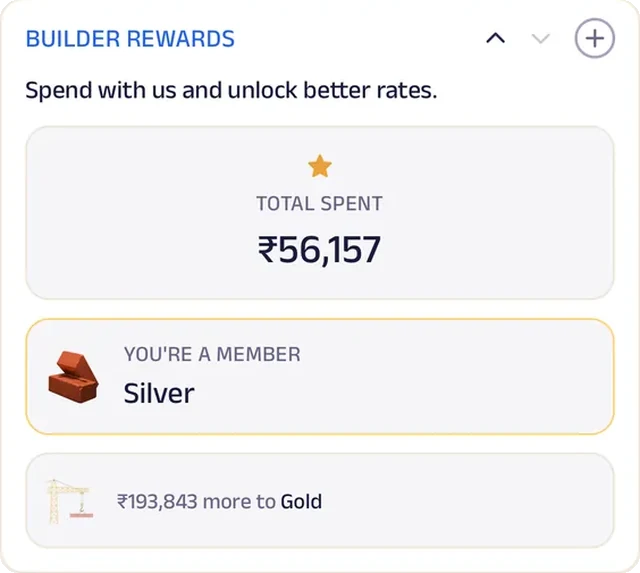
The catalogue prices cement, bricks, tiles, pipes and paint per bag, per sq. ft. and per litre. Contractors apply for a credit account with their business name, GST number and monthly spend, and Contractor Gold, a yearly plan, adds 30-day credit, a discount on cement and steel, and priority delivery. Builder Rewards counts spend and unlocks better rates at each tier, while quotes and invoices for every site order stay in one place. A family hardware store now runs trade accounts and credit terms the way a large building-supplies distributor does.


Tasks. A site material list — cement, steel, tiles, fittings — is shared with the shop, which packs and delivers it.
Gadgets at work

Photo gallery
Photos of the yard and the stock show contractors the shop can handle a full site, not just a few fittings.
Location
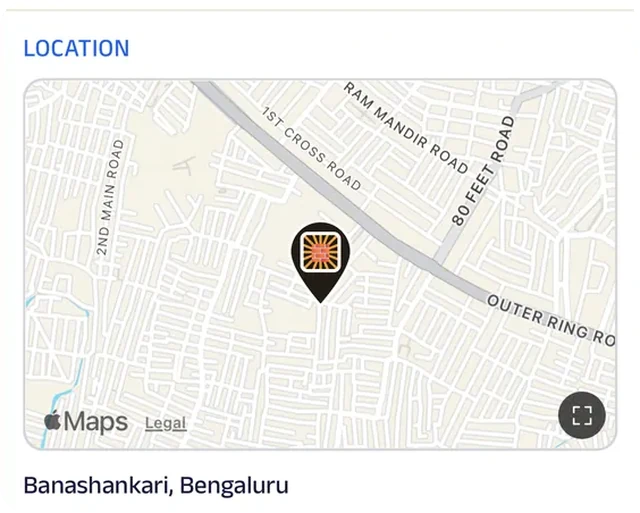
The store and its yard are pinned on the map, so a tempo driver collecting for a site finds it without a call.
Forms
Contractors apply for a credit account with business name, GST number and monthly spend.
Add docs
Quotes and invoices for every site order.
Subscriptions
A yearly contractor plan brings a month's credit, better rates on the heavy materials and priority delivery to site.
Loyalty
Builder Rewards counts spend and unlocks better rates at each tier.
Reviews
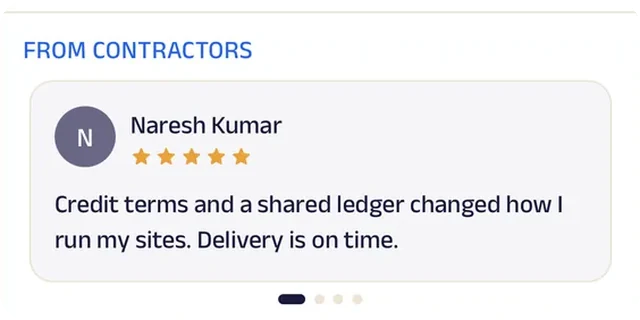
Contractors write about loads that reached site on the promised day, which is the reputation a building-supplies store runs on.
Printing & Xerox
Gupta Digital Centre
A print shop that takes the job before you reach the counter.
The counter used to be a crowd of pen drives and phones held out for someone to open a file. At Gupta Digital Centre, customers upload what they need printed, scanned or laminated before they leave home, and it's ready when they arrive. A quick checklist (file opens, paper size, colour, binding, copies) avoids a reprint.
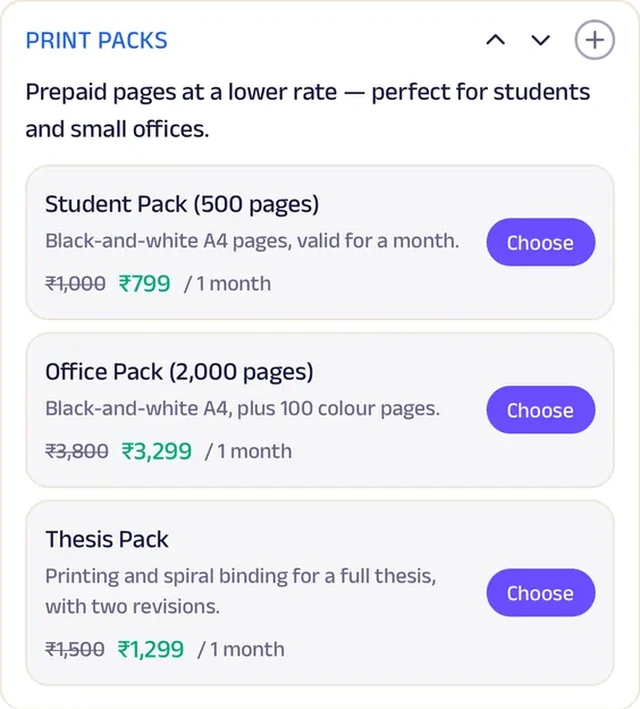
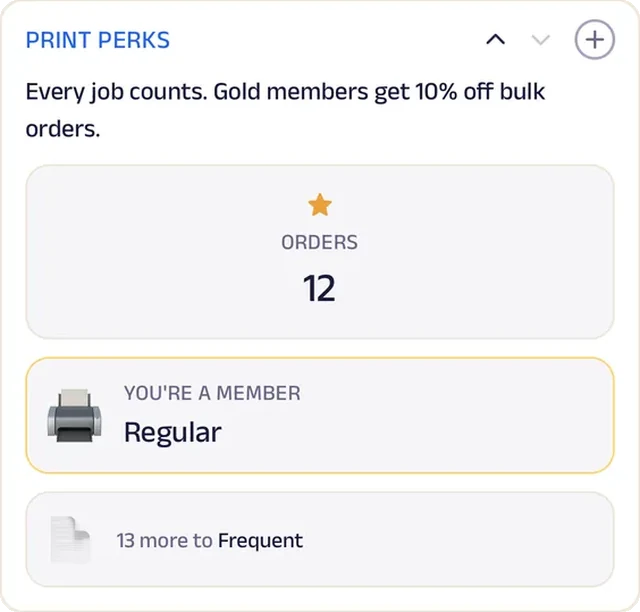
Students and offices buy prepaid print packs for a lower per-page rate through the month, and 'Repeat a job' re-prints a recent order with the same settings. Anyone can describe a job and attach the file to get a price and pickup time, while bulk quotes for brochures, thesis binding or large runs come in as a form. Every job counts towards Print Perks, and Gold members get 10% off bulk orders. A xerox shop now takes advance orders, prepaid packs and repeat business like a full print studio.


Add docs. Customers upload the document they need printed, scanned or laminated, and it's ready when they arrive.
Gadgets at work
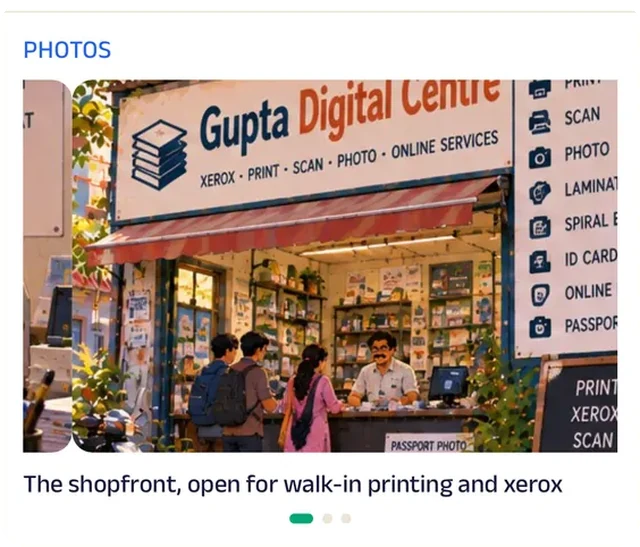
Photo gallery
Photos of finished binding and lamination show students what their thesis will look like before they order.
Location
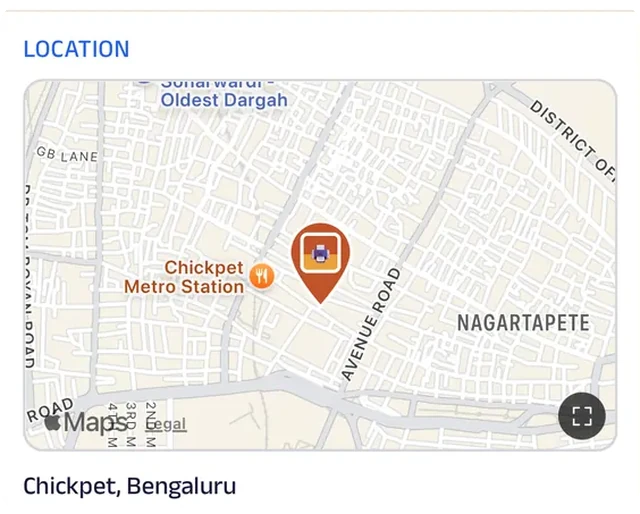
The shop is pinned on the map, so a student racing a submission deadline finds the counter first time.
Text order
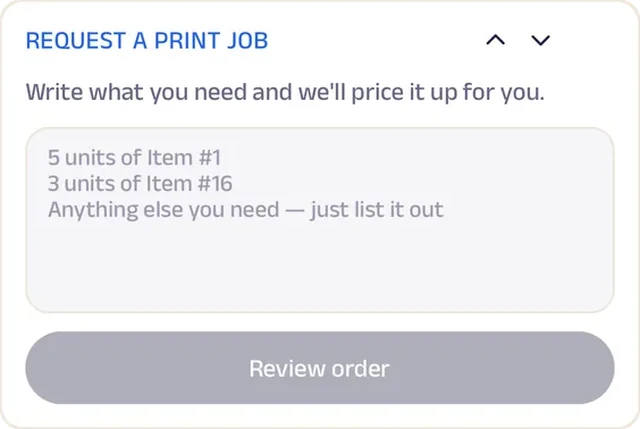
Describe the job and attach the file; the shop confirms the price and pickup time.
Tasks
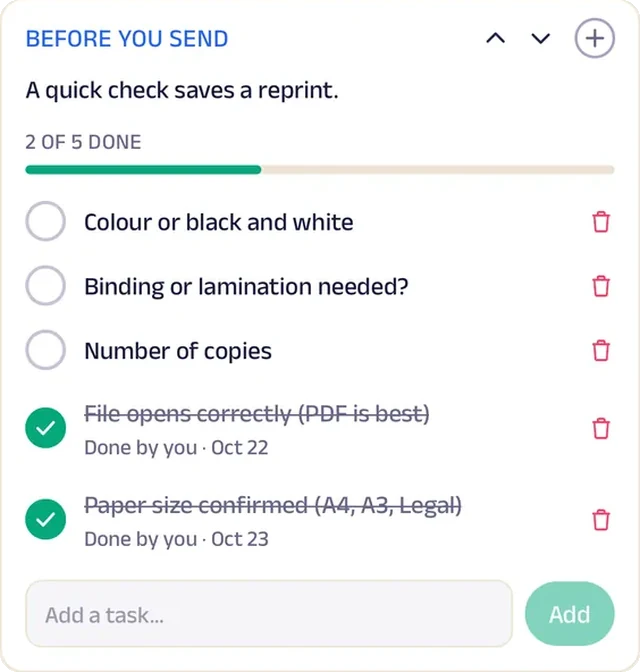
A pre-send checklist — file opens, paper size, colour, binding, copies — avoids a reprint.
Forms
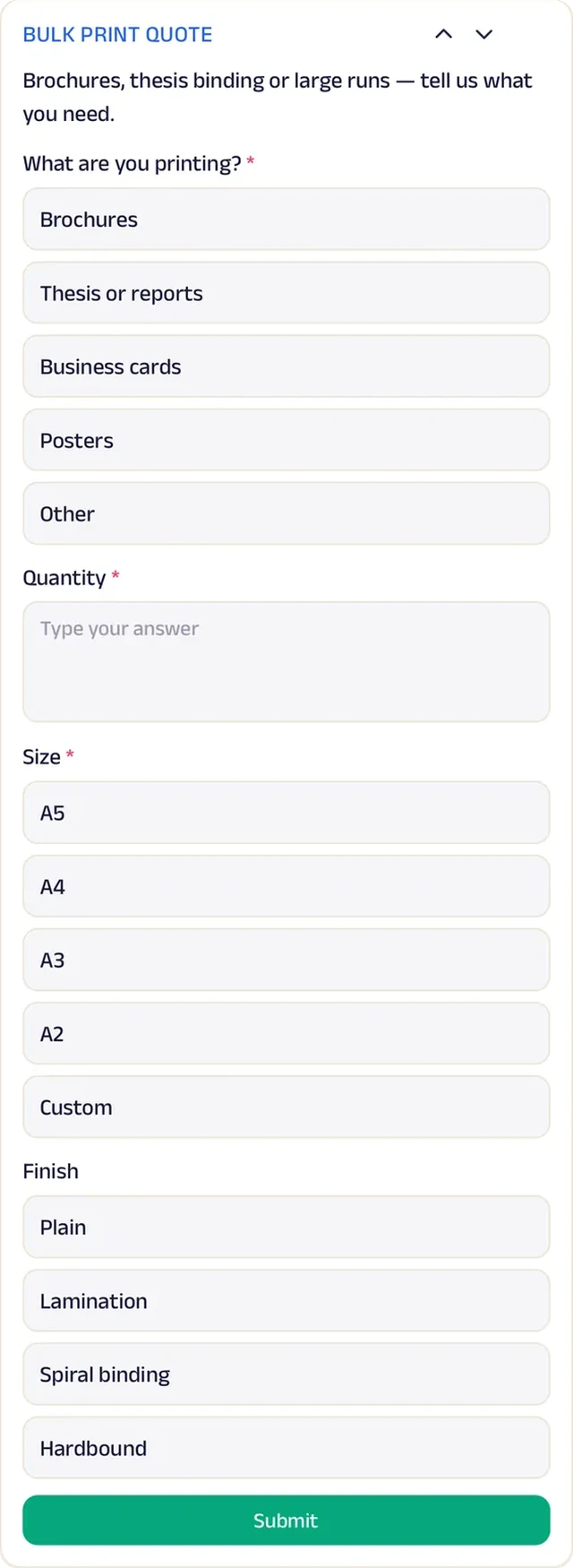
Bulk quotes for brochures, thesis binding or large runs arrive as a form.
Subscriptions
Prepaid print packs give students and offices a lower per-page rate for the month.
Loyalty
Every job counts towards Print Perks, and top members get a better rate on bulk orders.
Reviews
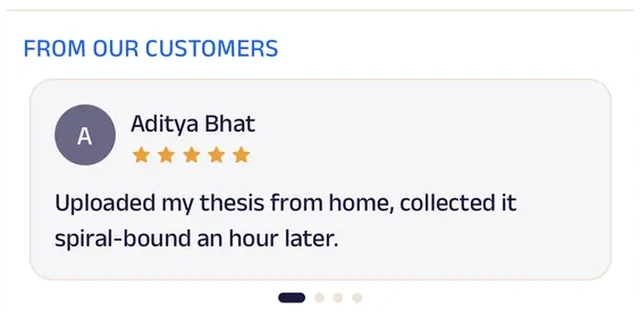
Students and offices write about jobs ready on time and printed right, which is what a print shop lives on.
Books
Chapter & Verse Books
An independent bookshop that runs a book club, a reading goal and special orders.
The monthly book club used to run off a sign-up sheet by the till, and nobody knew how many chairs to set out. Now readers reserve one of twenty seats from the app for the first Sunday, with coffee on the house, and the shop knows exactly who is coming.
Between meetings, readers log the books they finish against a yearly goal of twenty-four. The Reader's Club sends a staff-picked paperback every month, and Bookworm Badges count spend as regulars climb from Page Turner to Bibliophile. Can't find a title? A special-order form captures the author, edition and format, or readers simply ask and the shop finds it and quotes a price. Staff picks carry a line on each, and the next book in a series is one tap away. An independent bookshop now keeps a reading community going all month, not just on club day.


Reserve spot. The monthly book club seats twenty on the first Sunday, with coffee on the house. Readers reserve a seat from the app.
Gadgets at work

Photo gallery
Photos of the shelves and the reading corner give the shop's feel to someone who hasn't visited yet.
Location
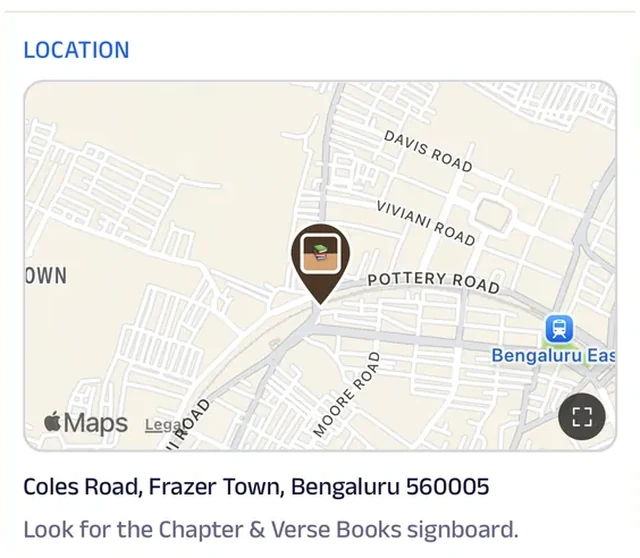
The shop is pinned on the map, so a book-club newcomer finds it on the first Sunday.
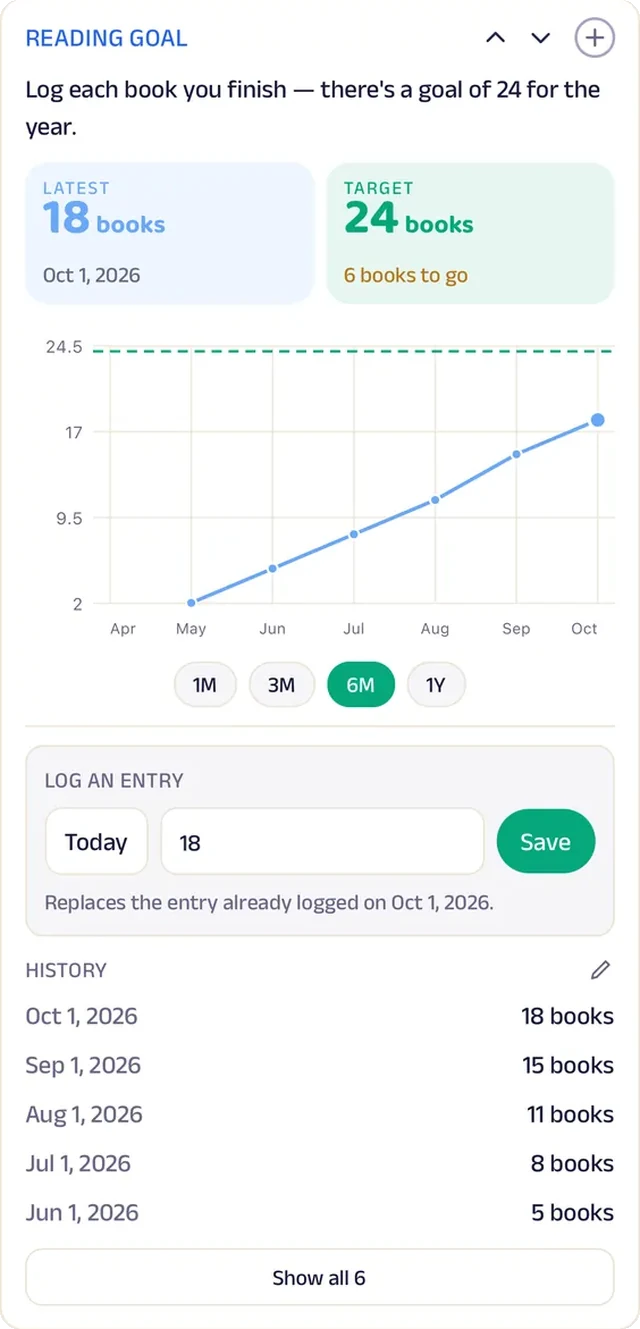
Tracker
Readers log the books they finish against a yearly goal of twenty-four.
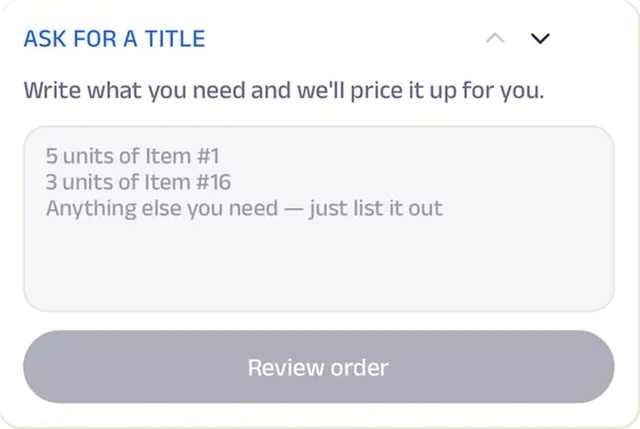
Text order
Ask for a book that isn't on the shelf; the shop finds it and quotes a price.
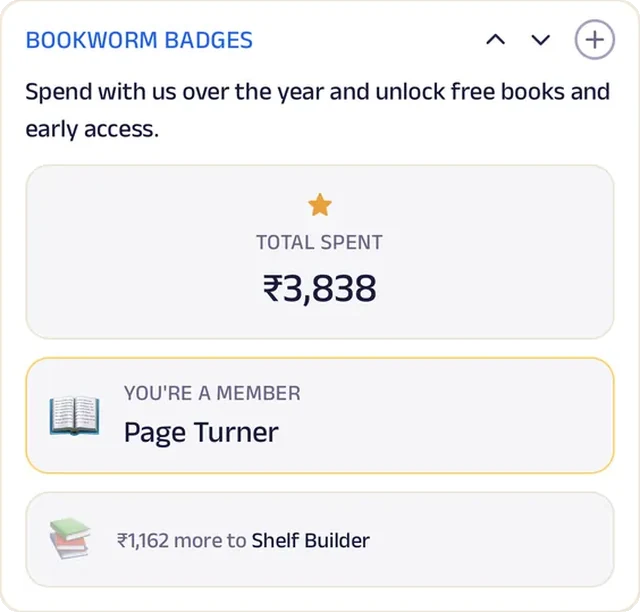
Loyalty
Bookworm Badges count spend, so regulars climb from Page Turner to Bibliophile.
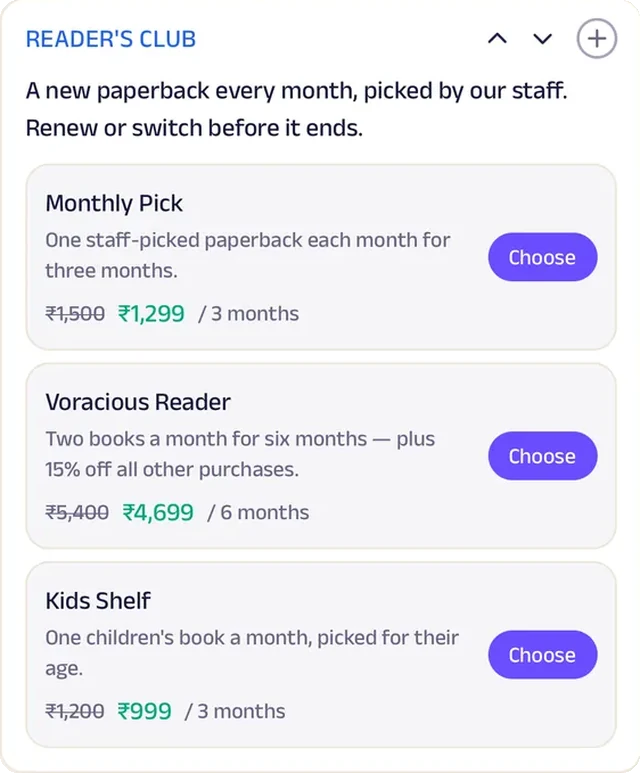
Subscriptions
The Reader's Club sends a staff-picked paperback every month, on a plan that renews with a reminder.

Reviews
Readers write about staff who remember what they liked, which is the whole case for an independent shop.
Run the whole business
Your team, your customers and your money, in one place.
The same page is also how you run the shop, from the phones you already have and a laptop in the browser. There's no special software or hardware to buy.
Operate your day
From the first booking to "see you again".
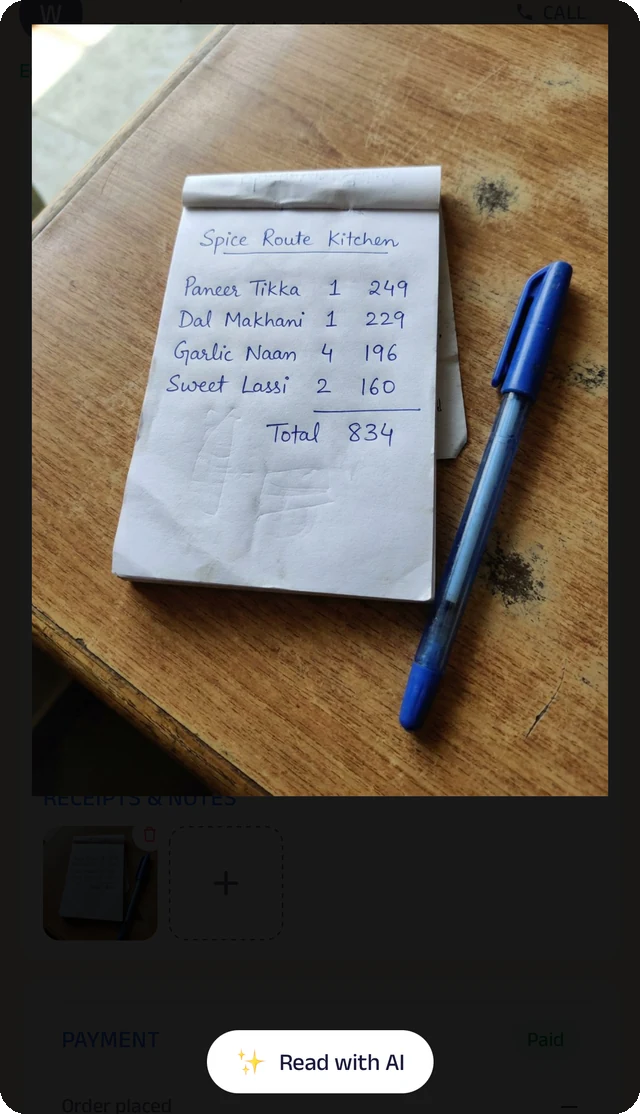
Bill photo
Photograph a handwritten bill, and the Assistant reads it for you to check.
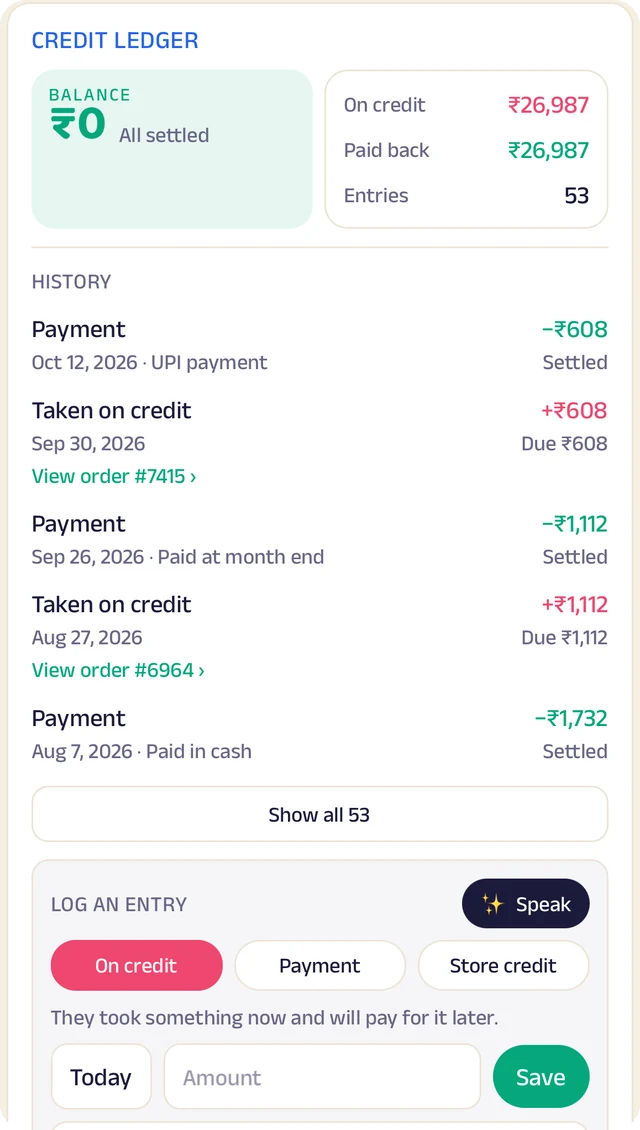
Credit ledger
Every credit and payment by customer. Log an entry by typing, or by speaking it.
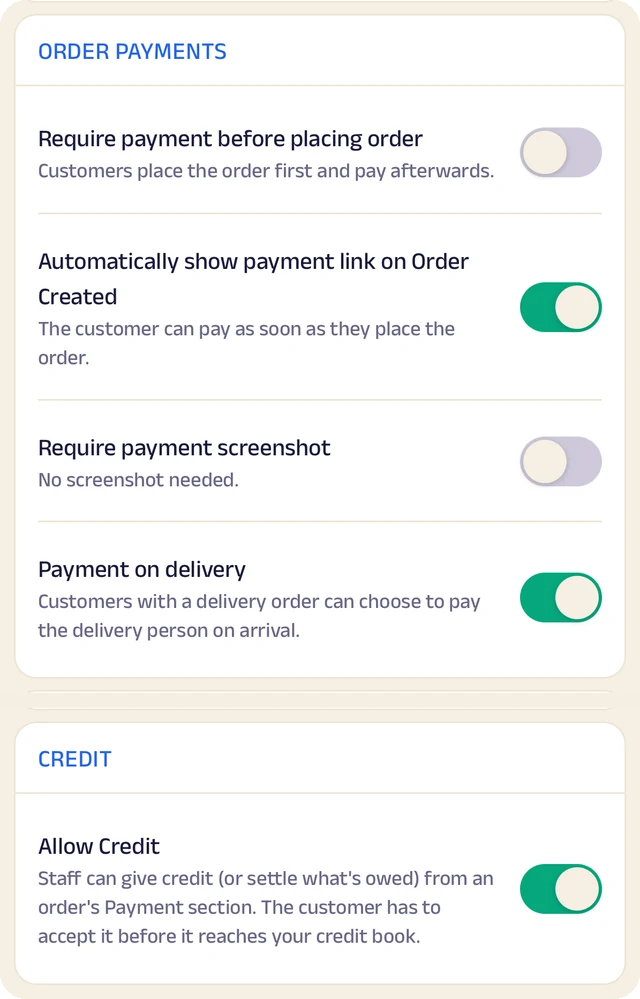
Order settings
Turn ordering on or off, and set GST and fees once so they're added automatically.
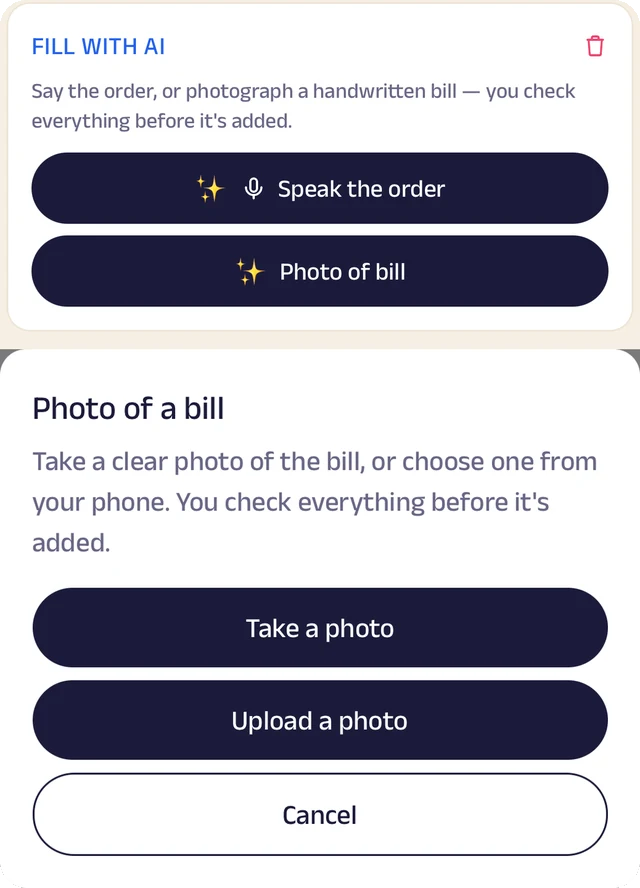
Fill with AI
Say an order out loud or photograph a bill, and check everything before it's saved.
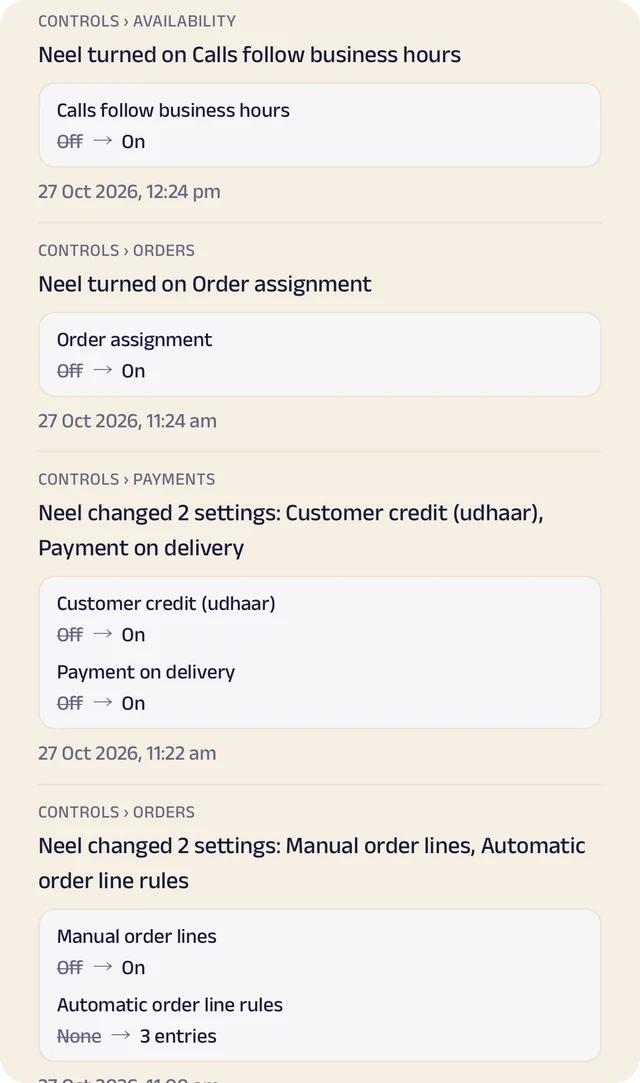
Settings history
Settings switched on or off, with the old and new value.
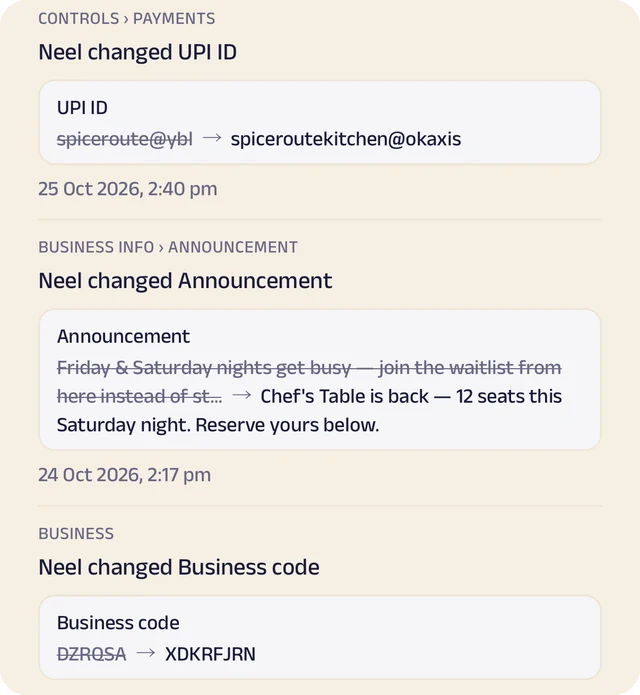
Payment history
Payment details changed, shown before and after.
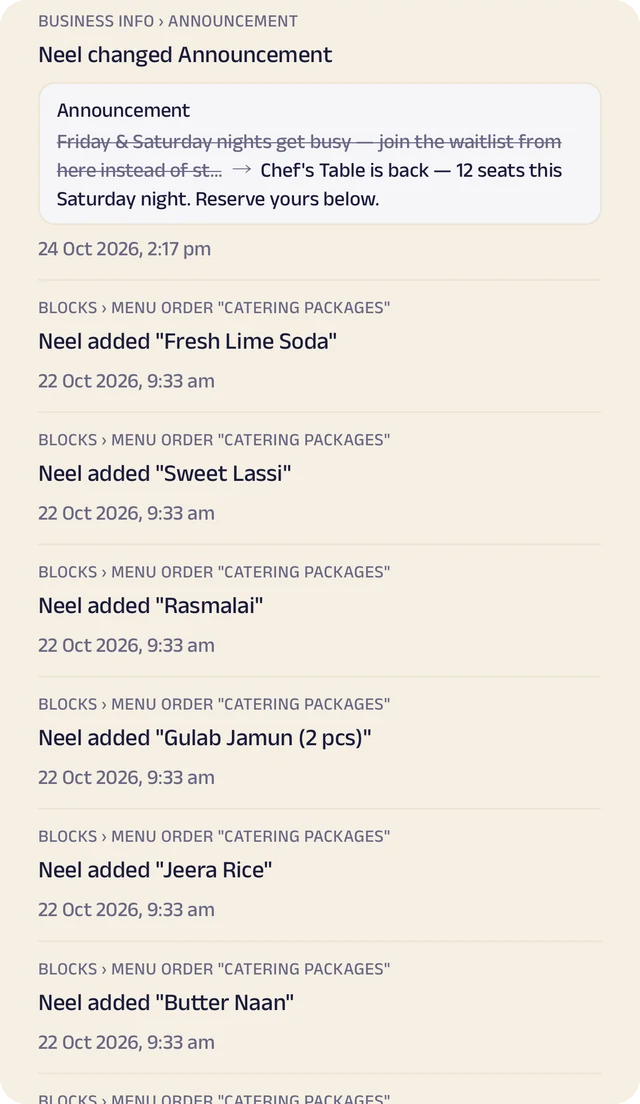
Page history
Changes to your page, kept in its own history.
Catalogue and orders
Your products with prices and photos. Customers order by tap, by text, by voice or by a photo of their list, and every order lands in one list.
Stock that keeps itself
List what you sell once, record what comes in with its cost and supplier, and let sales take it out, so you know what's left.
Credit for regular customers
Credit given to regulars is written down properly, and customers see the same balance you do.
Paid your way
UPI, a payment link, cash or pay on delivery, with GST and fees added automatically. Zich World never touches the money, so customers pay you directly.
Manage your people
Everyone who stocks the shelves and serves the counter, in the right place.
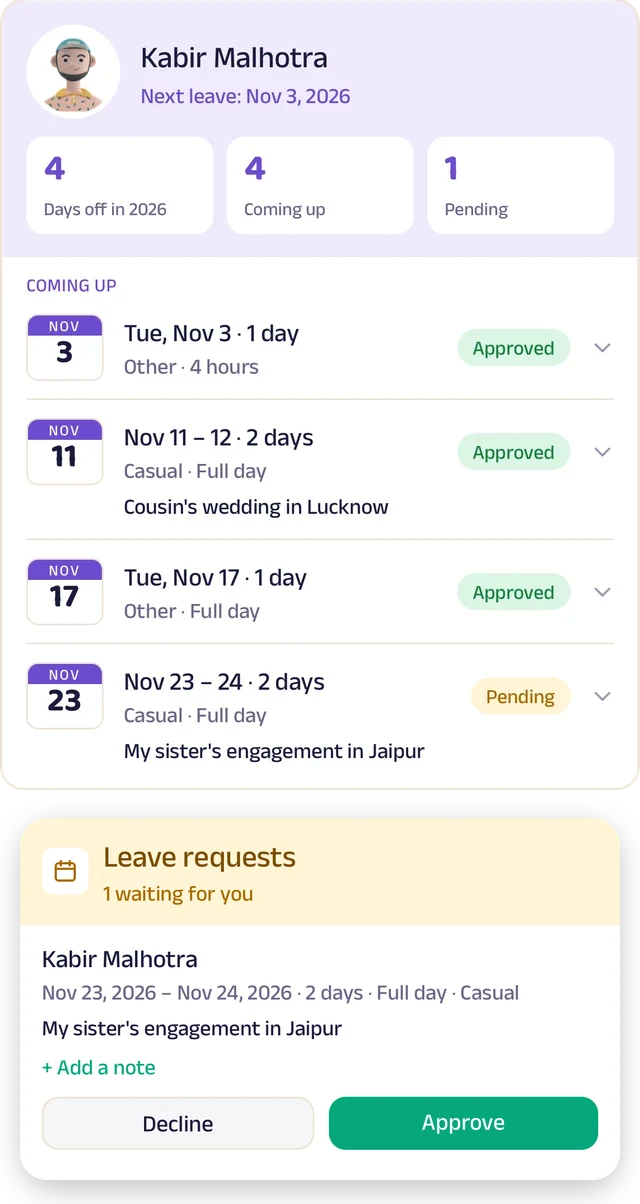
Team leave
A team member's days off: what's approved and what's waiting.
Team ledger
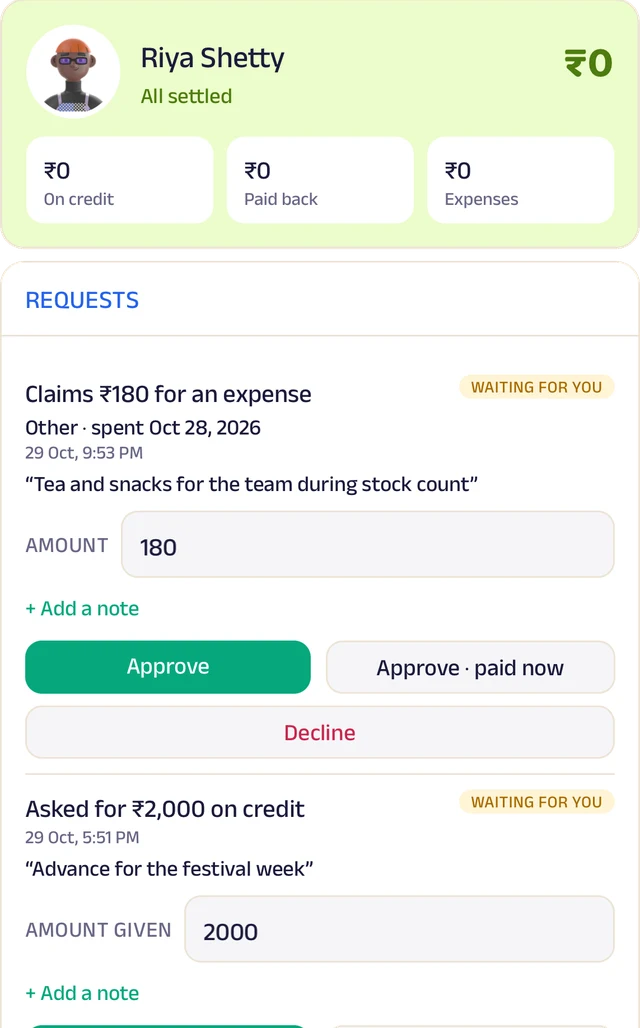
A running account per person: advances, expenses and approvals.
Order access
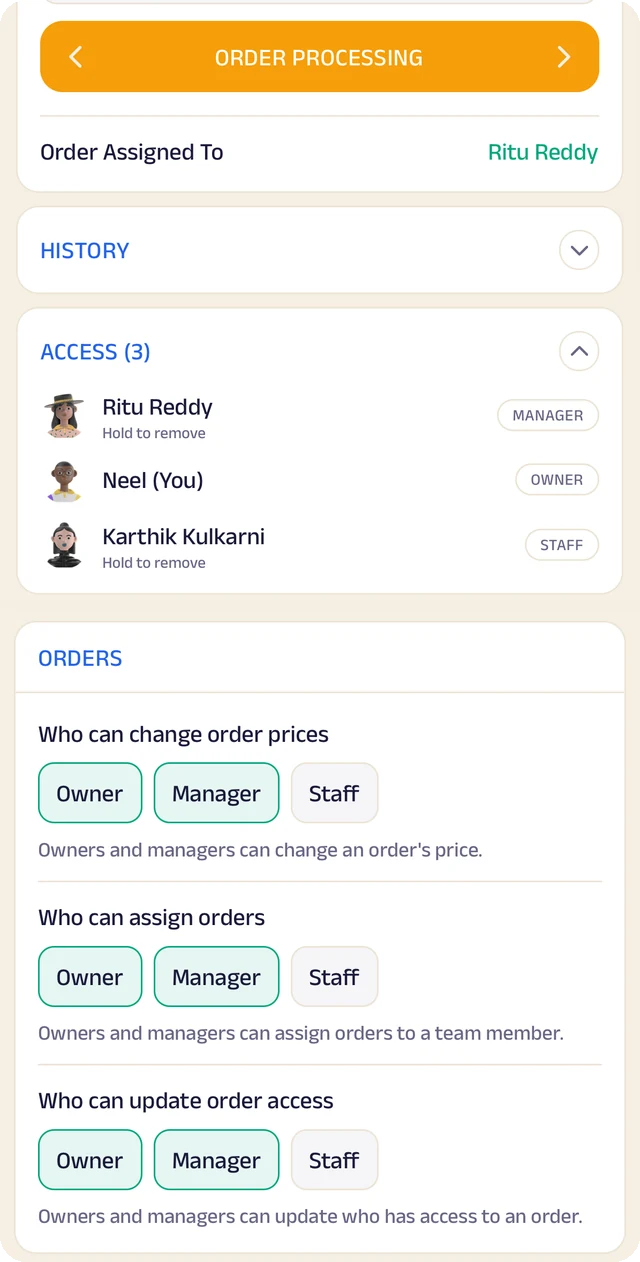
Who an order is assigned to, who can see it, and who can change it.
To-do lists
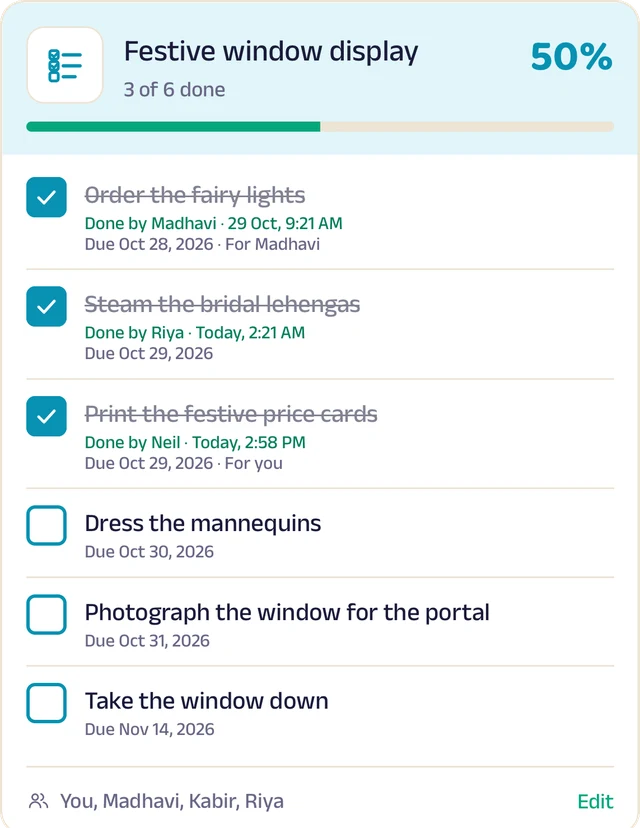
Shared lists, ticked off with who did it and when.
Holidays
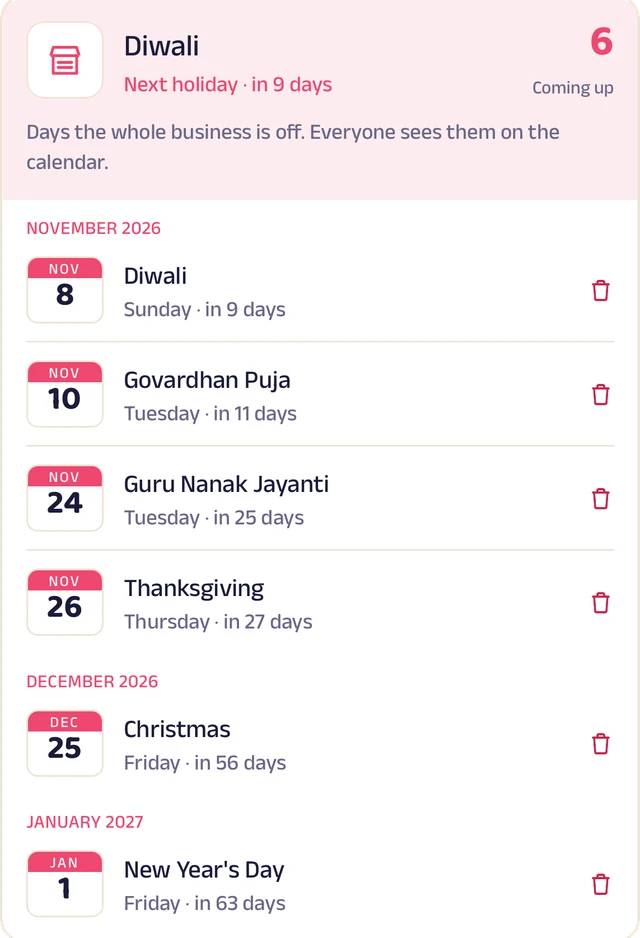
Days the whole business is closed, on everyone's calendar.
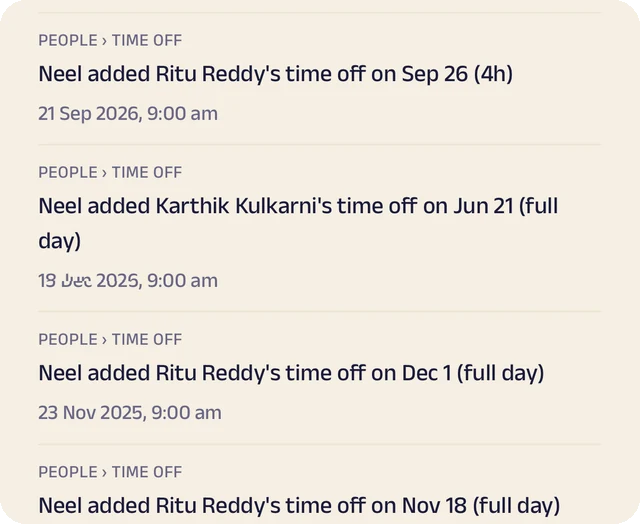
Request leave
Request casual, sick or unpaid leave, for a day or a few hours.
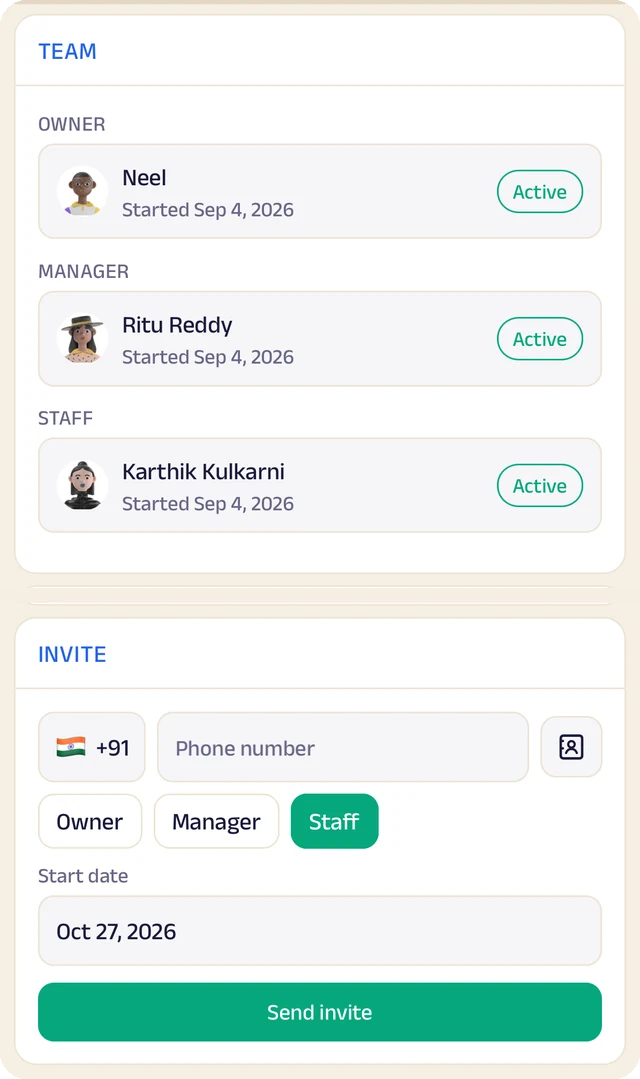
Your team
Your team by role, with leave requests waiting for your approval.
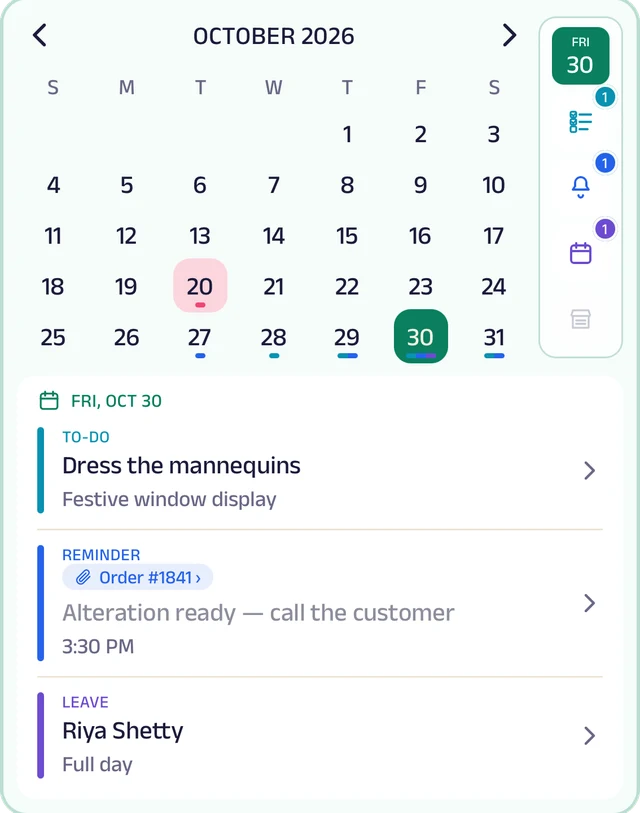
My Space
Everyone's own calendar, with to-dos, reminders and leave.
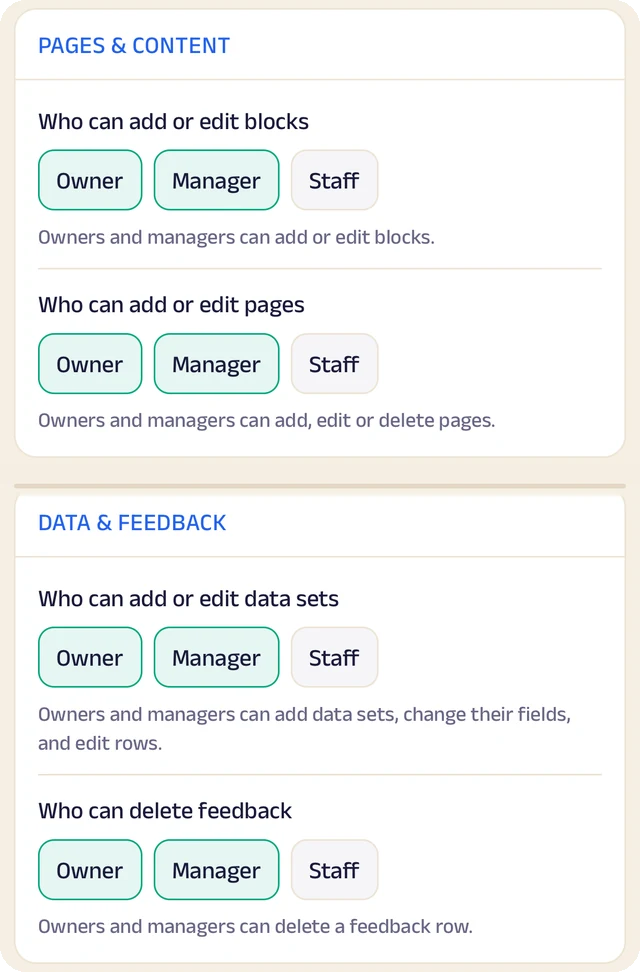
Permissions
Who can edit your page and change prices, role by role.
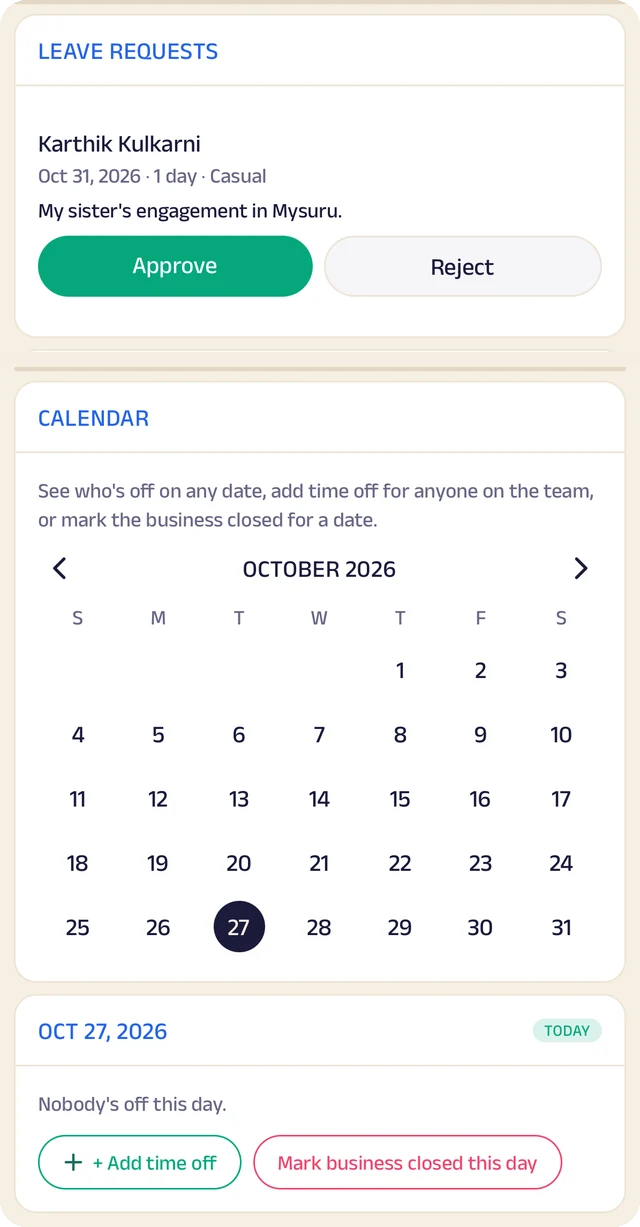
Time off
A calendar of who's off and which days the business is closed.
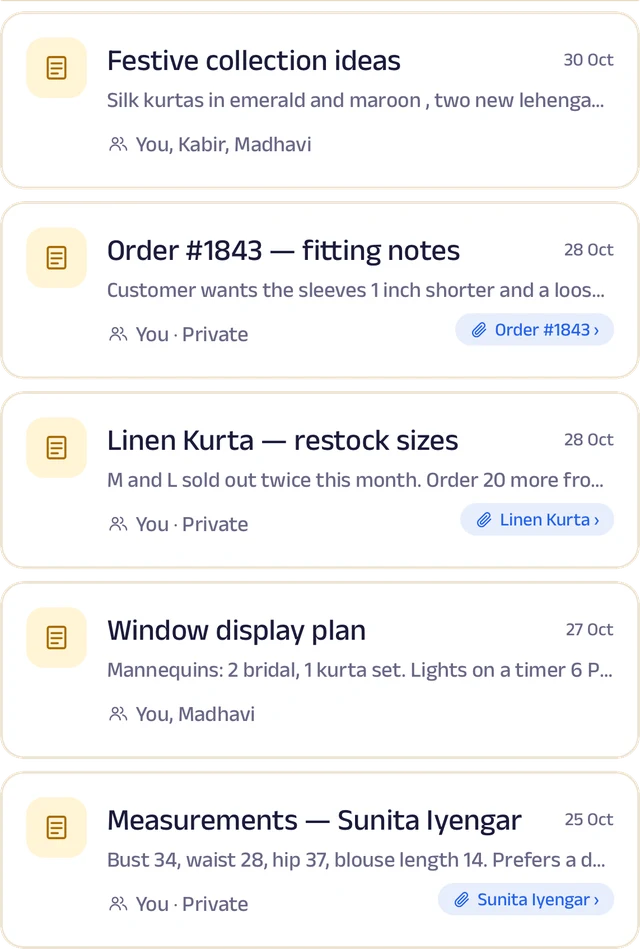
Notes
Notes with photos and voice, some linked to an order or a customer.
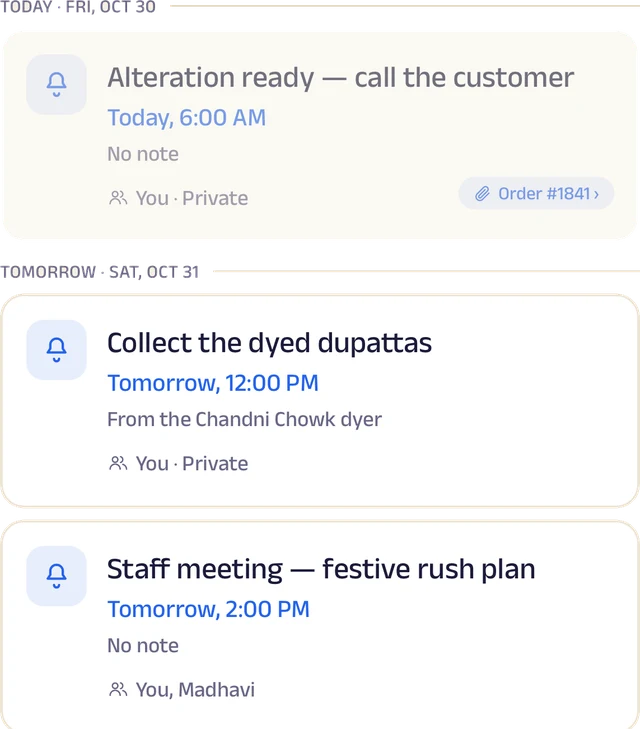
Reminders
Once or on repeat, shared with the team and linked to an order.
Roles and access
Add your your team by phone number and give each a role: owner, manager or staff. You choose who can edit your page, change prices or assign bookings, and you can freeze someone's access in a tap. Payment details stay with the owner.
Leave and holidays
Staff request casual, sick or unpaid leave for a full day or a few hours, and you approve it. Everyone sees who's off today, and days the whole shop is closed show on every calendar.
A ledger for each person
Each team member's running account with the business: advances, money paid back and expense claims. Staff ask, you approve, and a statement is ready to share for any period.
My Space for everyone
Each person gets their own calendar with to-do lists, notes and reminders, and the owner sees the whole team.
Track your growth
Kept as you work, not typed up at the end of the month.
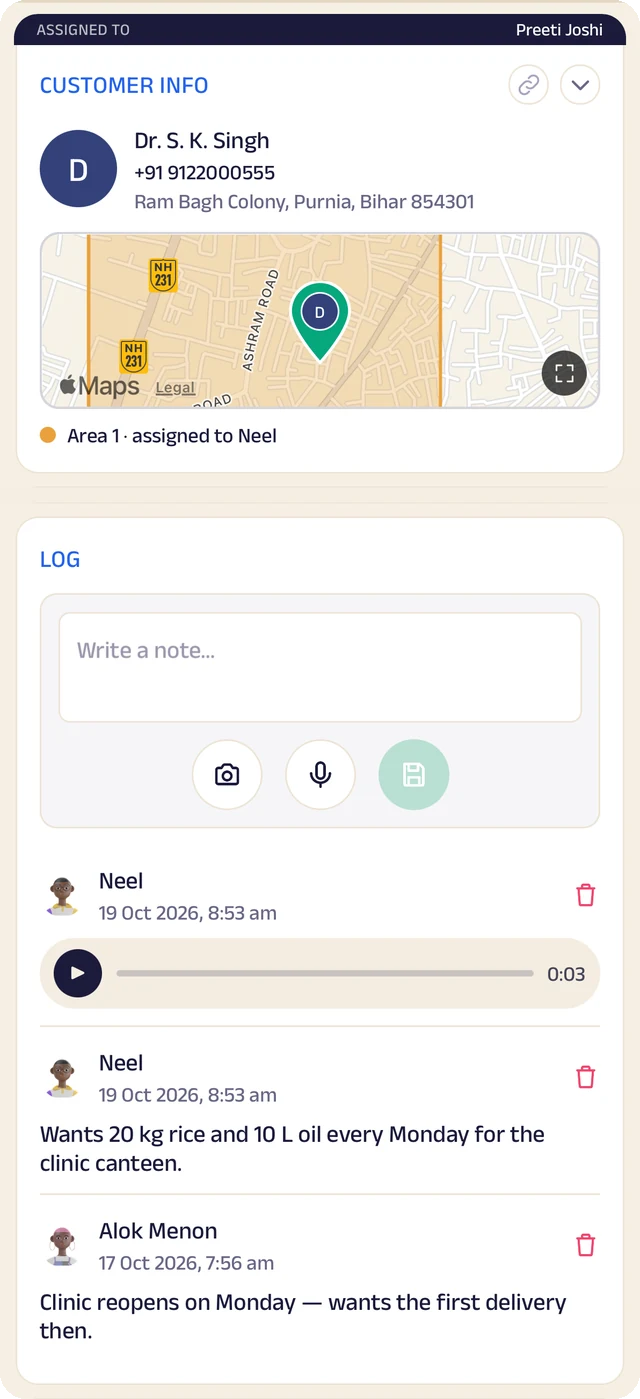
Customer record
One customer's record: details, a map pin and the team's notes.
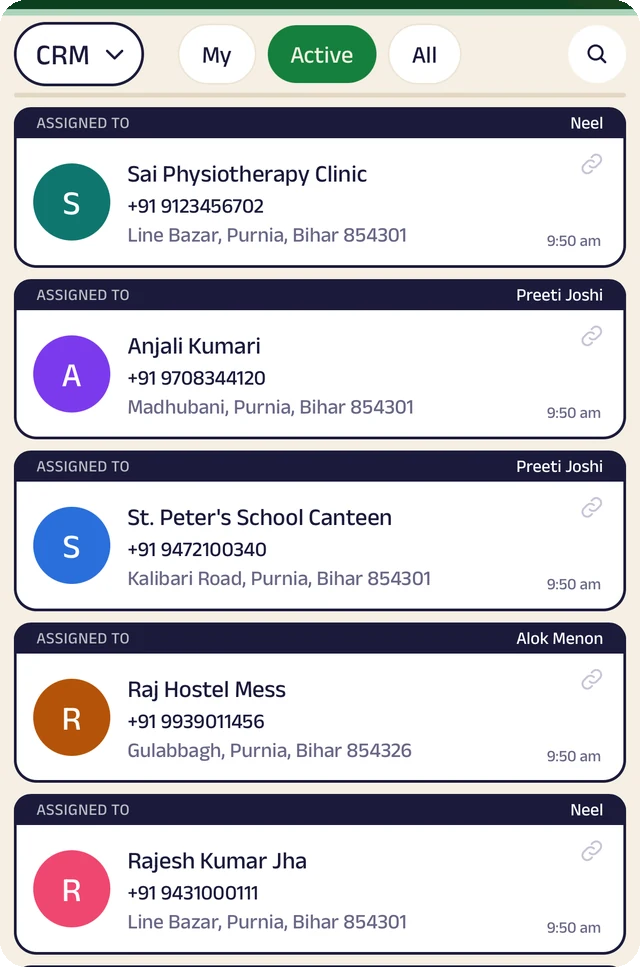
Customer list
Customers assigned to the people who look after them.
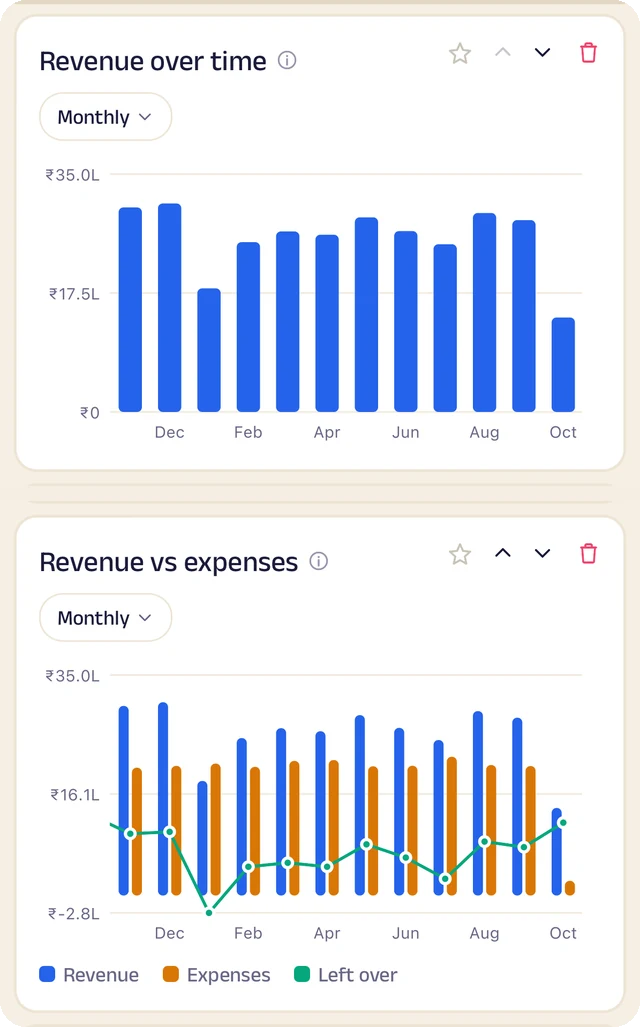
Revenue
Revenue month by month, and what's left after expenses.
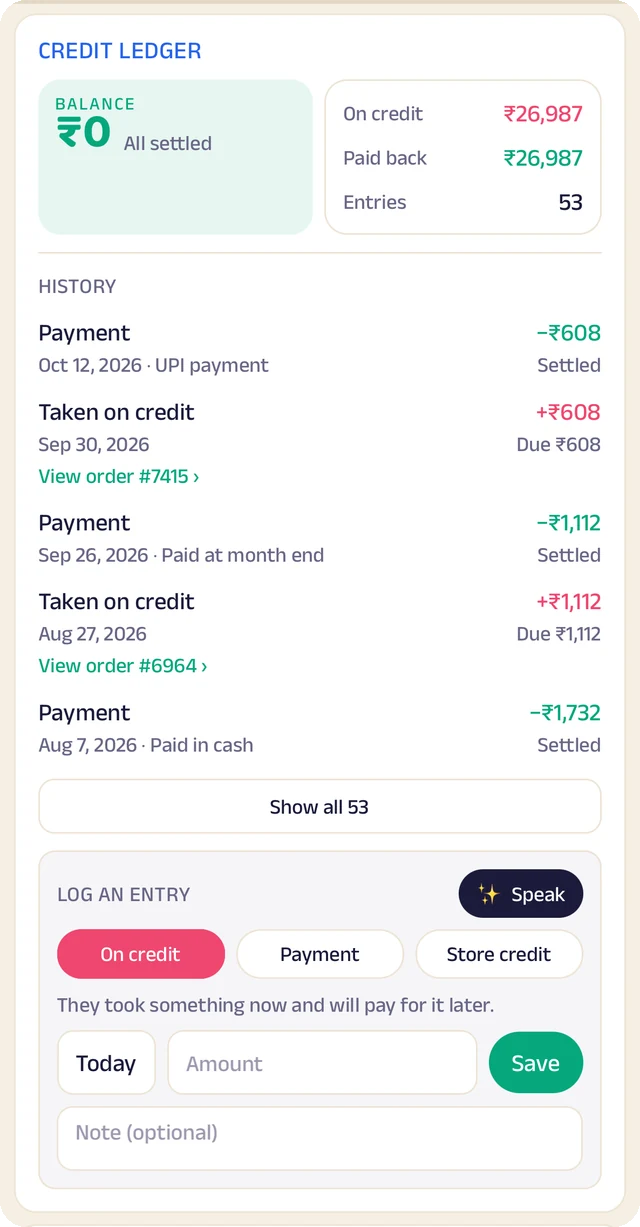
Credit book
Every credit and payment by customer and date, with the balance on both sides.
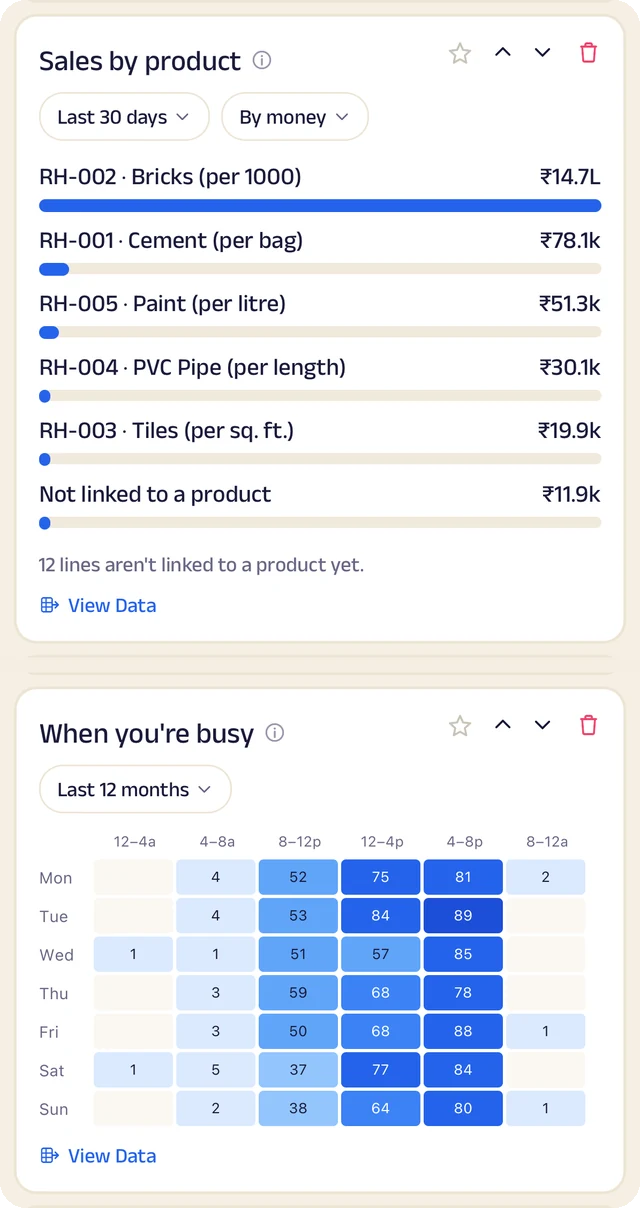
What sells
What sells, and the hours you're busiest.
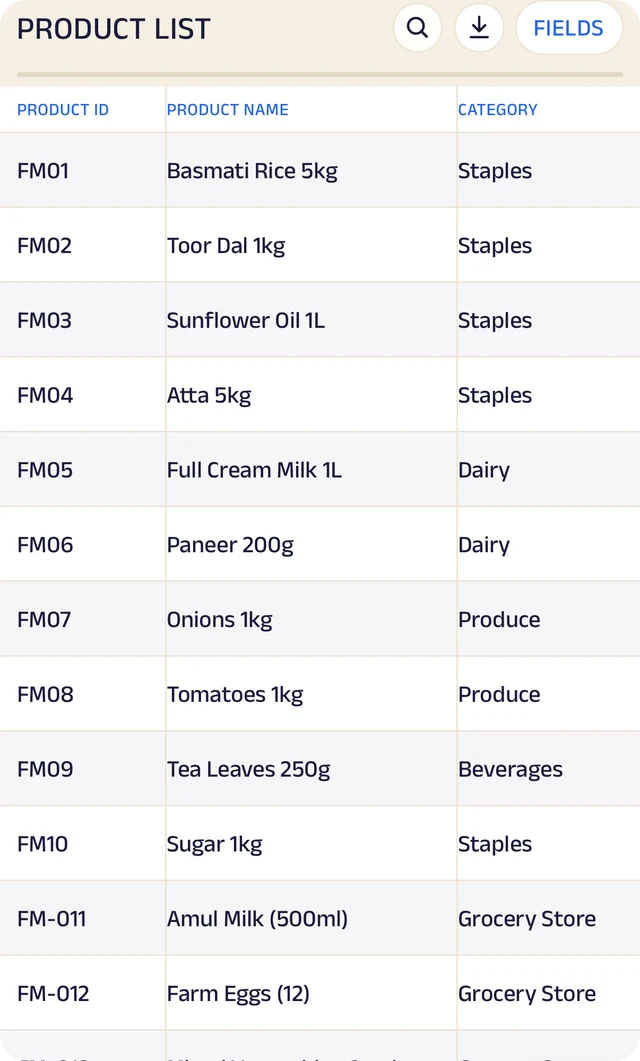
Products
Your products, with codes, names and categories.
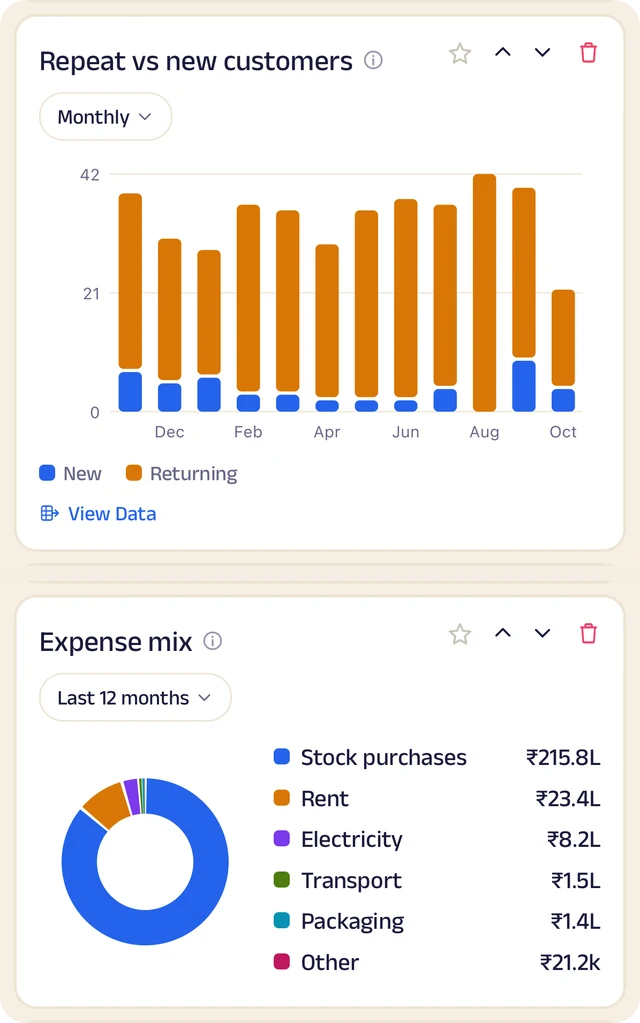
Customers and costs
Repeat against new customers, and where the money goes.
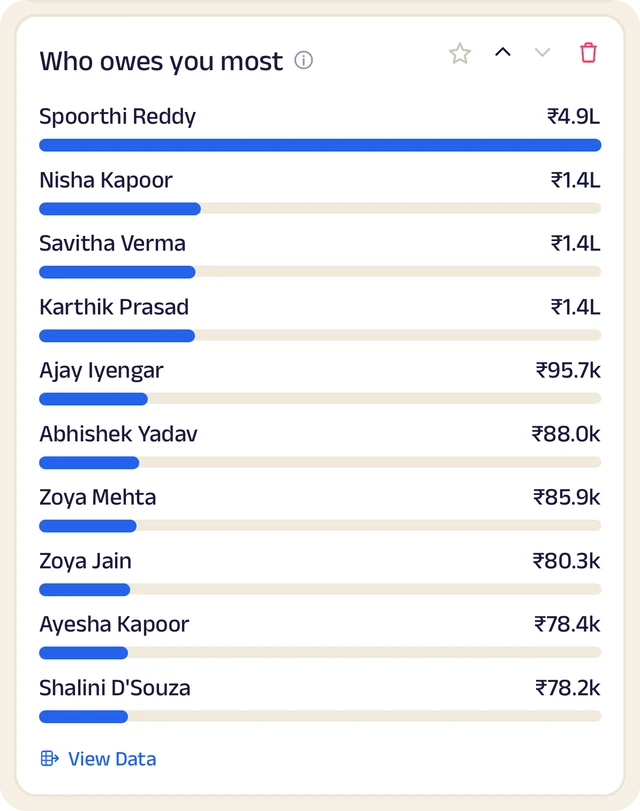
Who owes most
Who owes you the most, ranked.
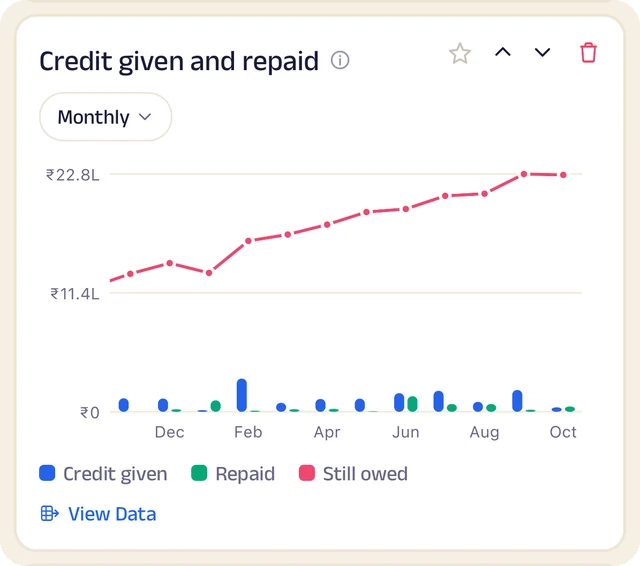
Credit history
Every credit entry as a table you can search.
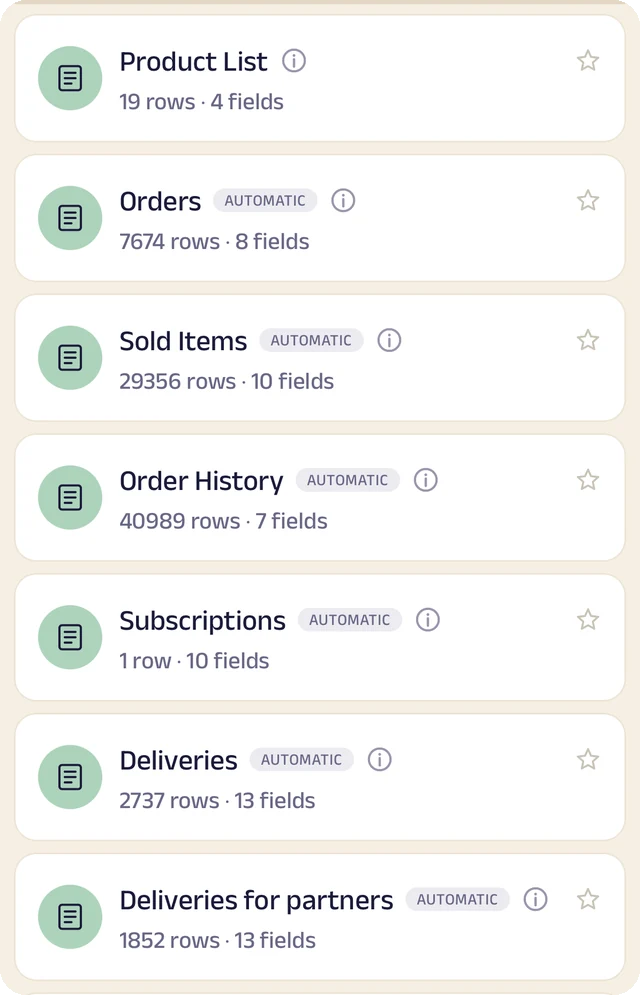
Your tables
Every table in one menu, each with its row count.
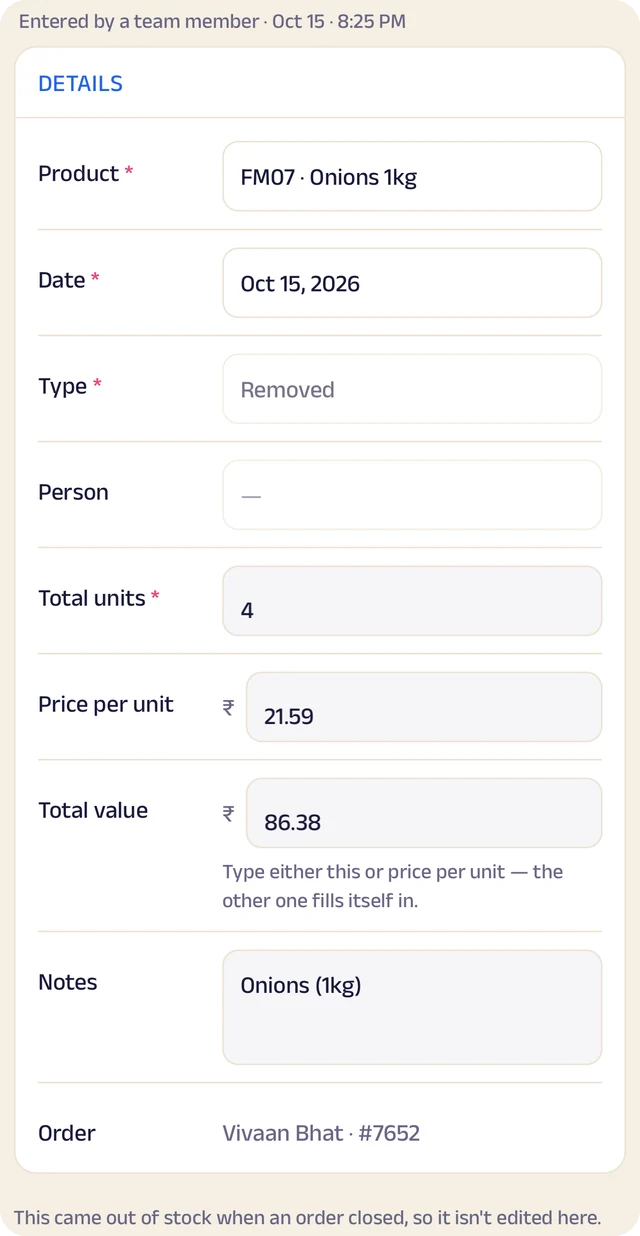
Stock entry
A stock entry: what came in, at what cost, from whom.
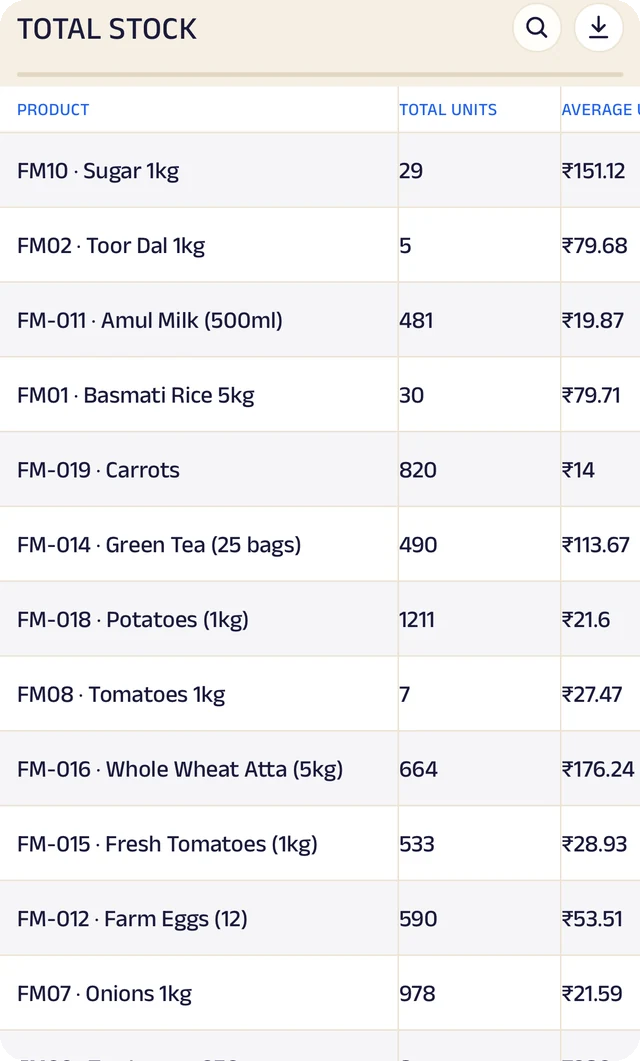
Total stock
Total stock and its average cost, worked out for you.
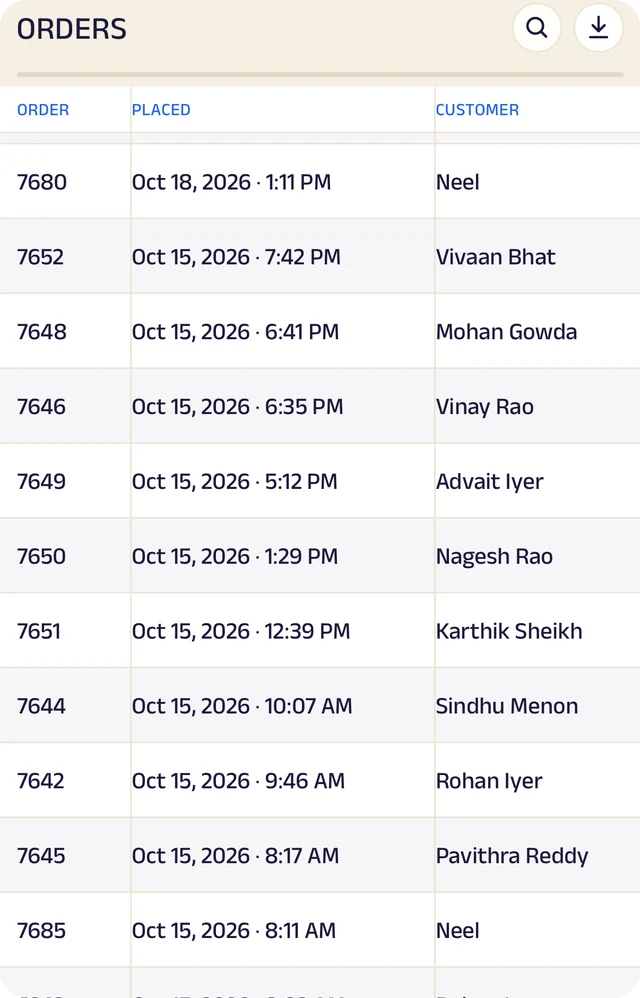
Expenses
Expenses as a table, ready to search or download.
Product stock
List the products you sell once, record what comes in with its cost and supplier, and let sales take it out. A barcode or product code finds anything in seconds.
Credit ledger
Credit given to regulars is written down properly. Customers see the same balance you do, and you always know who owes you most.
Customer management
Every customer has a record the right people can see and add to, with notes, photos and who looks after them.
Analytics
Thirty charts across sales, money and stock. See your busiest hours, what sells, and repeat against new customers, for this week, month or year.
Your data, yours to take
Every table in the app is searchable and can be downloaded as a CSV for your accountant or your own spreadsheet.
The Assistant
Say an order out loud or photograph a bill and it becomes a record for you to review. Nothing is saved until you approve it.
Everything here is on the Businesses page in detail, with the app's real screens. See the Businesses page
Join the pilot
Set up your shop's page.
The pilot is completely free. After it, you can start free: the Free plan covers 30 orders a month, with every feature open (the AI Assistant is free during the pilot, then on paid plans). When you need more, plans start at ₹199 a month, based on how many orders or bookings you handle. There's no commission and no per-order fee, and as a pilot member you lock in your rate. Setup and training are free.
Free
₹0
30 orders or bookings a month
Starter
₹199 a month
Up to 100 orders or bookings a month
Growth
₹499 a month
Up to 300 orders or bookings a month
Pro
₹999 a month
Up to 1,000 orders or bookings a month
Every feature is open on every plan. The AI Assistant is free for everyone during the pilot, then comes with paid plans. Every order counts. Prices include GST. More than 1,000 a month, or 5 or more people on your team? We'll agree a plan with you.