










For businesses

Everything your business does,
in one portal.

Not a website builder, a POS, an accounting tool or a marketplace — all of a business's relationships in one connected system. Serve your customers and run the business from the phone you already own. Send orders out with your own drivers or a local delivery company you've connected with, and customers follow each one live to their door. Bring AI into the way you work, with an Assistant that takes on the busywork so you can focus on the business. Your data stays yours, with analytics that show how you're growing. More ways to work together are on the way.

zichworld.app/CORNRCUP
Search orders, customers…OpenN

Today

$0

Orders

0

Queue

0

Due

$0

This week

+18%

MTWTFSS

Live orders

#0412 · Cappuccino ×2Ready for pickup
#0411 · Croissant, filter coffeeProcessing
#0410 · Cold brew ×3Out for delivery
#0409 · Chai latte, browniePicked up

Needs you

Croissants · 3 left
Queue · #42 up next
$18.40 · Venmo received
Jake · time off, Fri
Emily: “Any spots left for Saturday's latte art workshop?”

Building blocks & gadgets

Pages. Gadgets. Blocks.

Every portal is assembled from the same catalog.

A restaurant, a clinic and a recycling collector use different pieces in different arrangements — and every improvement to the platform reaches every kind of business at once.

Pages

Living documents with permissions and a complete history. Shared alone or linked to each other.

Gadgets

Blocks that do things: take an order, book a slot, run a queue, hold a conversation, send an order out for delivery, show how to pay you.

Blocks

The pieces a page is made of — text, photos, maps, documents, links. Rearranged and reused without rebuilding.

Pages a portal can have

A page can say anything a business needs to say.

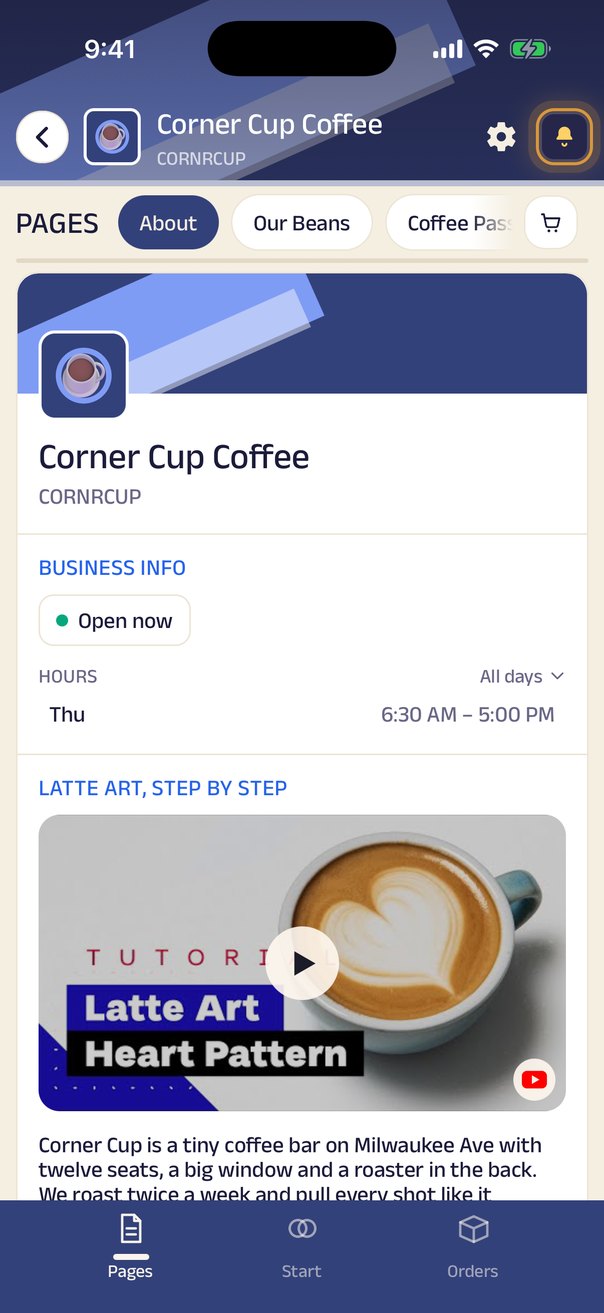
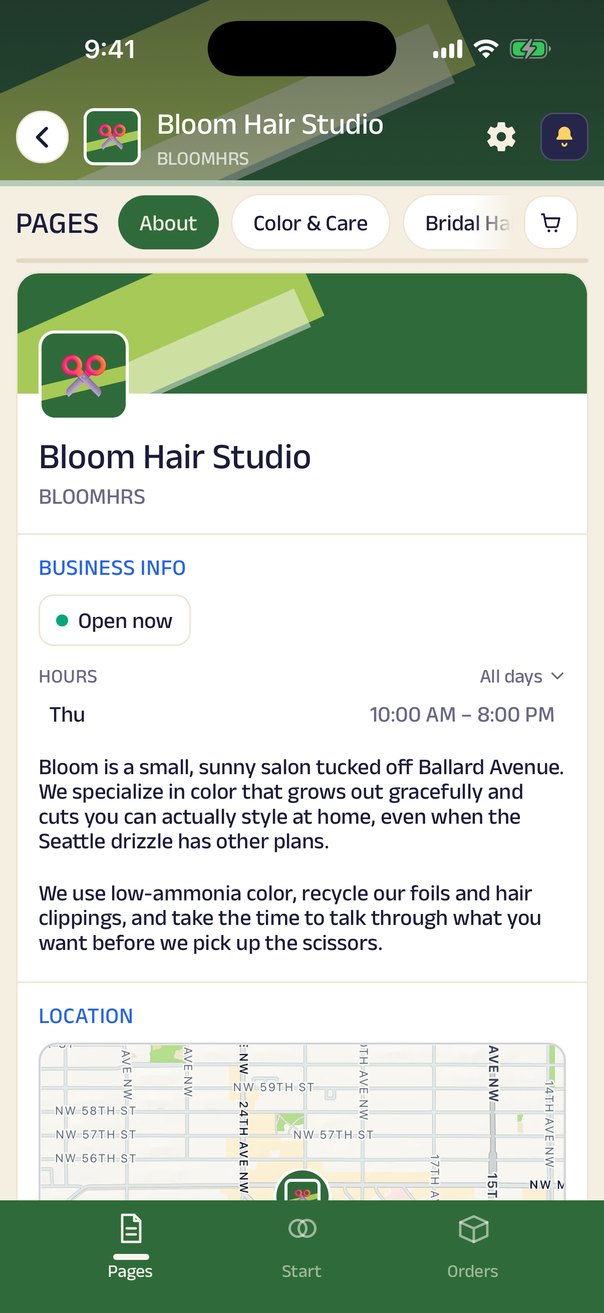
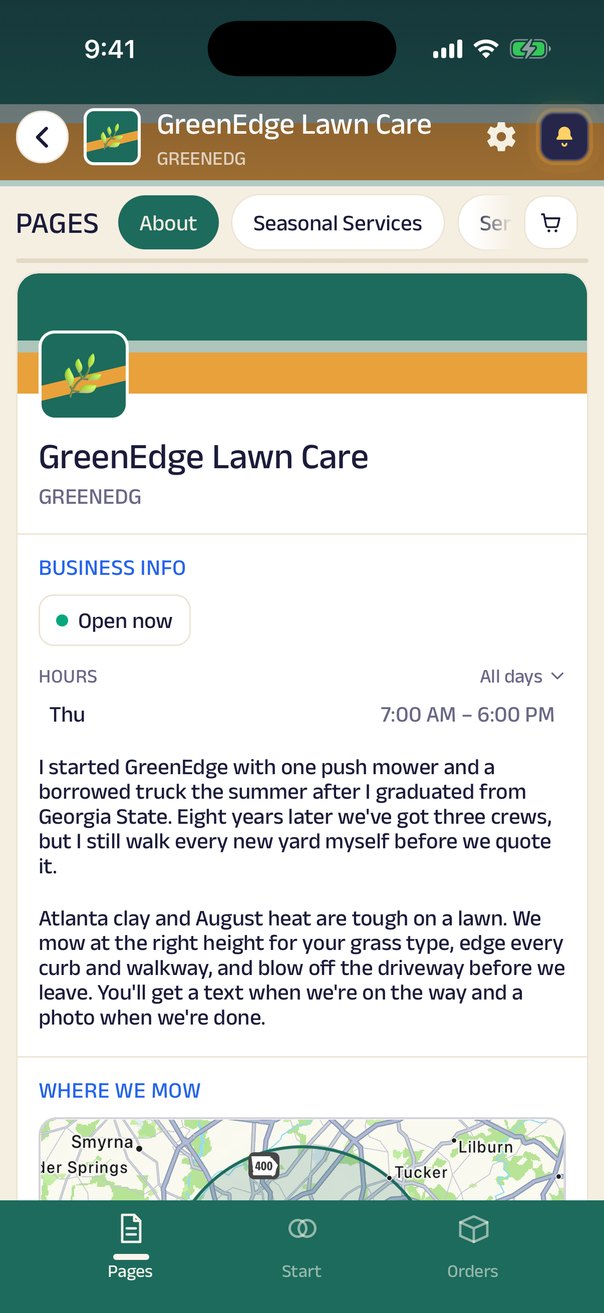
The page a customer lands on: who you are, when you're open, where to find you.

Our StoryMenuProductsServicesPrice ListPortfolioGalleryBook ClubWedding CakesOur DoctorsRepair GuaranteeMembership PlansClass TimetablePrivate Dining & CateringBridal PackagesCare InstructionsDelivery AreasOffers This WeekEvents & WorkshopsMeet the TeamOpening HoursReturns & RefundsFAQDirectionsCareers

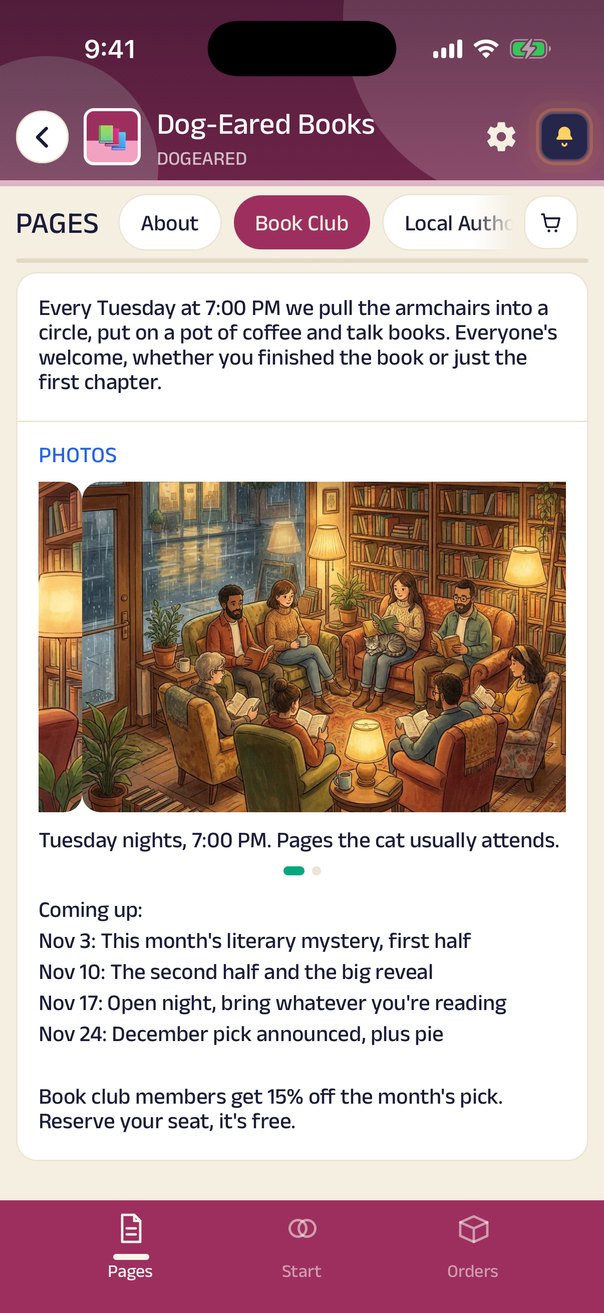
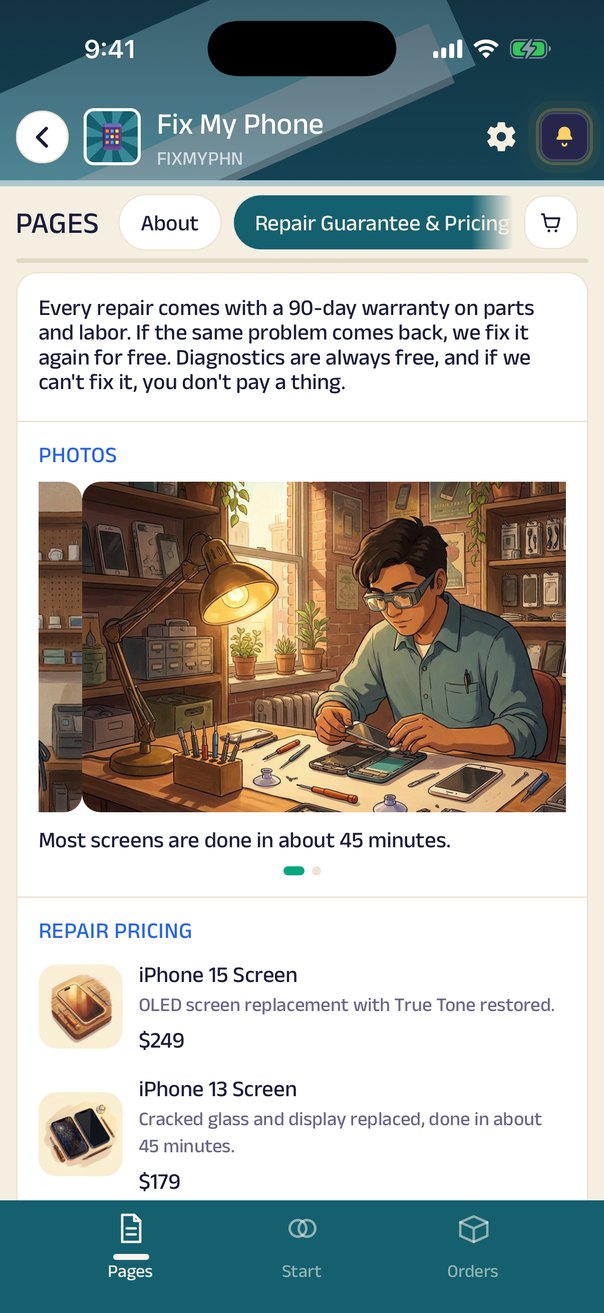
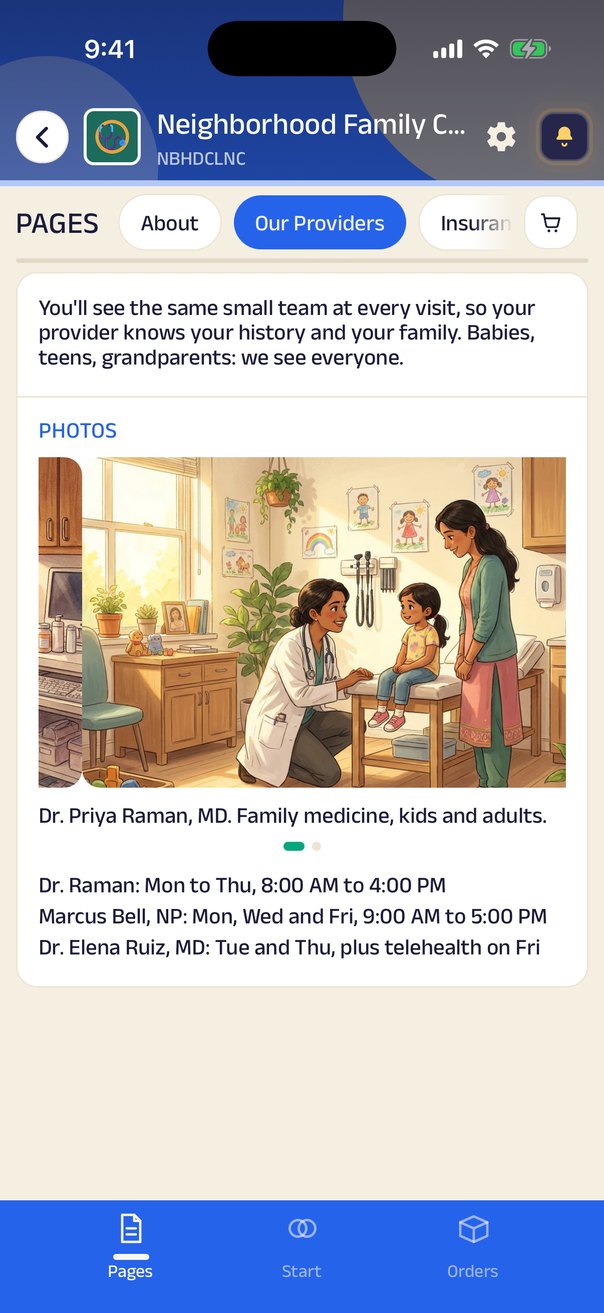
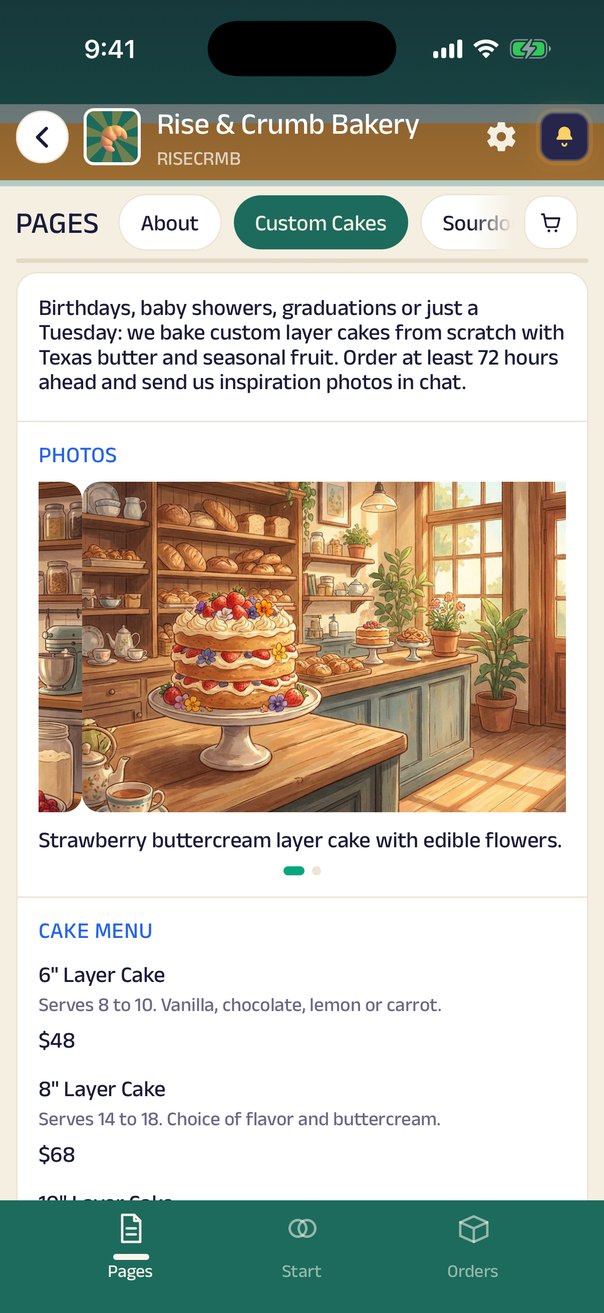
A page is a stack of blocks — words, photos, a video, a map, a document, a link to another page — so the same tool writes the shop's history, lists the wedding-cake tiers, shows the doctors on duty, or explains what the repair guarantee covers.

Nothing about it is fixed by us.

The business names it, fills it, reorders it from a phone, and chooses who can edit it.

A page can sit in the main navigation, hang off a button on another page, or be shared on its own.

The catalog

Every gadget and block, at a glance.

Pick anything on the left to see it in the app — real captures from the showcase businesses.

Menu order

Your items with photos and prices, added to a cart in a tap.

Gadgets

Blocks

Infinite ways to combine them

Combine blocks and gadgets to build a portal for any business.

Every business below is built from the same catalog above — just arranged differently.

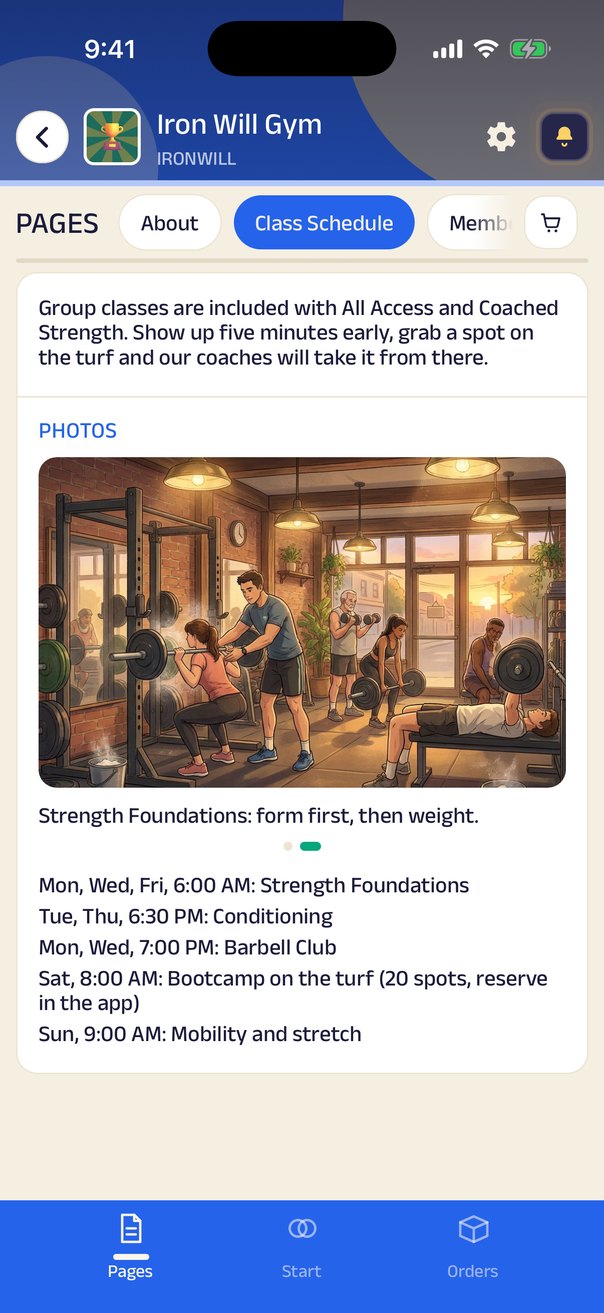
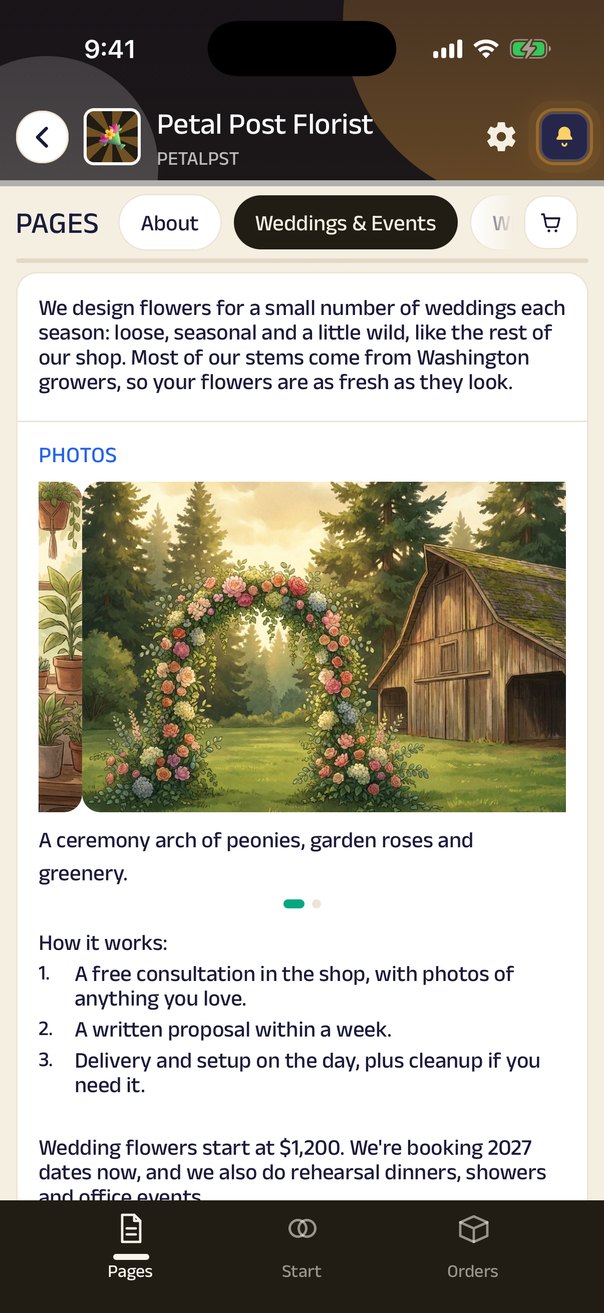
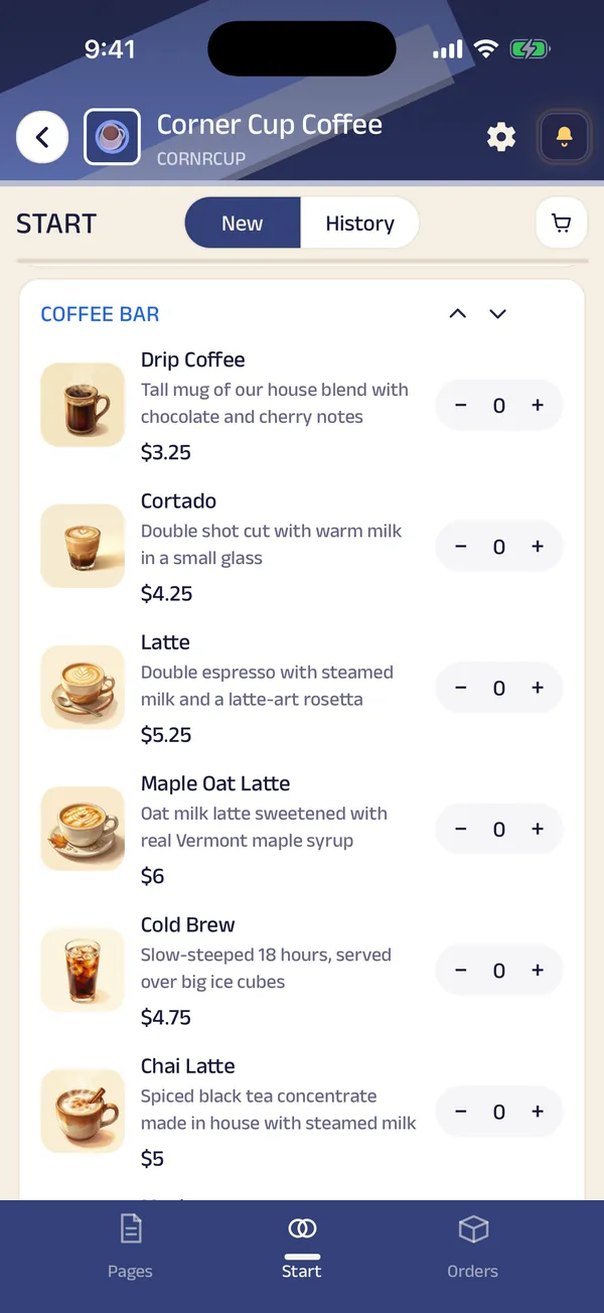
Mama Rosa's KitchenRestaurantFamily Italian that takes orders by voice and delivers with its own drivers.Corner Cup CoffeeCaféOrder ahead, skip the line, and get a buzz when your latte is up.Patel Brothers Corner MarketGroceryA corner store that delivers the block's groceries, paid by Venmo or cash.Neighborhood Family ClinicFamily clinicBook a visit, wait from your car, and keep every visit summary.Bloom Hair StudioHair salonBook your stylist, keep your color formula on file, and join the walk-in list.Iron Will GymGymClass spots, trainer sessions and memberships, all from one QR at the door.Stitch & Hem AlterationsAlterationsYour measurements on file, and a text when the hem is ready.Handy Hank RepairsHandymanSend a photo of the problem, agree a price, and book a two-hour window.Pawfect GroomingPet groomingBook a groom, get a photo when they're done, and pay by Zelle.Taco Loco TruckFood truckSee where the truck is today and order ahead before you walk over.

From the first “hello” to “see you again”.

Whether customers order, book, walk in or find your cart down the street, World runs it the way your business already works, on the phones you already have.

Works for every business

No special hardware

The phones your team already has, and a laptop in the browser. No POS, printer or barcode gun to buy.

Payments your way

Zelle, Venmo, Cash App, PayPal, a card link, cash, pay on delivery or credit, with sales tax and fees added automatically. Zich World never touches the money.

Calls reach the right person

The driver, whoever has the order, or the people you rank. Numbers stay hidden.

History and audit

Every change kept, with who made it, when, and what it was before.

Your customers, your way

They order by voice, text or tap, from the browser or the app, with no account needed just to look.

Your kind of business

What kind of business do you run?

Every business works differently. Pick the one closest to yours and see how a day runs on Zich World.

Order and deliver

Customers order from home and you get it to their door, with your own drivers or a local delivery company.

  1. They find youYour portal opens from a QR code, a link or your business code, with the whole menu and prices.
  2. They order their wayA cart from the menu, a voice note, or a typed request. You set the total and confirm it.
  3. They payYou choose when they pay: a payment link as soon as they order, cash or Venmo to the driver at the door, or on account.
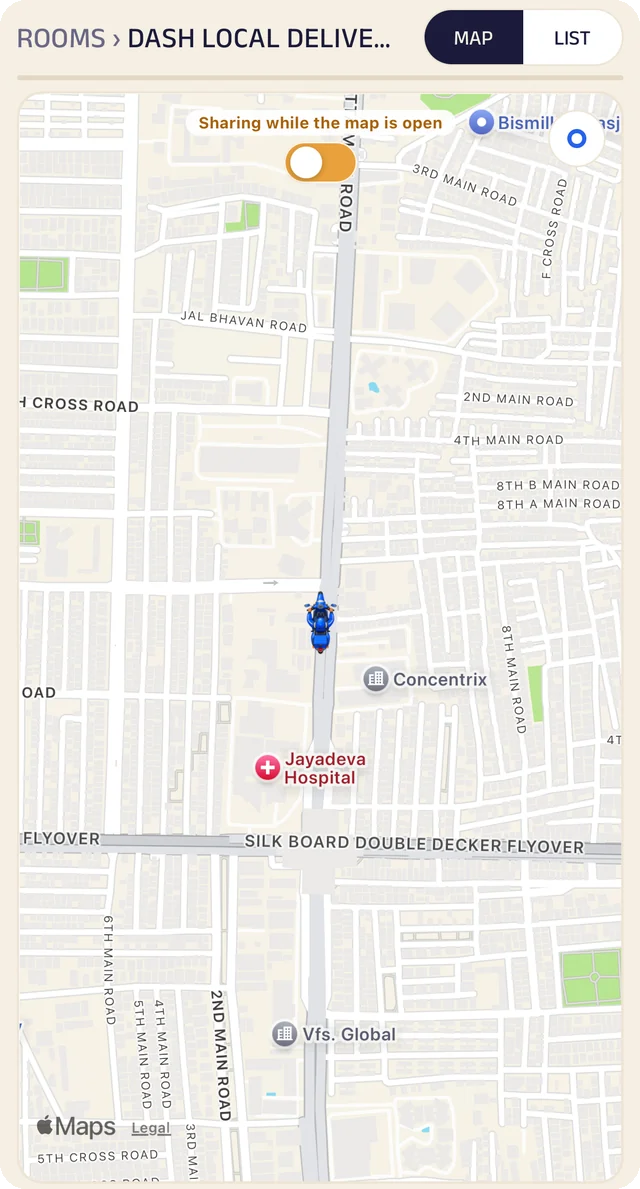
  4. You deliverYour own drivers, or a partner delivery company. The customer follows the driver on a live map.
  5. They come backThe dishes they order most sit at the top, one tap to order again.

Businesses like this

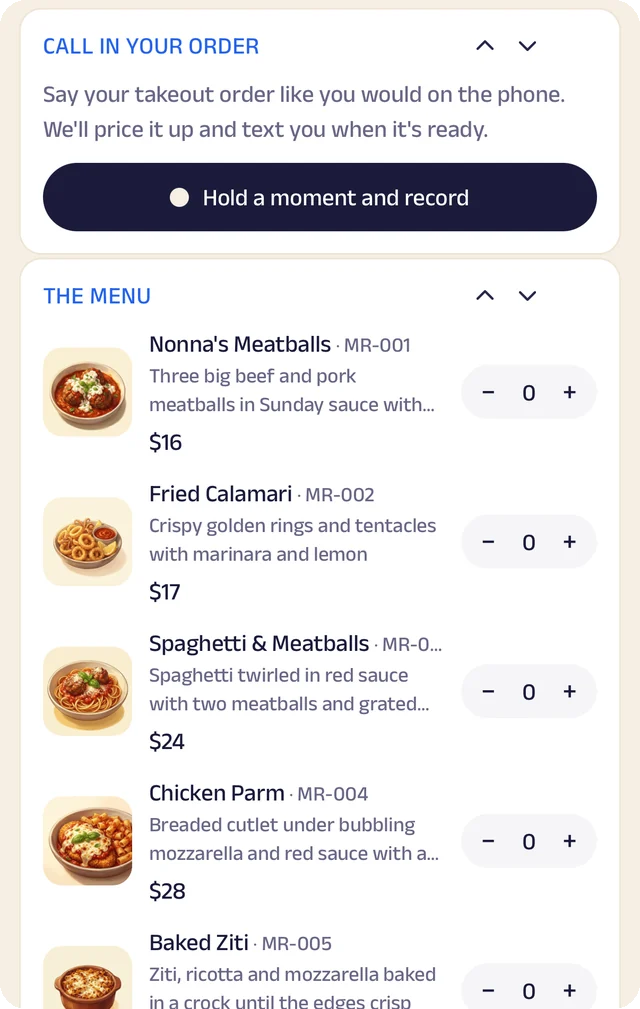
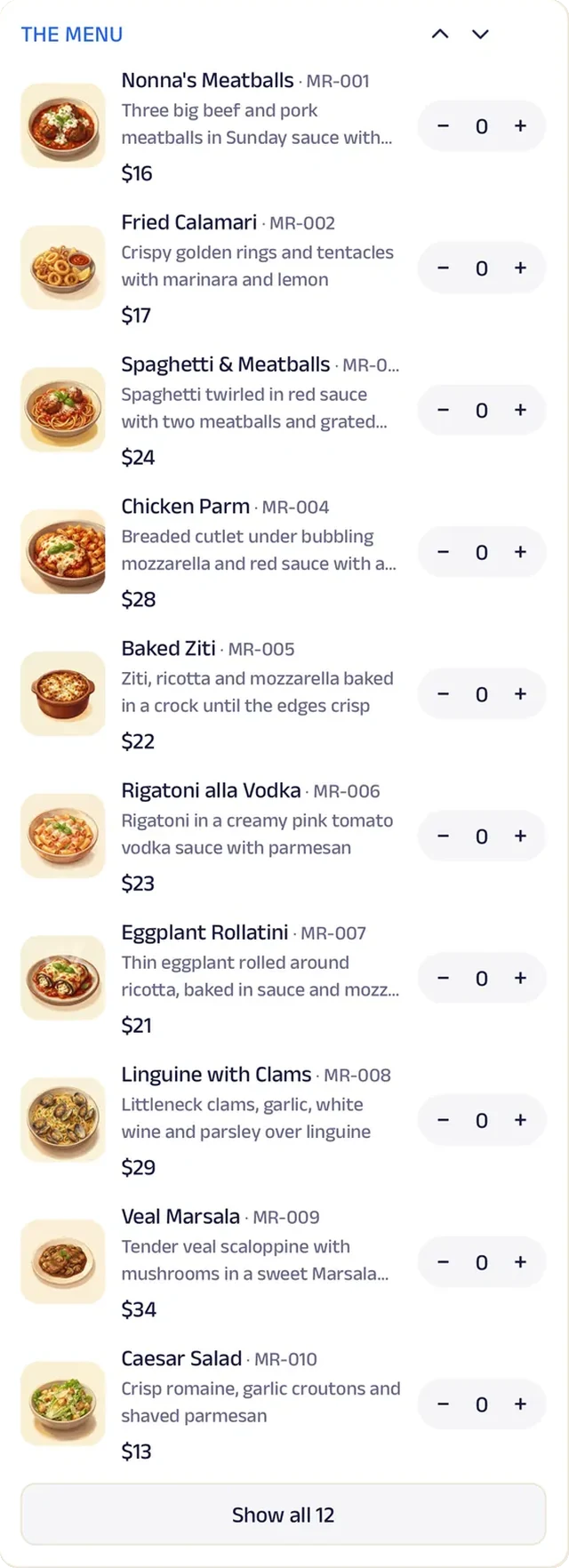
The menu: Your portal opens from a QR code, a link or your business code, with the whole menu and prices.

The menu

Your portal opens from a QR code, a link or your business code, with the whole menu and prices.

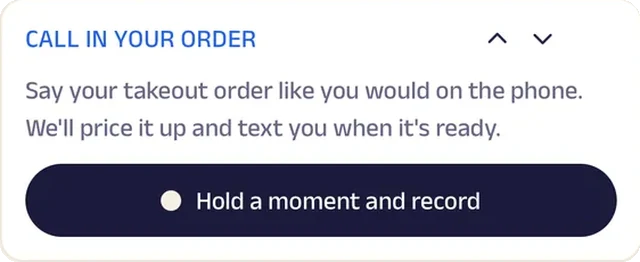
A voice order: A cart from the menu, a voice note, or a typed request. You set the total and confirm it.

A voice order

A cart from the menu, a voice note, or a typed request. You set the total and confirm it.

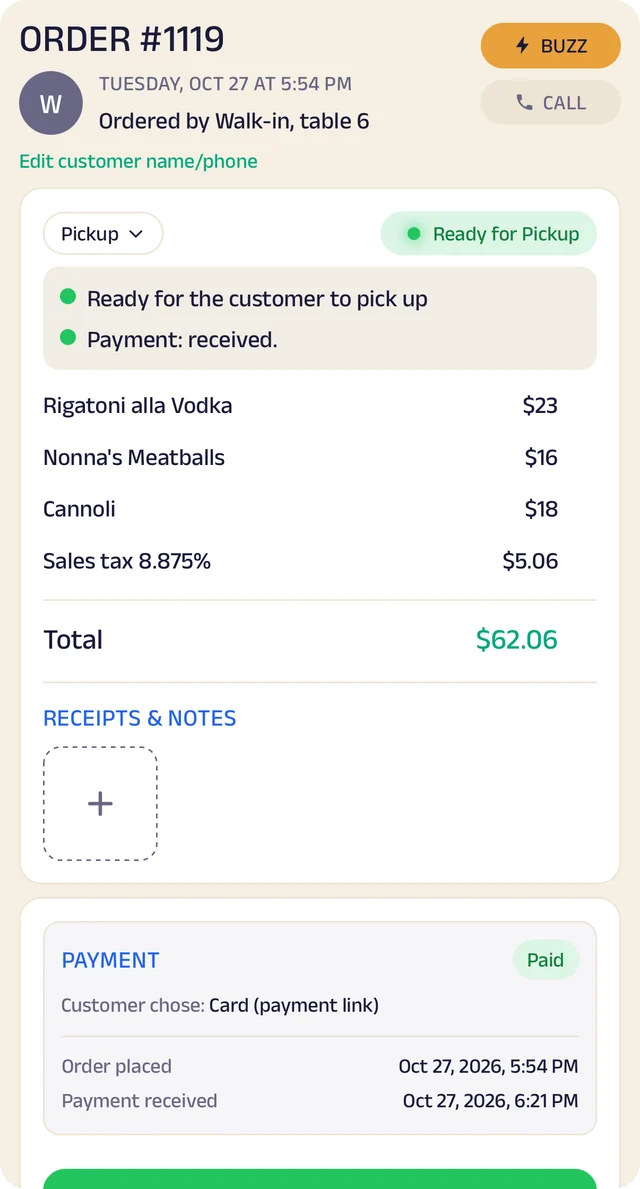
When they pay: You choose when they pay: a payment link as soon as they order, cash or Venmo to the driver at the door, or on account.

When they pay

You choose when they pay: a payment link as soon as they order, cash or Venmo to the driver at the door, or on account.

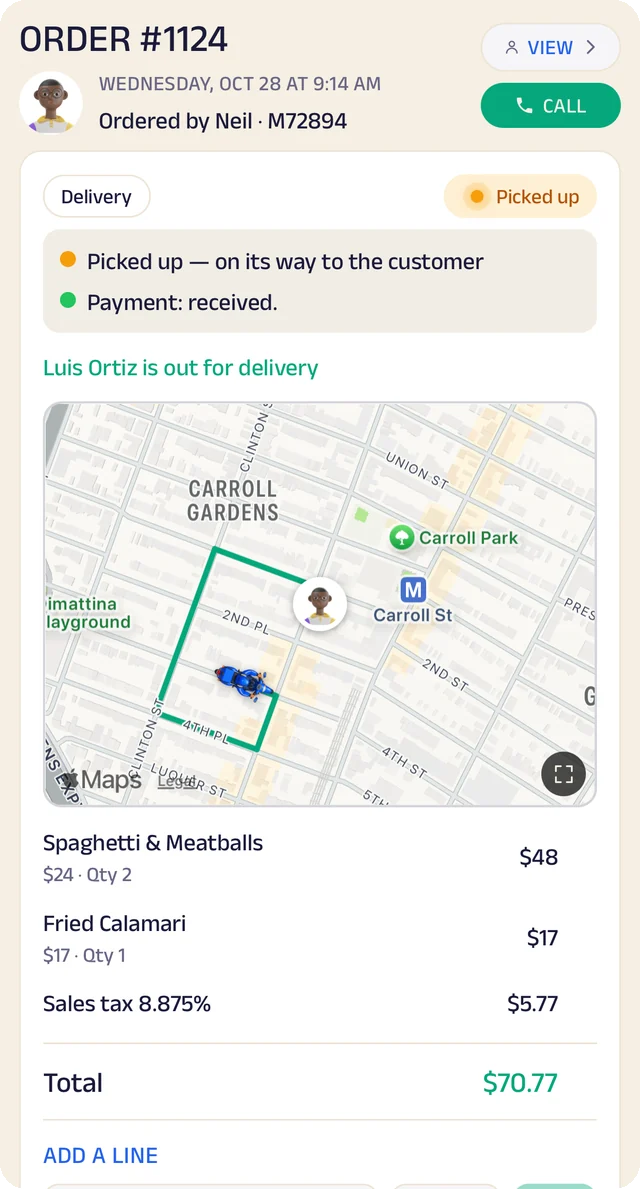
On its way: Your own drivers, or a partner delivery company. The customer follows the driver on a live map.

On its way

Your own drivers, or a partner delivery company. The customer follows the driver on a live map.

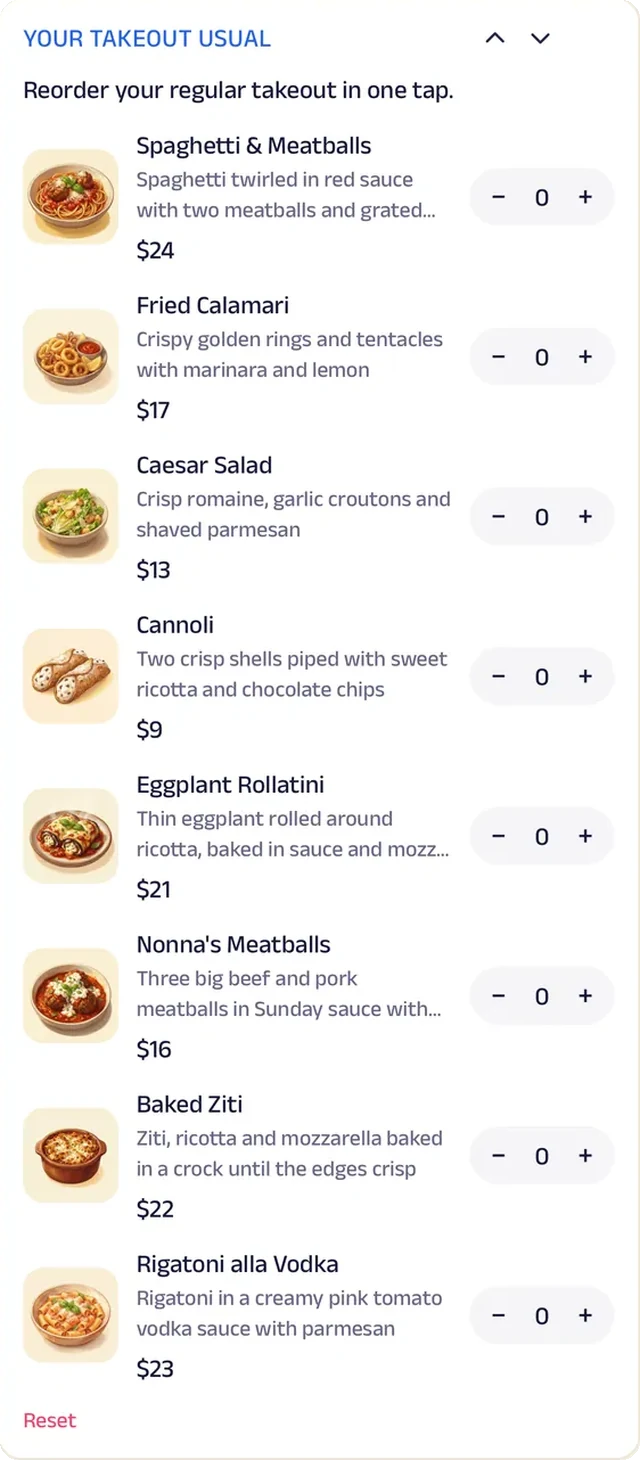
Their usuals: The dishes they order most sit at the top, one tap to order again.

Their usuals

The dishes they order most sit at the top, one tap to order again.

My Space

A space of your own, for everyone on the team

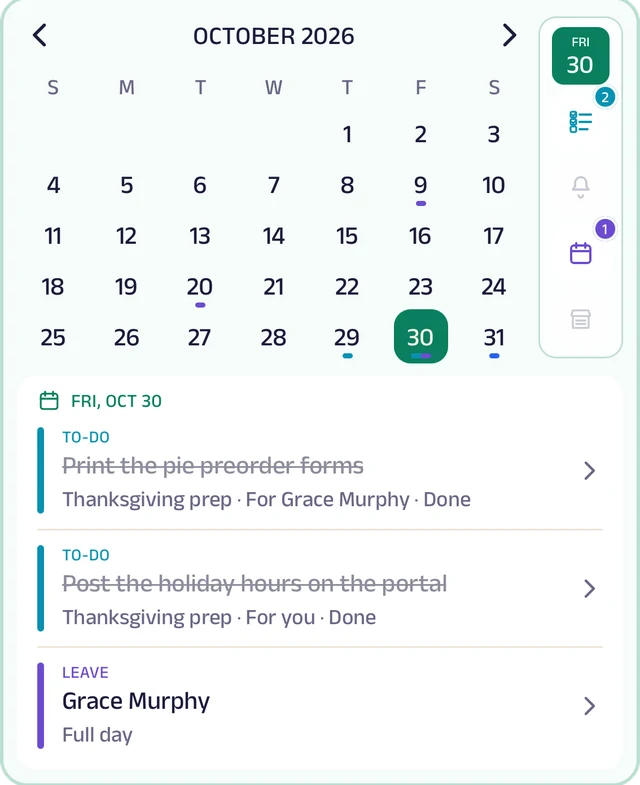
The owner, managers and staff each get their own My Space inside the business. It opens on a month calendar with the to-dos due, reminders, leave and holidays, and a tile for each tool underneath.

Search across every tool, or pick a day to see only what's on it. Everything keeps a history of who did what.

To-do lists

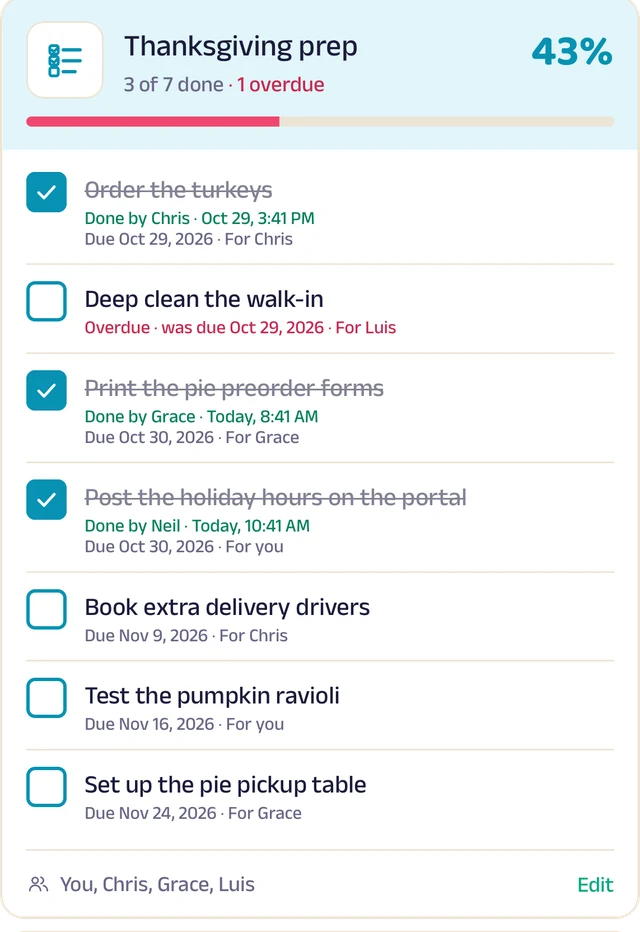
Shared lists, with a due date and who each item is for. Tick them off, watch the percentage climb, and see what's overdue.

Notes

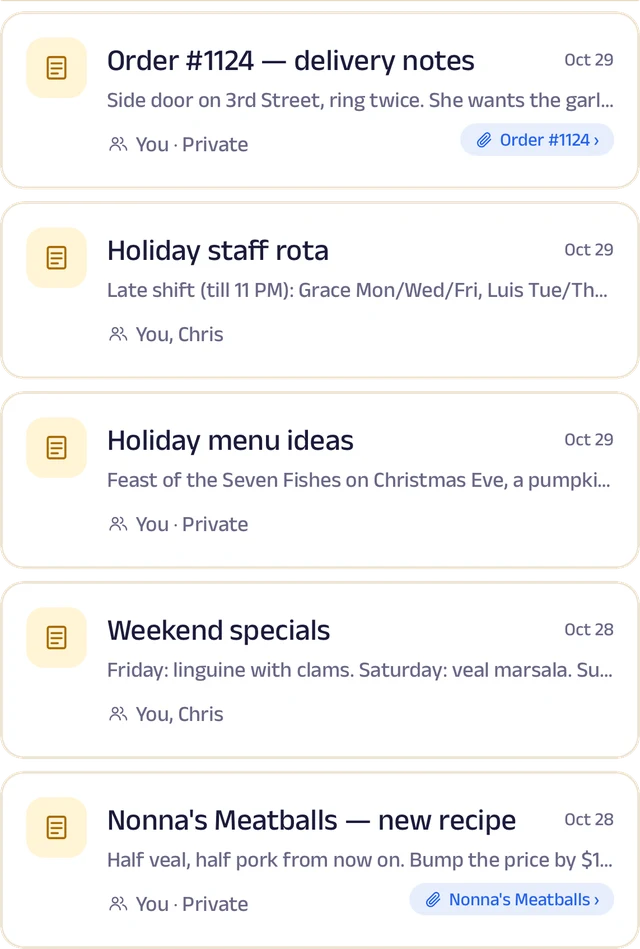
Rich text with photos and voice notes, in folders, pinned or shared. One person edits at a time, and a note can be linked to an order, a customer or a data row.

Reminders

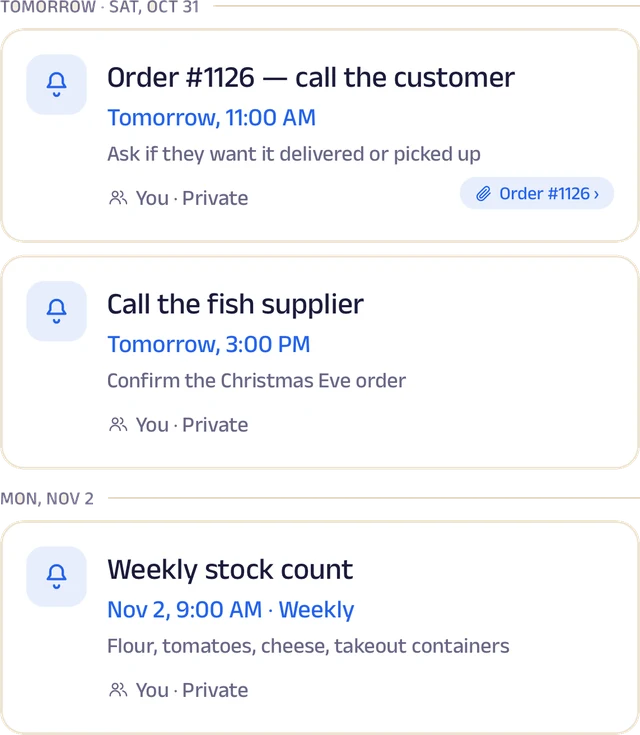
Once, daily, weekly or monthly, shared with teammates and linked to an order or customer, with a notification when one is due.

Search and history

Find anything across every tool, pick a day to see only that day, and see who did what.

My Space: The month at a glance, and what's on the day you pick.

My Space

The month at a glance, and what's on the day you pick.

To-do list: Ticked off with who did it and when, and overdue items flagged.

To-do list

Ticked off with who did it and when, and overdue items flagged.

Notes: Notes shared with the team, some linked to an order, a customer or a product.

Notes

Notes shared with the team, some linked to an order, a customer or a product.

Reminders: Reminders day by day: when each is due, and the order it's about.

Reminders

Reminders day by day: when each is due, and the order it's about.

Know where every dollar and every item went.

Stock, credit, customers and numbers, kept as you work instead of typed up at the end of the month.

Stock that keeps itself

List your products once, record what comes in with its cost and supplier, and let sales take it out.

When an order closes, its items come out of stock automatically and only once. Total stock is worked out for you, expenses sit next to it, and a barcode or a product code finds anything in seconds.
Product+ Stock inLOW48362414648Total stockLow stock− Stock outOrder closes
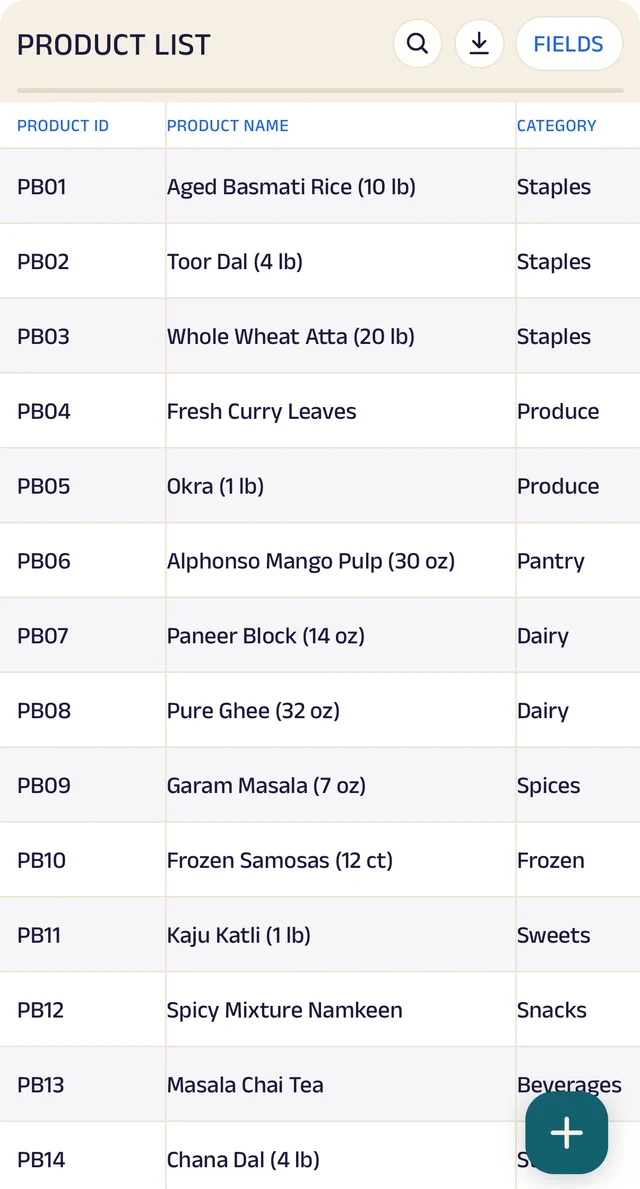
Your products: Your product list, with codes, names and categories.
Your products

Your product list, with codes, names and categories.

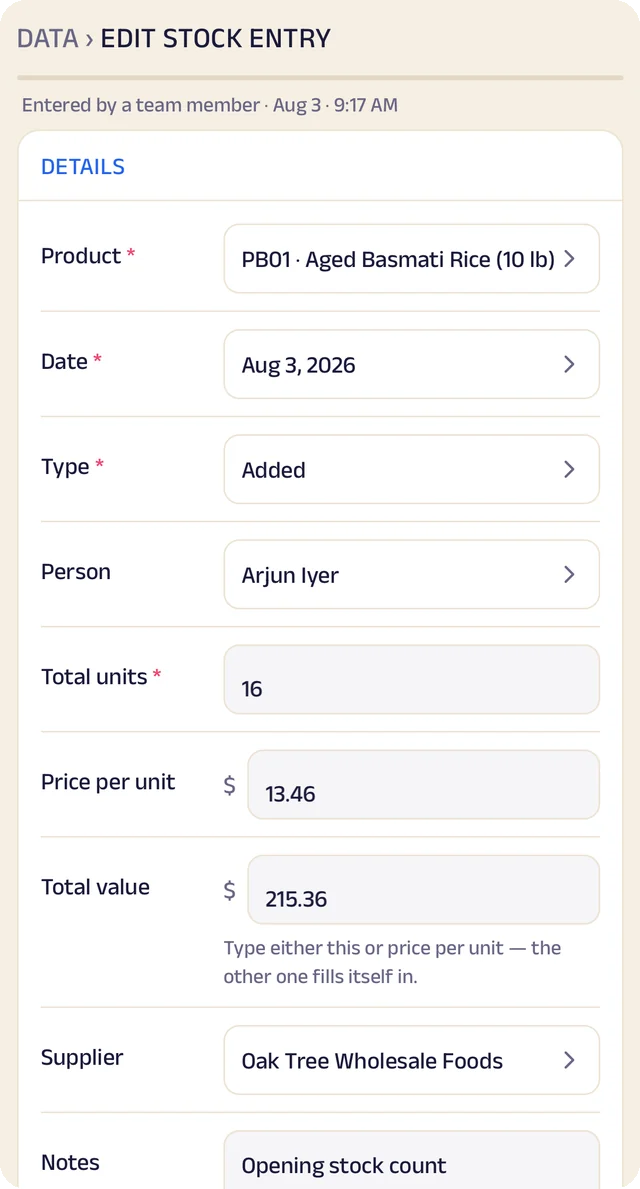
Sold, and out of stock: A stock entry made by a closed order: 4 kg of onions, and the order that took them.

Sold, and out of stock

A stock entry made by a closed order: 4 kg of onions, and the order that took them.
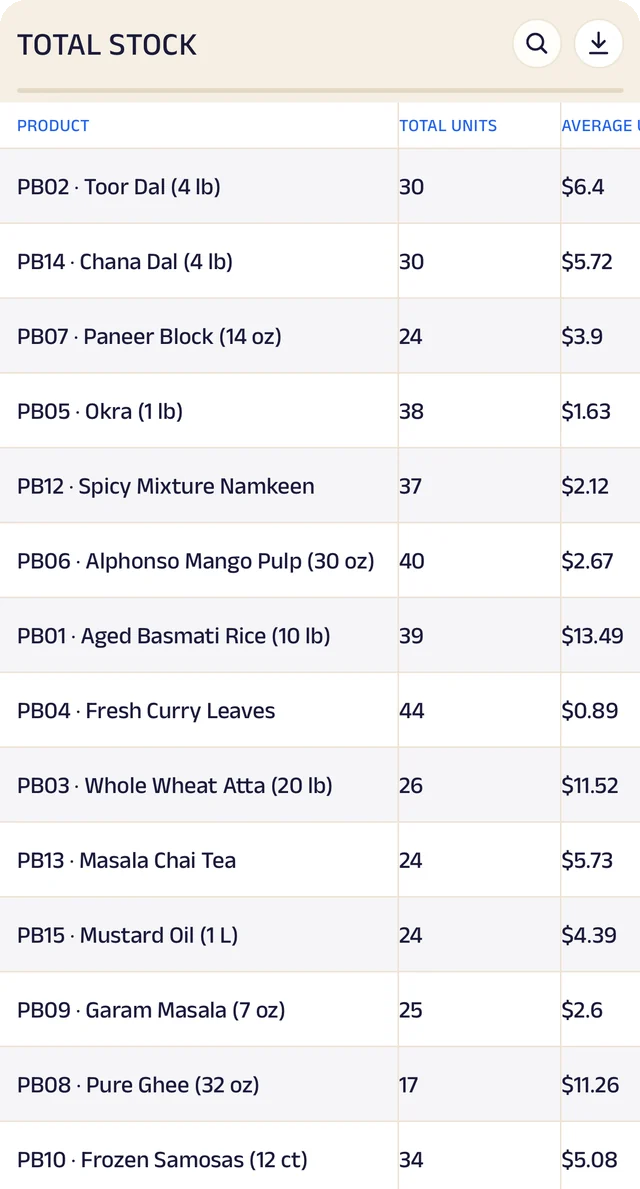
Total stock: Total stock and its average cost, worked out for you.
Total stock

Total stock and its average cost, worked out for you.
Credit ledger

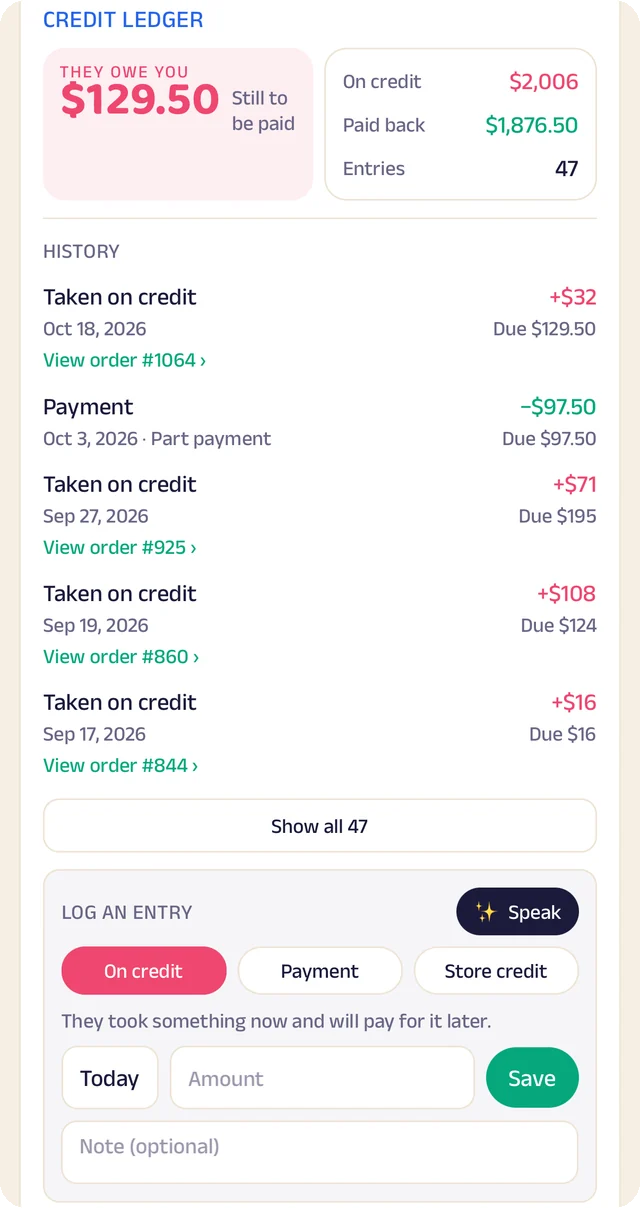
Most shops give credit to people they know. Here it's written down properly, in a ledger the customer sees too.

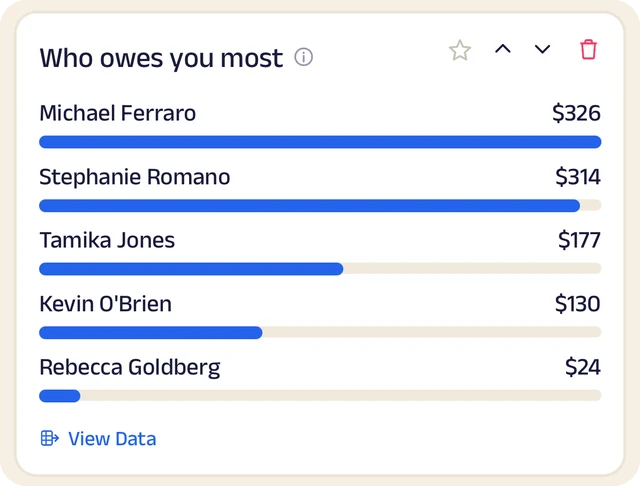
Give credit on an order and it's booked once the customer accepts. Payments back are recorded against it, store credit covers returns and rewards, and you can always see who owes you most.

Your shopCustomerGiven+$60Repaid−$40Given+$30Repaid−$50Still owedAll settledYou and your customer see the samebalance
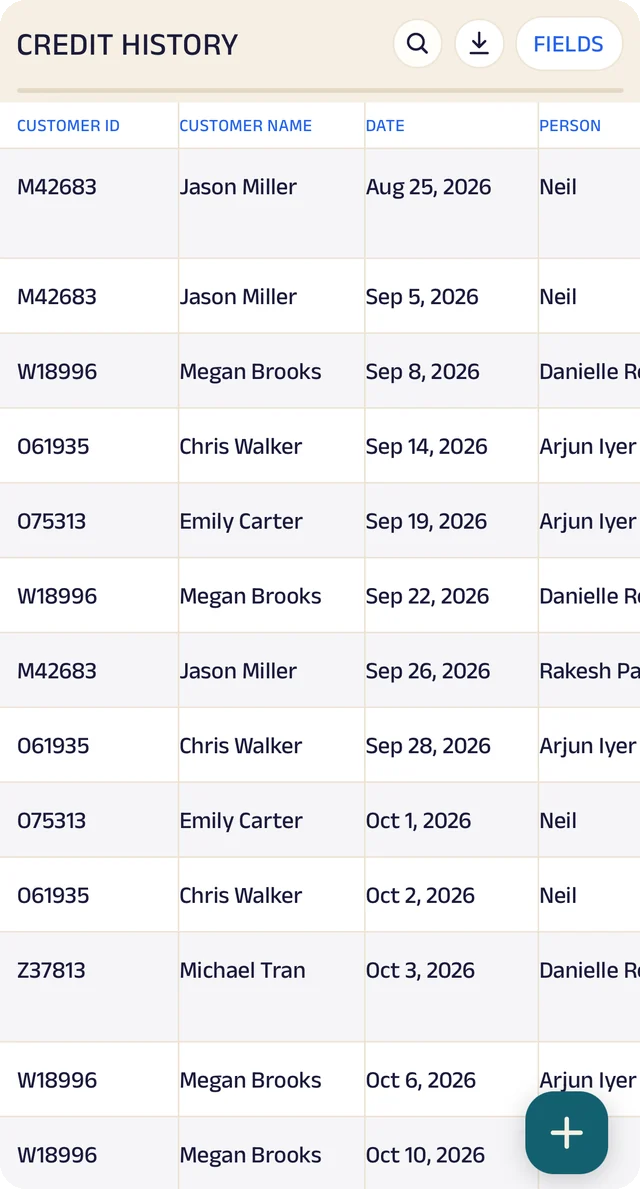
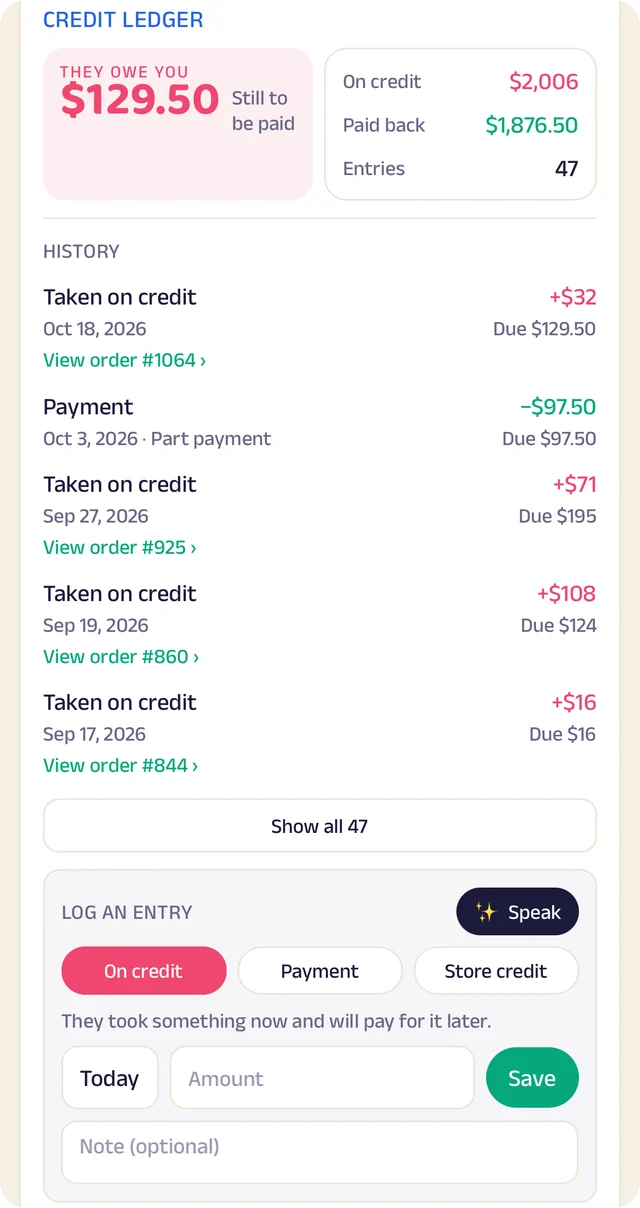
The credit book: Every credit and payment, by customer and date.

The credit book

Every credit and payment, by customer and date.

Who owes you most: Who owes you most, ranked.

Who owes you most

Who owes you most, ranked.

Given and repaid: Credit given and repaid, month by month, and what's still owed.

Given and repaid

Credit given and repaid, month by month, and what's still owed.

Customer Relationship Management

For businesses with regular accounts or a sales team, every customer gets a shared record the right people can see and add to.

Records carry a map pin, phone numbers, notes, photos and voice logs. Assign each customer to someone on the team, keep records private to the people on them, and split the map into territories so everyone knows whose area is whose.

MariaJakeS→ MariaR→ JakeRecord
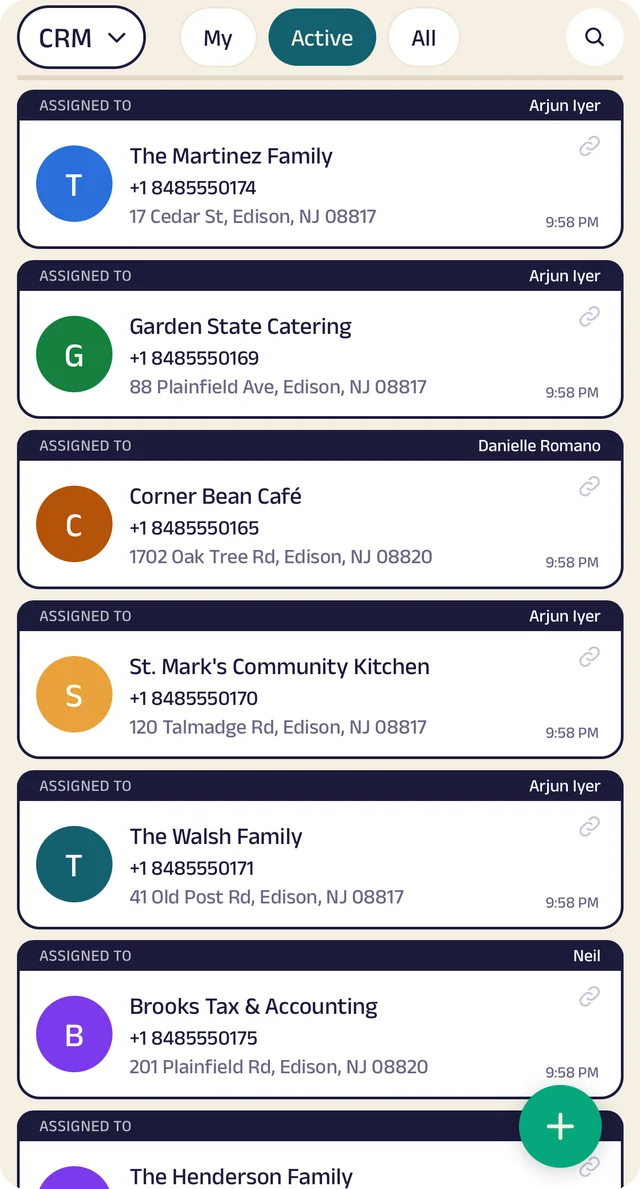
Who looks after whom: Customers assigned to the people who look after them.

Who looks after whom

Customers assigned to the people who look after them.

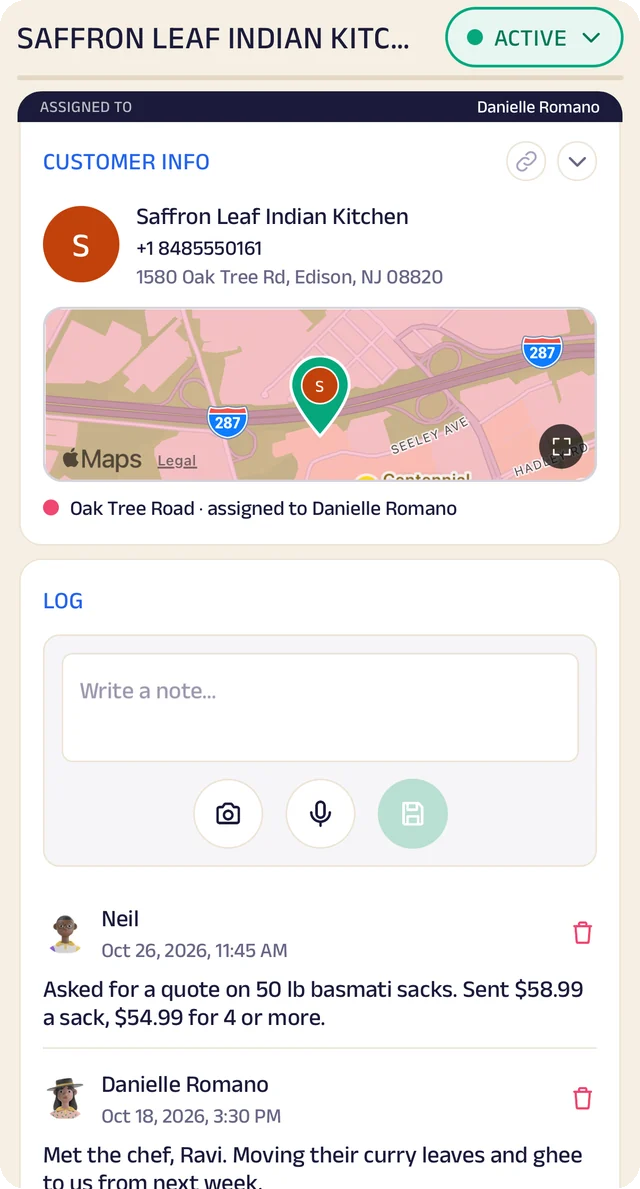
A customer's record: One customer's record: details, map pin, the area it falls in, and the team's notes and voice logs.

A customer's record

One customer's record: details, map pin, the area it falls in, and the team's notes and voice logs.

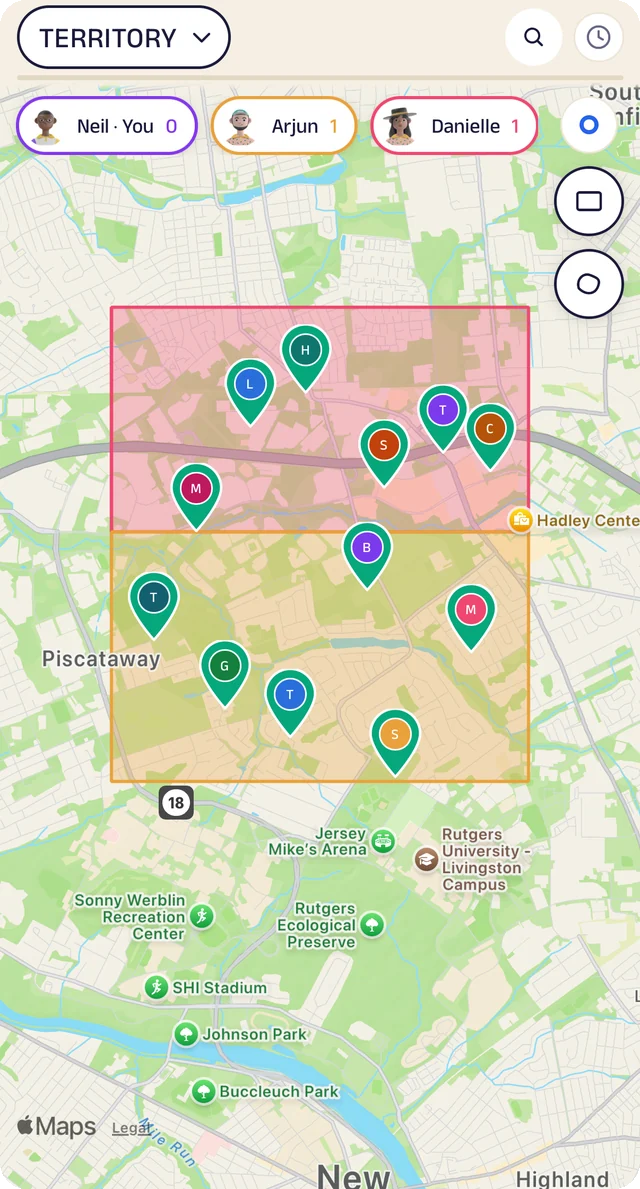
Territories: Territories drawn on the map and handed to a rep; customers inside show that rep.

Territories

Territories drawn on the map and handed to a rep; customers inside show that rep.

Your data, yours to take

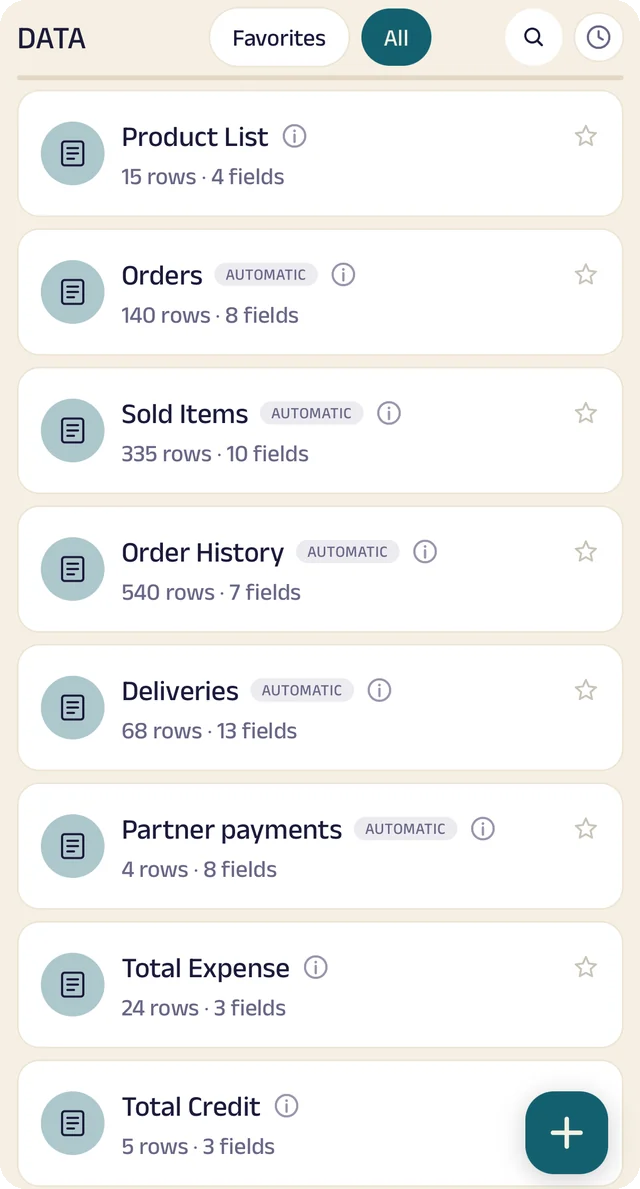
Everything the app records is laid out as tables you can search, star and download.

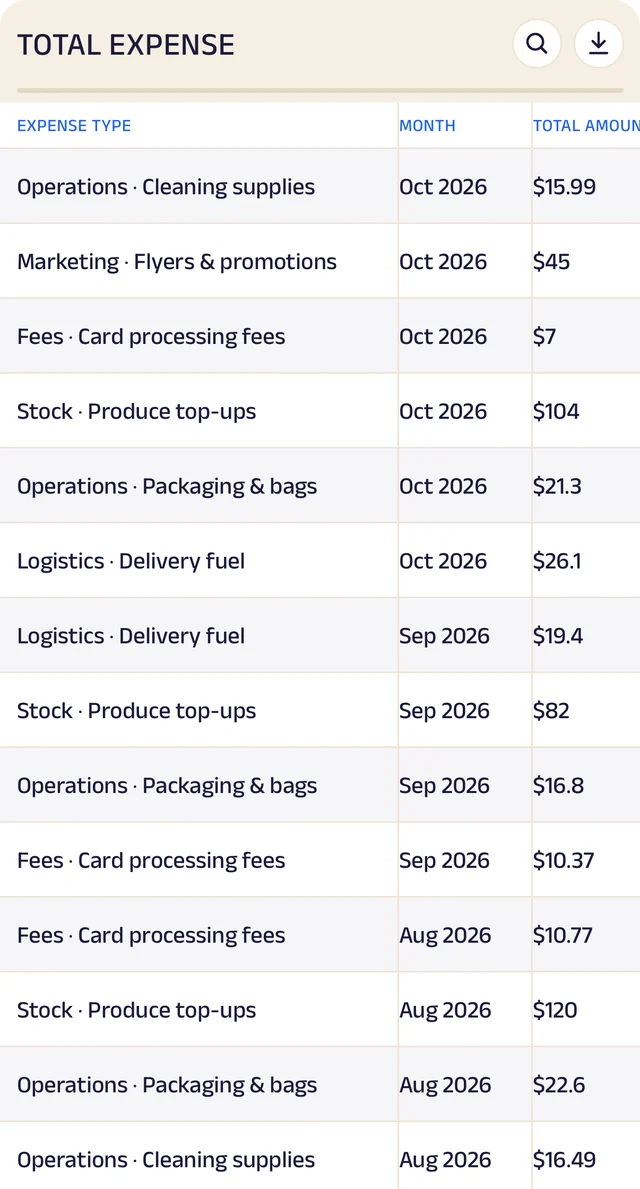
There are sets of your own records (products, stock, expenses, suppliers, feedback) with fields you add, and live tables of what the app already keeps: orders, sold items, deliveries, appointments, time off and more. Download any of them as a CSV for a spreadsheet, your accountant or your own analytics tools.

PlatformTablesCSVCSVYour tools
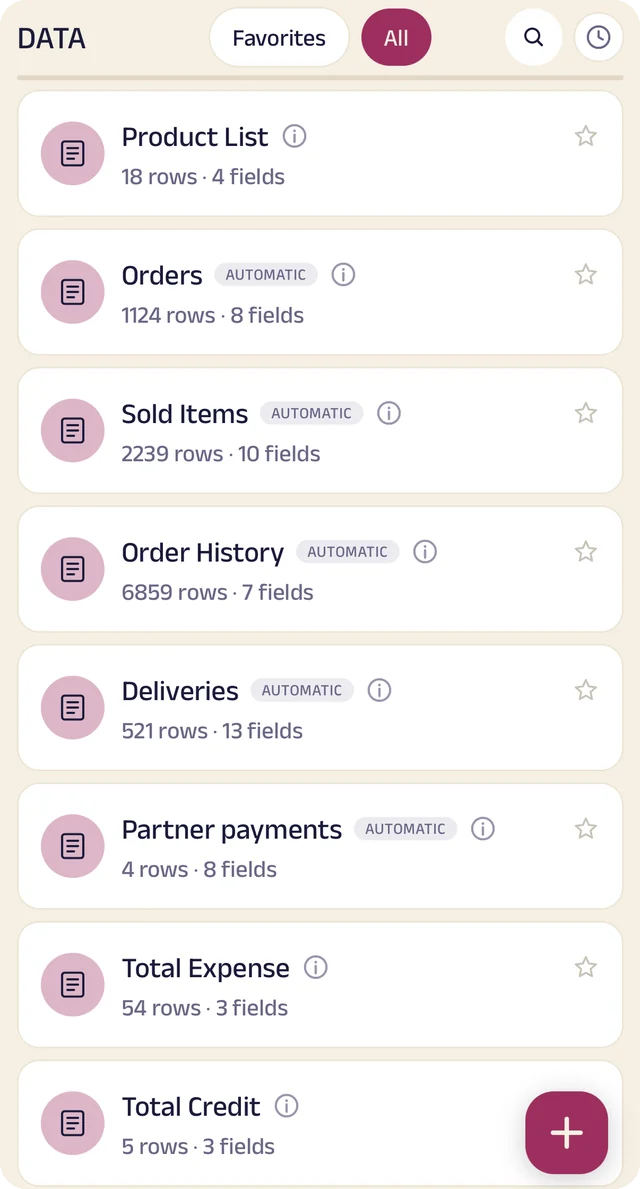
Your tables: Every table in one menu, each with its row count.

Your tables

Every table in one menu, each with its row count.

Orders, as a table: The Orders table: every order, when it was placed and by whom, ready to search or download.

Orders, as a table

The Orders table: every order, when it was placed and by whom, ready to search or download.

Totals, worked out: A total worked out for you: what each customer owes.

Totals, worked out

A total worked out for you: what each customer owes.

Analytics

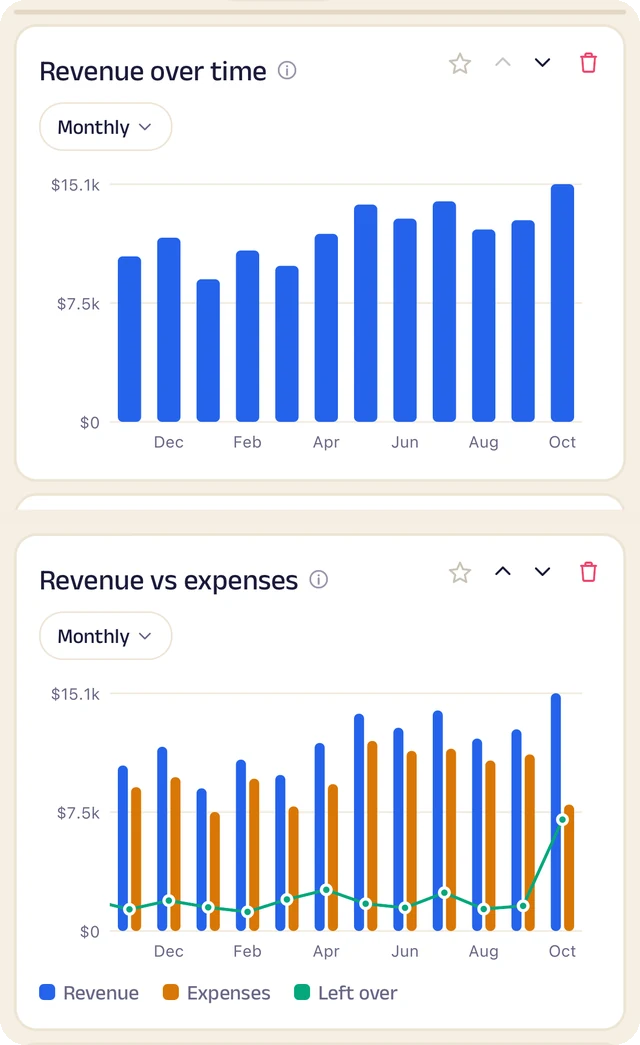
See how the business is doing, worked out from your own orders, stock, expenses and deliveries.

Choose from thirty charts across sales, money, stock, delivery and operations, put them in your own order, and switch the period to this week, this month or this year.

WeekWeekMonthMonthYearYearSales+12%+18%+24%ProfitStockDelivery94%96%97%on time
Revenue and expenses: Revenue month by month, and what's left over after expenses.

Revenue and expenses

Revenue month by month, and what's left over after expenses.

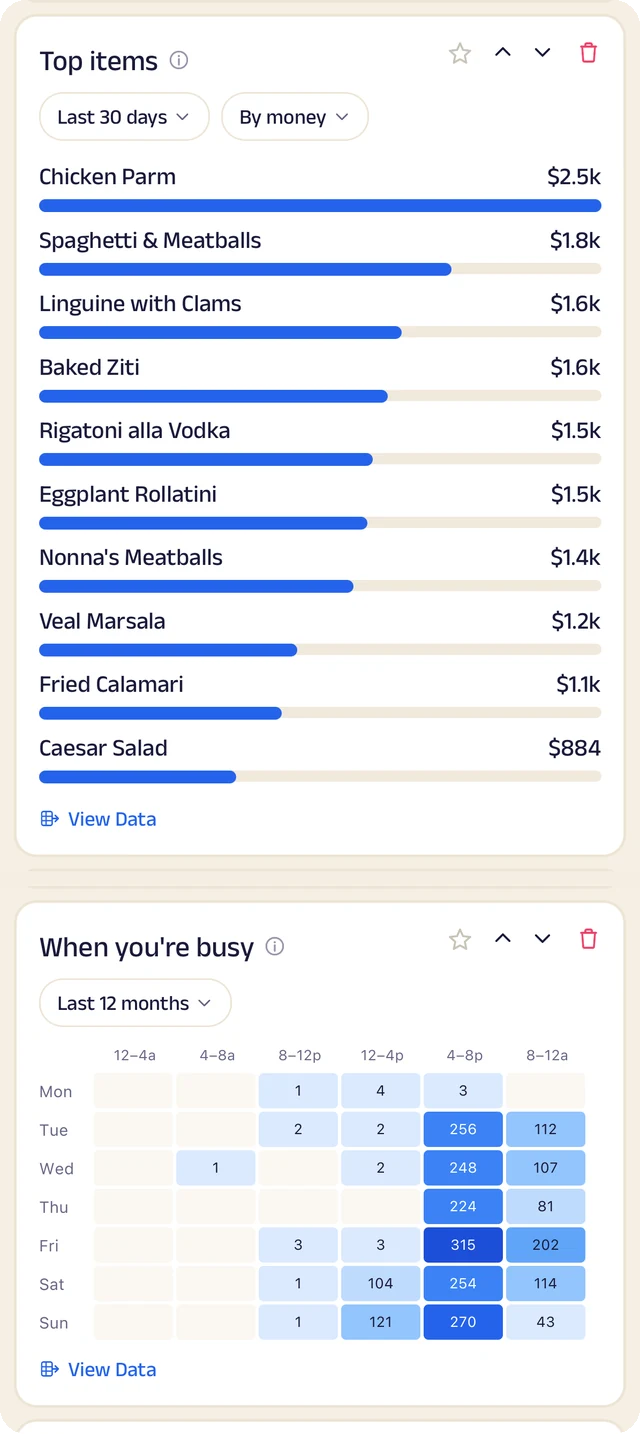
What sells, and when: What sells, by money or by quantity, and the hours you're busiest.

What sells, and when

What sells, by money or by quantity, and the hours you're busiest.

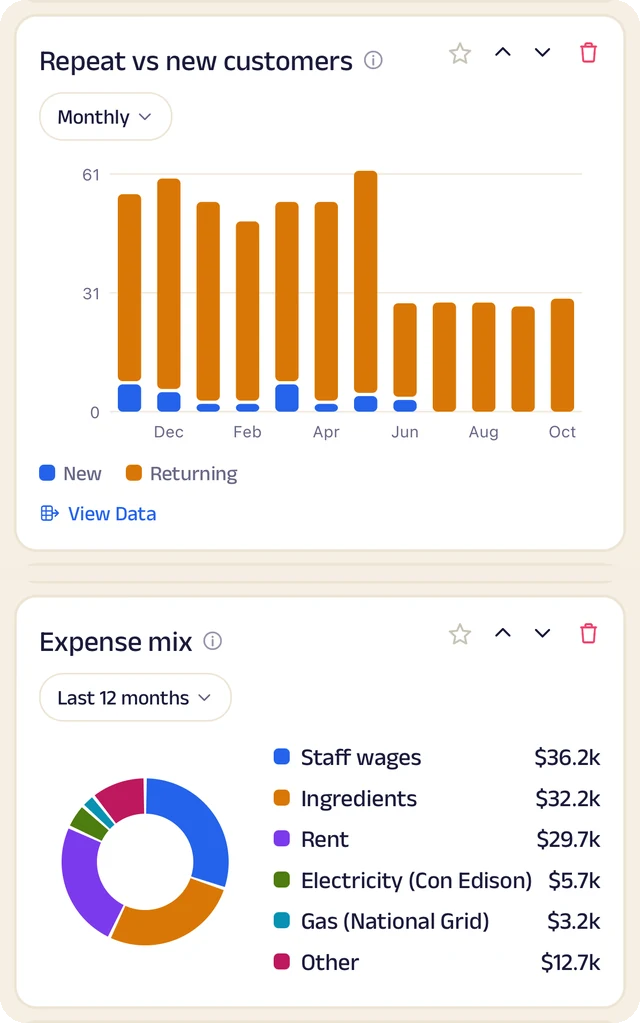
Customers and costs: Repeat against new customers, and where the money goes.

Customers and costs

Repeat against new customers, and where the money goes.

Everyone who works here, in the right place.

Roles and access, time off, and a full record of who changed what.

Roles and access

Add the people who work with you by phone number, give each a role, and decide what each role can do.

Owner, manager and staff each see what their job needs. You choose who can add blocks and pages, change prices, assign orders or manage data, set start and end dates, and freeze someone's access in a tap. Payment details stay with the owner.

OwnerManagerStaffStaffOwner onlyAccess frozen
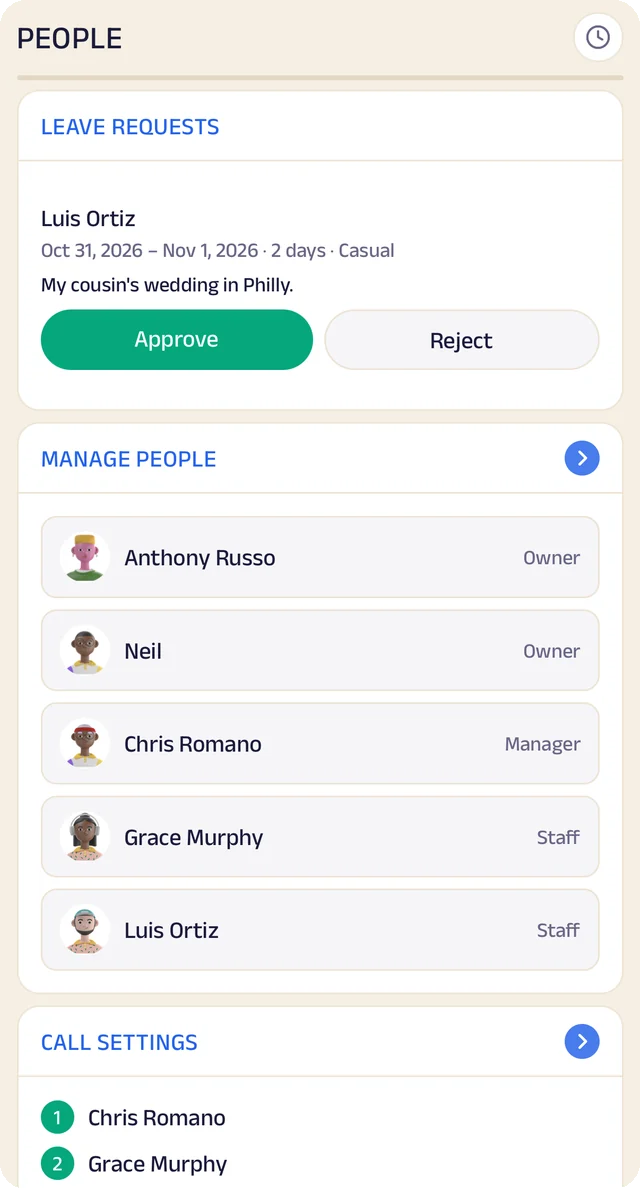
Your team: The team by role, with start dates, and an invite by phone number.

Your team

The team by role, with start dates, and an invite by phone number.

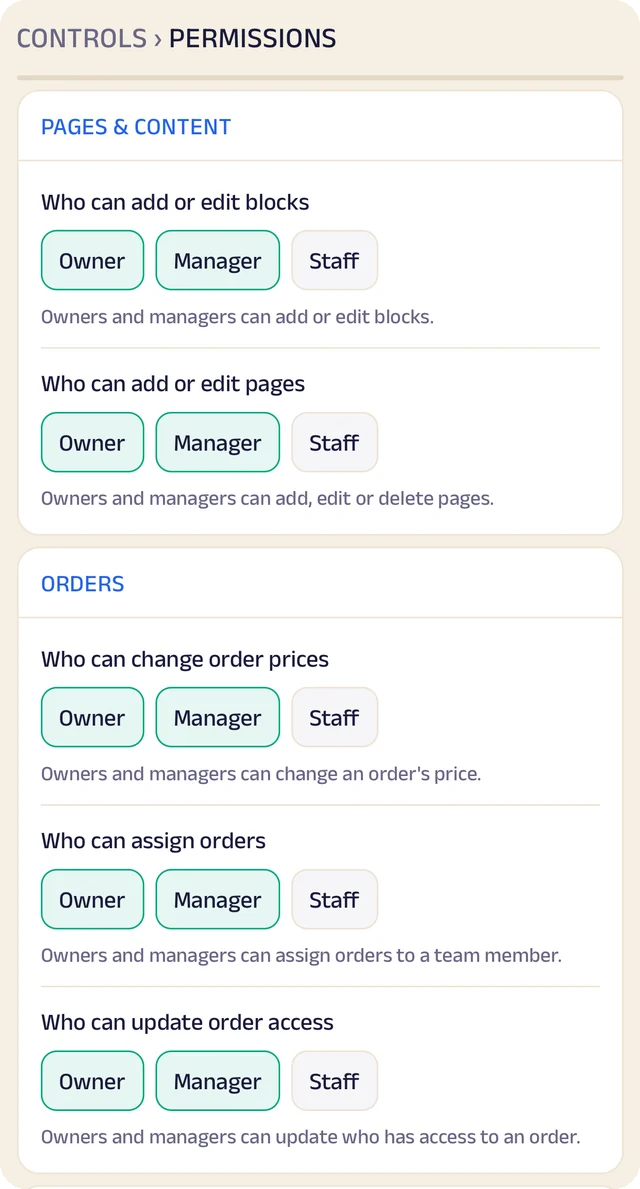
Pages and data: Who can edit blocks and pages, and who can change data sets and feedback.

Pages and data

Who can edit blocks and pages, and who can change data sets and feedback.

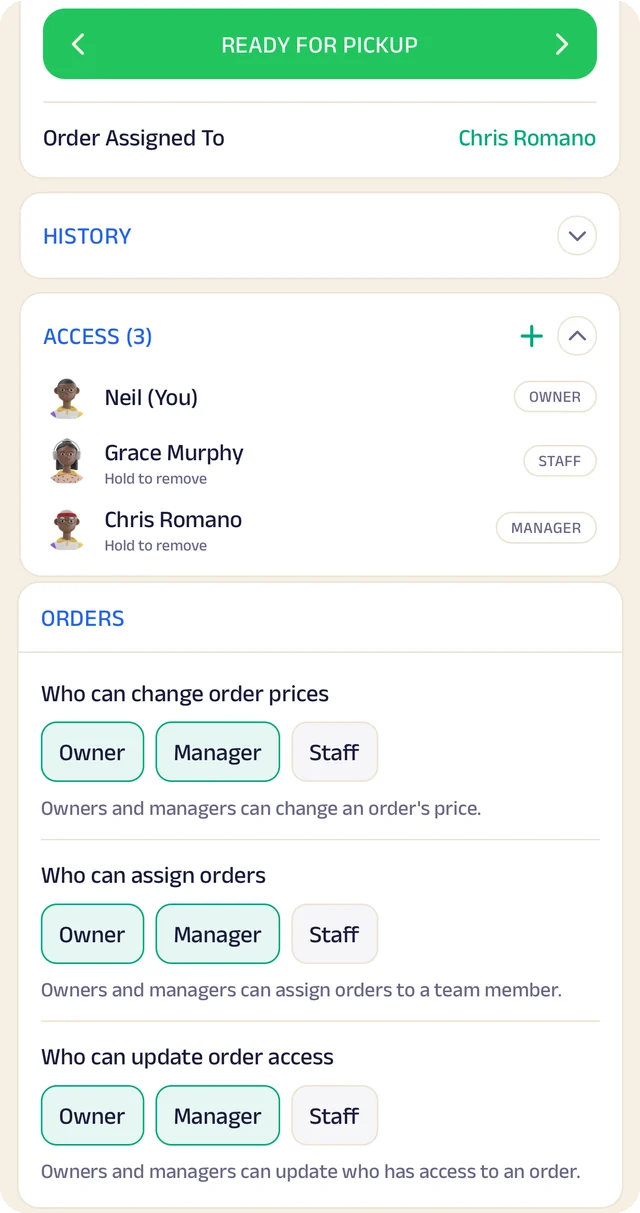
Who's on an order: An order assigned to a manager, everyone who can see it, and who's allowed to change it.

Who's on an order

An order assigned to a manager, everyone who can see it, and who's allowed to change it.

History and audit

Every change is recorded automatically: who made it, when, and what it was before.

Settings, blocks, pages, data, analytics, orders, customers and territories each keep a history, written by the server so it can't be edited. Owners and managers are told when business settings change, and you choose how long history is kept.

SettingsZelleOwner notifiedWho · When · Before → After
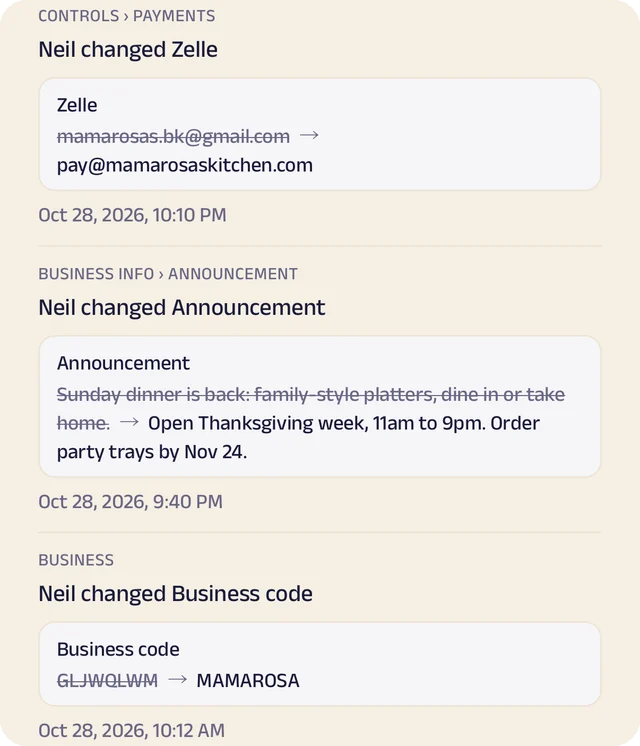
Payment details changed: A Zelle handle, an announcement and a business code changed, each showing before and after.

Payment details changed

A Zelle handle, an announcement and a business code changed, each showing before and after.

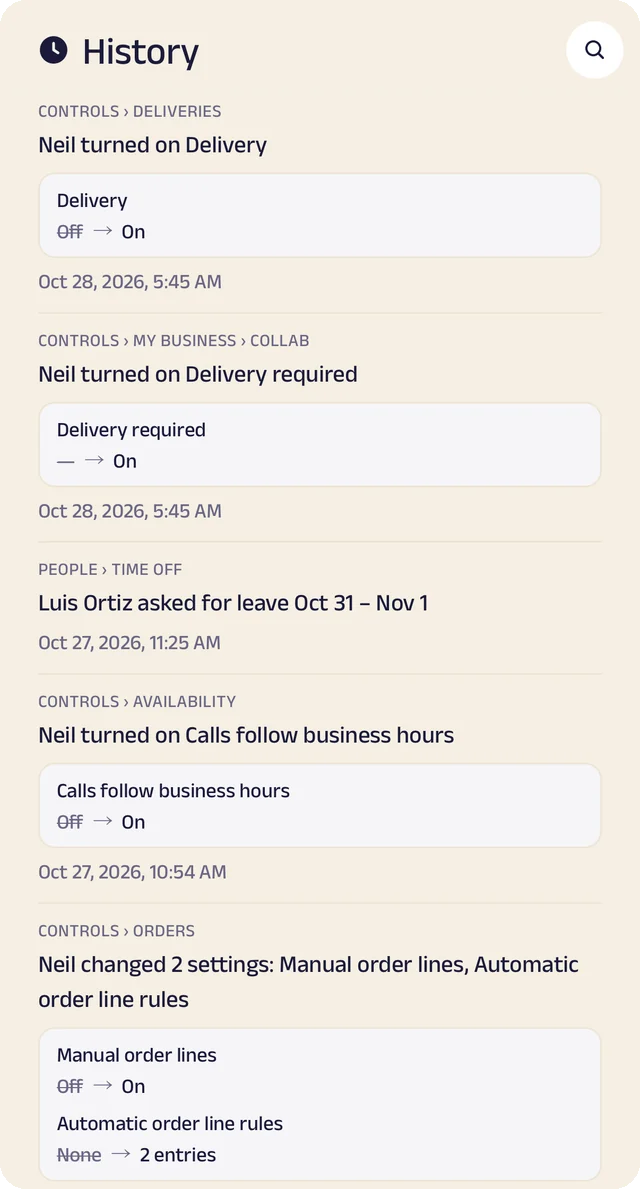
Settings changed: Settings switched on, with the old and new value.

Settings changed

Settings switched on, with the old and new value.

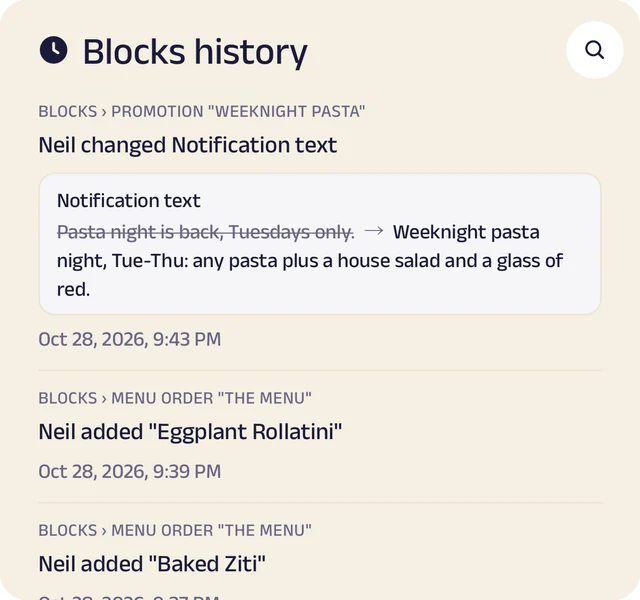
Blocks history: Menu items added and the announcement edited, in Blocks history.

Blocks history

Menu items added and the announcement edited, in Blocks history.

My Space, for the team

Leave and money, settled in My Space

Everyone asks for leave and keeps a running account with the business from their own My Space, and the owner sees the whole team.

Everyone sees their own. The owner can see everyone's leave and ledger.

Leave

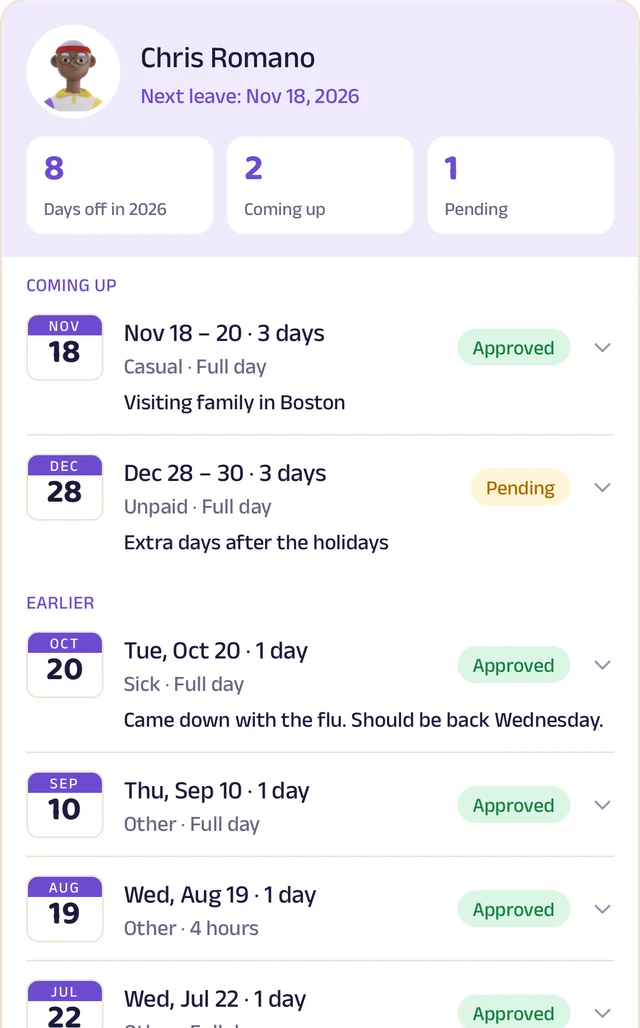
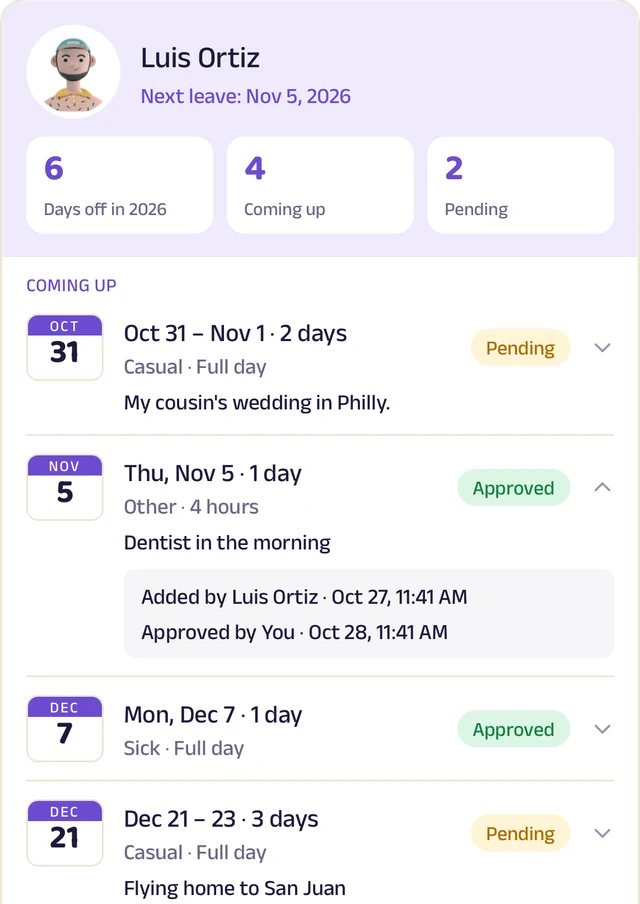
Casual, sick, unpaid or other, for a full day or 2, 4, 6 or 8 hours. The owner approves it, or switches approval off, and can add leave for anyone.

Who's off today

Everyone sees approved leave and who's off today. Each leave keeps its history: who added it, who approved it, and when.

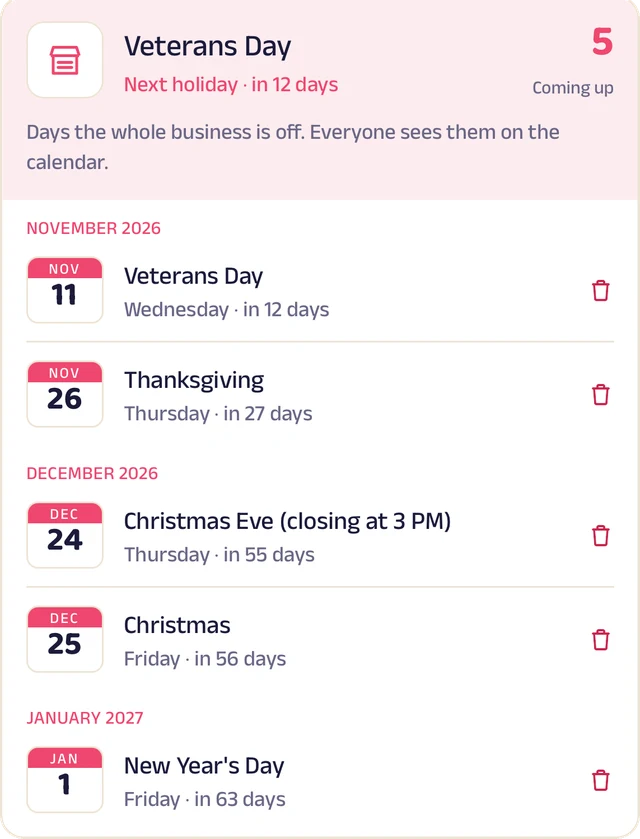
Holidays

Days the whole business is off, on their own page and on everyone's calendar.

Ledger

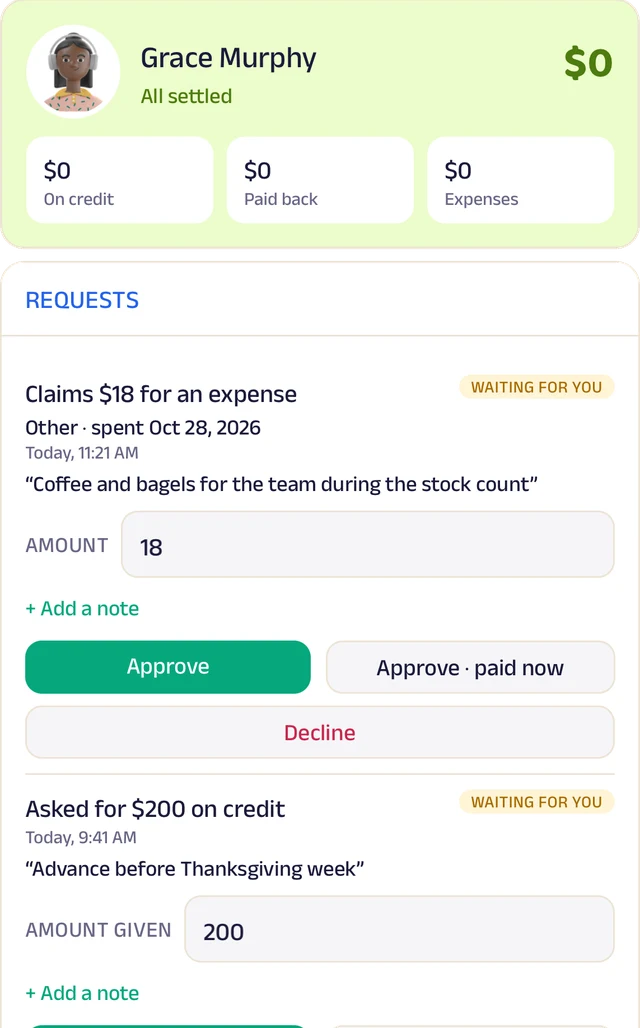
Each person's running account with the business: advances, money paid back, expenses by type, and reimbursements.

Ask, approve, or log it

Staff ask for credit, say they've paid back, or claim an expense, and the owner approves. The owner can also log entries directly.

Statements

A statement for any period, ready to share.

Leave: Who's off today, and a request waiting for the owner.

Leave

Who's off today, and a request waiting for the owner.

A leave's history: Who asked, who approved, and when.

A leave's history

Who asked, who approved, and when.

Holidays: Days the whole business is closed, on everyone's calendar.

Holidays

Days the whole business is closed, on everyone's calendar.

Ledger: Each person's balance and totals, and their requests waiting for the owner.

Ledger

Each person's balance and totals, and their requests waiting for the owner.

The Assistant: AI built into the platform, changing how a business is run.

The Assistant is Zich World's own AI. Today it turns voice notes and photos into orders, expenses, credit entries and menu items, so the record-keeping that used to take an evening takes a sentence. Nothing is saved until you approve it. Next, it answers questions about your business, acts on what you tell it, and warns you before things go wrong.

Orders from a voice note or a bill

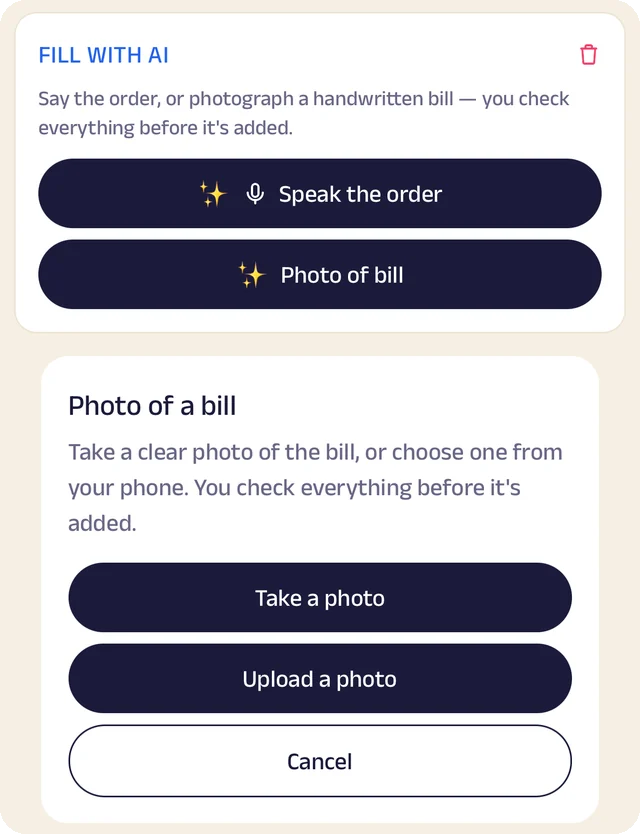
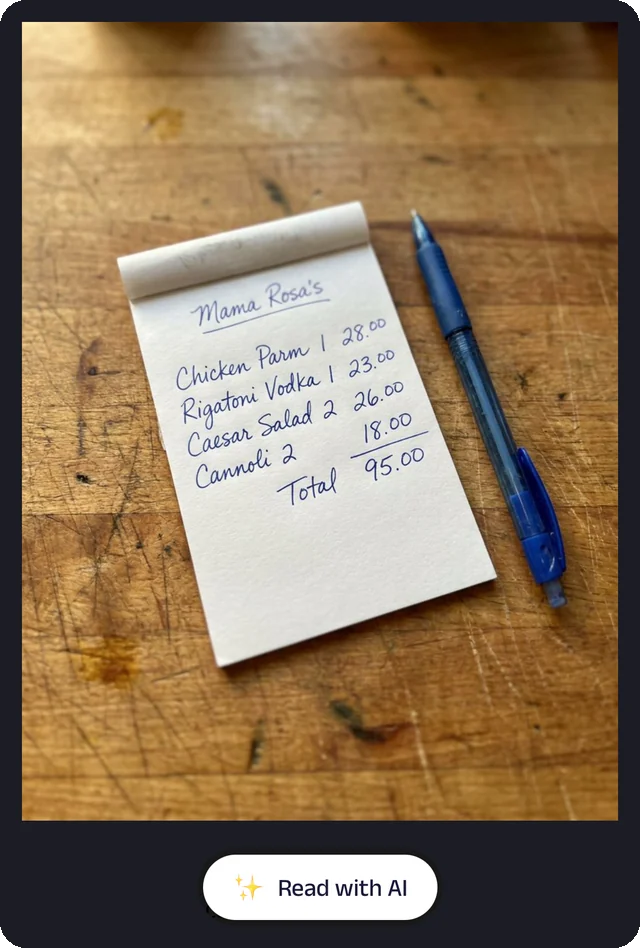
Say the order out loud or photograph a handwritten bill, and the Assistant writes it up as an order for you to check.

It works on a new manual order or one that's already in, reads a voice note or bill already attached, and warns you when the bill's total and its items don't add up. Nothing is saved until you approve it, and every read is logged.

Voice noteBill photo! Total?DraftYou approveOrder
Speak it, or snap the bill: Fill with AI: speak the order or photograph the bill, and check everything before it's added.

Speak it, or snap the bill

Fill with AI: speak the order or photograph the bill, and check everything before it's added.

Read a bill: A bill photo on an order, read with AI.

Read a bill

A bill photo on an order, read with AI.

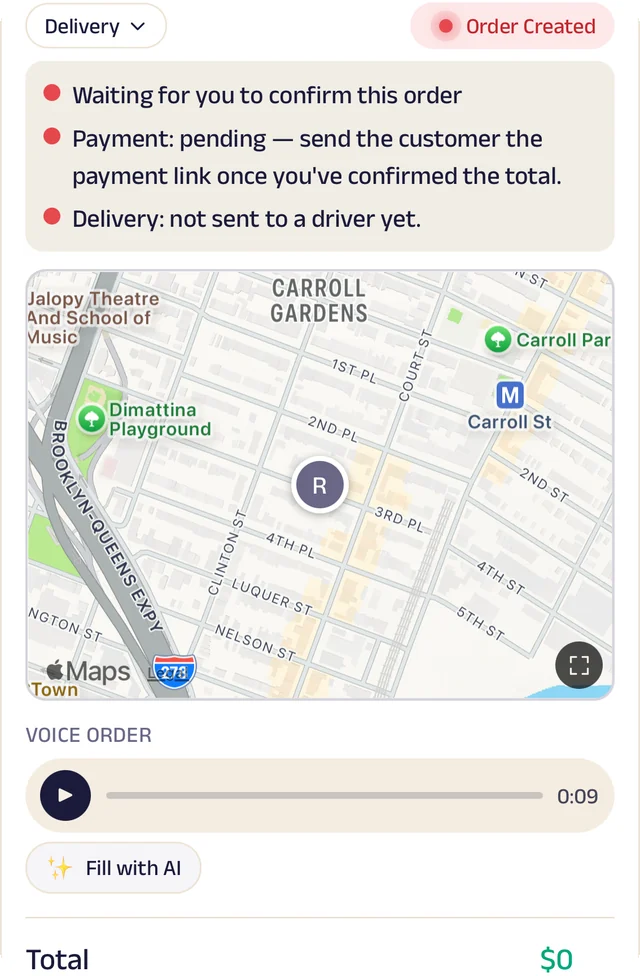
Fill in a voice order: A customer's voice note on an order, filled in with AI.

Fill in a voice order

A customer's voice note on an order, filled in with AI.

Credit and your menu, by voice or photo

Say “500 on credit” in a customer's ledger and the entry fills itself in. Photograph your printed menu and it becomes menu items.

Expenses work the same way: say “electric bill, 120” or snap the bill. Customers can order in their own words too: in a voice order they tap Find, the Assistant matches it to your menu, and they check the items before they go in the cart.

“50 on account”$120$170+$50LedgerMenu photoMenu items“2 chicken parms and a lemonade”Find×2×1Matched to your menu
Speak a credit entry: A customer's credit ledger with Speak: say the entry instead of typing it.

Speak a credit entry

A customer's credit ledger with Speak: say the entry instead of typing it.

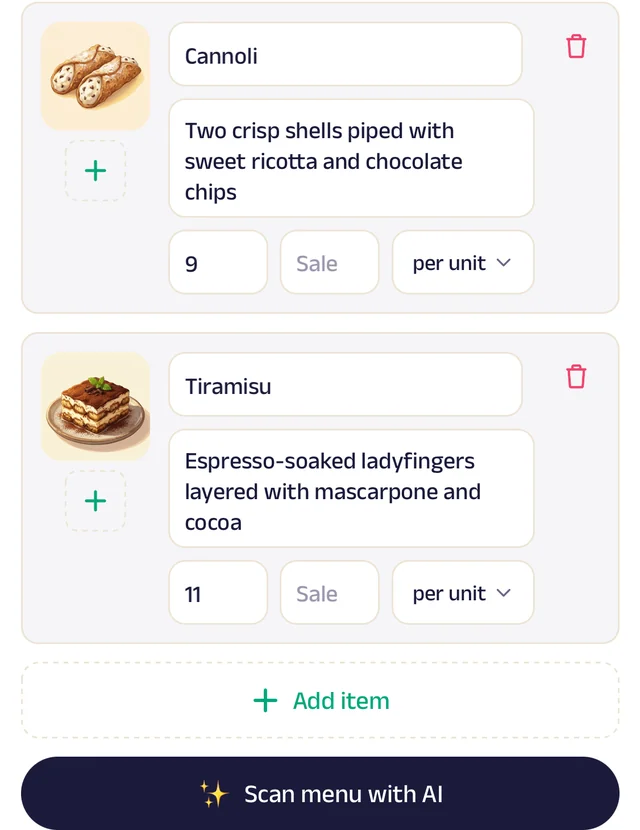
Your menu from a photo: Scan menu with AI: a photo of your menu becomes items you check and add.

Your menu from a photo

Scan menu with AI: a photo of your menu becomes items you check and add.

Customers order in their own words: A voice order on the customer's side, matched to your menu.

Customers order in their own words

A voice order on the customer's side, matched to your menu.

What the Assistant does nextComing soon

Ask your business

“Who owes me the most?” “Why were Tuesdays slow?” Answers from your own data, in plain language.

Do it by voice

Approve time off, update stock or record a payment just by saying it.

Alerts and forecasts

Low stock, overdue payments, customers going quiet, and what's likely to run out next week.

Help with marketing

Offer ideas and messages based on what your customers actually buy.

Your day, summed up

What sold, what's owed and what needs doing tomorrow, in a few lines, in your own language.

Answers your customers

Replies to everyday questions (timings, prices, whether something's in stock) and hands over to you when it should.

Ask the Assistant

Who owes me the most this month?

Rossi's Deli owes $840, then Carter Catering $520. Both are past their usual payment date.Send a reminderOpen the ledger

Why were Tuesdays slow in October?

Tuesday orders fell 22% after the 8th, when lunch delivery stopped before 1 pm. Most of those customers now order on Wednesday.

Approve Jake's time off for Friday.

Done. Jake is off on Friday, and Maria is covering his deliveries.Heads up: at this week's pace, mozzarella runs out by Thursday.

Any idea for a weekend offer?

Your regulars buy the meatball sub with a soda more than anything else. A $12.99 combo on Saturday could bring back the 14 customers who've gone quiet.Draft the offerNot now

Businesses working together, and new businesses built on top.

On Zich World, businesses don't work alone. A store can bring in a delivery partner instead of hiring drivers, a caterer can team up with a party rental company and a decorator to take on a whole wedding, and each one keeps its own customers, prices and books while they work as one. People can go further and bring businesses together into something new: a delivery service for the whole neighborhood, an event company built from local vendors, a service no single store could offer alone. Delivery between businesses is live today, more ways to work together are coming, and what can be built on top is limited only by what people imagine.

Add delivery to your business with a partner

No drivers of your own? Connect with a local delivery company on Zich World and offer delivery to your customers as if it were yours.

Find the partner by their business code and connect. Ready orders go to their room, one partner or several at once, with a price and a ready time. Their driver picks up, your customer still follows the order live to the door, and the two of you settle up from a shared ledger. Either side can pause the partnership at any time.

Your shopReady+$6Shared ledgerPartner's roomPartner's driversLIVE4821DeliveredCustomer
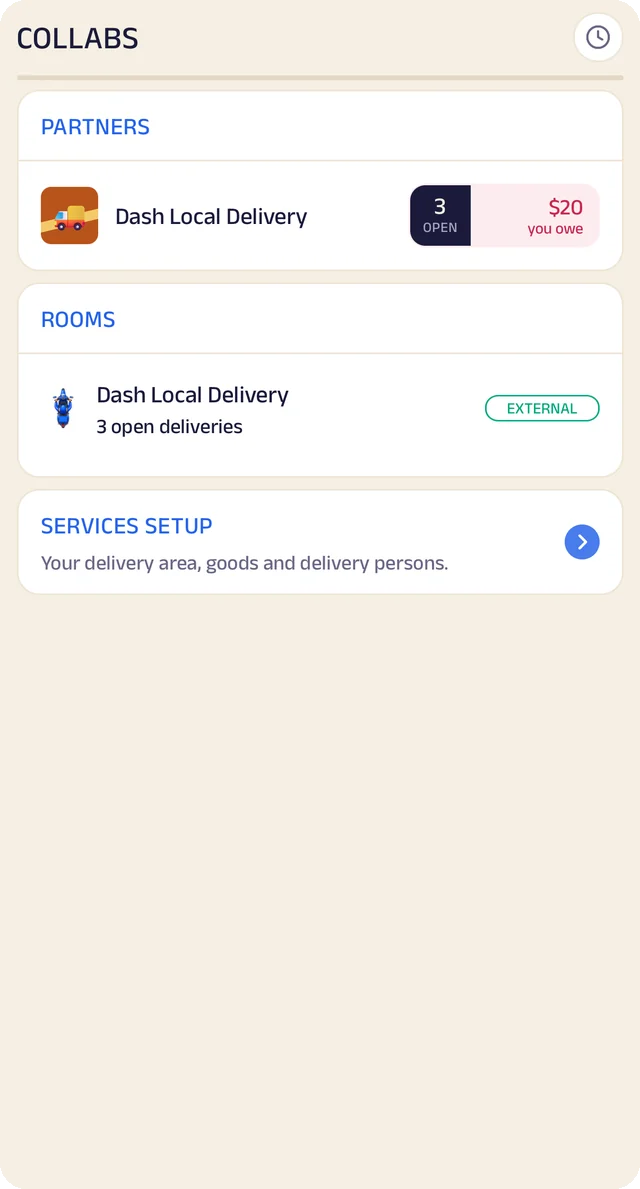
Your delivery partner: Your delivery partner and its room, from your side.

Your delivery partner

Your delivery partner and its room, from your side.

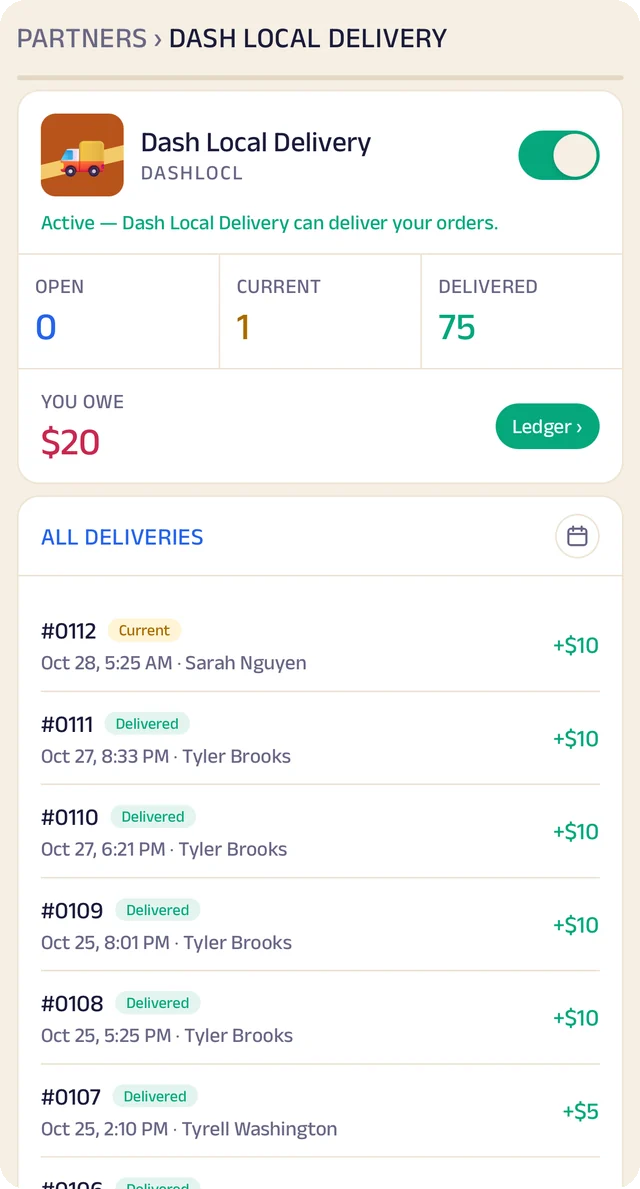
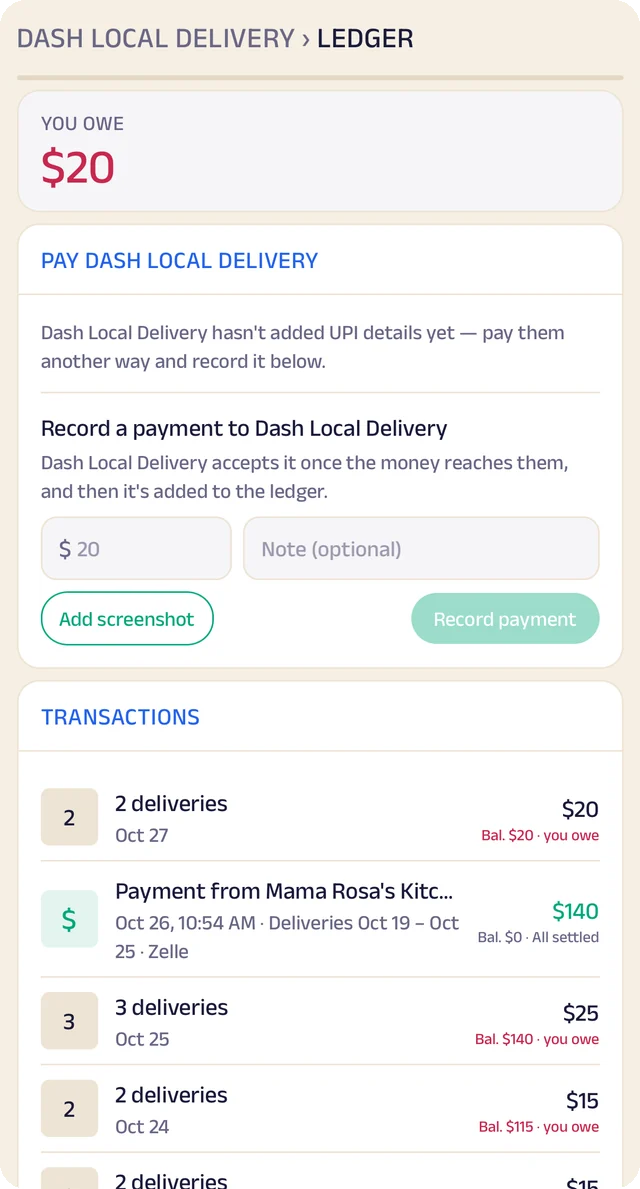
The partnership: The partnership: deliveries open, current and done, and what you owe.

The partnership

The partnership: deliveries open, current and done, and what you owe.

Settling up: Paying your partner by Zelle or Venmo, and every delivery that adds up to it.

Settling up

Paying your partner by Zelle or Venmo, and every delivery that adds up to it.

Start a delivery business on Zich World

Anyone can start a delivery business here, with no app of its own to build: food and groceries for local shops, urgent medicine, parcels across town, errands, or anything a neighborhood needs.

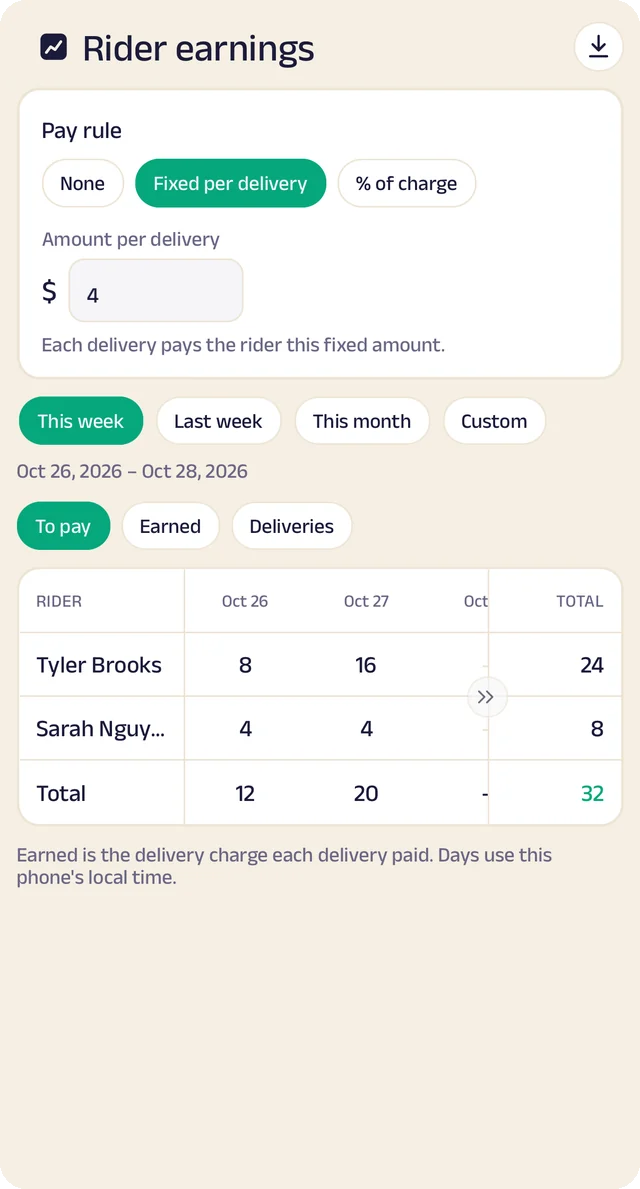
Set your service area, what you carry and what you charge, and shops connect with you by your business code. Bring on your drivers and give them roles, send them jobs from your delivery room, track what each one earns, and keep a ledger with every shop you deliver for, settled with payments both sides confirm.

Partner shops1234Delivery companyDrivers+$6+$6+$6$62$49$36$19A ledger with every shop
Shops you deliver for: Every shop you deliver for, with open jobs and what each owes you.

Shops you deliver for

Every shop you deliver for, with open jobs and what each owes you.

Urgent medicine: An urgent medicine run: one of the services you can offer.

Urgent medicine

An urgent medicine run: one of the services you can offer.

Parcels across town: Courier options for sending a parcel across town.

Parcels across town

Courier options for sending a parcel across town.

Where working together goes nextComing soon

Small businesses, together, do what only big ones could.

Every business on Zich World is already connected to the ones it works with. Next, they take on bigger work together: a party rental company, a caterer, a decorator and a photographer selling one wedding as a single booking, a contractor finding 300 chairs by tomorrow, a store ordering from its suppliers on account. Each keeps its own customers, prices and books, and together they can take on the big players.

Party rentalsCatererDecoratorPhotographerFloristDeliveryWedding for 500 guestsTent and seatingFood for 500Stage and lightsPhotos and videoFlowersGuests' gifts delivered

Shared projects

A wedding, a renovation, a concert: one project, with each business seeing only its own part.

Find businesses by what they can do

“Who can supply 300 chairs tomorrow?” Matched by what businesses actually offer.

New services from businesses together

A party rental company, a caterer and a decorator selling one event package, each doing its own part.

Wholesale and credit between businesses

Order from your suppliers and keep credit with them, in the same place.

The larger idea

Your customers stay yours.

Zich World is infrastructure, not an intermediary.

Nobody sits between you and the people who buy from you, takes a cut of the relationship, or rents your customers back to you — and everything you build here leaves with you if you go.

Read the vision

Start with the storefront. The model builds itself from there.

It takes a couple of minutes.