
For customers
Scan once.
Everything remembered.
Your neighborhood businesses, each with a portal you enter by scanning a QR code or opening the Zich World app. Order, pay, book, ask, track — and next time, it already knows you. No account to make just to look.
Your portals
6 savedFresh Mart · Order #0088
PaidPacked
Picked up
On the way
From the counter to your door
Six steps. Then it's just one.
The first visit is a scan. Every visit after that starts where the last one ended.
- 01
Scan, or open the app
The QR on the counter opens the portal — in your browser, or the Zich World app.
- 02
Browse
The menu, the services, the portfolio, the hours — whatever this business is.
- 03
Order your way
Tap items into a cart, type what you need, or just say it in a voice note.
- 04
Pay
Pay the business directly with Zelle, Venmo, Cash App, PayPal or a card link, or the way you agree with them. Tap “I've paid” and it's on the order.
- 05
Track
Order received → preparing → ready → picked up → live map → delivered.
- 06
Come back
Next time, everything's already there. The relationship continues.
Scan, or open the app
Works in the browser the moment you scan. Even better in the app.
A business puts its QR code on the counter. Scan it and you're inside — the menu, the hours, the portfolio, the “open now” badge — right in your browser, instantly, with no sign-up needed just to look around. Or open the Zich World app, where that portal sits next to every other business you deal with. Either way, you only sign in with your phone number the moment you actually do something — order, message, book — and one login works everywhere on Zich World.
Get Zich World for iOS and Android — keeps every portal you've visited in one place, with notifications and one-tap reorders.
Coming soon to the App Store and Google Play
Coming to the App Store and Google Play. Everything works in your browser today.
Scan me
Corner Cup Coffee
CORNRCUP
Scanned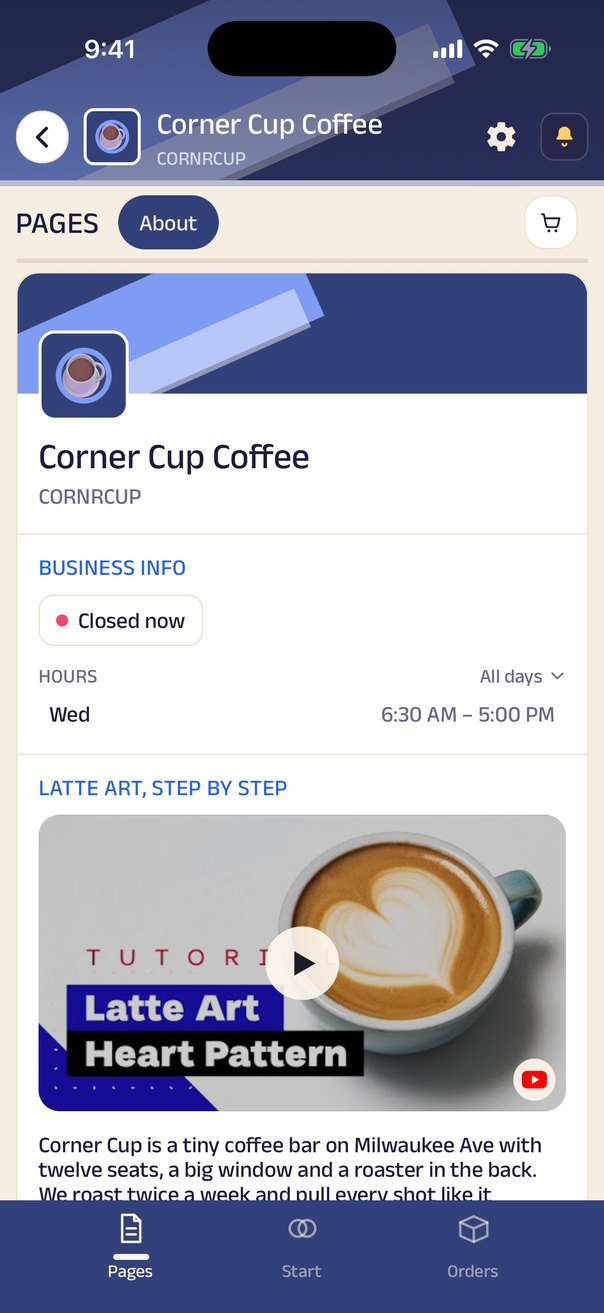
Order your way
Tap it, type it, or just say it.
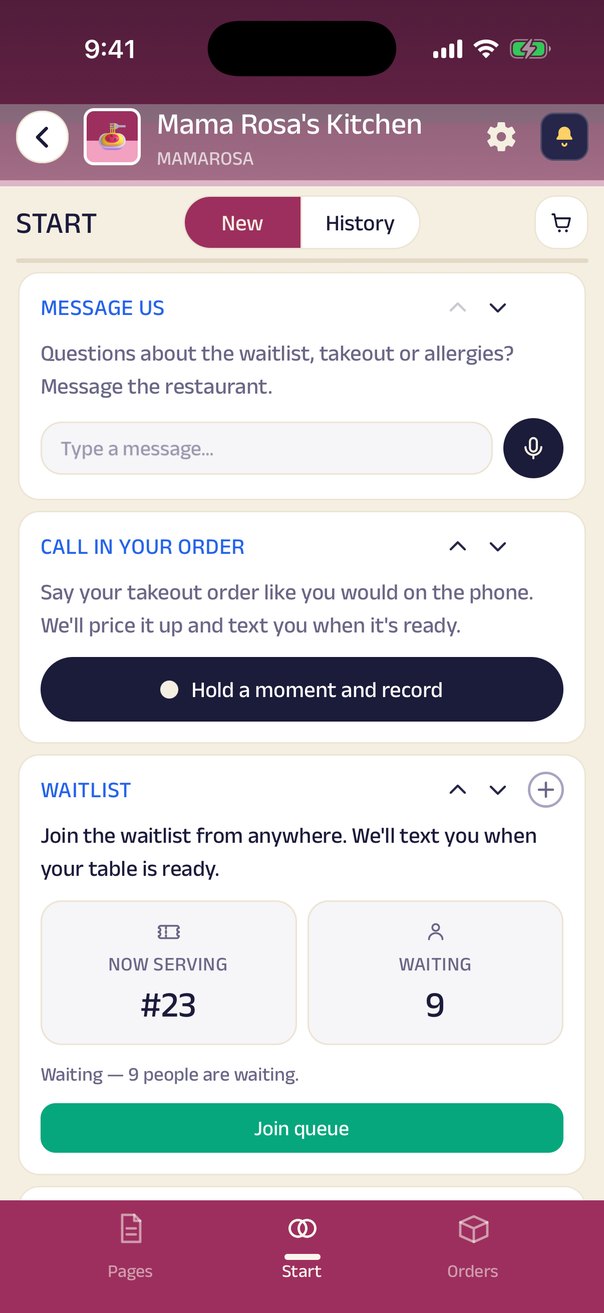
Anything with a catalog gets a cart and a checkout, same as you'd expect. But plenty of what small businesses sell was never going to fit a menu — a pharmacy order, a repair, a special request — so those become a typed message instead: say what you need, and the shop reads it, prices it, and turns it into an order.
And many of us don't type long messages at all. We talk. So a grocery order can be a voice note — “A loaf of bread, a dozen eggs and two gallons of milk” — and the store gets it as an order, not a message to decode. Record it, and it's an order. The store can reply by voice too — exactly how the conversation would go over the counter.
Pay and track
Pay the business directly. Watch the order come to you.
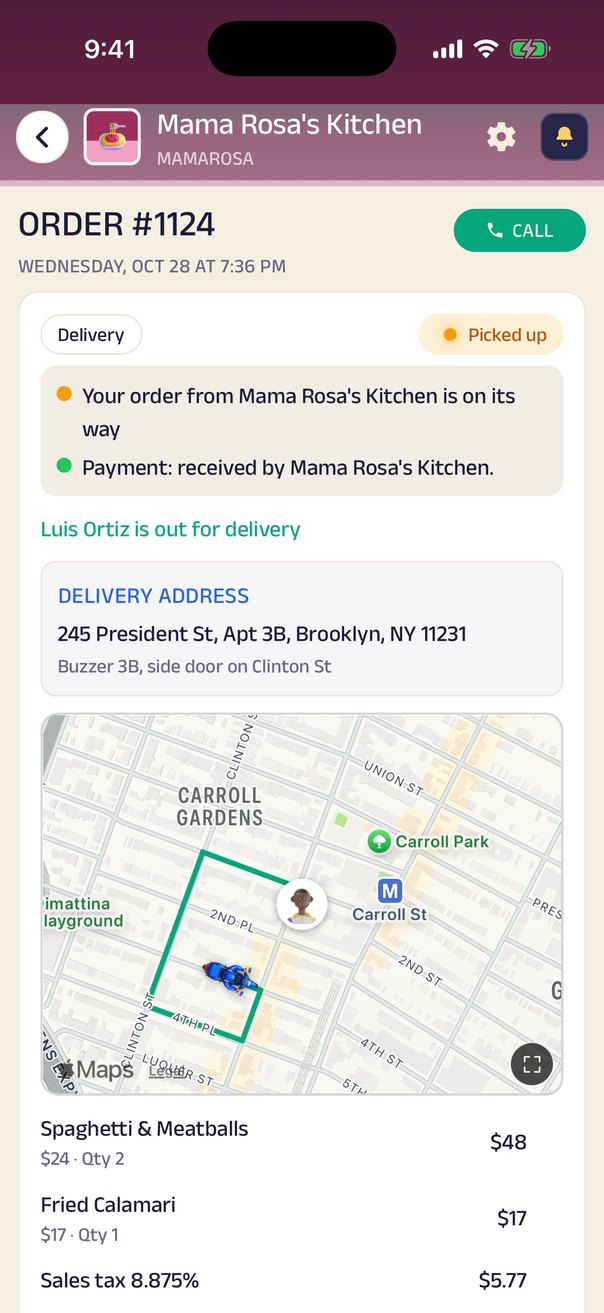
Pay the business directly — Zelle, Venmo, Cash App, PayPal, a card link, or cash. Tap “I've paid”, attach a screenshot if they ask for one, and the business confirms it. Then every step of the order — received, preparing, ready, picked up, delivered — is posted into your conversation with the business, with a live map once it's out for delivery. When the driver arrives, you give them a 4-digit code so it reaches the right person.
Private by default
Your number is never public — and never sold.
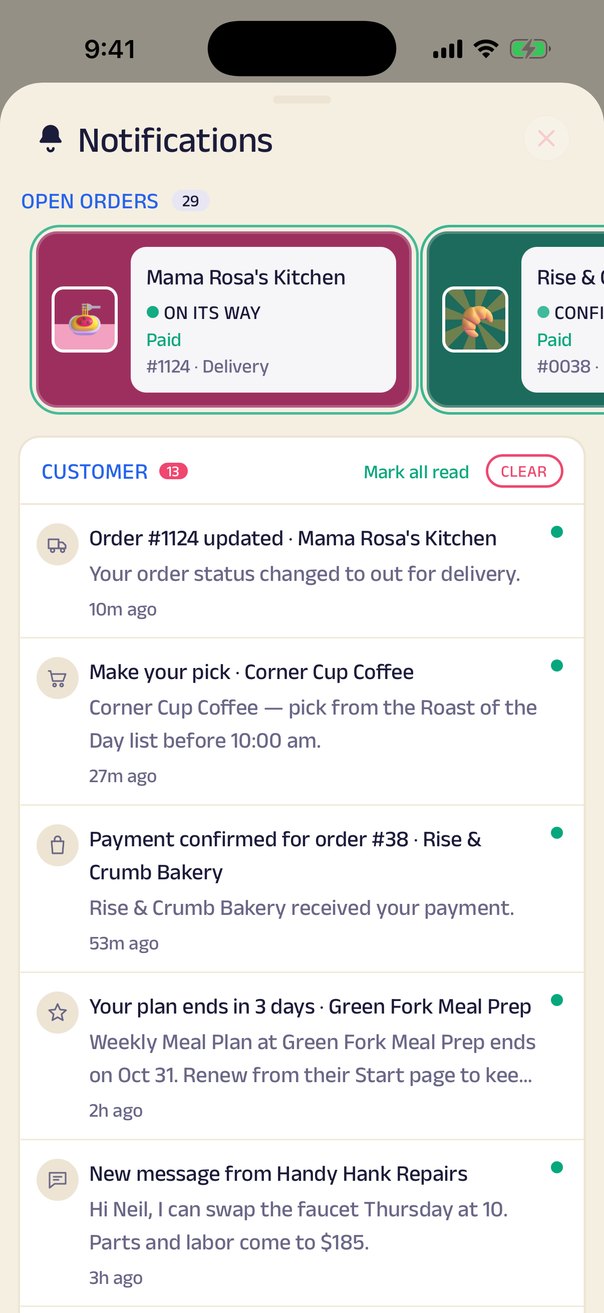
Your phone number is never shown publicly and never sold. A business you deal with only gets your number when it taps Call, and you can turn calls from a business off. Signing in with it doesn't put you on anyone's list: every notification comes from a business you chose, about something you asked for — orders, appointments, offers — and you decide which businesses can reach you and about what, muting a whole kind of update or a single business.
Each of those can be switched off individually, and you can mute or leave any business at any time — your history stays yours either way. What you do at one business is never visible to another.
Your history travels with you
Months later, it's all still there.
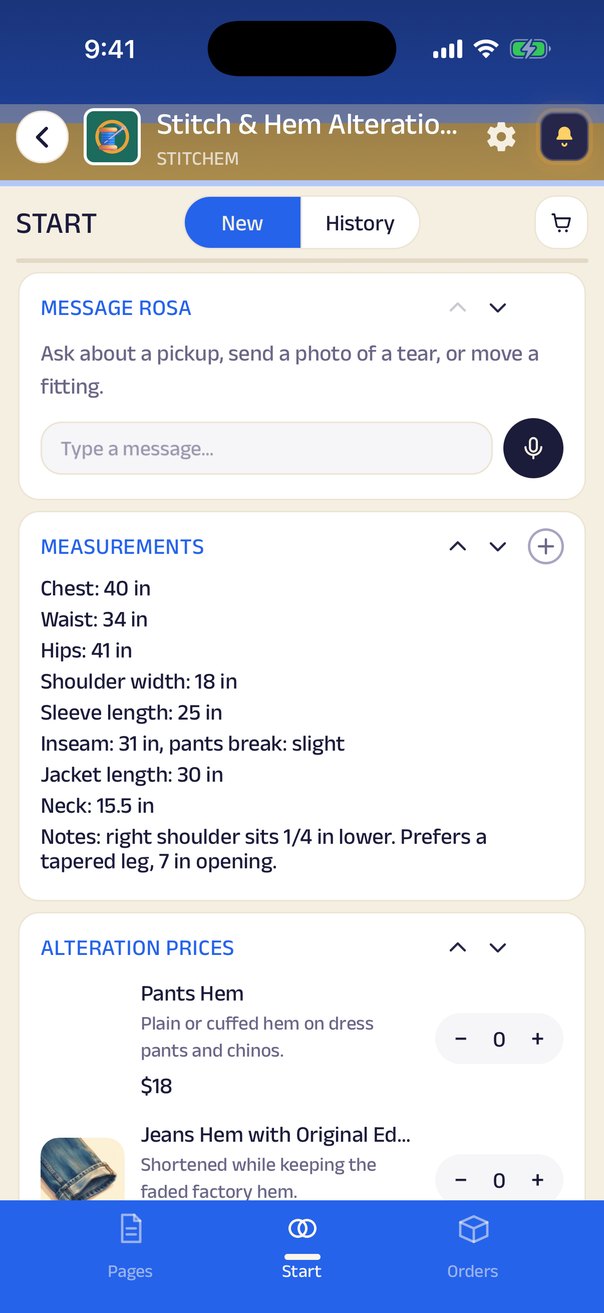
Most platforms forget you the moment the receipt prints. A portal remembers — every order, receipt and invoice, alongside whatever else that business keeps for you: measurements, prescriptions, warranties, reports, even the conversation where you first agreed the price.
Open your tailor's portal next season and your measurements are there. Open the clinic's and last year's visit summary is there. No digging through old texts.
Everything you can do
One phone number. Every business you deal with.
Appointments
Book a stylist, a doctor, a fitting, a tasting — against the business's real availability, from your phone.
Queues & waitlists
Take a number for the restaurant, the salon, the clinic. Wander off; your phone tells you when it's your turn.
Chat & voice notes
One conversation with each business, forever. Text, voice, photos — and every order update, in the same thread.
Your documents, kept
Prescriptions, warranties, reports, vaccination cards — attached to the order and findable months later.
Feedback that's heard
After an order or a visit, say what you thought. It goes to the owner, privately.
Updates on your terms
Your order's ready. Your table's free. You decide which businesses can notify you and about what — and mute any of them in a tap.
Your number is never public
Your phone number is never shown publicly and never sold. A business you deal with only gets your number when it taps Call, and you can turn its calls off. Your activity at one business is never visible to another.
The Zich World app
Everything works in the browser the moment you scan. The app adds your saved portals, notifications, one-tap reorders and dark mode — the better way to live with Zich World.
Your balance, in the open
Credit and store credit with each business, in a ledger you both see — no arguing over the notebook.
Your gadgets, on your home
Pin the things you use — a tracker, your tasks, a subscription, your loyalty standing, a booking — to your own home screen.
Say it, and it's in your cart
In a voice order, tap Find on the menu and just say what you want. The Assistant matches it to the business's menu, and you check the items before they go in your cart.
Your own projectsComing soon
Renovating a home? Create a project and bring in the architect, contractor, electrician and painter. One place to see it all.
Project management for all
Coming soonRenovating a home? Planning a wedding? Make it a project.
You don't have to coordinate eight businesses over eight phone calls. Create a project, invite the businesses you need — or discover them by what they can do — and bring them in. Each one sees only the responsibilities that are theirs; you keep the full picture. Tasks, deadlines, documents, chat and payments all live in the one place. How projects will work →
Home Renovation · Oak Park
8 businesses · owner: Sarah K.
Architect
- Floor plan
- Permits
- Site visit
Contractor
- Demolition
- Civil work
- Handover
Electrician
- Wiring plan
- Points & boards
- Fixtures
Painter
- Primer
- Two coats
- Touch-ups
Plumber
- Piping
- Fittings
- Pressure test
Interior designer
- Mood board
- Furniture
- Styling
See it in a portal
Portals built for their customers.
Every one of these is a different kind of business — and the same handful of blocks.
 Mama Rosa's KitchenRestaurantFamily Italian that takes orders by voice and delivers with its own drivers.
 Corner Cup CoffeeCaféOrder ahead, skip the line, and get a buzz when your latte is up.
 Patel Brothers Corner MarketGroceryA corner store that delivers the block's groceries, paid by Venmo or cash.
 Neighborhood Family ClinicFamily clinicBook a visit, wait from your car, and keep every visit summary.
 Bloom Hair StudioHair salonBook your stylist, keep your color formula on file, and join the walk-in list.
 Iron Will GymGymClass spots, trainer sessions and memberships, all from one QR at the door.
 Stitch & Hem AlterationsAlterationsYour measurements on file, and a text when the hem is ready.
 Handy Hank RepairsHandymanSend a photo of the problem, agree a price, and book a two-hour window.
 Pawfect GroomingPet groomingBook a groom, get a photo when they're done, and pay by Zelle.
 Taco Loco TruckFood truckSee where the truck is today and order ahead before you walk over.
The larger idea
The shop knows you. Nobody in between does.
No marketplace sits between you and the businesses you buy from — so your history, your measurements and your conversations stay between you and them, and what you do at one business is never visible to anyone else, including Zich World.
You're one step from a portal.
Every Zich World business prints a short code under its QR. Scan it, or type it in — and you're in.
Run a business yourself? Build your own portal in minutes.