
For photographers, planners, florists and rental companies
Your events business, in one link.
Customers send you a brief with the date, the venue and the budget, see your packages and your work, book a date and message you from one page that carries your name, your colors and a QR code for your cards. It isn't a marketplace, and we take no cut of what you earn.
The pilot is completely free. After it, free to start: 30 orders a month, no card. Paid plans from $10 a month. No cut of your sales.



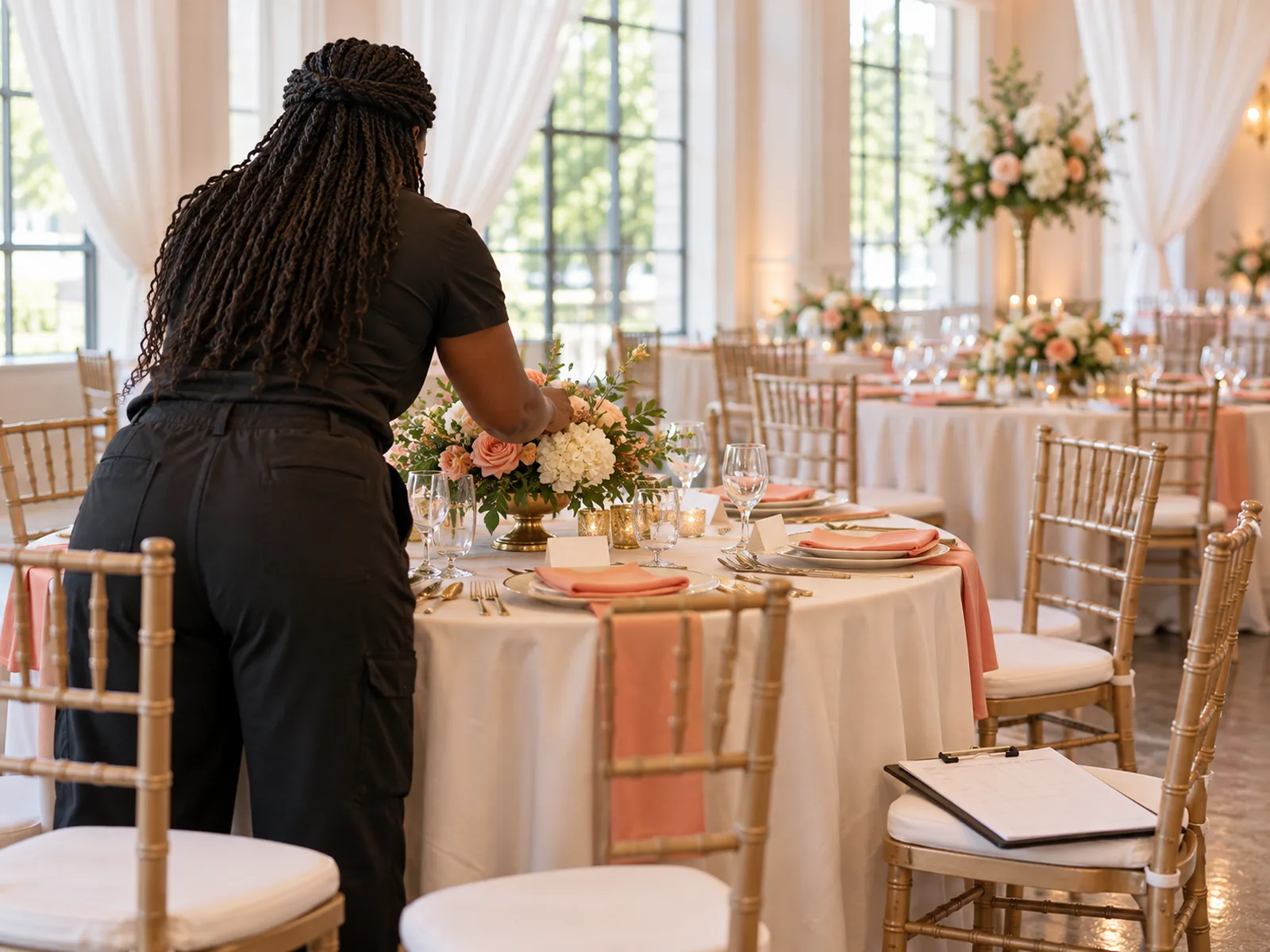




Pick a business to see its page. These are demonstration businesses built on Zich World. Each one chose different gadgets for how it works. Open any of them live.
Photographer
Golden Hour Photography
A photographer whose sessions start with a shoot brief and end with every file in one place.
Every shoot used to start with a dozen back-and-forth emails about outfits, locations and times. Now clients fill in a shoot brief, book their session, and follow a get-ready checklist, with notes on what to wear posted once for everyone.
Every session type is priced up front, with prints, albums and extra edits listed as add-ons, so the final bill matches what the client expected. Bluebonnet minis and holiday card minis fill by reserved slots, and finished galleries land in each client's files two weeks later. Questions about locations or dates go to Sofia in chat. A one-photographer Austin studio now runs briefs, mini-session days and client delivery like a large portrait studio.


Forms. Every client describes who's in the photo, the location they like and the look they want before the shoot.
Gadgets at work
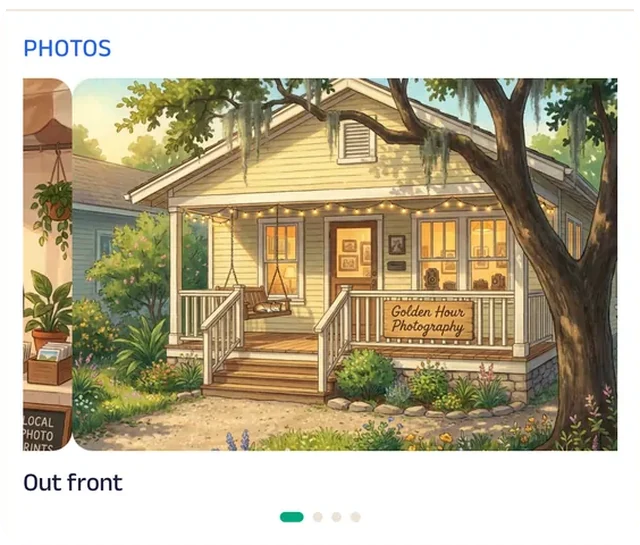
Photo gallery
The gallery is full of golden-hour portraits, so clients see the light they're booking before they pick a date.
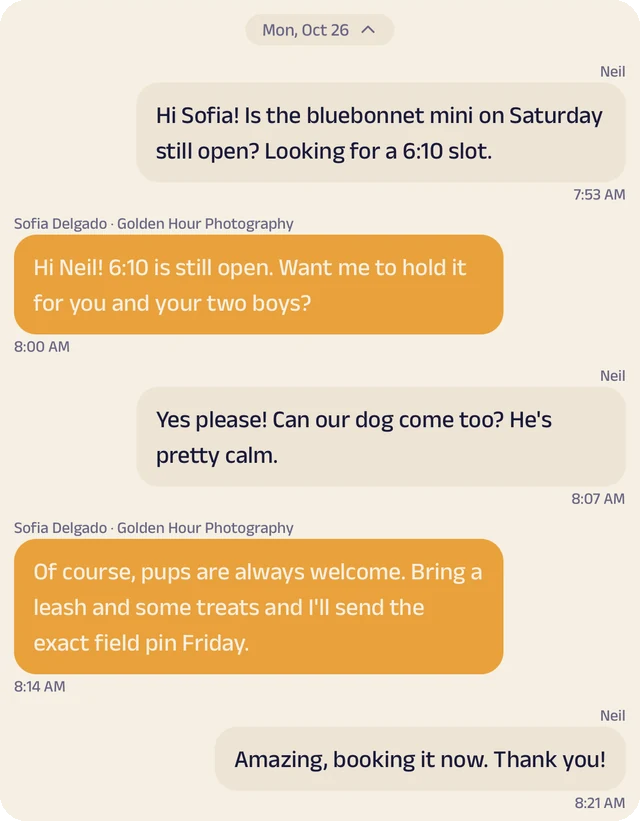
Chat
Clients ask Sofia about locations, outfits or dates.
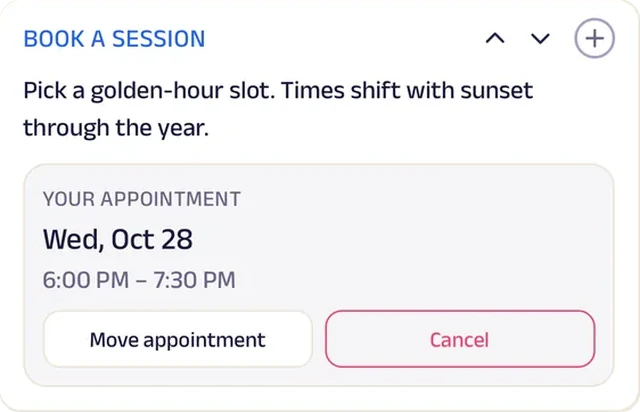
Appointment
Families and couples book a golden-hour session on an evening that works.
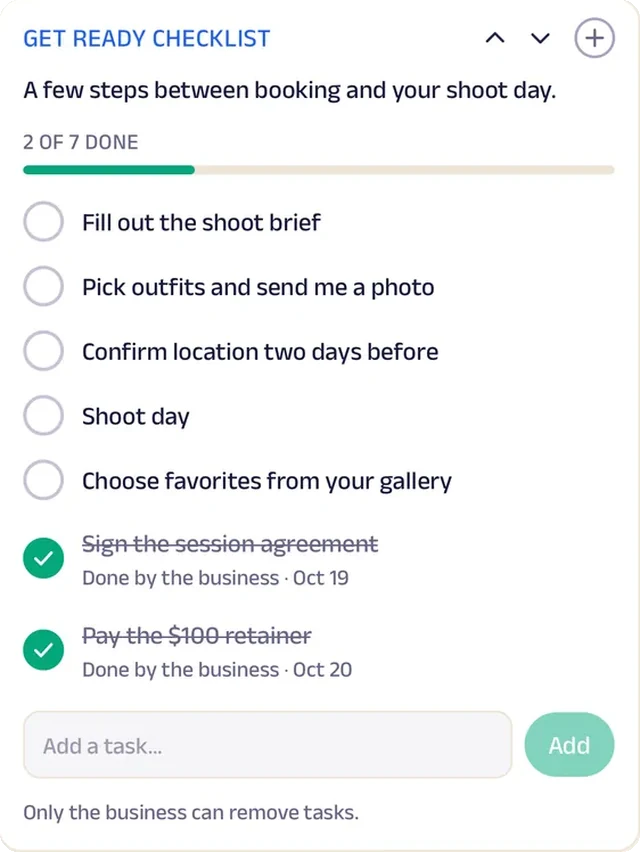
Tasks
A get-ready checklist covers outfits, timing and what to bring.
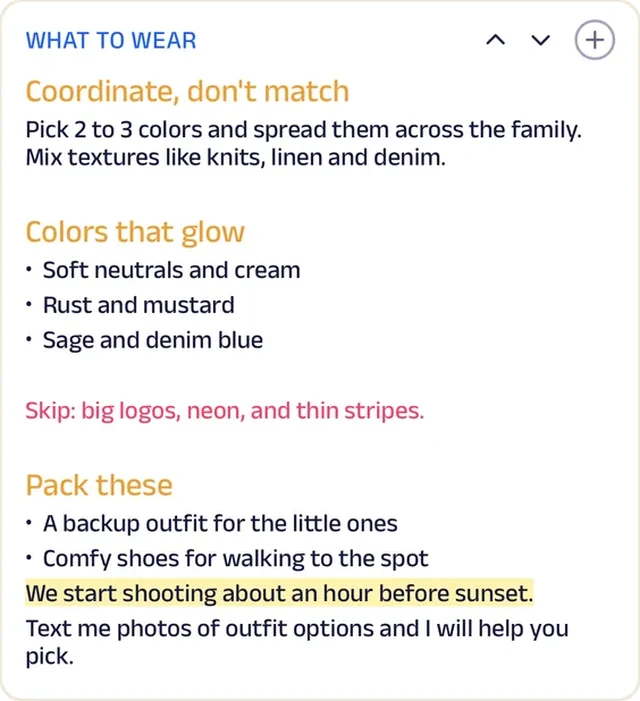
Custom text
What-to-wear notes are posted once for every client, so outfits don't clash in the frame.
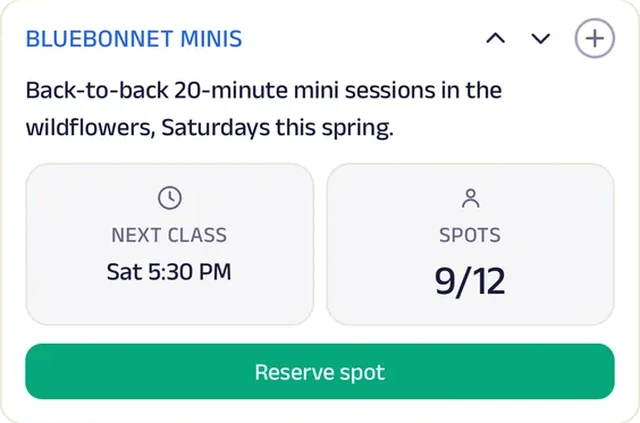
Reserve spot
Mini-session slots are reserved ahead, one family at a time, so the field never gets crowded.
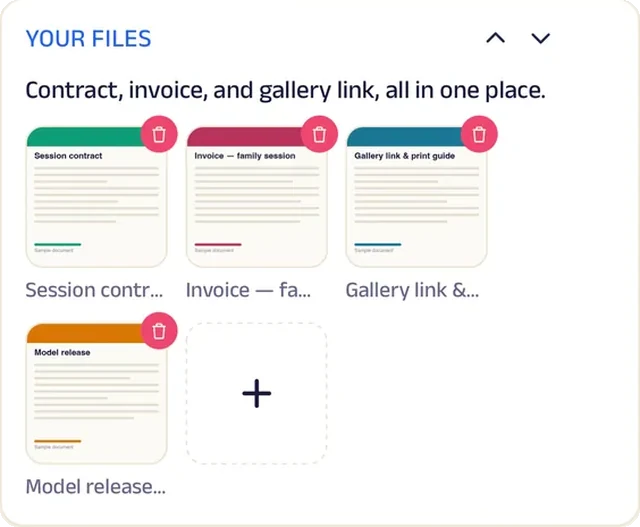
Add docs
Galleries, contracts and invoices land in each client's files.
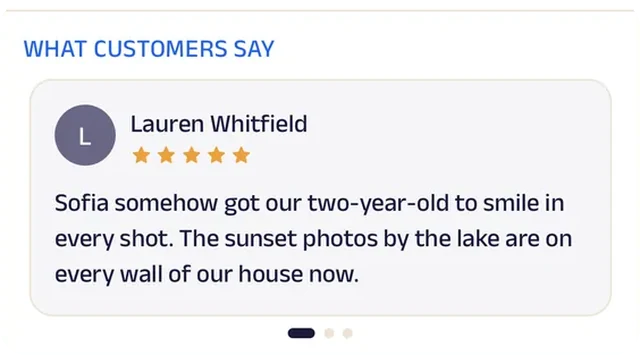
Reviews
Families write about a relaxed hour that didn't feel posed, which is what the next family wants to hear.
Event planner
Celebrate Events Co.
An event planner whose clients can see the budget, the timeline and every document in one place.
Wedding planning used to live in a dozen email threads and a spreadsheet only the planner could open. Now each couple sees their budget tracker update as deposits are paid, follows a planning timeline that ticks off every step, and keeps contracts and floor plans in one event folder.
New clients tell the planner about their event through a form, book a consult, and compare the planning packages, with add-ons listed beneath so nothing comes as a surprise later. A poster shows which 2027 wedding dates are still open. Clients message their planner about ideas or vendor updates, and after the last dance they review the event. A small Chicago planning team now runs budgets, timelines and paperwork like a large events agency.


Tracker. The couple sees exactly where the budget stands as each vendor deposit is logged.
Gadgets at work
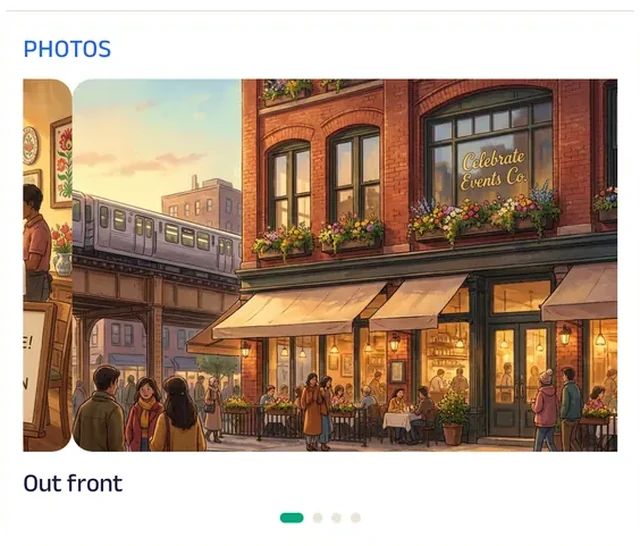
Photo gallery
Photos from past weddings and parties show the team's work, so couples can point at the feel they want.

Promotion
Couples planning ahead see which 2027 wedding dates are still open.
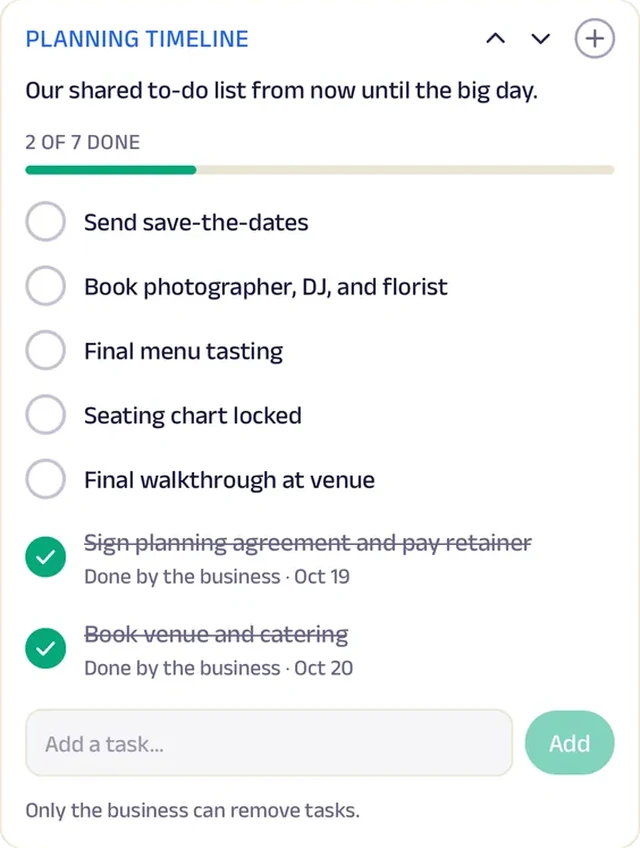
Tasks
The planning timeline lists every step from venue walk-through to final headcount, ticked off as it's done.
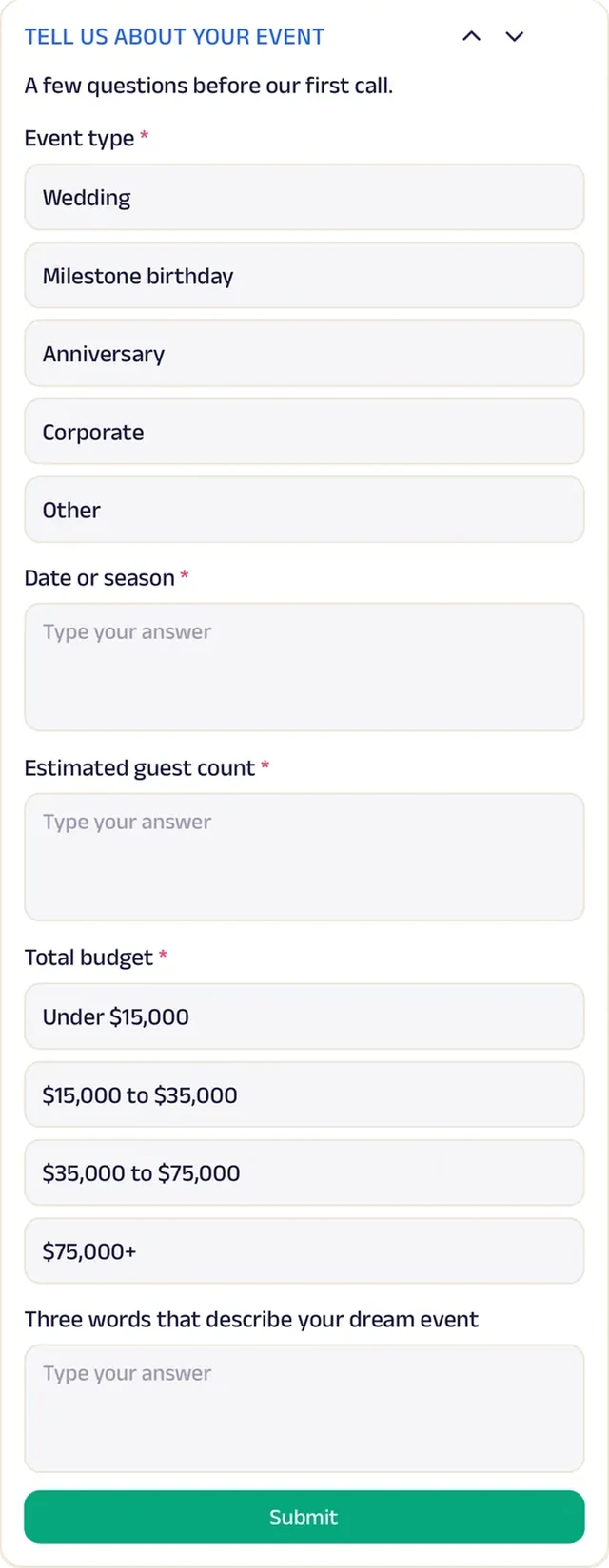
Forms
New clients describe the date, guest count, venue ideas and budget before the first call.
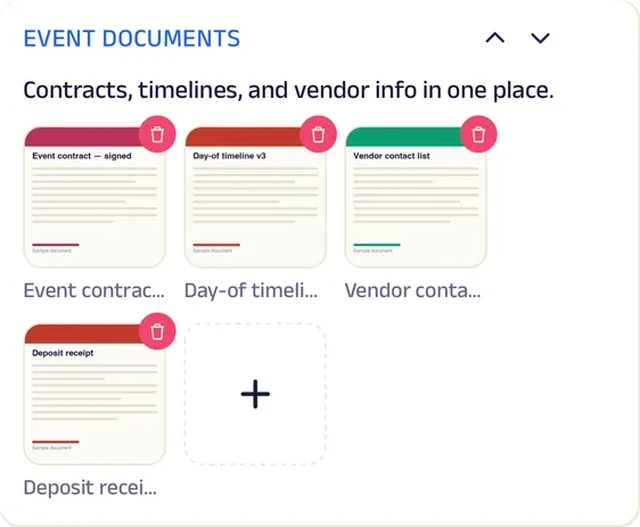
Add docs
Contracts, floor plans and vendor invoices sit in one folder for each event.
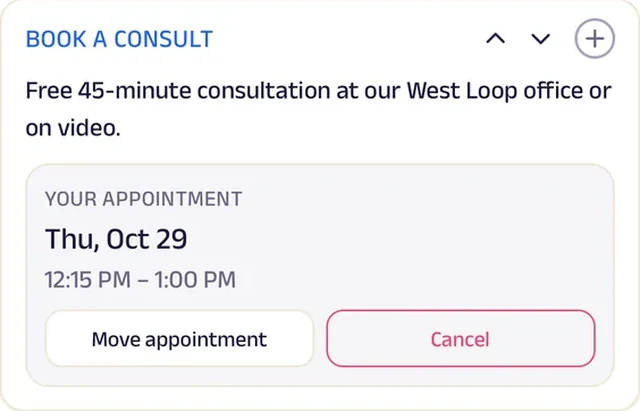
Appointment
Couples book a first consult straight into the planner's calendar instead of trading emails about availability.
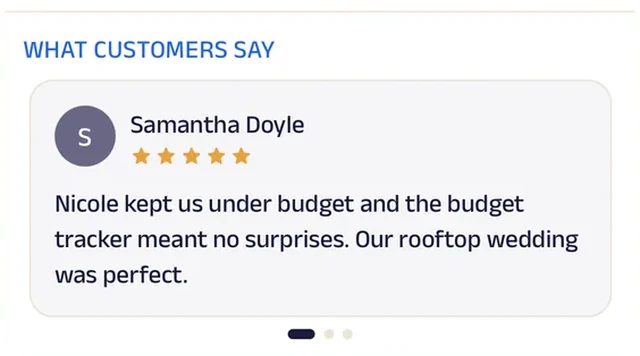
Reviews
Couples write about a day they actually got to enjoy, which is the review every planner wants.
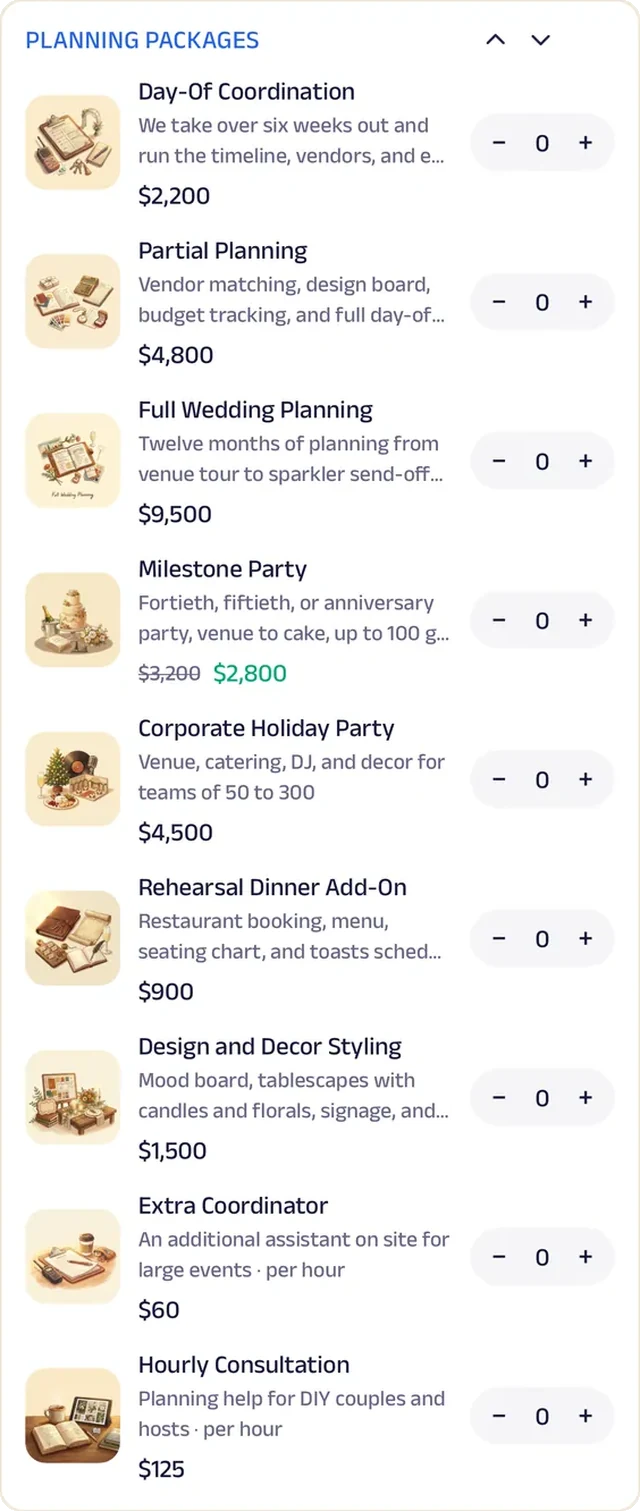
Menu order
Every planning package is laid out with what's included, so couples compare and pick one without a call.
Party rentals
Party Perfect Rentals
A party rental company that turns a backyard birthday into a package, a checklist and a signed contract.
Bookings used to come in as phone calls with half the details missing, and contracts were signed in the driveway. Now families pick a package that fits the party, add extras like seating, and fill in the event details before the date is confirmed.
Each booking gets a party checklist that runs from delivery to next-day pickup, and the rental paperwork stays with it. A fall festival special sits on the Start tab, Party Perks badges reward families who book again, and customers message Tasha about space or weather. After pickup, they rate how setup went. A husband-and-wife team that started with one bounce house now books events like a full-service rental company.


Menu order. Families pick a party package and add extras on top, with everything included listed, so there's no guessing what shows up in the yard.
Gadgets at work
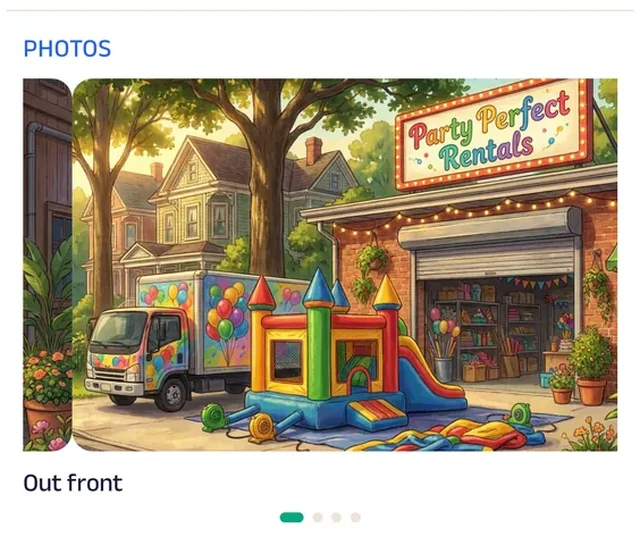
Photo gallery
Photos of past setups in real backyards show families how much space each one needs.
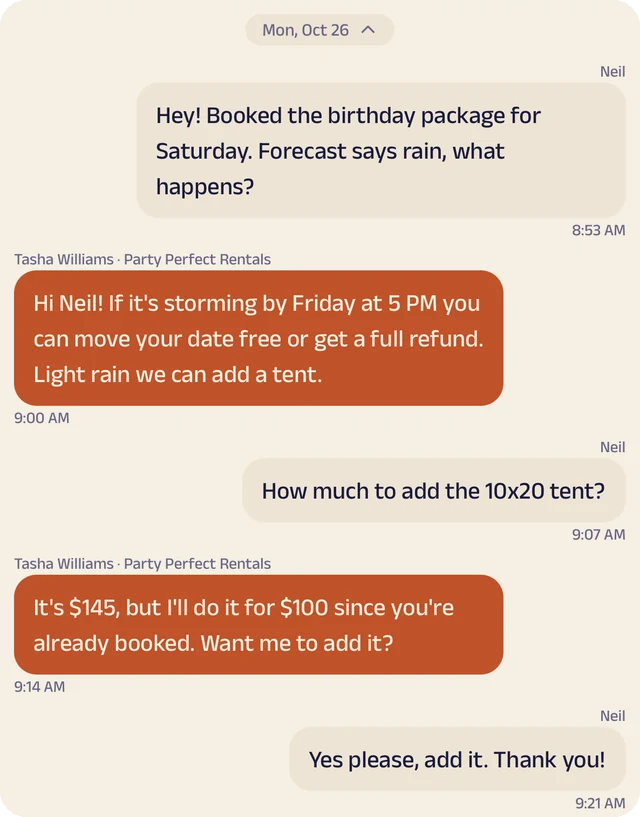
Chat
Customers ask Tasha about space, weather or setup before the truck arrives.
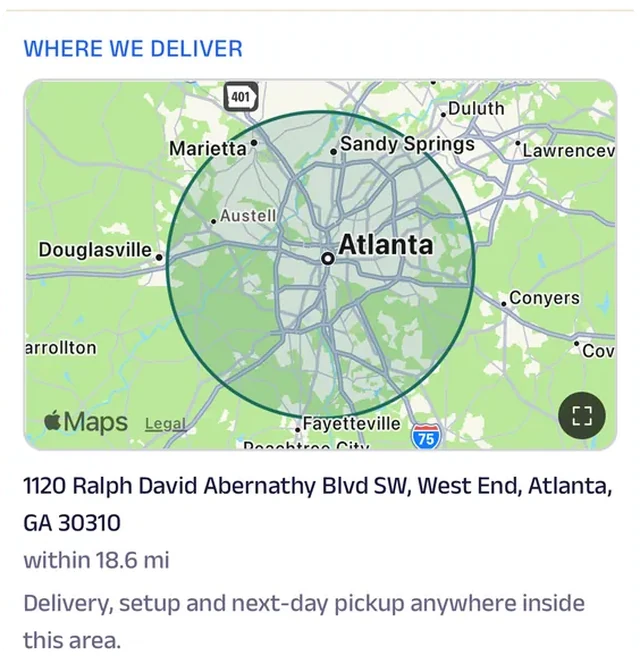
Location
The delivery area is drawn on the map, so a family knows before booking whether the truck will make it to their backyard.
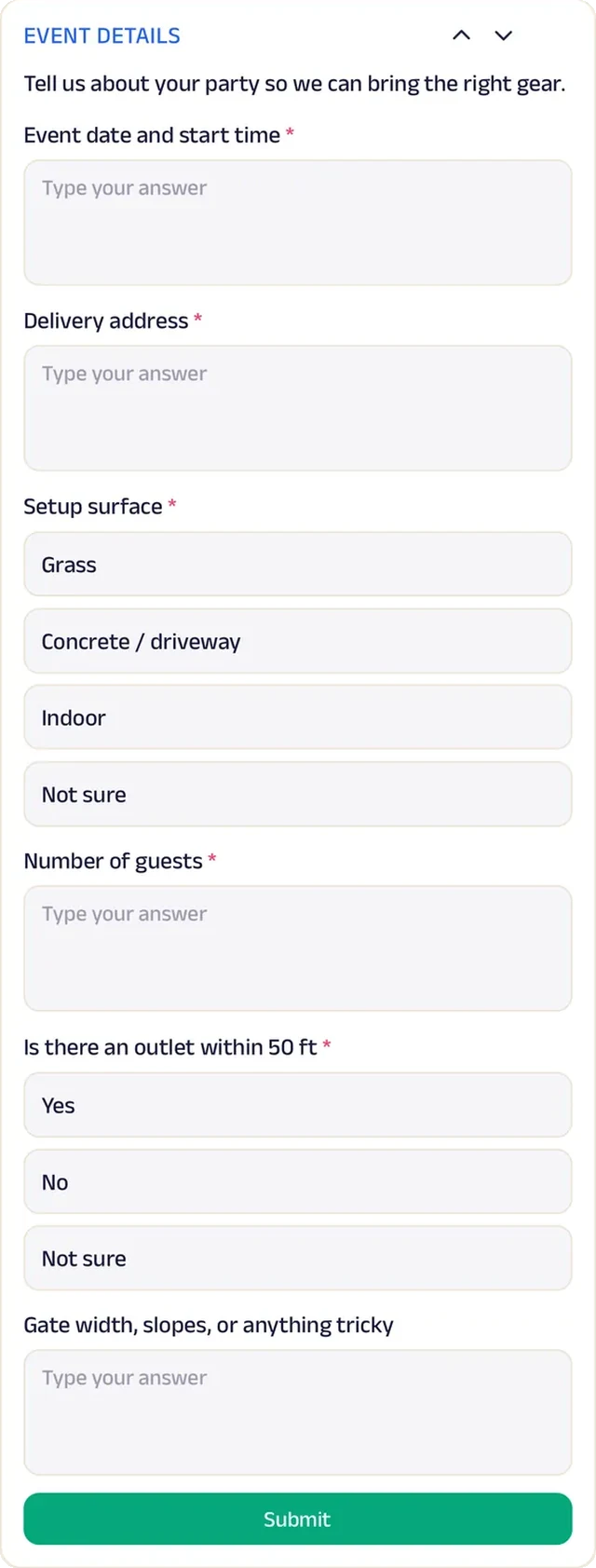
Forms
Every booking arrives with the date, address, guest count and yard size filled in.
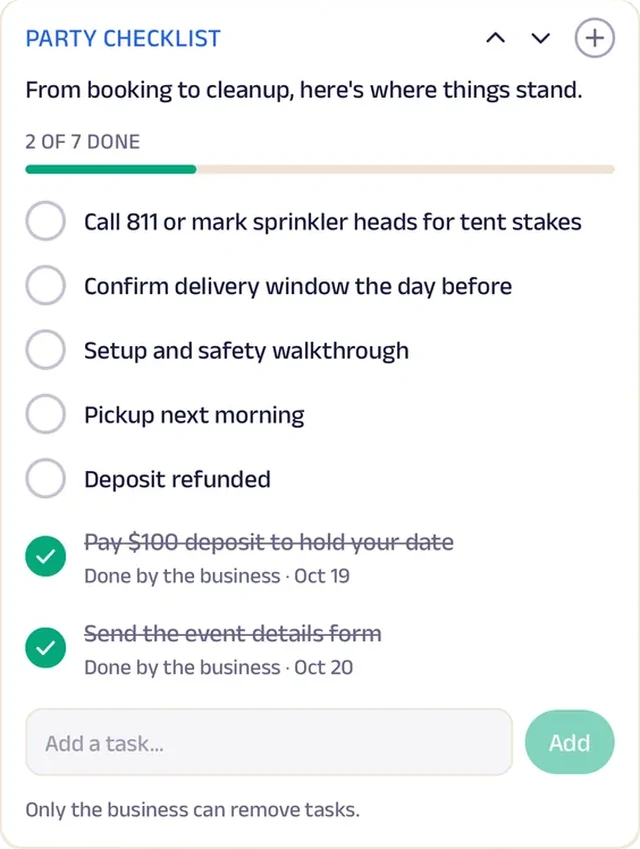
Tasks
A party checklist walks each family from booking to delivery, setup and next-day pickup.
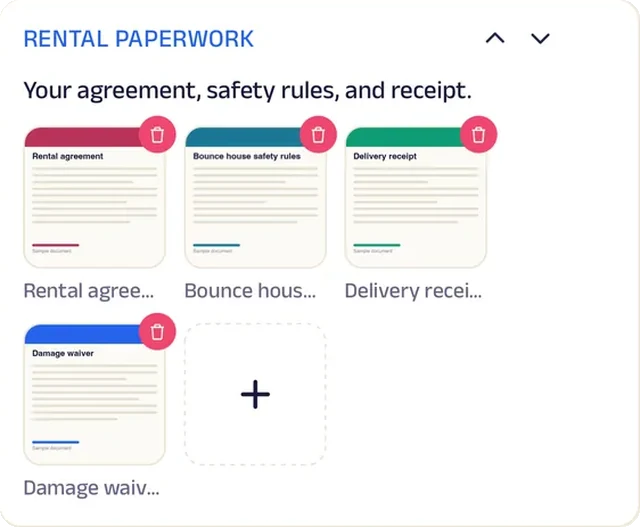
Add docs
Rental agreements and receipts stay with the booking, so nothing gets signed on the hood of a truck.
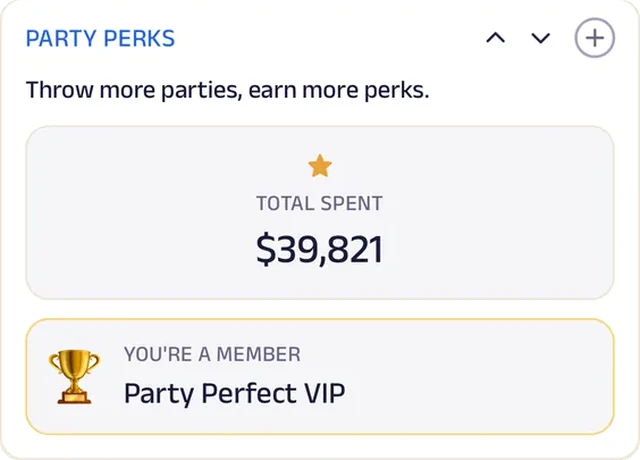
Loyalty
Party Perks reward the families who book again for the next birthday.
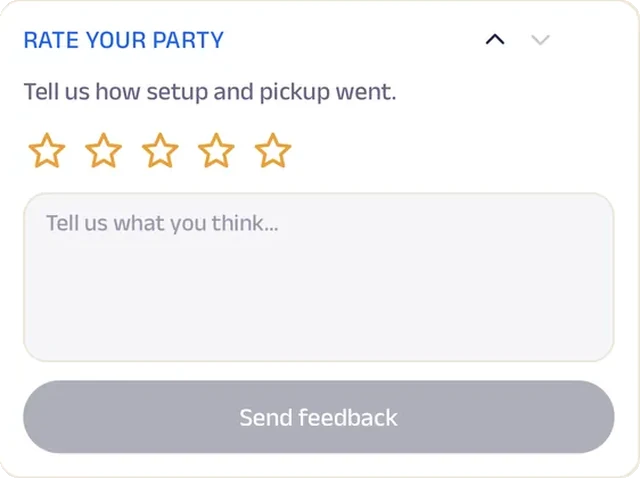
Feedback
After pickup, families rate the setup and the crew, and Tasha reads every note.
Florist
Petal Post Florist
A florist that delivers fresh flowers every Friday and still runs a market-cart's worth of personality.
Petal Post began as a cart at the Ballard Sunday Farmers Market, taking orders on scraps of paper. Now the weekly flower plan brings a seasonal bouquet to homes and offices across Seattle every Friday, and a featured stem of the week changes what goes into it.
Bouquets and arrangements for every occasion are listed with delivery across the city, and a past order goes back in the cart in one tap. Event flowers start as a brief with colors and dates, wreath workshop seats are reserved ahead, and flower care tips sit on the Start tab. When a card message is hard to write, customers ask a florist. A small shop on Ballard Avenue now runs subscriptions, workshops and events like a city-wide flower delivery service.


Subscriptions. The weekly flower plan is the heart of the shop: every Friday a seasonal bouquet arrives at homes and offices across the city.
Gadgets at work
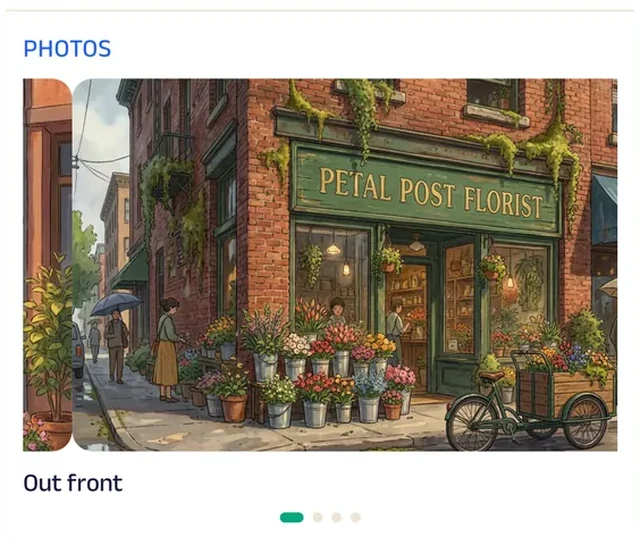
Photo gallery
Photos of each week's bouquets show what the plan brings before anyone signs up.
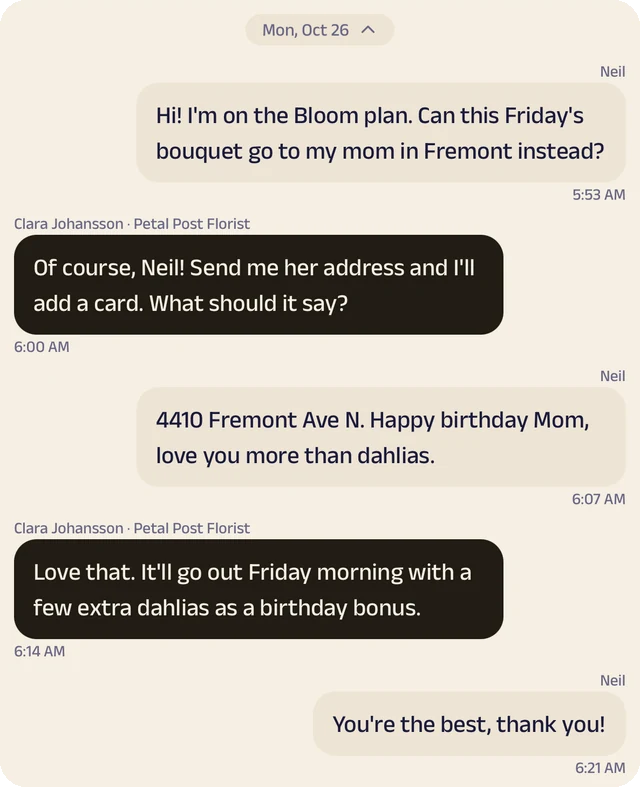
Chat
Customers ask a florist for help with a card message or a color match.
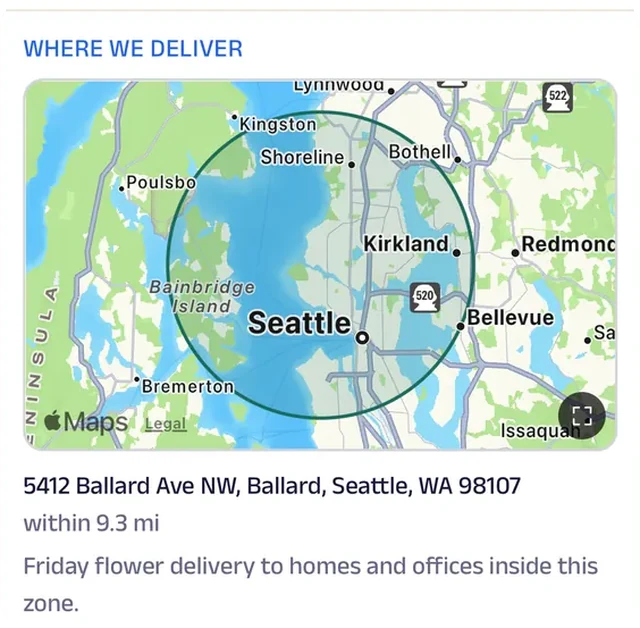
Location
The delivery zone is drawn on the map, so customers know whether Friday's bouquet can reach their home or office.
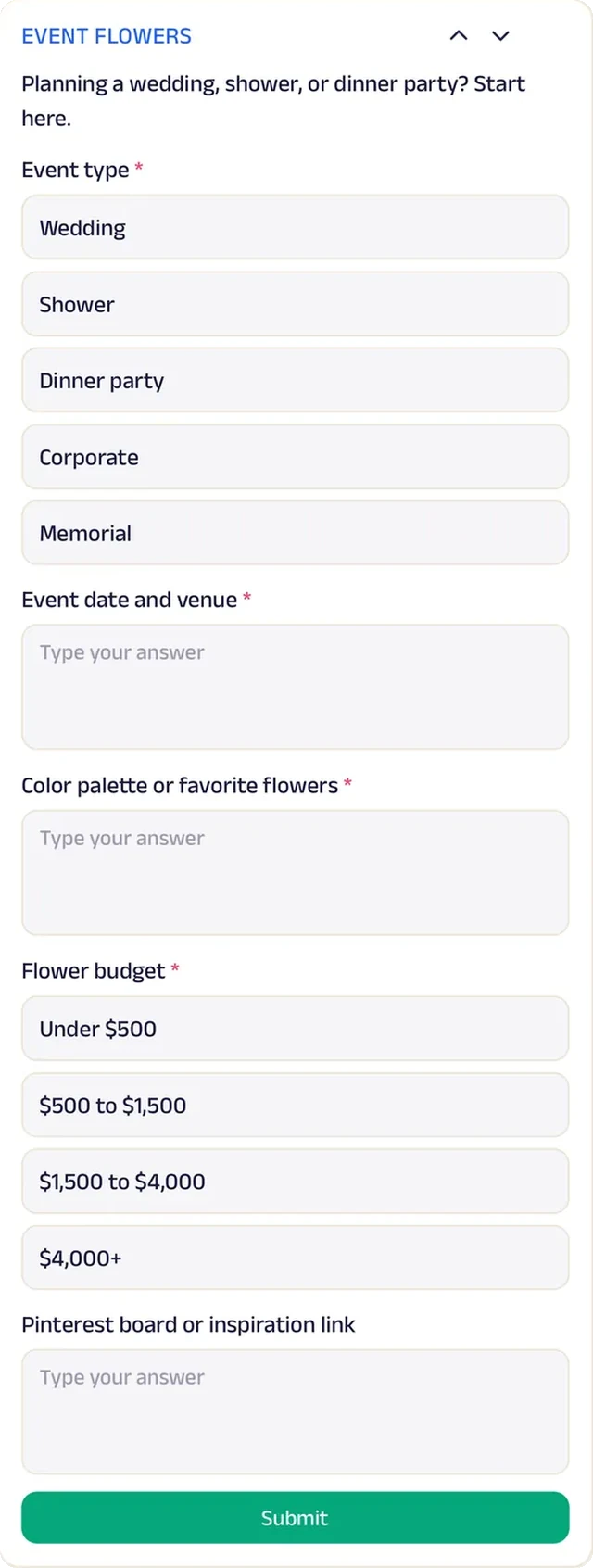
Forms
Weddings and events arrive as a brief with date, venue, colors and budget filled in.
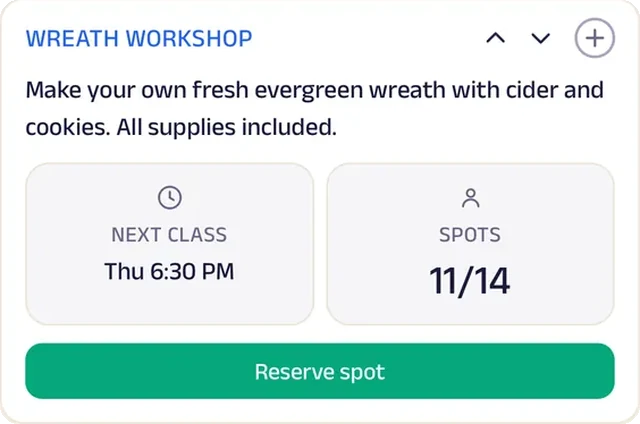
Reserve spot
Seats at the wreath workshop are reserved ahead, so every guest has a frame and a pile of greenery waiting.
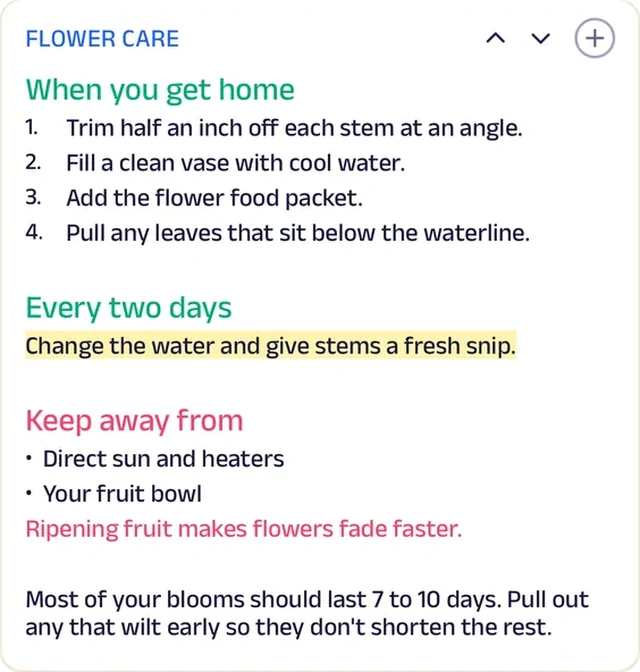
Custom text
Flower care tips sit on the Start tab, so every bouquet lasts the week.
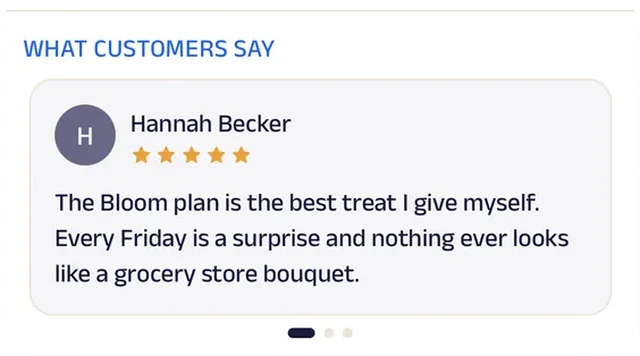
Reviews
Customers write about Friday flowers that still look good the next Friday.
Run the whole business
Your team, your customers and your money, in one place.
The same page is also how you run the business, from the phones you already have and a laptop in the browser. There's no special software or hardware to buy.
Operate your day
From the first booking to "see you again".
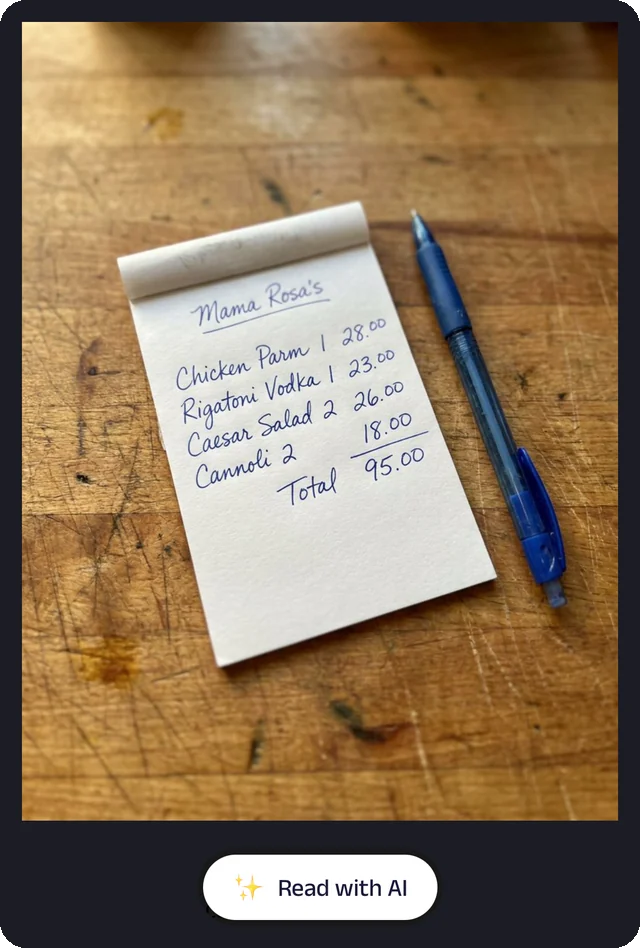
Bill photo
Photograph a handwritten bill, and the Assistant reads it for you to check.
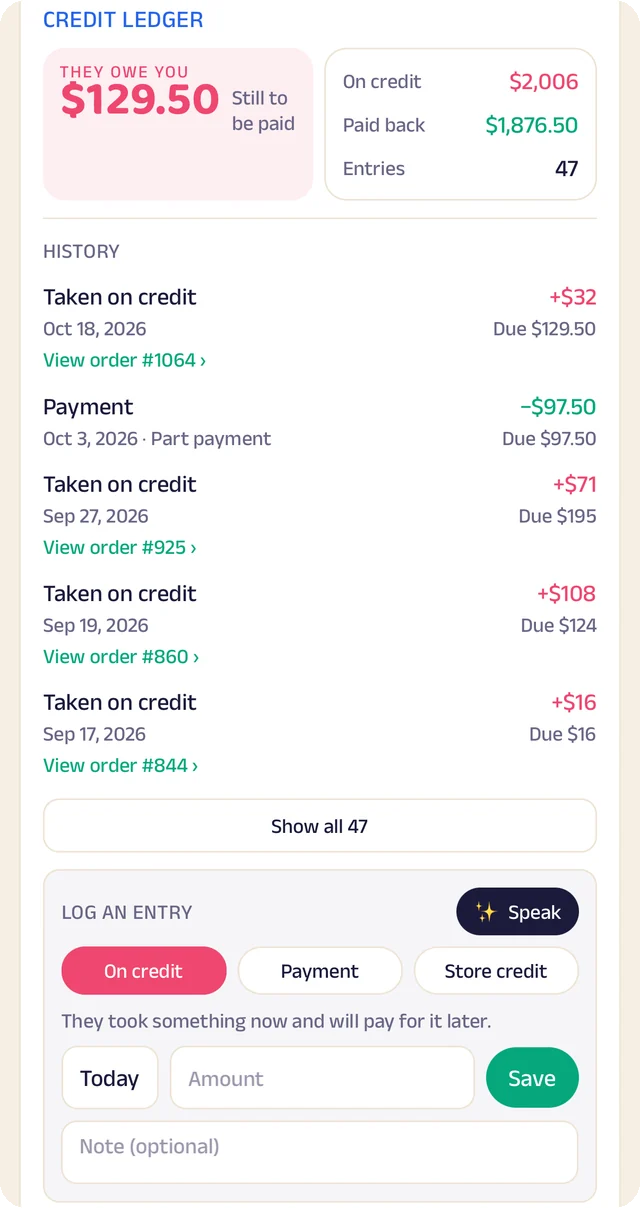
Credit ledger
Every credit and payment by customer. Log an entry by typing, or by speaking it.
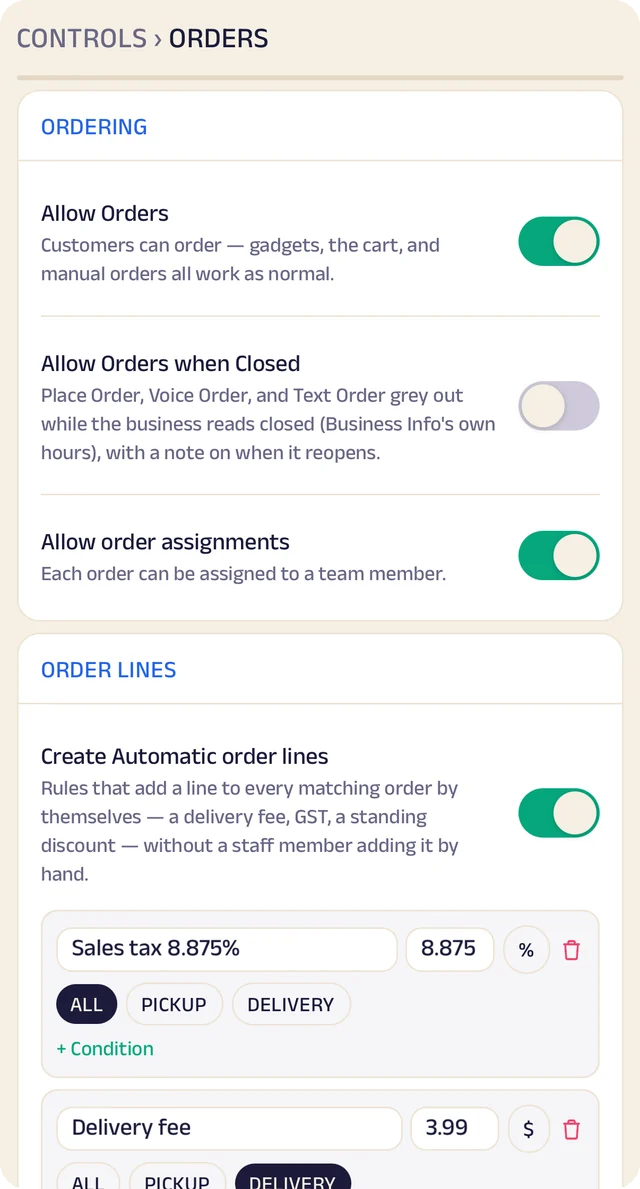
Order settings
Turn ordering on or off, and set sales tax and fees once so they're added automatically.
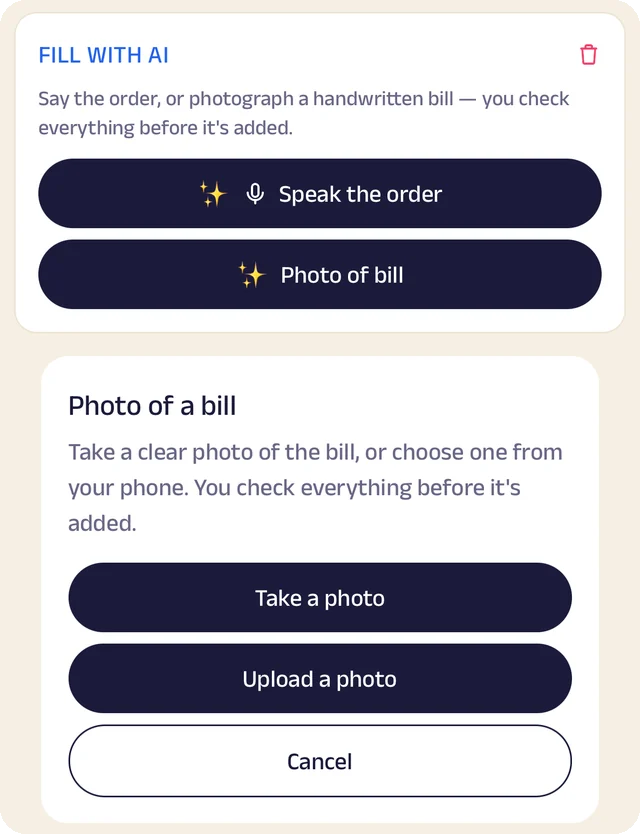
Fill with AI
Say an order out loud or photograph a bill, and check everything before it's saved.
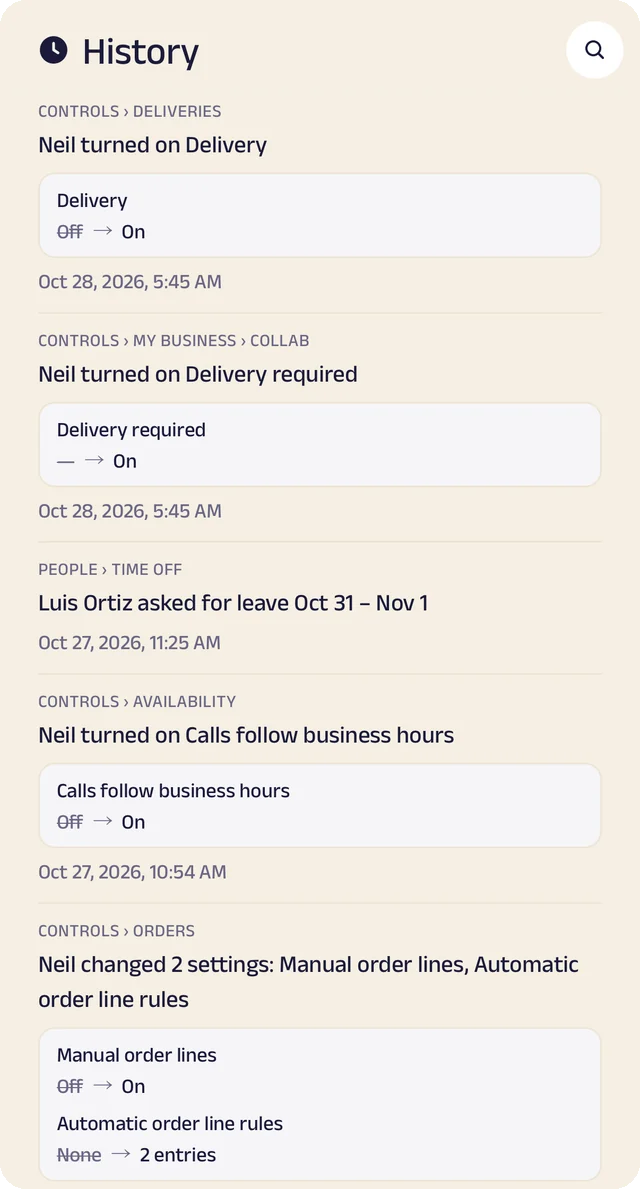
Settings history
Settings switched on or off, with the old and new value.
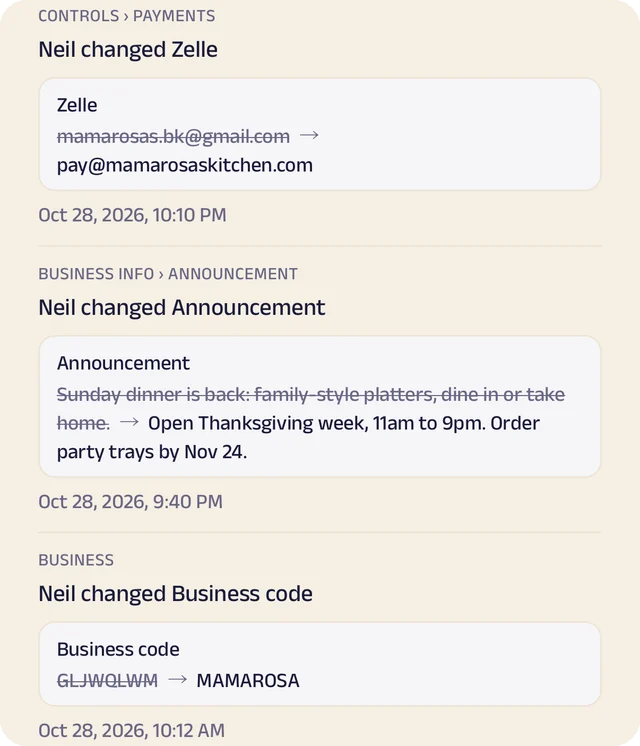
Payment history
Payment details changed, shown before and after.
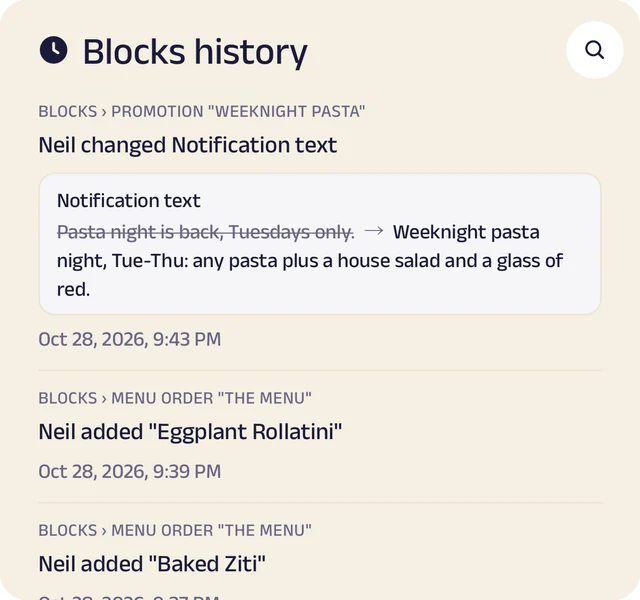
Page history
Changes to your page, kept in its own history.
The brief
A form of your own for the occasion, the date, the venue, the guest count and the budget, so the first conversation starts from the facts.
Book the date
Customers pick an open date against your real calendar, and the days you're booked are blocked out automatically.
Packages and quotes
Packages with prices up front, and quotes and invoices shared as documents so both sides see the same numbers. Payments come to you directly, by Zelle, Venmo or card link.
Your work and reviews
A gallery of finished jobs and reviews from past customers, so the next customer chooses by pointing at it.
Manage your people
Everyone who plans, shoots and sets up, in the right place.
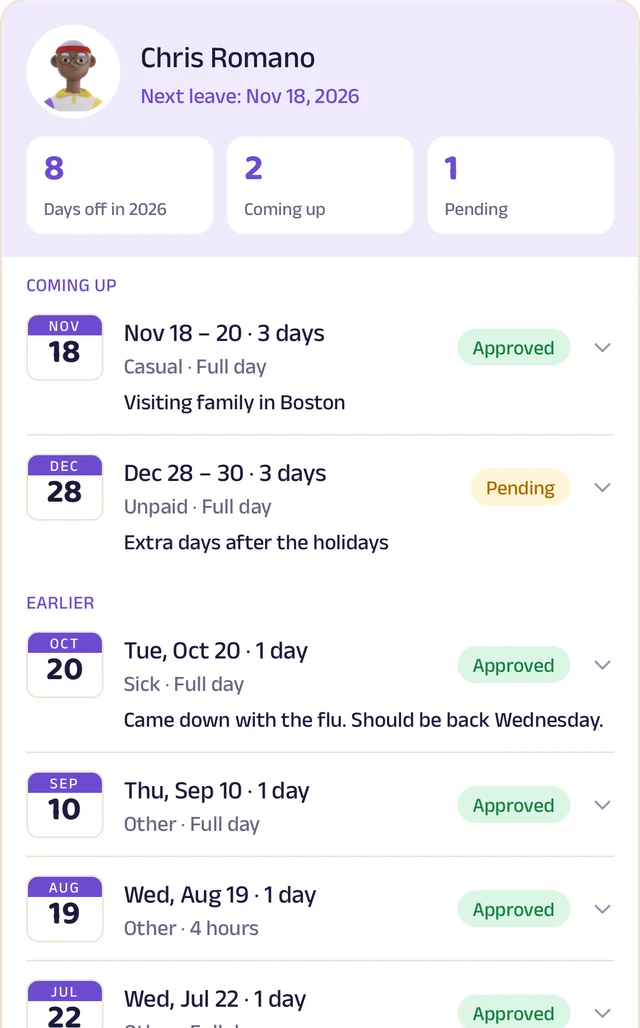
Team leave
A team member's days off: what's approved and what's waiting.
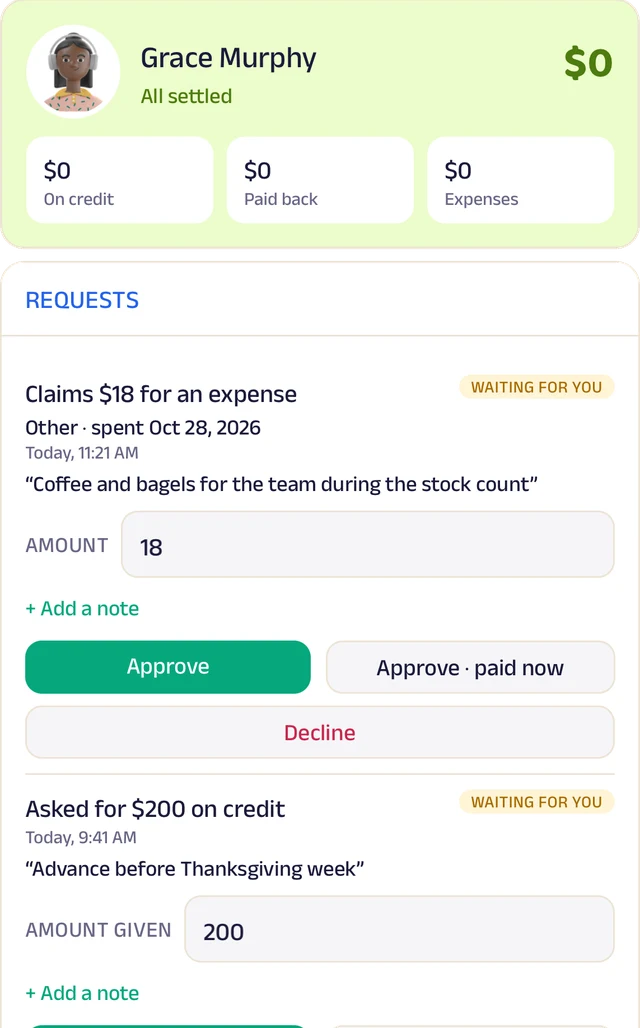
Team ledger
A running account per person: advances, expenses and approvals.
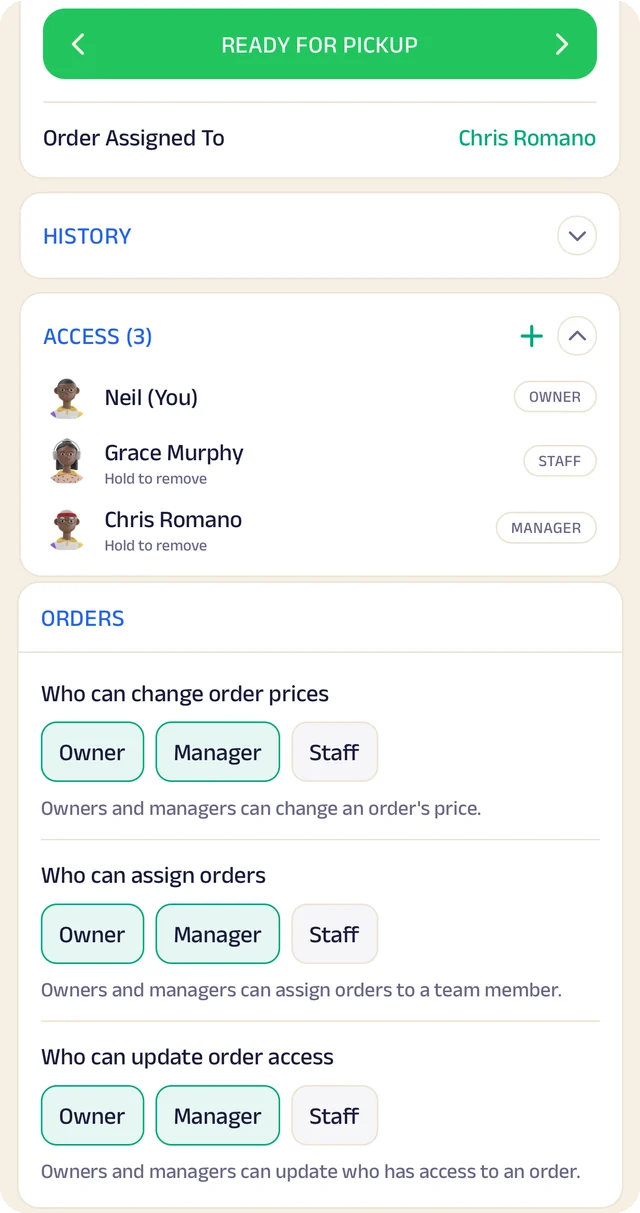
Order access
Who an order is assigned to, who can see it, and who can change it.
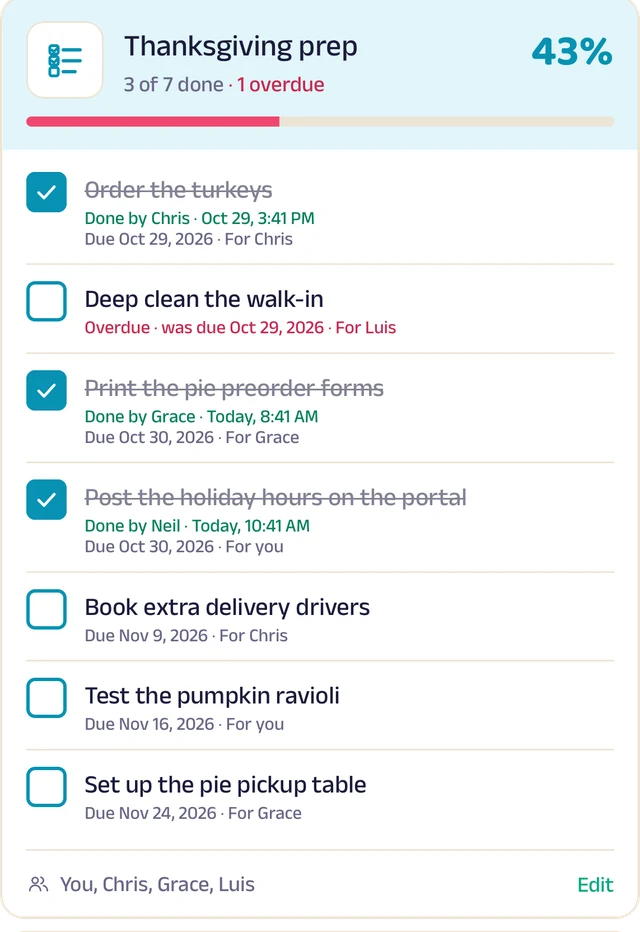
To-do lists
Shared lists, ticked off with who did it and when.
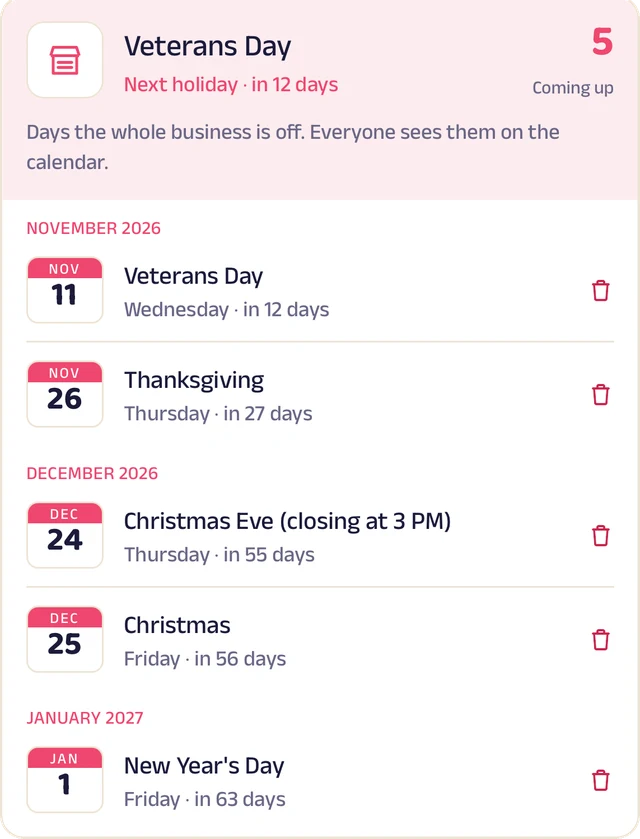
Holidays
Days the whole business is closed, on everyone's calendar.
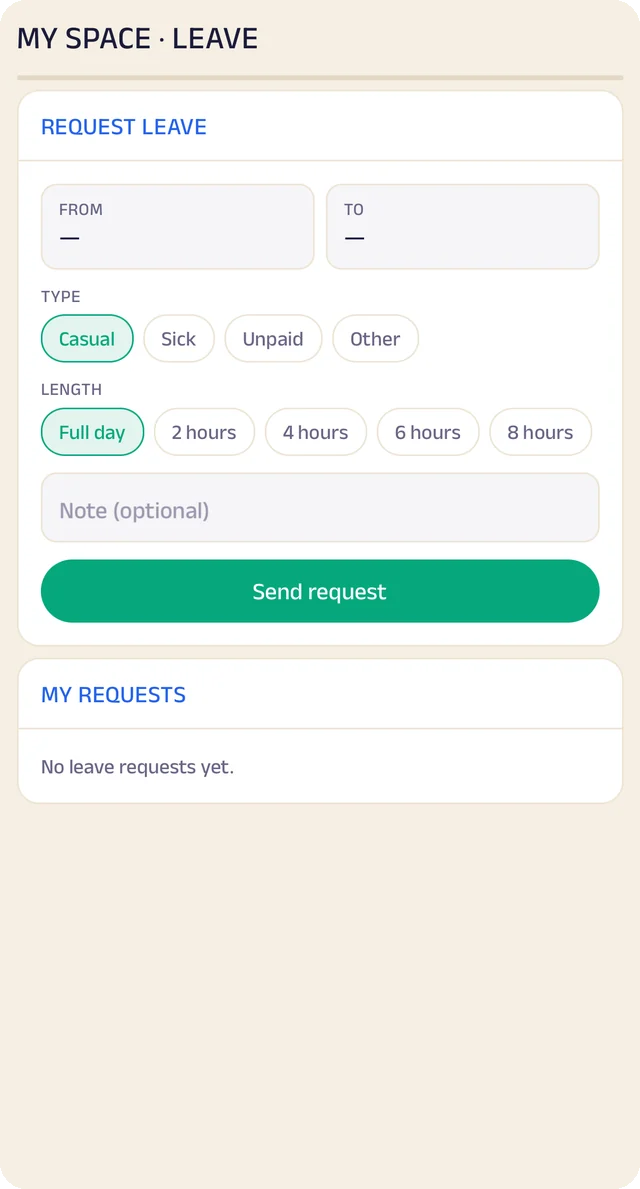
Request leave
Request casual, sick or unpaid leave, for a day or a few hours.
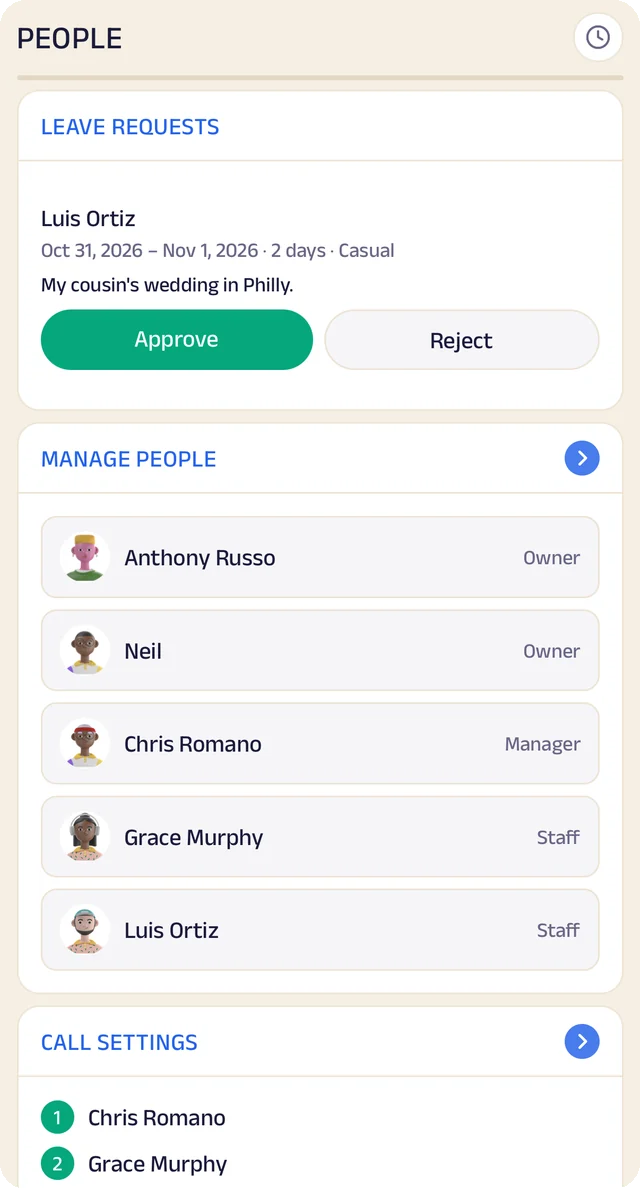
Your team
Your team by role, with leave requests waiting for your approval.
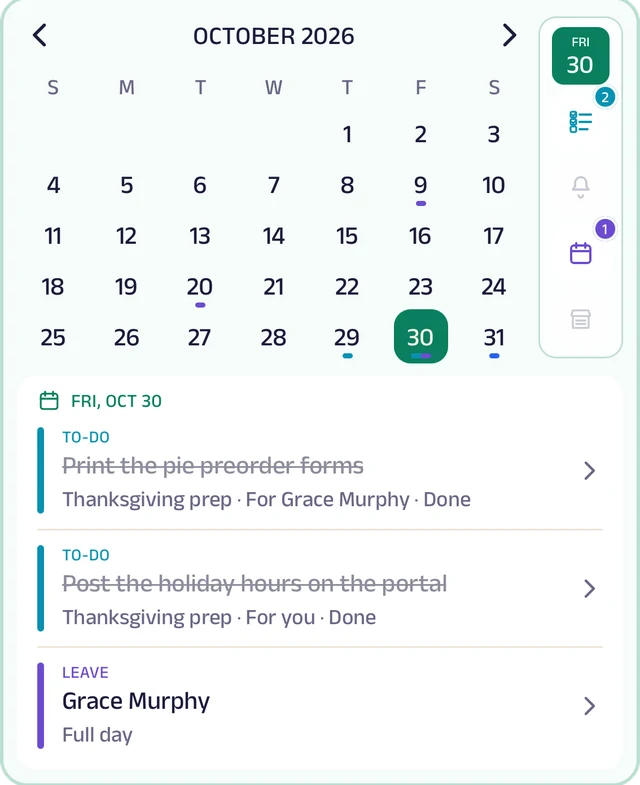
My Space
Everyone's own calendar, with to-dos, reminders and leave.
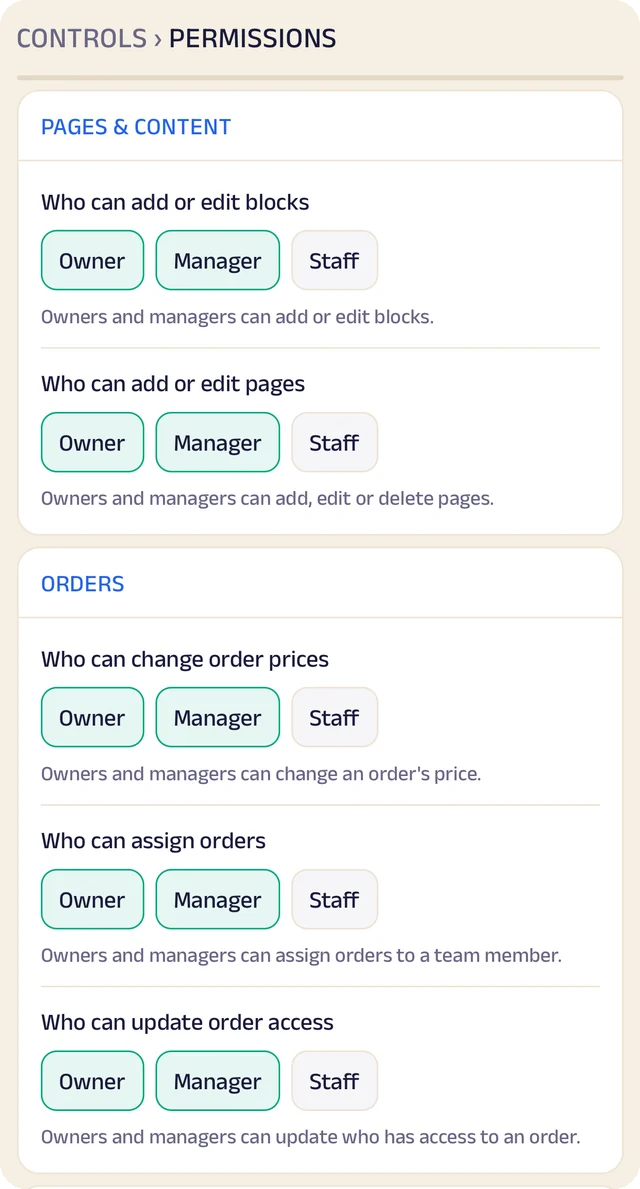
Permissions
Who can edit your page and change prices, role by role.
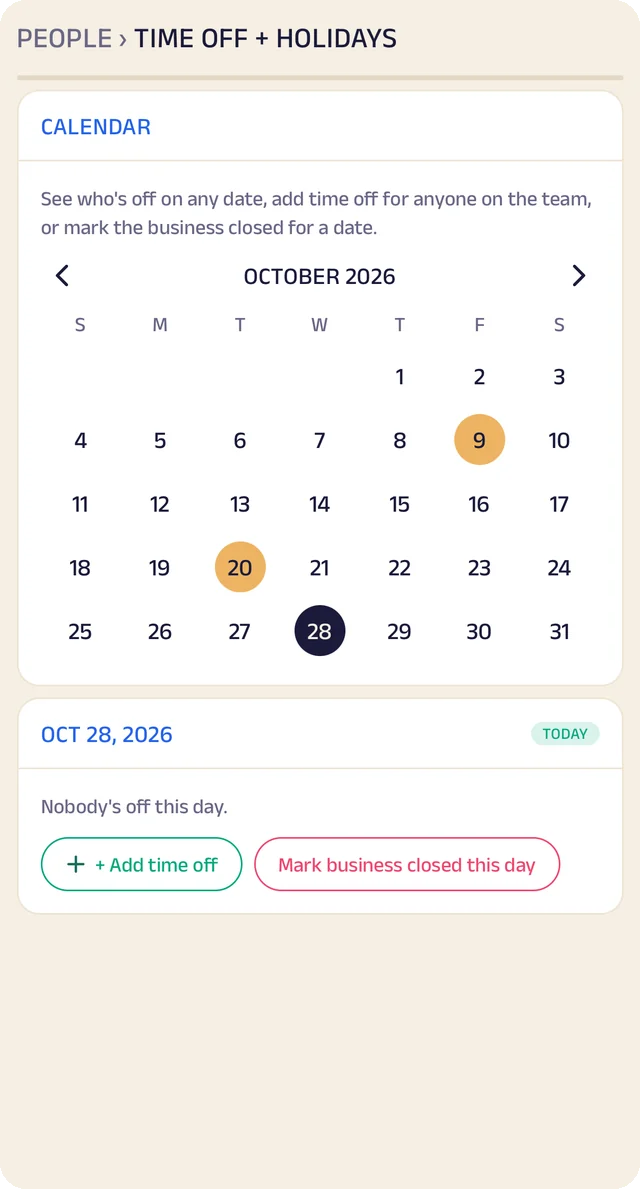
Time off
A calendar of who's off and which days the business is closed.
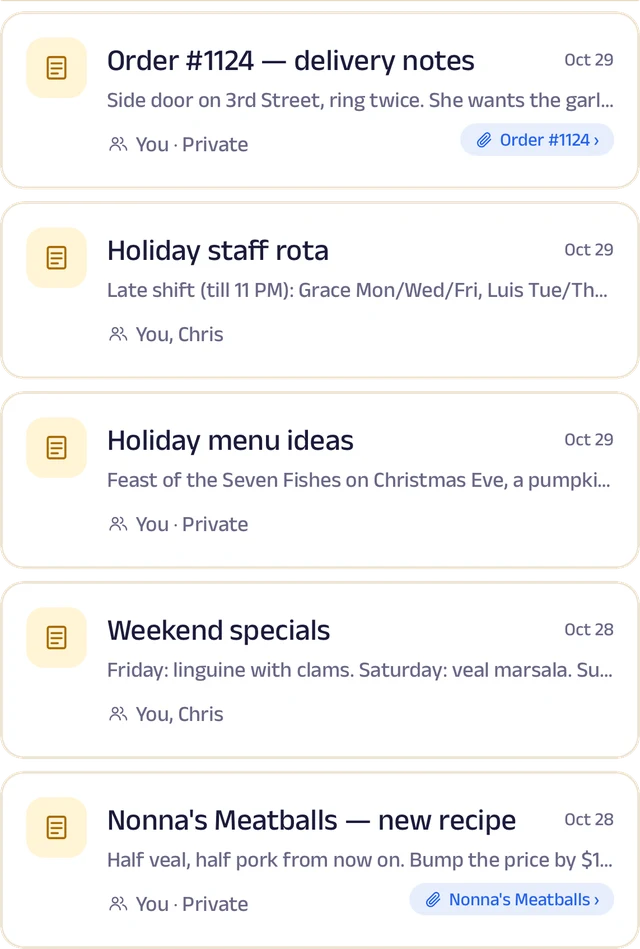
Notes
Notes with photos and voice, some linked to an order or a customer.
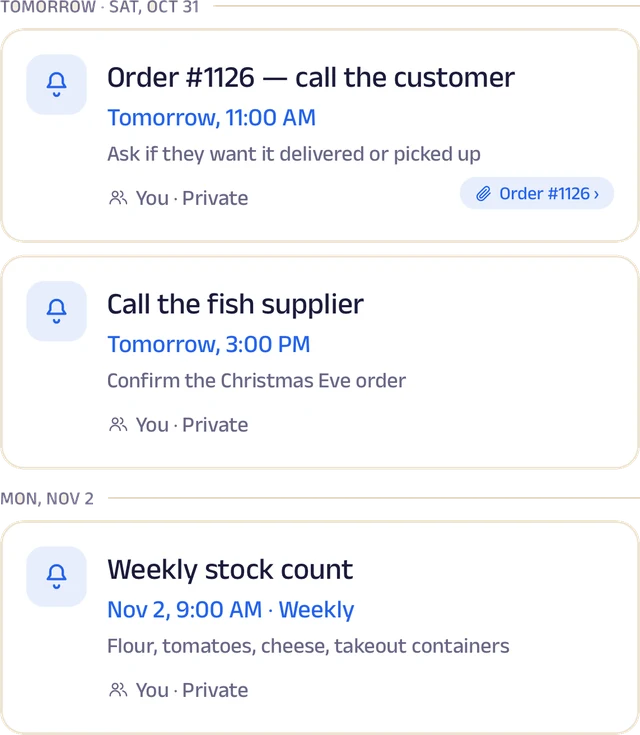
Reminders
Once or on repeat, shared with the team and linked to an order.
Roles and access
Add your your team by phone number and give each a role: owner, manager or staff. You choose who can edit your page, change prices or assign bookings, and you can freeze someone's access in a tap. Payment details stay with the owner.
Leave and holidays
Staff request casual, sick or unpaid leave for a full day or a few hours, and you approve it. Everyone sees who's off today, and days the whole business is closed show on every calendar.
A ledger for each person
Each team member's running account with the business: advances, money paid back and expense claims. Staff ask, you approve, and a statement is ready to share for any period.
My Space for everyone
Each person gets their own calendar with to-do lists, notes and reminders, and the owner sees the whole team.
Track your growth
Kept as you work, not typed up at the end of the month.
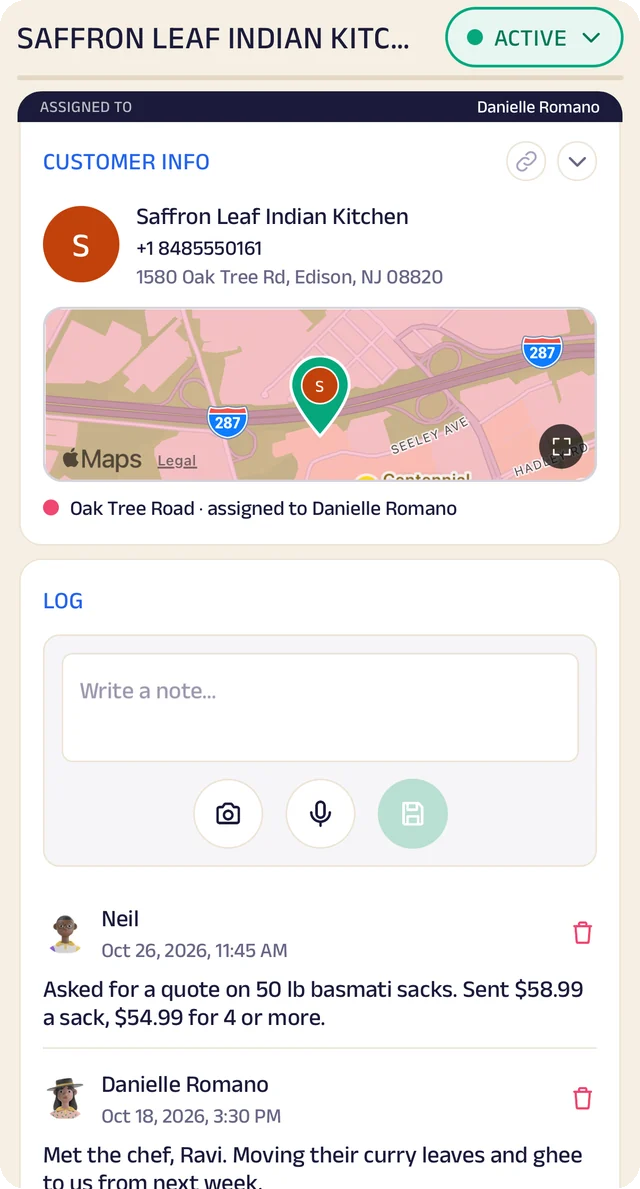
Customer record
One customer's record: details, a map pin and the team's notes.
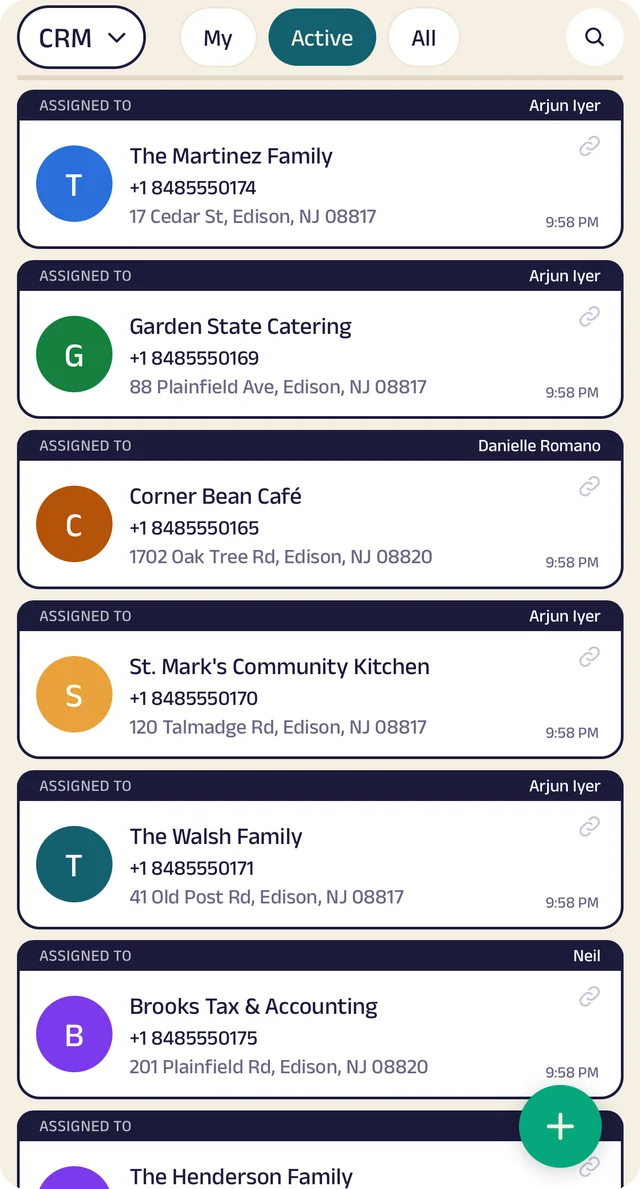
Customer list
Customers assigned to the people who look after them.
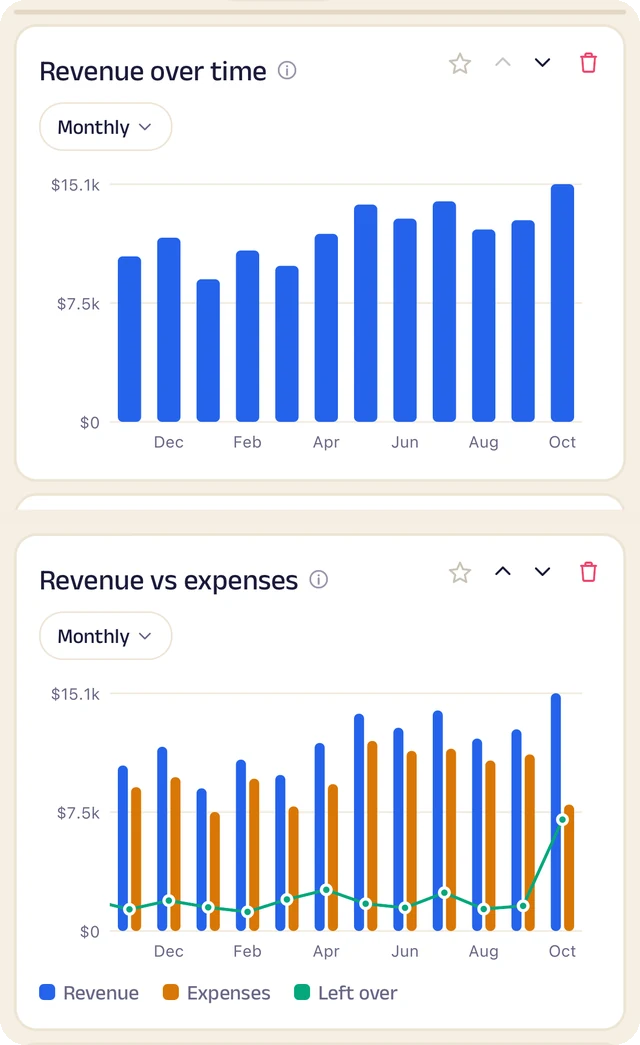
Revenue
Revenue month by month, and what's left after expenses.
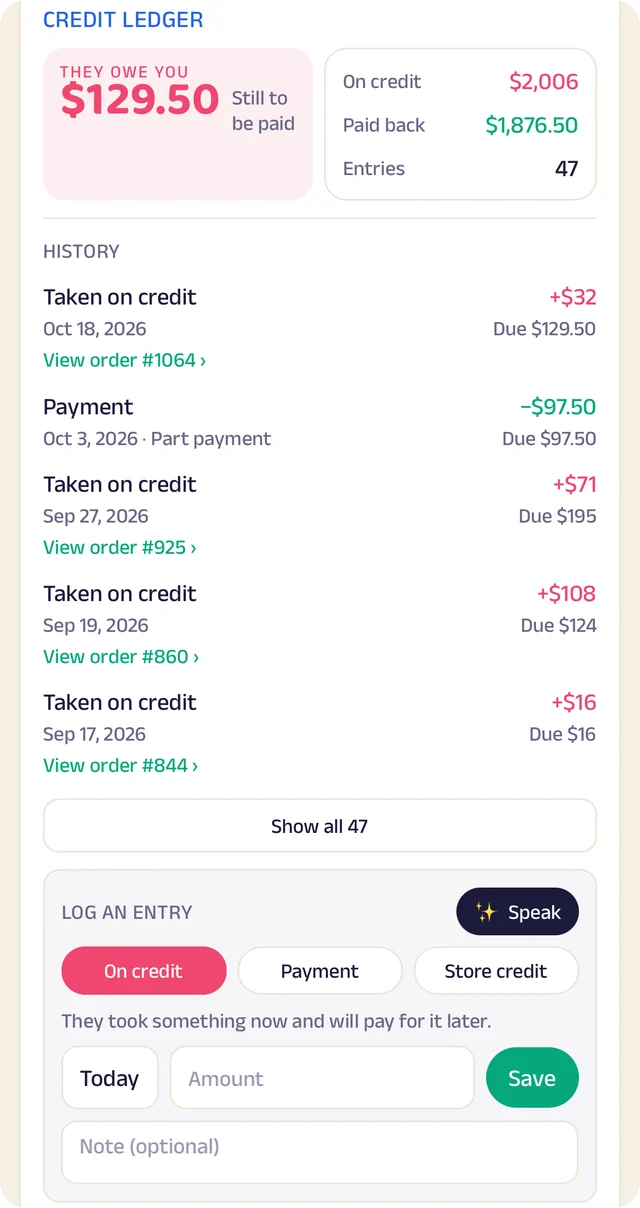
Credit book
Every credit and payment by customer and date, with the balance on both sides.
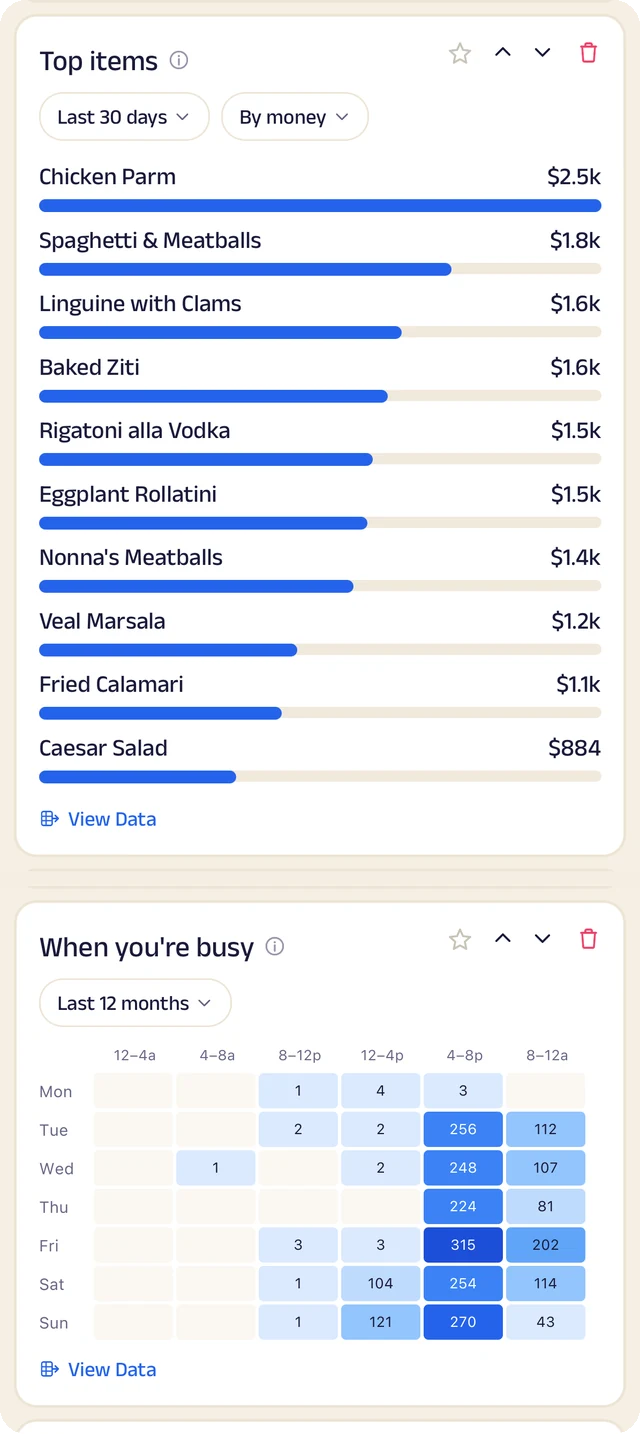
What sells
What sells, and the hours you're busiest.
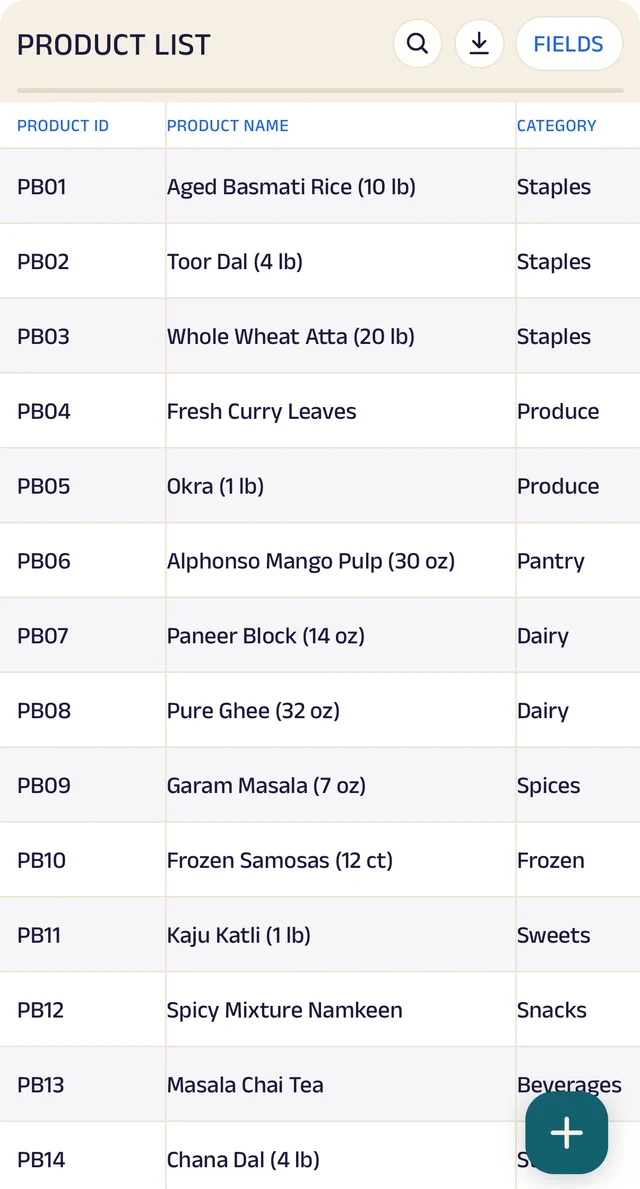
Products
Your products, with codes, names and categories.
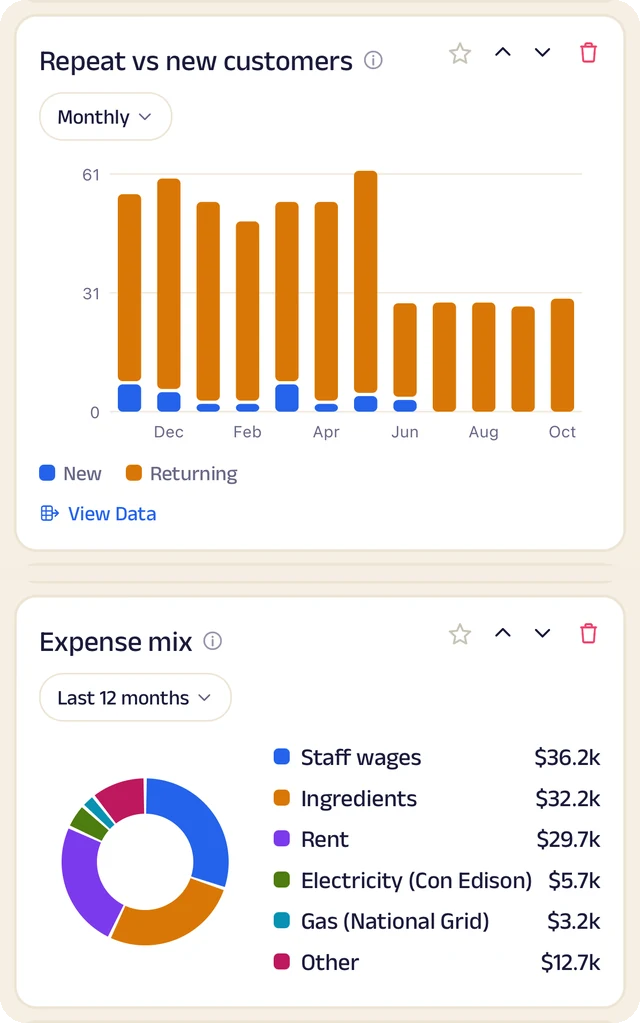
Customers and costs
Repeat against new customers, and where the money goes.
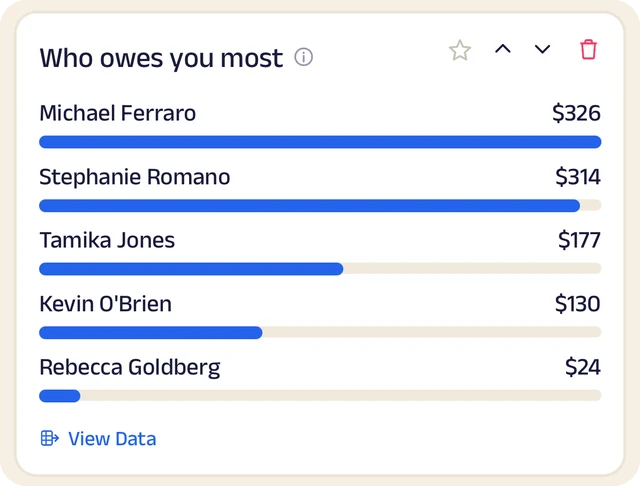
Who owes most
Who owes you the most, ranked.
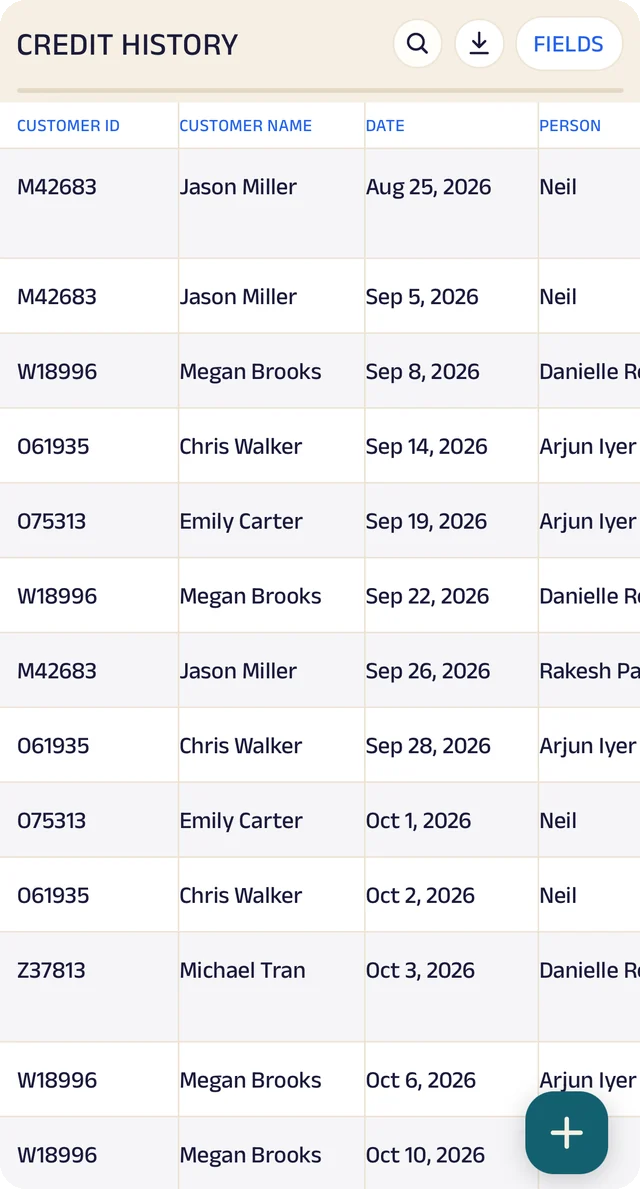
Credit history
Every credit entry as a table you can search.
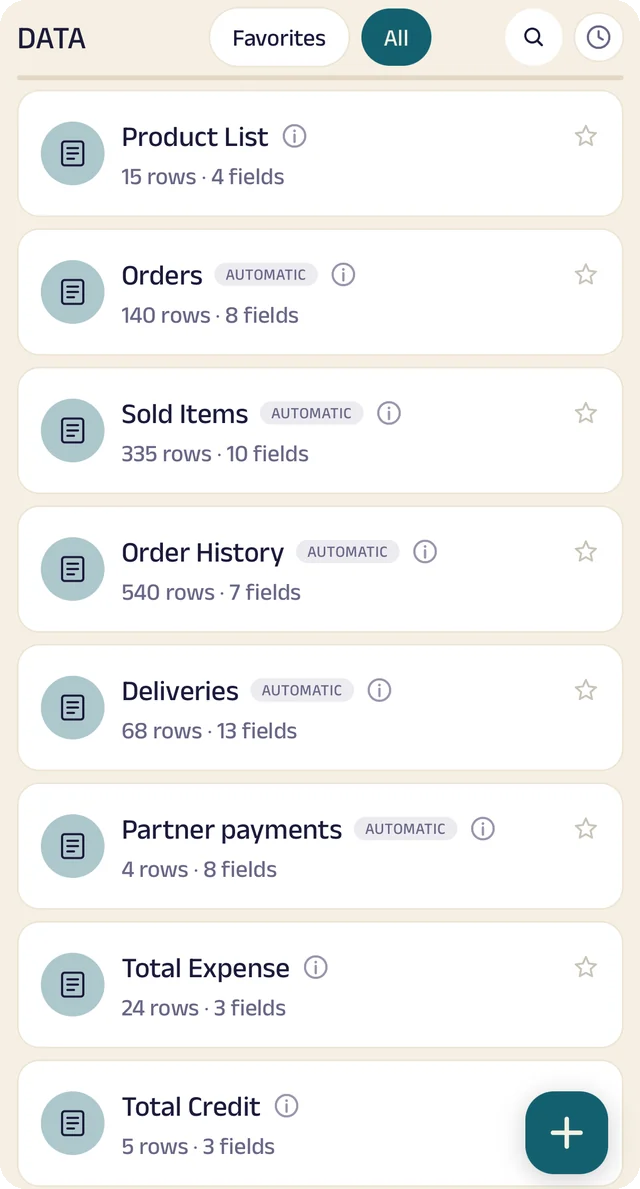
Your tables
Every table in one menu, each with its row count.
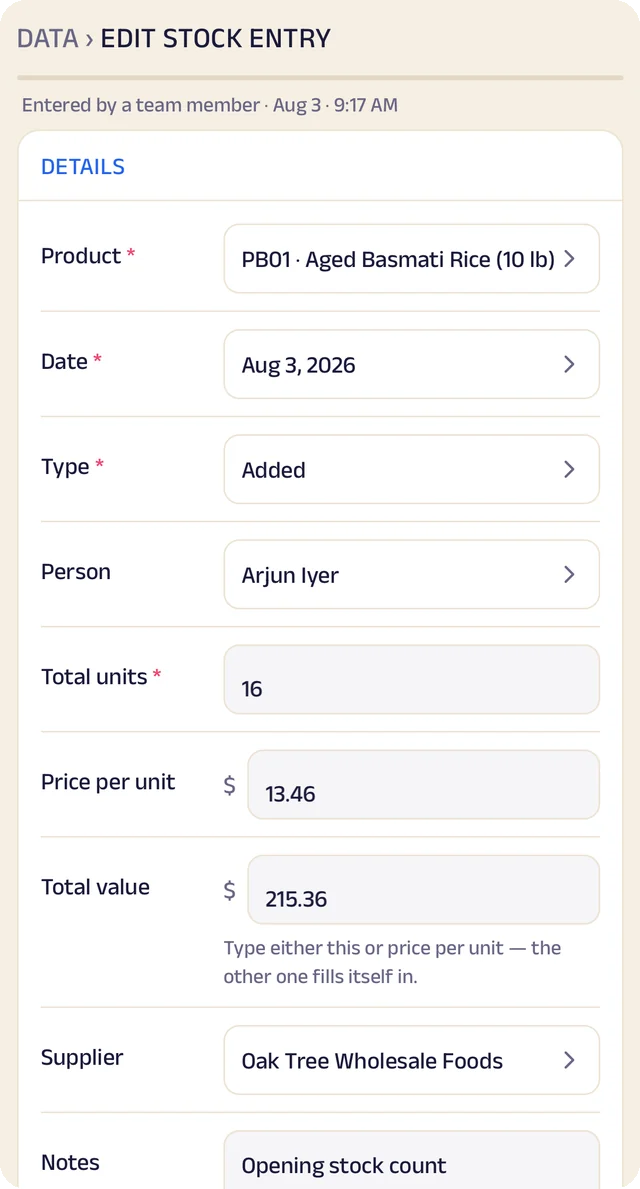
Stock entry
A stock entry: what came in, at what cost, from whom.
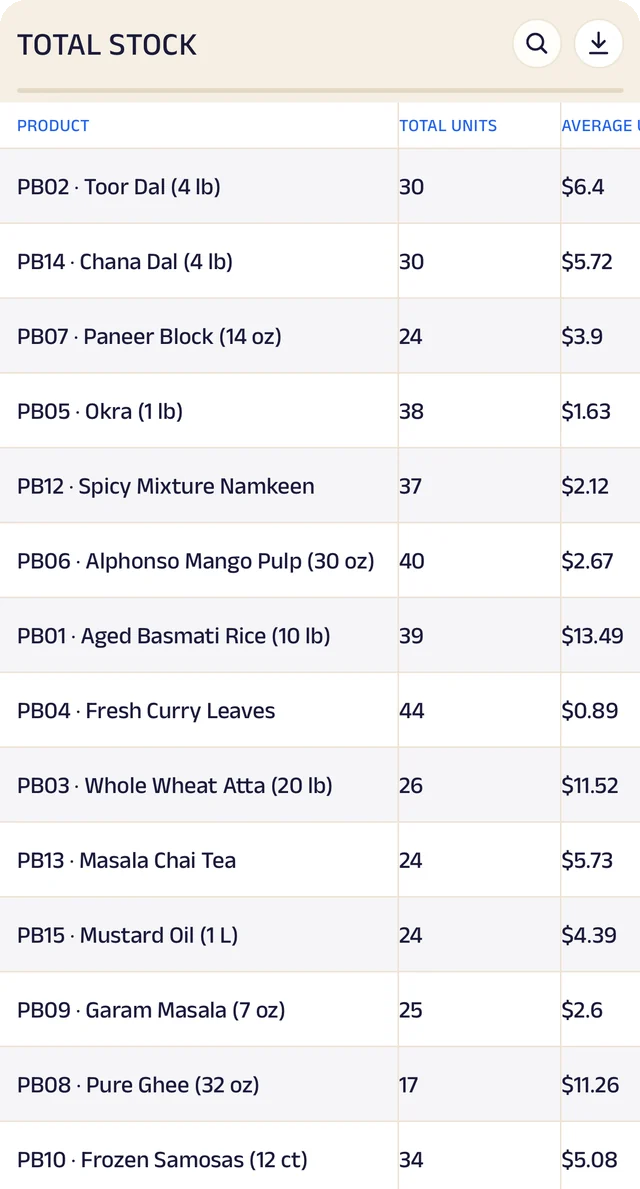
Total stock
Total stock and its average cost, worked out for you.
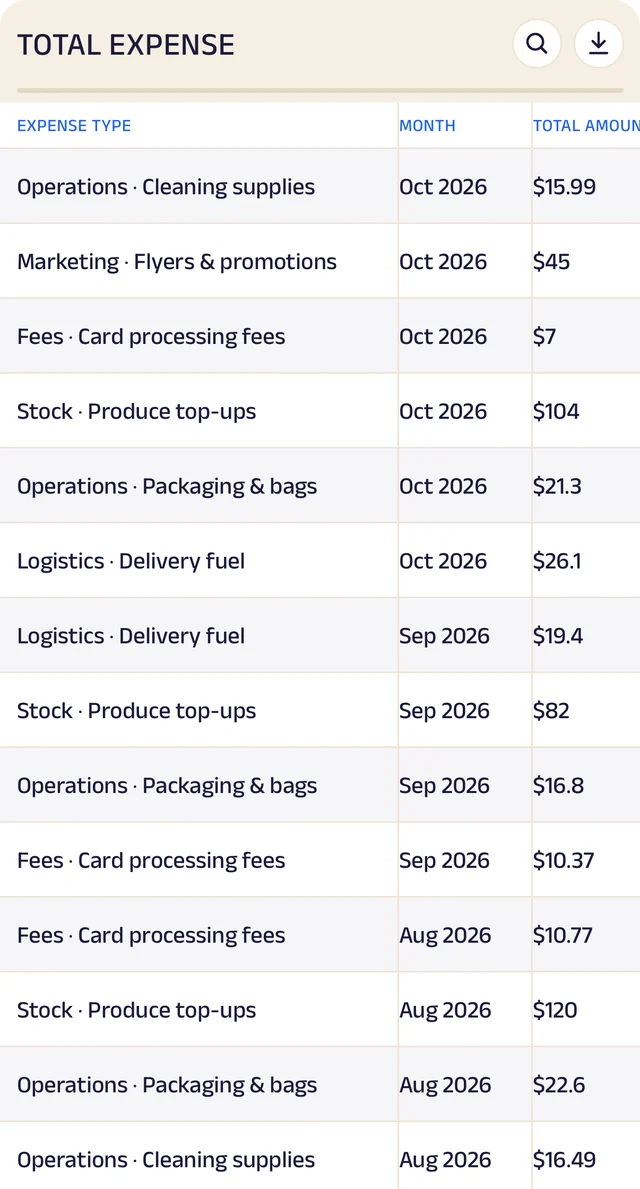
Expenses
Expenses as a table, ready to search or download.
Product stock
List the products you sell once, record what comes in with its cost and supplier, and let sales take it out. A barcode or product code finds anything in seconds.
Credit ledger
Credit given to regulars is written down properly. Customers see the same balance you do, and you always know who owes you most.
Customer management
Every customer has a record the right people can see and add to, with notes, photos and who looks after them.
Analytics
Thirty charts across sales, money and stock. See your busiest hours, what sells, and repeat against new customers, for this week, month or year.
Your data, yours to take
Every table in the app is searchable and can be downloaded as a CSV for your accountant or your own spreadsheet.
The Assistant
Say an order out loud or photograph a bill and it becomes a record for you to review. Nothing is saved until you approve it.
Everything here is on the Businesses page in detail, with the app's real screens. See the Businesses page
Join the pilot
Set up your business's page.
The US pilot starts in January 2027. The pilot is completely free. After it, you can start free: the Free plan covers 30 orders a month, with every feature open (the AI Assistant is free during the pilot, then on paid plans). When you need more, plans start at $10 a month, based on how many orders or bookings you handle. There's no commission and no per-order fee, and as a pilot member you lock in your rate. Setup and training are free.
Free
$0
30 orders or bookings a month
Starter
$10 a month
Up to 100 orders or bookings a month
Growth
$25 a month
Up to 300 orders or bookings a month
Pro
$50 a month
Up to 1,000 orders or bookings a month
Every feature is open on every plan. The AI Assistant is free for everyone during the pilot, then comes with paid plans. Every order counts. Prices include sales tax. More than 1,000 a month, or 5 or more people on your team? We'll agree a plan with you.