
For yoga, pilates, gyms, martial arts and trainers
Your studio's classes, in one link.
Members reserve a spot in a class, buy a monthly pass, join the waitlist and message you from one page that carries your name, your colors and a QR code for the door. It isn't a marketplace, and we take no cut of what you earn.
The pilot is completely free. After it, free to start: 30 orders a month, no card. Paid plans from $10 a month. No cut of your sales.










Pick a studio to see its page. These are demonstration businesses built on Zich World. Each one chose different gadgets for how it works. Open any of them live.
Yoga
Flow Yoga Collective
A yoga studio where students reserve their mat and pick tomorrow's early class.
Popular classes used to mean a crowd at the door and someone turned away into the rain. Now students reserve their mat in advance, and the night before, early risers choose which class runs at 6 AM. Members and pack holders book against their pass instead of paying at the door.
The class list describes each style and pace, so students find the right class before they reserve a mat, and private sessions are booked there too. Studio notes cover what to bring, a new student special brings first-timers in, and a practice streak keeps everyone coming back through the gray months. Questions go to the front desk in chat. A teacher-owned Capitol Hill studio now runs memberships, mat reservations and a class vote like a national yoga chain.


Reserve spot. Students reserve a mat in the heated room, so every class fills without a crowd at the door.
Gadgets at work
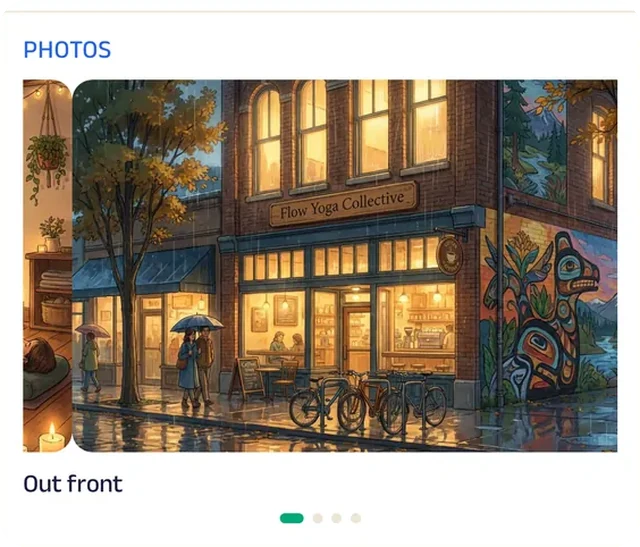
Photo gallery
Photos of the heated room and the light through the windows show new students where they'll be practicing.
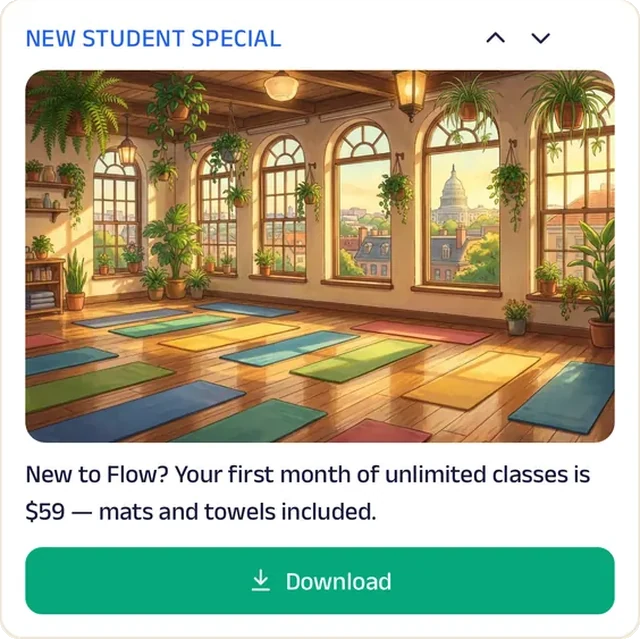
Promotion
The new student special brings first-timers in to try a gentle class before committing.
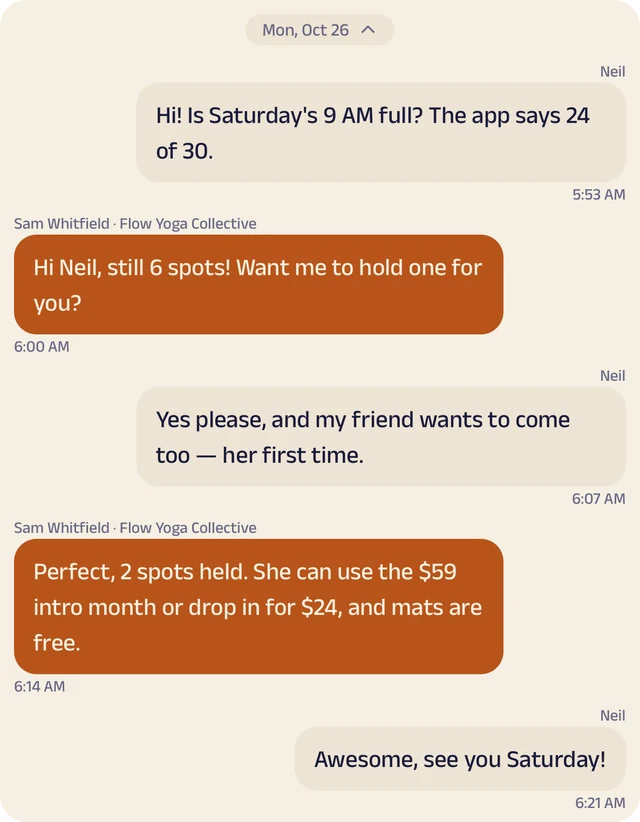
Chat
Questions about classes, passes or waitlists go to the front desk.
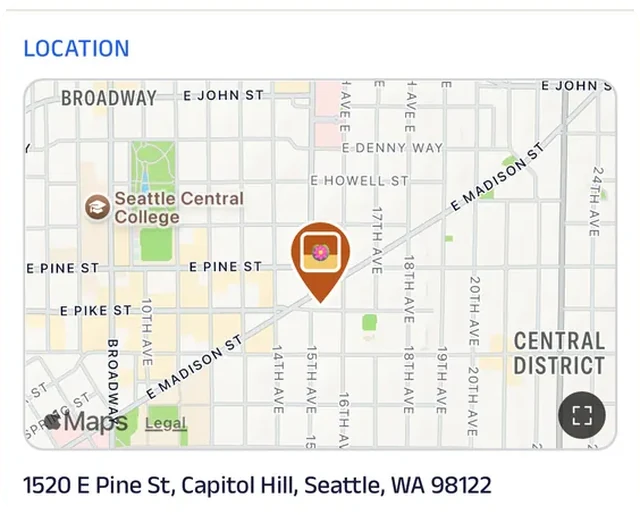
Location
The studio is pinned on the map on Capitol Hill, so nobody wanders the block in the rain looking for the door.
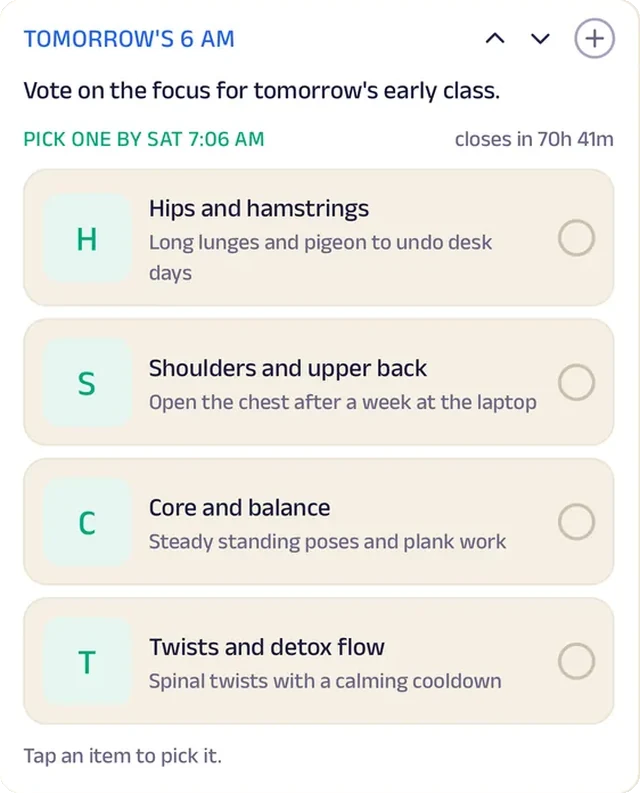
Daily pick
The night before, early risers choose which class runs at 6 AM.
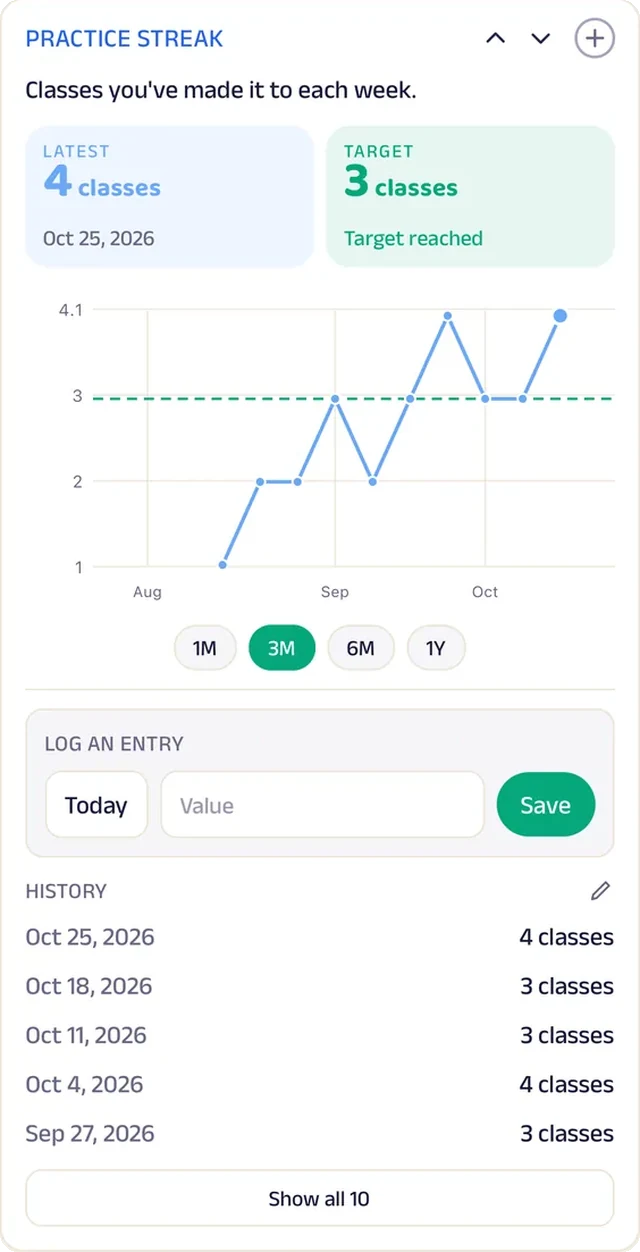
Tracker
Students log their practice streak and keep it going through gray Seattle winters.
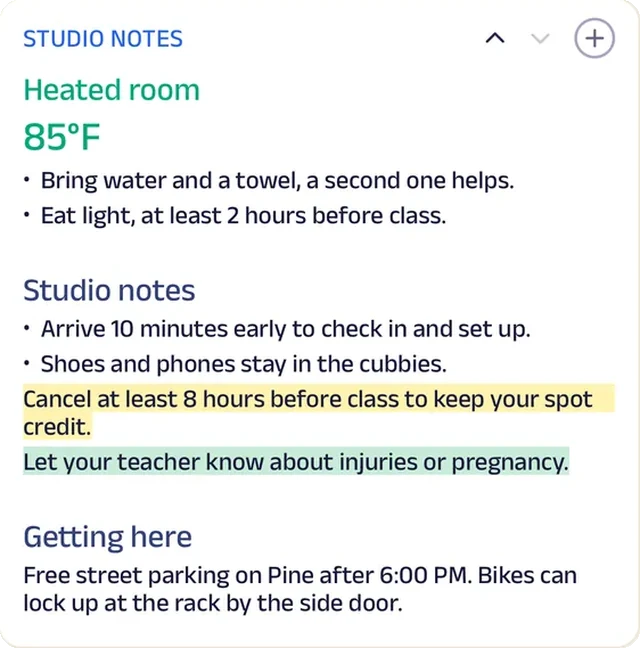
Custom text
Studio notes cover what to bring and how warm the room gets, so first-timers arrive ready.
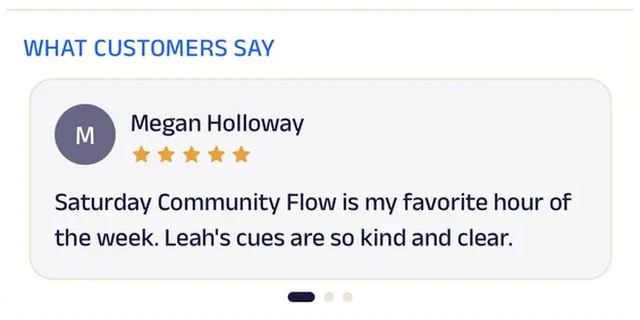
Reviews
Students write about teachers who learn their names, which is what makes a small studio feel like theirs.
Pilates
Core Pilates Studio
A Pilates studio where clients buy a pack and book their own reformer.
Ten reformers used to mean a front desk on the phone, holding spots and chasing no-shows. Now clients buy a class pack and book a reformer themselves, so each class fills to exactly ten and the teacher knows who is coming. New clients share injuries and goals before their first class.
The class list explains every level, from first-timer to prenatal, and private sessions are booked from the same page. Studio policies are posted where everyone can read them, a new client intro brings first-timers in, and clients log their plank hold to watch it grow. Core milestones reward the regulars, and questions about waitlists or privates go to the studio in chat. A ten-machine Wicker Park studio now runs packs, bookings and intake like a national boutique chain.


Subscriptions. Clients buy a class pack once and book reformer classes against it until it runs out.
Gadgets at work
Promotion
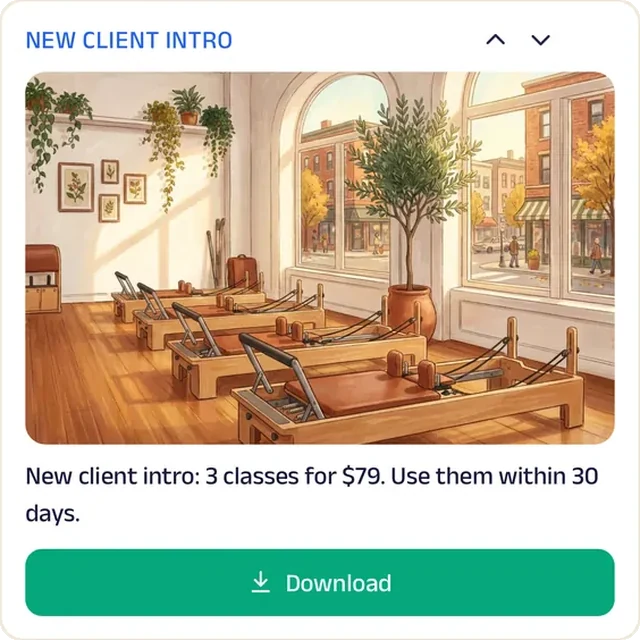
The new client intro brings first-timers in to try a beginner class before they commit to a pack.
Chat
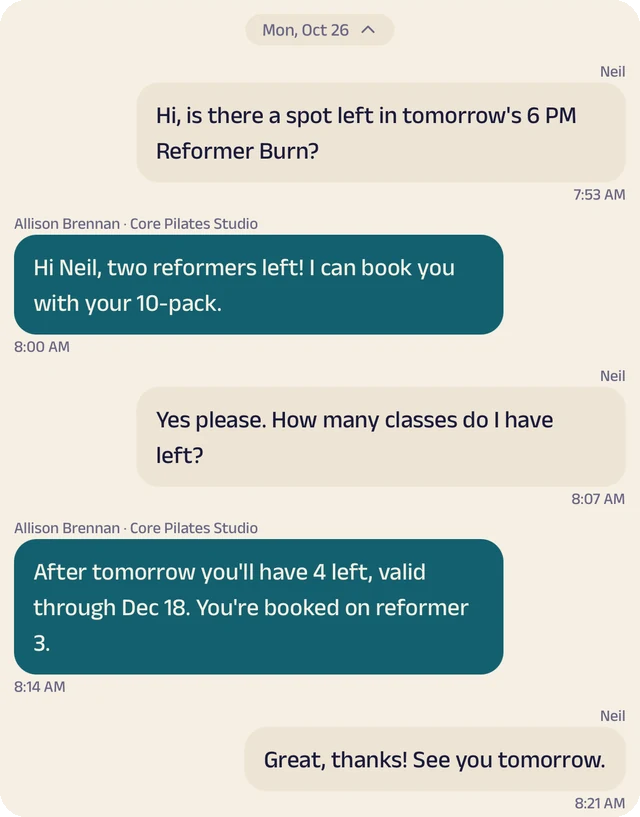
Waitlist, private session and pack questions go to the studio in chat.
Reserve spot
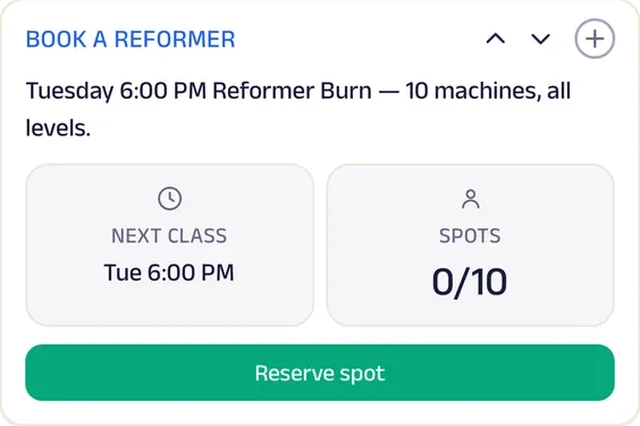
With ten machines in the room, every reformer is reserved by name, so classes never overfill.
Forms
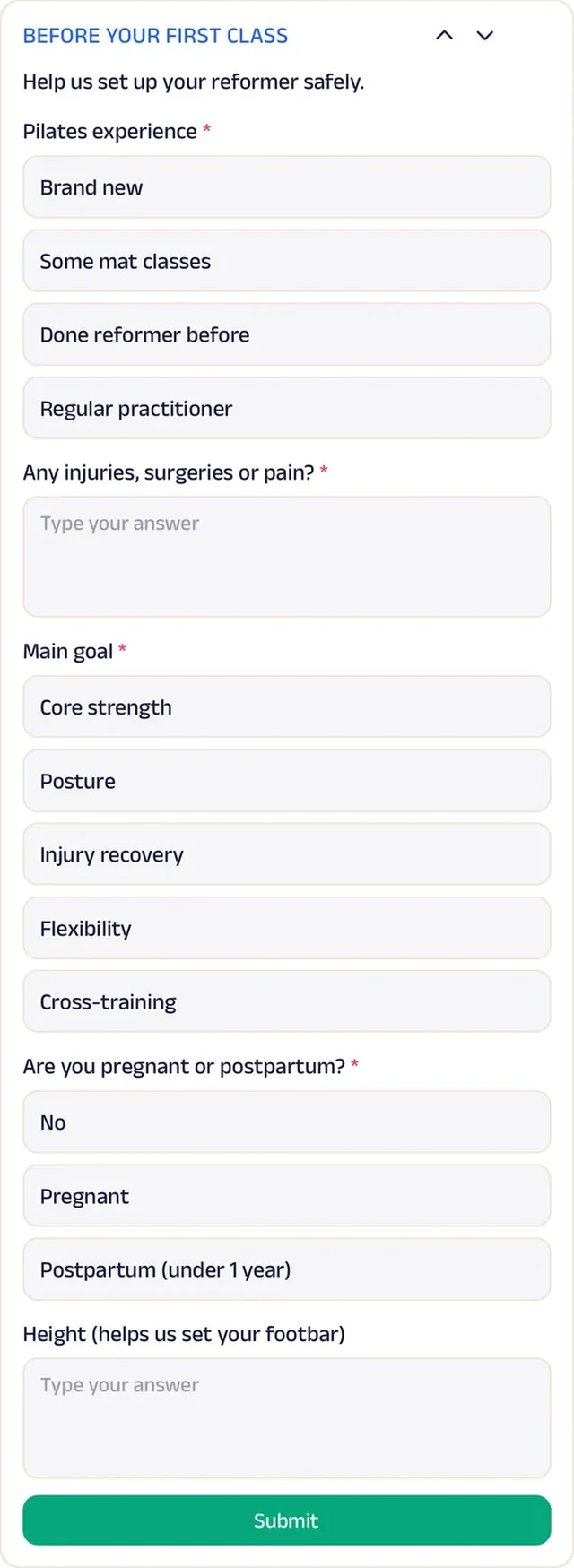
New clients share injuries and goals before their first class, so the teacher can adjust from the first exercise.
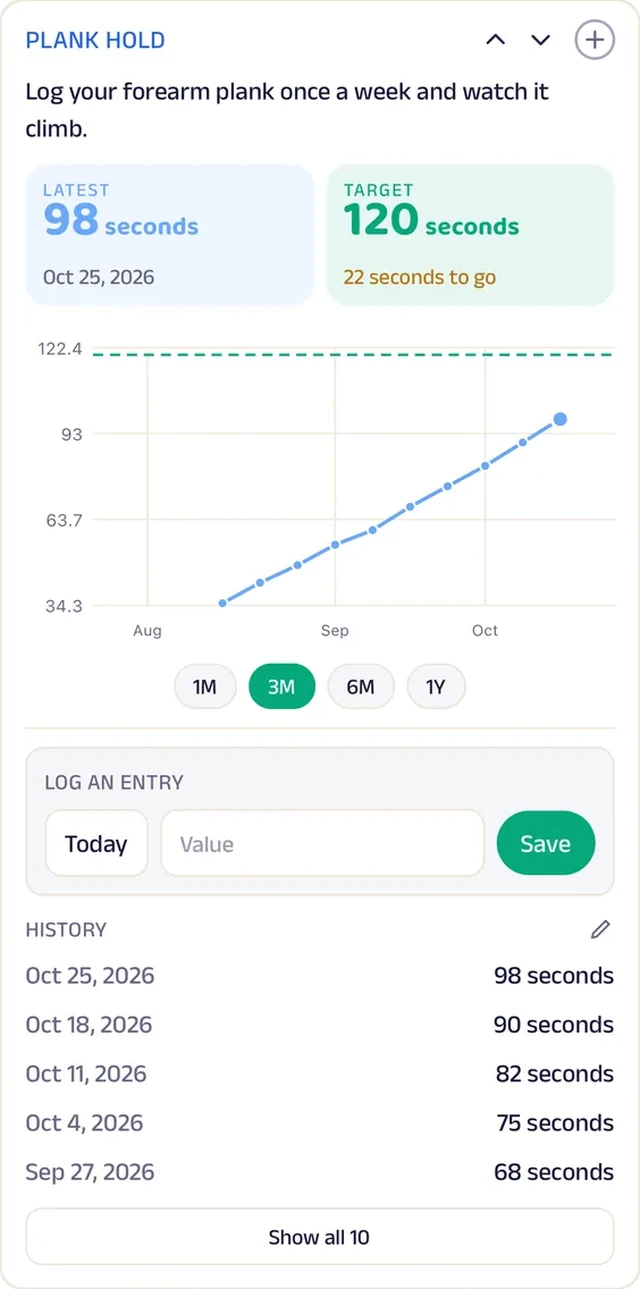
Tracker
Clients log their plank hold and watch it grow week over week.
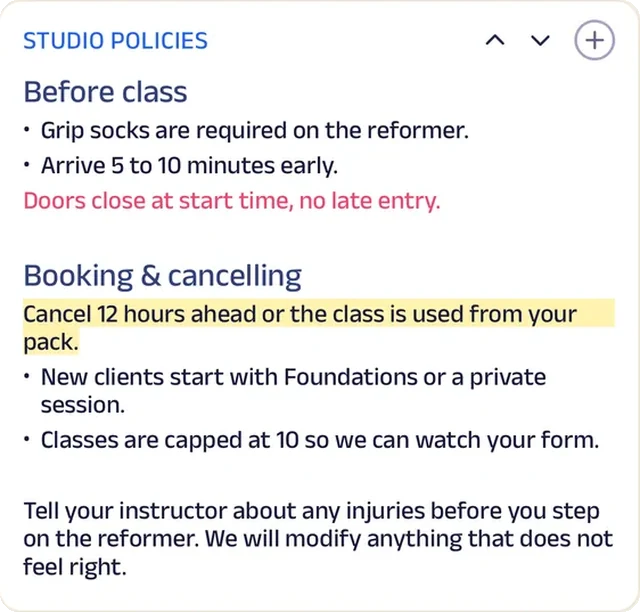
Custom text
Studio policies, from late cancellations to what to wear, sit where every client can read them before class.
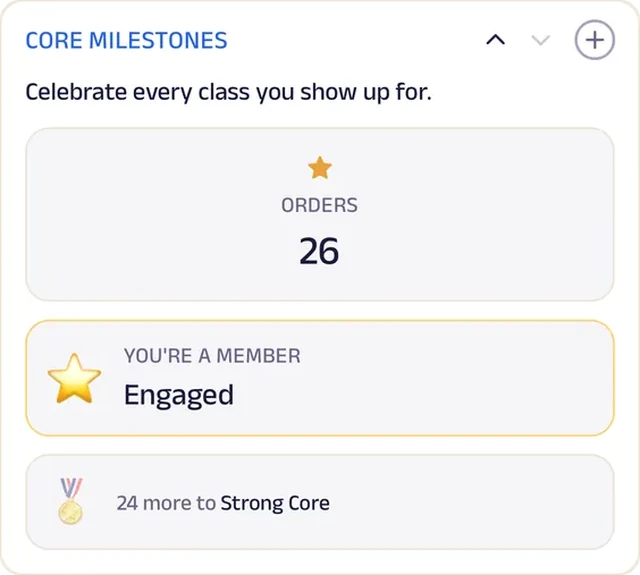
Loyalty
Core milestones mark every class a client shows up for, which keeps regulars coming through the slow months.
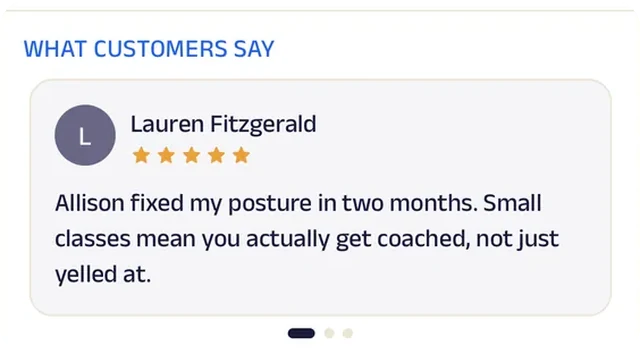
Reviews
Clients write about teachers who adjusted for their injuries, which is what someone nervous about a reformer reads first.
Gym
Iron Will Gym
A family-owned gym with no contracts, where members pick a plan and get to work.
Joining a gym used to mean a contract and a sales pitch. At Iron Will members just pick a membership, follow a new member checklist, and get to work, with squat progress logged on their own tracker.
Saturday bootcamp spots are reserved ahead, personal trainers are booked directly, and the extras members actually ask for are one tap away. The Iron Club rewards members who keep showing up, and the New Year, No Fee poster brings January sign-ups. Programming questions or freezes go to a coach in chat. A family-owned gym now runs memberships, training and progress tracking like a national fitness chain.


Subscriptions. Members pick a membership with no contract and no sales pitch.
Gadgets at work
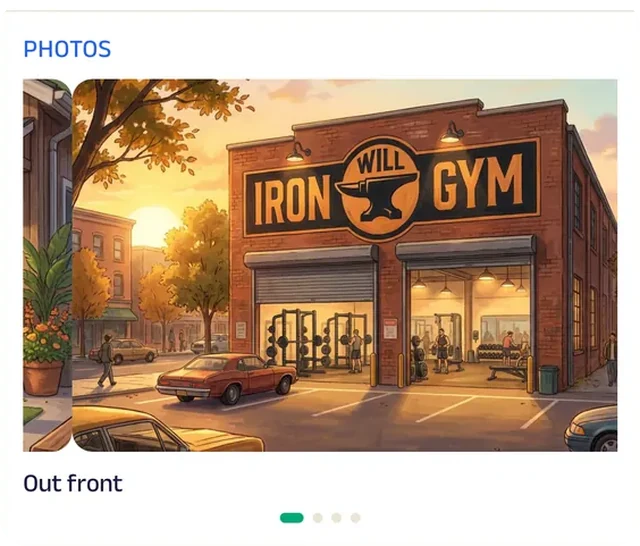
Photo gallery
Photos of the floor and the turf lane show what's there before anyone walks in for a tour.
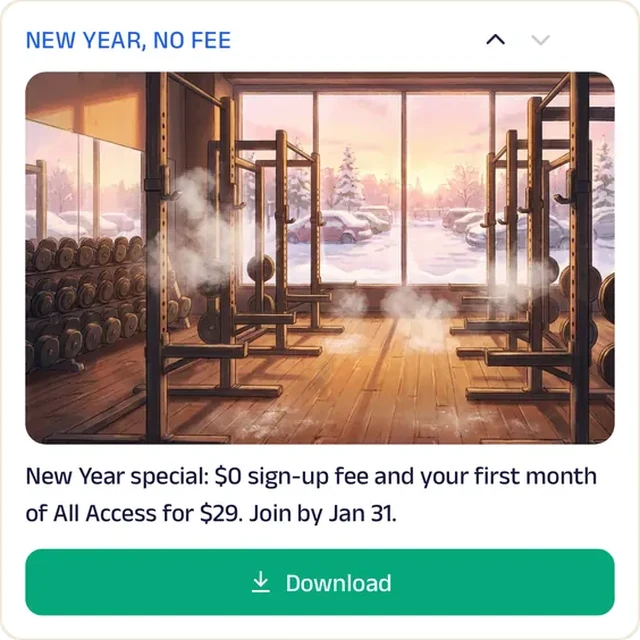
Promotion
A New Year poster on the Start tab brings January sign-ups in without a sales pitch.
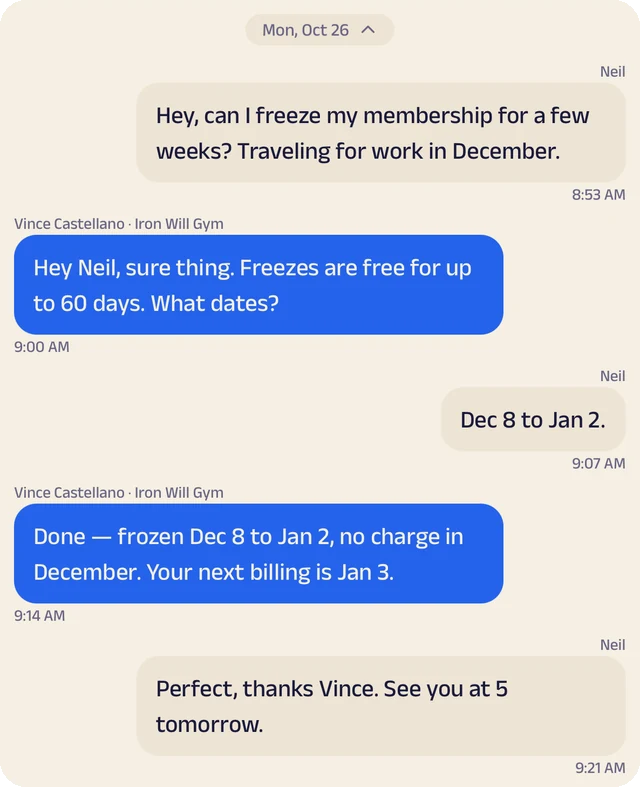
Chat
Programming questions, membership help or freezes go to a coach.
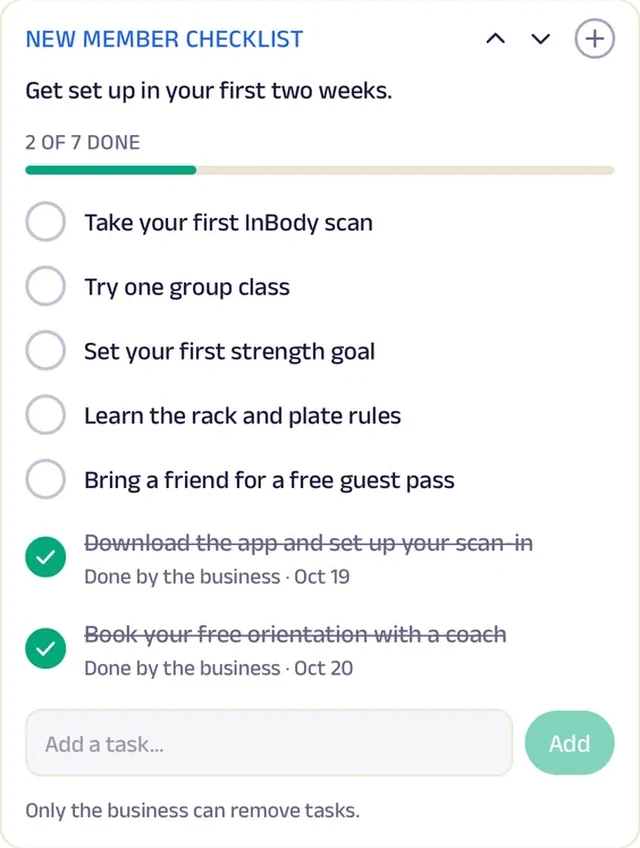
Tasks
New members work through a short checklist, from a gym tour to their first program, so nobody's lost on day one.
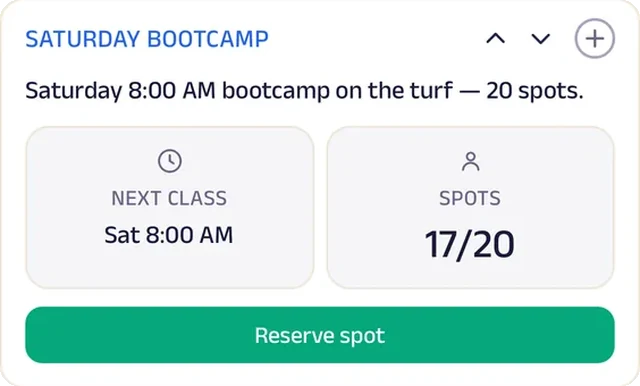
Reserve spot
Saturday bootcamp spots on the turf lane are reserved ahead.
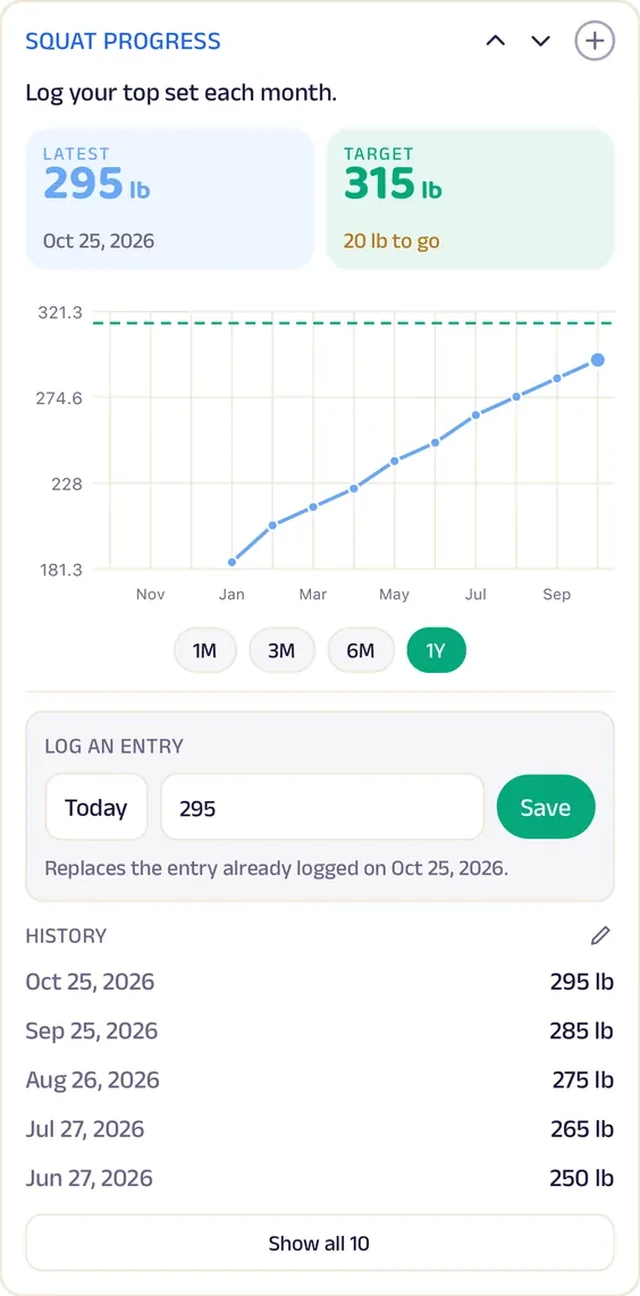
Tracker
Members log their squat and watch it climb.
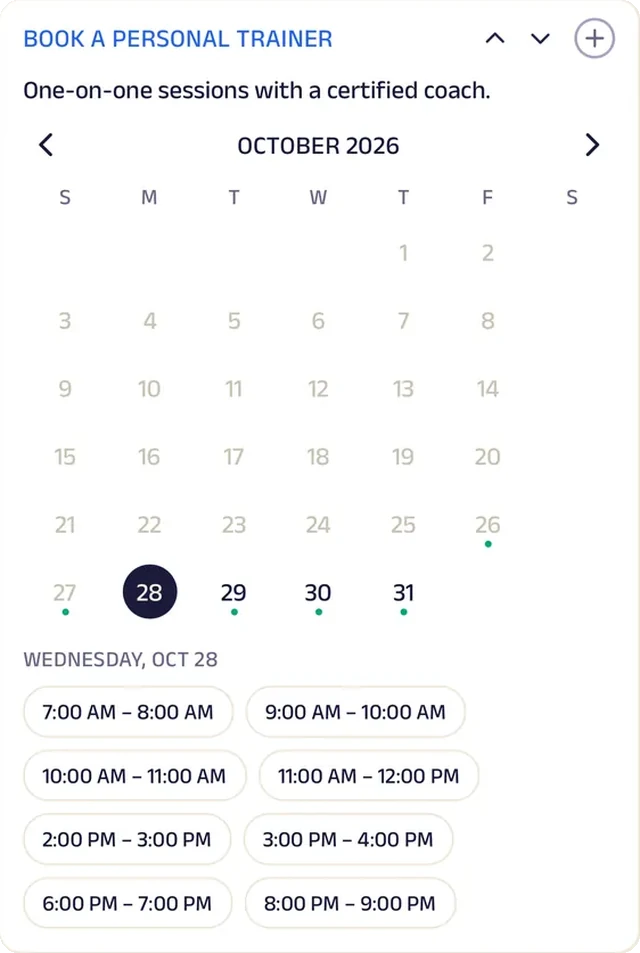
Appointment
Members book a personal trainer at a time that works.
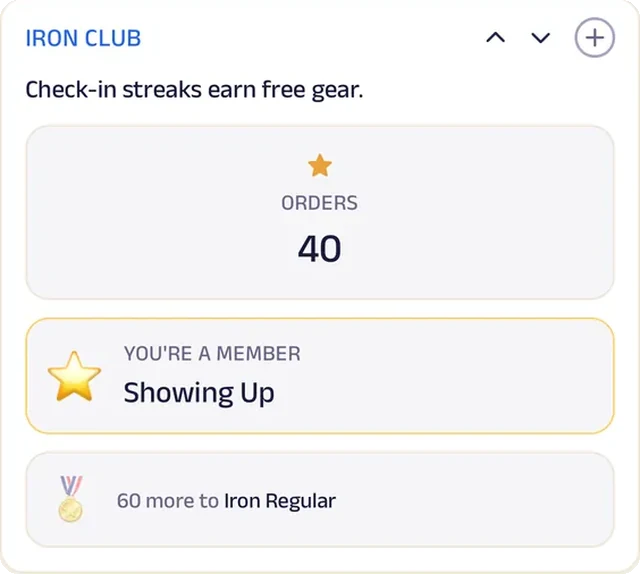
Loyalty
The Iron Club rewards check-in streaks, so showing up is what earns the perks.
Boxing
Knockout Boxing Club
A boxing gym where beginners and fighters book their class and log every round.
Class sign-ups used to be a clipboard by the door and a packed 6 PM session. Now members book their spot in the app, from 6 AM fundamentals to late-night sparring, and beginners are welcome in every class. New members fill in an intake before their first round.
Memberships cover the week, 1-on-1 coaching is booked directly, and gear and cold drinks are on the menu at the desk. Members log their rounds, Fighter Status rewards consistency, and Bring a Friend fills the beginner classes. After each class, members rate the class and coach. A converted Bushwick warehouse gym now runs bookings, memberships and progress tracking like a national boxing franchise.


Reserve spot. Members book their spot in group classes, from 6 AM fundamentals to late-night sparring.
Gadgets at work
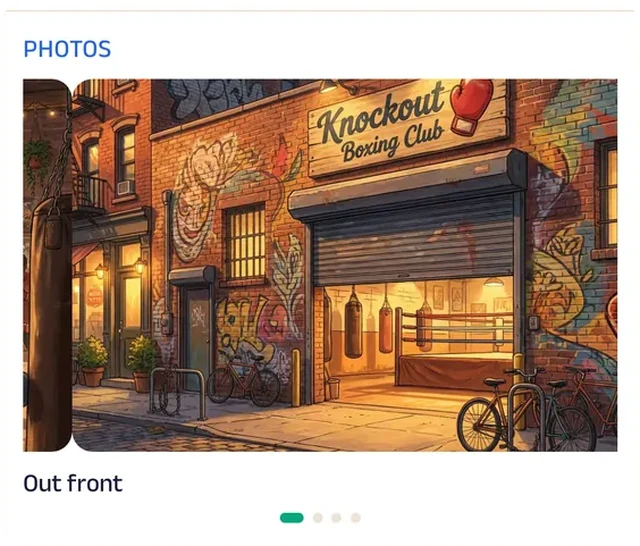
Photo gallery
Photos from the converted warehouse show the bags, the ring and the crowd at 6 AM.

Promotion
A bring-a-friend offer on the Start tab fills the beginner classes.
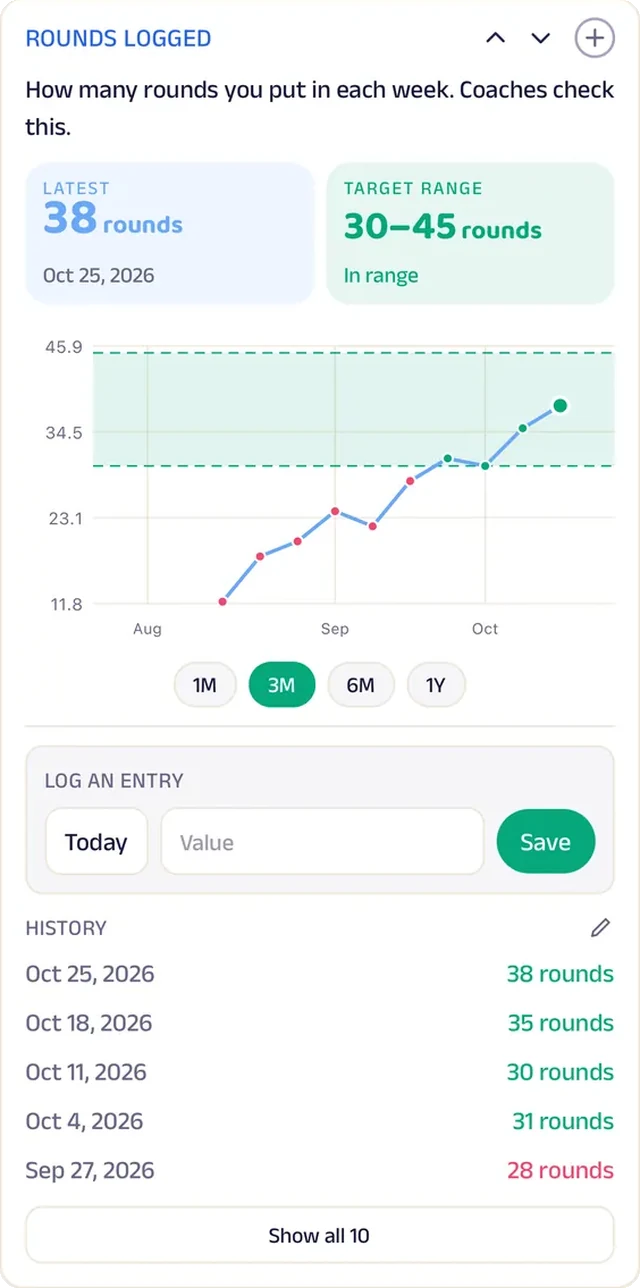
Tracker
Every round is logged, so members see their volume build week over week.
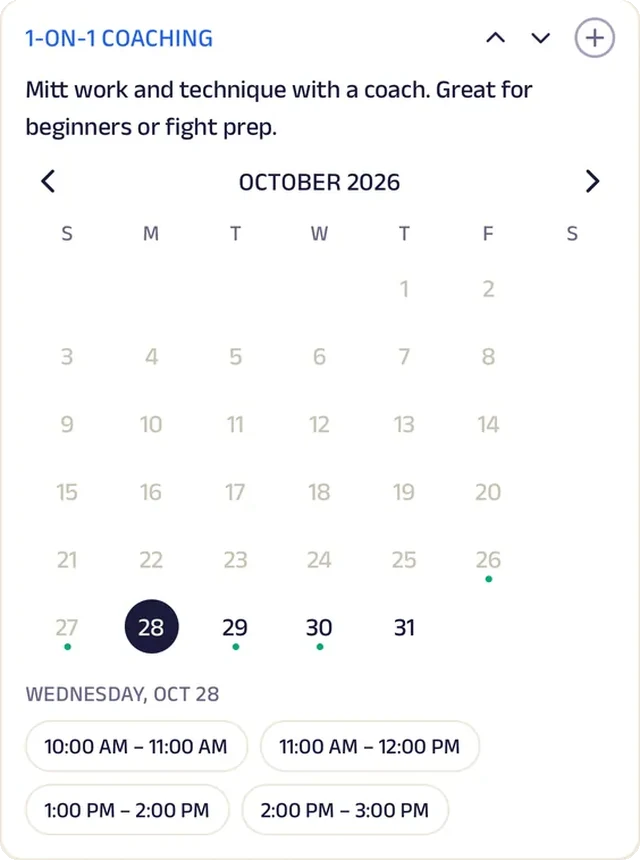
Appointment
Members book 1-on-1 coaching for footwork, pads or fight prep.
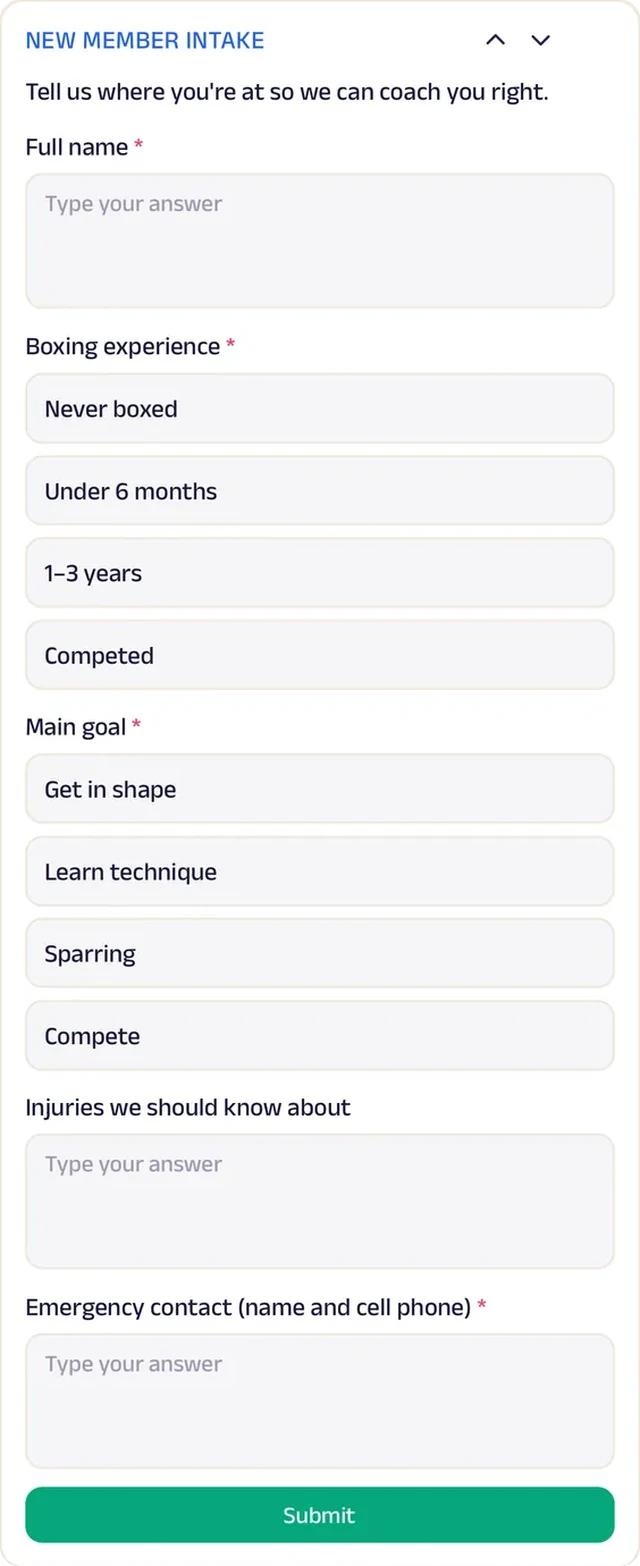
Forms
New members fill in an intake with experience and injuries before their first round, so the coach pairs them right.
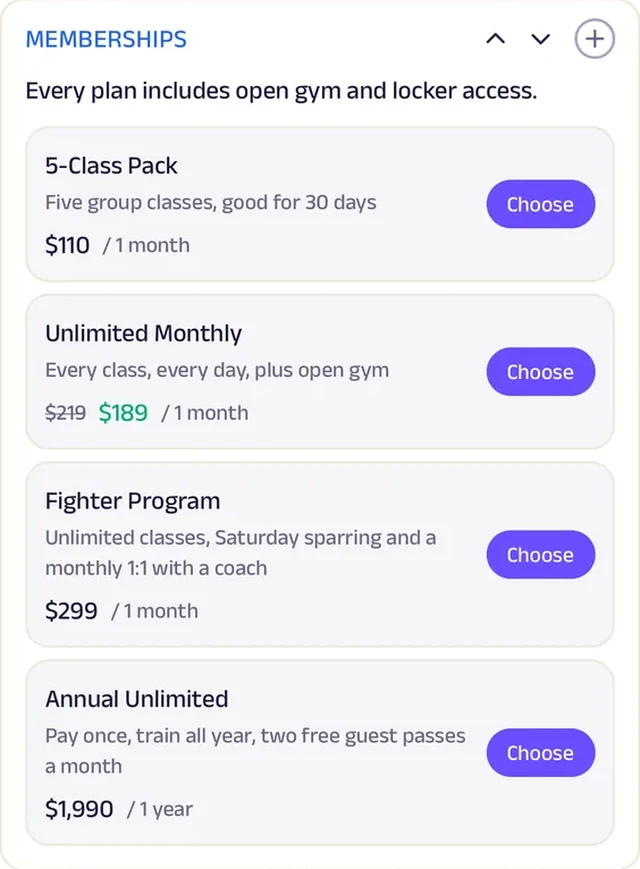
Subscriptions
Memberships cover classes all week, so regulars stop paying by the visit.
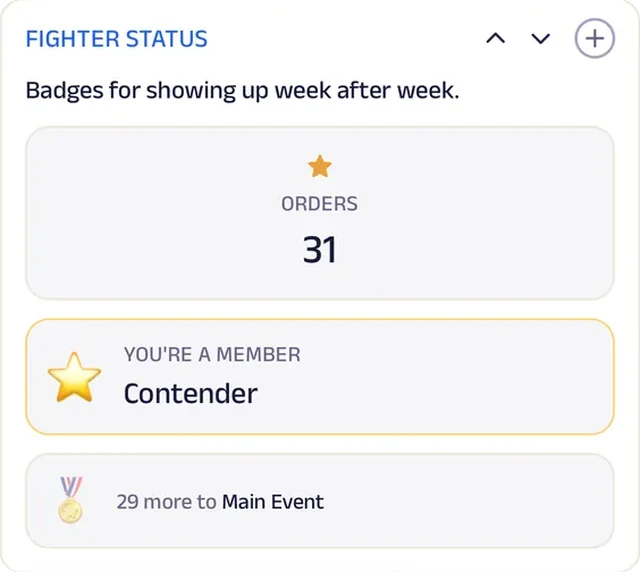
Loyalty
Fighter Status badges reward the members who show up week after week.
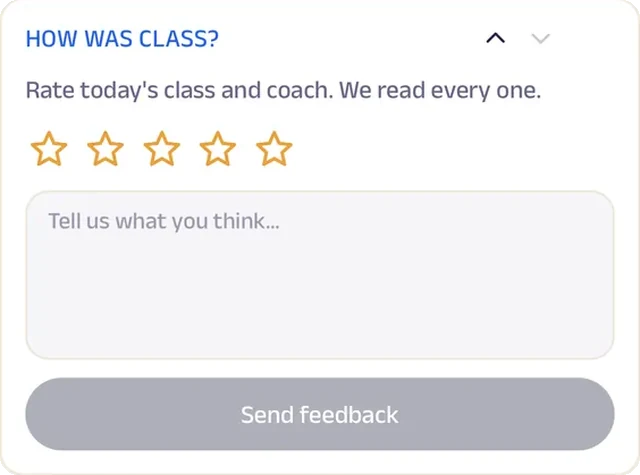
Feedback
After class, members rate the class and coach, and every rating is read.
Personal trainer
Coach Maya Fitness
A personal trainer whose clients log every weigh-in and see the progress for themselves.
Progress used to be a number scribbled on a notepad at the start of each session. Now every client logs weigh-ins on their own tracker, so Maya can celebrate the wins and spot a stall before it turns into quitting. Each week she posts the habits to focus on, and milestones reward the clients who keep showing up.
New clients start with a first consult form, then pick a coaching plan and book sessions themselves. Saturday bootcamp spots are reserved ahead, and extras like body scans and meal plans are one tap away. Questions about food or rescheduling go straight to Maya in chat. A one-coach private studio now runs plans, bootcamps and progress tracking like a big-box gym.


Tracker. Clients log weigh-ins here, so Maya and her client celebrate wins together and adjust when things stall.
Gadgets at work
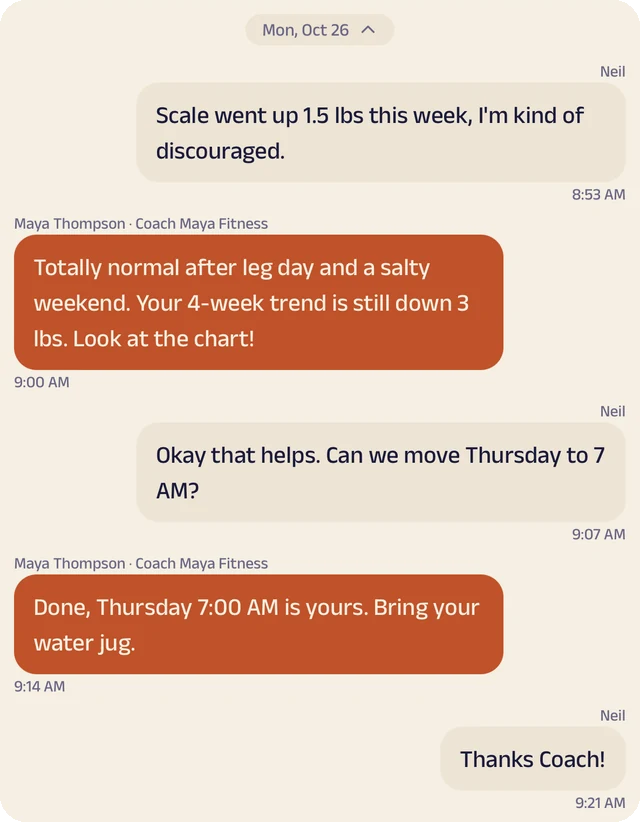
Chat
Clients message Maya about their plan, food or rescheduling.
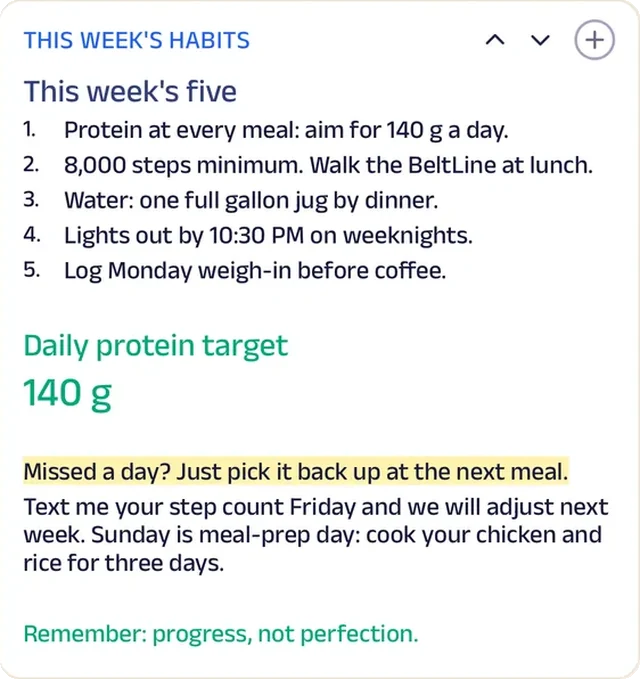
Custom text
This week's habits are posted for every client, from a protein target to a step count.
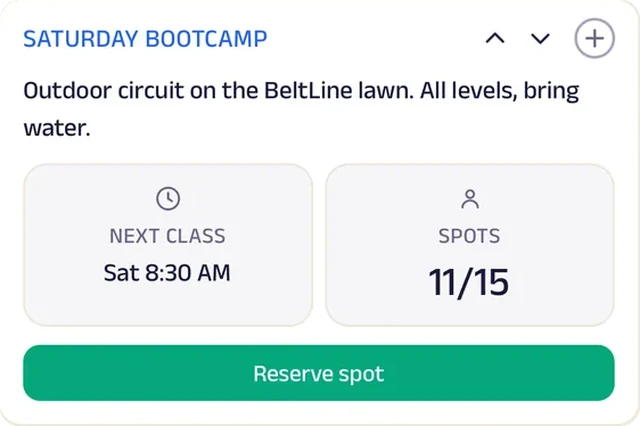
Reserve spot
Saturday bootcamp spots are reserved ahead, so Maya knows how many to plan for.
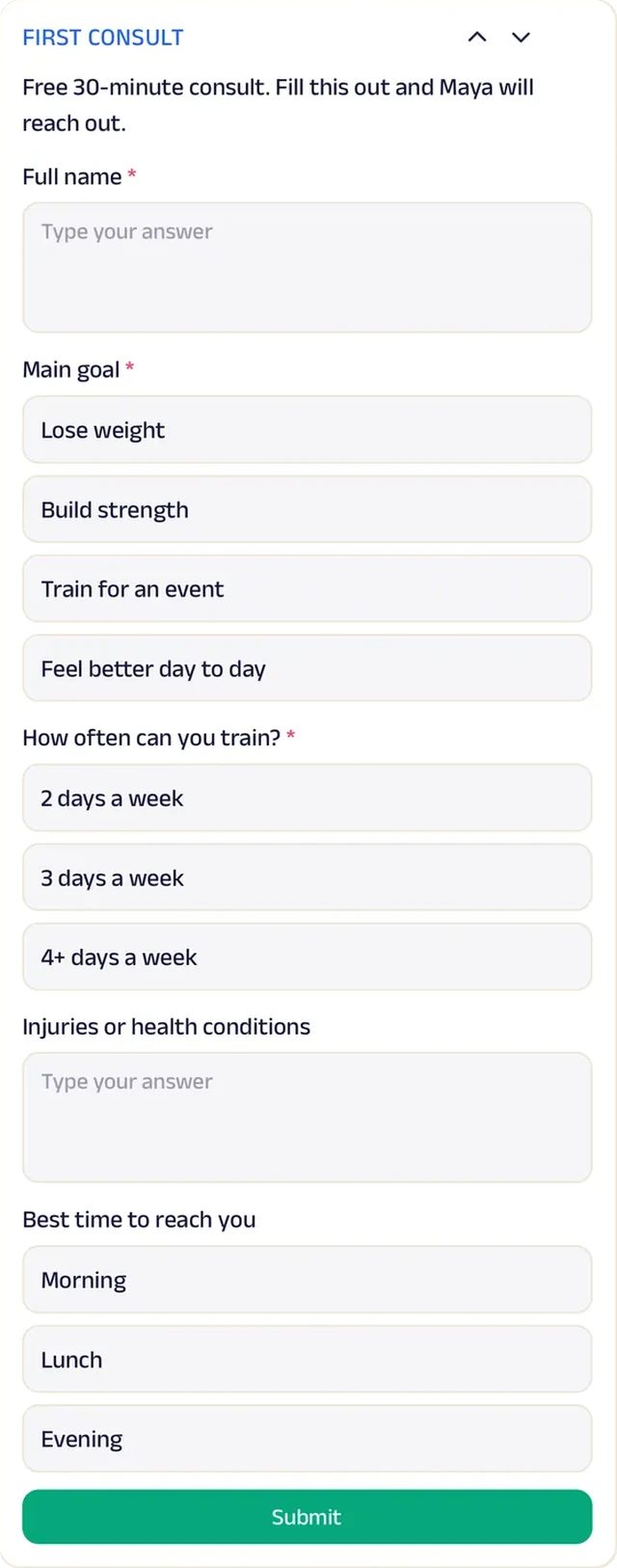
Forms
New clients share their goals, injuries and schedule before the first session, so Maya walks in with a plan.
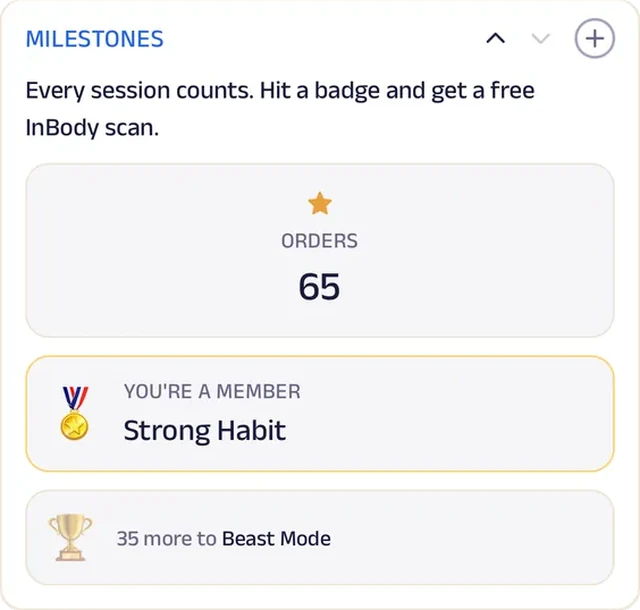
Loyalty
Milestone badges mark every block of sessions, so the clients who keep showing up get noticed for it.
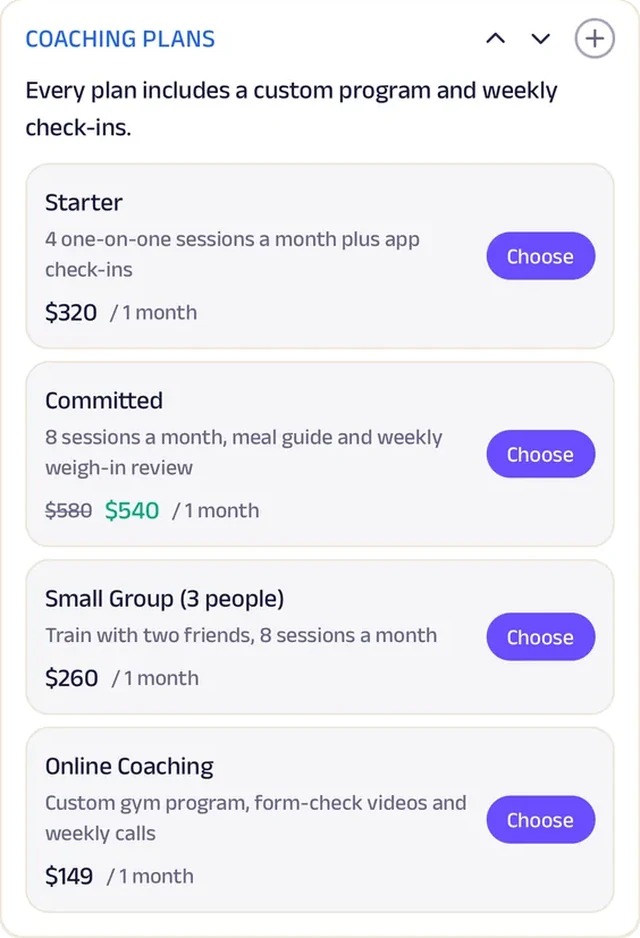
Subscriptions
Coaching plans replace paying session by session, and clients book their sessions against the plan.
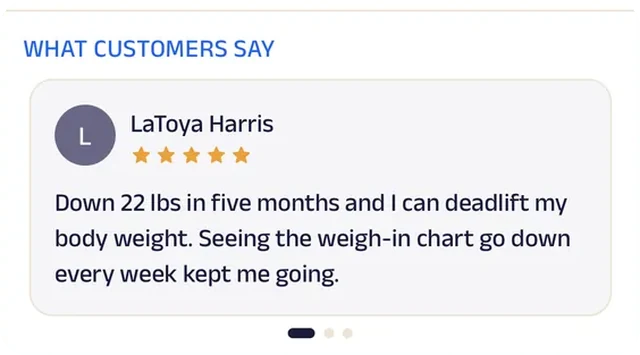
Reviews
Clients write about the progress they made, in their own words, which does more than any before-and-after.
Run the whole business
Your team, your members and your money, in one place.
The same page is also how you run the studio, from the phones you already have and a laptop in the browser. There's no special software or hardware to buy.
Operate your day
From the first booking to "see you again".
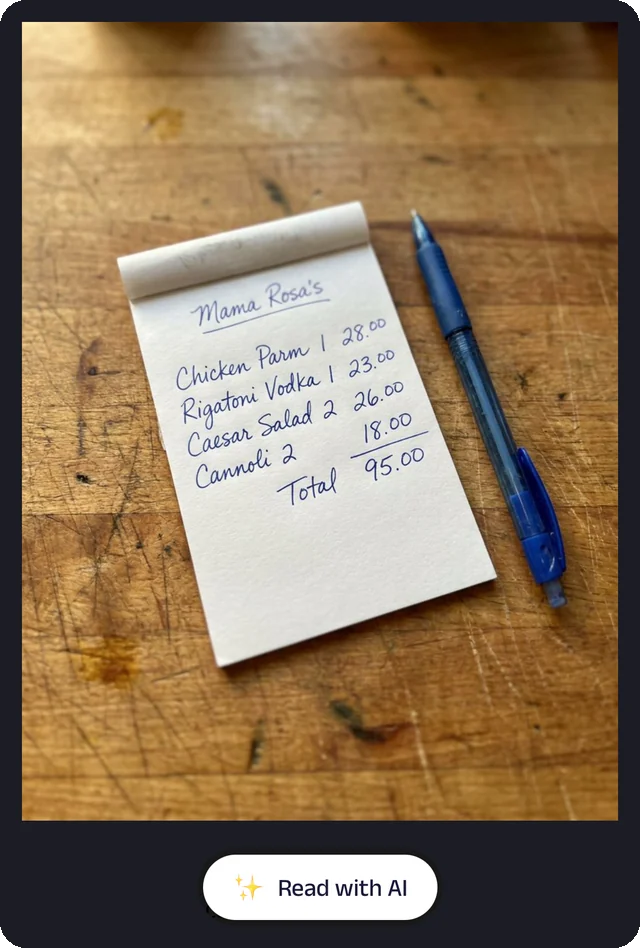
Bill photo
Photograph a handwritten bill, and the Assistant reads it for you to check.
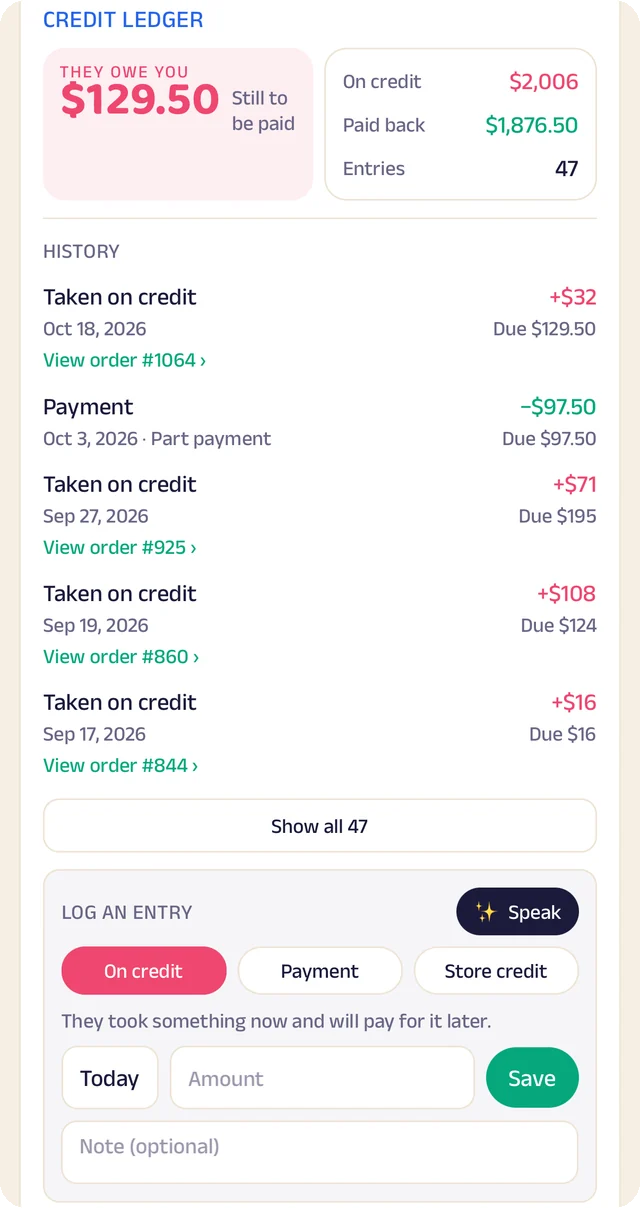
Credit ledger
Every credit and payment by member. Log an entry by typing, or by speaking it.
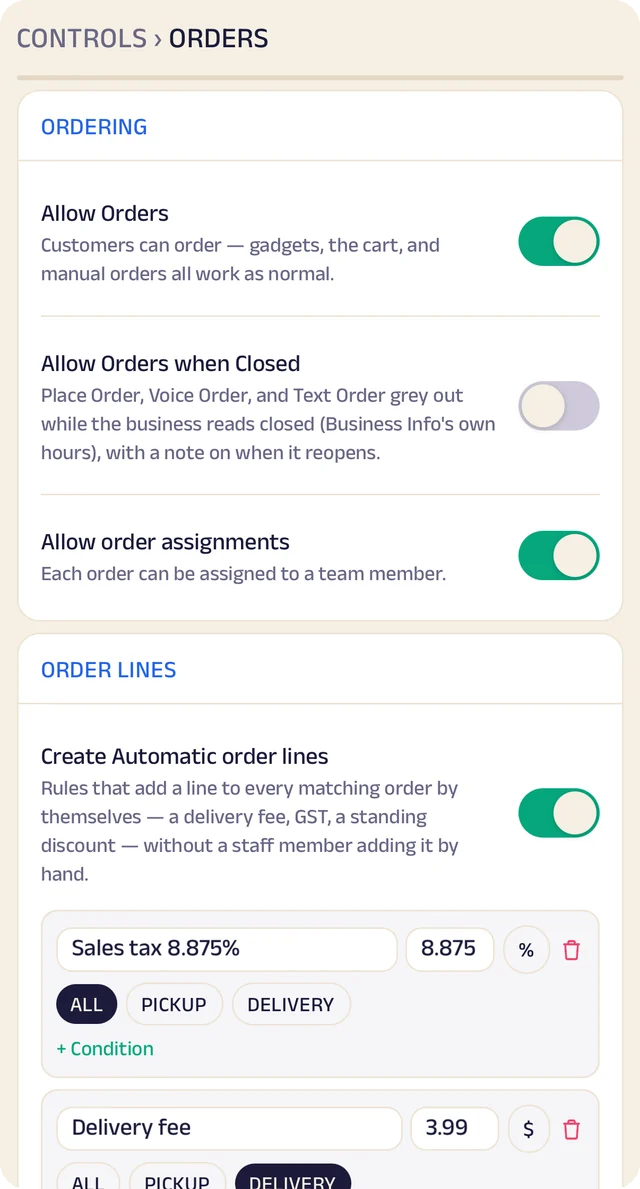
Order settings
Turn ordering on or off, and set sales tax and fees once so they're added automatically.
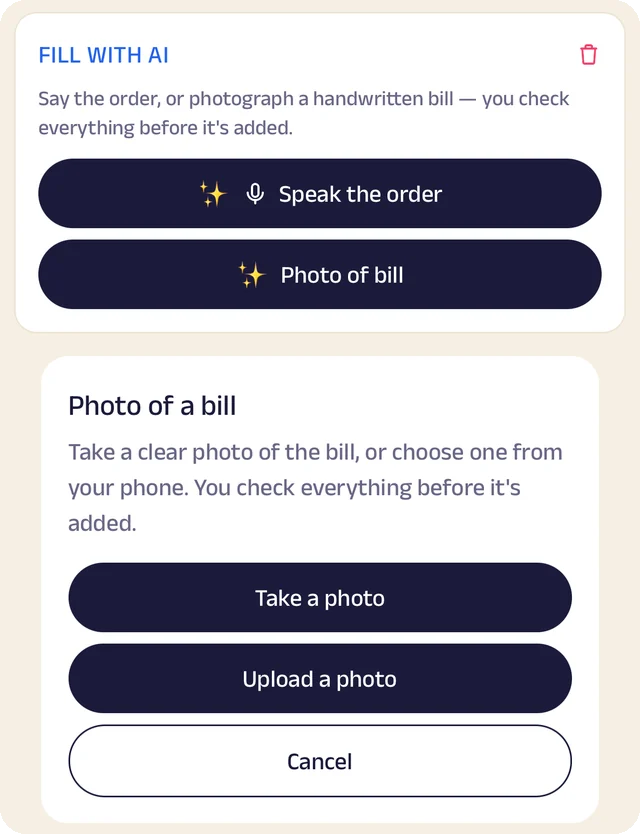
Fill with AI
Say an order out loud or photograph a bill, and check everything before it's saved.
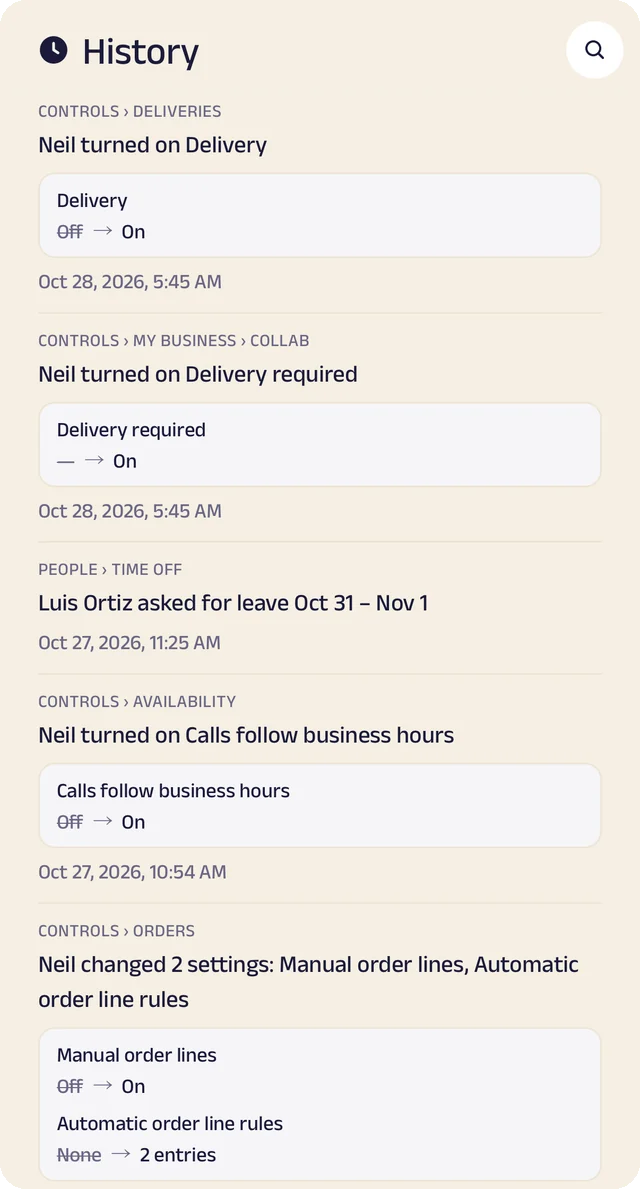
Settings history
Settings switched on or off, with the old and new value.
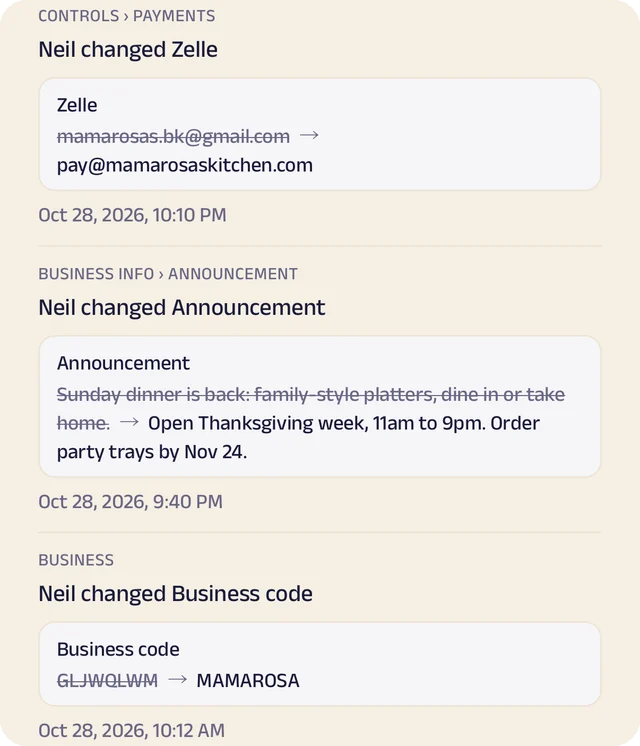
Payment history
Payment details changed, shown before and after.
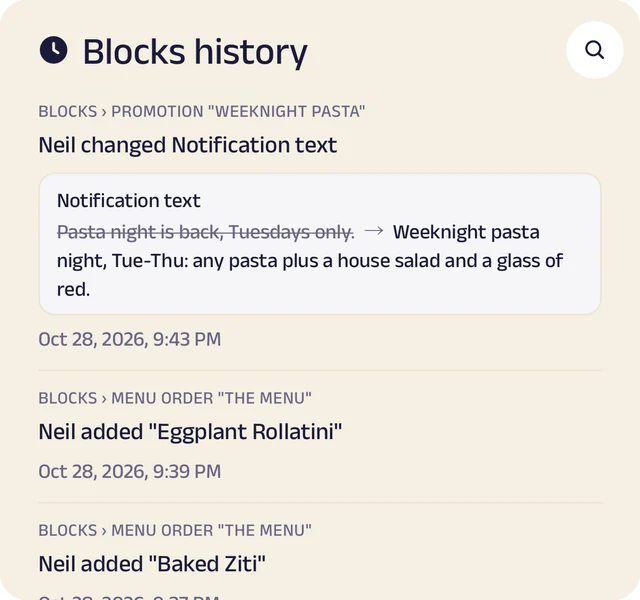
Page history
Changes to your page, kept in its own history.
Class bookings with limited spots
Members reserve a mat or a place in a class, drop it up to the cutoff you set, and see when a class is full. Walk-ins can join the queue from their phone.
Memberships and passes
Monthly passes and class packs at a plan price, with a renewal reminder before they end, so members don't lapse by accident.
Trial classes and enquiries
A form of your own for first-timers: goals, injuries and experience, so the coach knows who's coming before they arrive.
Progress and goals
Track a member's goals and measurements over time, with notes the coach can add after each session.
Manage your people
Everyone who coaches, teaches and runs the front desk, in the right place.
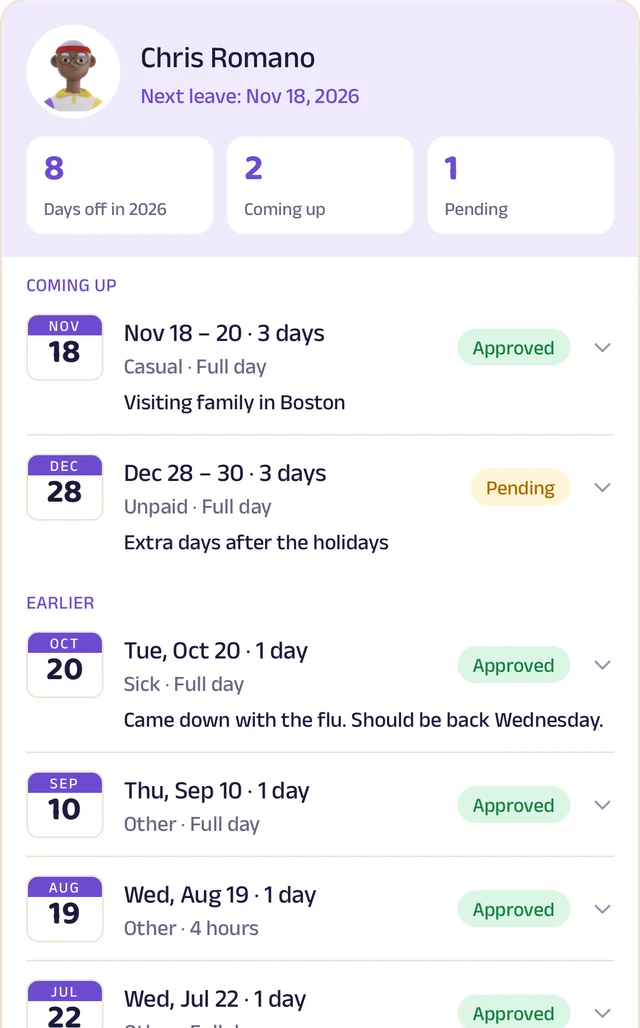
Team leave
A team member's days off: what's approved and what's waiting.
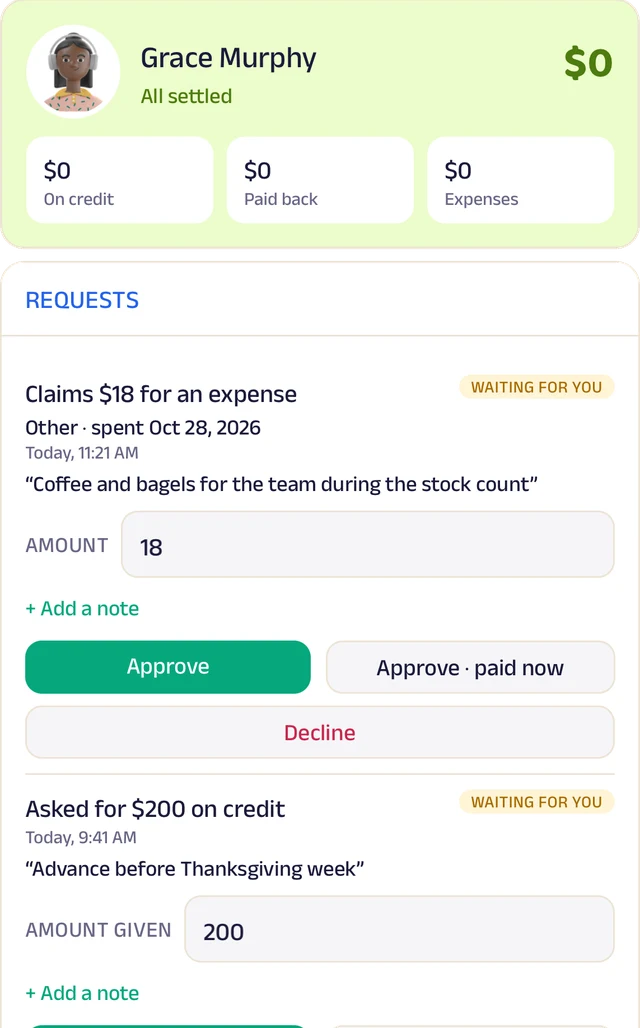
Team ledger
A running account per person: advances, expenses and approvals.
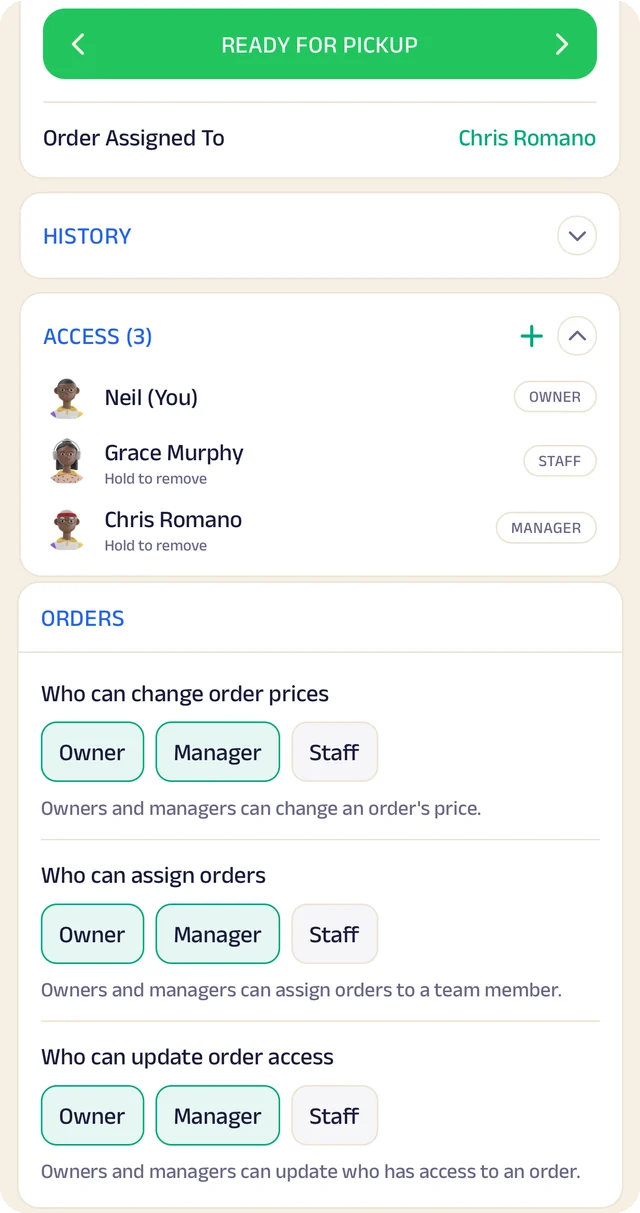
Order access
Who an order is assigned to, who can see it, and who can change it.
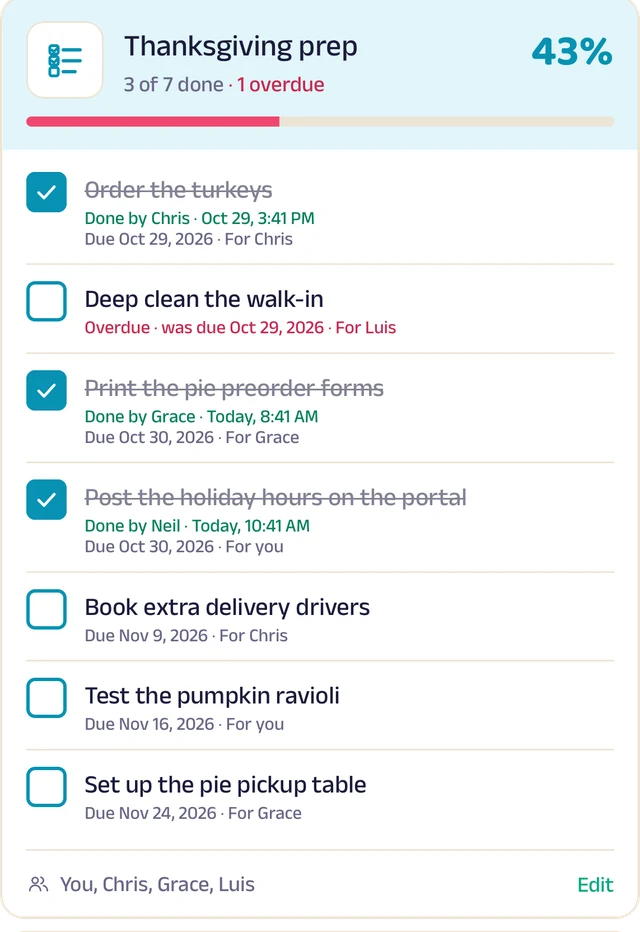
To-do lists
Shared lists, ticked off with who did it and when.
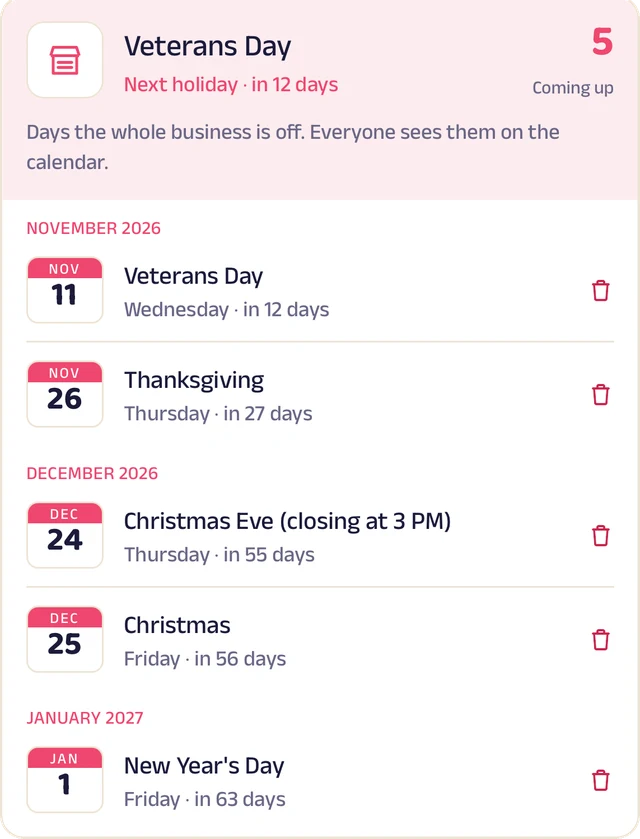
Holidays
Days the whole business is closed, on everyone's calendar.
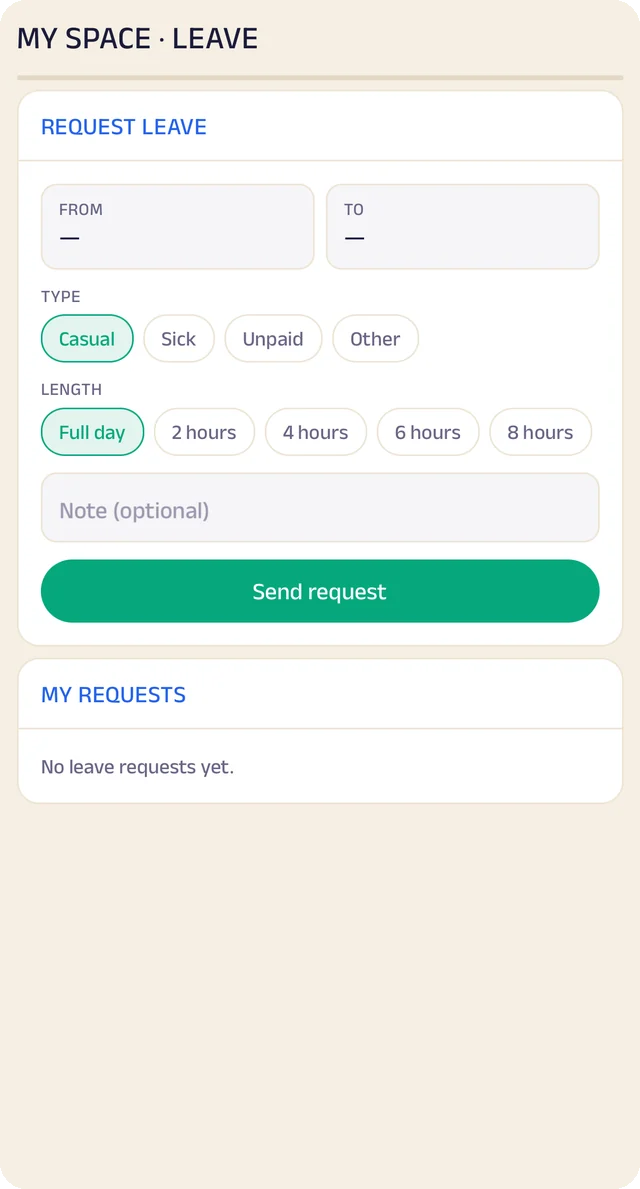
Request leave
Request casual, sick or unpaid leave, for a day or a few hours.
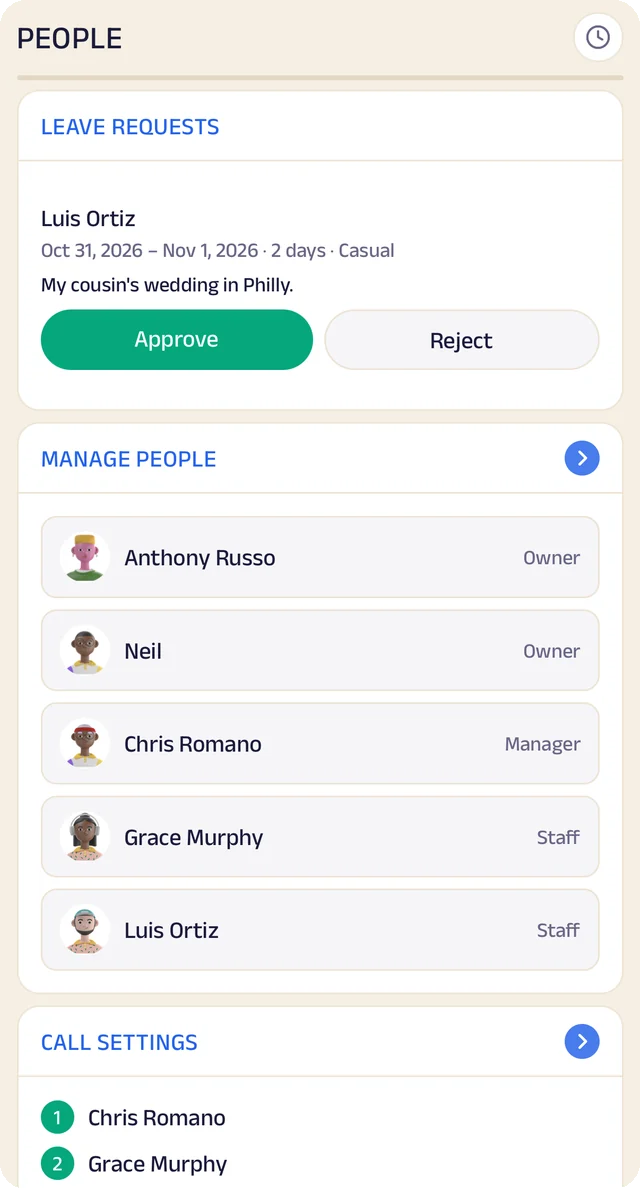
Your team
Your team by role, with leave requests waiting for your approval.
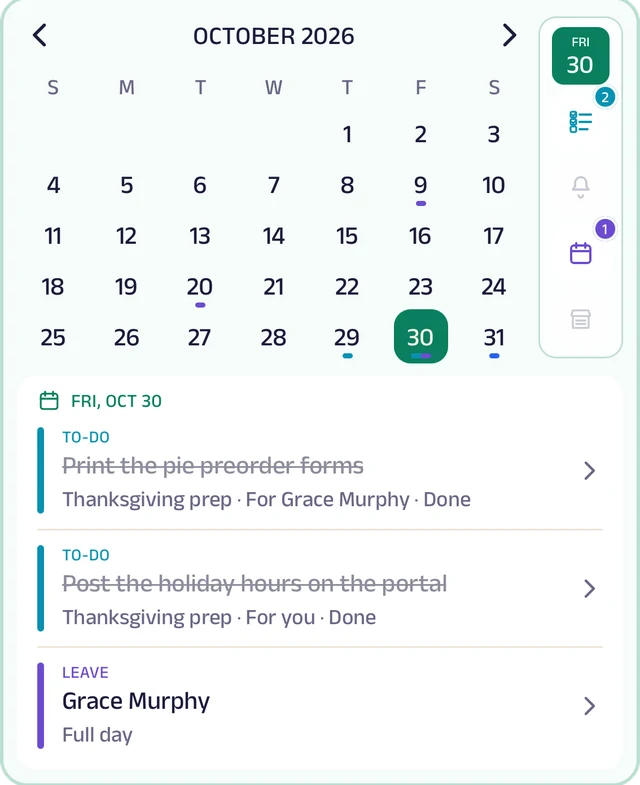
My Space
Everyone's own calendar, with to-dos, reminders and leave.
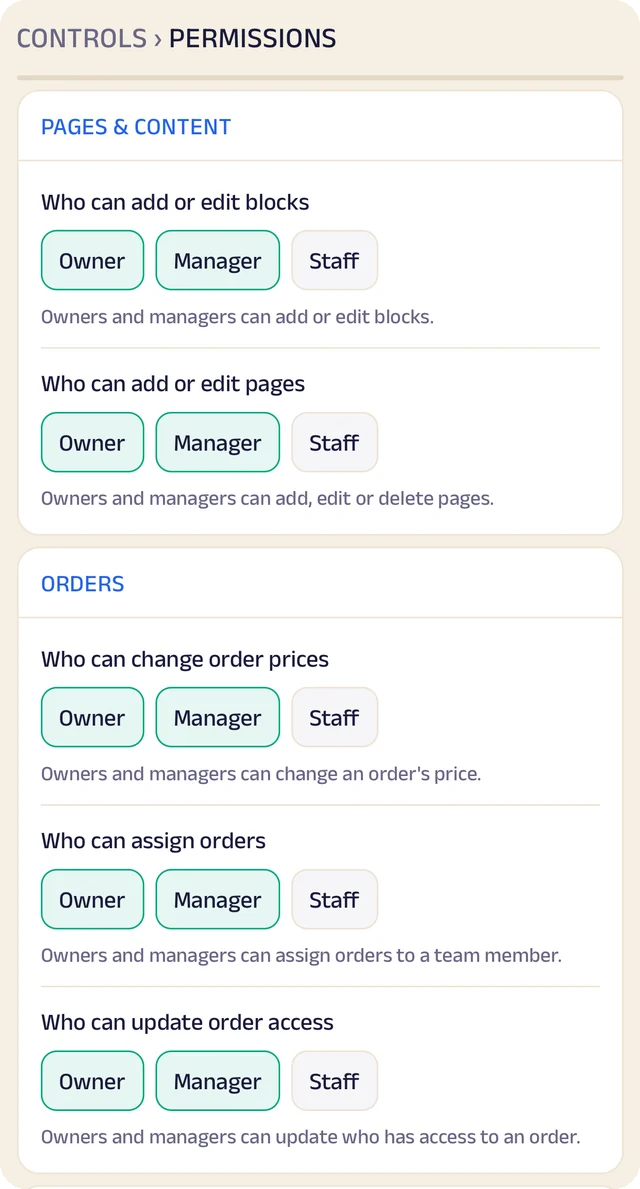
Permissions
Who can edit your page and change prices, role by role.
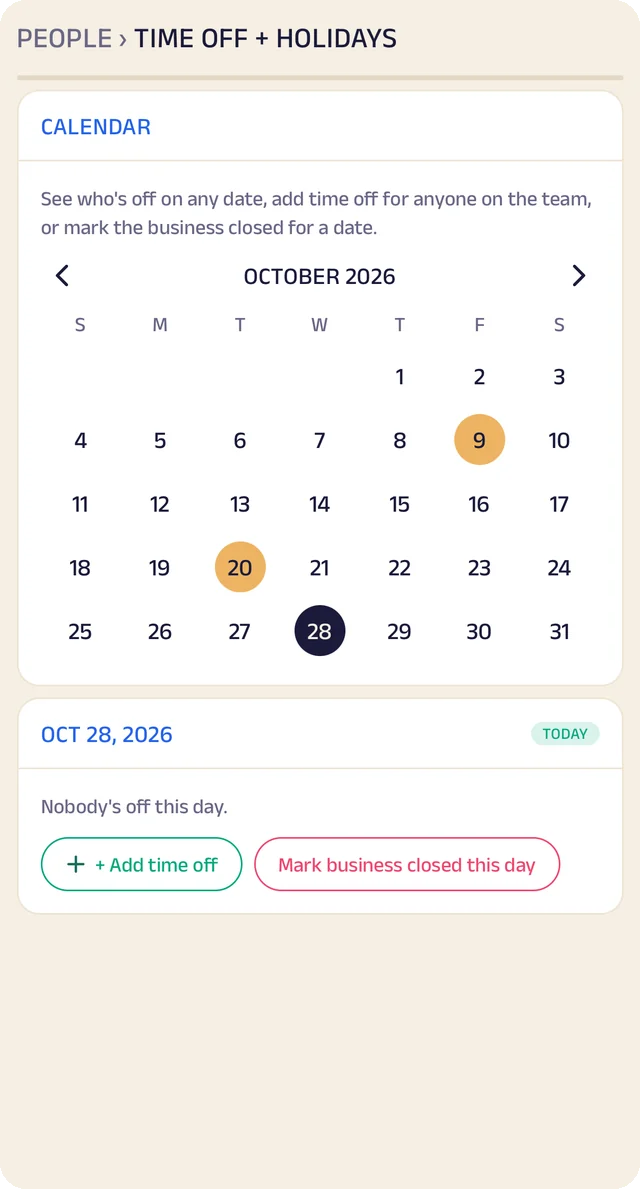
Time off
A calendar of who's off and which days the business is closed.
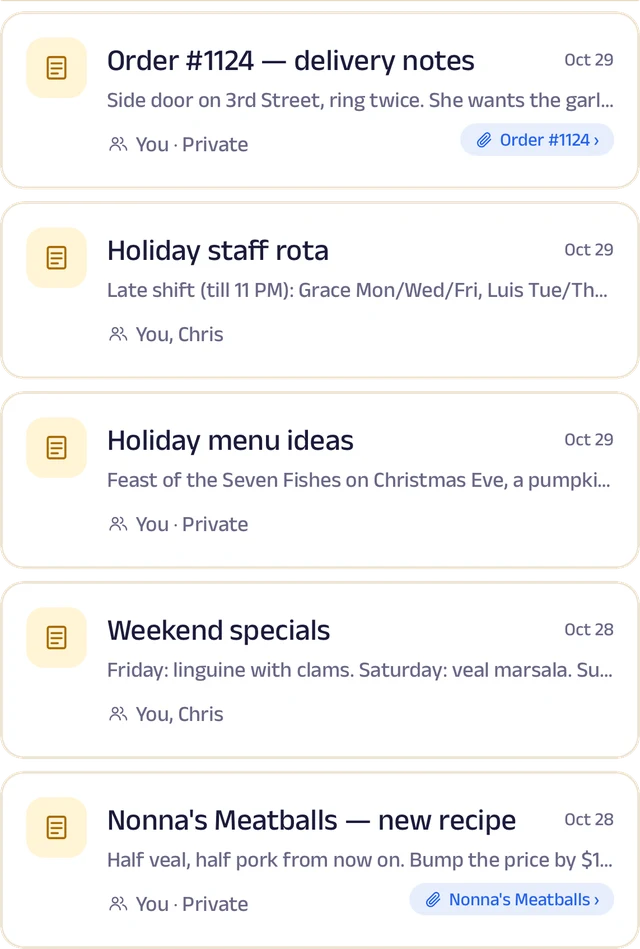
Notes
Notes with photos and voice, some linked to an order or a member.
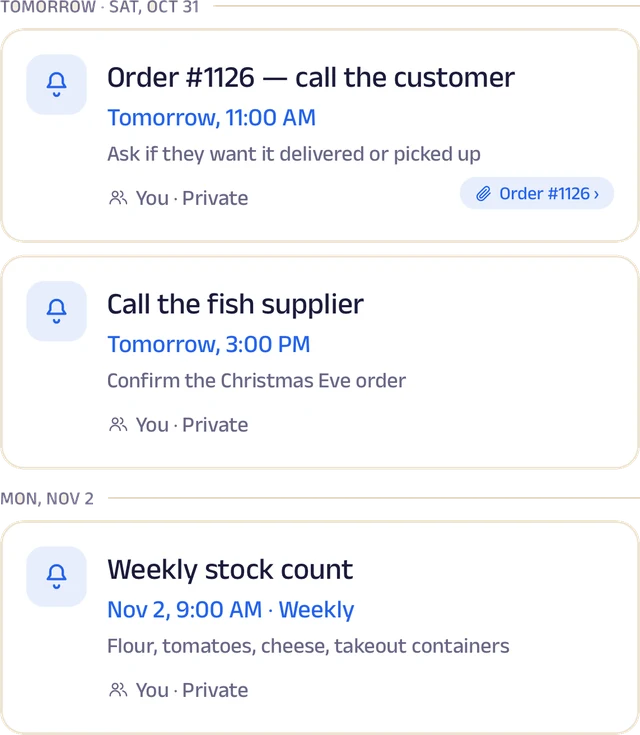
Reminders
Once or on repeat, shared with the team and linked to an order.
Roles and access
Add your your team by phone number and give each a role: owner, manager or staff. You choose who can edit your page, change prices or assign bookings, and you can freeze someone's access in a tap. Payment details stay with the owner.
Leave and holidays
Staff request casual, sick or unpaid leave for a full day or a few hours, and you approve it. Everyone sees who's off today, and days the whole studio is closed show on every calendar.
A ledger for each person
Each team member's running account with the business: advances, money paid back and expense claims. Staff ask, you approve, and a statement is ready to share for any period.
My Space for everyone
Each person gets their own calendar with to-do lists, notes and reminders, and the owner sees the whole team.
Track your growth
Kept as you work, not typed up at the end of the month.
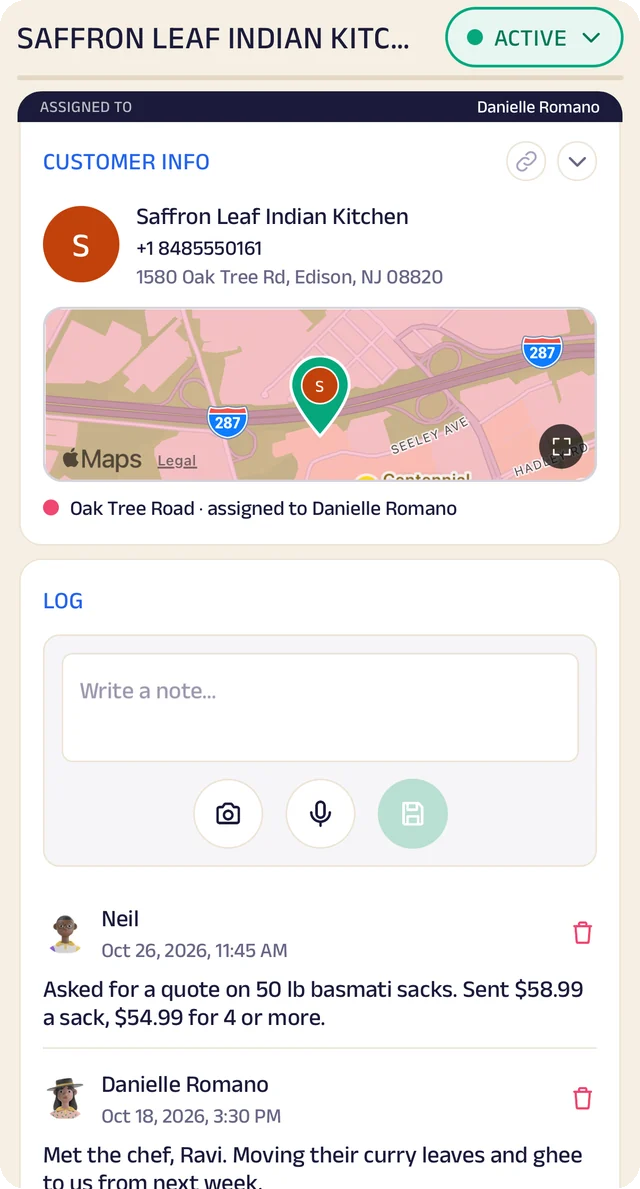
Member record
One member's record: details, a map pin and the team's notes.
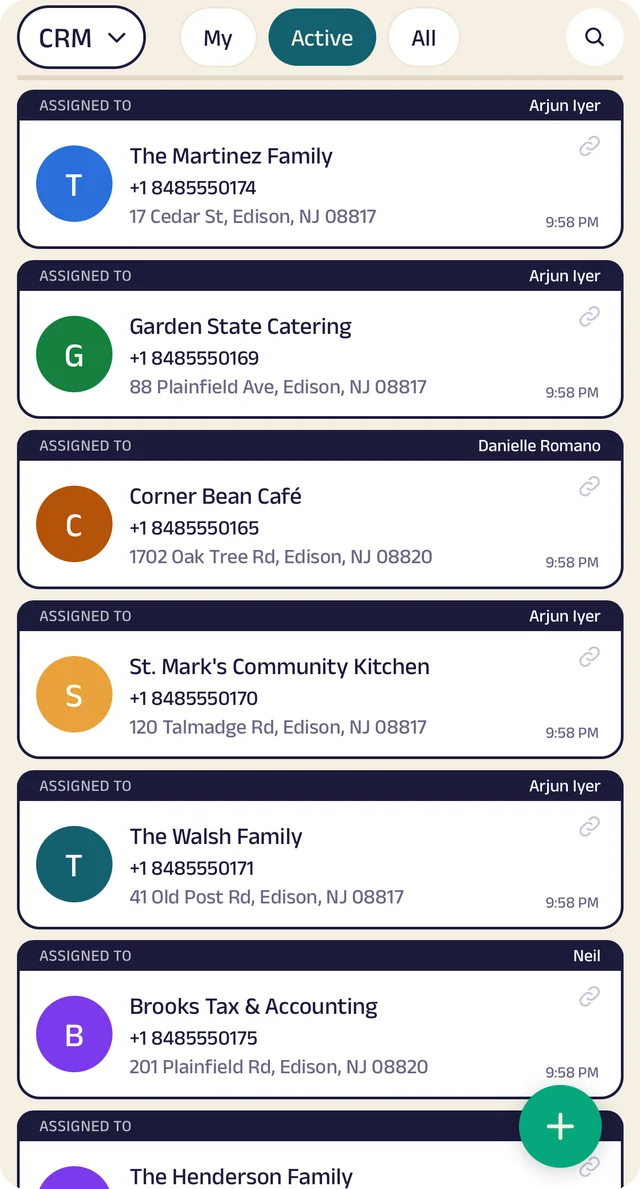
Member list
Members assigned to the people who look after them.
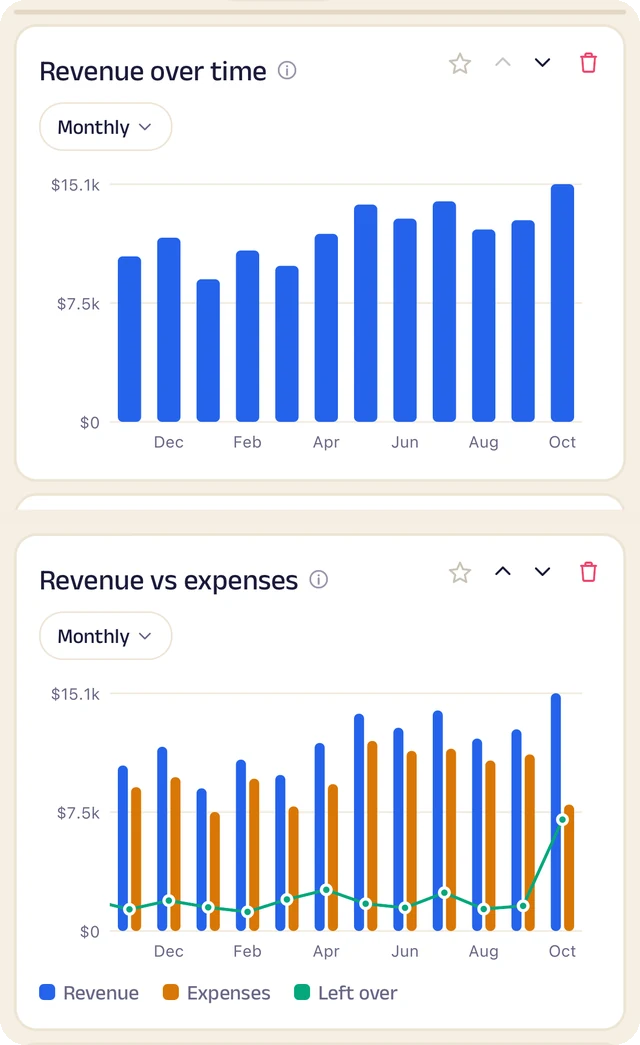
Revenue
Revenue month by month, and what's left after expenses.
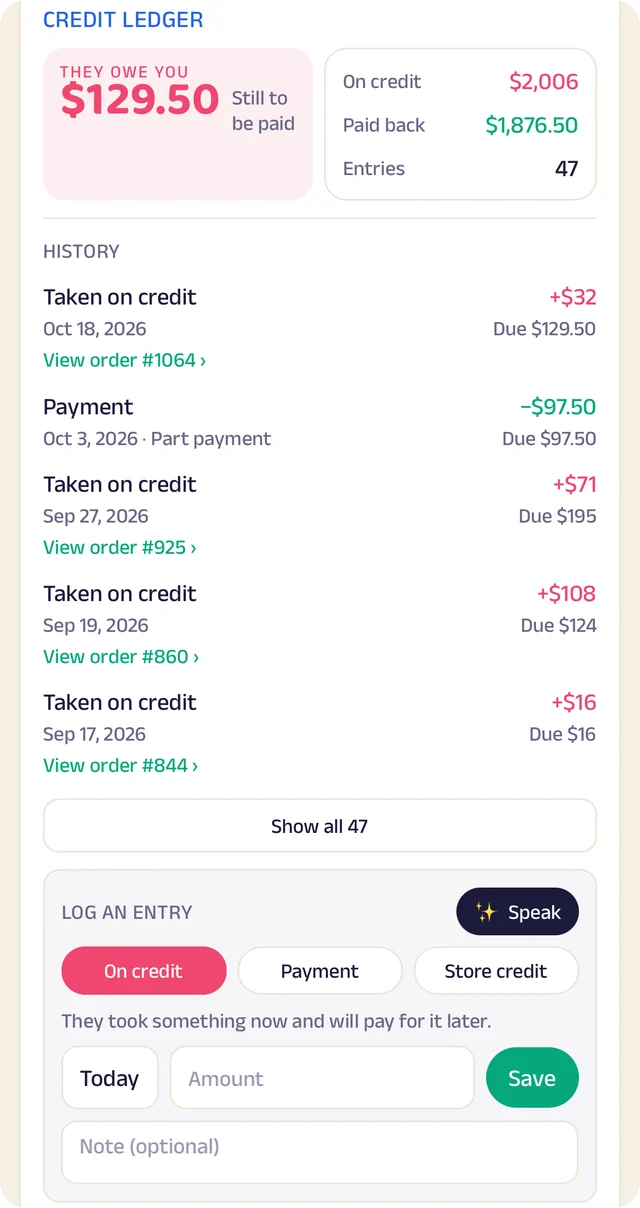
Credit book
Every credit and payment by member and date, with the balance on both sides.
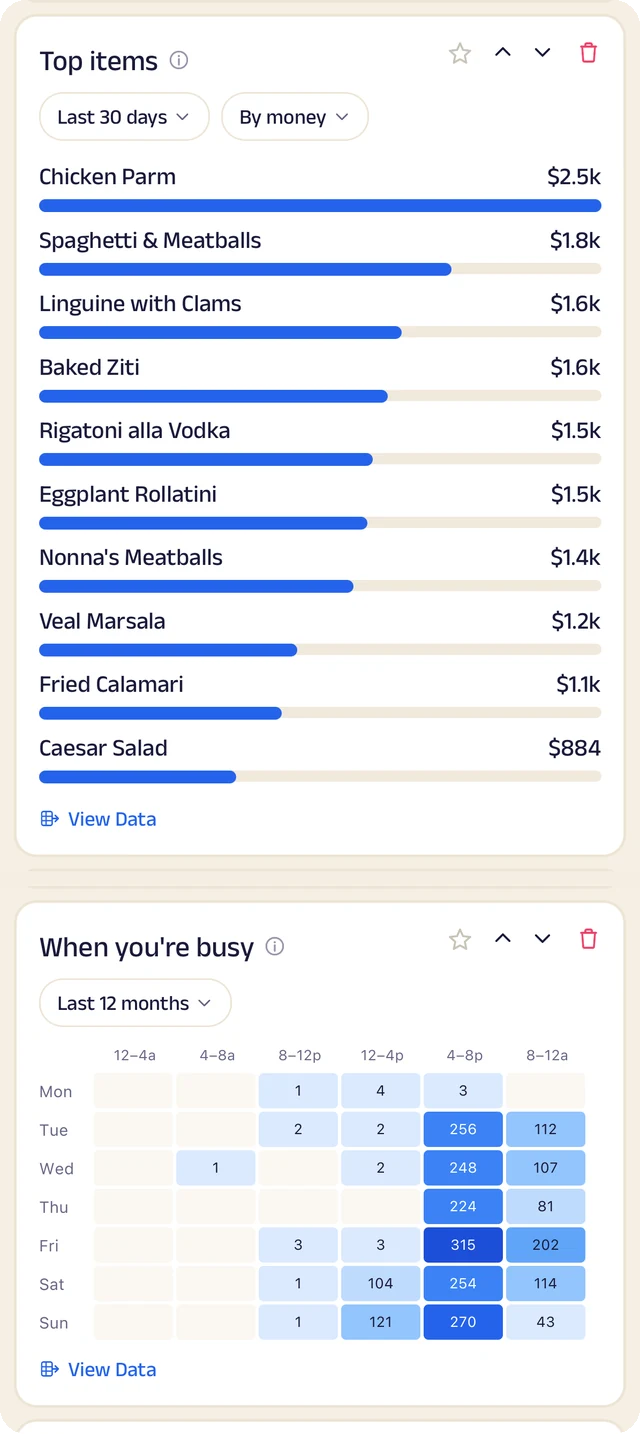
What sells
What sells, and the hours you're busiest.
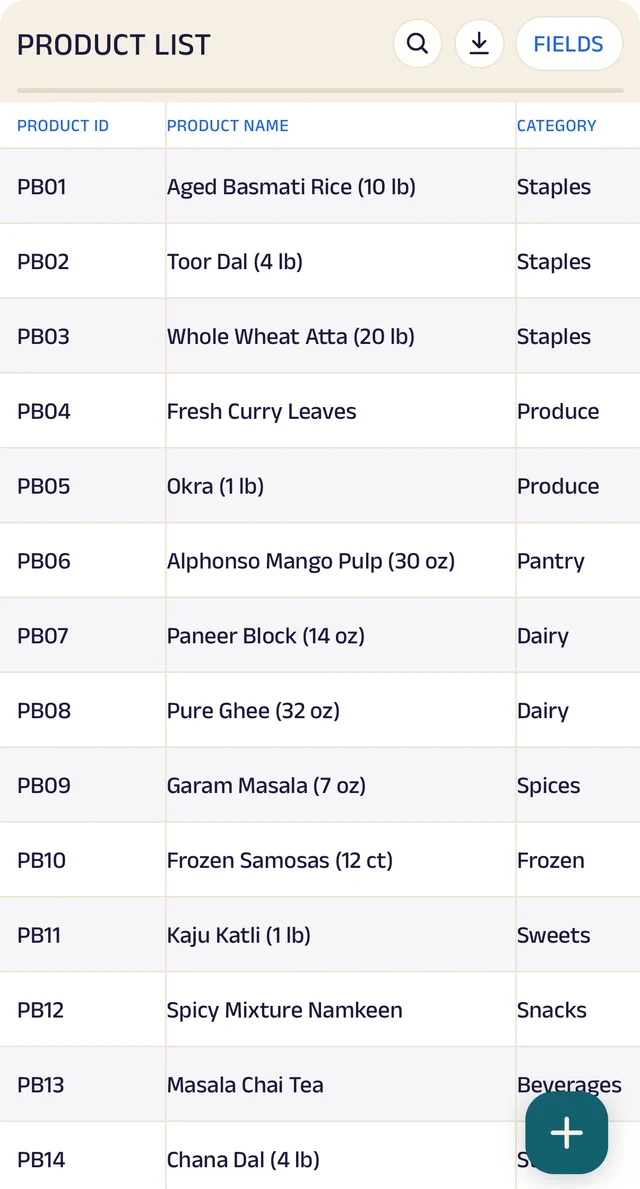
Products
Your products, with codes, names and categories.
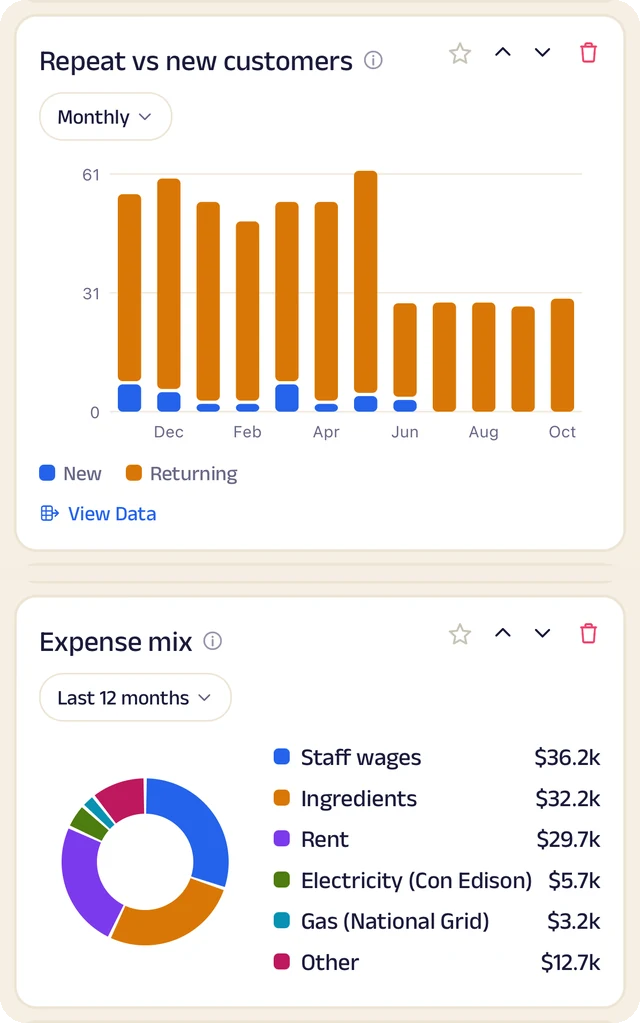
Members and costs
Repeat against new members, and where the money goes.
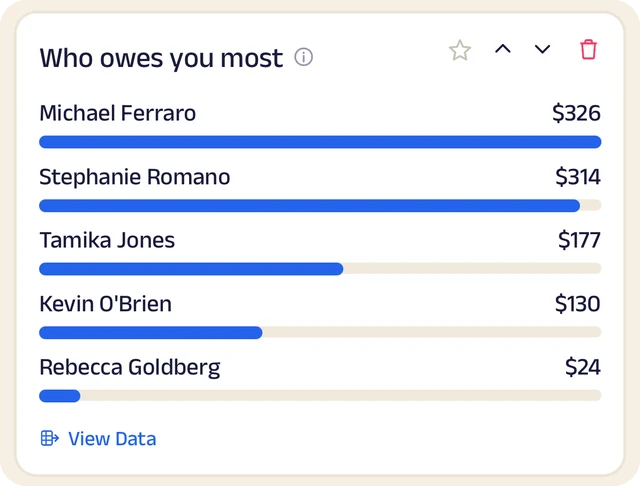
Who owes most
Who owes you the most, ranked.
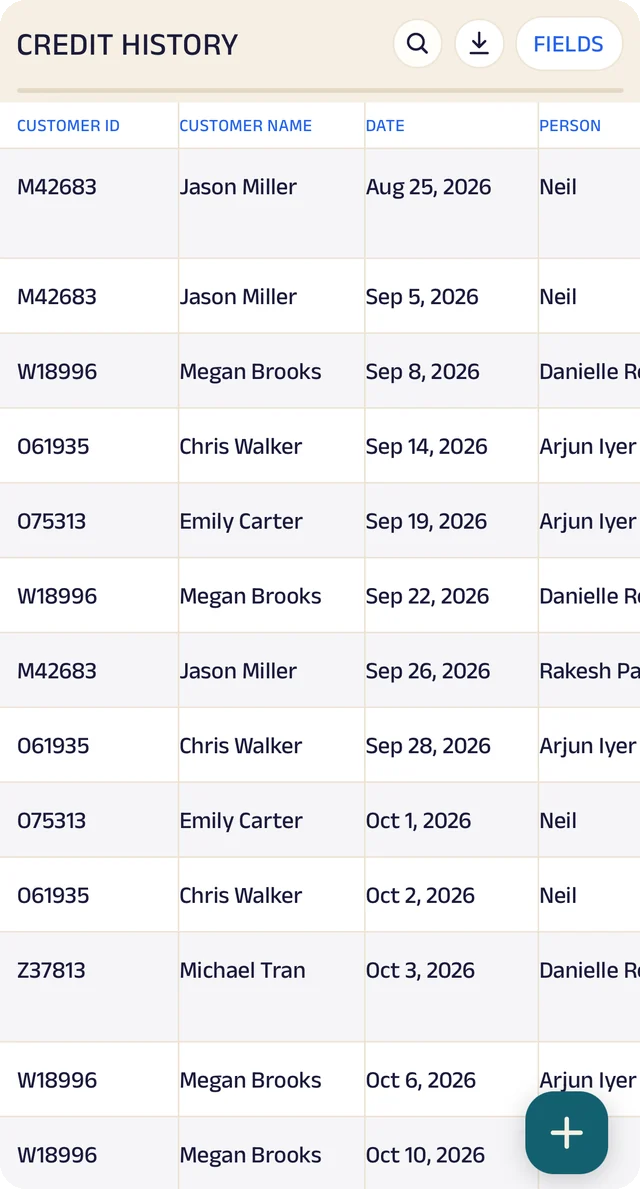
Credit history
Every credit entry as a table you can search.
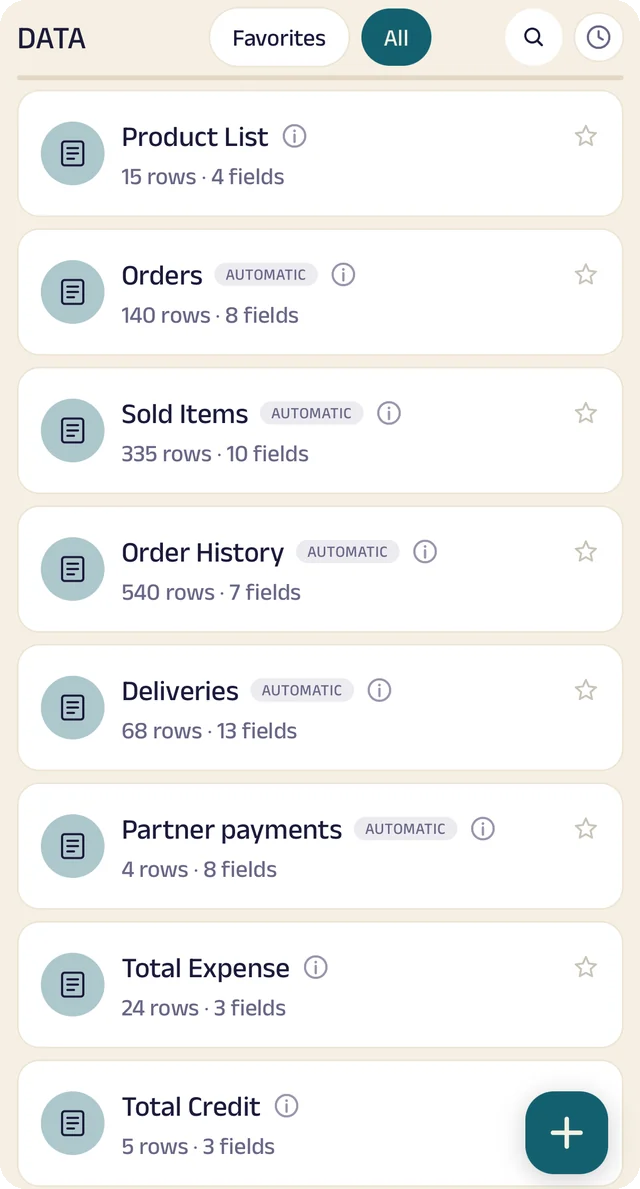
Your tables
Every table in one menu, each with its row count.
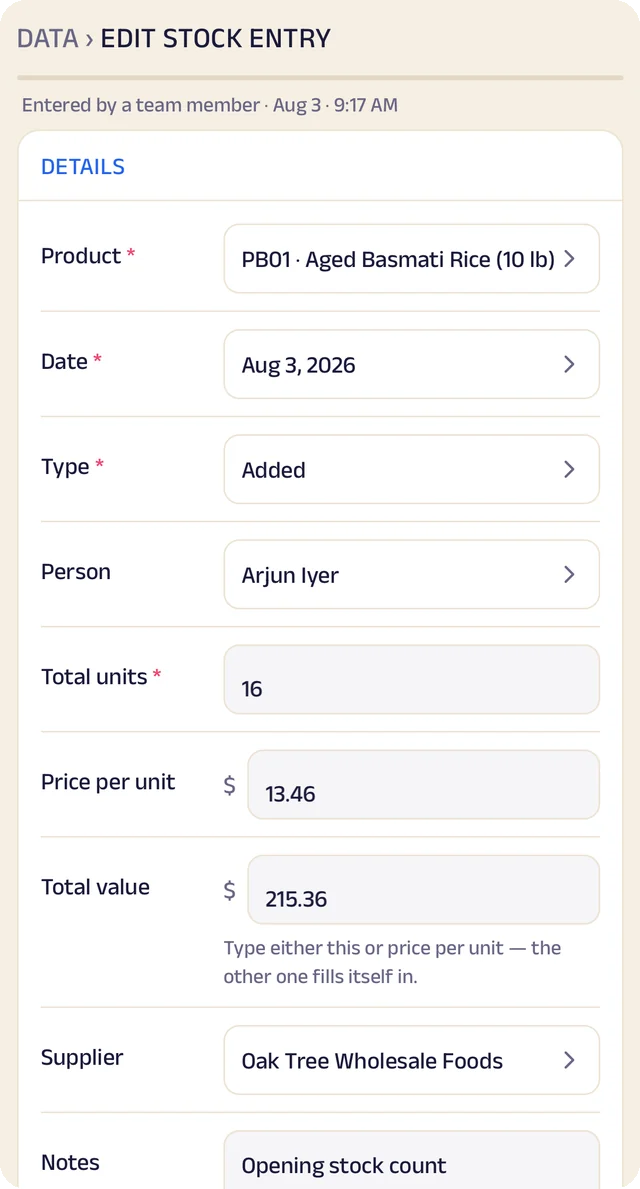
Stock entry
A stock entry: what came in, at what cost, from whom.
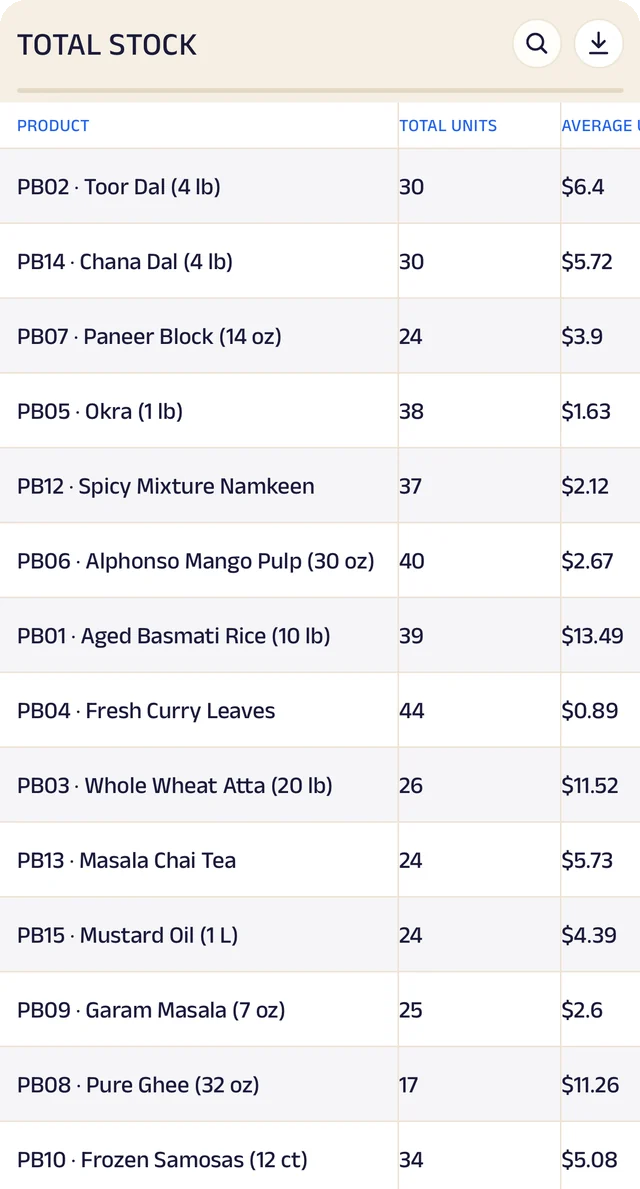
Total stock
Total stock and its average cost, worked out for you.
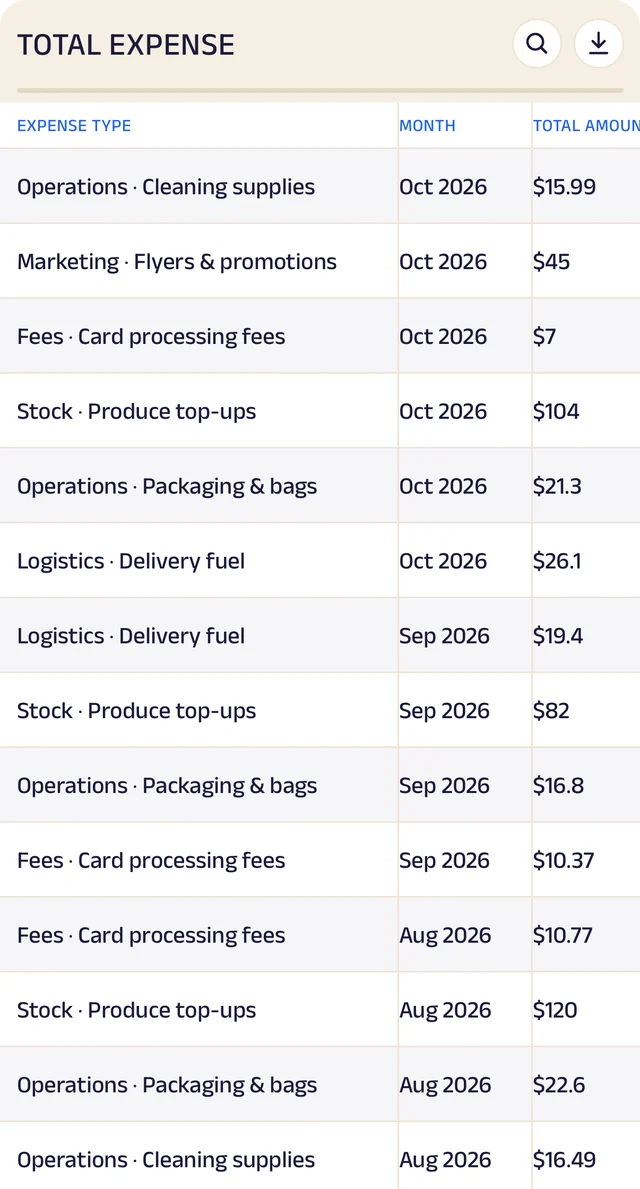
Expenses
Expenses as a table, ready to search or download.
Product stock
List the products you sell once, record what comes in with its cost and supplier, and let sales take it out. A barcode or product code finds anything in seconds.
Credit ledger
Credit given to regulars is written down properly. Members see the same balance you do, and you always know who owes you most.
Member management
Every member has a record the right people can see and add to, with notes, photos and who looks after them.
Analytics
Thirty charts across sales, money and stock. See your busiest hours, what sells, and repeat against new members, for this week, month or year.
Your data, yours to take
Every table in the app is searchable and can be downloaded as a CSV for your accountant or your own spreadsheet.
The Assistant
Say an order out loud or photograph a bill and it becomes a record for you to review. Nothing is saved until you approve it.
Everything here is on the Businesses page in detail, with the app's real screens. See the Businesses page
Join the pilot
Set up your studio's page.
The US pilot starts in January 2027. The pilot is completely free. After it, you can start free: the Free plan covers 30 orders a month, with every feature open (the AI Assistant is free during the pilot, then on paid plans). When you need more, plans start at $10 a month, based on how many orders or bookings you handle. There's no commission and no per-order fee, and as a pilot member you lock in your rate. Setup and training are free.
Free
$0
30 orders or bookings a month
Starter
$10 a month
Up to 100 orders or bookings a month
Growth
$25 a month
Up to 300 orders or bookings a month
Pro
$50 a month
Up to 1,000 orders or bookings a month
Every feature is open on every plan. The AI Assistant is free for everyone during the pilot, then comes with paid plans. Every order counts. Prices include sales tax. More than 1,000 a month, or 5 or more people on your team? We'll agree a plan with you.