
For salons, barbers and beauty studios
Your salon's own page, in one link.
Clients book a chair, join the walk-in list, see your work and message you from one page that carries your name, your colors and a QR code for the door. It isn't a marketplace, and we take no cut of what you earn.
The pilot is completely free. After it, free to start: 30 orders a month, no card. Paid plans from $10 a month. No cut of your sales.

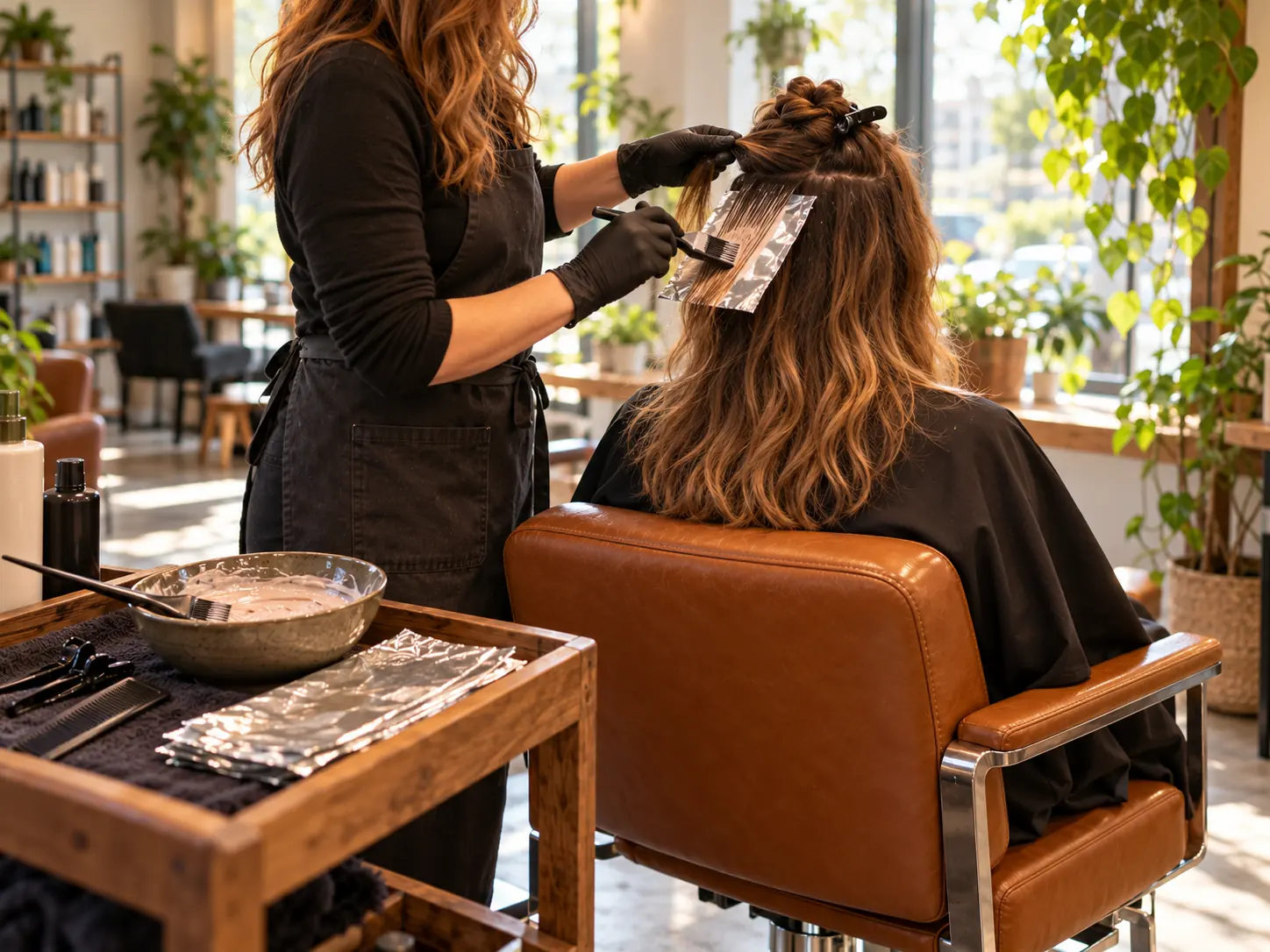

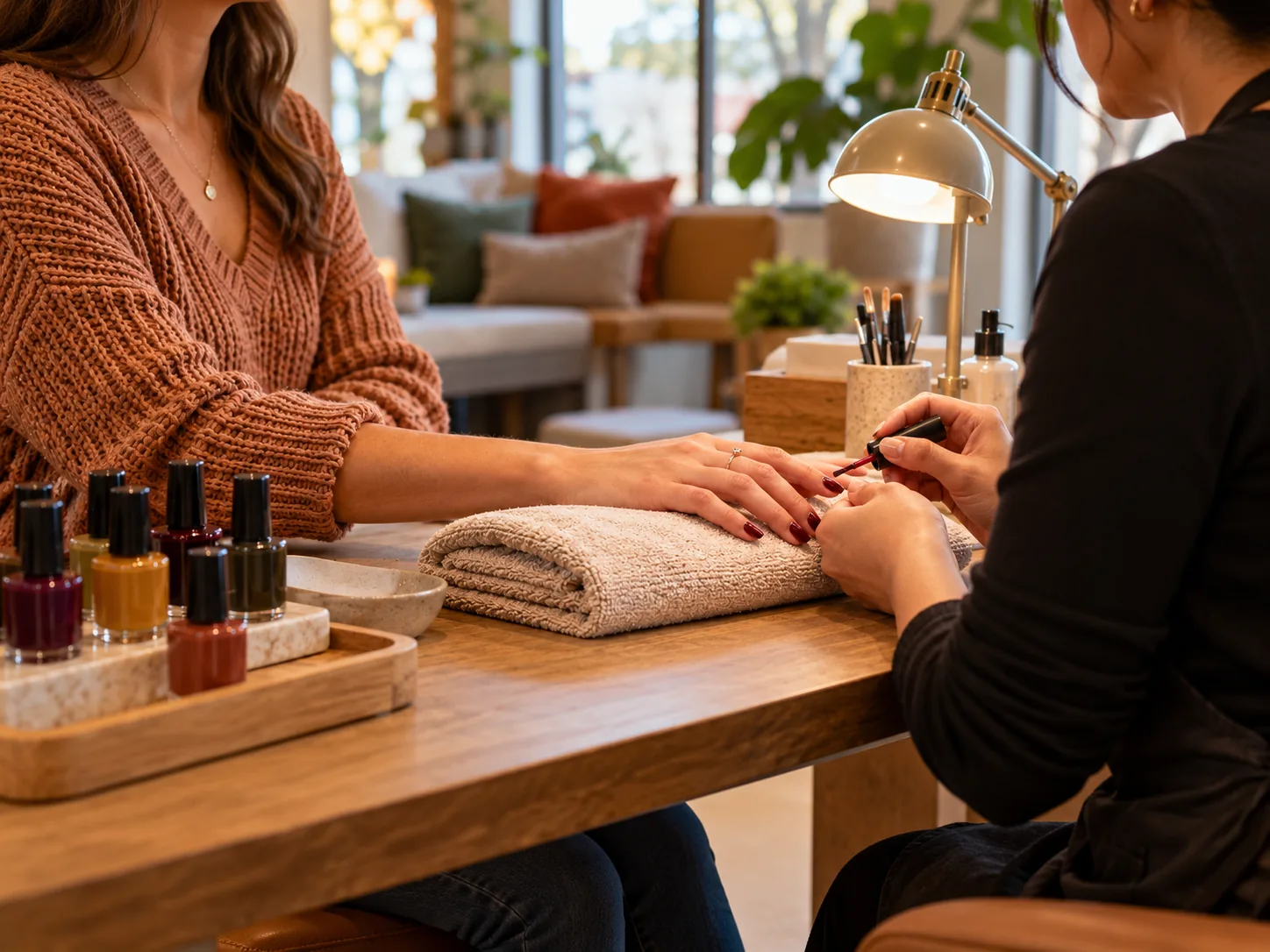

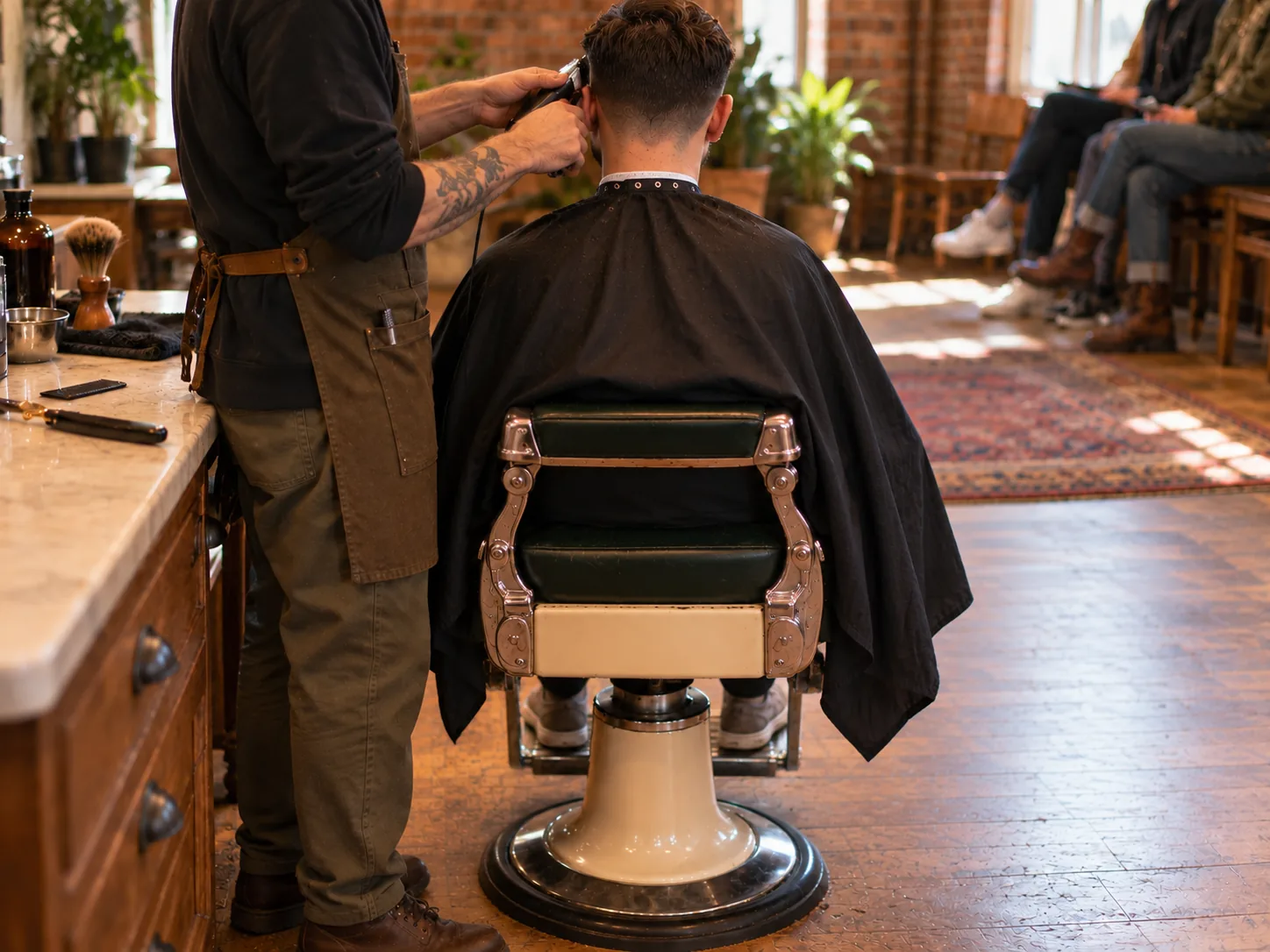

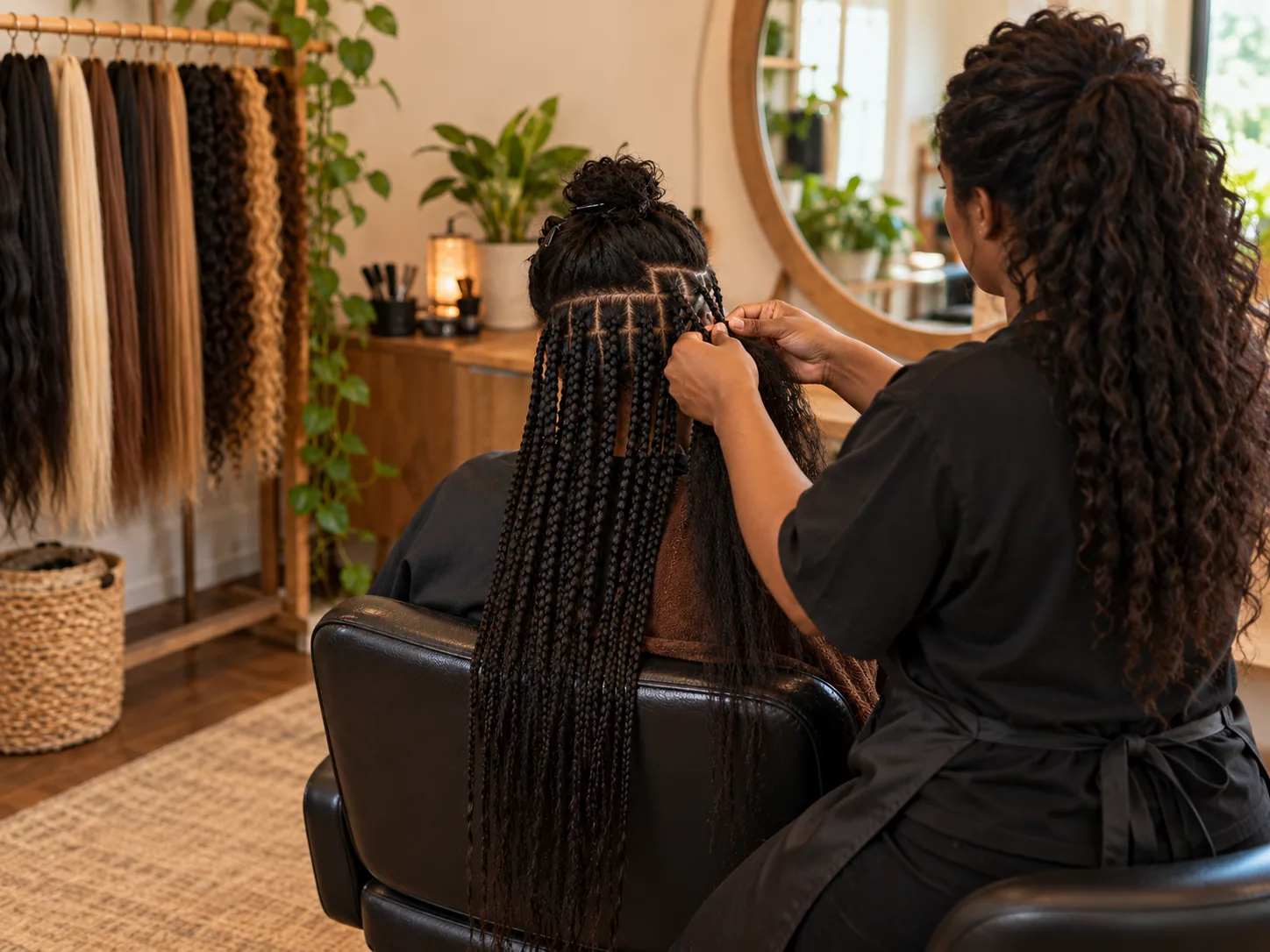





Pick a salon to see its page. These are demonstration businesses built on Zich World. Each one chose different gadgets for how it works. Open any of them live.
Hair salon
Bloom Hair Studio
A hair salon that books every chair, color and consult from one page.
Color appointments used to start with a guess: what did we use last time, and how much did it lift? Now every client has a color card with their formula on it, and anyone booking a big color service fills in a color consult first, so the stylist walks in already knowing the plan.
Clients book a chair themselves straight from the services list, which shows what each cut, color and treatment costs and how long it takes. New clients are greeted with a gloss offer, Bloom Club rewards the regulars, and after each visit clients rate their visit honestly. Questions about products or which service to book go to a stylist in chat. A small Ballard salon now runs consults, client records and a loyalty club the way a big salon group does.


Appointment. Clients pick a stylist, a service and a time, so the front desk stops juggling calls between foils.
Gadgets at work
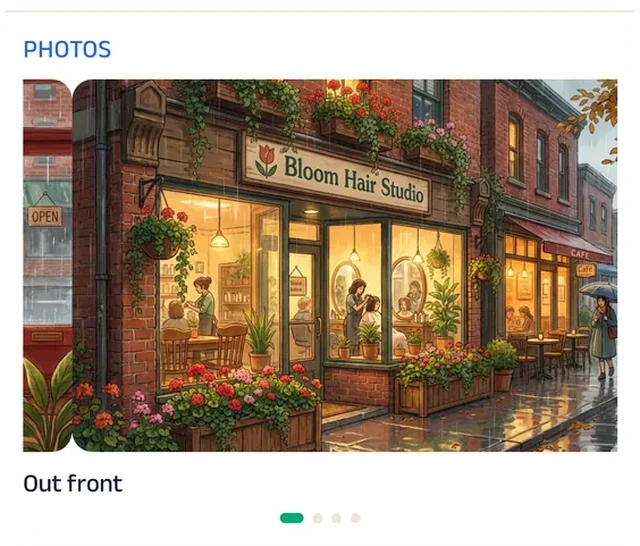
Photo gallery
The gallery opens on the storefront, so first-timers know the door they're looking for before they walk in.
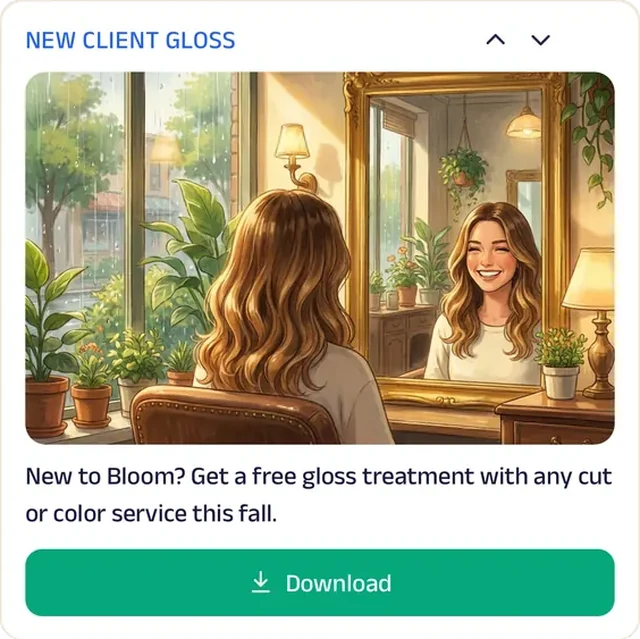
Promotion
New clients see the welcome offer up front, so trying a new salon feels like less of a gamble.
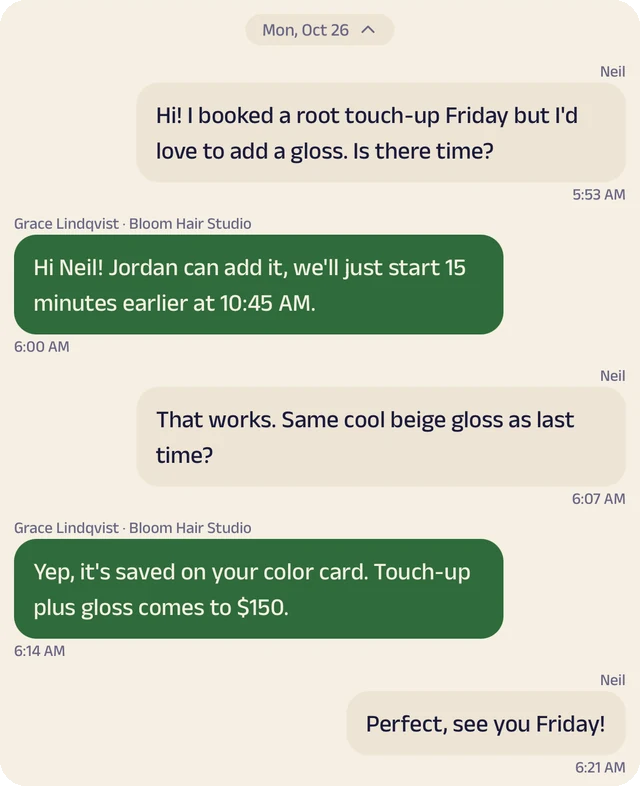
Chat
Clients ask which service to book or which product to use at home, and a stylist replies.
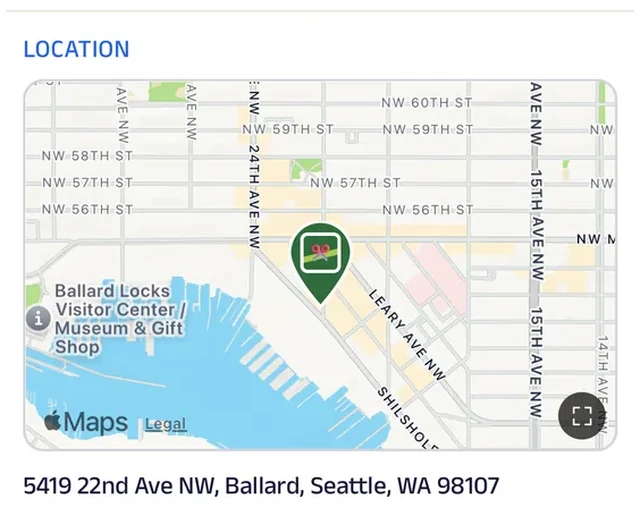
Location
The salon is pinned on the map just off Ballard Avenue, so first-timers find the door instead of circling the block.
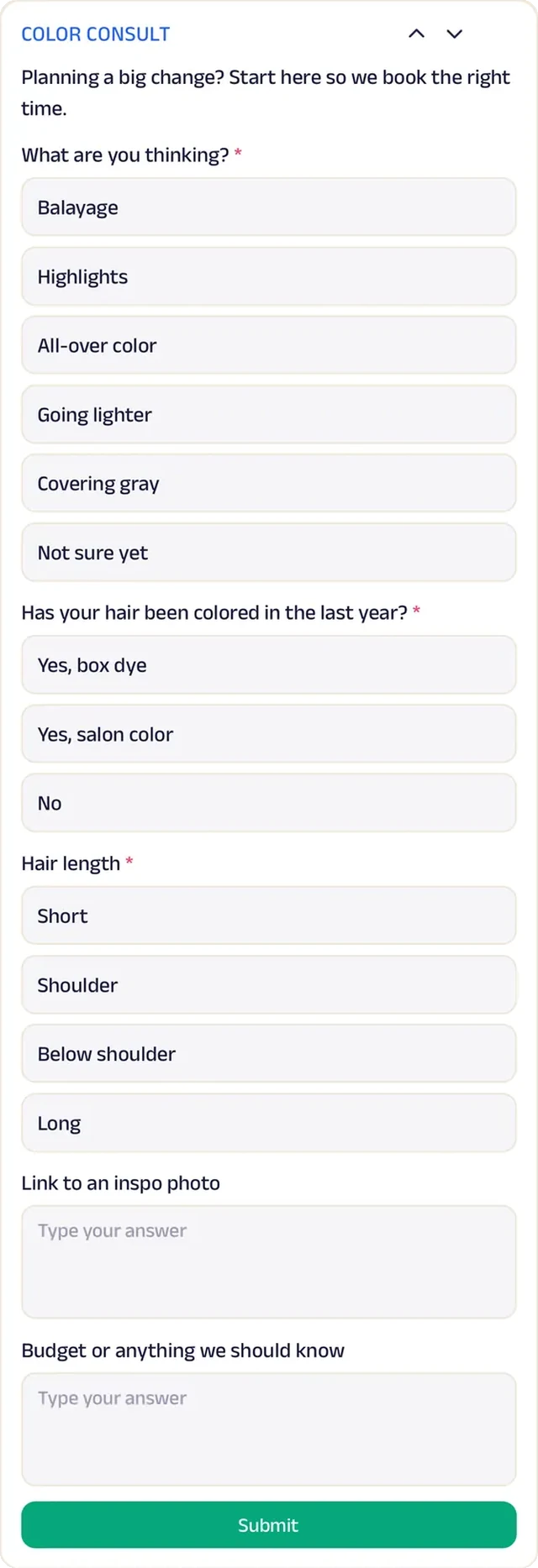
Forms
Before any big color service, clients describe their hair history and goals, so the stylist knows what to mix before they sit down.
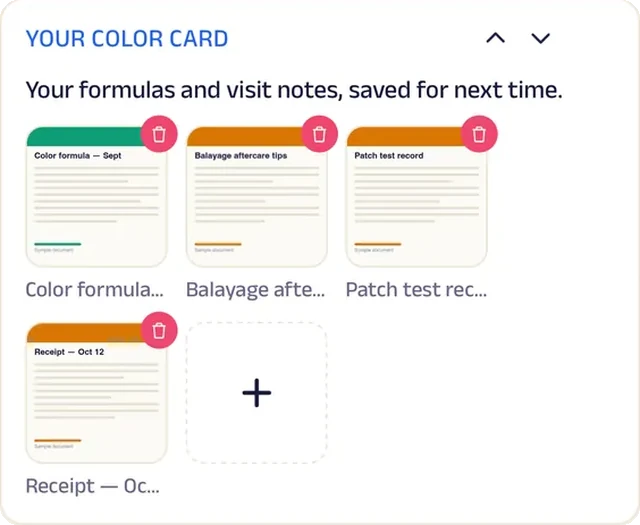
Add docs
Each client's formula lives on their color card, so the next touch-up matches last time exactly.
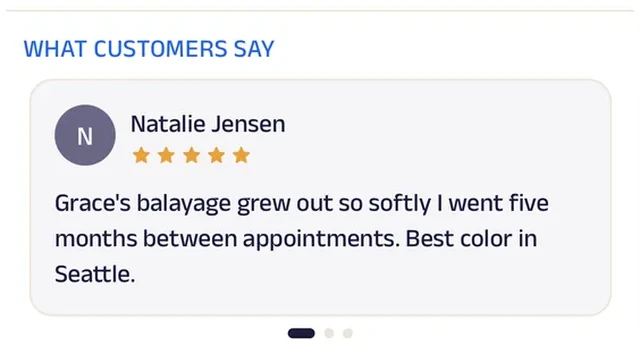
Reviews
Clients write about color that grew out gracefully, which is exactly what someone switching salons wants to read.
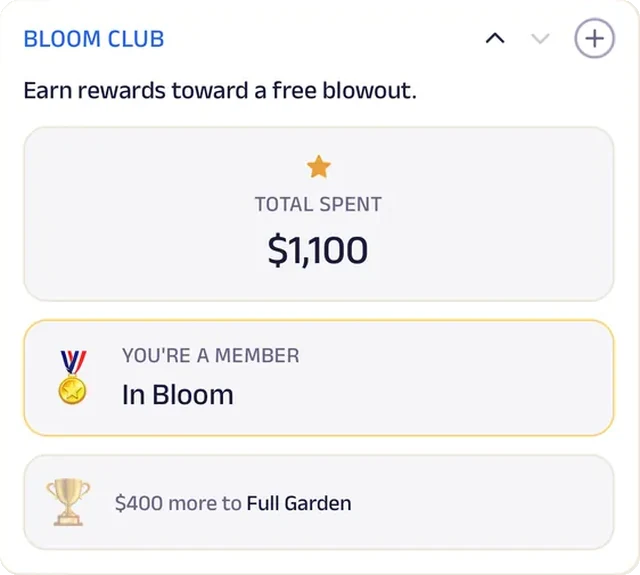
Loyalty
Bloom Club counts every visit and rewards the regulars who come back for every cut and color.
Nail salon
Polished Nail Lounge
A nail salon where walk-ins wait down the block, not in the lounge.
On a Saturday, walk-ins used to fill every chair in the lounge while they waited. Now they join the line from their phone, grab a sweet tea down the block and come back when their chair is ready. Regulars book their set ahead, so walk-ins and appointments share the day without a crowd.
The nail menu lists every service and add-on, so clients settle on a set before they sit down. Fall color week sits on the Start tab, Polished Perks badges count every visit, and aftercare tips are there after the appointment. Clients text the lounge about colors or wait times, and after each visit Tasha reads how it went. A one-room lounge now runs a walk-in line and a booking calendar like a salon with a full front desk.


Queue. Walk-ins hop in the line from their phone, grab a sweet tea down the block and come back when their chair is ready.
Gadgets at work
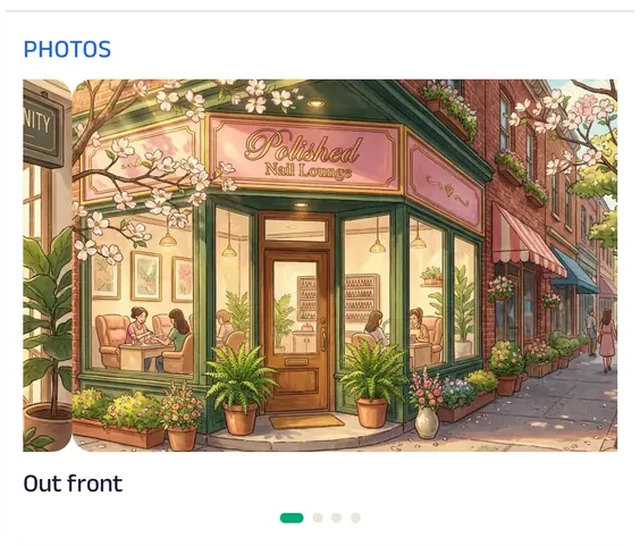
Photo gallery
The gallery opens on the lounge's storefront, so clients know what to look for before they arrive.
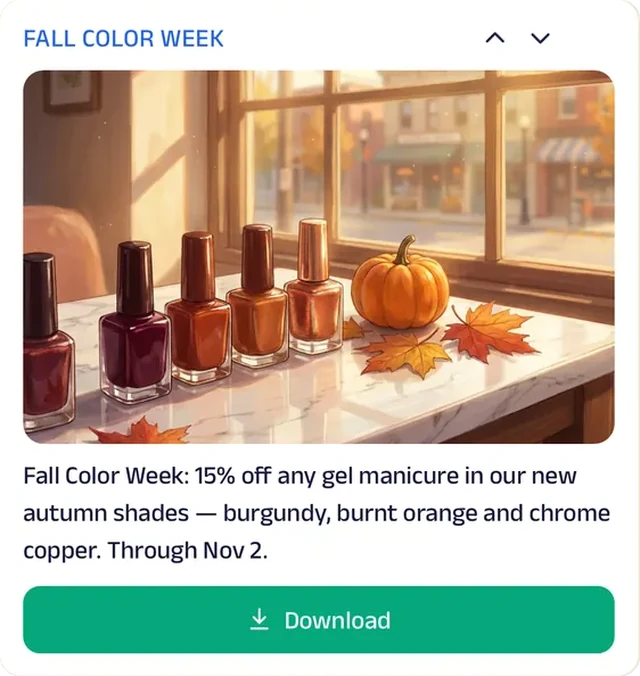
Promotion
Fall color week puts the season's shades on every client's Start tab.
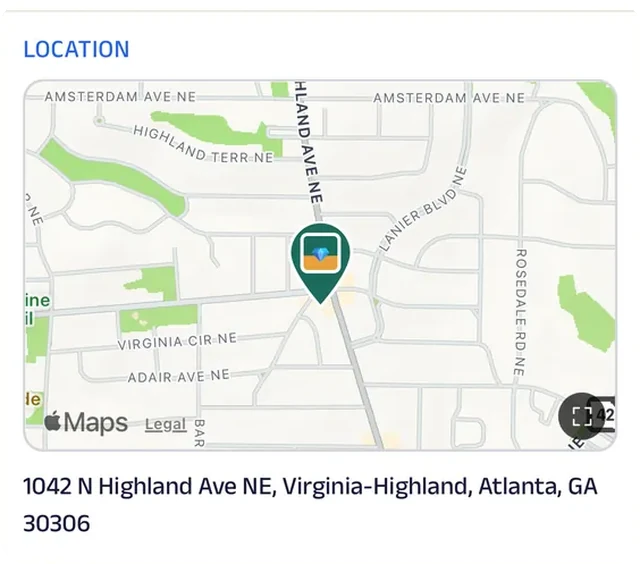
Location
The lounge is pinned on the map, so walk-ins waiting down the block know exactly how far they are from their chair.
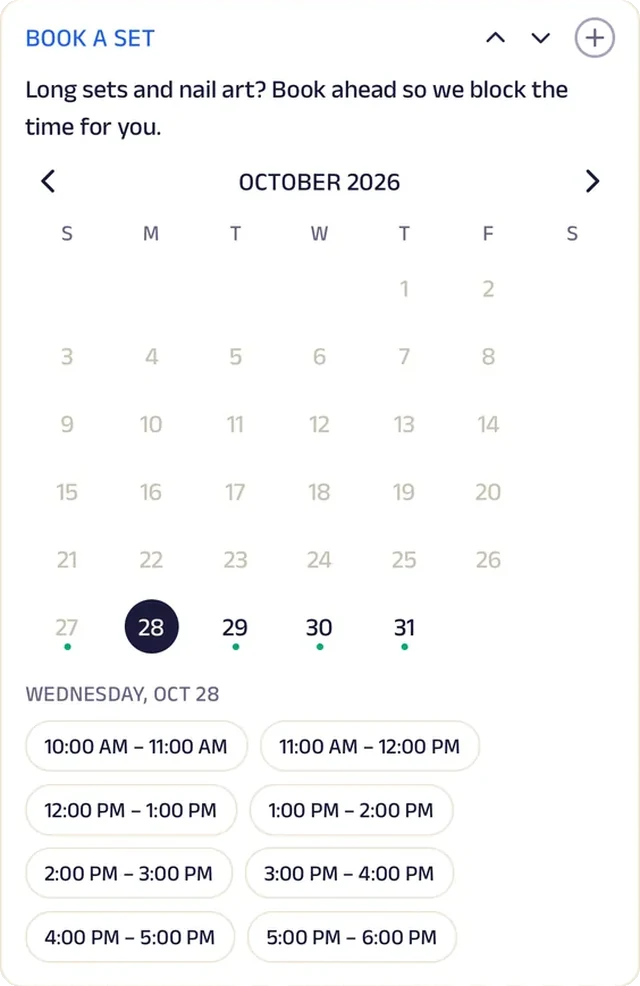
Appointment
Regulars book their set or pedicure ahead, while walk-ins fill the gaps.
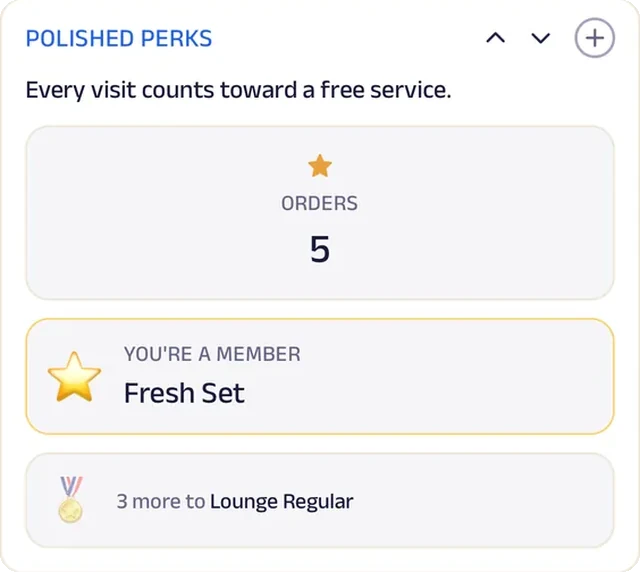
Loyalty
Polished Perks badges count every visit, whether it's a quick polish or a full set.
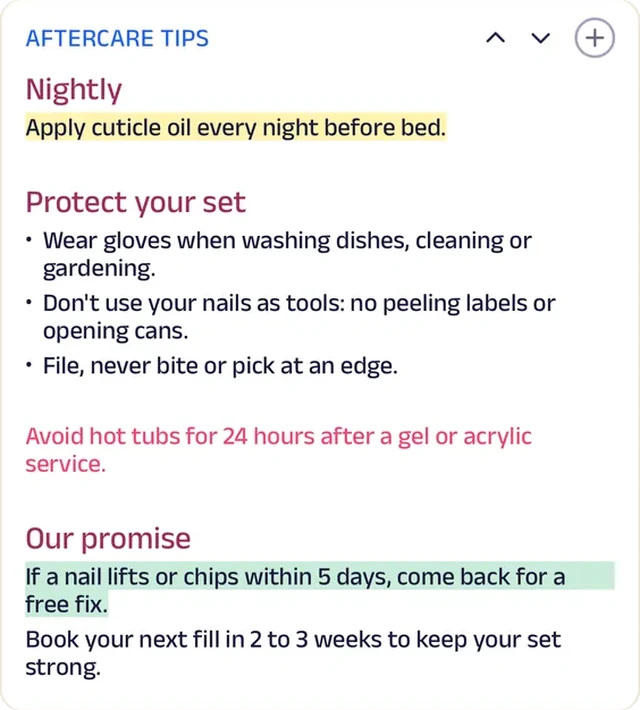
Custom text
Aftercare tips for gel and acrylic are always a tap away after the appointment.

Reviews
Clients write about joining the line from the car and clean French tips, the two things that decide where they go next.
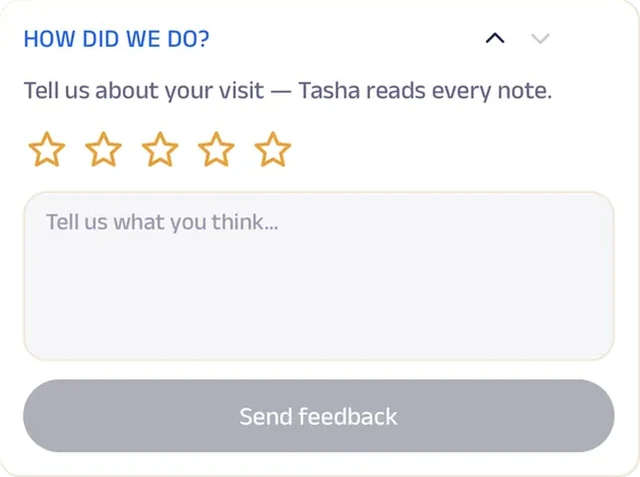
Feedback
After each visit, a short note goes straight to Tasha, who reads every one.
Barbershop
Fade Kings Barbershop
A barbershop where regulars join the line from their phone and walk in when it's their turn.
Saturday mornings used to mean a packed bench and an hour of waiting under the radio. Now customers join the line from their phone, finish their coffee at the bodega, and walk in when they're texted. Anyone who wants a set time books a fade instead.
Every cut is on the menu with its price, and "Your Usual" puts last visit's cut back in the cart. The Fresh Cut Club keeps regulars on a plan, the Kings Card rewards loyalty, and Father & Son Saturdays bring families in together. Questions about the line or a design go to the shop in chat. A four-chair barbershop now runs a virtual line, bookings and memberships like a big grooming chain.


Queue. Customers join the line from their phone, finish their coffee at the bodega, and come in when they're texted.
Gadgets at work
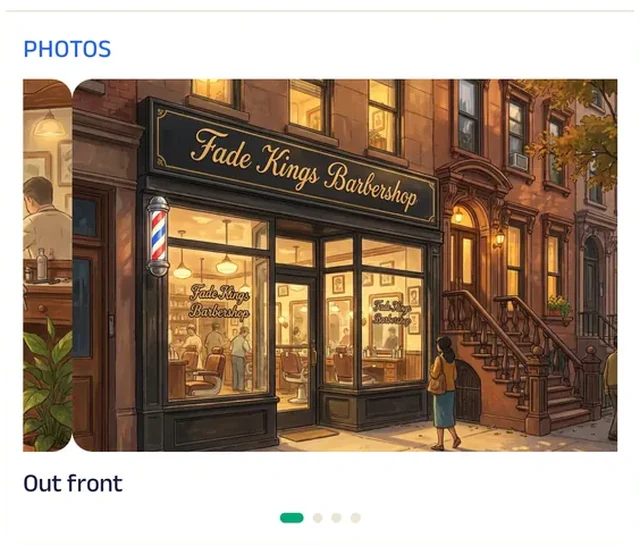
Photo gallery
The gallery opens on the shop's storefront, so customers know the door and the pole to look for.
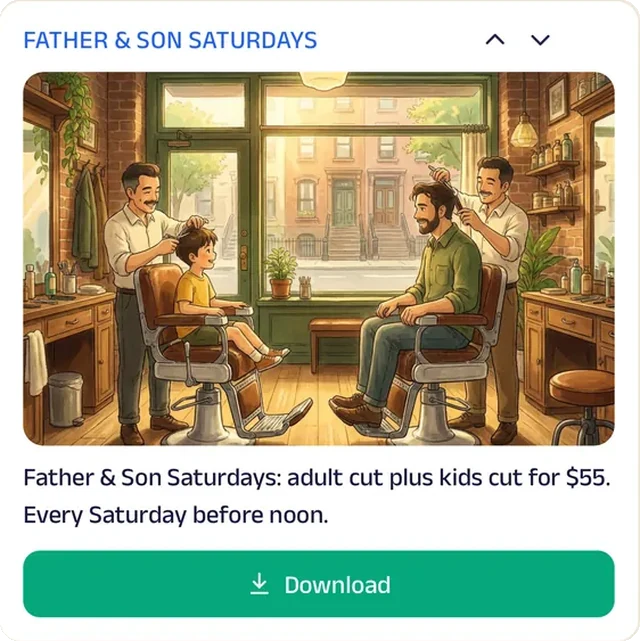
Promotion
Father & Son Saturdays bring dads and kids in for cuts together.
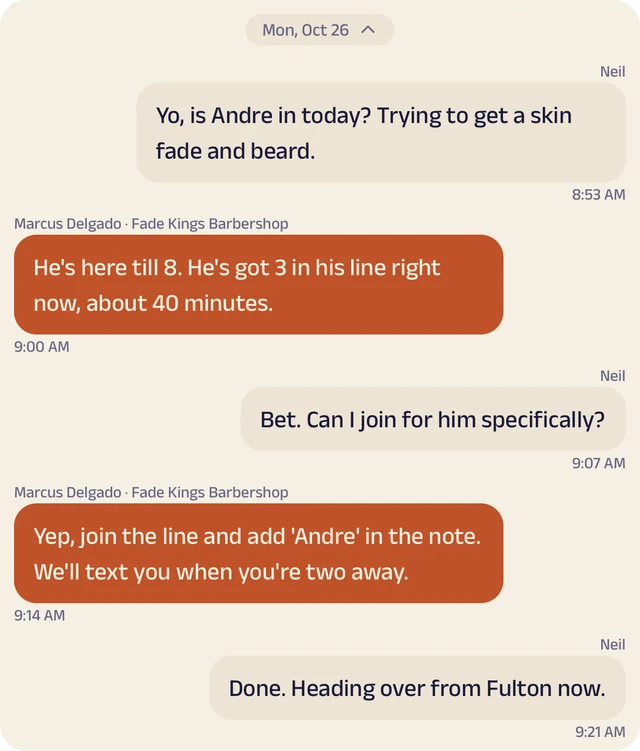
Chat
Customers ask about the line, their barber or a freestyle design.
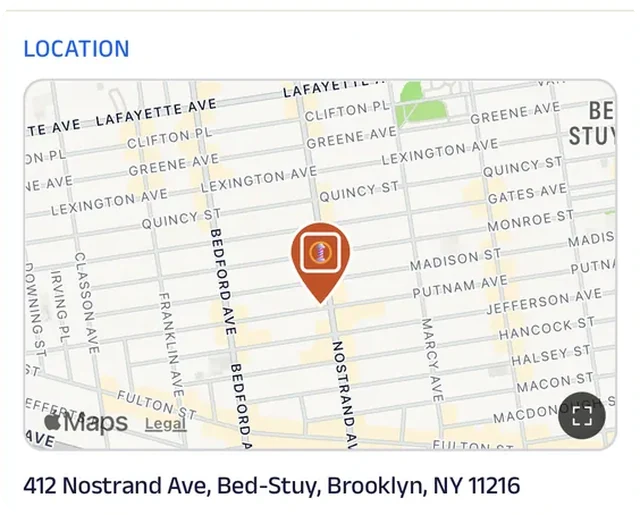
Location
The shop is pinned on the map, so anyone in the virtual line knows exactly where to walk when their turn comes.
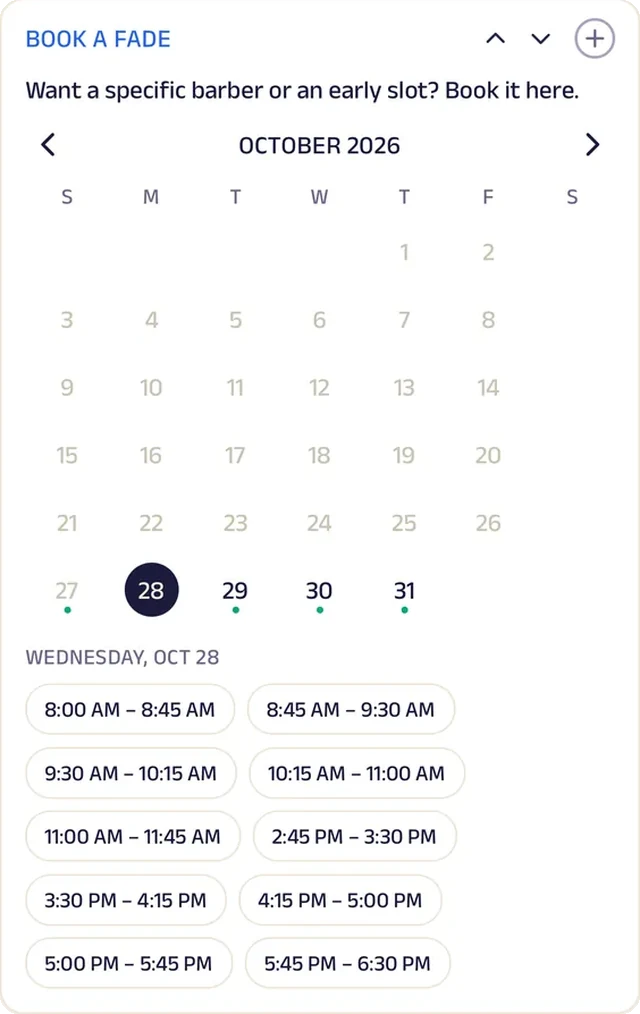
Appointment
Customers who want a set time book a fade instead of waiting in line.
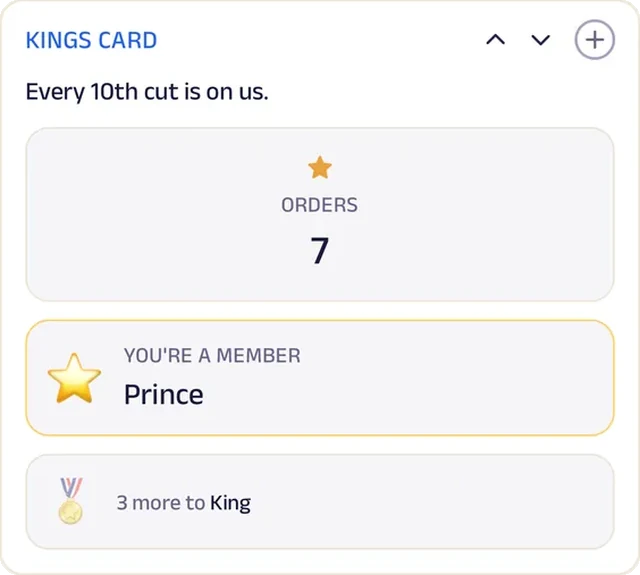
Loyalty
The Kings Card counts every cut, so regulars see the reward coming.
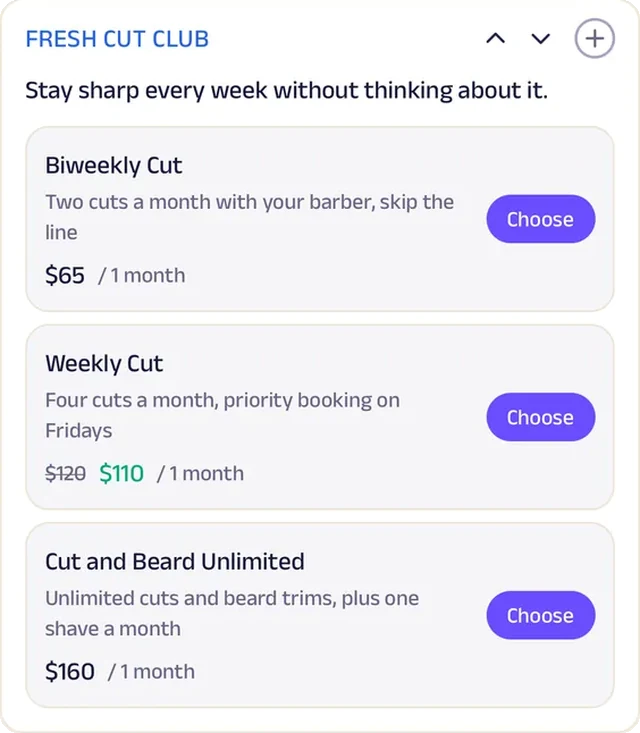
Subscriptions
A monthly cut membership keeps regulars sharp on a set schedule.
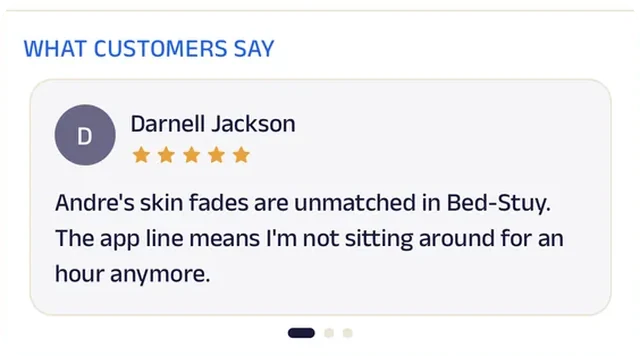
Reviews
Customers write about clean fades and short waits, which is what keeps a four-chair shop busy.
Braiding salon
Crown & Coil Braiding
A braiding salon where every style is booked, priced and planned before the client sits down.
Booking braids used to mean a long text thread: which style, what length, how many hours, and did you get the hair? Now clients pick their style and time in one booking, fill in a style consult with their length and color, and read how to prep their hair before they come in. Hair is included on most styles.
The style menu shows every style's cost and time up front, and a back-to-school poster fills the August calendar. After each appointment a braid care checklist helps the style last, and Crown Club rewards the clients who come back. Inspo pics go straight to Nia in chat. One braider now runs consults, care plans and a loyalty club like a full-size salon.


Appointment. Clients book the style and the time together, so the longest styles get the hours they need.
Gadgets at work
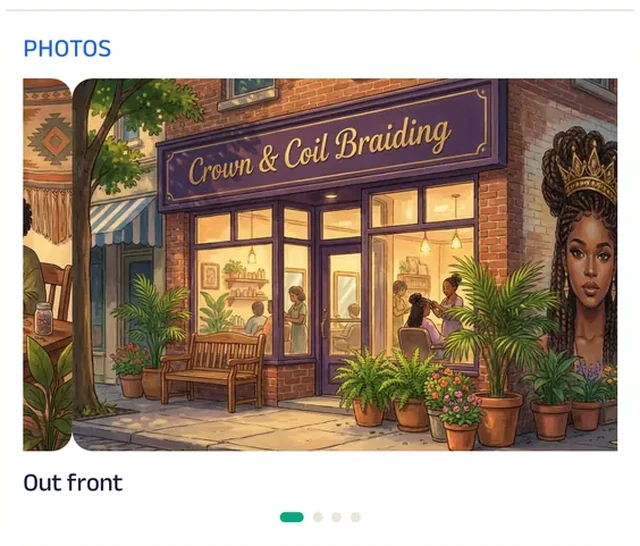
Photo gallery
The gallery opens on the studio's storefront, so clients know where they're headed before the appointment.
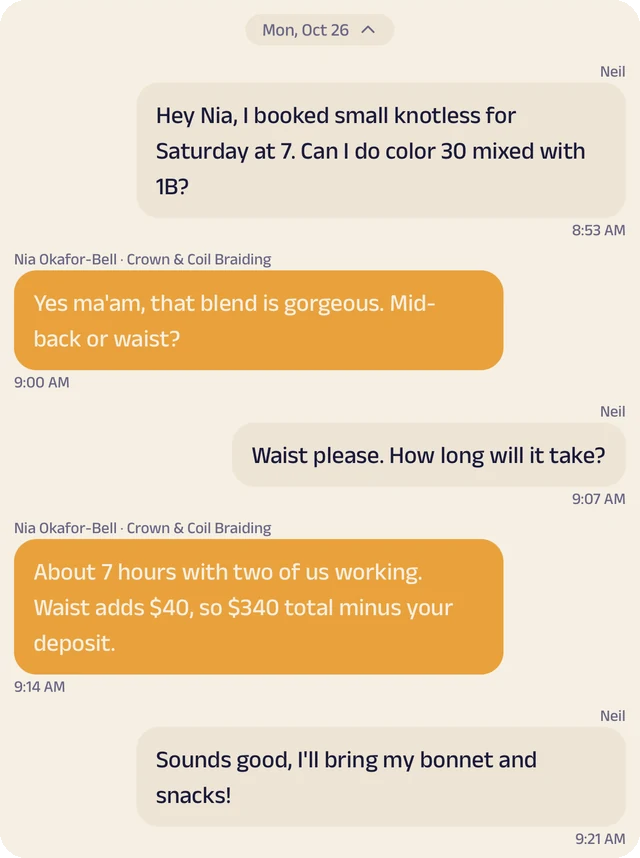
Chat
Clients send inspo pics or ask about length and color.
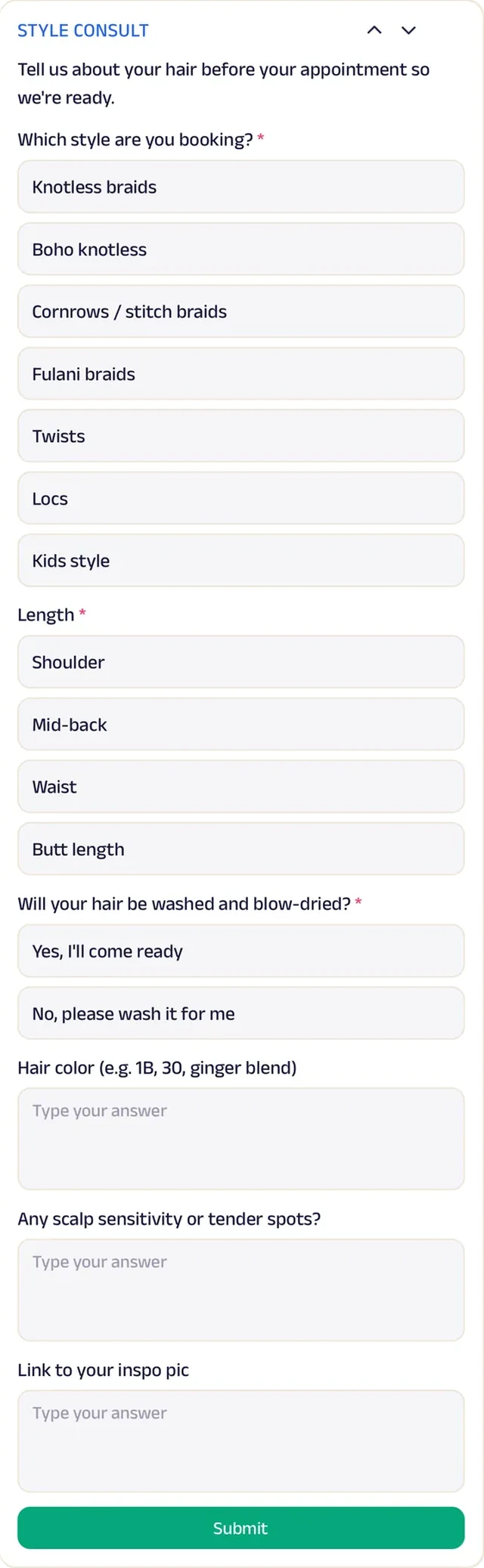
Forms
Clients share length, color and inspiration before the appointment, so there are no surprises in the chair.
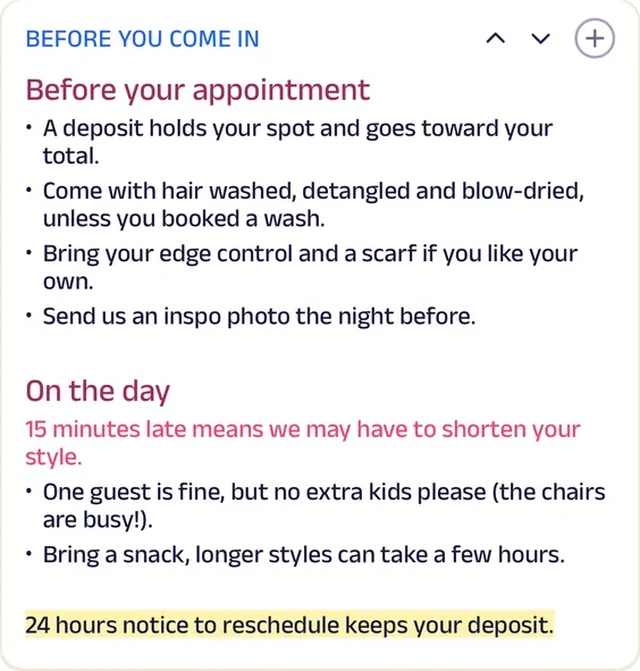
Custom text
Prep instructions are posted once, so every client arrives with hair ready to braid.
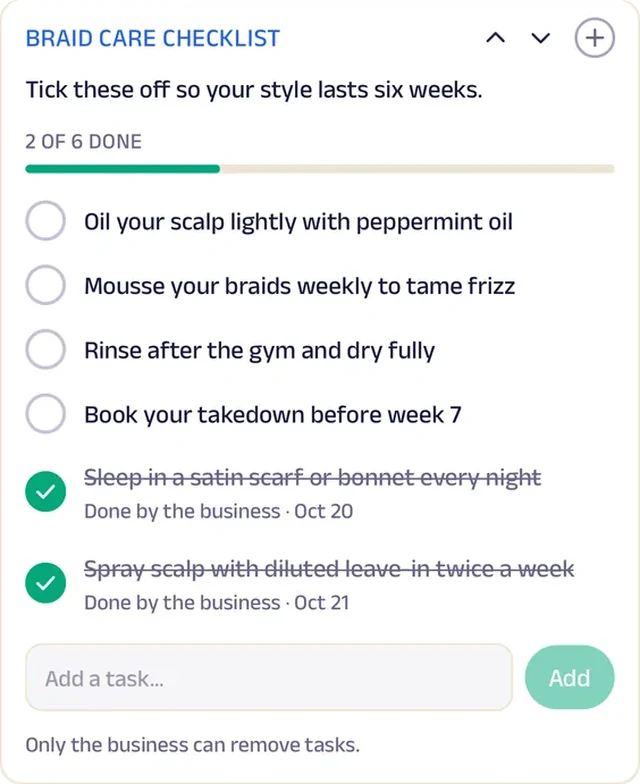
Tasks
A braid care checklist helps the style last after the client leaves.
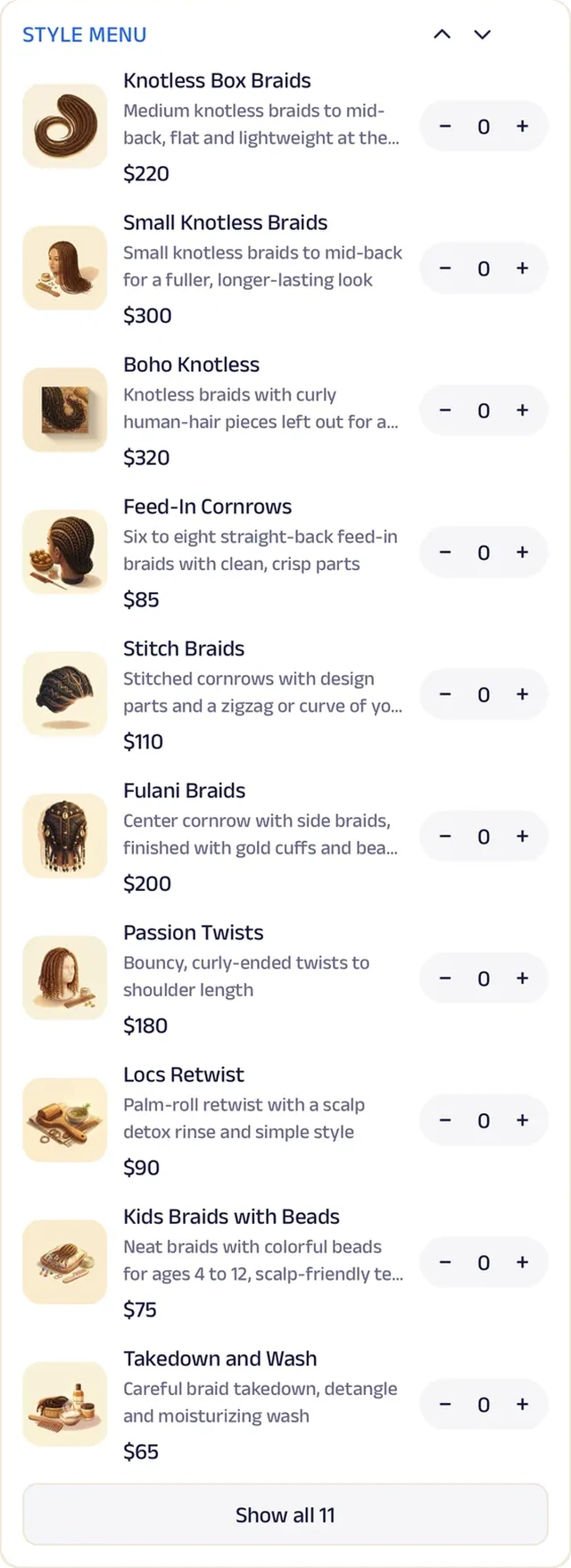
Menu order
Every style is listed with what it costs and how long it takes, so clients know the total before they book.
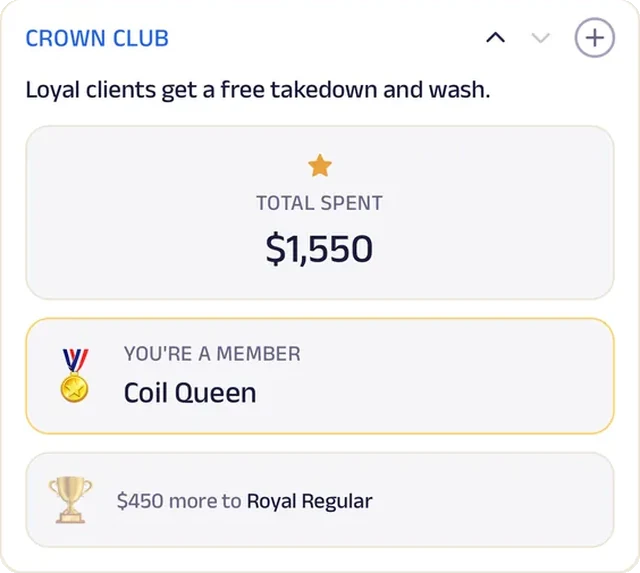
Loyalty
Crown Club rewards returning clients with a perk on their next appointment, so they don't drift to another braider.
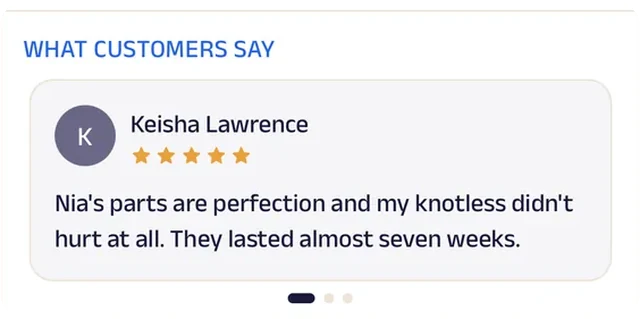
Reviews
Clients write about neat parts and styles that lasted, which is what a first-timer worries about.
Lash & brow
Luxe Lash Studio
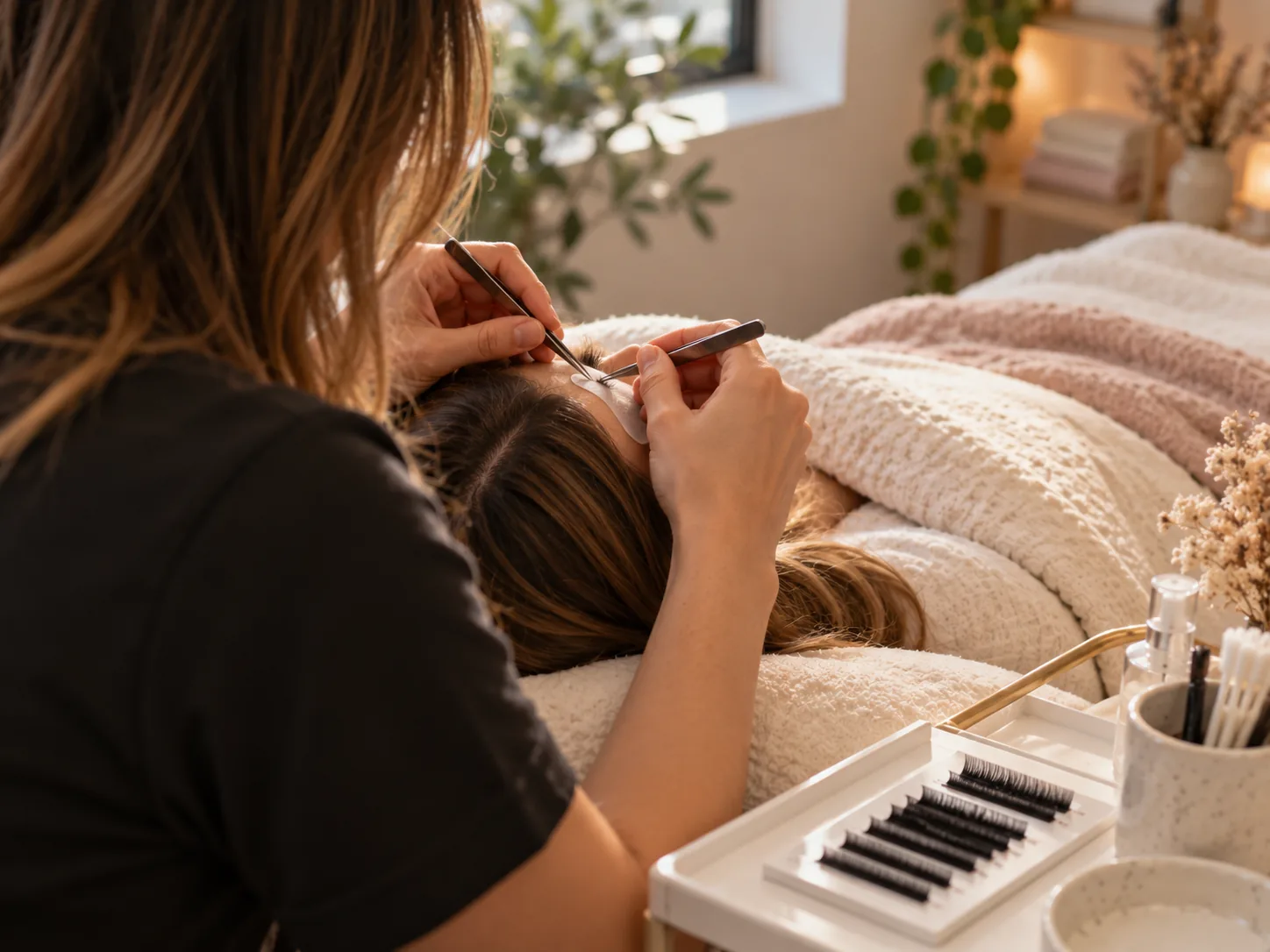
A lash studio that books the next fill before the last set grows out.
Booking used to happen in scattered DMs, and clients often waited too long between fills. Now they book a full set or a fill straight from the app, and a fill membership keeps the next appointment coming at a steady price. New clients fill in the intake form before they arrive, so the first set starts with allergies and the look they want already known.
Aftercare instructions sit on every client's Start tab, and the lash and brow menu explains each service, so clients know what they're booking before they lie down. Luxe Rewards badges count each visit, a refer-a-friend offer brings in new faces, and clients message the studio a photo when they're unsure about a fill. A one-artist suite on South Lamar now runs memberships, intake and referrals like a salon chain.


Appointment. Clients book a full set or a fill around their week, and most book the next fill before they leave the chair.
Gadgets at work
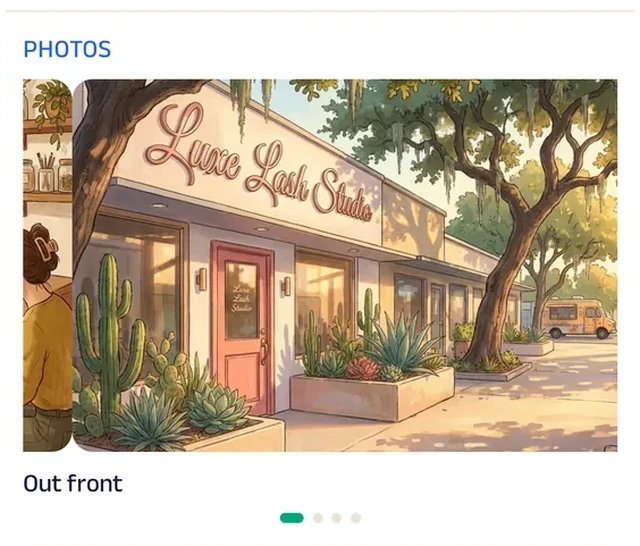
Photo gallery
The gallery opens on the studio's storefront, so new clients can spot it before their first set.
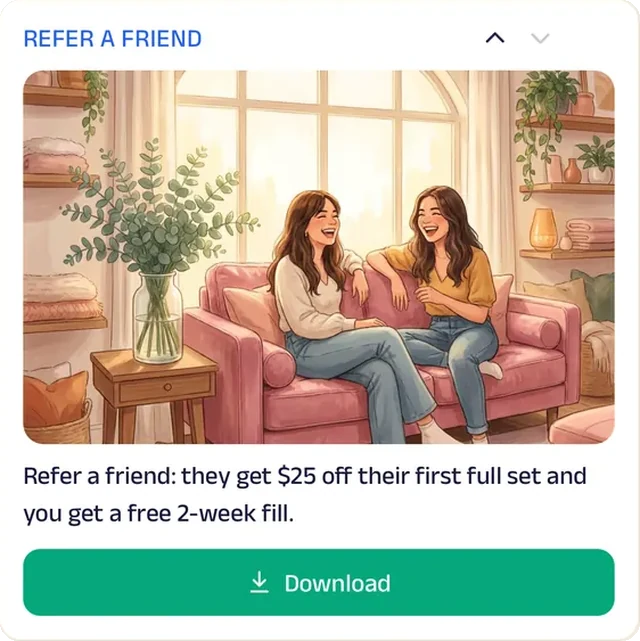
Promotion
A refer-a-friend offer brings in new clients through the people already wearing Luxe lashes.
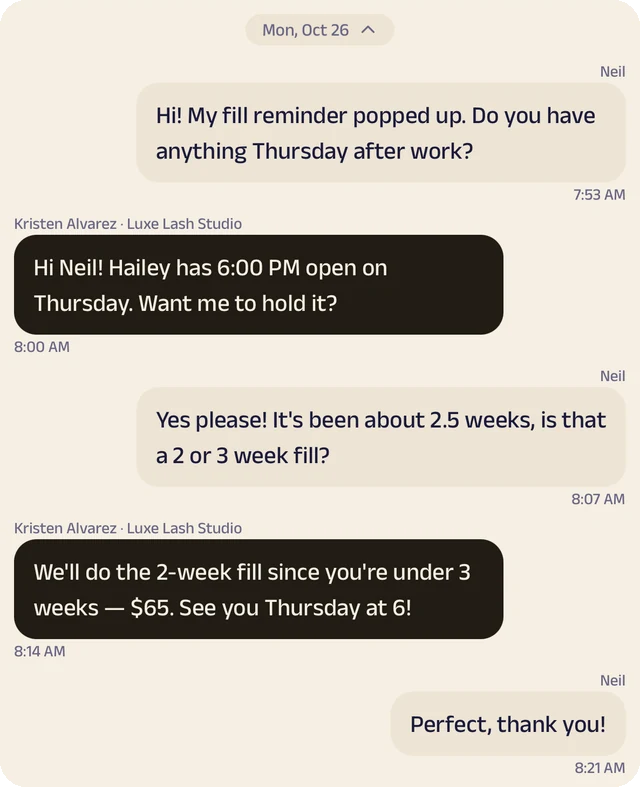
Chat
Clients send a photo of their lashes and ask whether it's time for a fill.
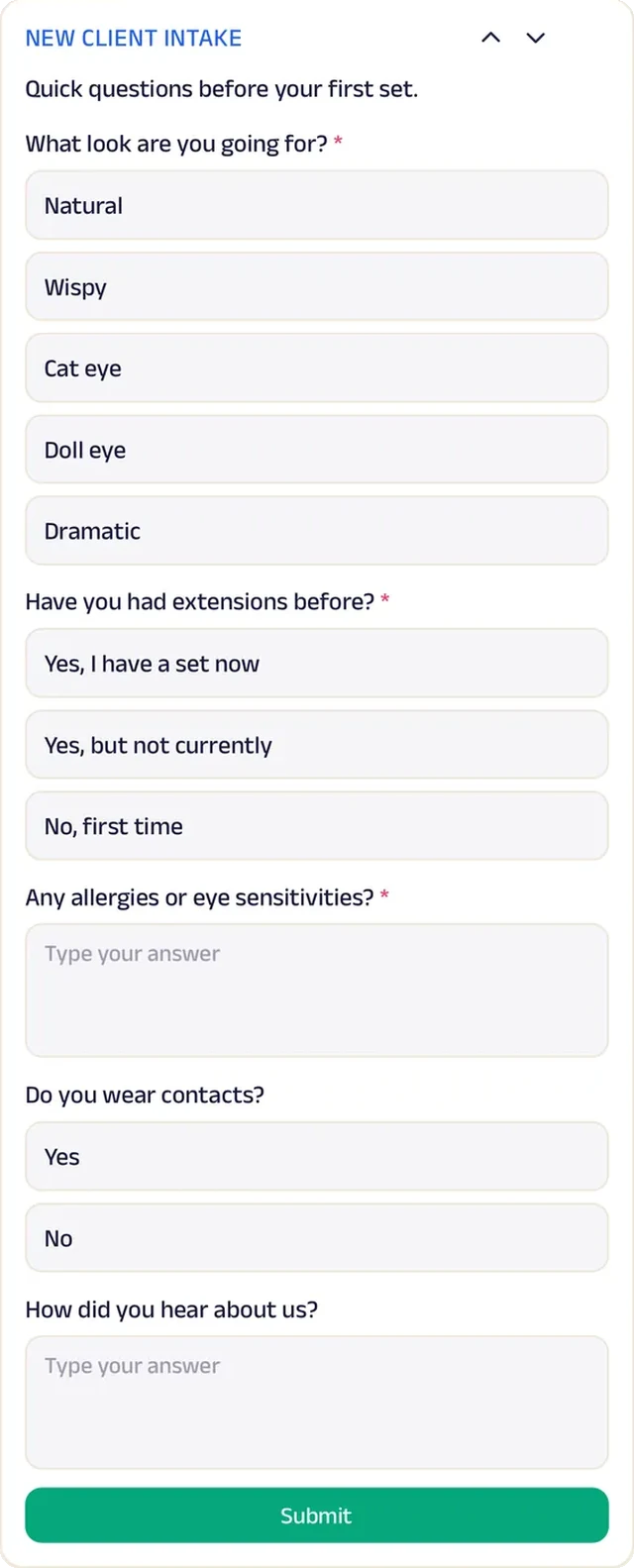
Forms
New clients share allergies, sensitivities and the look they want before their first full set.
Custom text
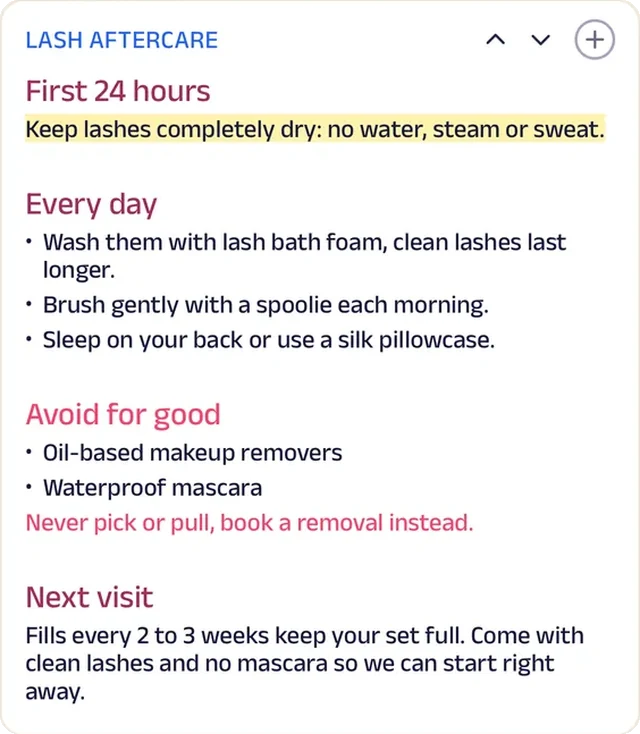
The aftercare rules for every new set sit on the client's Start tab instead of a card that gets lost.
Subscriptions
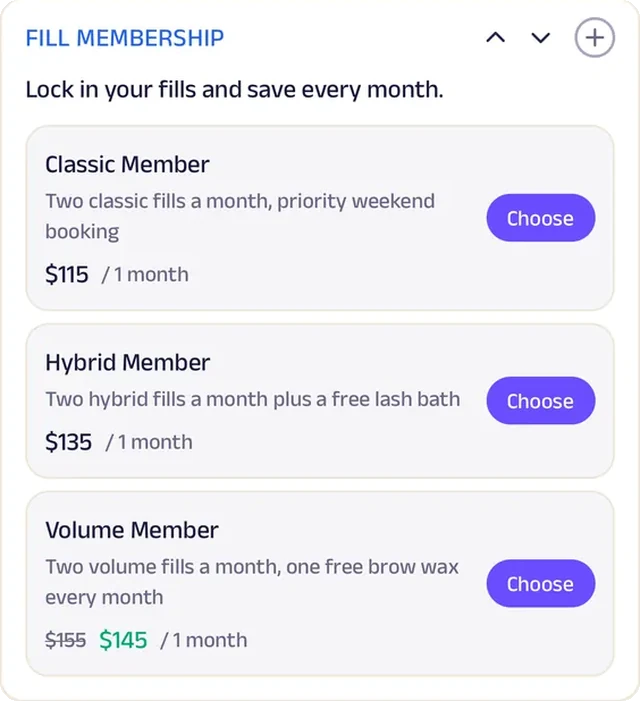
A fill membership keeps regular fills on the calendar at one steady price, so nobody hits the half-bare stage.
Loyalty
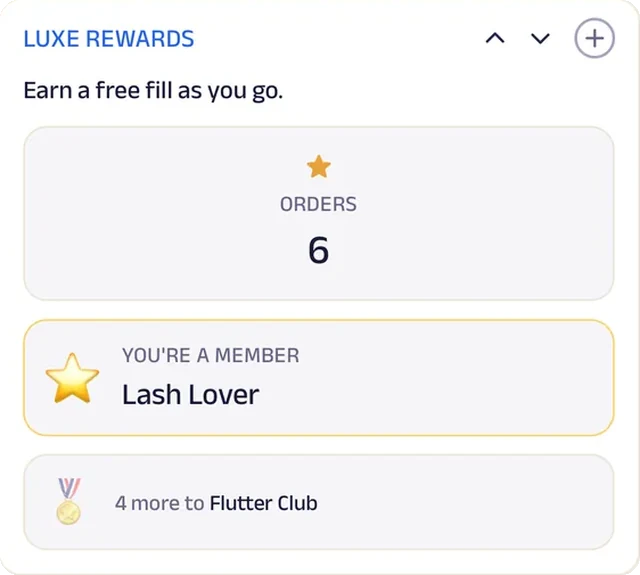
Luxe Rewards counts every visit toward a free fill.
Reviews
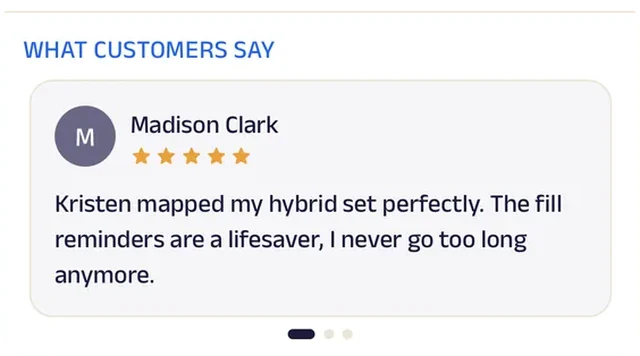
Clients write about a set mapped just right and fill reminders that keep them from going too long.
Skincare
Glow Skin Bar
A skincare studio that sets a goal and tracks every client's skin until it gets there.
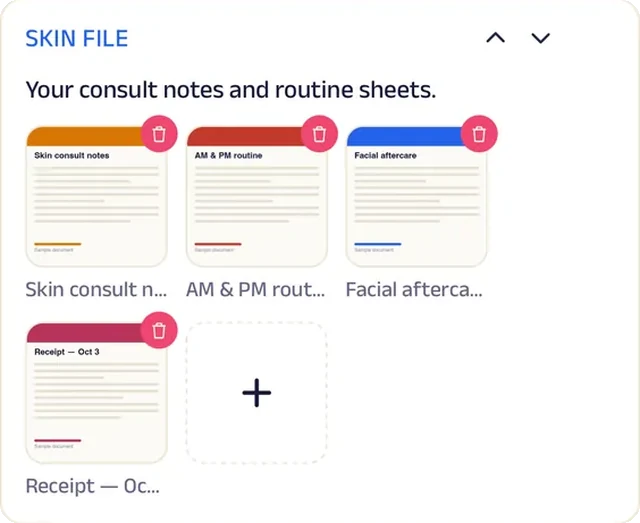
Facials used to feel nice and change nothing, because nobody tracked what happened between visits. Now every client sets a goal, logs their skin in a journal, and follows a daily routine checklist at home. Treatment notes and photos live in each client's skin file, so every appointment picks up where the last one left off.
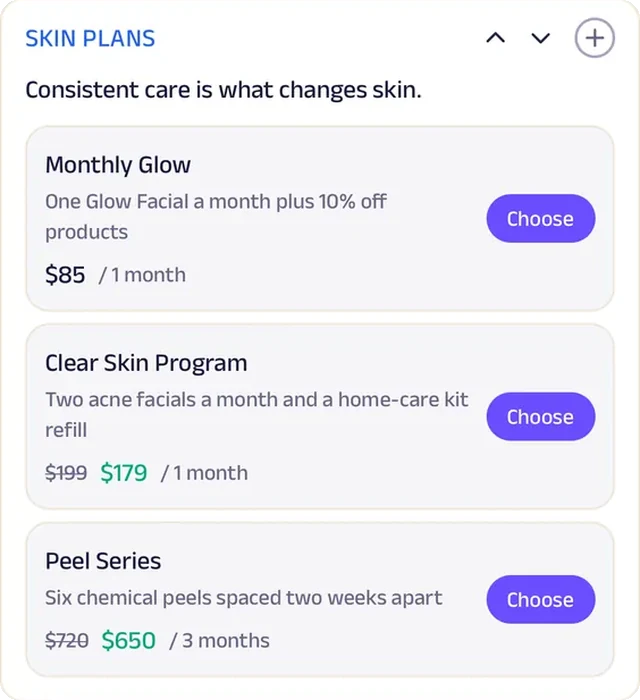
Clients book a single treatment or join a skin plan for regular ones, the products Vanessa recommends can be ordered alongside, a Summer Skin Reset poster gets ready for the Texas sun, and clients send skin photos to Vanessa in chat. A one-esthetician studio now runs treatment plans, client files and progress tracking like a medical spa chain.


Tracker. Clients log their skin in a journal between visits, so the esthetician sees what's actually changing.
Gadgets at work
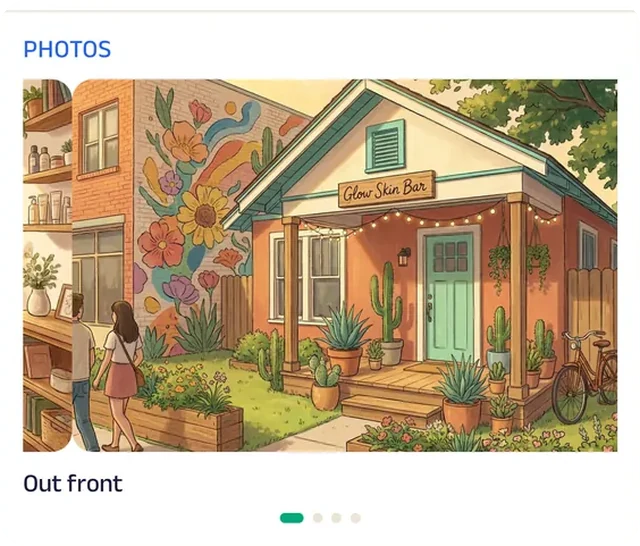
Photo gallery
The gallery opens on the studio's front, so new clients see where they're going before they book.

Promotion
A seasonal reset offer sits on the Start tab ahead of the Texas summer.
Chat
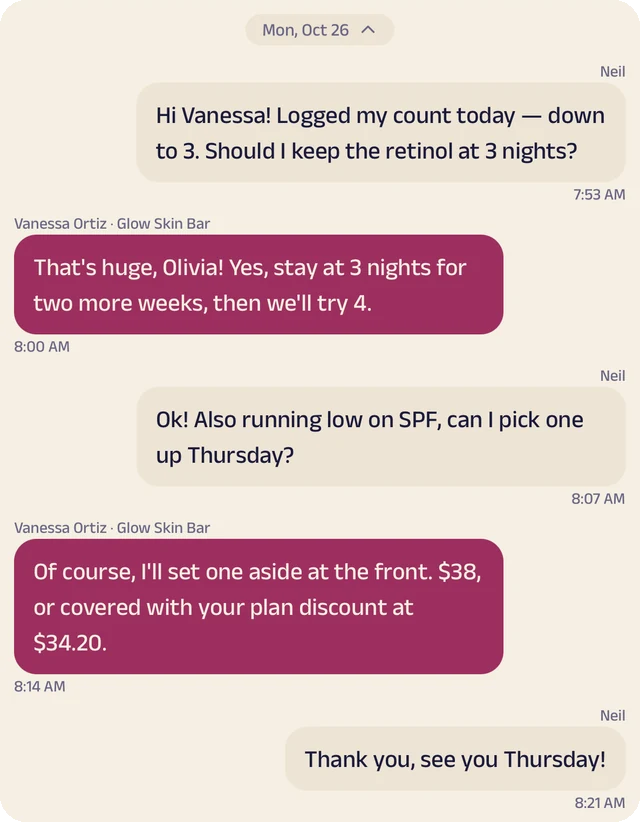
Clients send a skin photo or ask Vanessa about products.
Appointment
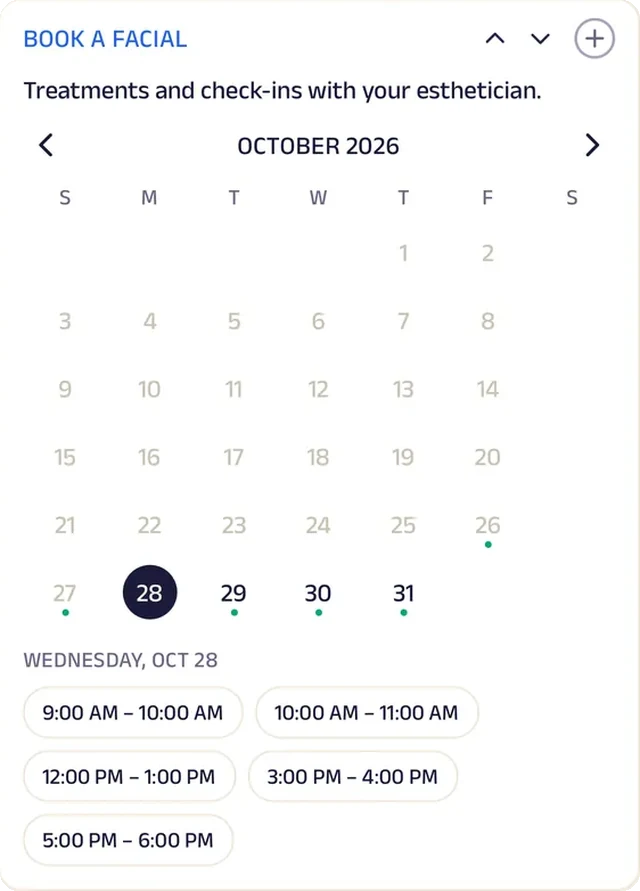
Clients book their facial and time in a few taps, from a quick refresh to a longer treatment.
Tasks
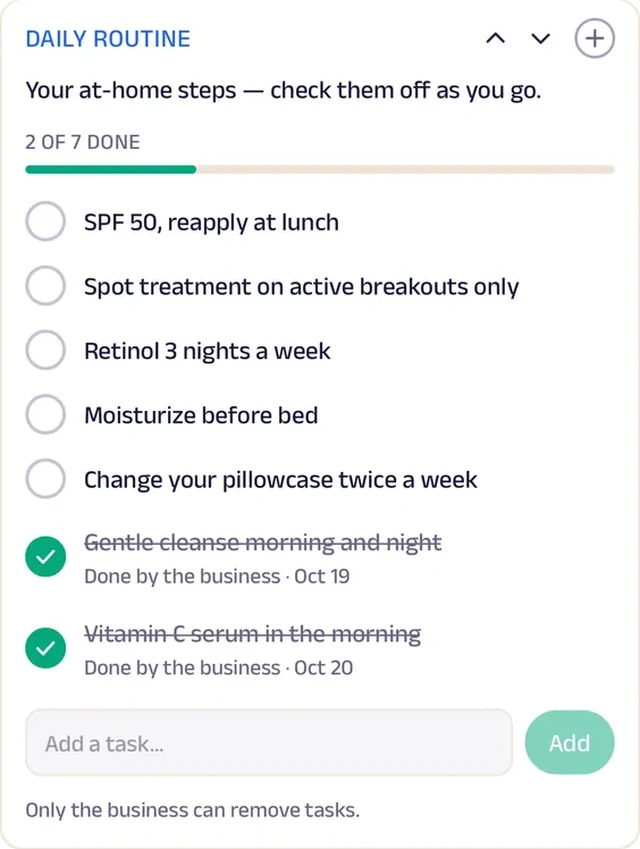
Each client's daily routine is a checklist, from cleanser to sunscreen.
Add docs
Consult notes, routine sheets and aftercare sit in each client's skin file.
Subscriptions
Skin plans bundle regular treatments for clients working toward a goal.
Reviews
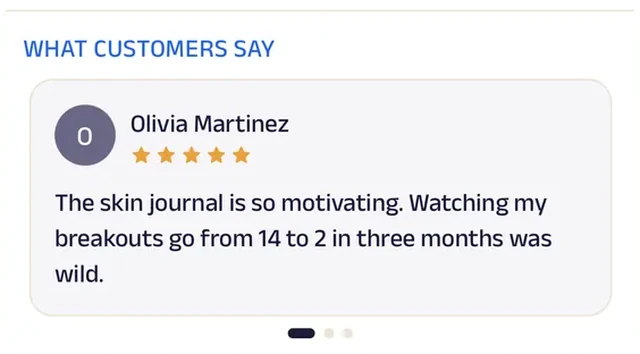
Clients write about skin that actually changed, which is the difference between a treat and a plan.
Day spa
Serenity Day Spa
A day spa where members' monthly treatment is already paid for and booked.
Through a long Chicago winter, regulars used to book only when they could no longer ignore a sore back. Now a spa membership covers a monthly treatment, and guests book a massage or facial in the app. New guests fill in a health intake before they arrive.
The treatment menu lists every add-on beside the treatments, so guests can upgrade a visit while they book. Spa etiquette is on the Start tab, holiday gift cards are offered there, and Serenity Rewards badges count every visit. After each treatment, guests share how it felt. A six-room spa now runs memberships and intake like a national wellness chain.


Subscriptions. Members pay monthly and their treatment is already covered, so self-care becomes a habit, not a once-a-year splurge.
Gadgets at work
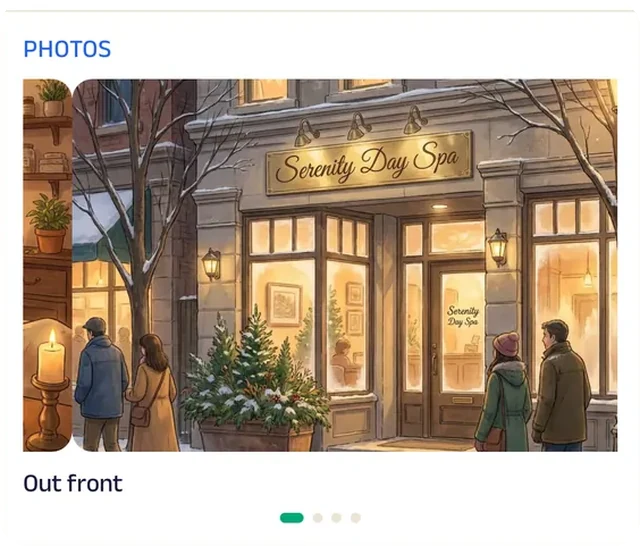
Photo gallery
The gallery opens on the spa's front door, so guests know the place before their first visit.
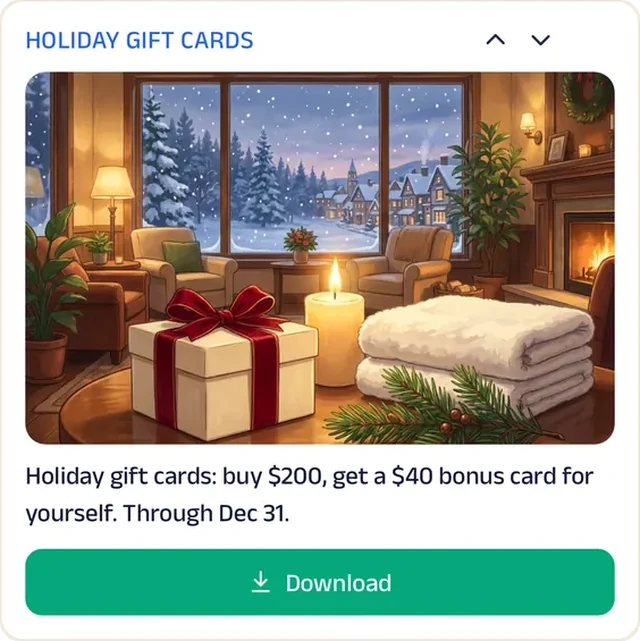
Promotion
Holiday gift cards go up on the Start tab for everyone shopping for someone else.
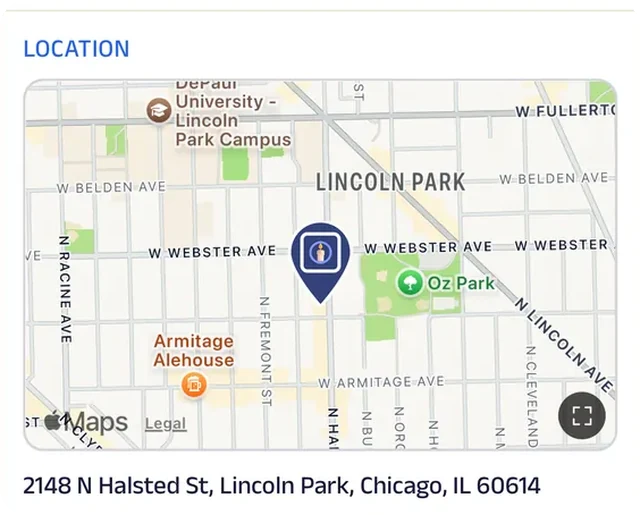
Location
The spa is pinned on the map, so guests arriving for a first treatment aren't rushing in late from the wrong block.
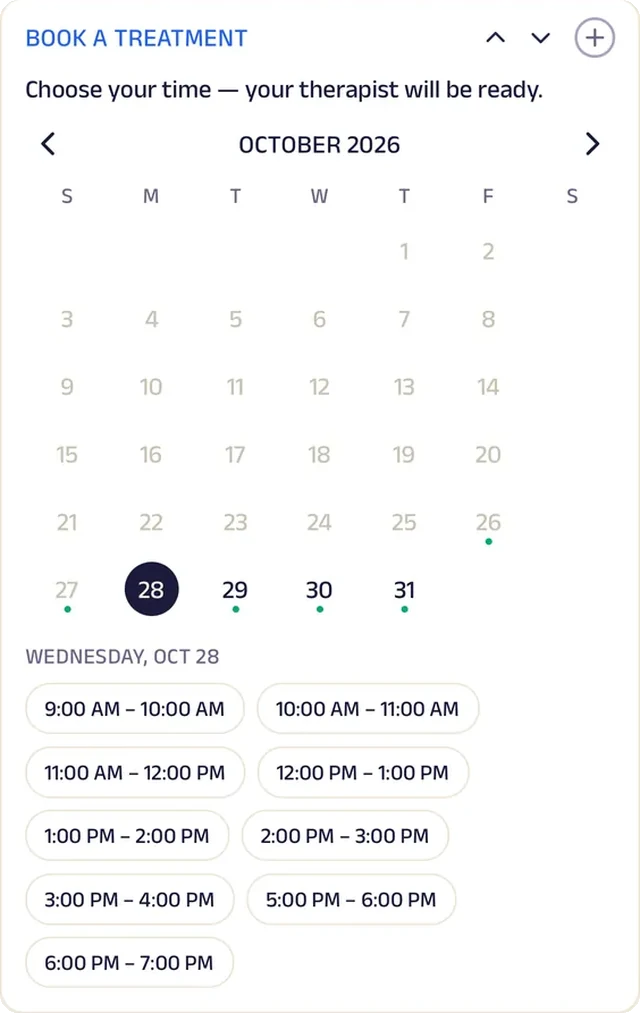
Appointment
Guests book a massage, a facial or a treatment for two, and pick their time.
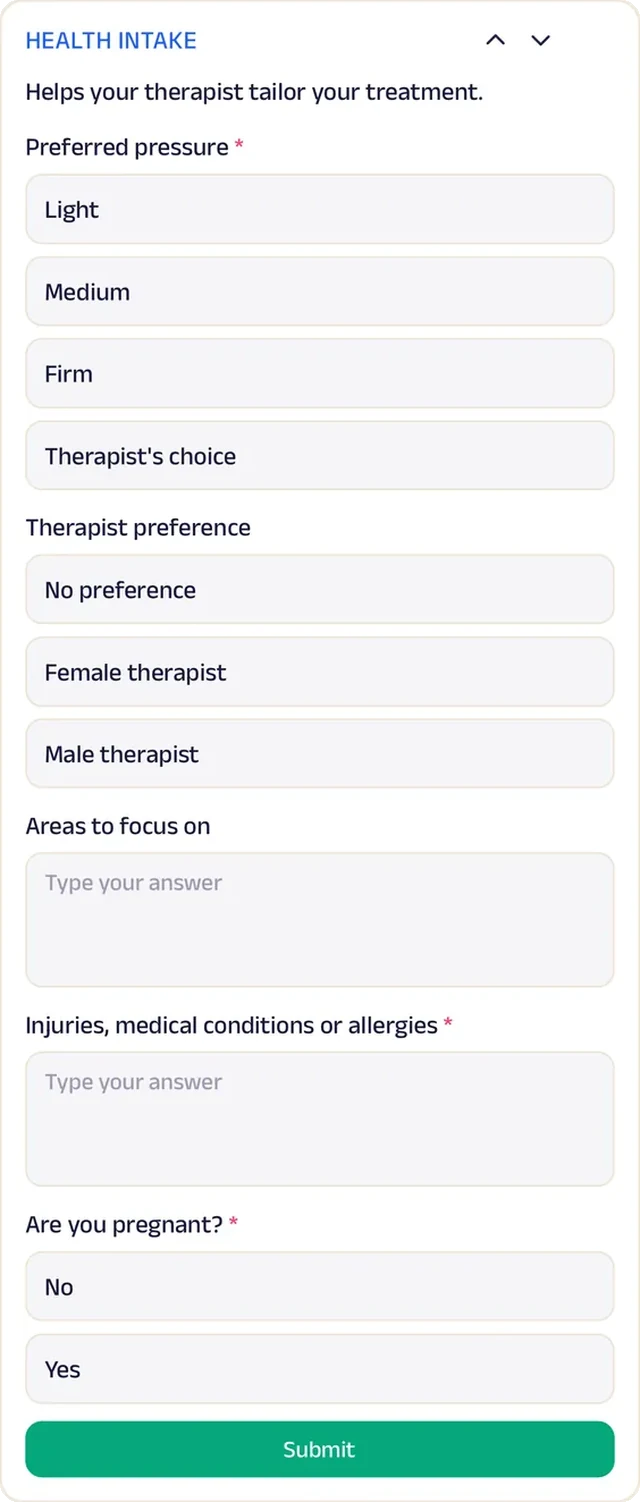
Forms
A health intake covers injuries, pregnancy and pressure preferences before the first massage.
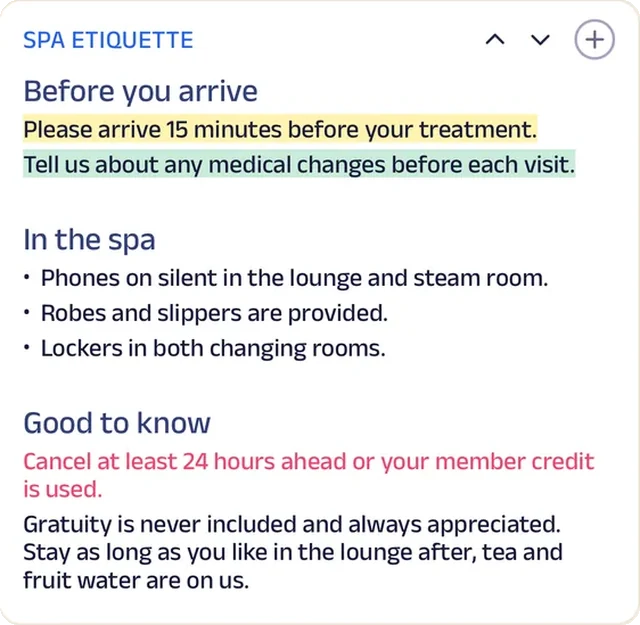
Custom text
Spa etiquette, from arrival time to the steam room, is on the Start tab before the first visit.
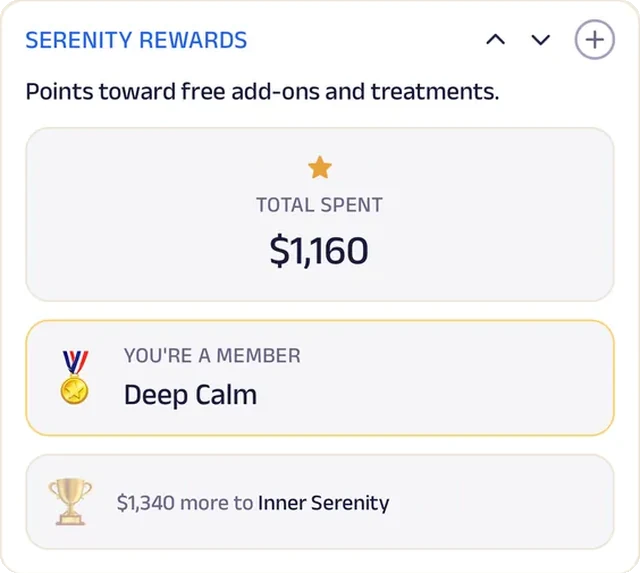
Loyalty
Serenity Rewards badges count every visit from members and drop-in guests alike.
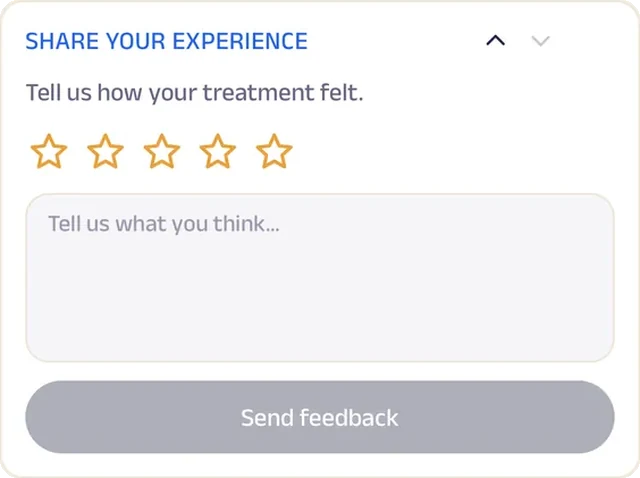
Feedback
After each treatment, guests share how it felt, and the therapist sees it before the next booking.
Run the whole business
Your team, your clients and your money, in one place.
The same page is also how you run the salon, from the phones you already have and a laptop in the browser. There's no POS, printer or special hardware to buy.
Operate your day
From the first booking to "see you again".
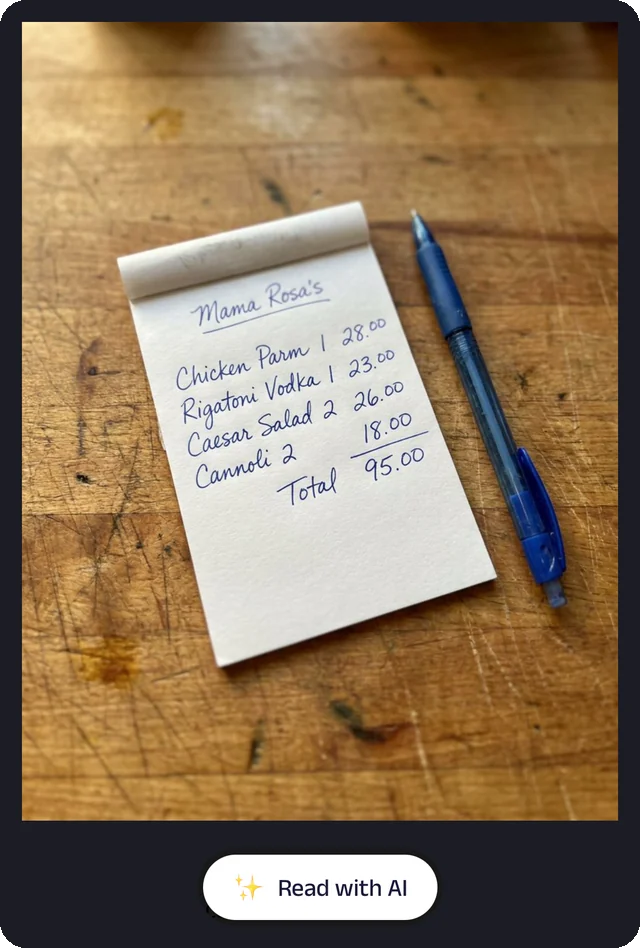
Bill photo
Photograph a handwritten bill, and the Assistant reads it for you to check.
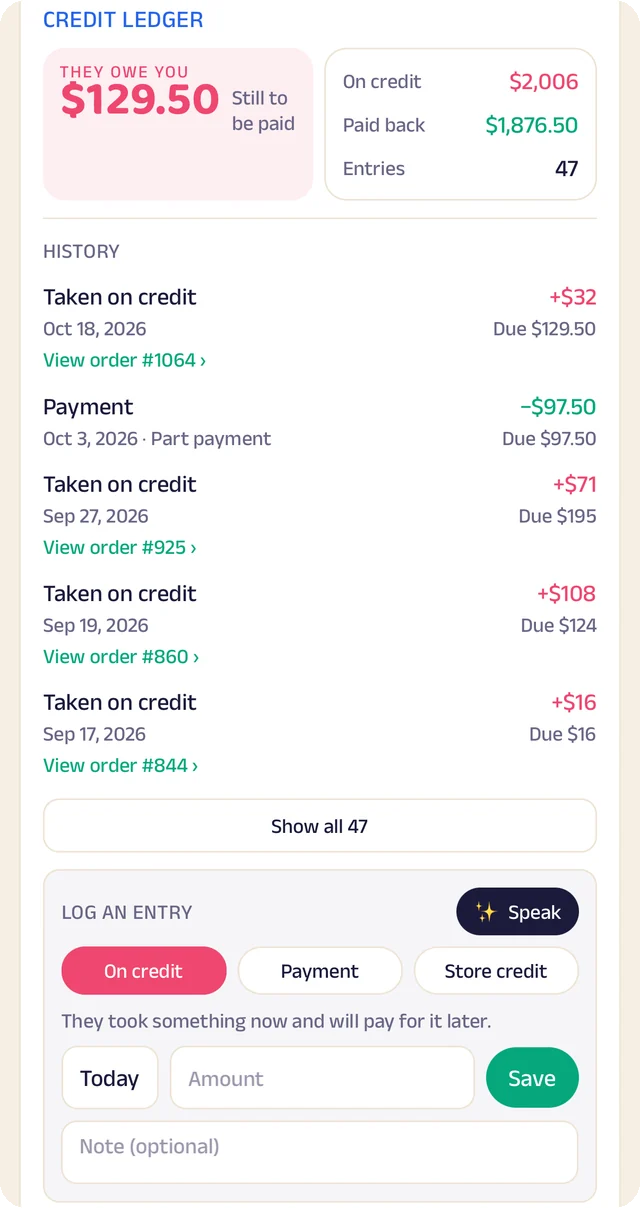
Credit ledger
Every credit and payment by client. Log an entry by typing, or by speaking it.
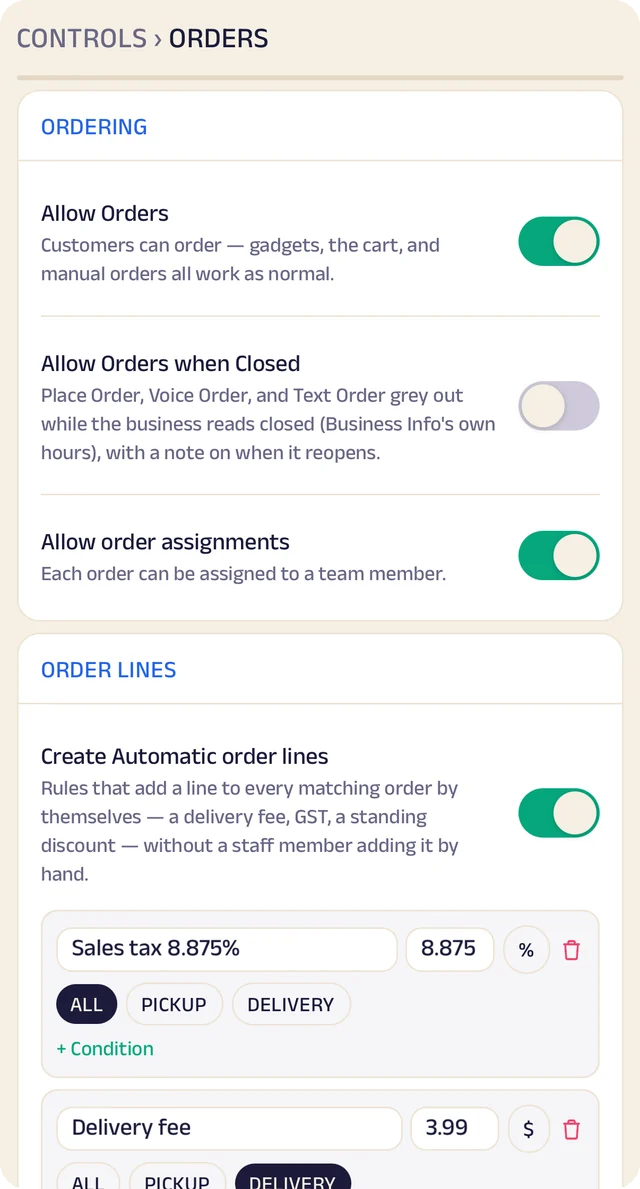
Order settings
Turn ordering on or off, and set sales tax and fees once so they're added automatically.
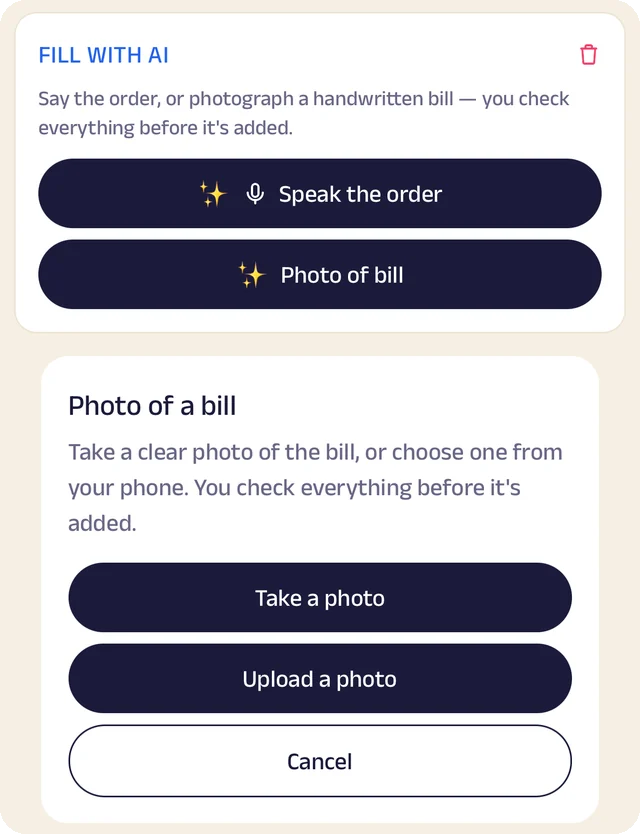
Fill with AI
Say an order out loud or photograph a bill, and check everything before it's saved.
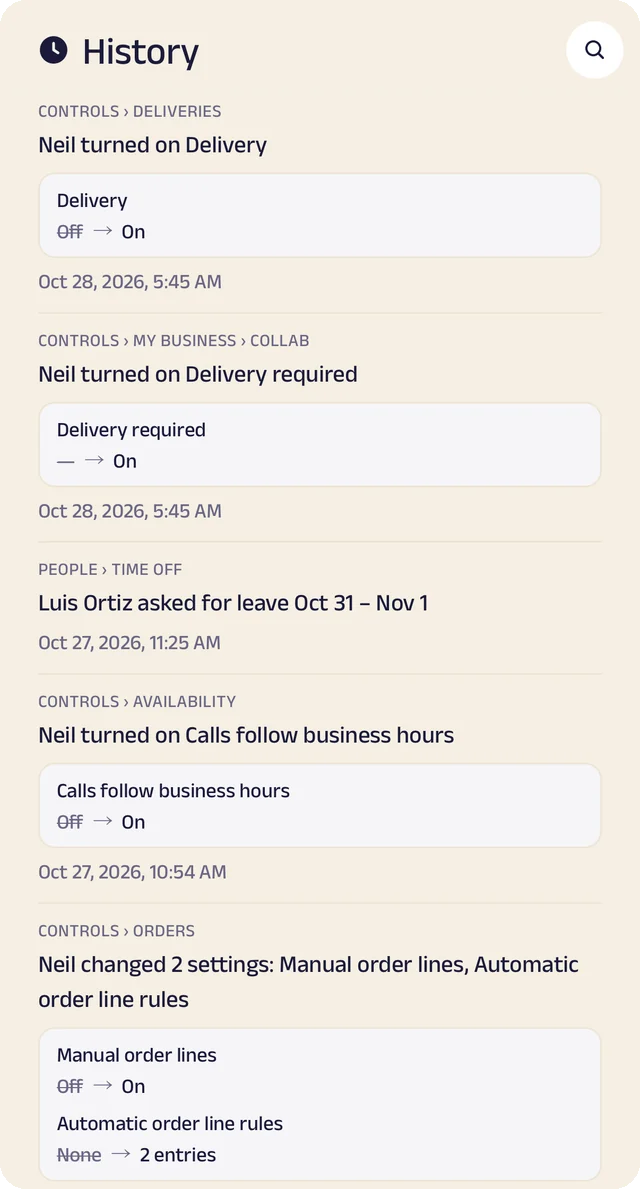
Settings history
Settings switched on or off, with the old and new value.
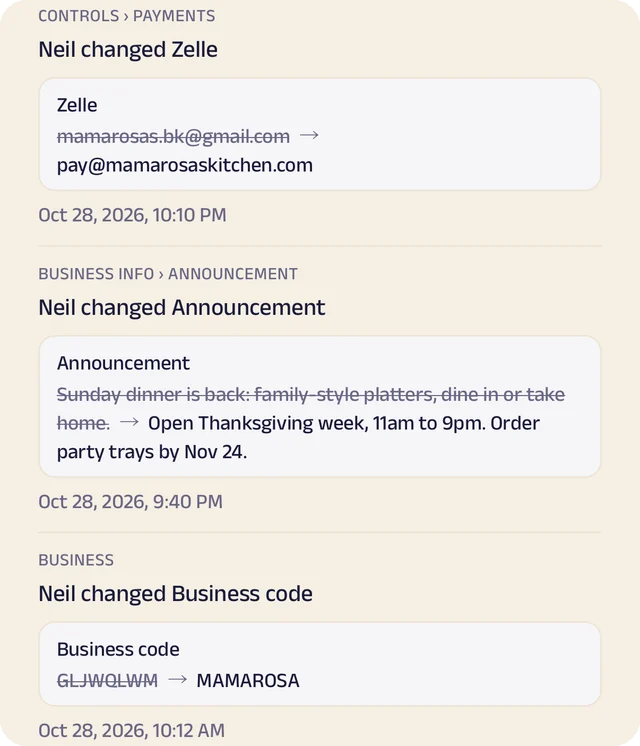
Payment history
Payment details changed, shown before and after.
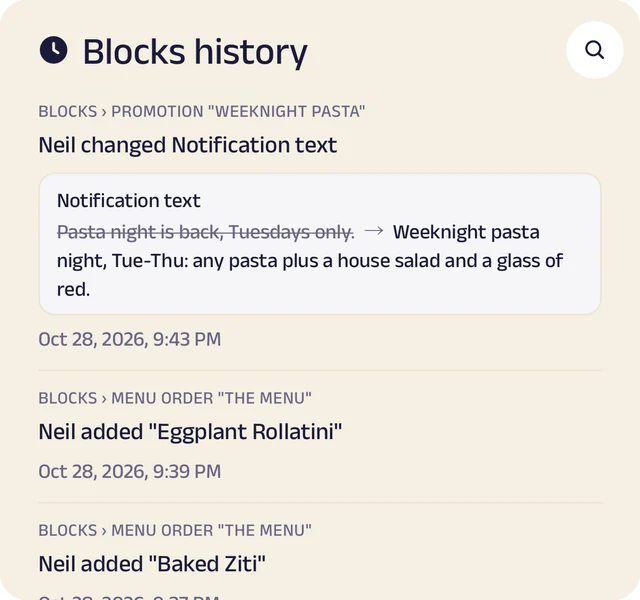
Page history
Changes to your page, kept in its own history.
Bookings and walk-ins
Appointments against your real availability, and a walk-in queue clients join from their phone. Every booking and order sits in one list, with a conversation thread for each client.
Payments your way
Zelle, Venmo, Cash App, PayPal, a card link or cash, with sales tax and fees added automatically. Zich World never touches the money, so clients pay you directly.
Client records
Notes, photos and documents kept on each client's record, like a color formula, ready for next time.
History you can trust
Every change is kept automatically: who made it, when, and what it was before. Owners and managers are told when business settings change.
Manage your people
Everyone who works at the salon, in the right place.
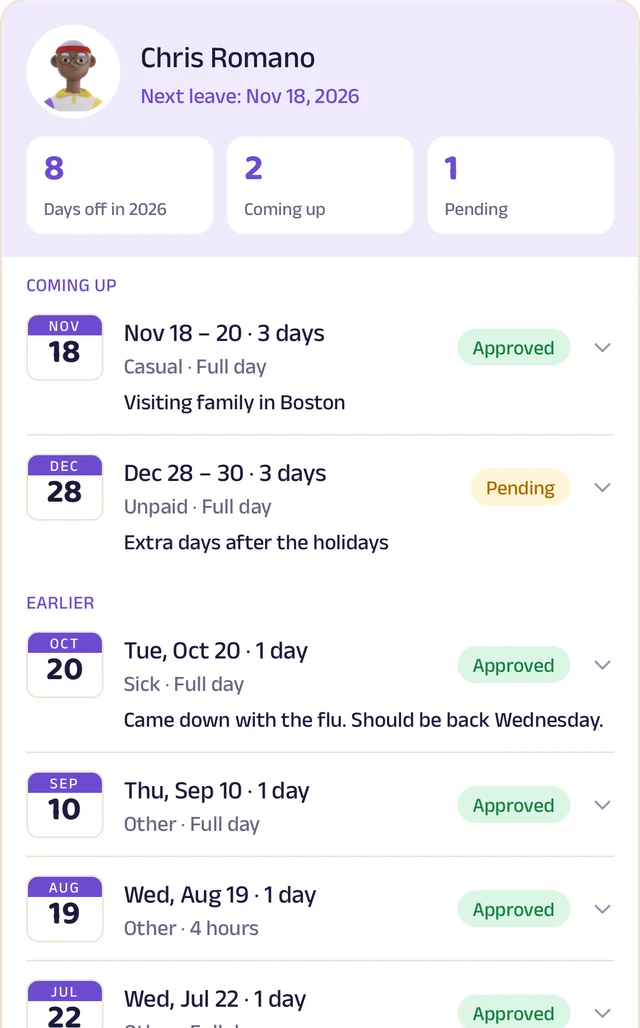
Team leave
A team member's days off: what's approved and what's waiting.
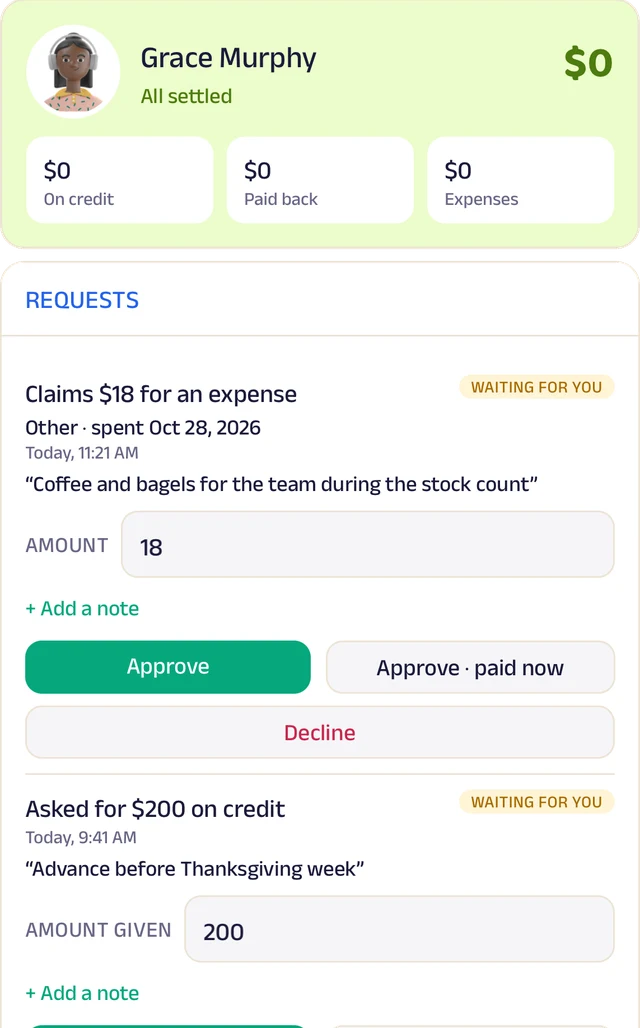
Team ledger
A running account per person: advances, expenses and approvals.
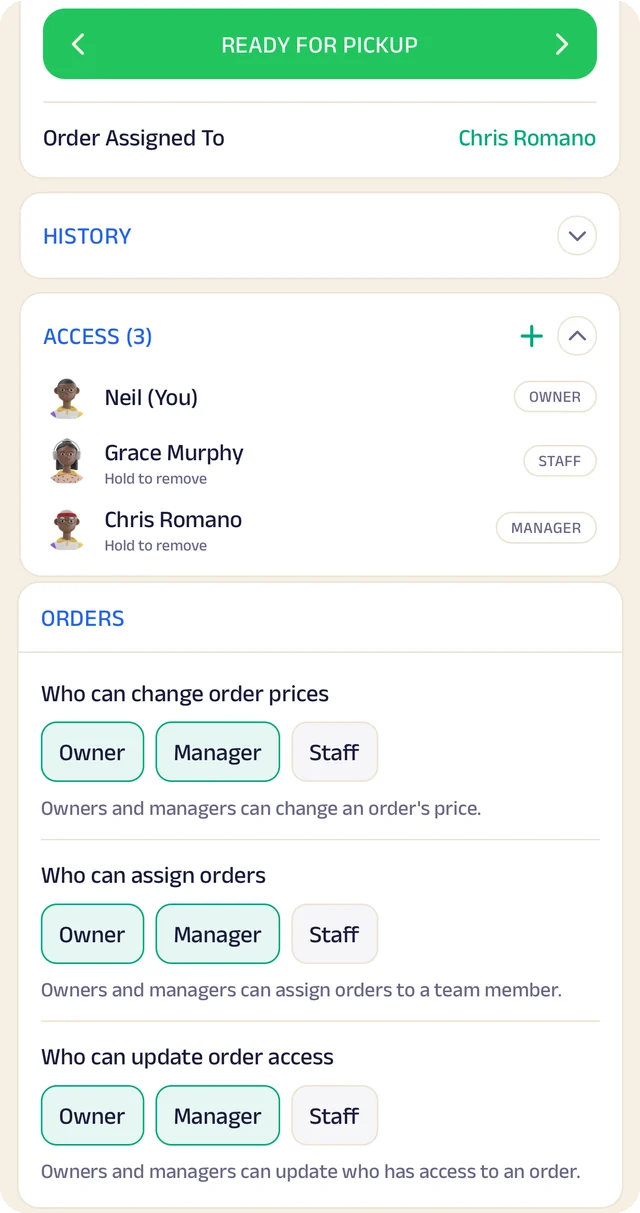
Order access
Who an order is assigned to, who can see it, and who can change it.
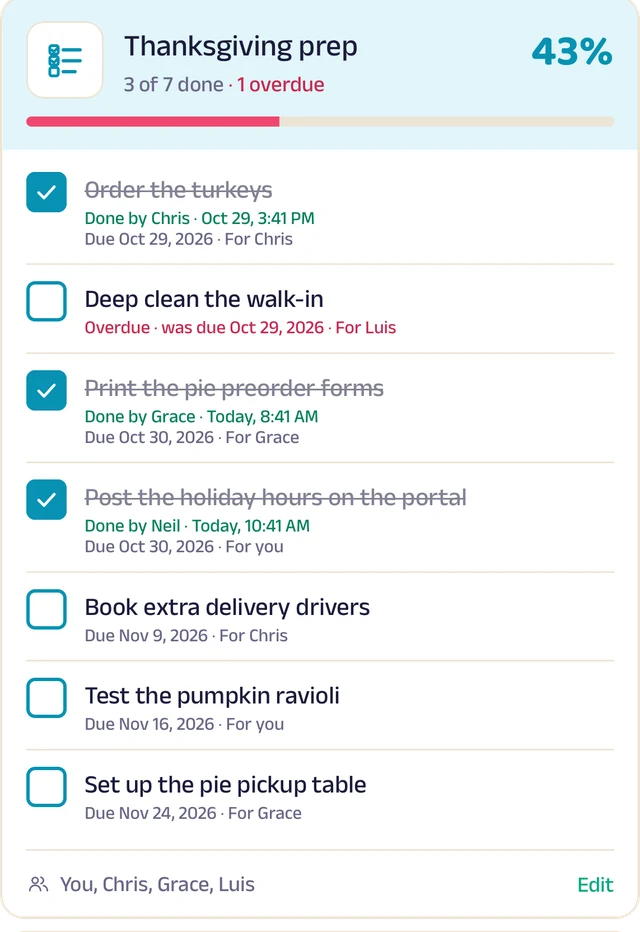
To-do lists
Shared lists, ticked off with who did it and when.
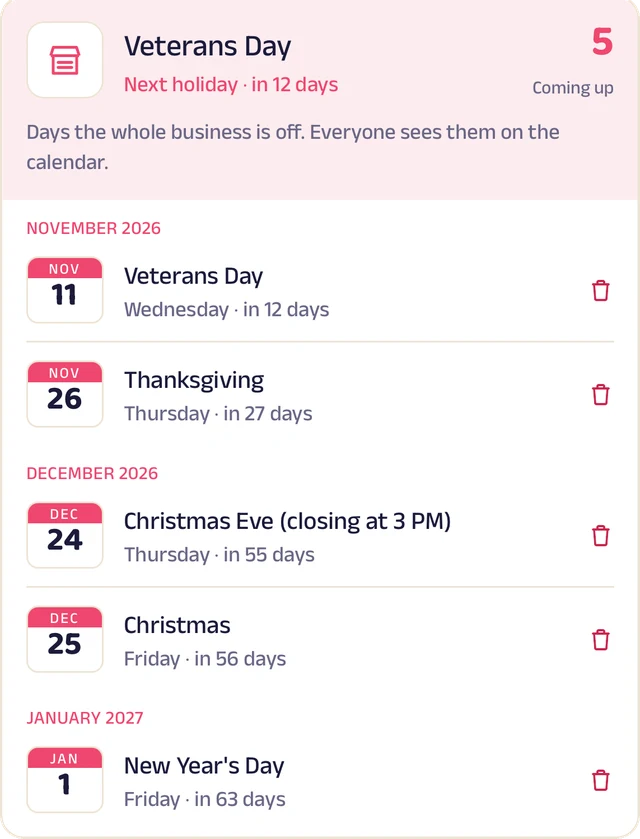
Holidays
Days the whole business is closed, on everyone's calendar.
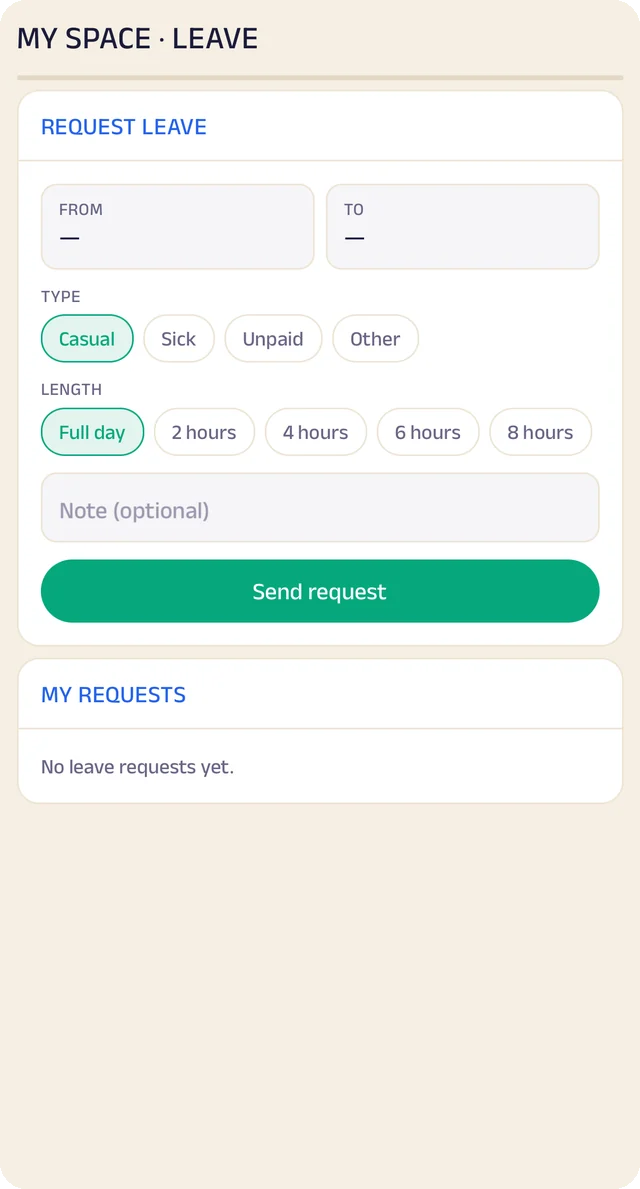
Request leave
Request casual, sick or unpaid leave, for a day or a few hours.
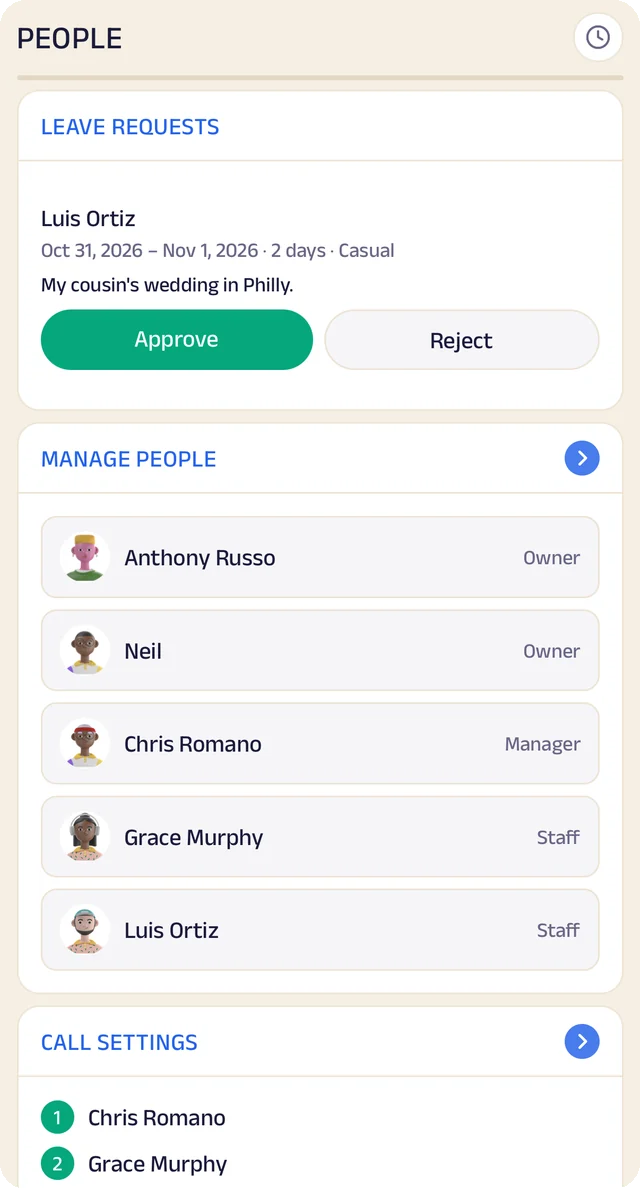
Your team
Your team by role, with leave requests waiting for your approval.
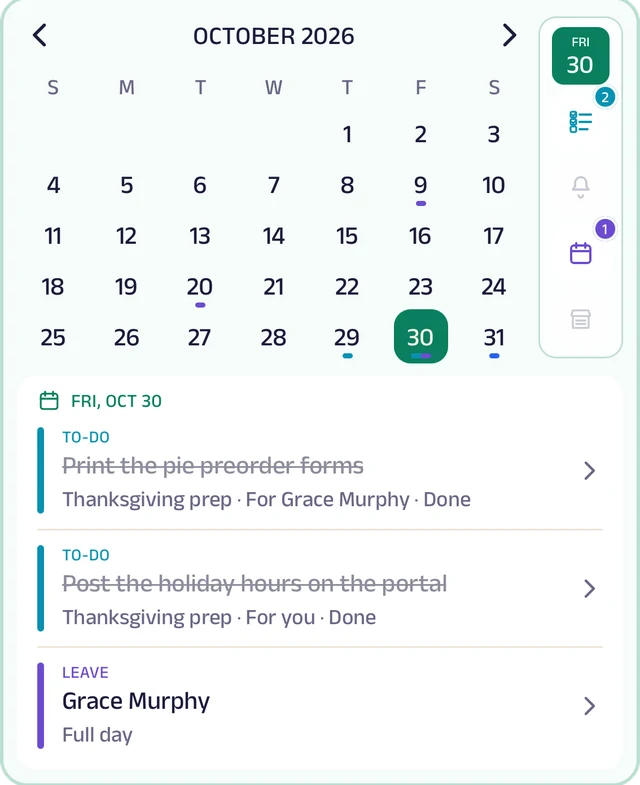
My Space
Everyone's own calendar, with to-dos, reminders and leave.
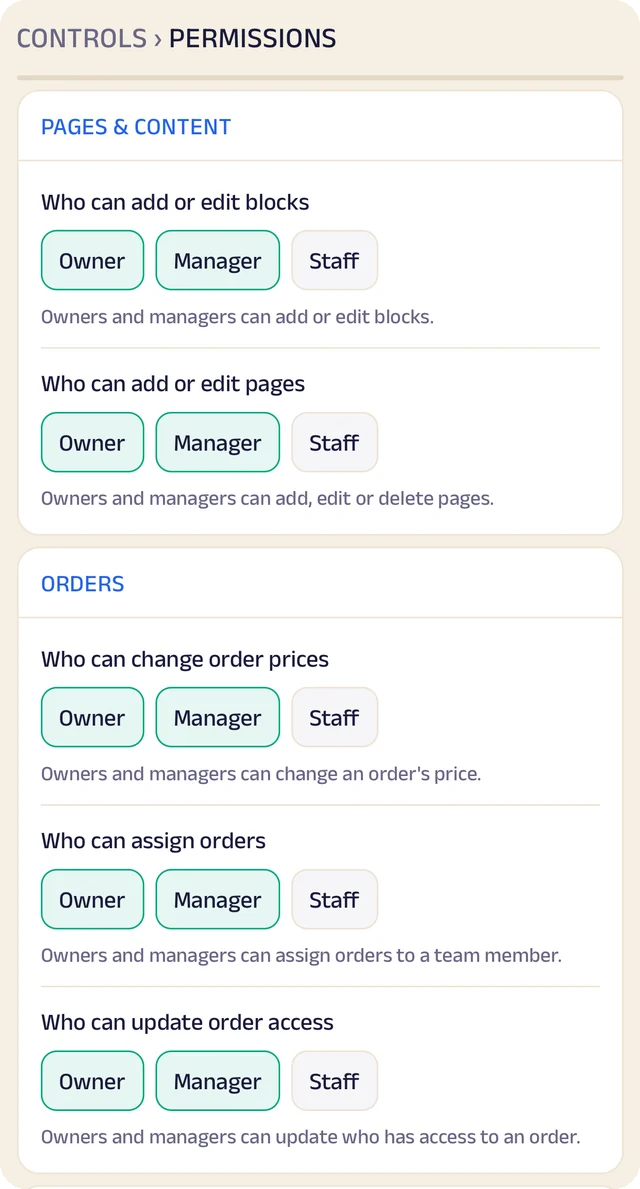
Permissions
Who can edit your page and change prices, role by role.
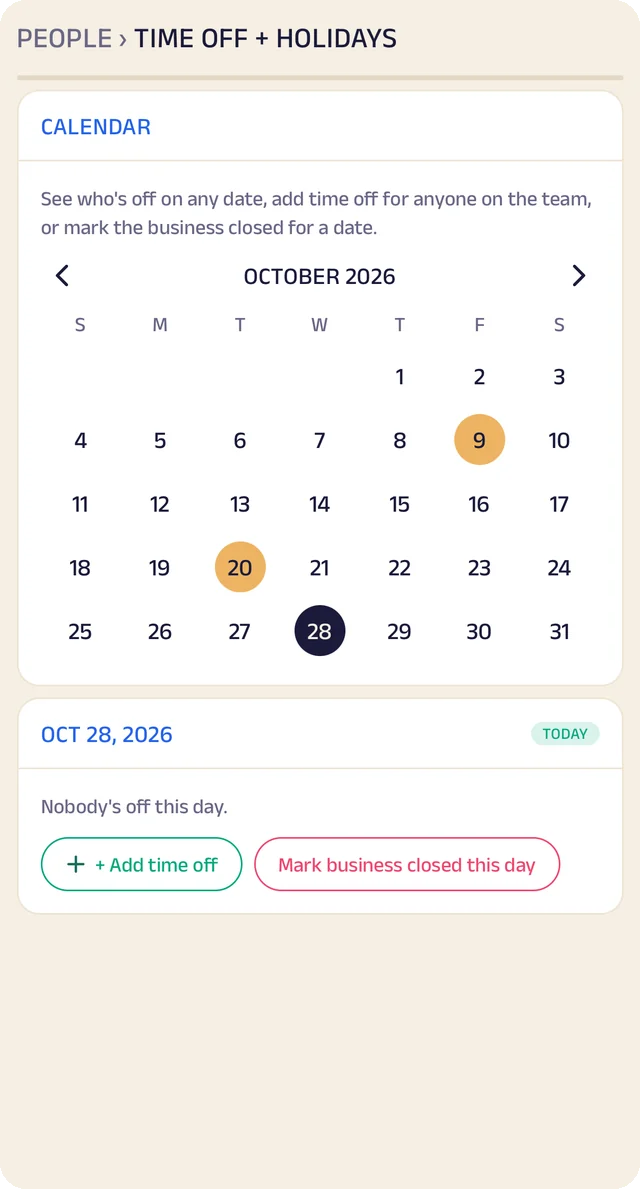
Time off
A calendar of who's off and which days the business is closed.
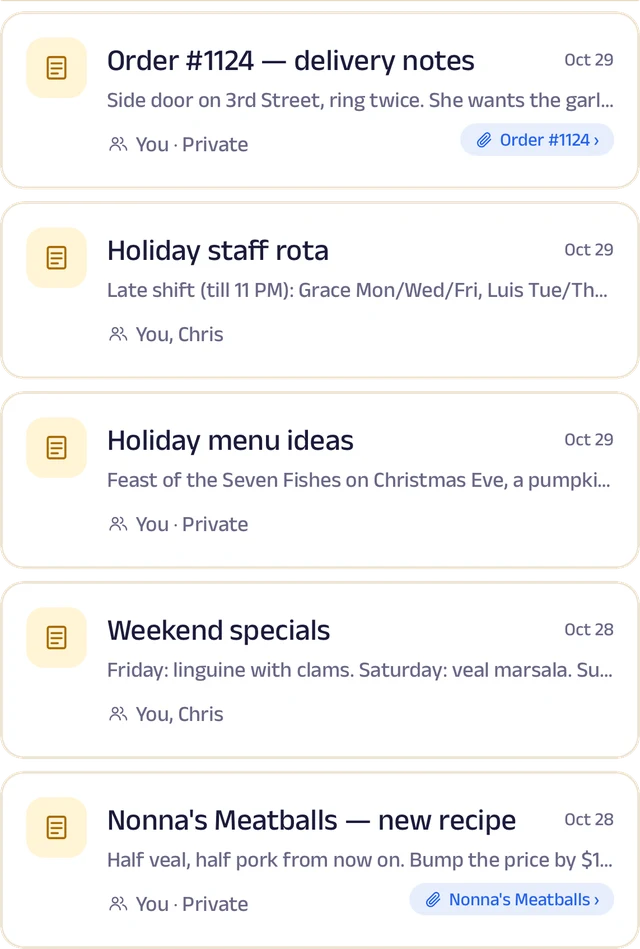
Notes
Notes with photos and voice, some linked to an order or a client.
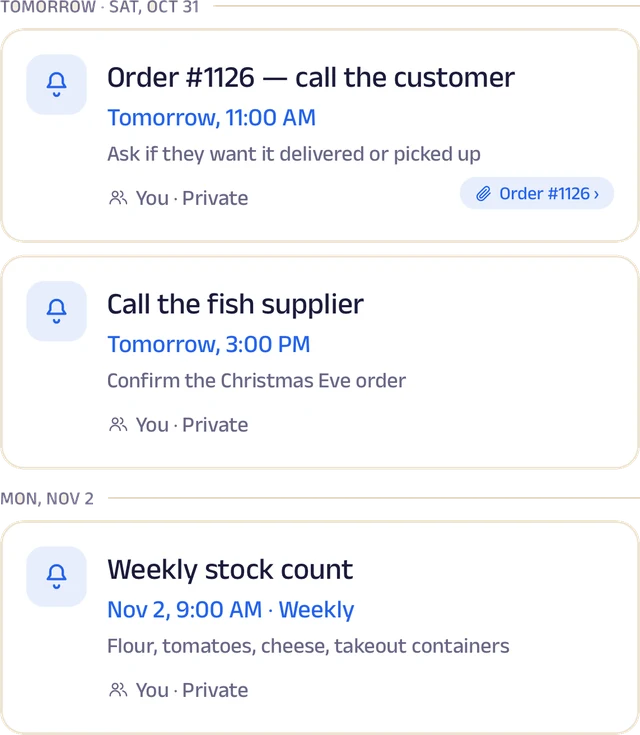
Reminders
Once or on repeat, shared with the team and linked to an order.
Roles and access
Add your stylists and front desk by phone number and give each a role: owner, manager or staff. You choose who can edit your page, change prices or assign bookings, and you can freeze someone's access in a tap. Payment details stay with the owner.
Leave and holidays
Staff request casual, sick or unpaid leave for a full day or a few hours, and you approve it. Everyone sees who's off today, and days the whole salon is closed show on every calendar.
A ledger for each person
Each team member's running account with the business: advances, money paid back and expense claims. Staff ask, you approve, and a statement is ready to share for any period.
My Space for everyone
Each person gets their own calendar with to-do lists, notes and reminders, and the owner sees the whole team.
Track your growth
Kept as you work, not typed up at the end of the month.
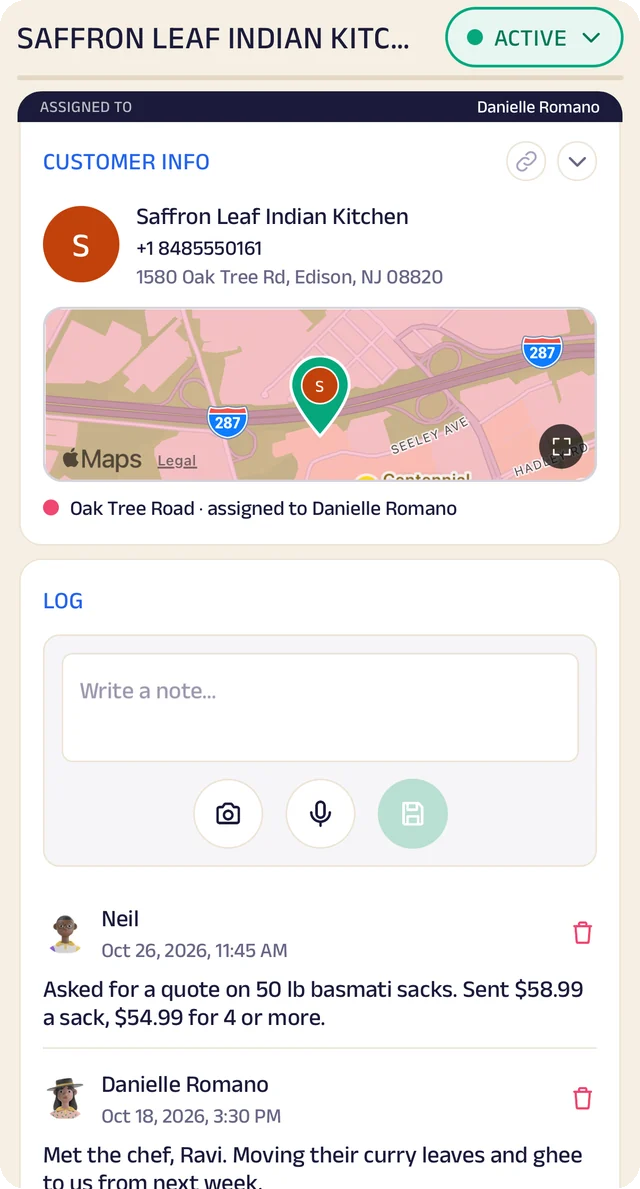
Client record
One client's record: details, a map pin and the team's notes.
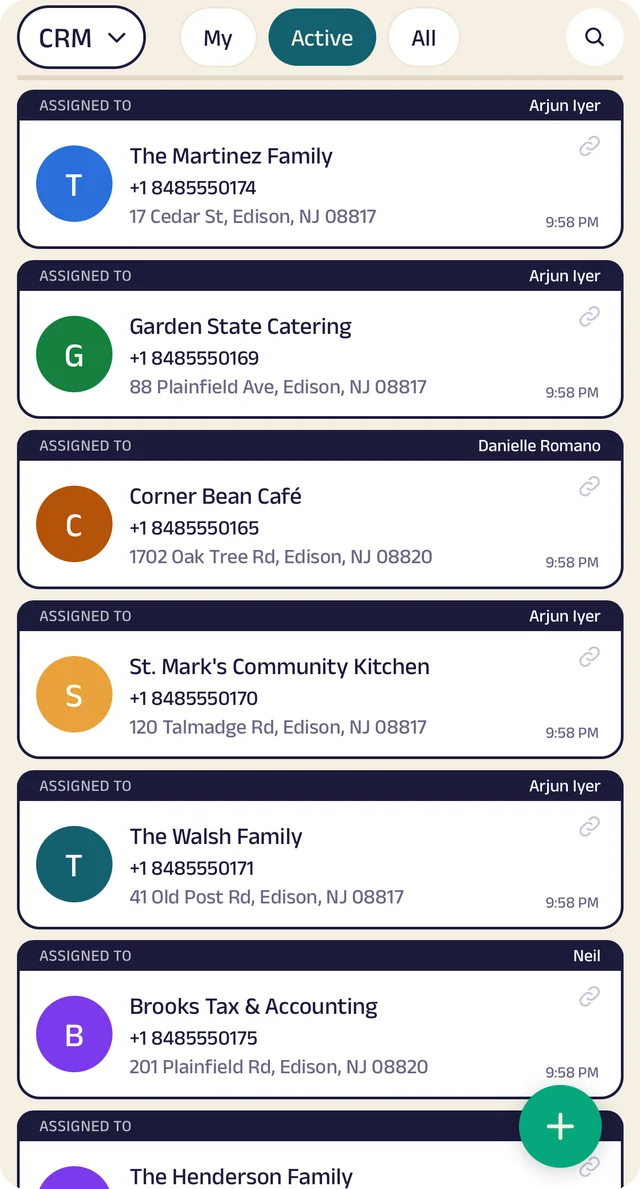
Client list
Clients assigned to the people who look after them.
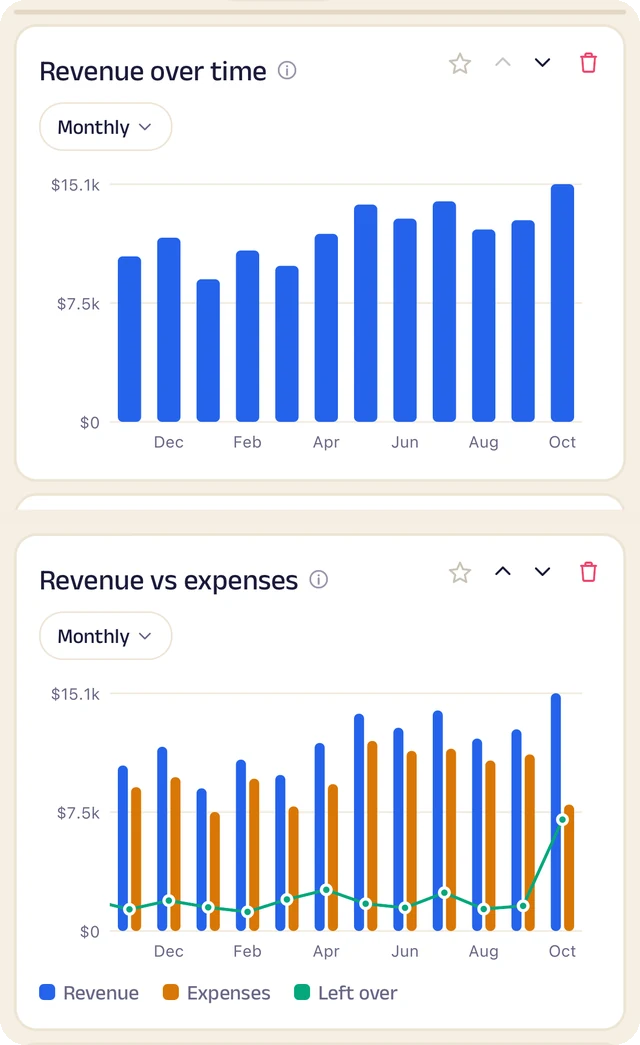
Revenue
Revenue month by month, and what's left after expenses.
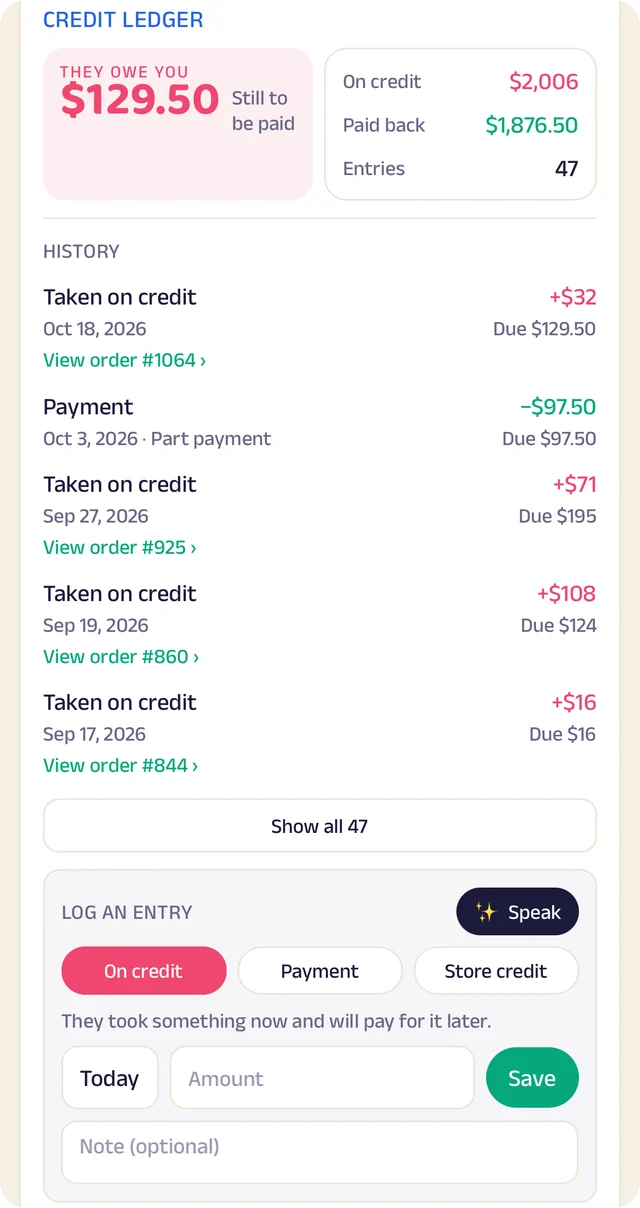
Credit book
Every credit and payment by client and date, with the balance on both sides.
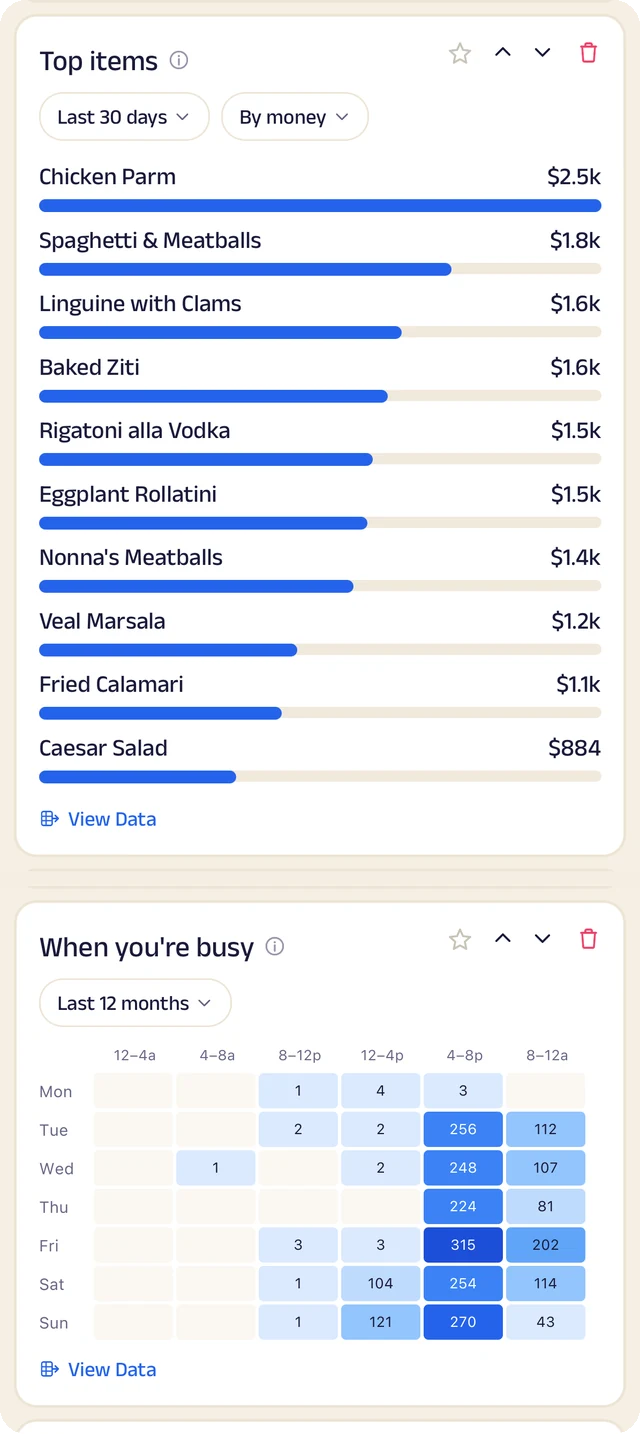
What sells
What sells, and the hours you're busiest.
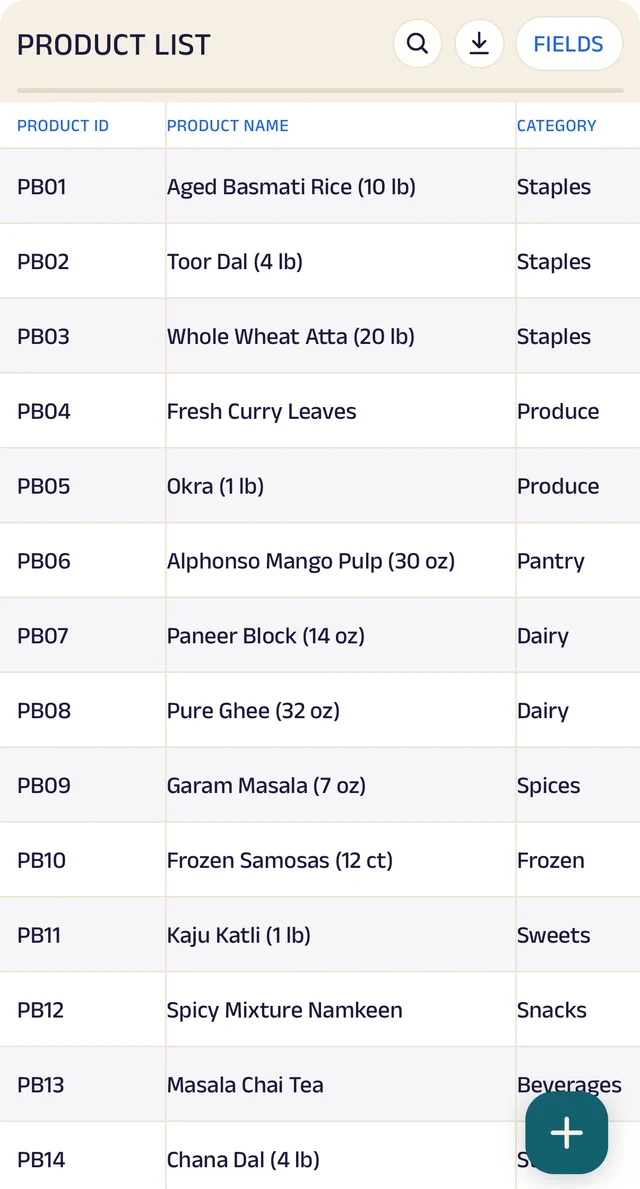
Products
Your products, with codes, names and categories.
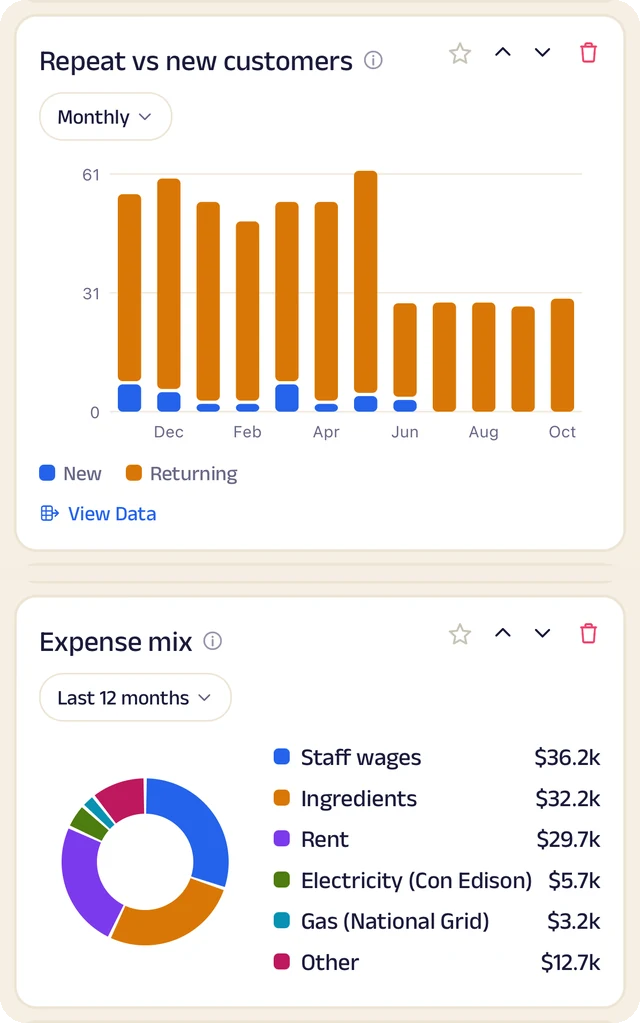
Clients and costs
Repeat against new clients, and where the money goes.
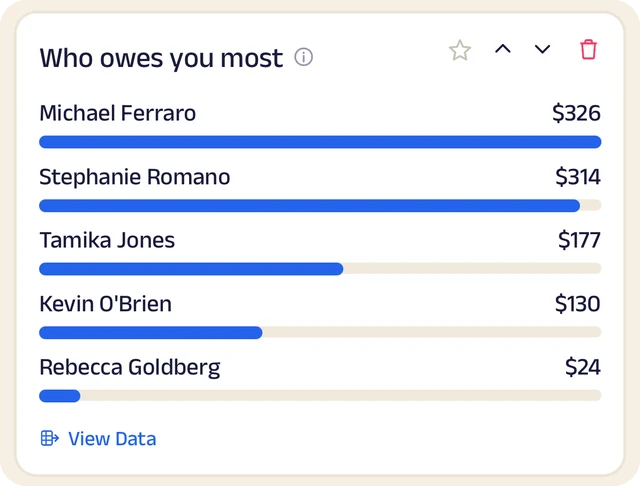
Who owes most
Who owes you the most, ranked.
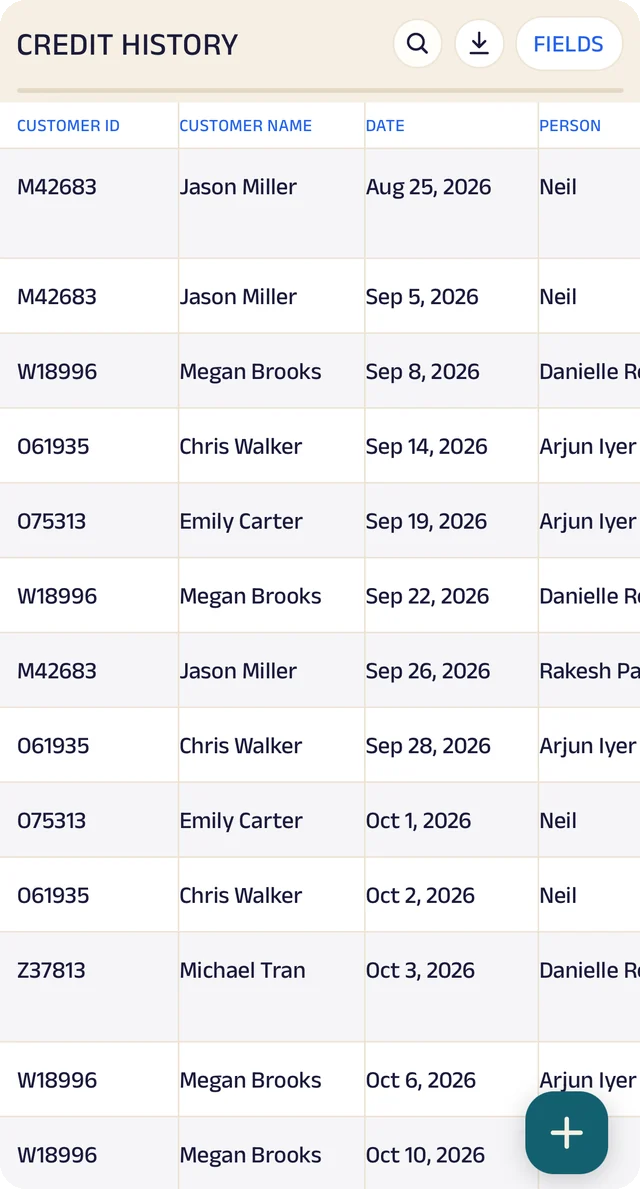
Credit history
Every credit entry as a table you can search.
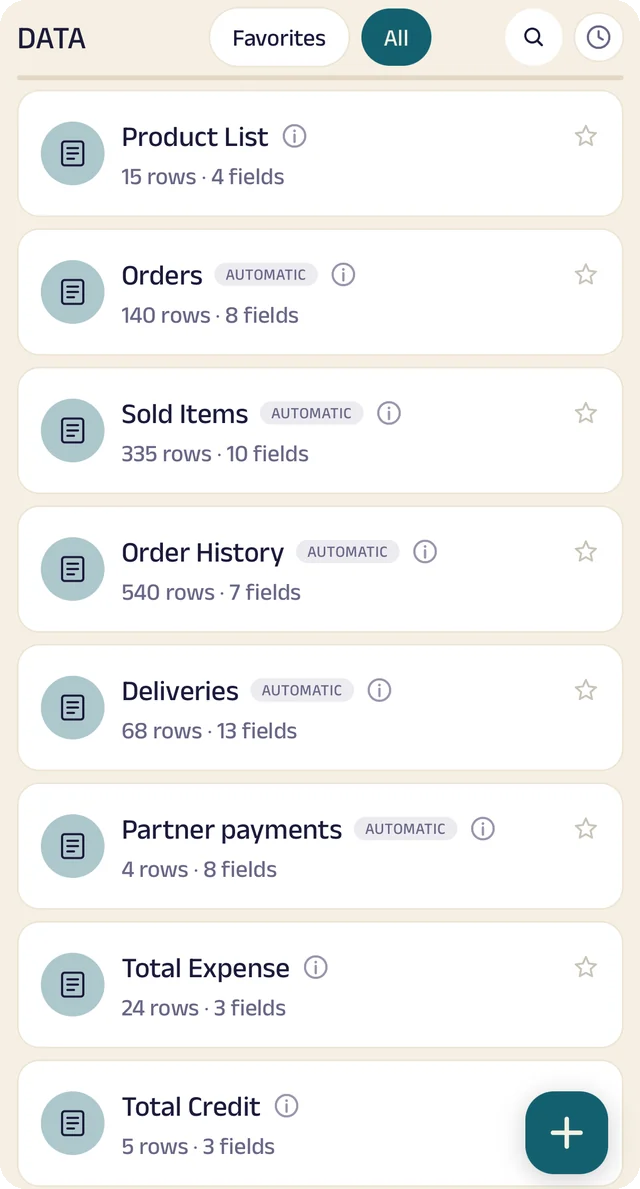
Your tables
Every table in one menu, each with its row count.
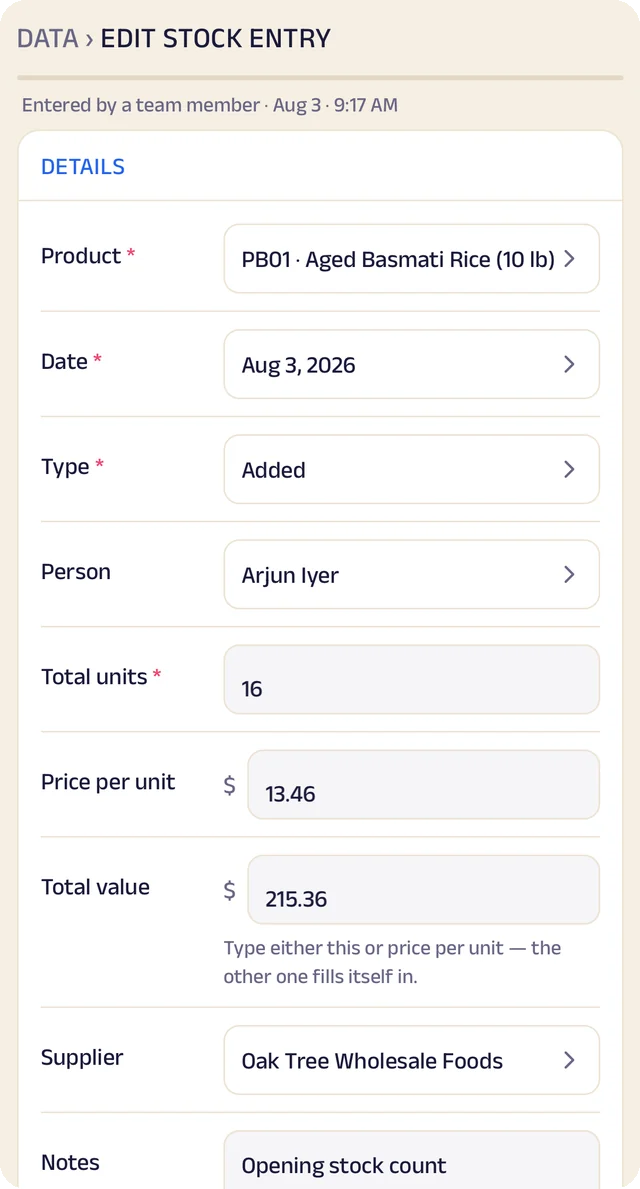
Stock entry
A stock entry: what came in, at what cost, from whom.
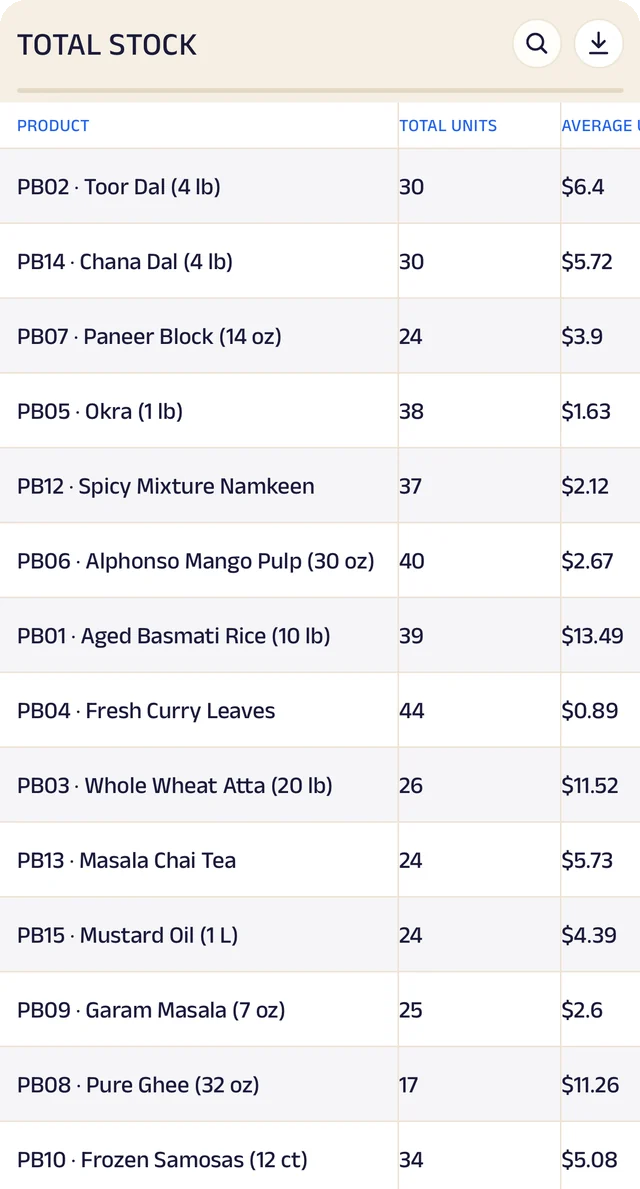
Total stock
Total stock and its average cost, worked out for you.
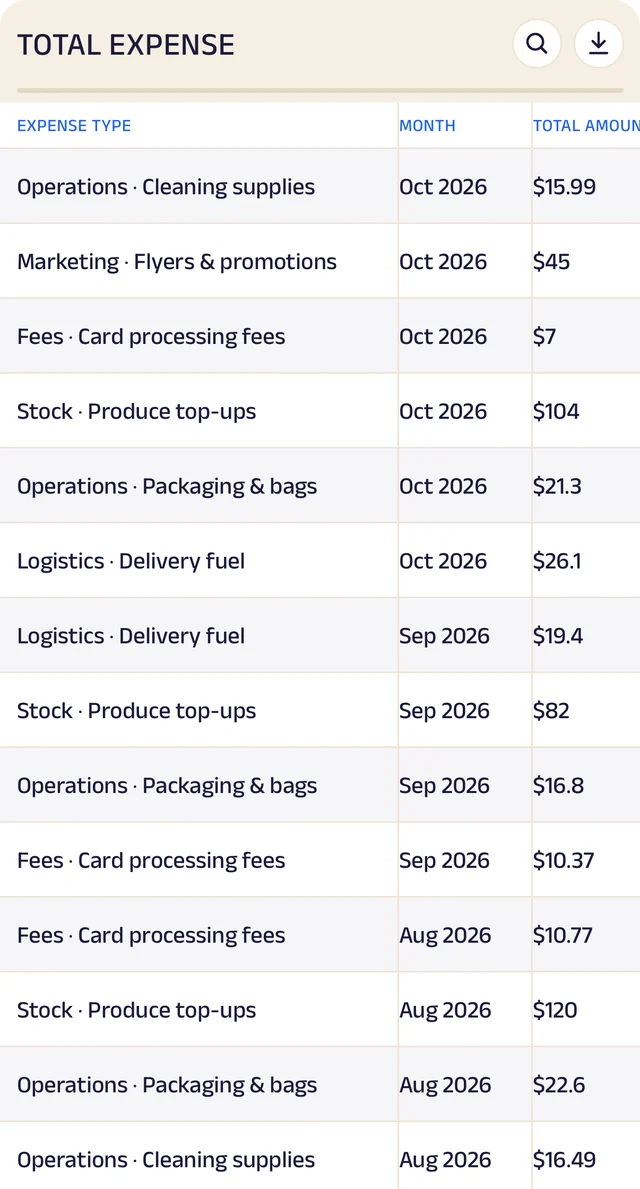
Expenses
Expenses as a table, ready to search or download.
Product stock
List the products you sell once, record what comes in with its cost and supplier, and let sales take it out. A barcode or product code finds anything in seconds.
Credit ledger
Credit given to regulars is written down properly. Clients see the same balance you do, and you always know who owes you most.
Client management
Every client has a record the right people can see and add to, with notes, photos and who looks after them.
Analytics
Thirty charts across sales, money and stock. See your busiest hours, what sells, and repeat against new clients, for this week, month or year.
Your data, yours to take
Every table in the app is searchable and can be downloaded as a CSV for your accountant or your own spreadsheet.
The Assistant
Say an order out loud or photograph a bill and it becomes a record for you to review. Nothing is saved until you approve it.
Everything here is on the Businesses page in detail, with the app's real screens. See the Businesses page
Join the pilot
Set up your salon's page.
The US pilot starts in January 2027. The pilot is completely free. After it, you can start free: the Free plan covers 30 orders a month, with every feature open (the AI Assistant is free during the pilot, then on paid plans). When you need more, plans start at $10 a month, based on how many orders or bookings you handle. There's no commission and no per-order fee, and as a pilot member you lock in your rate. Setup and training are free.
Free
$0
30 orders or bookings a month
Starter
$10 a month
Up to 100 orders or bookings a month
Growth
$25 a month
Up to 300 orders or bookings a month
Pro
$50 a month
Up to 1,000 orders or bookings a month
Every feature is open on every plan. The AI Assistant is free for everyone during the pilot, then comes with paid plans. Every order counts. Prices include sales tax. More than 1,000 a month, or 5 or more people on your team? We'll agree a plan with you.