
For grocers, butchers, bookstores and print shops
Your shop's own page, in one link.
Customers see what you stock, order by tap, by text or by voice, pick pickup or delivery and message you from one page that carries your name, your colors and a QR code for the door. It isn't a marketplace, and we take no cut of what you earn.
The pilot is completely free. After it, free to start: 30 orders a month, no card. Paid plans from $10 a month. No cut of your sales.

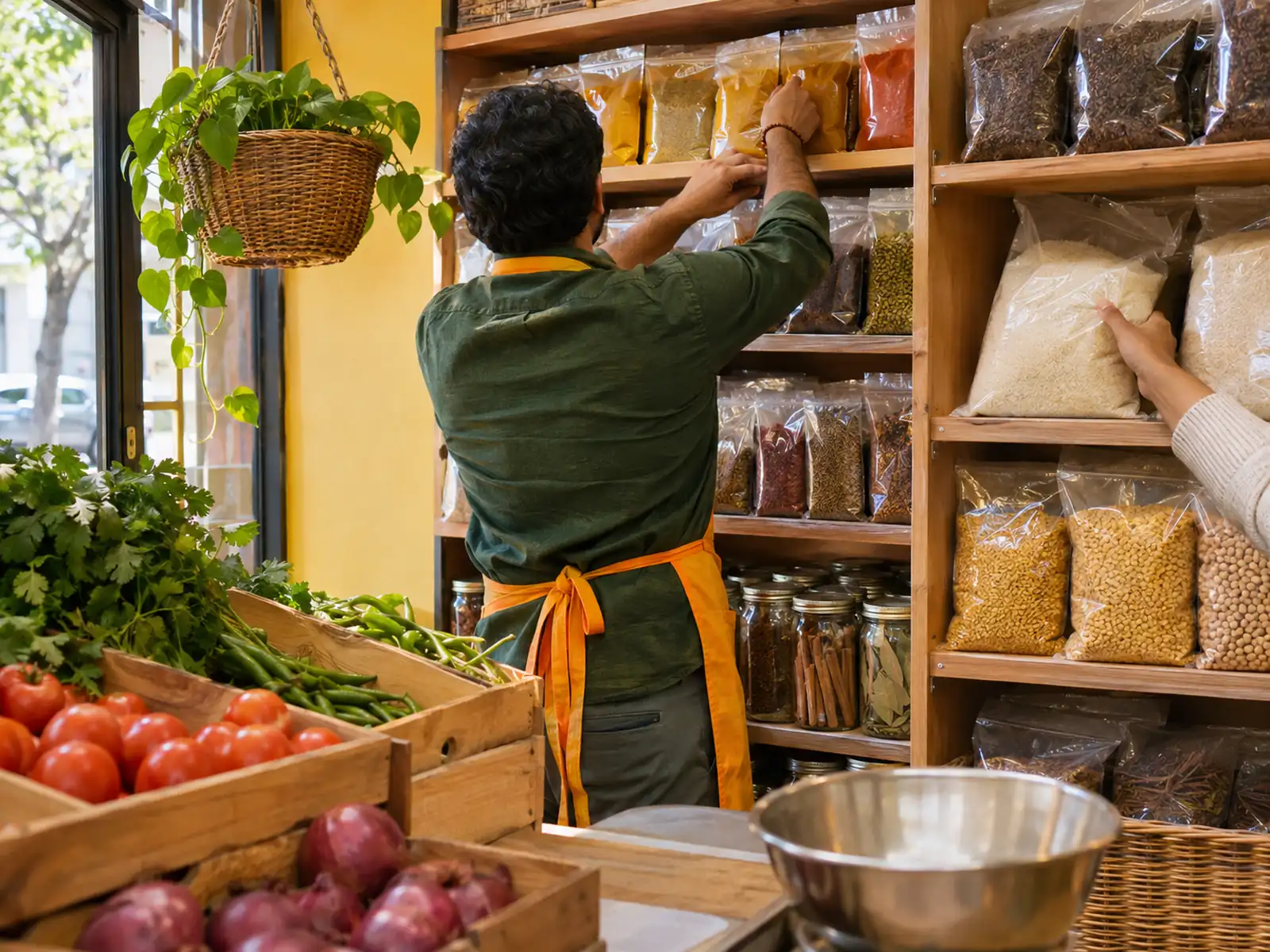

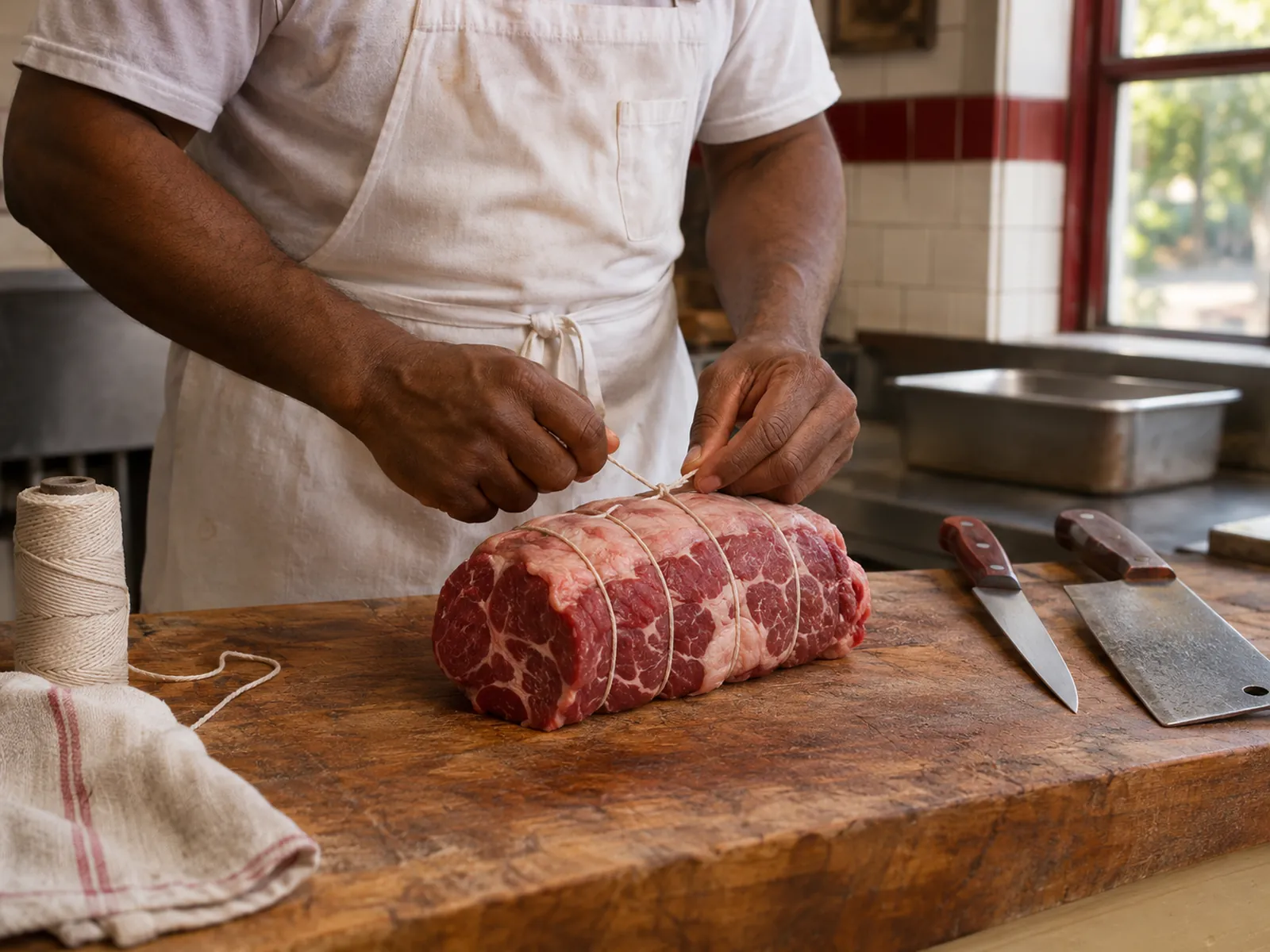



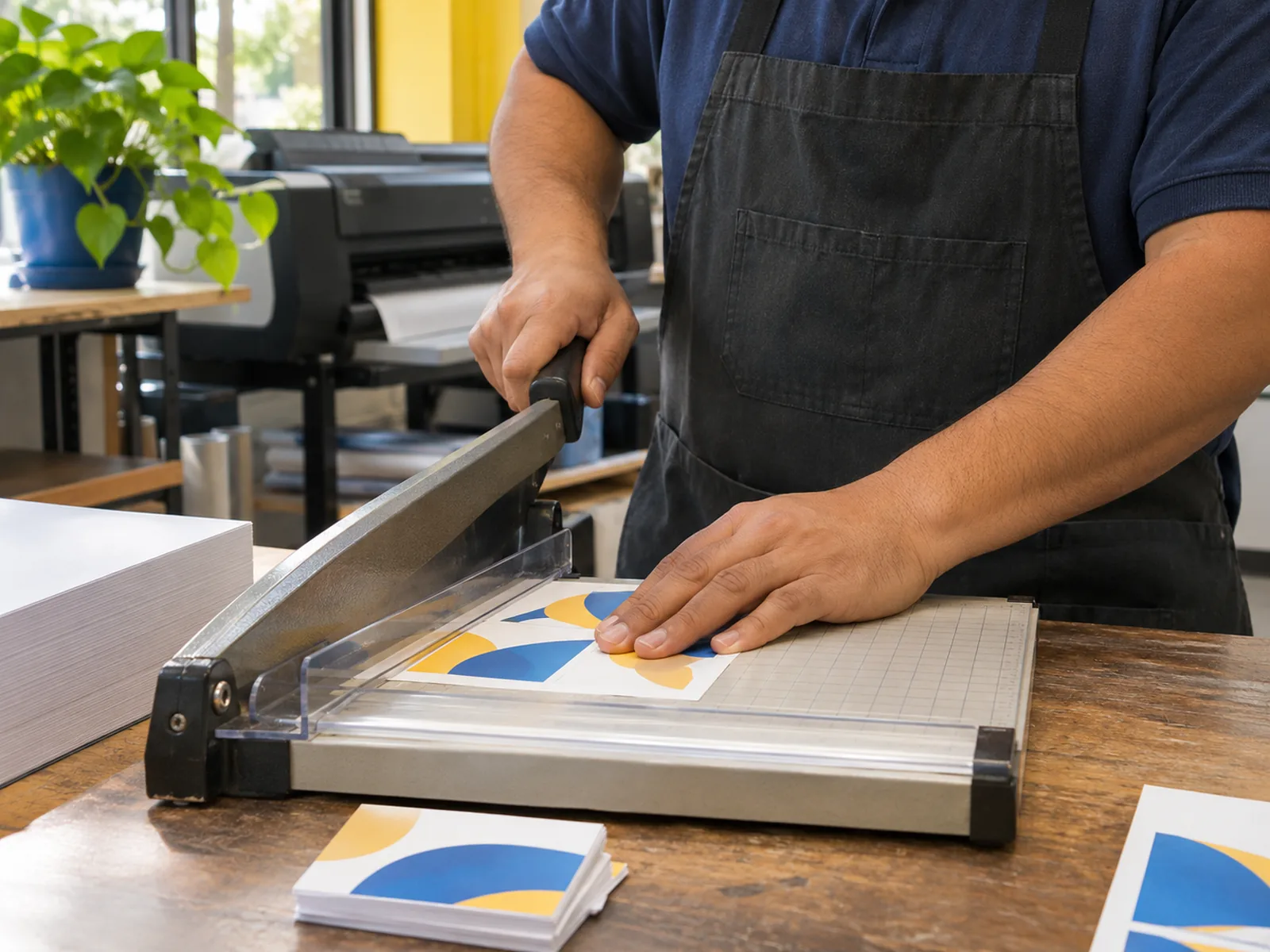
Pick a shop to see its page. These are demonstration businesses built on Zich World. Each one chose different gadgets for how it works. Open any of them live.
Grocery
Patel Brothers Corner Market
A neighborhood grocery that packs the weekly list from a voice note.
Grocery lists used to come in over the phone, half heard and scribbled on a receipt. Now customers send a voice note with their list, in any language, and the store packs it and texts back the total. Those who prefer typing paste their list instead, and a regular order goes back in the cart in one tap.
The store's staples are listed with current prices, so shoppers can build a cart without calling to ask. Packed orders wait for curbside pickup, Corner Rewards badges count every visit, and shoppers message the store to check stock before they drive over. A family grocery opened in 2004 now takes voice orders and curbside pickup like a supermarket chain with its own app.


Voice order. Busy families send a voice note with their grocery list in any language, and the store packs it and texts back the total.
Gadgets at work
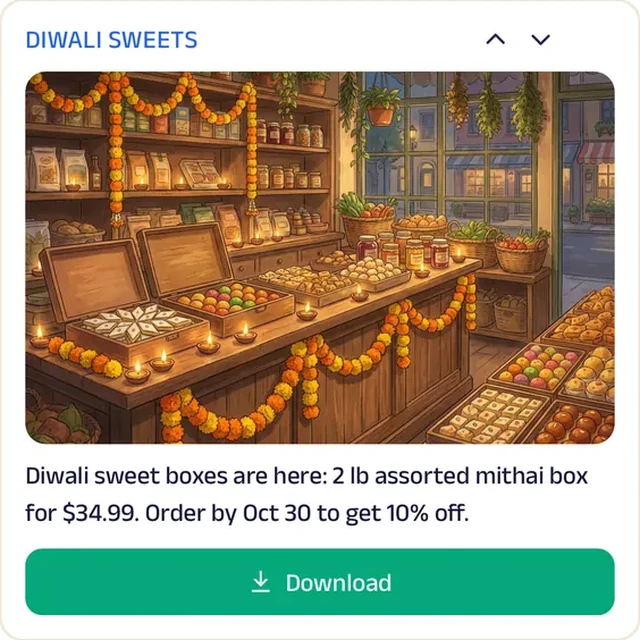
Promotion
A festival poster on the Start tab reminds families to order sweets before the holiday rush.
Chat
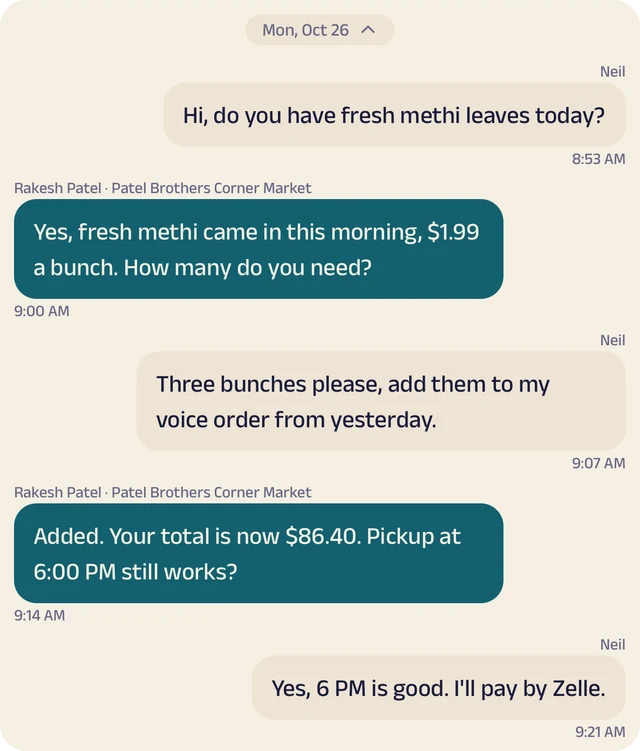
Shoppers message to check whether a brand is in stock before they drive over.
Location
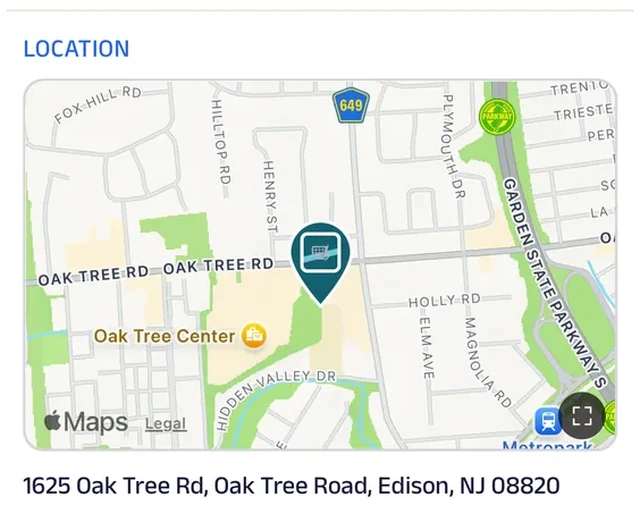
The store is pinned on the map along with its side lot, so curbside customers pull into the right spot.
Text order
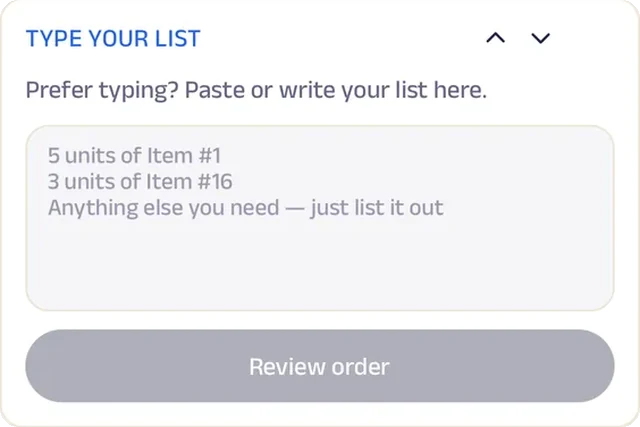
Customers who prefer typing paste their list straight into the order, brand names and all.
Recent items
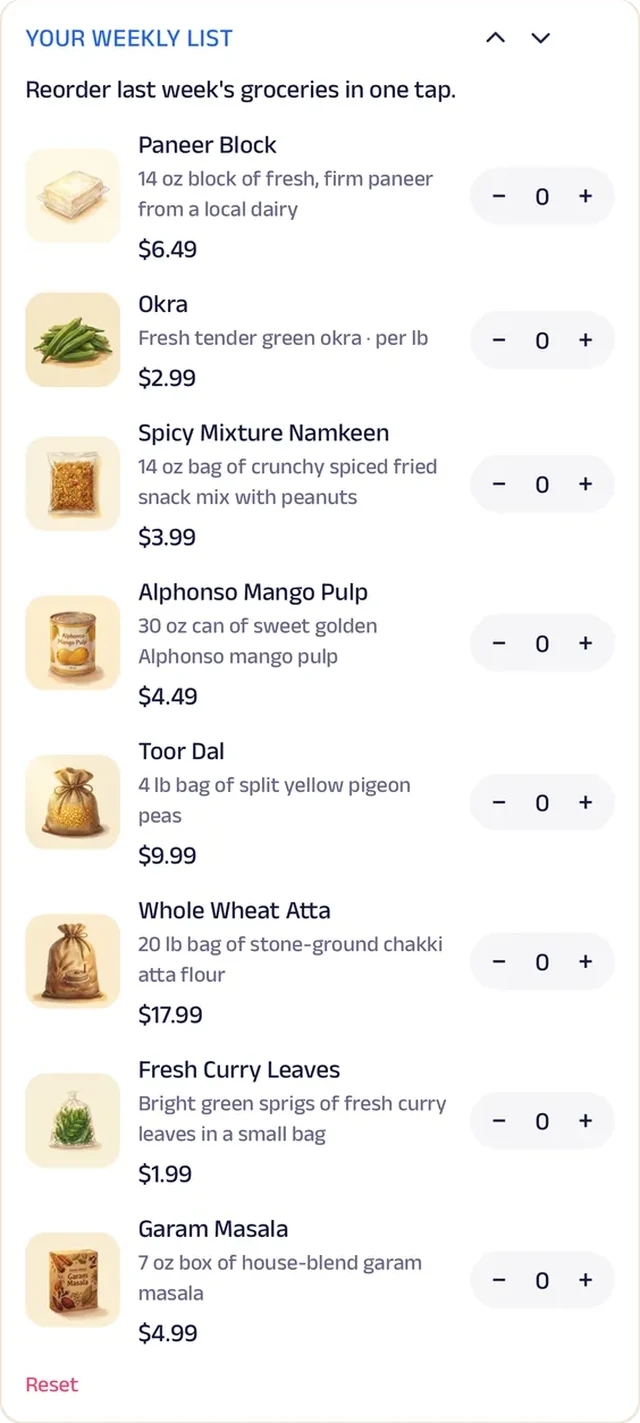
The weekly list goes back in the cart in one tap, so a regular order takes seconds.
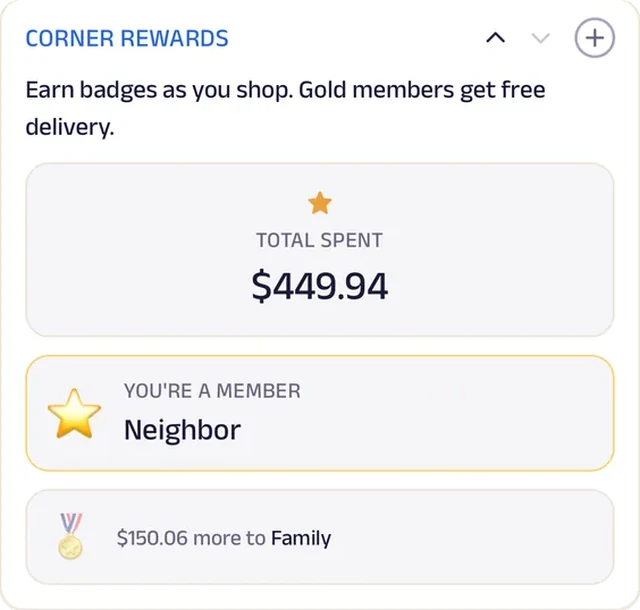
Loyalty
Corner Rewards badges count every order from the families who shop here week after week.
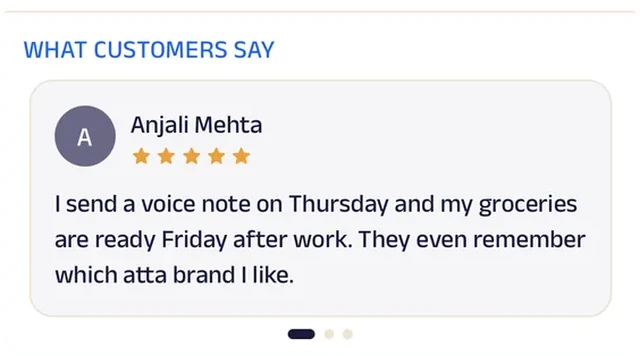
Reviews
Families write about finding the exact brands they grew up with, which is why they drive across town for this store.
Butcher
Prime Cut Butchers
A neighborhood butcher that has the regular order wrapped before the customer walks in.
Regulars used to wait at the counter while their usual order was cut and wrapped. Now their usual is saved in the app: they tap it, note any changes, and it's wrapped and waiting at counter pickup. Special requests are typed out and confirmed ahead.
The full meat case is listed in the app, so customers can see what's on hand before they drive over. A monthly meat box brings a mix of cuts, holiday turkey orders come in with size and pickup day, and butchery night seats are reserved from the app. Cooking temps sit on the Start tab, and Block Club badges count every visit. An old-school whole-animal butcher now takes orders and runs classes like a gourmet market.


Recent items. Most customers buy the same thing every week, so their usual is one tap away, with any changes noted.
Gadgets at work
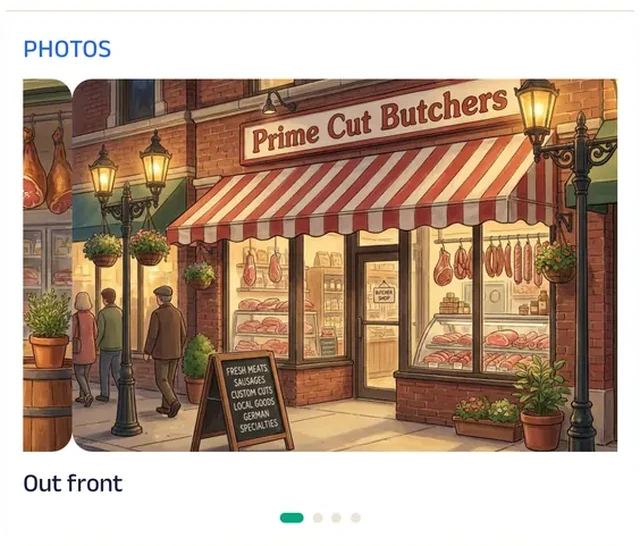
Photo gallery
Photos of the case and the block show the whole-animal butchery before anyone walks in.
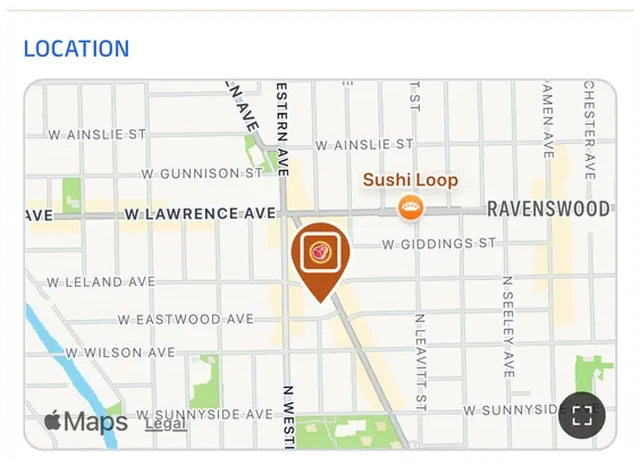
Location
The shop is pinned on the map, so customers driving over for a special cut find the door the first time.
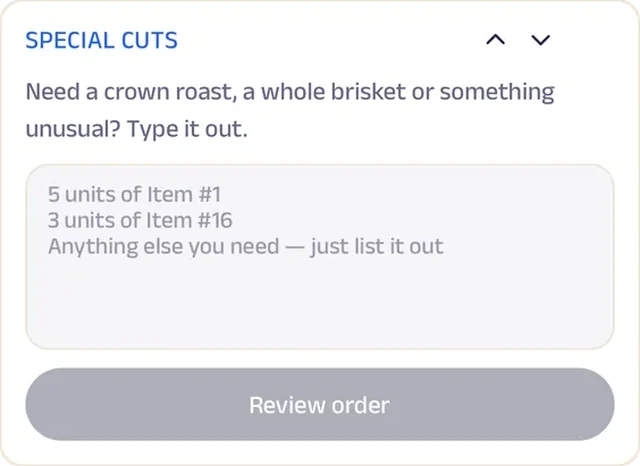
Text order
Customers type out any cut that isn't in the case, and the butcher confirms when it will be ready.
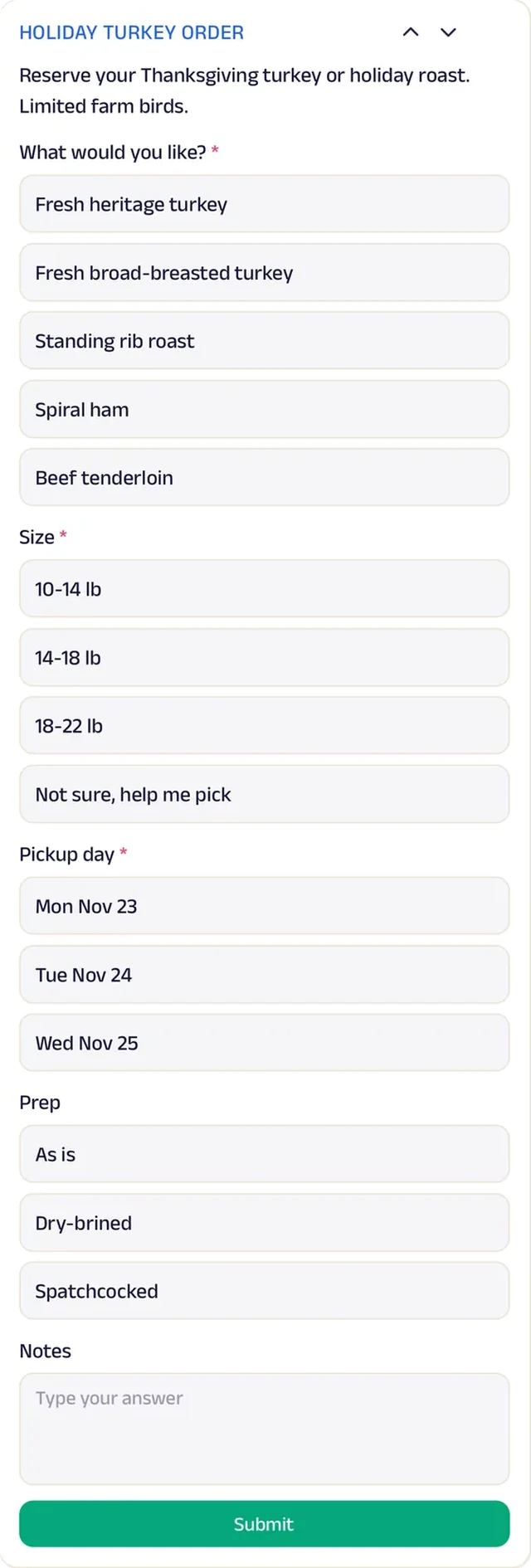
Forms
Holiday orders come in with size, pickup day and any extras, so the count is set well before the rush.
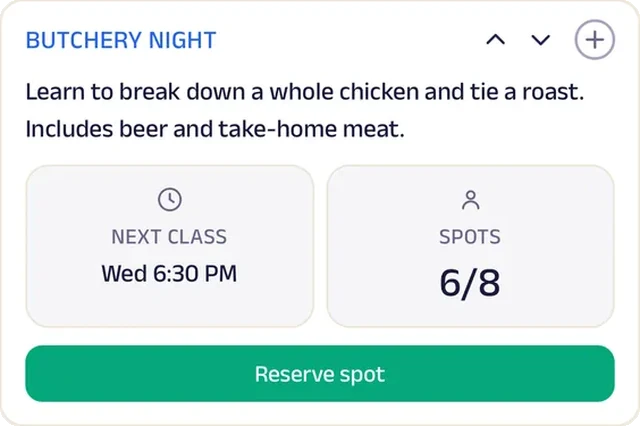
Reserve spot
Butchery night seats are reserved ahead for a hands-on class at the block.
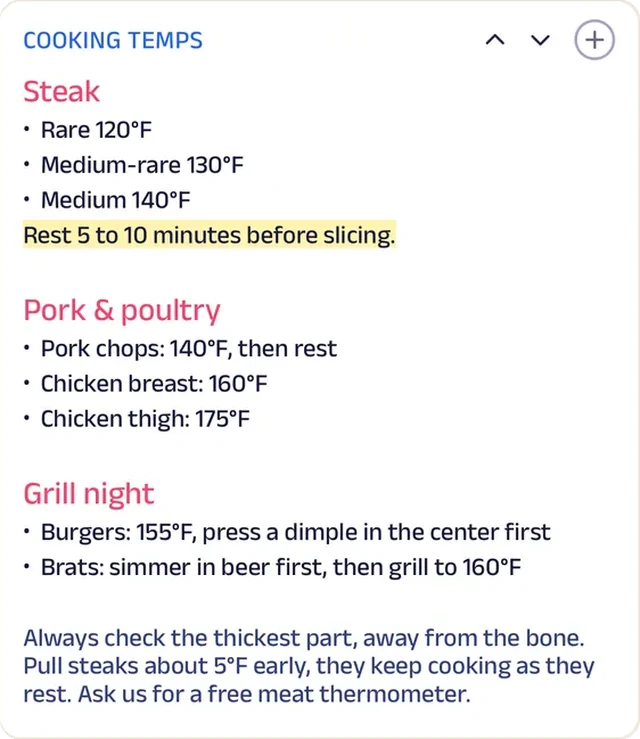
Custom text
A cooking temperature guide sits on the Start tab, so every cut comes off the grill the way it should.
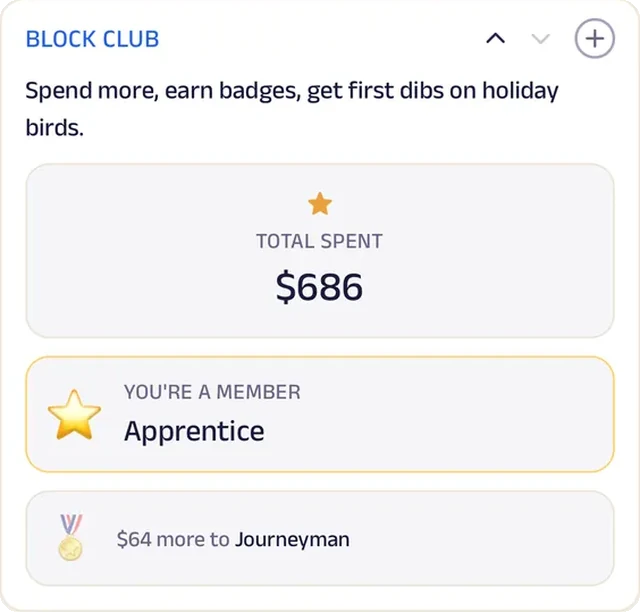
Loyalty
Block Club badges reward the regulars who come in every week.
Bookstore
Dog-Eared Books
A bookstore that runs a book club, a subscription and special orders from one page.
Special orders used to live on sticky notes behind the register, and half the callers never heard back. Now customers type a title or author, the store orders it in and texts them when it arrives. Neighbors who want to sell their used books describe them on a form first.
The Tuesday book club reserves its seats ahead, Book of the Month brings a hand-picked read every month, and staff picks come with a note from whoever loved them, so browsing online feels like browsing the shelves. Reader Rewards counts every purchase, readers log progress toward a reading goal, and an Indie Bookstore Day poster brings the neighborhood in. Anyone stuck for a next read asks a bookseller in chat. A Pike Street bookshop now runs a subscription club and special orders like a national bookseller.


Reserve spot. Seats at the Tuesday book club are reserved ahead, so there's a chair (and maybe Pages the cat) for everyone.
Gadgets at work
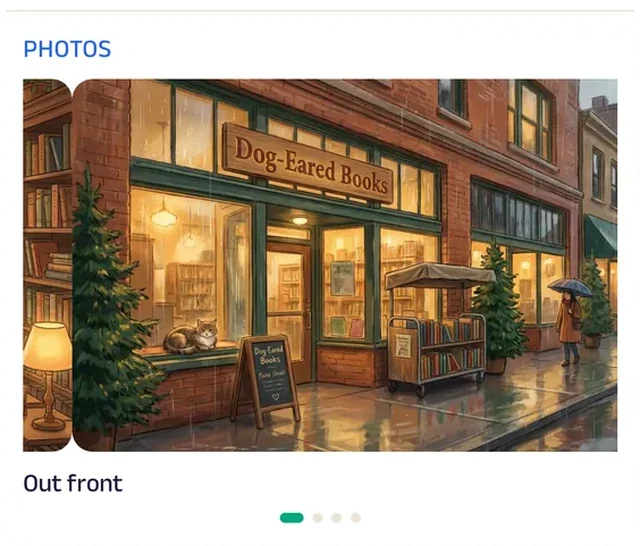
Photo gallery
Photos of the shelves (and Pages the cat) show the shop to anyone deciding whether it's worth the walk.
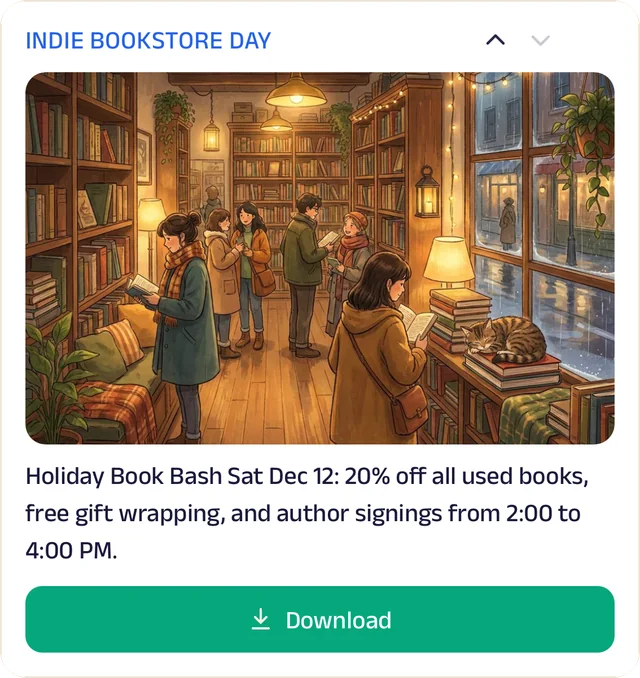
Promotion
The Indie Bookstore Day poster brings the neighborhood in for the shop's biggest day of the year.
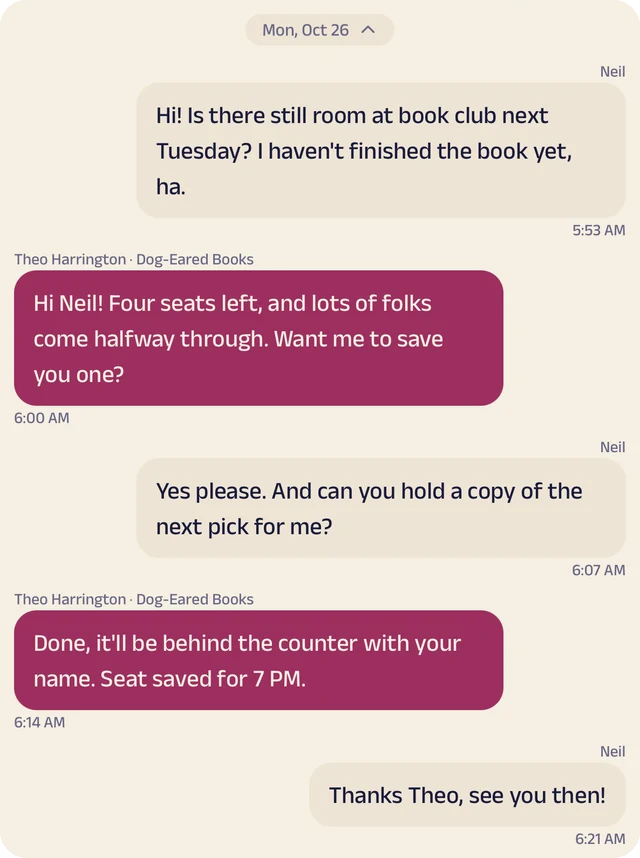
Chat
Customers say what they loved last and a bookseller recommends what's next.
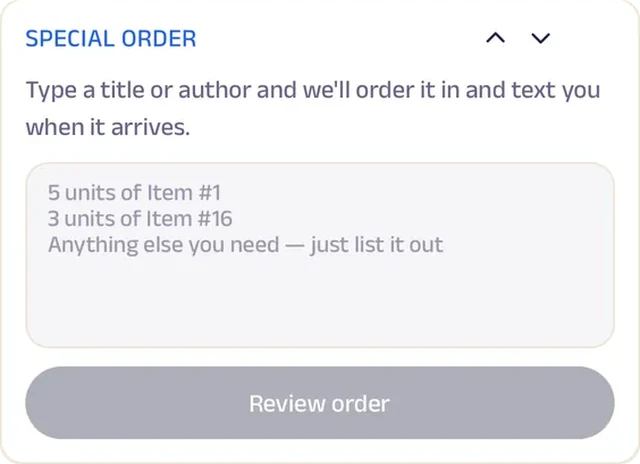
Text order
Customers type a title or author, and the store orders it in and texts when it arrives.
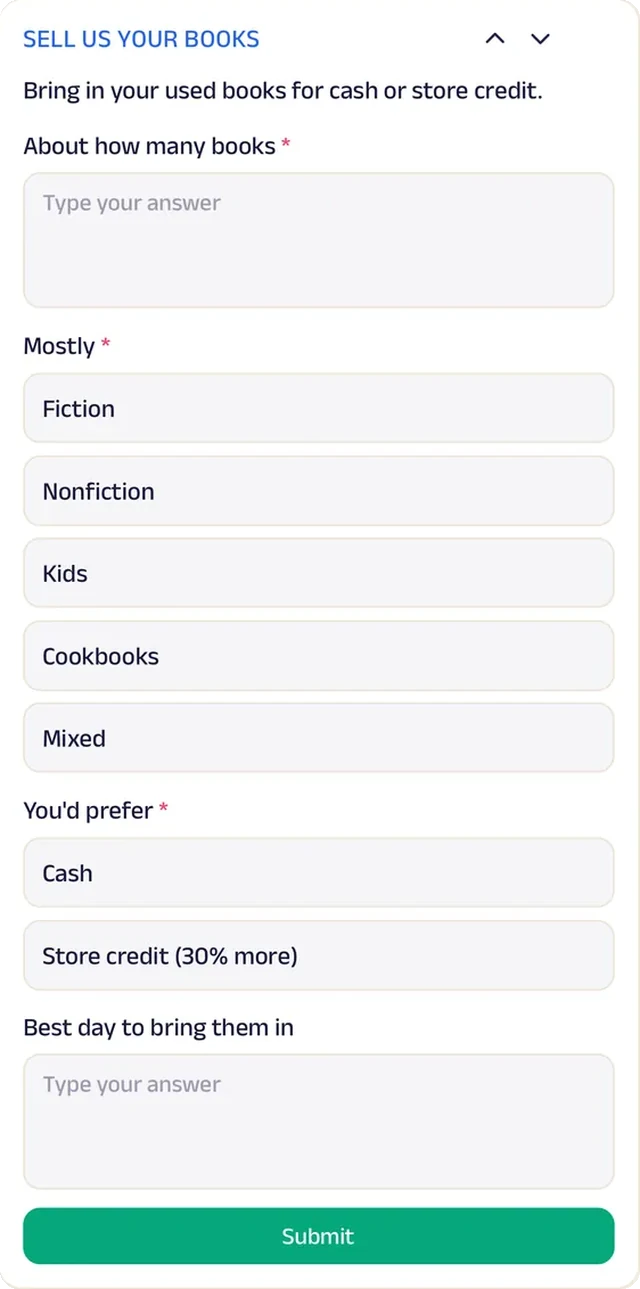
Forms
Neighbors describe the books they want to sell, so the staff know what's coming before the boxes arrive.
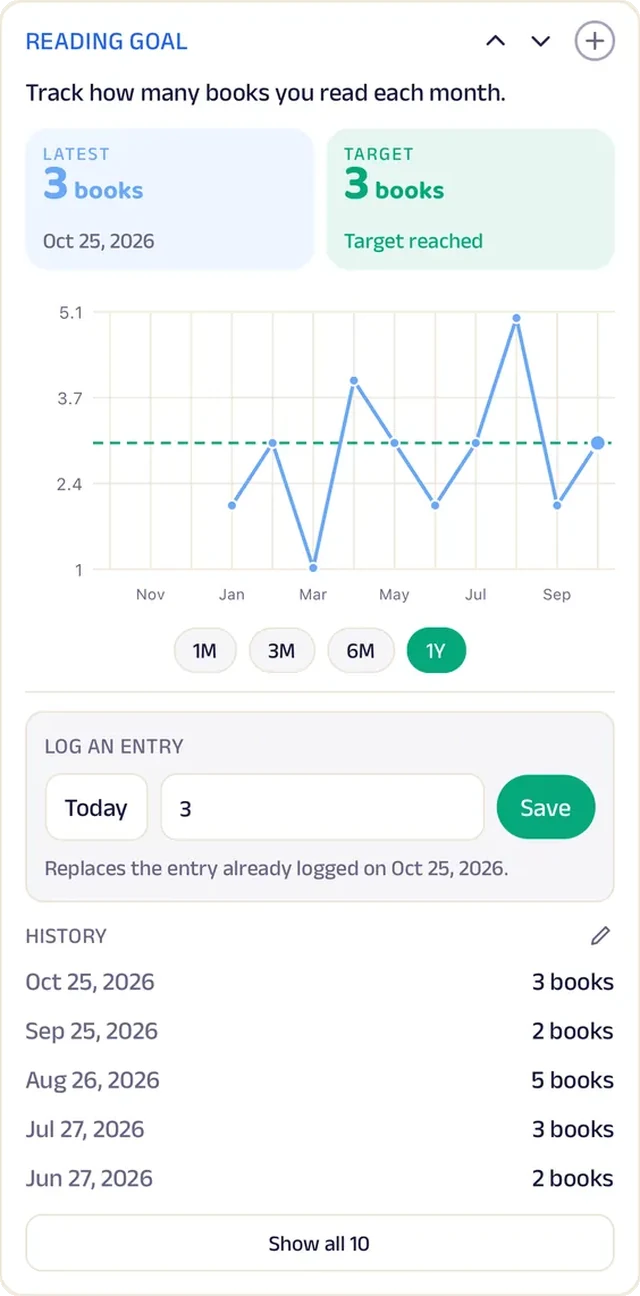
Tracker
Readers log every finished book against their reading goal for the year.
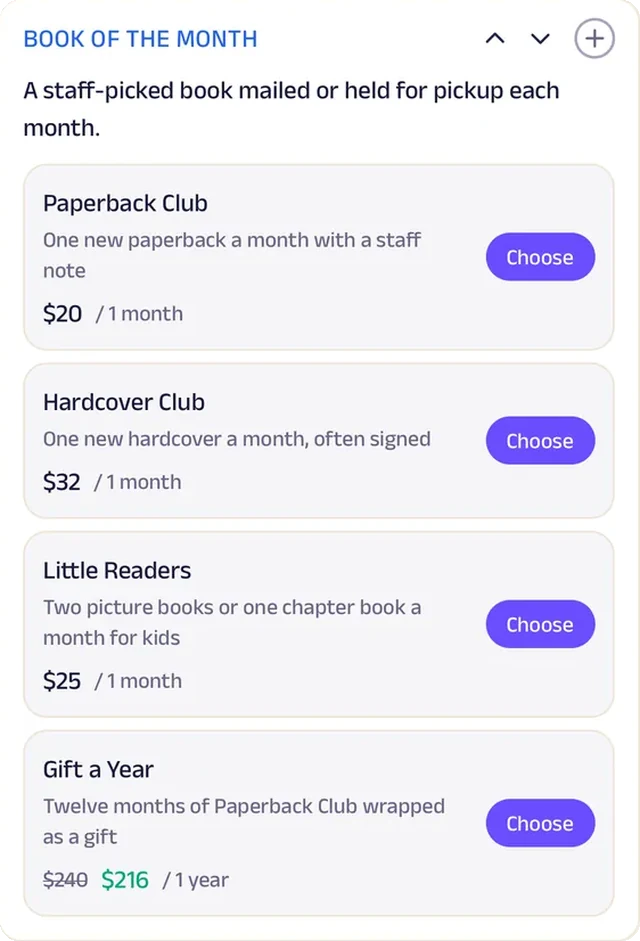
Subscriptions
A monthly subscription sends a hand-picked read every month, so subscribers never wonder what to read next.
Loyalty
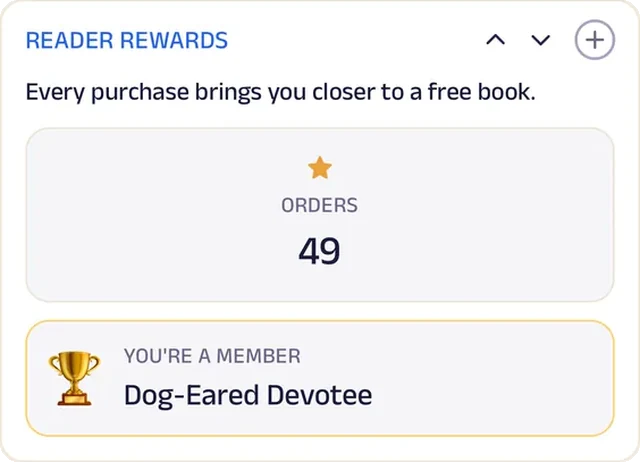
Reader Rewards counts every purchase, so the regulars who buy here instead of online get something back.
Print shop
Main Street Print & Copy
A print shop that has the file, the paper and the count before the customer walks in.
Print jobs used to arrive on thumb drives and in email threads with no paper size in sight. Now customers upload the file in the app, fill in how many copies and what paper, and the job is set aside for pickup, most of it the same day. Walk-ins join the line from their phone instead of standing at the counter.
Prices are posted for everything from everyday copies to banners, and a past order goes back in the cart with one tap to reprint. Local schools, churches and offices sign up for a business account, a back-to-school offer sits on the Start tab, and customers text a question about file size before they upload. A family print shop opened in 1994 now takes orders like a national copy chain.


Add docs. Customers upload the file from home, whether it's a flyer, a résumé or a church bulletin, and it's waiting at the counter.
Gadgets at work
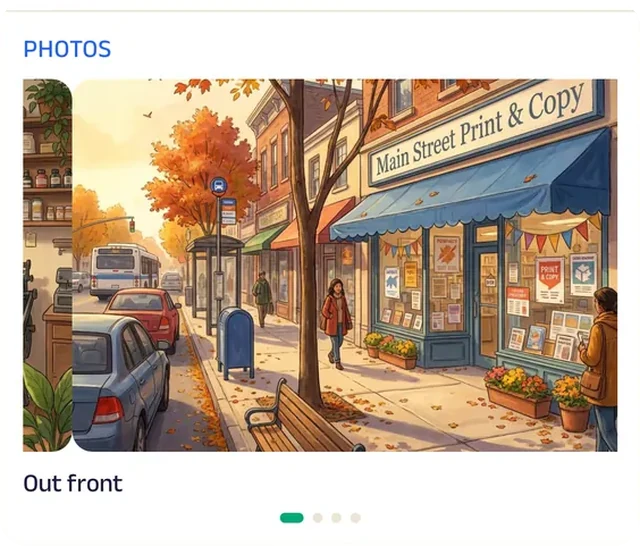
Photo gallery
Photos of finished banners, booklets and bulletins show what the shop can turn around.
Promotion
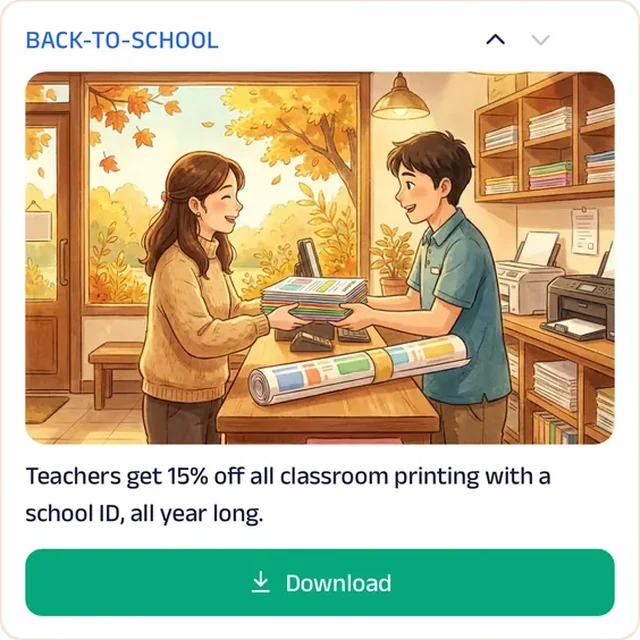
A back-to-school offer on the Start tab brings teachers and students in before the first week.
Location
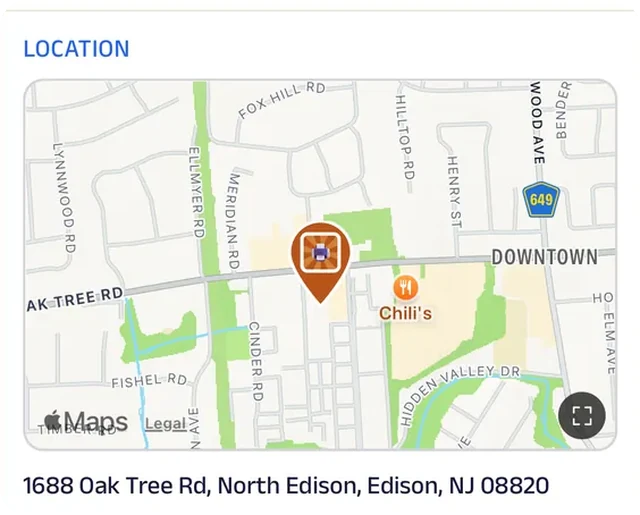
The shop is pinned on the map on Main Street, so a customer picking up a rush job doesn't lose time finding it.
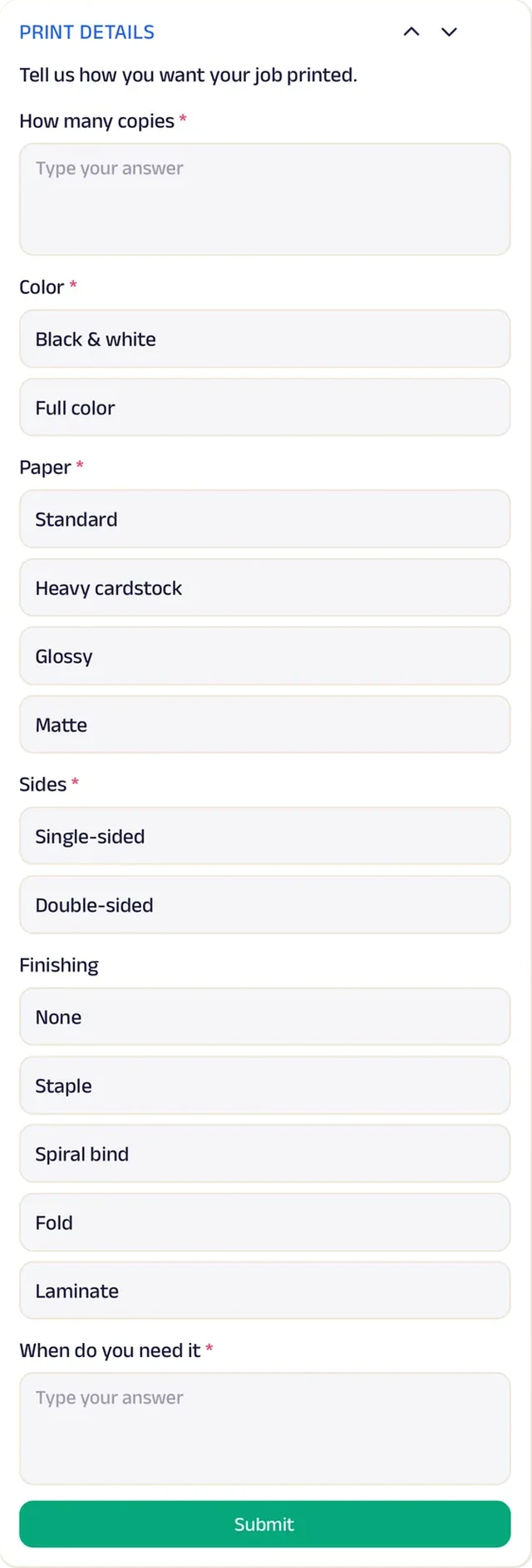
Forms
Every job arrives with copies, paper and finish filled in, so there's no phone call to ask about color versus black and white.
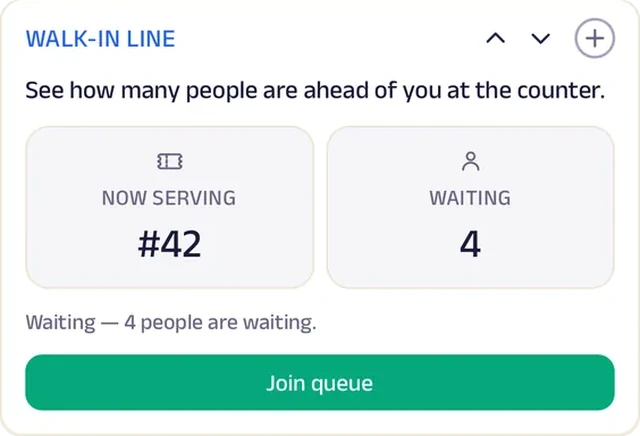
Queue
Walk-ins join the line from their phone and come back when they're near the front.
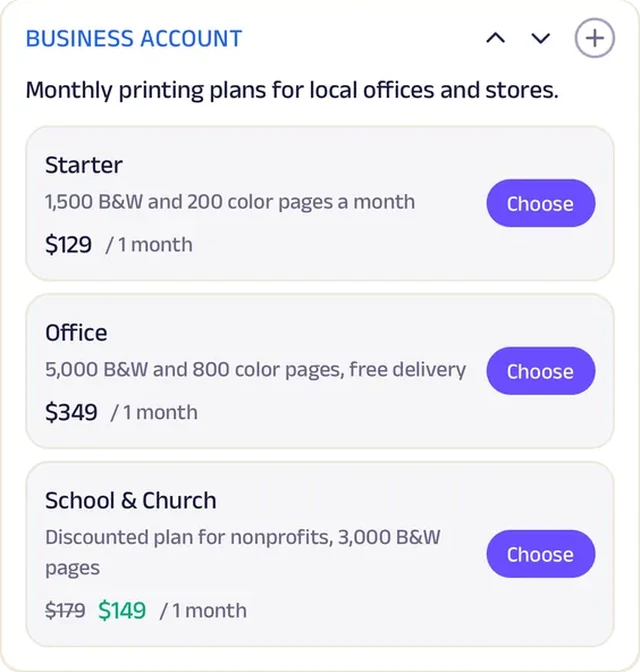
Subscriptions
Schools, churches and small offices open a business account instead of paying job by job.
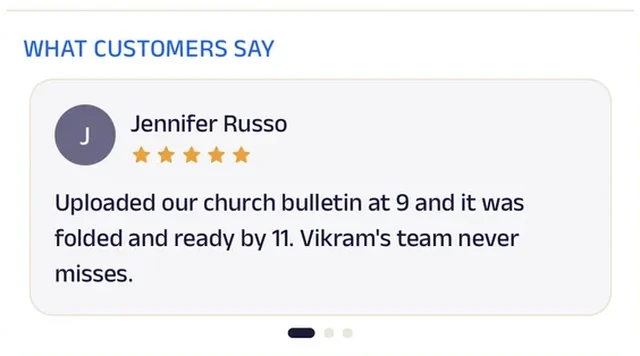
Reviews
Customers write about jobs done right the first time, which is how a print shop lasts since 1994.
Run the whole business
Your team, your customers and your money, in one place.
The same page is also how you run the shop, from the phones you already have and a laptop in the browser. There's no special software or hardware to buy.
Operate your day
From the first booking to "see you again".
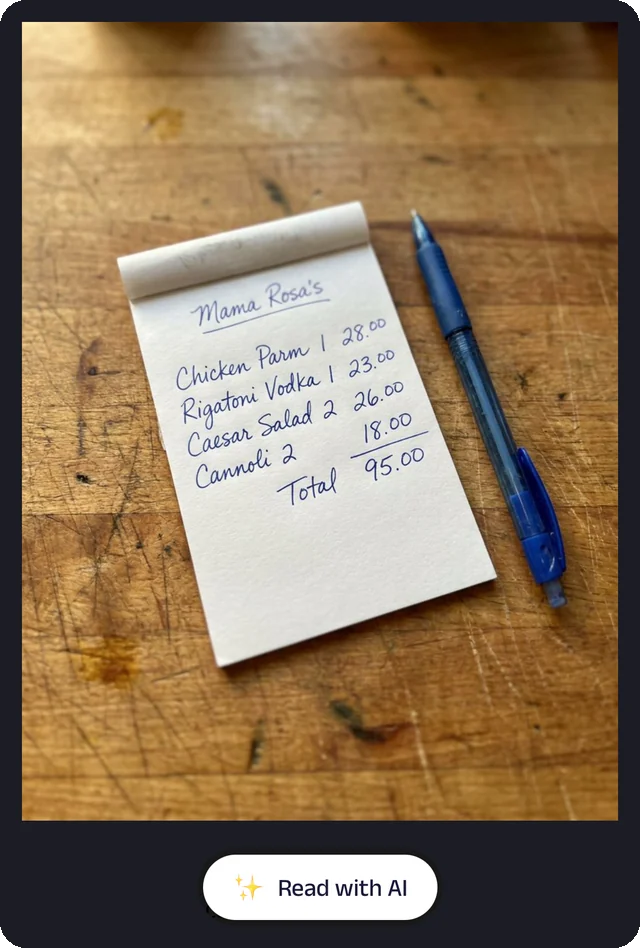
Bill photo
Photograph a handwritten bill, and the Assistant reads it for you to check.
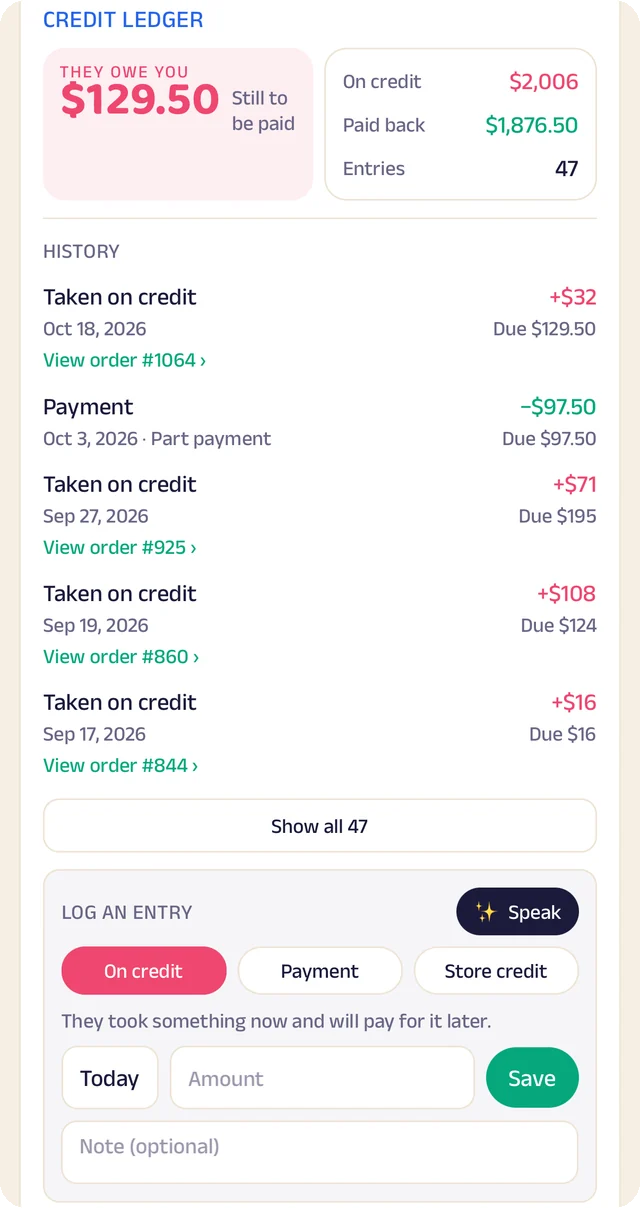
Credit ledger
Every credit and payment by customer. Log an entry by typing, or by speaking it.
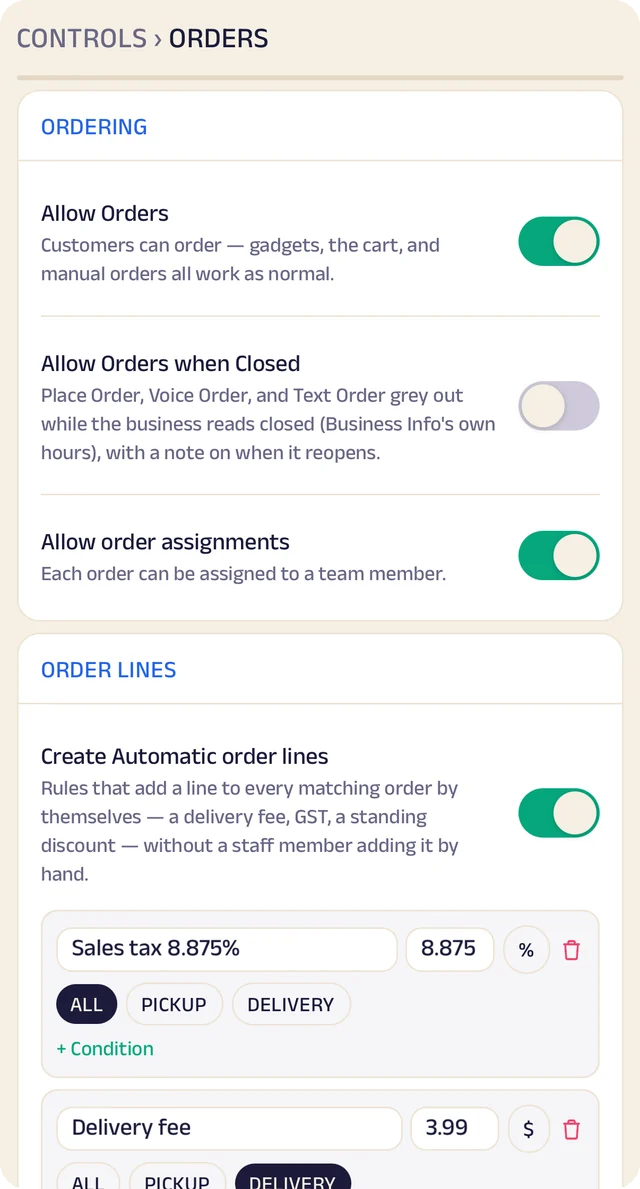
Order settings
Turn ordering on or off, and set sales tax and fees once so they're added automatically.
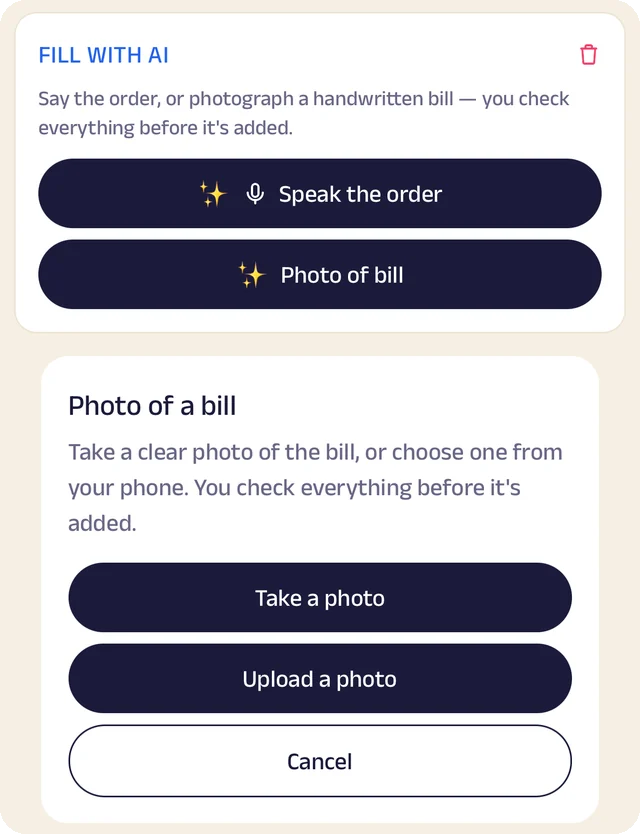
Fill with AI
Say an order out loud or photograph a bill, and check everything before it's saved.
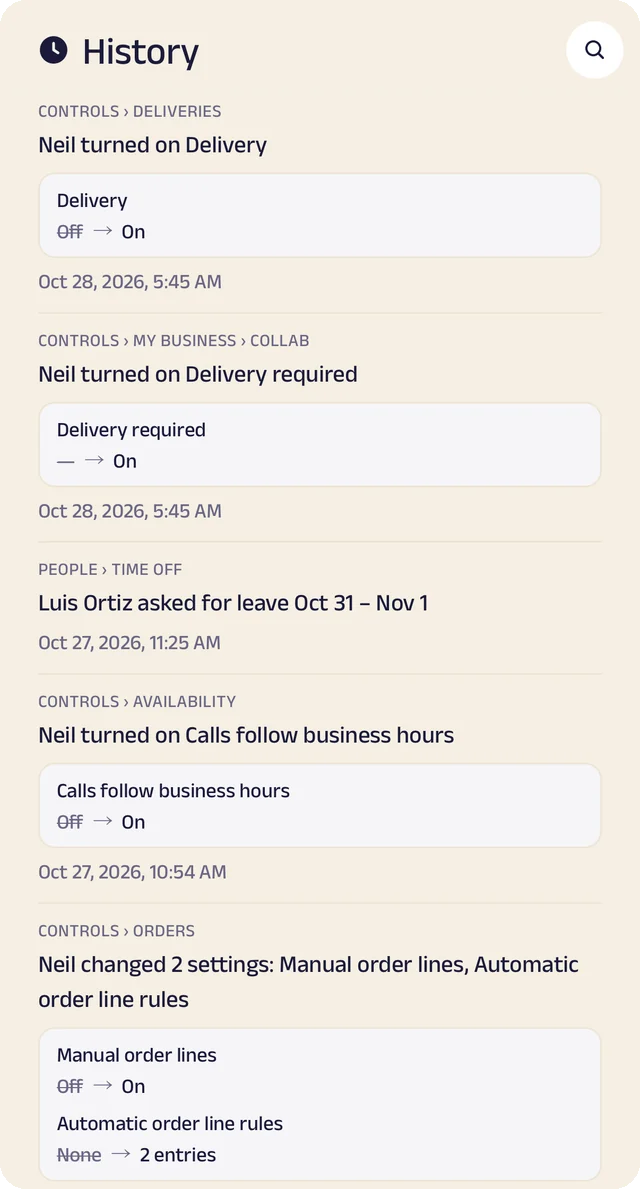
Settings history
Settings switched on or off, with the old and new value.
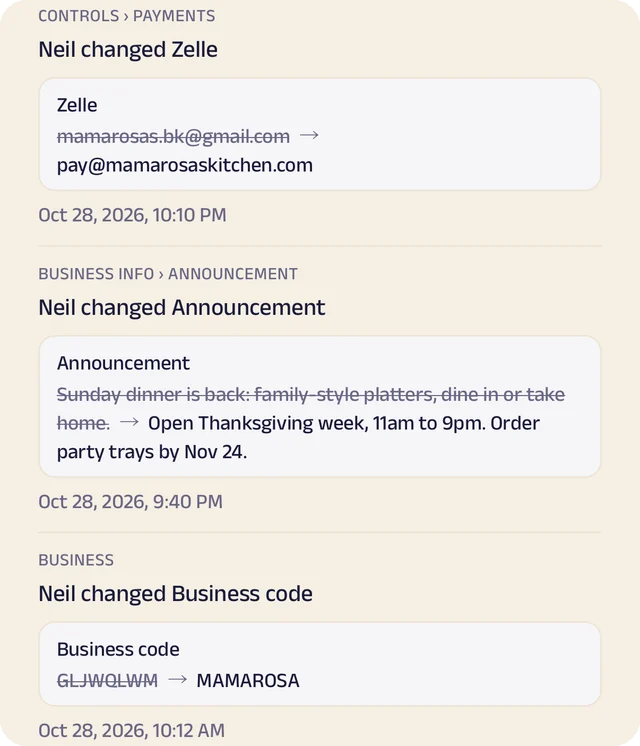
Payment history
Payment details changed, shown before and after.
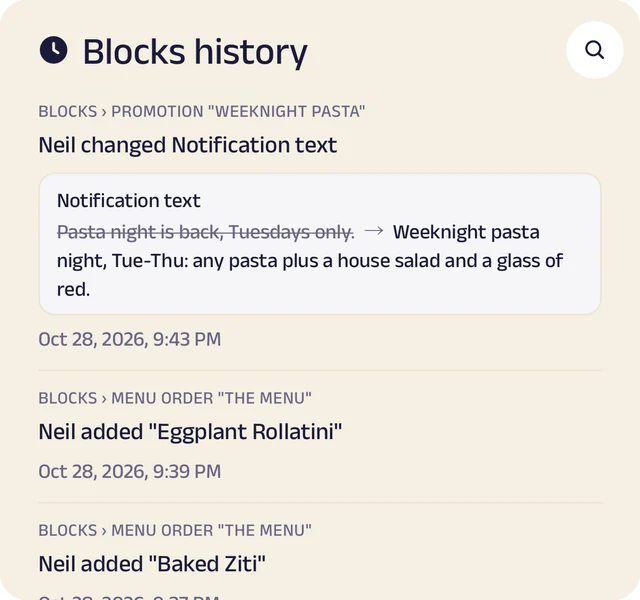
Page history
Changes to your page, kept in its own history.
Catalog and orders
Your products with prices and photos. Customers order by tap, by text, by voice or by a photo of their list, and every order lands in one list.
Stock that keeps itself
List what you sell once, record what comes in with its cost and supplier, and let sales take it out, so you know what's left.
Pickup and delivery
Customers choose a pickup or delivery time, and you see the day's orders in one place.
Paid your way
Zelle, Venmo, Cash App, PayPal, a card link or cash, with sales tax and fees added automatically. Zich World never touches the money, so customers pay you directly.
Manage your people
Everyone who stocks the shelves and serves the counter, in the right place.
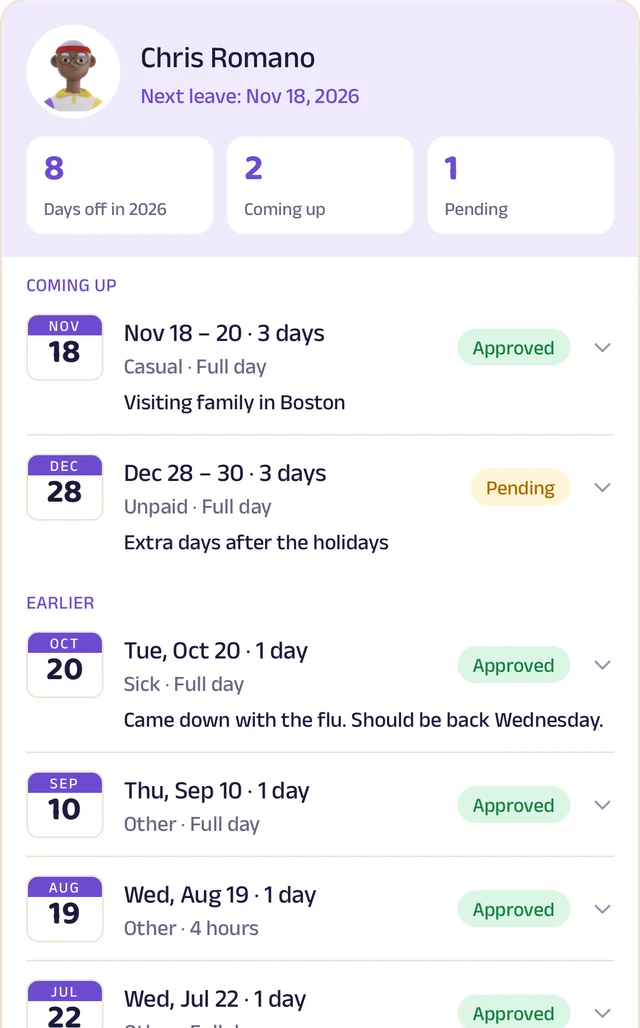
Team leave
A team member's days off: what's approved and what's waiting.
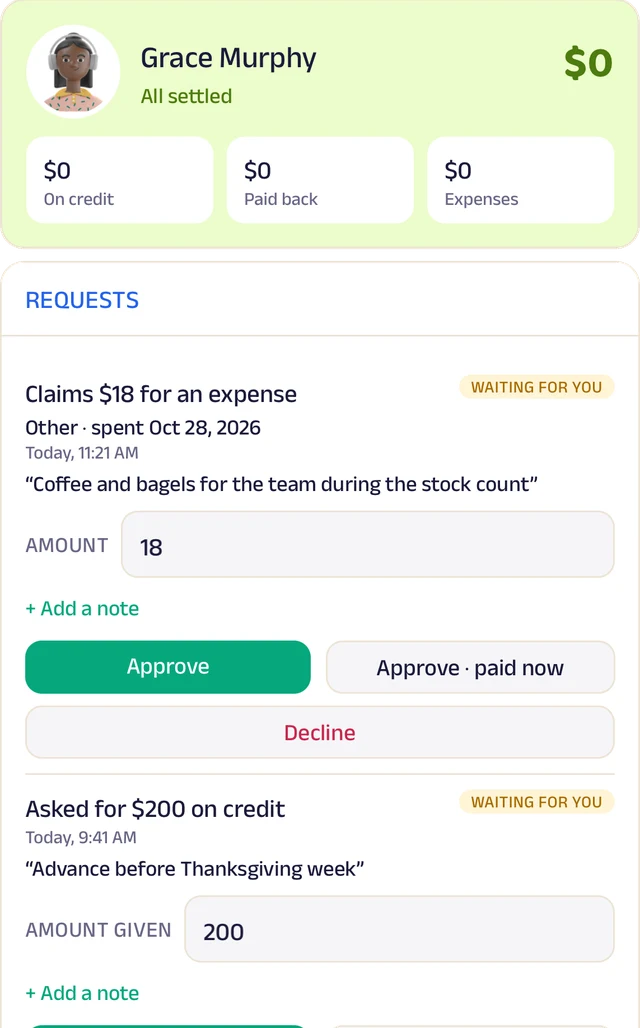
Team ledger
A running account per person: advances, expenses and approvals.
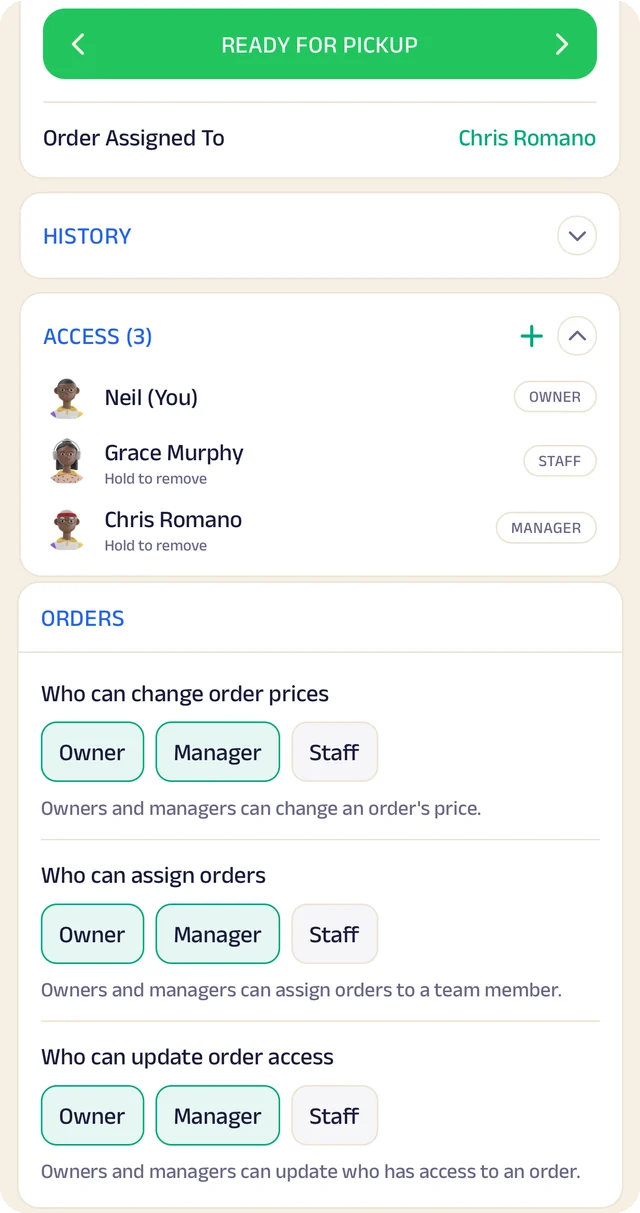
Order access
Who an order is assigned to, who can see it, and who can change it.
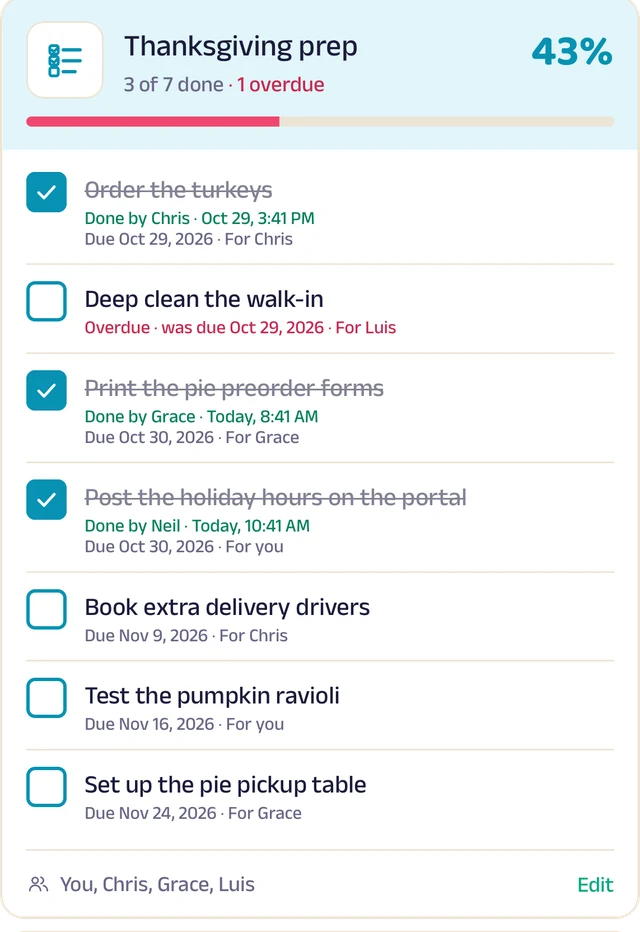
To-do lists
Shared lists, ticked off with who did it and when.
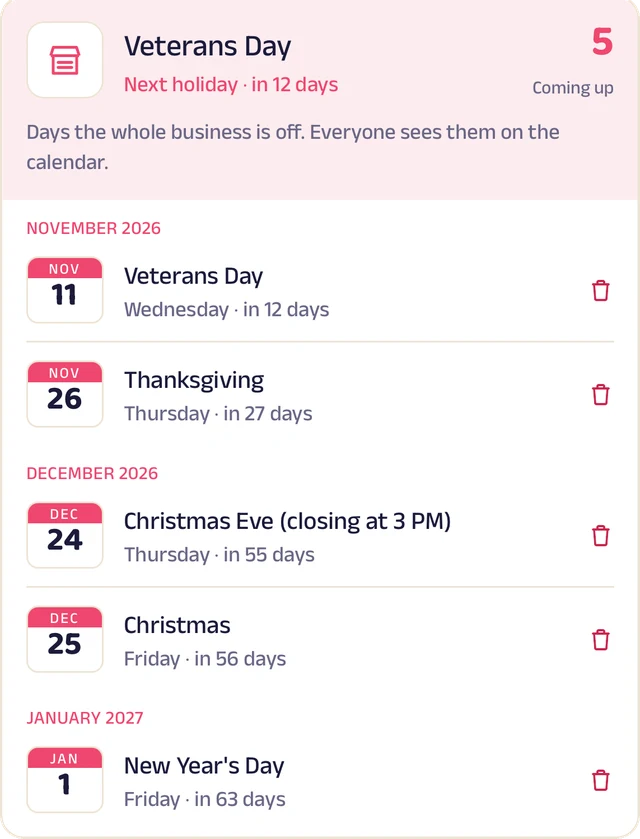
Holidays
Days the whole business is closed, on everyone's calendar.
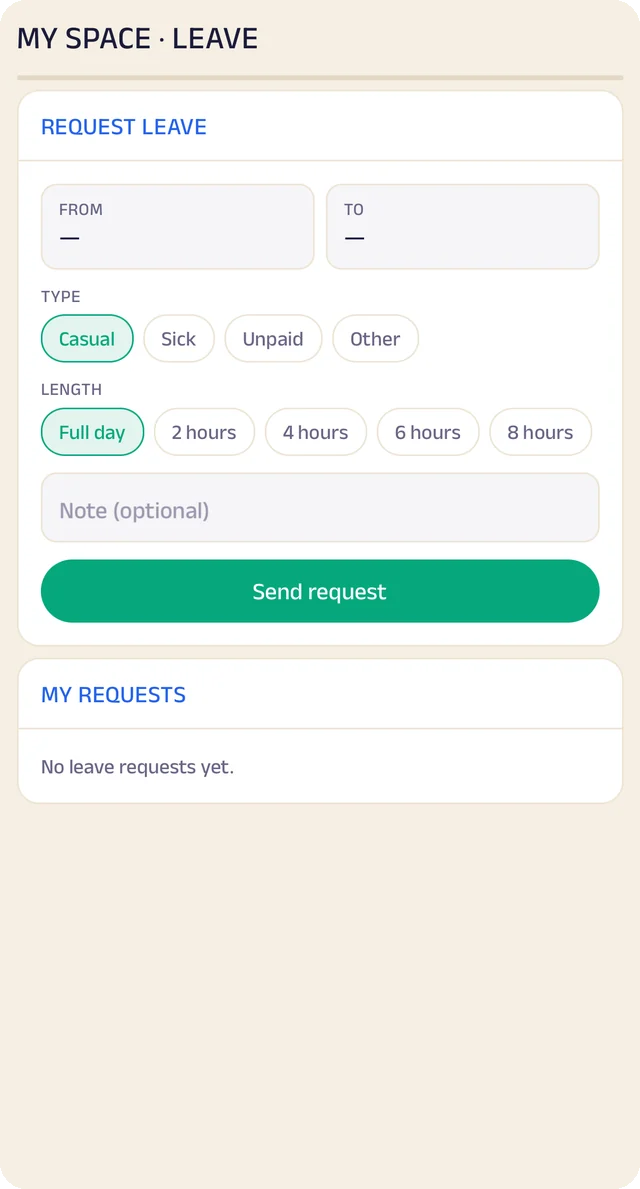
Request leave
Request casual, sick or unpaid leave, for a day or a few hours.
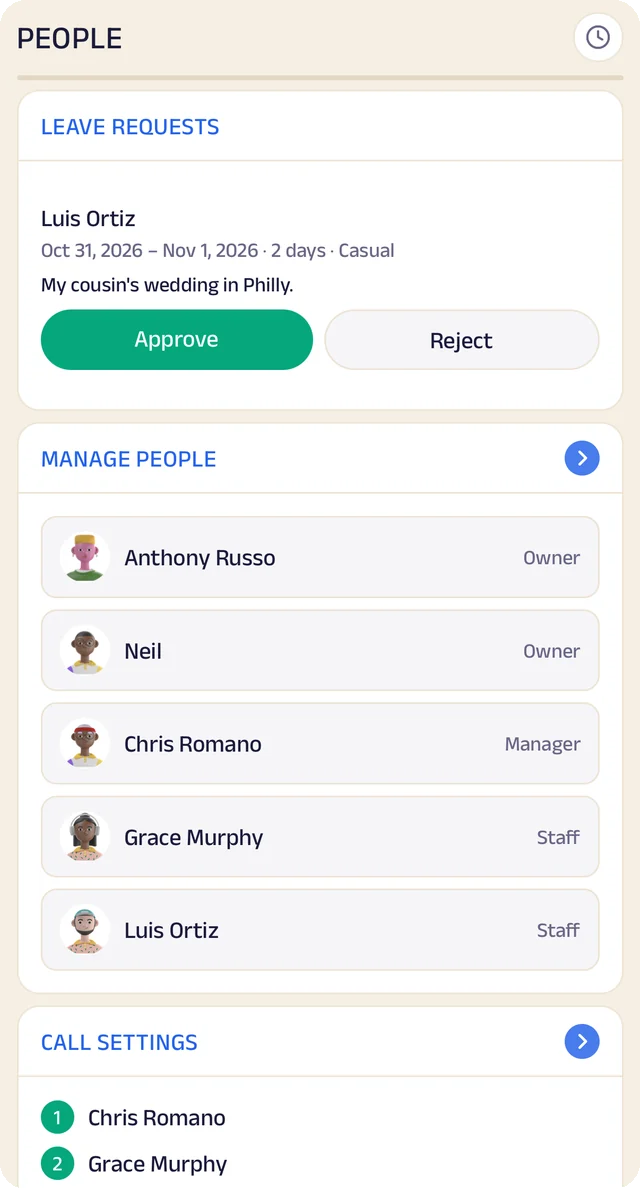
Your team
Your team by role, with leave requests waiting for your approval.
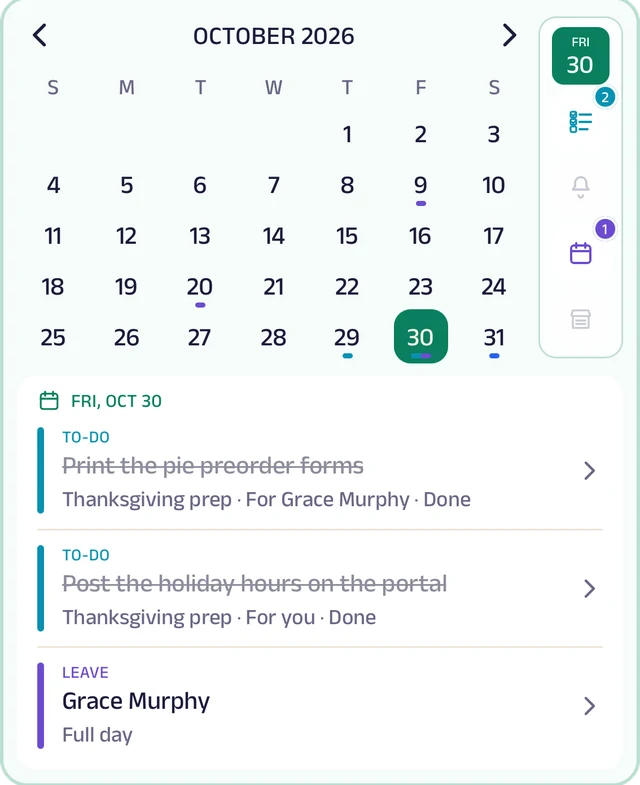
My Space
Everyone's own calendar, with to-dos, reminders and leave.
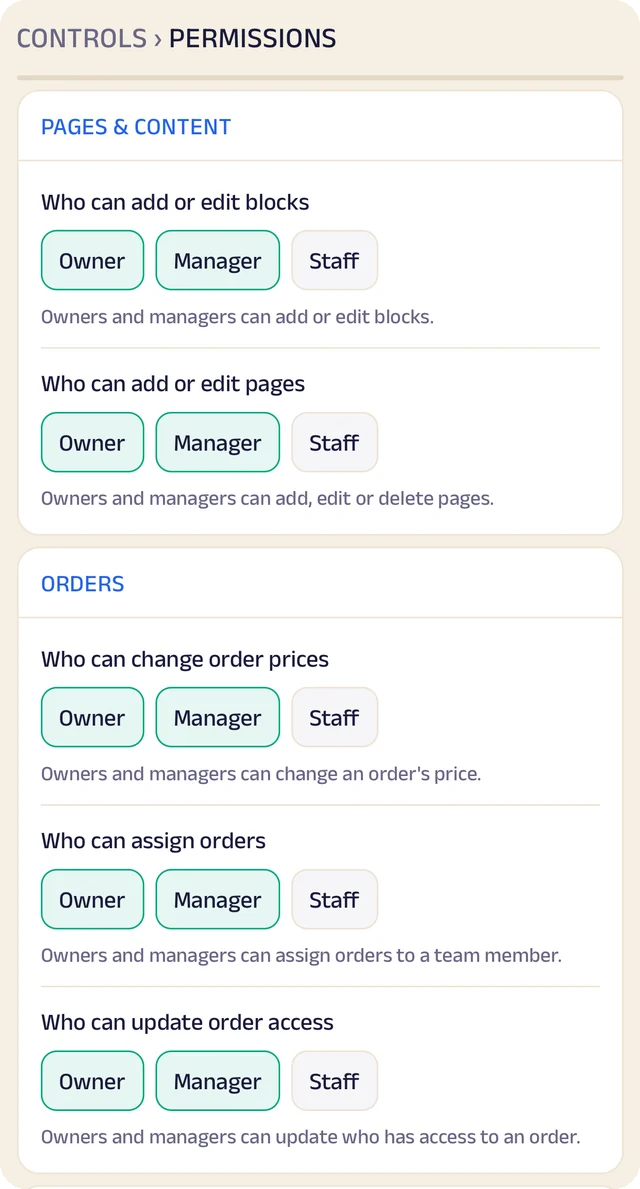
Permissions
Who can edit your page and change prices, role by role.
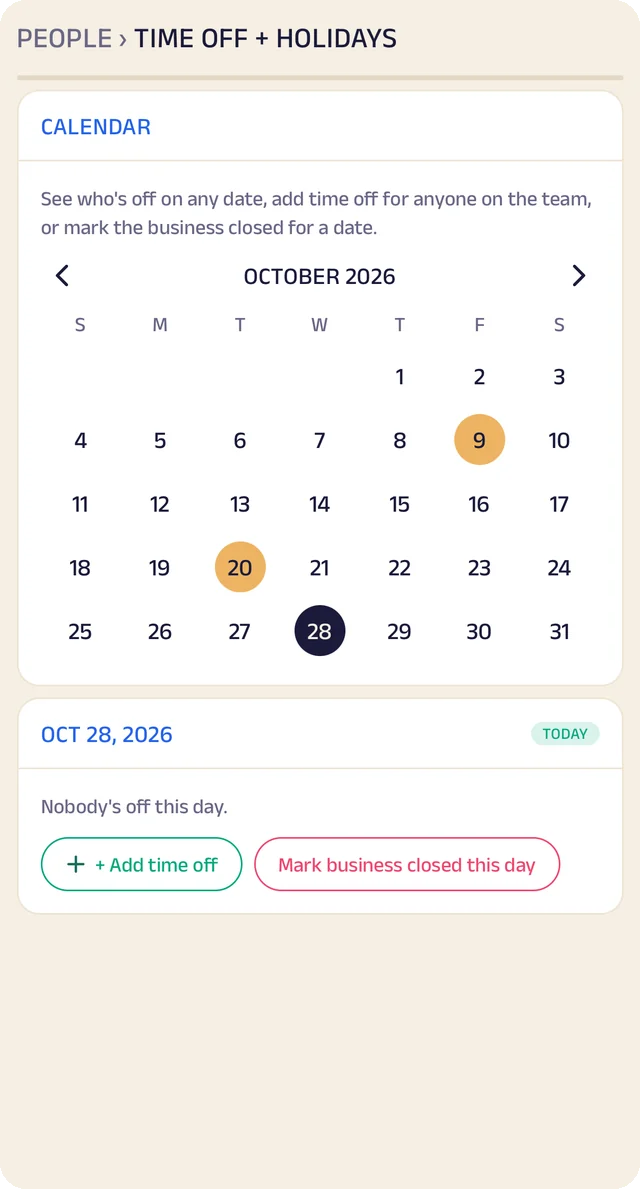
Time off
A calendar of who's off and which days the business is closed.
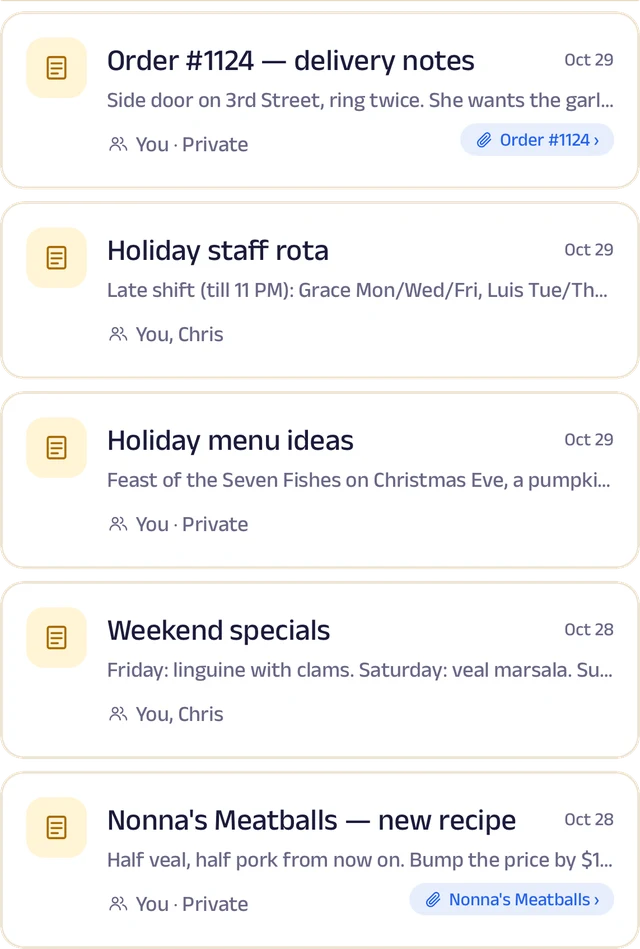
Notes
Notes with photos and voice, some linked to an order or a customer.
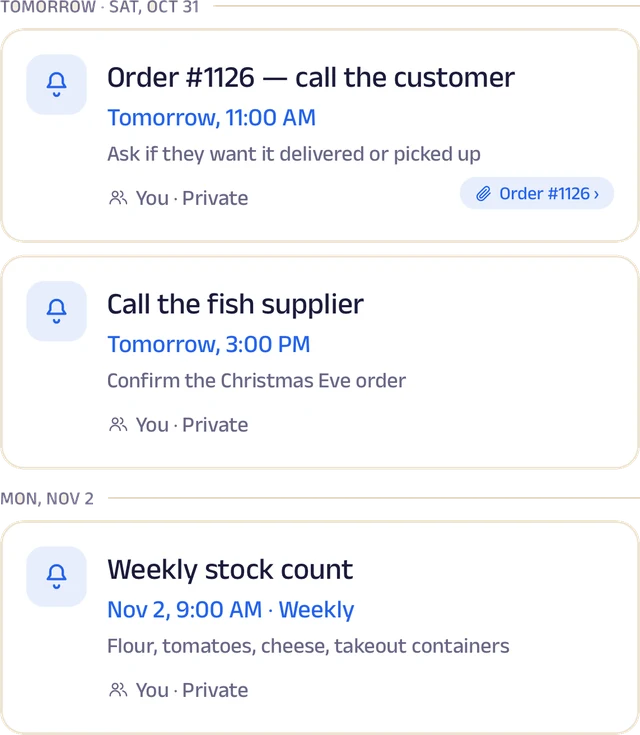
Reminders
Once or on repeat, shared with the team and linked to an order.
Roles and access
Add your your team by phone number and give each a role: owner, manager or staff. You choose who can edit your page, change prices or assign bookings, and you can freeze someone's access in a tap. Payment details stay with the owner.
Leave and holidays
Staff request casual, sick or unpaid leave for a full day or a few hours, and you approve it. Everyone sees who's off today, and days the whole shop is closed show on every calendar.
A ledger for each person
Each team member's running account with the business: advances, money paid back and expense claims. Staff ask, you approve, and a statement is ready to share for any period.
My Space for everyone
Each person gets their own calendar with to-do lists, notes and reminders, and the owner sees the whole team.
Track your growth
Kept as you work, not typed up at the end of the month.
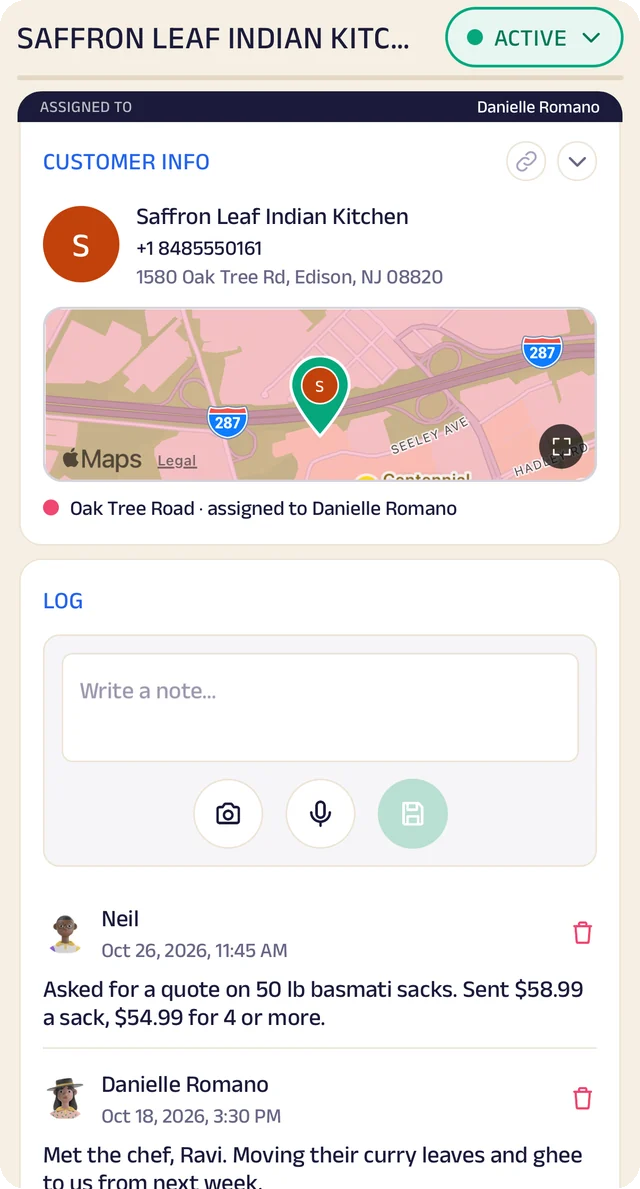
Customer record
One customer's record: details, a map pin and the team's notes.
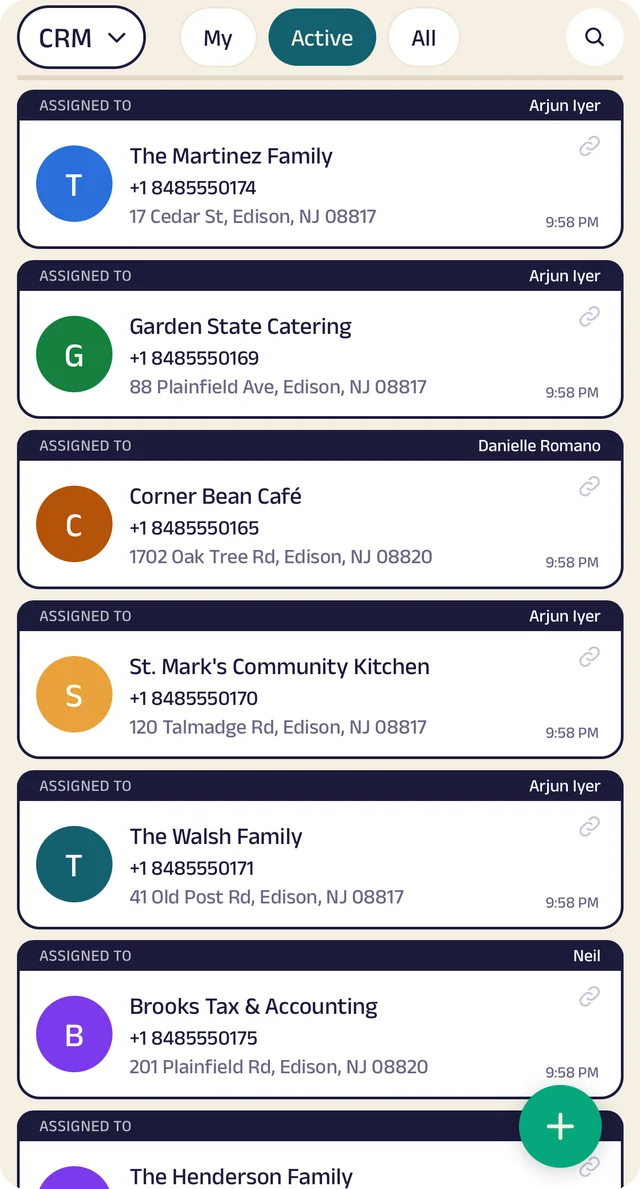
Customer list
Customers assigned to the people who look after them.
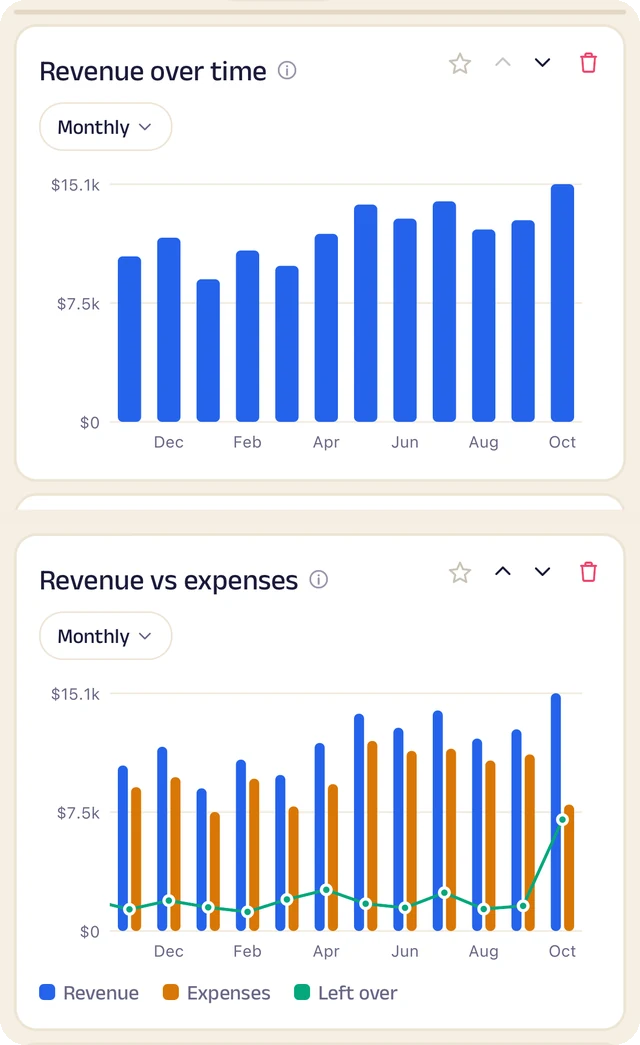
Revenue
Revenue month by month, and what's left after expenses.
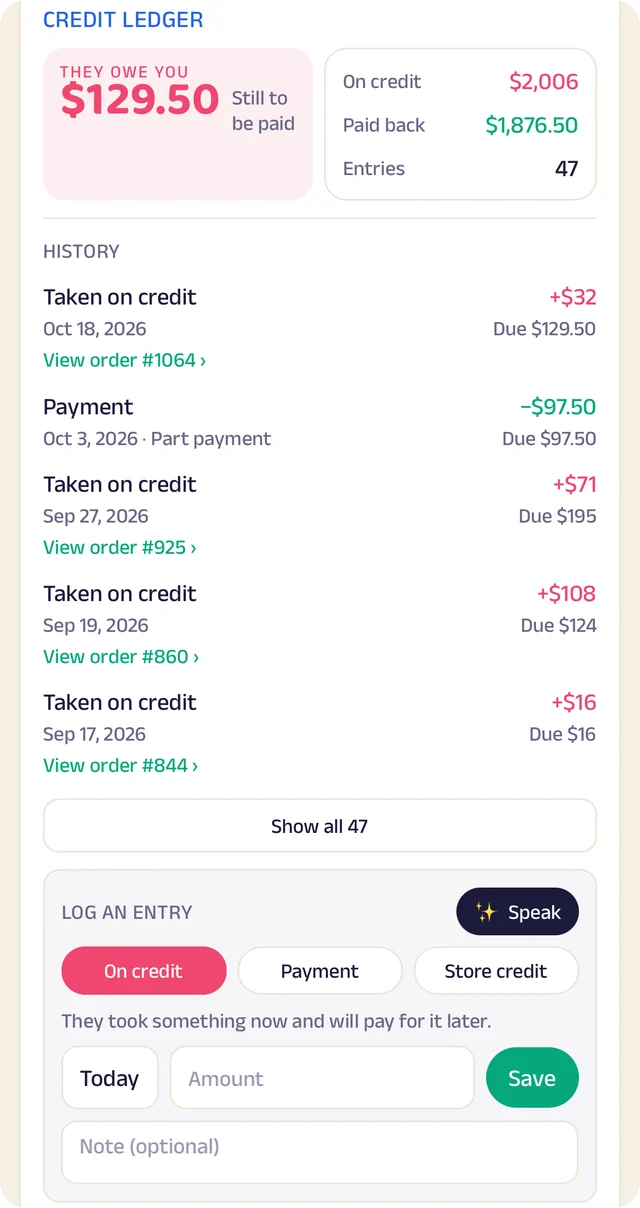
Credit book
Every credit and payment by customer and date, with the balance on both sides.
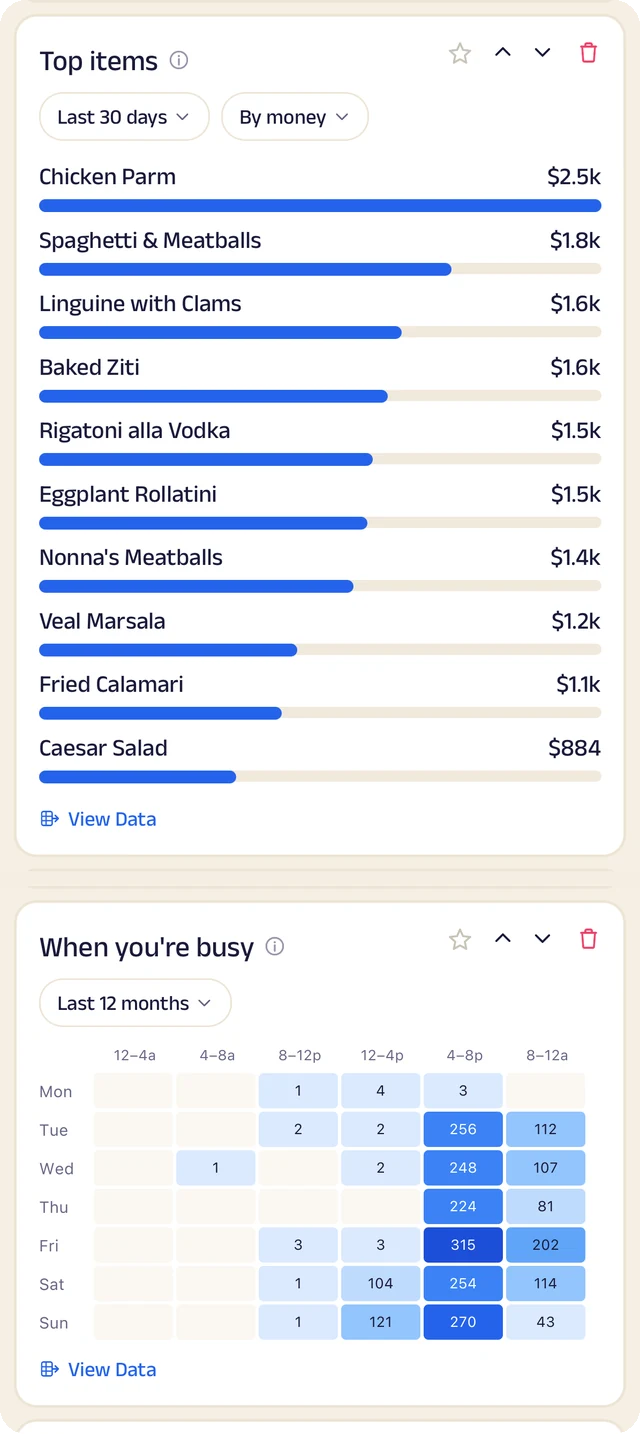
What sells
What sells, and the hours you're busiest.
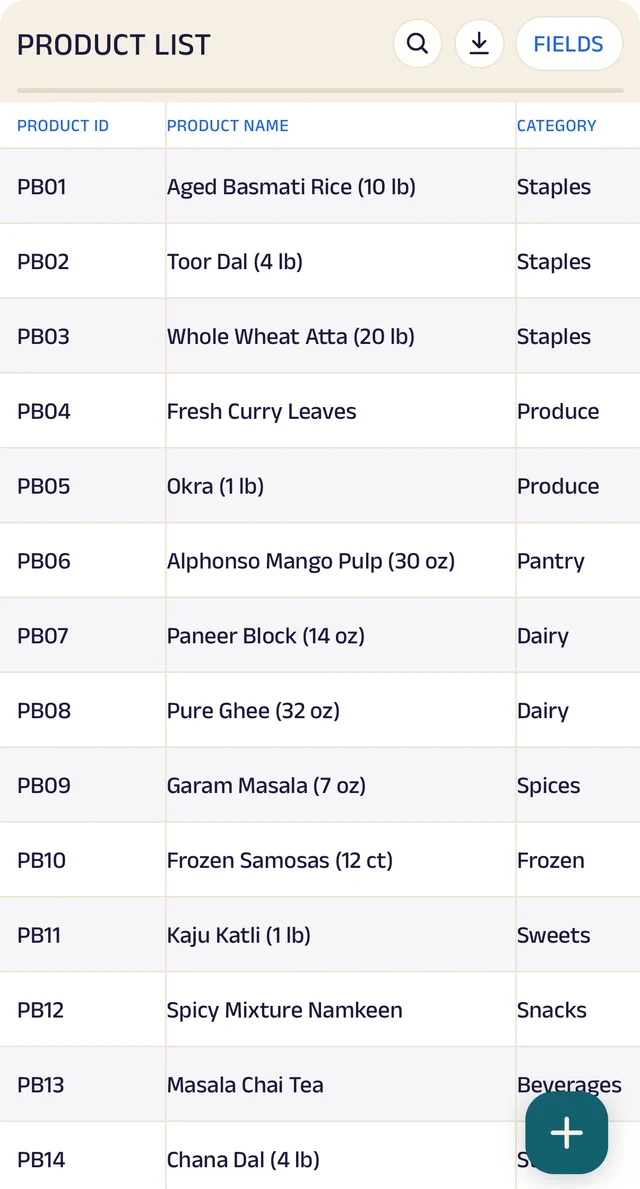
Products
Your products, with codes, names and categories.
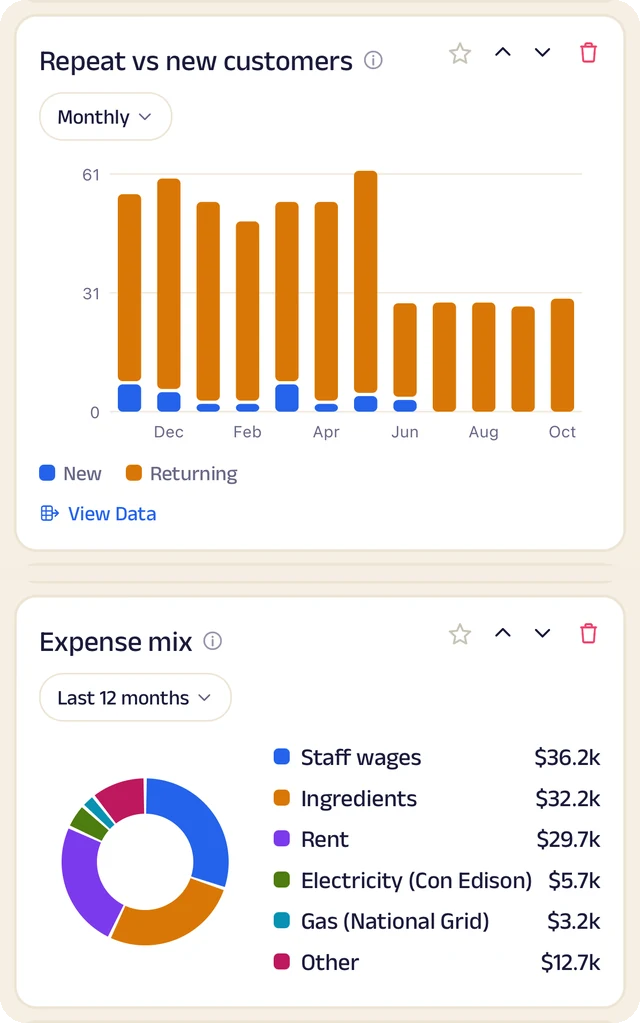
Customers and costs
Repeat against new customers, and where the money goes.
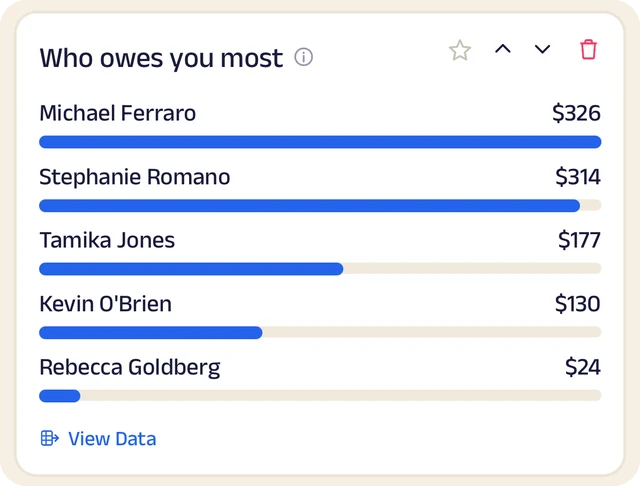
Who owes most
Who owes you the most, ranked.
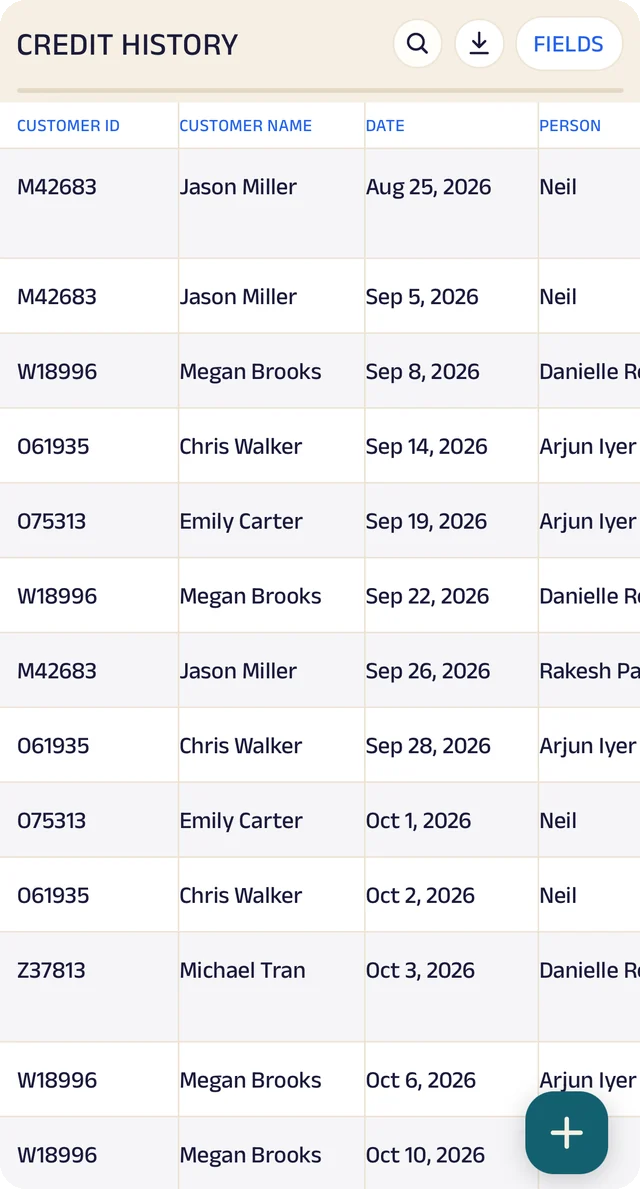
Credit history
Every credit entry as a table you can search.
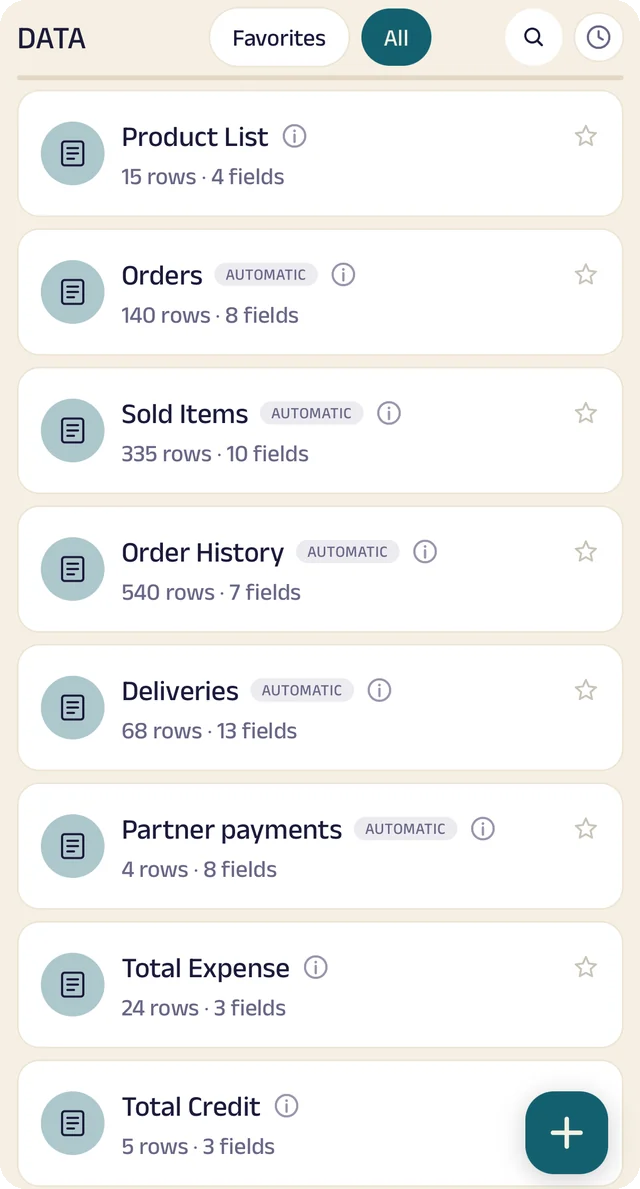
Your tables
Every table in one menu, each with its row count.
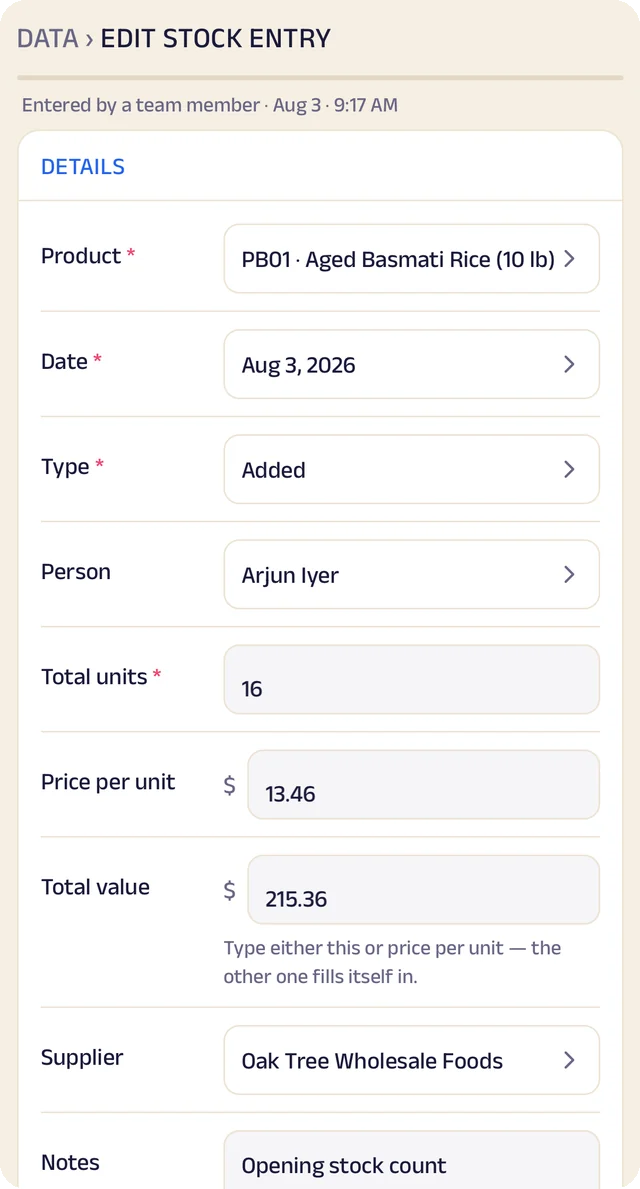
Stock entry
A stock entry: what came in, at what cost, from whom.
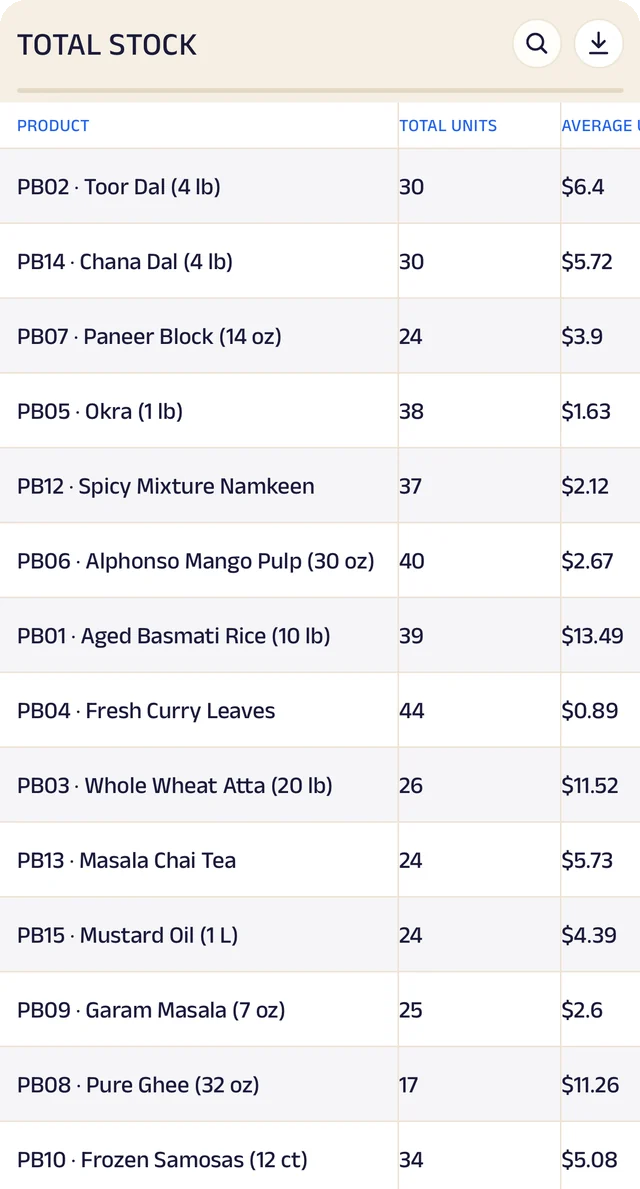
Total stock
Total stock and its average cost, worked out for you.
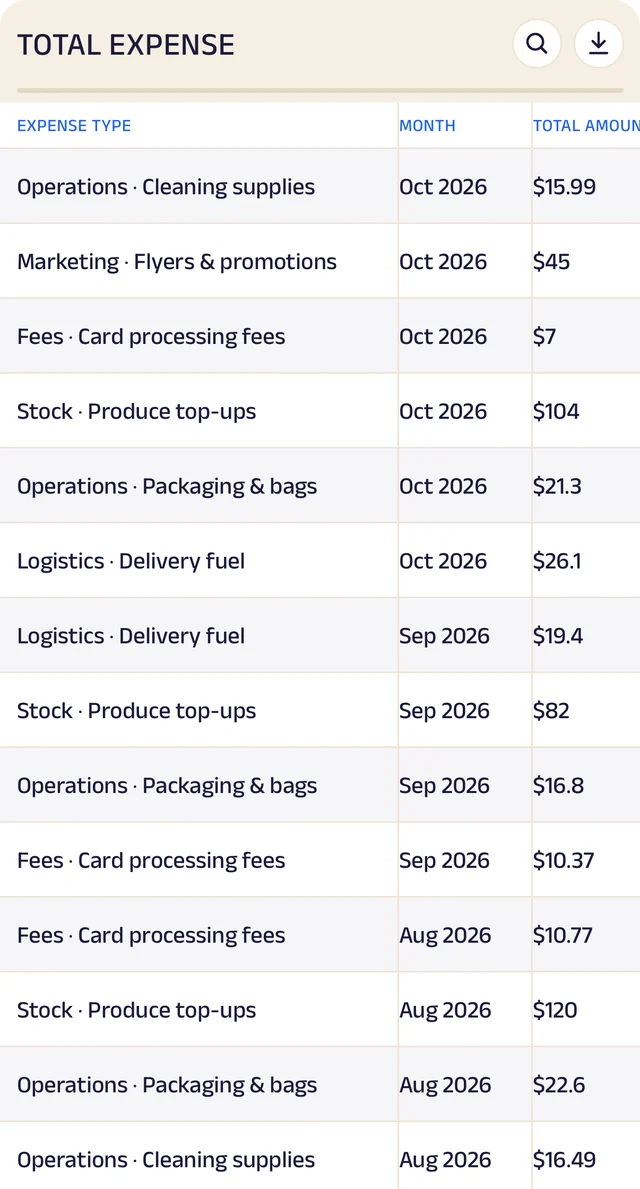
Expenses
Expenses as a table, ready to search or download.
Product stock
List the products you sell once, record what comes in with its cost and supplier, and let sales take it out. A barcode or product code finds anything in seconds.
Credit ledger
Credit given to regulars is written down properly. Customers see the same balance you do, and you always know who owes you most.
Customer management
Every customer has a record the right people can see and add to, with notes, photos and who looks after them.
Analytics
Thirty charts across sales, money and stock. See your busiest hours, what sells, and repeat against new customers, for this week, month or year.
Your data, yours to take
Every table in the app is searchable and can be downloaded as a CSV for your accountant or your own spreadsheet.
The Assistant
Say an order out loud or photograph a bill and it becomes a record for you to review. Nothing is saved until you approve it.
Everything here is on the Businesses page in detail, with the app's real screens. See the Businesses page
Join the pilot
Set up your shop's page.
The US pilot starts in January 2027. The pilot is completely free. After it, you can start free: the Free plan covers 30 orders a month, with every feature open (the AI Assistant is free during the pilot, then on paid plans). When you need more, plans start at $10 a month, based on how many orders or bookings you handle. There's no commission and no per-order fee, and as a pilot member you lock in your rate. Setup and training are free.
Free
$0
30 orders or bookings a month
Starter
$10 a month
Up to 100 orders or bookings a month
Growth
$25 a month
Up to 300 orders or bookings a month
Pro
$50 a month
Up to 1,000 orders or bookings a month
Every feature is open on every plan. The AI Assistant is free for everyone during the pilot, then comes with paid plans. Every order counts. Prices include sales tax. More than 1,000 a month, or 5 or more people on your team? We'll agree a plan with you.